Why Does 5.1 Sound Muffled on a 2.1 Soundbar? Where Voices Go

If you’re wondering why does 5.1 sound muffled on a 2.1 soundbar, the answer starts with the downmix: there’s no center speaker, so the channel Dolby uses for dialogue gets mixed into the left and right speakers at a lower level, on top of everything already there.
Explosions and music come through fine, but voices seem to sit behind them, and turning the volume up raises the effects just as much.
Most of the fix is settings rather than new hardware, because the TV’s output format, the sound mode and the voice and night modes all change how that folded-in dialogue lands.
Below is where dialogue sits in a 5.1 mix, what the downmix does to it, and the settings each maker gives you to pull voices forward.
Start with the short answer, then work down the checklist from the TV to the cable.
Why Does 5.1 Sound Muffled on a 2.1 Soundbar?
The numbers in the two names tell most of the story. Dolby’s speaker setup guide defines 2.1 as two main speakers (left and right) and one subwoofer, and 5.1 as five main speakers (left, center, right and two surrounds) and one subwoofer, so a 2.1 soundbar has nowhere to put three of a 5.1 mix’s channels except its own left and right speakers.
The same guide says center speakers are primarily used to deliver dialog. Once that channel is folded into left and right, voices no longer have a speaker to themselves and share two speakers with the score, the effects and, unless the stream leaves them out, the surround channels too.
It’s like moving a presenter’s microphone onto the two microphones that pick up the studio band. Every word is still there, but it now arrives through the same two channels as everything else, a little lower than before.
That’s a different question from the 2.1 vs 5.1 comparison, which is about choosing between the layouts. This page is about getting the most out of the 2.1 layout you already have.
Where Does the Dialogue Sit in a 5.1 Mix?
That center channel is the one to follow through the rest of the chain. Dolby’s page on Dolby Digital says the three front channels (left, center and right) provide crisp, clean dialogue and accurate placement of onscreen sounds, while the two surround channels create the sense of being in the middle of the action.
The sixth channel, the .1, is the low-frequency effects channel, which Dolby says needs only about one-tenth the bandwidth of each of the other channels. So a 5.1 track is five full channels plus a bass-effects channel, and the center is the full channel that dialogue leans on.
Dolby Digital also carries instructions about the mix, which Dolby calls metadata. That page lists a dialogue level, line mode compression, RF mode compression and center and surround downmix levels among those parameters, and each one comes up again below.
What Does a 2.1 Soundbar Do With a 5.1 Signal?
Those instructions only matter if the soundbar receives the 5.1 track in the first place. Samsung’s, Yamaha’s and Polk’s manuals all have the soundbar decode the track itself: Samsung’s HW-B550 full manual lists a 5.1-channel input as 2.1-channel output in every sound mode, and Yamaha’s SR-B20A, a bar with built-in subwoofers, decodes Dolby Digital up to 5.1 channels but takes PCM only up to 2 channels.
Polk’s Signa S2 quick start guide says its HDMI ARC and optical inputs support Dolby 5.1 decoding as well. Dolby’s technical paper on Dolby Digital Plus says all Dolby Digital decoders can create a stereo mix from a 5.1 mix on the fly.

Dolby’s guide to its metadata describes the two settings that steer that fold. Center Downmix Level applies when the audio has three front channels but the listener has only left and right front speakers, and Surround Downmix Level applies when the audio has surround channels but the listener has no surround speakers.
The same guide names two kinds of two-channel downmix. A Lo/Ro downmix adds the left and right surround channels discretely to the left and right speakers, while an Lt/Rt downmix sums the surrounds and adds them in phase to the left and out of phase to the right, so a Pro Logic decoder can pull them back out later.
How Much Lower Does the Center Go in a Downmix?
So the center doesn’t vanish in that fold; it gets a level. The ATSC A/52 standard for Dolby Digital gives three center mix levels, 3 dB, 4.5 dB or 6 dB below the left and right channels, and three surround settings, 3 dB down, 6 dB down or left out.
Here are the coefficients the standard lists for each choice:
| Field in the Dolby Digital stream | Choices in A/52 |
|---|---|
| Center mix level | 0.707 (-3 dB), 0.595 (-4.5 dB) or 0.500 (-6 dB) |
| Surround mix level | 0.707 (-3 dB), 0.500 (-6 dB) or 0 |
The standard’s stereo equations put it plainly. The left output is the left channel at full level, plus the center at the center mix level, plus the left surround at the surround mix level, and the right output mirrors it.
That “nowhere to put it” problem from the first section shows up here as a number. The program provider picks the levels in the stream, A/52 says, to set the balance of center and surround against left and right, so two films can fold down differently on the same speakers.
A/52 adds one more step that touches everything. To prevent overload, a decoder may scale all the downmix coefficients down equally so that the ones feeding any single output never add up to more than 1, and a left channel at 1.0 with a center and a surround at 0.707 each adds up to about 2.4 before that scaling.
Why Do Explosions Stay Loud While Voices Drop Back?
A level in the downmix is only half of it, because a film mix also swings hard between loud and quiet. A/52 says that, using dialogue as a reference, loud sounds like explosions are often 20 dB or more louder and faint sounds like leaves rustling may be 50 dB quieter, so the standard gives decoders dynamic range control to let listeners choose how much of that range they hear.
Dolby’s loudness article for broadcasters explains how that control treats speech. The dialogue level (dialnorm) marks a “null band” around the average level of conversation where no compression happens, so the processing works on the loud and quiet passages around the voices.
Dolby’s metadata guide says consumers usually see the choices as Off, Light Compression and Heavy Compression, and that consumer control of the dynamic range is limited when downmixing. Products with stereo outputs don’t usually allow scaling of Line Mode, it adds, because they’re usually downmixing, though they may offer a choice between Line Mode and the heavier RF Mode.
On the soundbars themselves, Samsung and LG call the setting DRC and Yamaha calls it dynamic range compression, and all three apply it only to Dolby Digital. Samsung’s HW-B550 manual says that with DRC on, loud sound is reduced and the sound may be distorted, and LG’s SH2 manual says DRC makes the sound clear when the volume is turned down and prevents sudden increases.
Yamaha’s SR-B20A user guide says compressing the dynamic range makes it easier to listen at a low volume, applies only when Dolby Digital is playing and is set to no compression by default. That 20 dB gap is the familiar pattern of reaching for the remote when a shootout follows a whispered scene.
Is the TV Sending Stereo Instead of 5.1?
Every setting above assumes the 5.1 track actually reached the soundbar. Over optical or standard HDMI ARC, it doesn’t when the TV is set to PCM: Roku’s surround sound support article says an optical (S/PDIF) connection is limited to 2 channels of uncompressed stereo (PCM) or 5.1 channels of compressed surround such as Dolby Digital, and Sony’s HT-A7000 help guide lists 2-channel LPCM, not 5.1, on its ARC and optical inputs.
Sony’s BRAVIA help guide shows what the TV’s choices mean: Auto 1 outputs compressed audio without change, Auto 2 does so only for multichannel content, and PCM always outputs PCM. With PCM, the TV makes the stereo mix before sending it, so the DRC settings on Samsung’s, LG’s and Yamaha’s models, which work only on Dolby Digital, have nothing to act on.
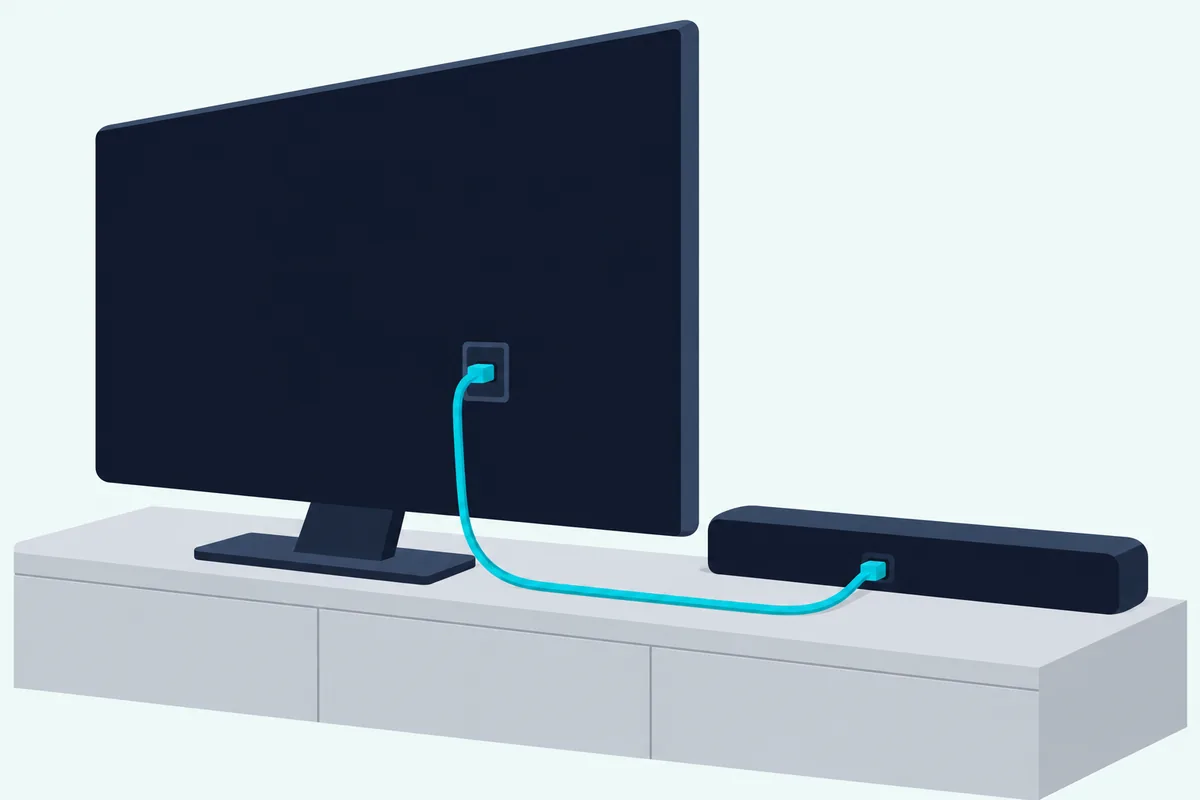
Samsung’s HW-B550 manual recommends changing the TV’s Digital Output Audio Format from PCM to Dolby Digital when a broadcast is encoded in Dolby Digital, saying you’ll experience better sound quality. Vizio’s V21t-J8 manual has you set the TV’s Digital Audio Setting to Dolby Digital or Bitstream during HDMI ARC setup.
Vizio’s manual also gives the reverse for one case: if the input lights flash rapidly on a digital input, an unsupported format is present, so set the source to output PCM. The menu names differ by TV maker, and each TV brand’s PCM or Dolby Digital menu has the step-by-step.
You can confirm what’s arriving on some models. On Yamaha’s SR-B20A, pressing INFO shows the signal for three seconds: the TV indicator glows white for Dolby Digital, while TV and OPTICAL stay off for PCM or no input.
What Do the Surround and Virtual Modes Do to a 5.1 Track?
Once the right signal arrives, the soundbar’s own processing is the next layer between you and the voices. These modes add virtual surround or height processing to what the soundbar plays, and each of these makers offers a way to switch it off: Samsung’s STANDARD mode outputs the original sound, Vizio’s SV210M Direct mode plays the audio as the creator intended and removes virtualization, and Yamaha’s SR-B20A has a STEREO mode for 2-channel playback next to three modes that perform surround playback.
Other models default to the effect. JBL’s Cinema SB190 manual says its Dolby surround upmixer can expand Dolby Digital content, including 5.1, into a virtual 3D Atmos effect that is on by default, and suggests switching it off if you prefer no height sound effects.
Vizio’s V21t-J8 manual says that with DTS Virtual:X off, all sources play back in stereo. Samsung’s HW-B550 lists SURROUND SOUND as a wider sound field than standard and DTS VIRTUAL:X as immersive 3D sound from any content.
Here’s a practical test: play one dialogue-heavy scene in the plain mode, then again in the surround or virtual mode, at the same volume. Keep whichever one lets you follow the voices without turning it up.
Which Voice or Dialogue Setting Does Your Soundbar Have?
After the sound mode, the voice control is the next lever, and every maker names it differently. Samsung calls it Voice Enhance, Vizio ClearDialog, LG CLEAR VOICE PRO, Yamaha Clear Voice and Polk VoiceAdjust, and the table gives what each maker’s document says it does:
| Maker and model | Setting | What the maker’s document says |
|---|---|---|
| Samsung HW-B550 | Voice Enhance | Makes it easier to hear spoken dialog in movies and TV |
| Vizio SV210M | ClearDialog | Designed to keep voices clear, even when background sounds get loud |
| Vizio V21t-J8 | Dialogue EQ mode | One of four presets (Movie, Music, Dialogue, Game); Movie is on by default |
| LG S60T | CLEAR VOICE PRO | Improves the clarity of voices |
| Bose TV Speaker | Dialogue mode | Improves the clarity of dialogue and vocals by adjusting the audio balance |
| Bose Smart Soundbar | AI Dialogue Mode | Makes voices easier to hear without reducing the impact of immersive effects |
| Yamaha SR-B20A | Clear Voice | Picks out human voices from background sound and raises only the voices |
| Polk Signa S2 | VoiceAdjust | Isolates and adjusts the voice channel level |
| JBL Cinema SB190 | Voice mode | Enhances vocal clarity so speech is easier to hear and understand |
| Roku audio devices | Dialogue mode, Speech clarity | Makes conversations easier to hear and boosts dialogue against music and crashes |
Yamaha recommends Clear Voice for movies or dramas that use a lot of background music and sound effects, the same crowding of voices described in the downmix section. LG’s S20A lists AI SOUND PRO, CINEMA, STANDARD and GAME as its sound effects, so on that model the choice is among those four.
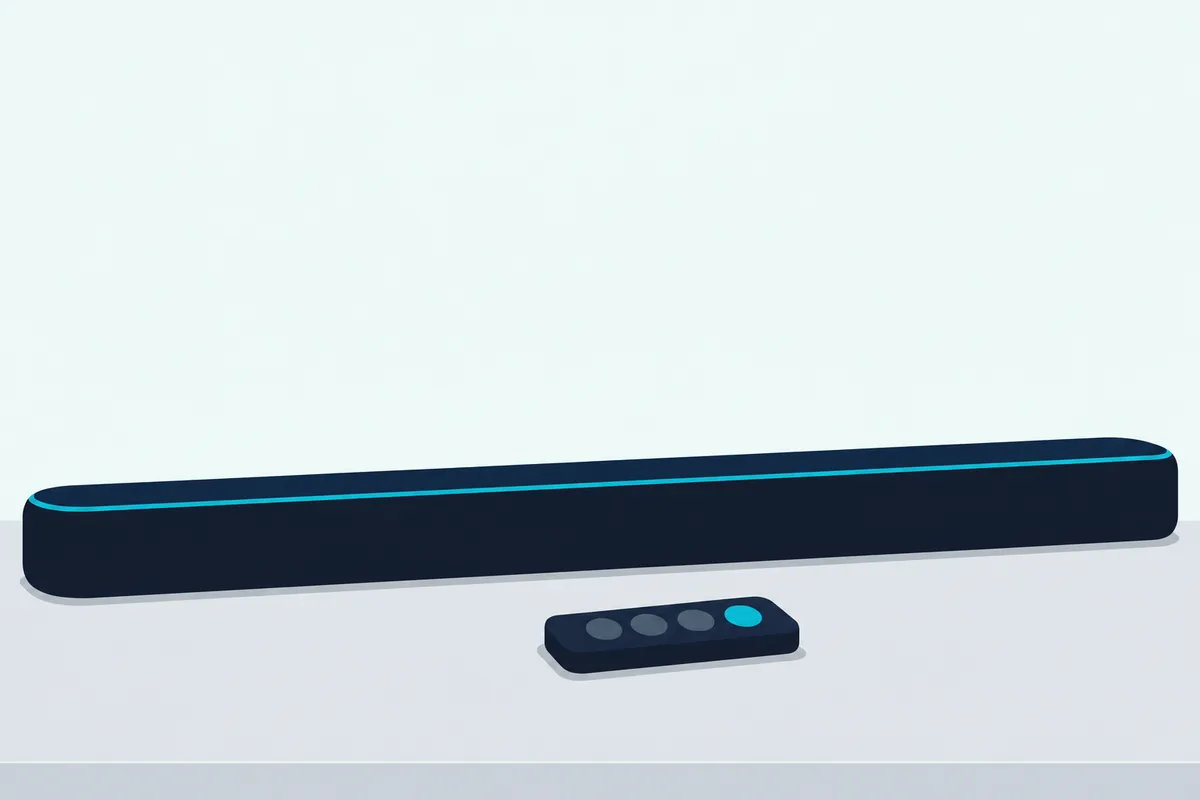
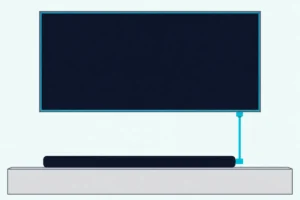
Bose’s TV Speaker guide ties one placement step to the same button. After wall-mounting, press and hold Dialogue mode for 5 seconds until the TV light blinks amber to adjust the audio for the wall.
If none of these is enough, the soundbars chosen for clear dialogue are compared by their center channels and voice modes.
Should Night Mode and DRC Be On or Off?
Night modes usually sit right next to those voice buttons, and they don’t all do the same thing. Leave yours off while you compare the other settings, because Samsung’s HW-B550 Night Mode brings the volume down but keeps the dialog clear, LG’s Night Time reduces the general volume but raises soft and delicate sounds, Vizio’s SV210M Night Mode reduces the subwoofer level, and Roku’s Night mode is optimized for lower volumes with less bass.
Each of those changes the very balance you’re trying to judge. Once the other settings are where you want them, decide whether you want night mode back on for late listening.
DRC is the same kind of choice. With dialnorm marking the band Dolby’s compression leaves alone, turning DRC on narrows the gap between explosions and voices, which is how LG and Yamaha describe it for low-volume listening, while Samsung warns the sound may be distorted.
For other makers, Burton Acoustix’s night mode and DRC table lists their leveling settings and what each one changes.
What Should You Check, and in What Order?
All of those settings fit into one short list that starts at the TV and ends at the cable. Work through it in this order, TV output first and cable last, because each step changes what the next one hears:
| Step | Check | What the documents say |
|---|---|---|
| 1 | The TV’s digital audio output | PCM is two channels over optical and standard ARC; Samsung and Vizio point to Dolby Digital or Bitstream |
| 2 | The input and the signal | Yamaha’s INFO button shows Dolby Digital or PCM; Polk’s Signa S2 lights show Dolby content via HDMI or optical |
| 3 | The sound mode | Samsung’s STANDARD outputs the original sound, Vizio’s Direct removes virtualization, Yamaha’s STEREO plays 2 channels |
| 4 | The voice setting | Voice Enhance, ClearDialog, Clear Voice, VoiceAdjust or Voice mode, from the table above |
| 5 | Night mode and DRC | Off to judge the other steps; on, if you want it, for late listening |
| 6 | Lip-sync | Samsung’s AUDIO SYNC sets a delay of 0 to 300 milliseconds when the video and sound aren’t synchronised |
| 7 | The cable and port | Over optical, 5.1 needs Dolby Digital or DTS; HDMI ARC carries the same plus Dolby Digital Plus and Dolby Atmos |
Step 7 comes from Roku’s article, which says the HDMI ARC connection supports the same formats as the digital audio output, with greater throughput for Dolby Digital Plus and Dolby Atmos. Sony’s HT-A7000 chart draws the same line: 5.1-channel LPCM reaches that model only over eARC or its HDMI inputs, not over ARC or optical.
For a soundbar that isn’t named here, look in its manual’s sound settings for the same four things: a signal indicator, a plain mode, a voice setting and a night or DRC setting. Those four cover steps 2 to 5.
Would a Center Channel Fix the Dialogue?
If the checklist doesn’t get you all the way, the remaining difference is the speaker layout itself. A model with a center channel doesn’t have to fold the center into left and right, because Dolby’s metadata guide applies the center downmix level only when the listener has just left and right front speakers.
Adding rear speakers doesn’t add a center. Samsung’s HW-B550 table lists a 5.1 input as 4.1-channel output with its Wireless Rear Speaker Kit in the surround modes and 2.1 in STANDARD, still with no center channel.
The 2.0 vs 3.0 comparison covers what a third, center channel adds for dialogue. That’s the hardware route; the seven checks above come first because each one is only a setting.
The Bottom Line
A 5.1 track on a 2.1 bar is a downmix: the dialogue channel loses its own speaker and joins left and right at 3 to 6 dB below them, alongside effects that A/52 says often run 20 dB or more above speech. Set the TV’s output to Dolby Digital, Bitstream or Auto unless your manual says PCM, use the plain sound mode, try the voice setting, and check night mode and DRC before deciding the speaker itself is the problem.
The explanations come from Dolby’s documents and the makers’ manuals.
Frequently Asked Questions
Can a 2.1 soundbar play 5.1?
Yes, as 2.1. Samsung’s HW-B550 manual lists a 5.1-channel input as 2.1-channel output in every sound mode, Yamaha’s SR-B20A decodes Dolby Digital up to 5.1 channels, and Polk’s Signa S2 supports Dolby 5.1 decoding over HDMI ARC and optical. What you hear is the downmix, with the center and surround channels mixed into the left and right speakers at the levels the stream sets.
Is a 2.1 soundbar surround sound?
Not in Dolby’s speaker terms: 2.1 means two main speakers and a subwoofer, while 5.1 adds a center and two surrounds. Some 2.1 models simulate surround with processing instead. Samsung’s HW-B550 and Yamaha’s SR-B20A offer DTS Virtual:X, which Vizio’s V21t-J8 manual describes as a virtual sound technology that simulates the effect of having overhead sound.
Should the TV be set to PCM or Dolby Digital for a 2.1 soundbar?
Samsung’s HW-B550 manual recommends Dolby Digital over PCM when a broadcast is encoded in Dolby Digital, and Vizio’s V21t-J8 sets the TV to Dolby Digital or Bitstream during setup. With PCM over optical or standard ARC, the TV sends two channels and does the downmix itself. Use PCM where your manual says to, as Vizio’s does when the input lights flash for an unsupported format.
Why does the soundbar sound muffled even on stereo shows?
A stereo show has no center channel to fold in, so look at the processing instead: a surround or virtual mode, a night mode left on, or the voice setting switched off. Bose also says to adjust its TV Speaker’s audio after wall-mounting it, by holding the Dialogue mode button for 5 seconds.
Why are voices quiet but explosions loud on a soundbar?
Film mixes are built with that range: the ATSC A/52 standard says explosions are often 20 dB or more louder than dialogue. A voice setting raises the speech, while DRC or a night mode narrows the gap, and each maker describes its own version differently.
Does adding rear speakers fix muffled dialogue on a 2.1 soundbar?
Rear speakers add surround channels, not a center. Samsung’s HW-B550 table lists a 5.1 input as 4.1-channel output with its Wireless Rear Speaker Kit in the surround modes, so the dialogue still shares the left and right speakers.