What Are DJ Controllers? (The Only Guide You Actually Need)
What are DJ controllers? They are the fastest way to get hands-on DJ control without buying separate decks and a mixer first, but that convenience also makes it easy to buy the wrong kind of setup.
That is where beginners get stuck. Because they shop by pad count, screen size, or brand prestige first, they end up with a layout that slows down learning instead of helping it.
The payoff of understanding controllers properly is that you can match the hardware to the actual skills you are trying to build and skip a lot of unnecessary cost.
Start with what a controller really is, then how it works with DJ software, then why many DJs choose it over a mixer-only setup, and finally whether you need one to learn well.
To start DJing, you need a DJ controller (a USB device with jog wheels, faders, and performance pads), a laptop, and DJ software like Serato or Rekordbox. Controllers mirror the layout of professional CDJ setups at a fraction of the cost, letting you practice every core DJ skill from your desk.
DJ Controllers Exist To Put Real Mixing Skills Within Reach
A Controller Is The Hands-On Side Of DJ Software
A DJ controller is a hardware interface that sends MIDI signals to DJ software running on your laptop. It doesn’t process audio on its own — every fader move, jog wheel spin, and button press translates into a digital command that your software interprets.
That distinction matters because it explains why controllers cost a fraction of what CDJ setups do. The heavy lifting happens in software, not hardware.
The Layout Mirrors A Traditional Deck-And-Mixer Workflow
Once that core idea is clear, the physical layout makes more sense too.
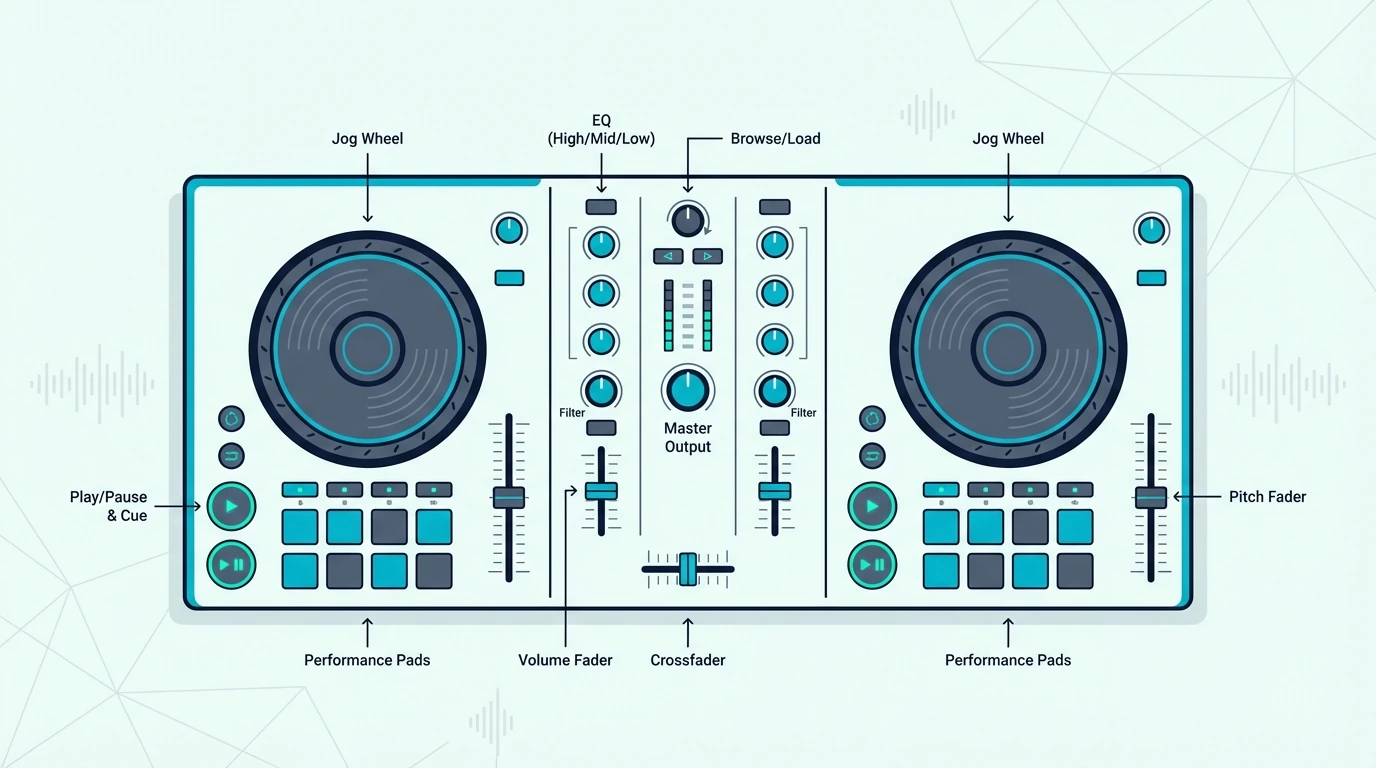
Every controller shares the same basic DNA: two jog wheels (one per deck), a crossfader in the center, volume faders for each channel, EQ knobs (usually high, mid, low), and a set of performance pads. The jog wheels simulate vinyl platters — spin them forward to nudge a track ahead, pull back to slow it down.
Performance pads sit below the jog wheels and handle hot cues, loops, samples, and effects depending on which mode you activate. Dedicated buttons for play, cue, sync, and headphone monitoring round out the layout.
Different DJs Use Controllers For Different Reasons
That shared layout is why the same basic device can serve very different kinds of DJs.
Bedroom DJs learning to mix use entry-level 2-deck controllers. Mobile DJs running weddings and corporate events carry mid-range units with built-in sound cards.
Club-adjacent DJs who want to practice at home on the same software they’ll encounter on a CDJ-2000 setup gravitate toward 4-channel controllers from Pioneer DJ.
The CDJ-2000 is also the deck Wired found in Skrillex’s 2014 tour booth, and a dated list of what he has named has no controller on it at all.
Four channels are a bigger commitment than they look, and what a 4 channel DJ controller adds over a two-channel one explains who actually needs them.
The common thread is software dependency. Every controller needs a laptop and a DJ application to function — which brings us to how the signal actually flows.
The Controller Only Makes Sense Once You See The Signal Path
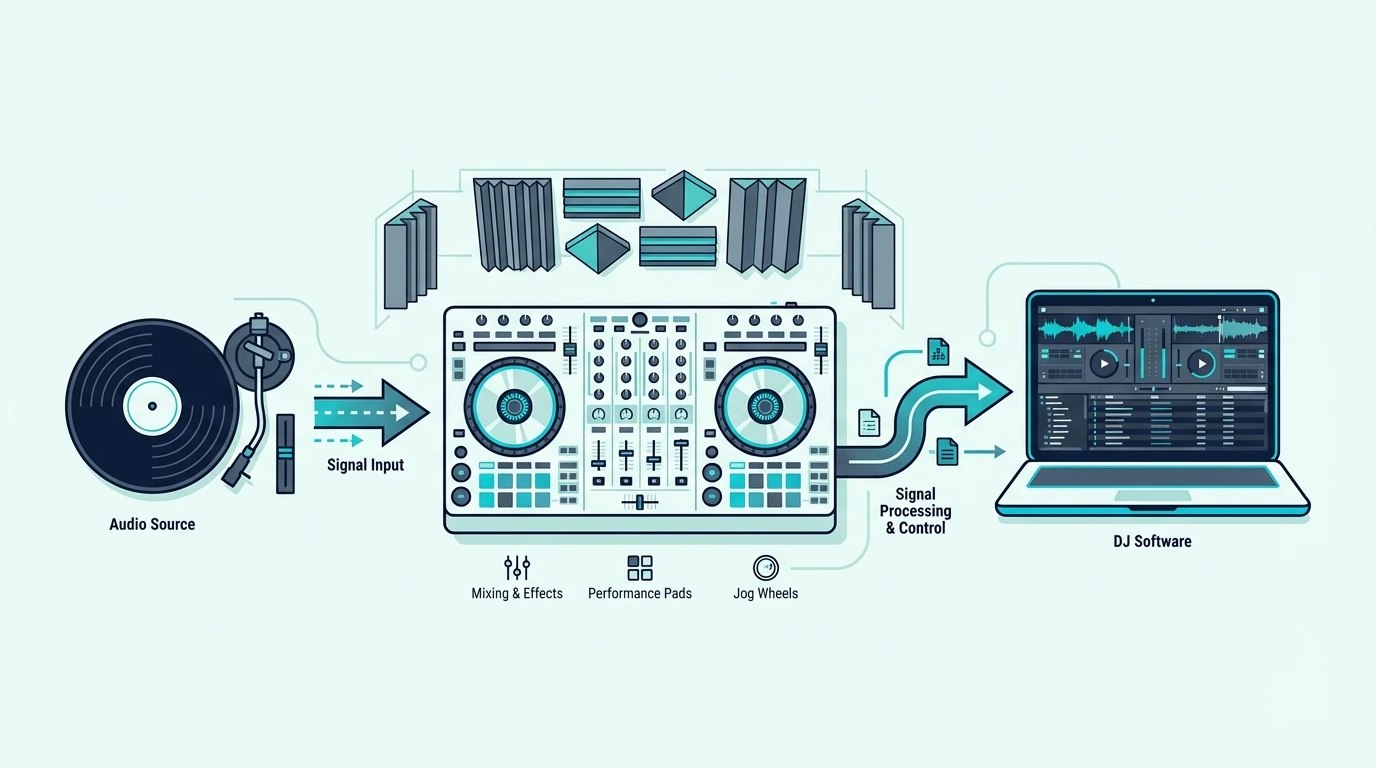
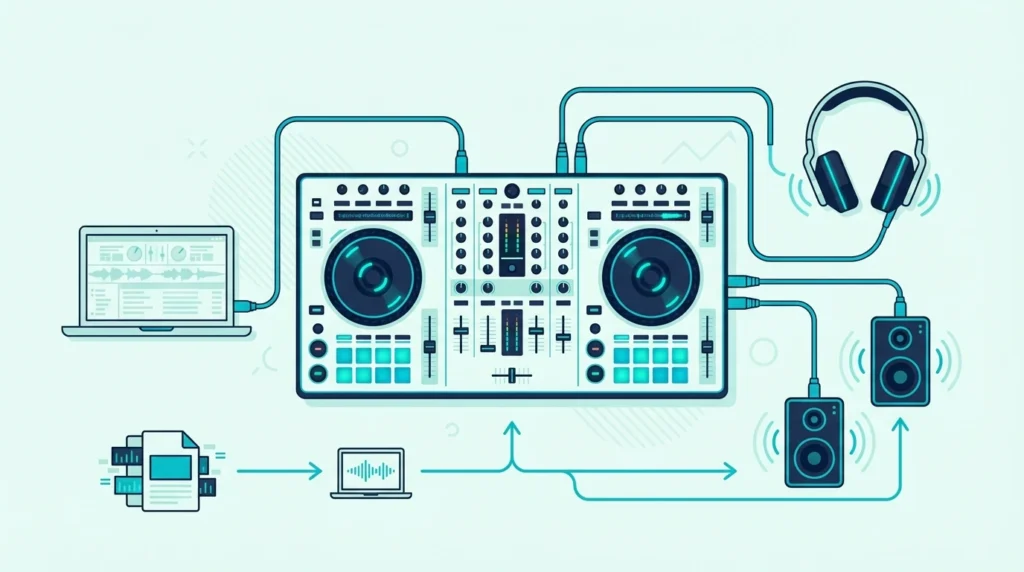
USB Control, Software Playback, And Audio Output Form One Loop
Plug a USB cable from the controller into your laptop. DJ software — Serato, Rekordbox, or Virtual DJ — detects the controller automatically and maps every knob, fader, and pad to a specific software function.
If Serato doesn’t see the controller, our guide to connecting a DJ controller to Serato DJ Pro covers the driver, cable and audio-device fixes.
You load a track onto Deck A using the software, and the waveform appears on screen. When you push the play button on the physical controller, the software starts playback.
Twist the bass EQ knob, and the software cuts low frequencies from that channel’s output. Every physical movement maps to a specific digital action.
The Built-In Sound Card Is What Makes Real Cueing Possible
That control loop only becomes useful for actual mixing once the audio routing is handled properly.
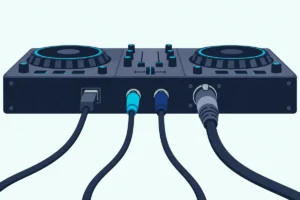
Audio routes from the software through the controller’s built-in sound card and out to your speakers via RCA or XLR outputs on the back of the unit. Most mid-range and up controllers include a sound card.
Some controllers also have a microphone input, which brings its own jack, level knob and routing, all covered in setting up a microphone on a DJ controller.
That built-in sound card is critical — it lets you preview the next track in your headphones while the audience hears the current one.
Without a sound card, you’d hear the same audio in your headphones and speakers, making smooth transitions impossible. Budget controllers that skip the sound card force you to buy an external audio interface, which defeats the “all-in-one” appeal.
On a laptop alone, a splitter cable or a second sound card can stand in, as cueing without a controller explains.
Jog Wheel Feel Changes How The Controller Teaches Your Hands
Once the signal path is working, the next question is how the hardware actually feels under pressure.
Jog wheels come in two flavors: capacitive touch and motorized. Capacitive touch wheels detect your finger placement and speed — most entry-to-mid-range controllers use this type.
Motorized wheels physically spin like vinyl, giving tactile resistance for scratching. They cost more, but scratch DJs consider the upgrade non-negotiable.
The size matters more than most beginners realize. A 6-inch jog wheel feels cramped for scratch DJs, while an 8-inch wheel mirrors the feel of a CDJ platter.
If scratching is your priority, wheel size and tension adjustment should top your checklist.
The Real Point Is Getting CDJ-Style Workflow Without CDJ Money
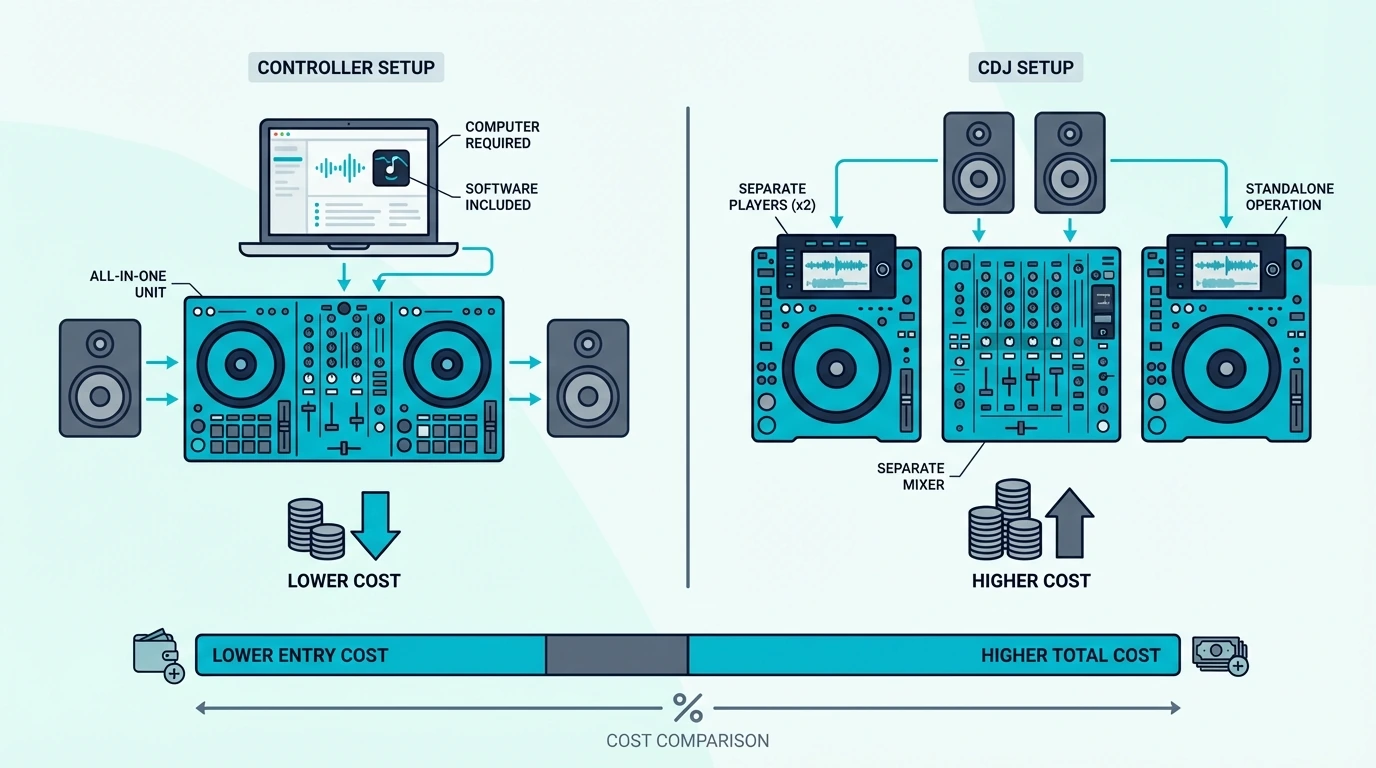
Cost Is The Obvious Advantage, But Not The Only One
A club booth of two Pioneer CDJ-3000s and a DJM-900NXS2 mixer is three separate club units. A controller gives you the same rekordbox software and a similar workflow in one unit, for a fraction of that price.
That price gap is the single biggest reason controllers dominate the beginner and intermediate market.
The tradeoff is build quality and standalone capability. CDJs work without a laptop — controllers don’t, which means your DJ setup is only as reliable as your computer.
Portability Makes Controllers Practical For Daily Use
That price advantage would matter less if controllers were awkward to live with, but portability is part of the appeal too.
Controllers weigh between 2 and 15 pounds depending on size. A standalone unit with a built-in screen eliminates the laptop entirely, but those carry a premium price tag.
For mobile DJs who need to fit gear in a backpack, compact 2-deck controllers like the Pioneer DJ DDJ-FLX4 deliver full functionality without the bulk.
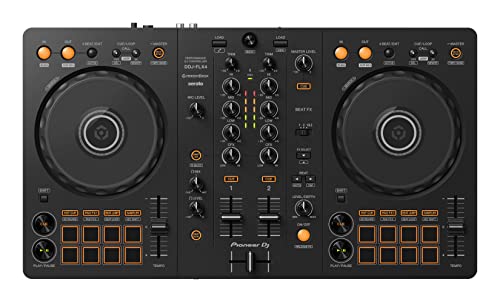
Pioneer DJ DDJ-FLX4
The trade-off is channel count, and this guide to choosing between two and four channels shows what the extra width buys.
If a gig means flying, the FLX4’s 19 inches fit a standard carry-on, and our guide to airline rules for carrying a controller covers the bag sizes, batteries and cases.
A controller that travels needs the occasional clean, and cleaning faders, crossfaders and sticky rubber takes only a few supplies.
Mobile DJs who use an iPad should check what an iPad needs from a controller first, since power and adapters differ by model.
Our step-by-step guide to setting up a DJ controller with an iPad covers which adapter each iPad needs and how to power the controller.
Software Choice Quietly Becomes An Ecosystem Decision
That portability advantage leads straight into the next reality buyers miss.
Every major DJ software platform — Serato DJ, Rekordbox, Traktor Pro, and Virtual DJ — designs its interface around controller input. When you buy a controller, you typically get a license for one of these platforms included.
If you plan to use Traktor, check compatibility before you buy, since the best DJ controller for Traktor depends on which models Native Instruments’ software sets up automatically.
Pioneer controllers bundle Rekordbox. Numark and most Hercules units come with Serato DJ Lite.
That bundled software matters because upgrading later (Serato DJ Lite to Serato DJ Pro, for example) adds a significant cost. Choosing the right controller upfront locks you into an ecosystem.
Think about which software your DJ friends use and which platform the clubs in your area run.
A Controller And A Mixer Solve Two Different Problems
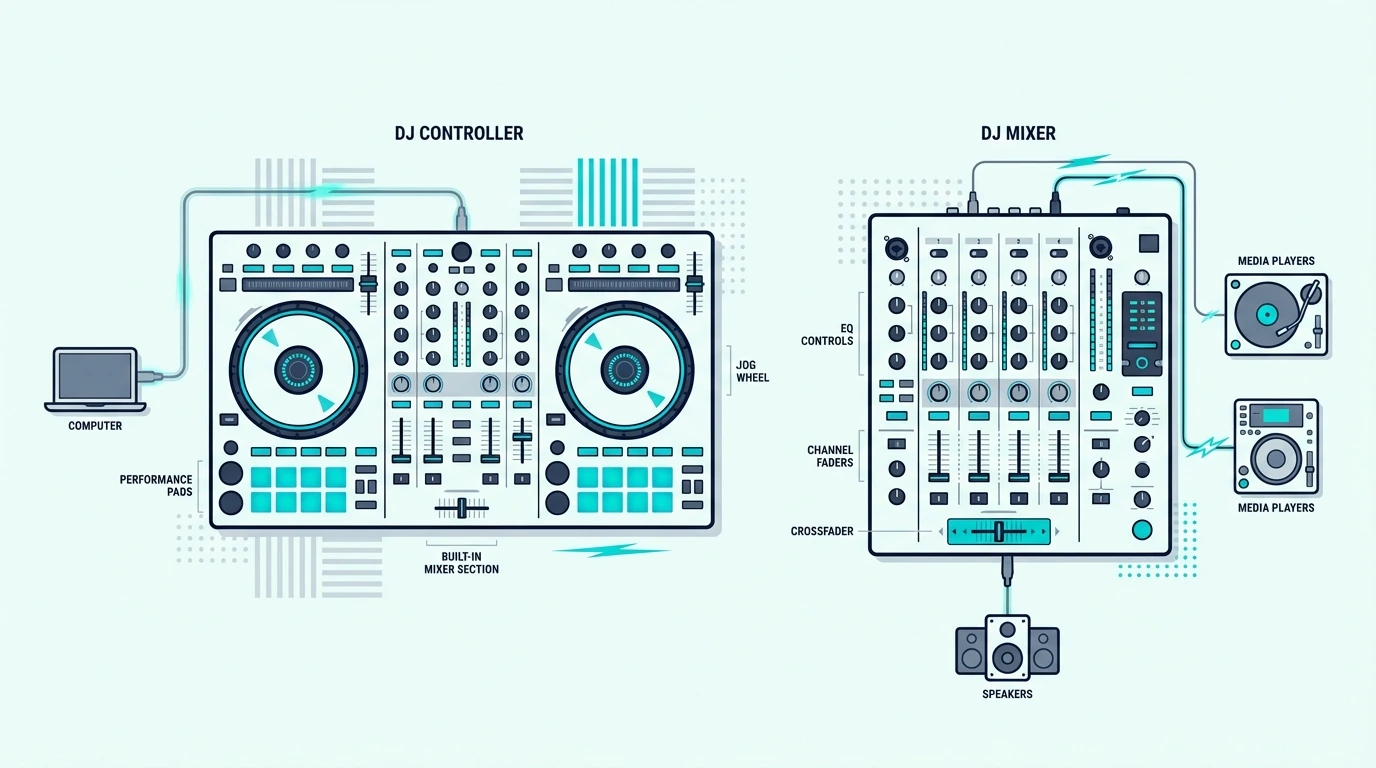
Mixers Blend Live Audio Sources While Controllers Command Software
A DJ mixer is a standalone audio device that takes physical audio inputs — turntables, CDJs, phones, microphones — and blends them into one output signal. A mixer processes real audio signals with no laptop required.
A controller is a MIDI device that sends commands to software. It doesn’t need to process audio at all, though most include a sound card for convenience.
Remove the laptop, and the controller is a paperweight.
A Mixer Makes Sense When Multiple Audio Sources Need A Home
That difference becomes practical the moment you look at real-world setups.
If you spin vinyl or use CDJs, you need a dedicated mixer. Two turntables plus a mixer is the classic DJ setup.
It still sounds better than any controller for purists who want direct analog signal paths and motorized platters with real vinyl resistance.
Mixers also make sense in multi-DJ environments — clubs install a mixer permanently, and visiting DJs plug their own gear into it. A controller can’t serve that role because it’s tied to one laptop’s software instance.
A Controller Makes More Sense When One Laptop-Based Rig Is The Goal
For most new DJs, that is the more realistic starting point.
For home practice, bedroom mixing, streaming, and mobile gigs where you’re the only DJ, a controller is the logical choice. One device, one cable, one software window — and you’re mixing.
The Hercules DJControl Inpulse 300 MK2 even includes built-in light guides that teach beatmatching in real time — something no standalone mixer can do.
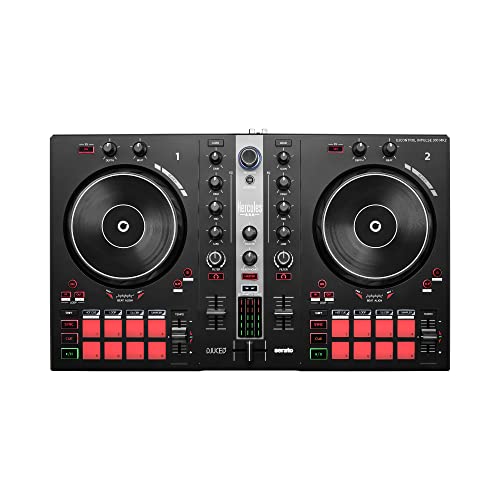
Hercules DJControl Inpulse 300 MK2
Controllers also handle effects processing inside software, which means you get reverb, delay, flangers, and beat-synced effects without buying external hardware. For a deeper breakdown, see our guide to DJ mixers.
You Can DJ Without A Controller, But The Ceiling Arrives Fast
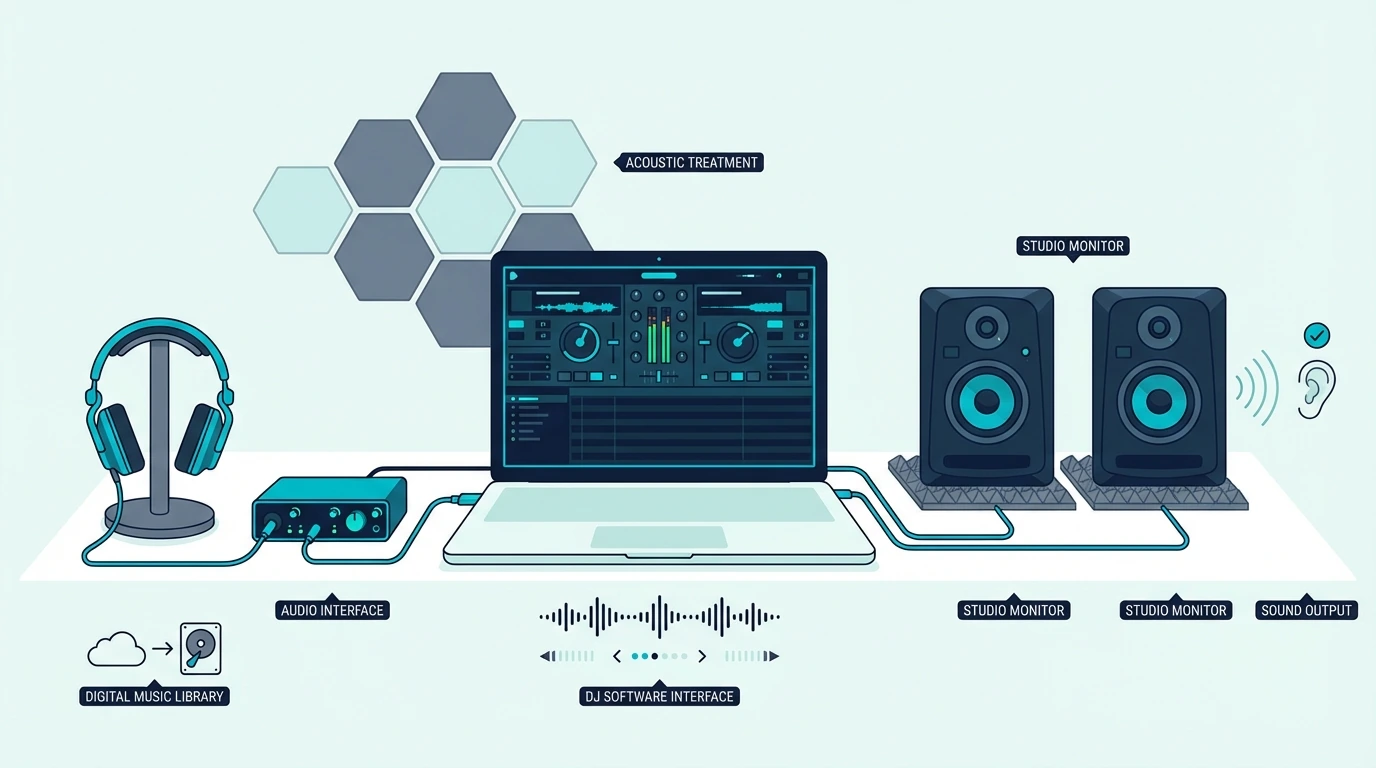
Laptop-Only Mixing Works, But Precision Suffers
Every major DJ platform supports mouse-and-keyboard mixing. Virtual DJ, Serato, and Rekordbox all let you load tracks, set cue points, and crossfade using only your trackpad.
It works — technically.
The problem is precision — clicking a crossfader with a mouse is like playing piano with your elbows. You can produce something, but the nuance disappears.
Phone And Tablet DJing Is Real, But It Hits A Limit Quickly
Touchscreen DJing proves the same point from a different angle.
Apps like djay by Algoriddim turn an iPad into a functional DJ setup with touchscreen jog wheels and crossfaders. For casual mixing at house parties, it’s surprisingly capable.
But touch screens lack tactile feedback — you can’t feel the resistance of a jog wheel or the click of a fader without physical hardware. For anything beyond casual playlist blending, you’ll hit the ceiling fast — which is why most serious beginners invest in hardware early.
Physical Controls Build The Muscle Memory Screens Cannot
That is the real reason controllers matter.
Physical controls let you develop muscle memory. After a few weeks with a real jog wheel, your hands learn where the cue button sits without looking.
That muscle memory is what separates a DJ who can react to a crowd from one who stares at a screen.
The Pioneer DJ DDJ-FLX10 takes this further with displays in its jog wheels that show deck information, including the overall waveform, so your eyes stay on the decks instead of bouncing between the controller and your laptop screen.
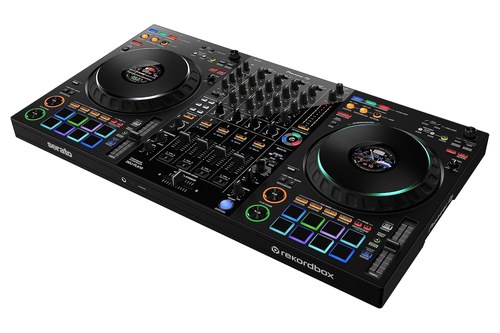
Pioneer DJ DDJ-FLX10
If you’re serious about learning, a controller isn’t optional — it’s the foundation everything else builds on. And once you have the hardware down, learning to mix becomes the next natural step.
The Bottom Line
DJ controllers exist to turn laptop DJing into a real hands-on workflow that you can afford, carry, and actually learn on. They are not magic shortcuts, but they are the most practical bridge between curiosity and real mixing skill.
Pick a controller that matches the software ecosystem you want to grow into — not the one with the most buttons. If you’re ready to buy, our best DJ controllers roundup breaks down the top picks by budget and skill level.
Frequently Asked Questions
What is the point of a DJ controller?
A DJ controller gives you physical knobs, faders, and jog wheels to manipulate DJ software instead of using a mouse. It makes beatmatching, scratching, and live mixing feel natural and responsive — the same way a steering wheel beats a keyboard for driving games.
Do I need a laptop to use a DJ controller?
Most controllers require a laptop running DJ software. The exceptions are standalone units like the Pioneer XDJ-AZ or Denon Prime 4+, which have built-in screens, storage, and streaming — but those carry a premium price tag.
How much should I spend on my first DJ controller?
A quality beginner controller with a built-in sound card and bundled software falls in the mid-range price tier. Budget models that skip the sound card force you to buy a separate audio interface, which defeats the savings.
Check our best beginner DJ controllers list for current picks.
Can I use any DJ software with any controller?
Not always — some controllers only work with specific software (Pioneer controllers are optimized for Rekordbox, Rane controllers for Serato). Most mid-range controllers support multiple platforms, but check compatibility before buying.
What is the difference between 2-deck and 4-deck controllers?
A 2-deck controller lets you mix between two tracks at once — enough for most DJ styles. A 4-deck controller adds two more virtual decks for layering samples, acapellas, or running four tracks simultaneously.
Beginners should start with 2 decks and upgrade when they feel limited.