Why Does My Soundbar Keep Cutting Out? How To Fix It [2026]
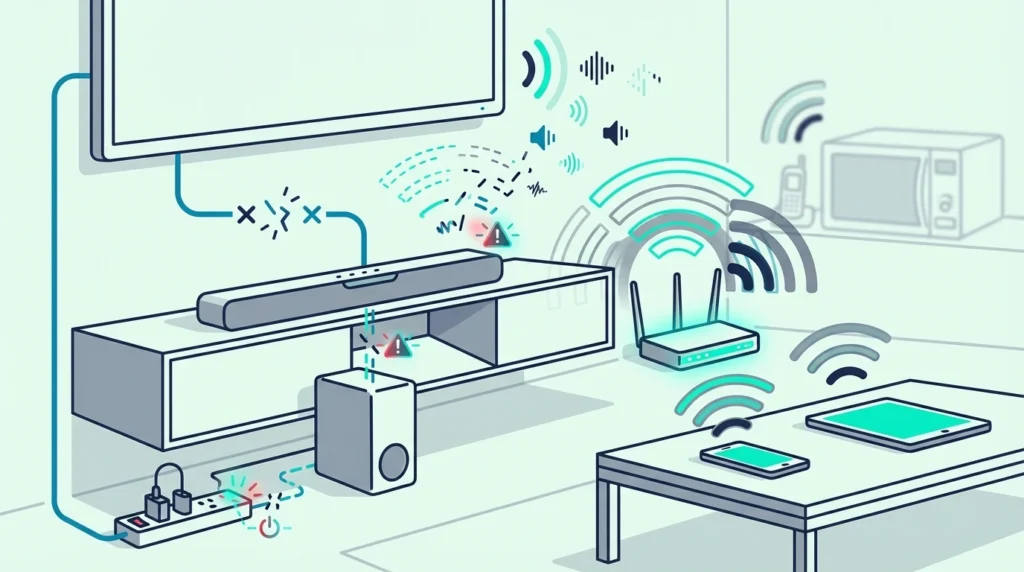
Why does my soundbar keep cutting out? It sounds like a hardware defect, but the real fault usually lives somewhere else in the signal chain.
Dialogue disappears for a second, the subwoofer drops mid-movie, or the whole system skips every few minutes even though the volume looks normal.
Intermittent audio almost always comes from an HDMI ARC handshake, a weak Bluetooth link, a bad optical cable, a firmware bug, or a sound mode that mutes the signal at the wrong moment.
Once you isolate which connection is failing, you can fix it in under 15 minutes and stop rebooting the TV every night so you get stable sound again.
Below, we’ll start with the fastest checks, then break down HDMI ARC, optical, Bluetooth, quiet-scene dropouts, and the signs that the soundbar hardware itself is the problem.
To stop your soundbar from cutting out, first figure out whether the dropout happens over HDMI ARC, optical, Bluetooth, or only on the wireless subwoofer and rear speakers.
On a Samsung bar, troubleshooting a Samsung soundbar step by step covers dropouts along with its other common faults.
Most intermittent audio problems come from a weak cable, a bad ARC handshake, or a TV audio-format mismatch.
Others trace to wireless interference or an aggressive sound mode rather than a dead soundbar.
If the whole bar cuts out on every source even after a cable swap, reset, and firmware update, hardware failure becomes much more likely.
Why Does My Soundbar Keep Cutting Out on Some Sources but Not Others?
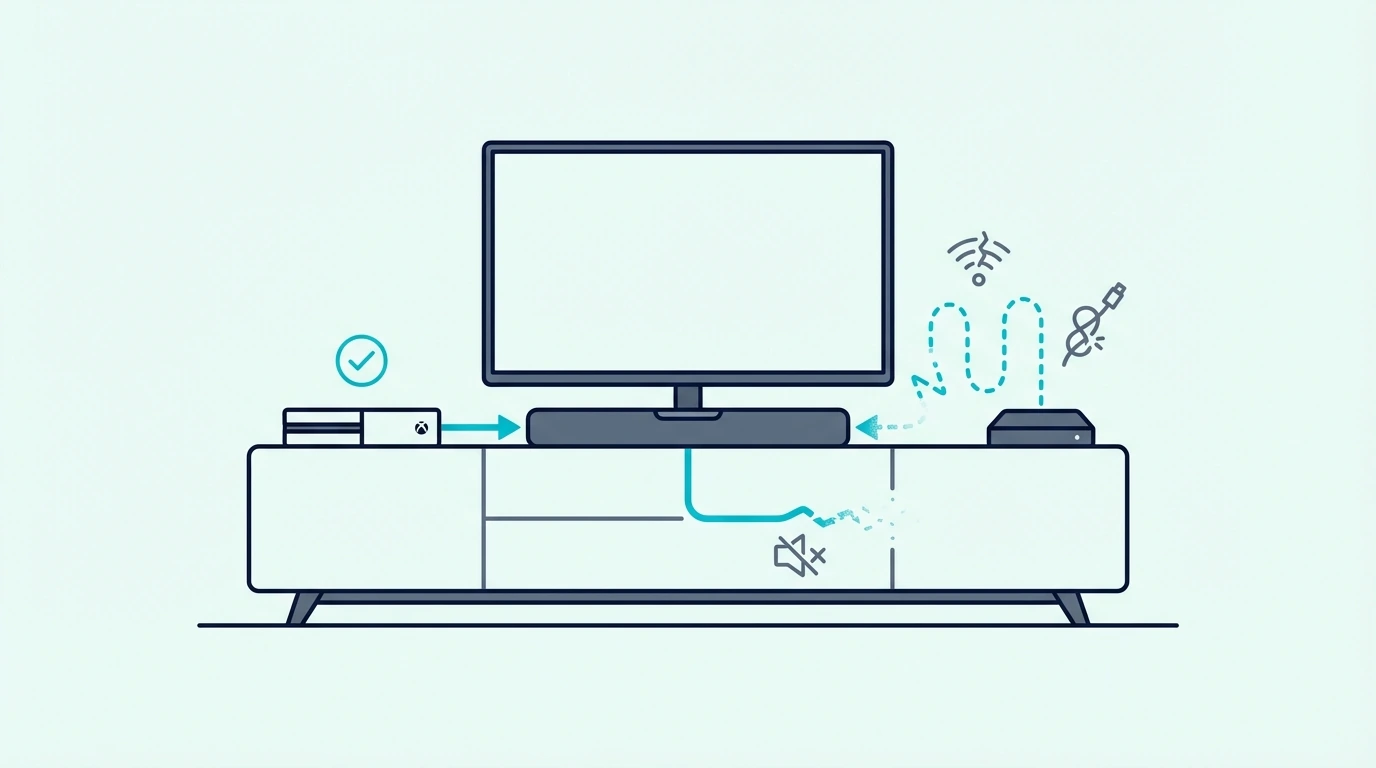
That quick split matters because intermittent audio is really several different problems wearing the same label. Start by separating what is dropping out, then check whether the issue follows one source or follows the entire system.
Full dropout vs partial dropout
If the main bar, the subwoofer, and any rear speakers all go silent at the same moment, the failure is usually higher up the chain.
That points to the TV output, the HDMI ARC or optical connection, the source device, or the soundbar’s own main board.
If the bar keeps playing but the subwoofer drops out, that is a different failure entirely.
In that case, the root cause is usually the wireless link between the bar and the sub, not the TV-to-soundbar connection.
The same goes for rear speakers in a surround sound package. Partial dropout usually means pairing, interference, or placement trouble rather than some global signal collapse.
Run one fast test before touching menus.
Play the TV’s own menu sounds, then a built-in streaming app, then music over Bluetooth, and note whether the same part drops out each time.
That first separation tells you whether to keep thinking about signal path or to focus on the speaker module that is failing.
It also makes guides like what soundbar channels mean and what a soundbar actually does more useful, because you can map the failure to the part of the system that owns that job.
Source-specific vs universal dropouts
Once you know whether the whole system or only one piece is cutting out, the next question is source consistency.
If Netflix cuts out but your game console does not, that is not the same problem as a soundbar that skips on everything.
Built-in TV apps, external streamers, cable boxes, and Bluetooth all take different audio paths.
A dropout that only happens on one app often points to that app’s audio format, a weak streamer handshake, or a buggy source device rather than to the soundbar itself.
A dropout on every source is more serious, but it still does not automatically mean the bar is dying. It just means the shared part of the chain is the place to look first.
Use the simplest isolation test possible.
Try one built-in TV app, one external HDMI source, and one direct Bluetooth device, then write down what cuts out and after how long.
That simple log will save you from changing six settings at once and losing the root cause.
The same discipline is what makes connecting a soundbar to a TV and checking whether a soundbar works with any TV much easier when something feels unstable.
How Do You Stop HDMI ARC or eARC Dropouts?
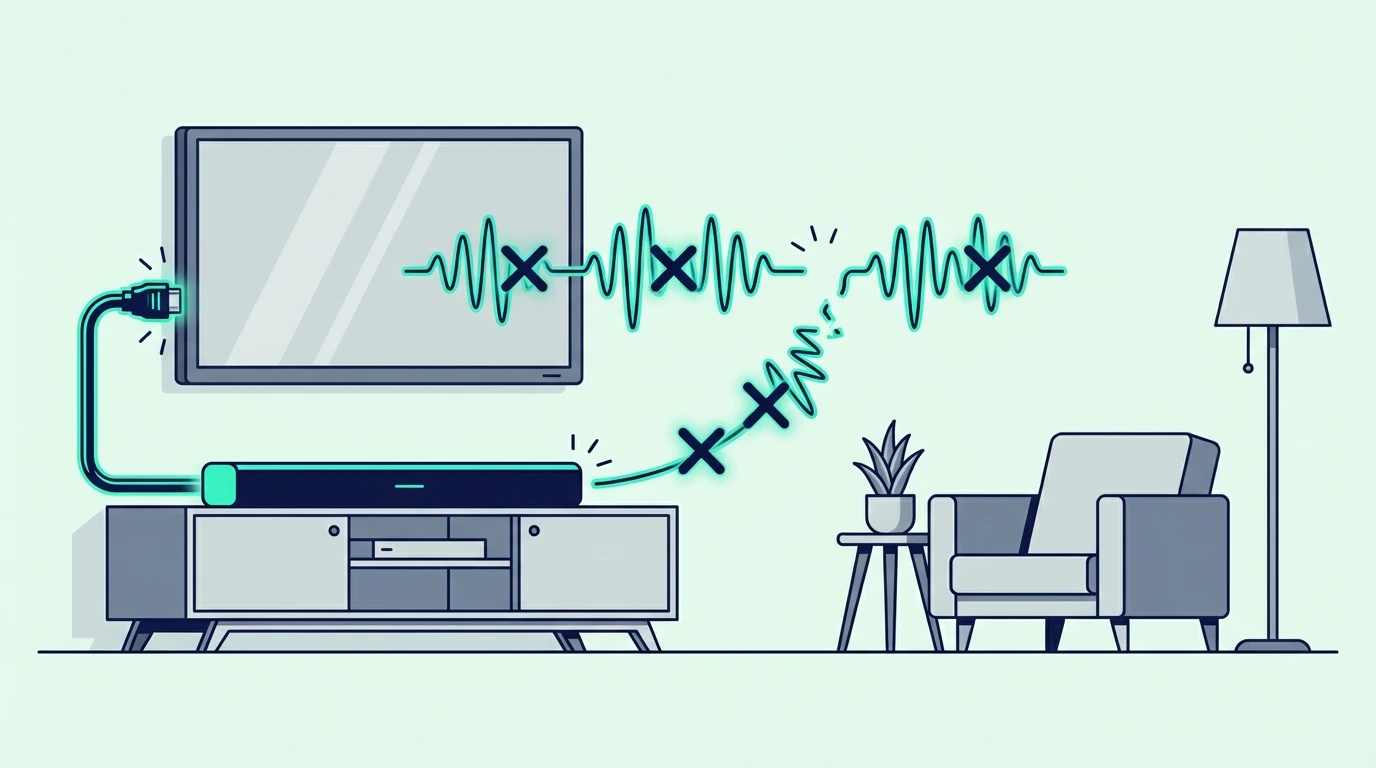
If the problem follows TV apps and HDMI-connected sources, ARC or eARC is the first suspect.
That path is convenient, but it depends on the TV, the soundbar, the cable, and CEC control all agreeing with each other at the same time.
Rebuilding the ARC handshake
ARC problems usually come from a broken handshake rather than from a permanently broken port.
The TV and the soundbar negotiate control, audio return, and audio format together, which is why one bad setting can make the whole path feel flaky.
Turn both devices off fully, unplug them for about 30 seconds, then reconnect only the soundbar to the TV’s actual ARC or eARC port.
After that, power on the TV first, then the soundbar, and reselect the external audio device in the TV menu.
CEC settings matter more than most people realize.
Samsung calls it Anynet+, LG calls it Simplink, Sony uses Bravia Sync, and if that control layer is off, ARC can look alive while audio still keeps falling apart.
Leave eARC enabled only if the setup actually needs it. On some combinations of older TVs and newer bars, standard ARC is more stable than eARC during troubleshooting because it removes one extra negotiation step.
Firmware updates belong early in this process, not after hours of guessing.
That is exactly where HDMI ARC setup and the format behavior in why a soundbar says PCM become relevant, because both explain why a seemingly healthy bar can still receive the wrong signal.
Swapping the cable and relaxing the audio format
A bad HDMI cable can create intermittent audio without creating a total failure. That makes it harder to spot, because the picture may keep working while the audio path drops for a second at a time.
Use a known-good cable before blaming the soundbar. A current example is Amazon Fire TV Soundbar, which is a strong fit for Balanced TV and movie upgrade.
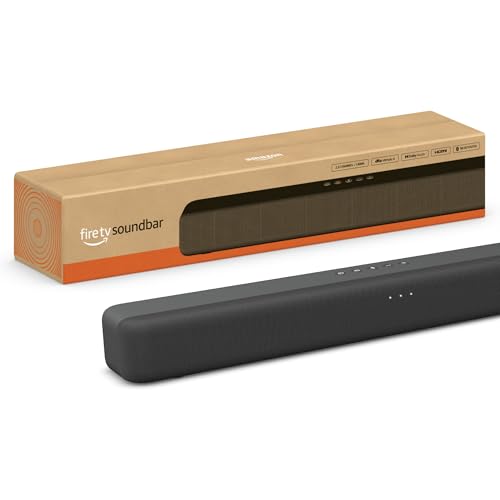
Amazon Fire TV Soundbar
Then simplify the audio format.
Set the TV to Auto, Pass Through, or Bitstream first, but if dropouts continue, temporarily force PCM as a test and see whether stability returns.
That does not mean PCM is the best long-term choice. It simply tells you whether the instability is coming from a surround-format handshake rather than from the soundbar’s hardware.
If PCM is stable and passthrough is not, your next move is format and connection troubleshooting, not shopping for a replacement. That same pattern is why HDMI vs optical for soundbars matters so much when dropouts seem random.
Get Studio Tips Weekly
Join 5,000+ creators getting acoustic treatment advice every week.
No spam. Unsubscribe anytime.What Should You Do If the Problem Only Happens on Optical?
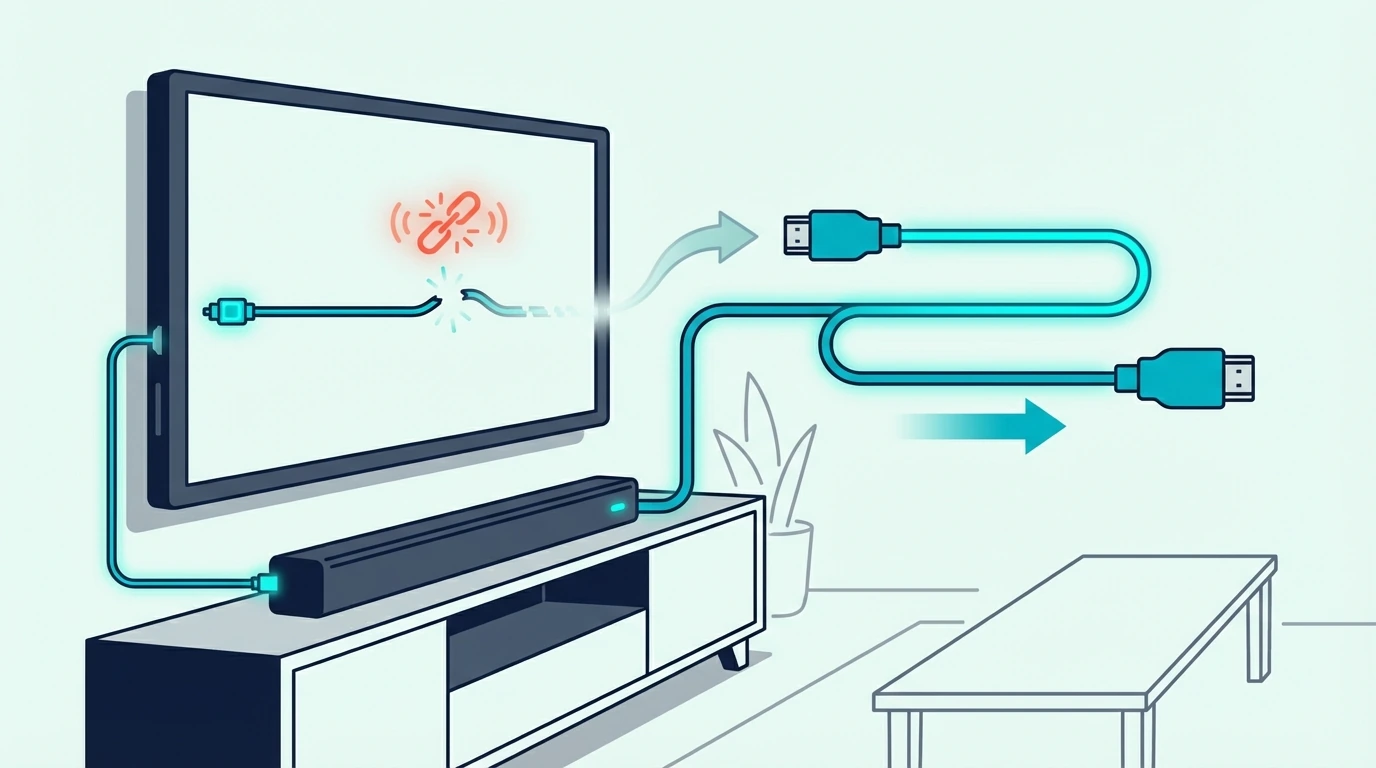
Optical is less feature-rich than ARC, but it is often more predictable.
If optical is the only connection acting up, the problem usually sits in the cable fit, the TV output menu, or a format mismatch that the TV is handling badly.
Reseating the cable and re-choosing the TV output
Optical cables fail in boring ways. A connector that is not fully seated, a damaged tip, or dust in the port can create quick dropouts that feel like software trouble even though the real cause is physical.
Pull the cable out on both ends and click it back in firmly. Many people stop one millimeter too early, especially behind a wall-mounted TV where the connector is hard to see.
Then go back into the TV menu and explicitly select Optical, Digital Audio Out, or External Audio System. Some TVs keep the port electrically alive but refuse to send stable sound until that output mode is chosen again.
For large-room movie use, a current example is Bose Smart Dolby Atmos Soundbar, which is a strong fit for Atmos streaming and immersive TV audio.
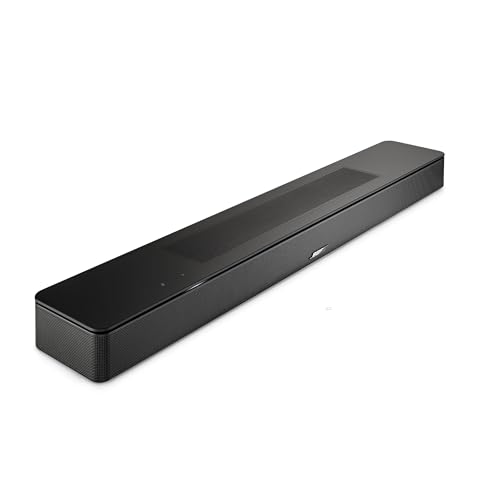
Bose Smart Dolby Atmos Soundbar
What optical can and cannot carry
Optical can handle stereo PCM and compressed Dolby Digital 5.1 just fine.
What it cannot do is carry the full higher-bandwidth formats that make eARC valuable, so it should be treated as a stable fallback rather than as the best path for every system.
That limitation matters during diagnosis. If your soundbar becomes rock solid on optical but keeps dropping over ARC, the soundbar itself has just passed a very important test.
In plain English, that means the bar can still play properly when the signal path is simplified.
The instability is probably living in the ARC handshake, the TV’s eARC behavior, or the HDMI cable rather than in the bar’s main amplifier section.
LG and Samsung sets make this especially confusing because firmware updates sometimes reset the digital output mode after you think the issue is solved.
That is why the best follow-up reading here is not a generic buyer guide but the connection-specific logic in TV-to-soundbar setup and the tradeoff breakdown in optical versus HDMI audio.
Why Does Bluetooth Audio Keep Skipping on a Soundbar?
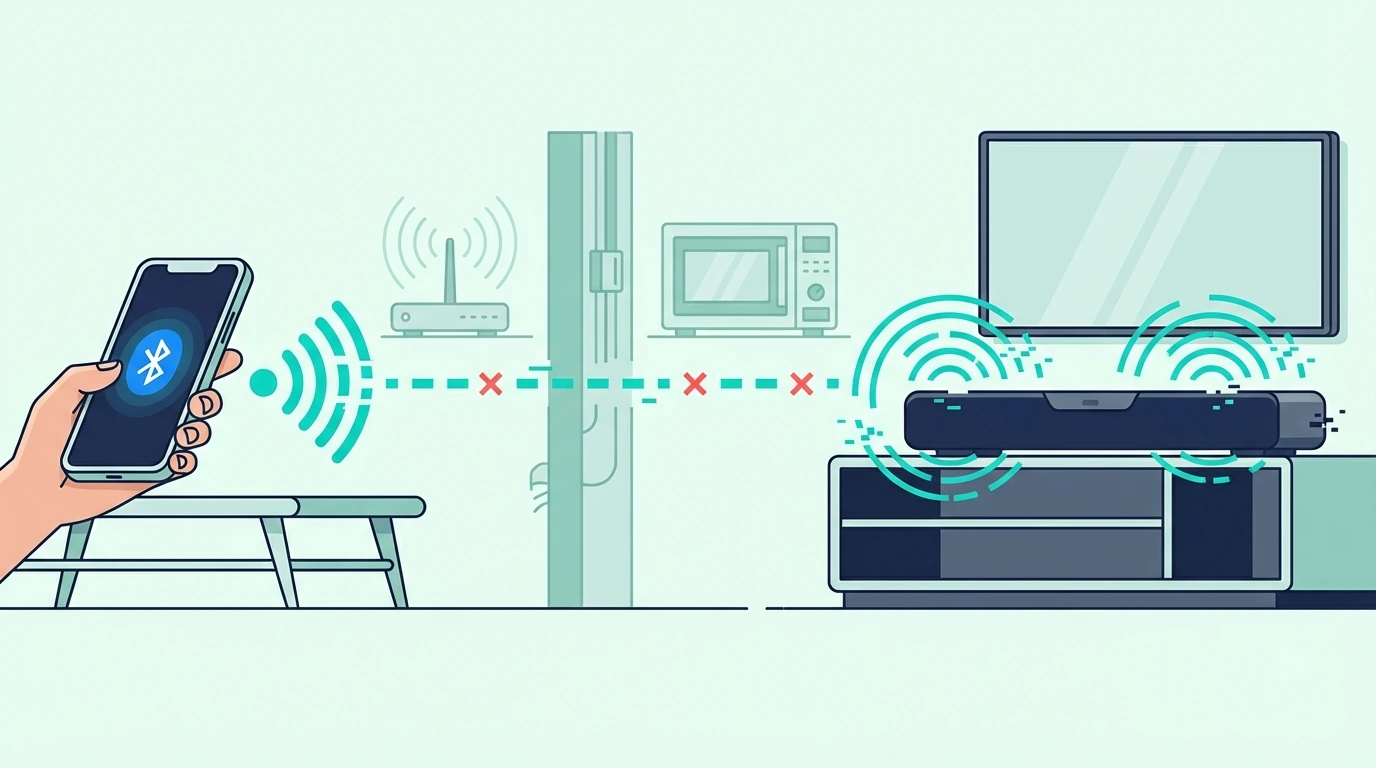
If the soundbar only cuts out when a phone, tablet, or TV is using Bluetooth, stop thinking about cables for a minute.
Our guide to pairing a phone with a soundbar covers the range limits and one-device-at-a-time rules that can explain it.
Bluetooth dropouts usually come from interference, distance, or device conflicts, not from a failing amplifier.
Reducing interference and device conflicts
Bluetooth looks simple because it is wireless, but it is more fragile than HDMI or optical.
Wi-Fi routers, streaming boxes, game controllers, crowded apartment networks, and even a phone tucked behind your body can weaken the link enough to create short skips.
Keep the source device within about 10 to 15 feet while testing. If the dropout disappears at close range, the soundbar was not failing at all — the wireless environment was.
Then clear out the pairing list if the bar supports multiple remembered devices.
A soundbar that keeps trying to reconnect to an old tablet or laptop can look unstable even though it is doing exactly what it was told to do.
Also disable battery-saving modes on the phone or tablet during the test. Aggressive power management can throttle the Bluetooth device, especially during background app switching or when the screen locks.
This is the same reason Bluetooth soundbar pairing and TV-to-soundbar Bluetooth setup succeed in one room and fail in another even with the same hardware.
When Bluetooth is the wrong connection for TV audio
Bluetooth is convenient for music from a phone. It is usually a compromise for TV audio.
TVs often use weaker Bluetooth implementations than phones do, and that means more lip-sync issues, more compression, and more random reconnect behavior.
If TV Bluetooth keeps skipping while ARC or optical stays stable, that is not a mystery to solve forever — it is a sign to stop using Bluetooth for that job.
Treat Bluetooth as the backup connection or the casual music path. Use ARC or optical for the main TV signal whenever possible, because those connections are simply better suited to continuous audio and surround sound formats.
For large-room movie use, a current example is Yamaha Audio SR-B20A Sound Bar with Built-in Subwoofers and Bluetooth, which is a strong fit for TV and movies when you want fuller bass.
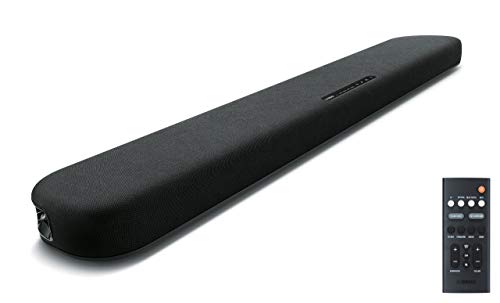
Yamaha Audio SR-B20A Sound Bar with Built-in Subwoofers and Bluetooth
If the goal is stable movie or game audio, the smartest fix is often changing the connection type rather than changing the soundbar.
That is also why a practical article like how soundbars work with TVs is more useful here than chasing another round of wireless pairing tips.
Why Do the Subwoofer or Rear Speakers Cut Out While the Bar Keeps Playing?
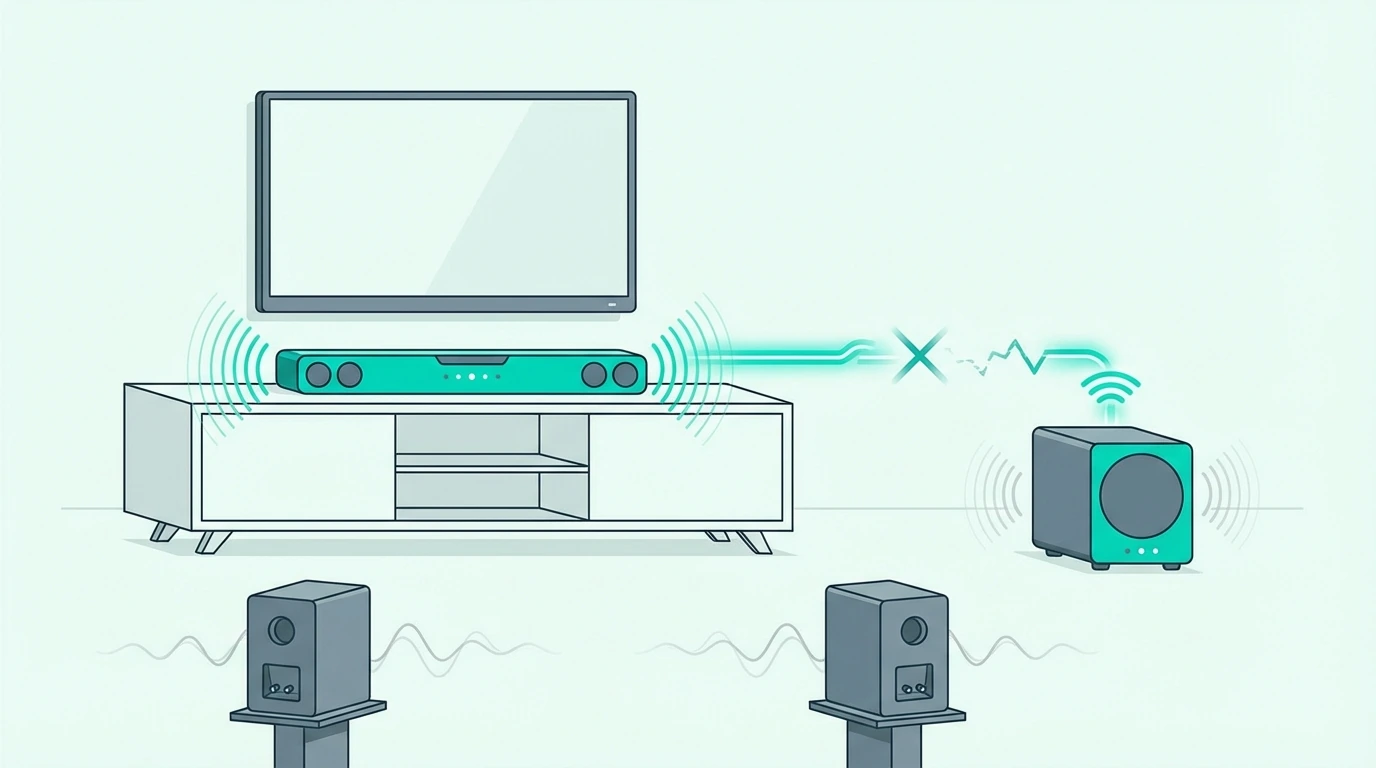
This is where many people misdiagnose the problem. When the main bar keeps playing but the bass or rear channels vanish, the TV connection is usually innocent and the wireless speaker link is what needs attention.
Placement and interference fixes
Wireless subwoofers and rear modules do not use the same path as the TV-to-bar connection. They rely on a separate wireless link, so they can fail even while the front bar sounds perfectly normal.
Start with placement.
A subwoofer shoved inside a cabinet, pinned behind dense furniture, or parked directly beside a router has a much harder time holding a stable link than one sitting in the open with a clear path to the bar.
Distance matters too. In most living rooms, keeping the wireless sub within roughly 15 to 25 feet of the bar with as few thick obstacles as possible makes a real difference.
Power also matters more than people think. A flaky wall outlet, loose power cable, or power strip that keeps browning out under load can look exactly like a wireless dropout.
That partial-channel behavior is easier to understand once you know what each channel is supposed to do, which is why soundbar channel layouts and the system tradeoffs in soundbar versus home theater help frame what is actually failing.
Re-pairing before assuming hardware failure
Most soundbar systems give the subwoofer and rear speakers their own pairing routine.
It may be labeled Pair, ID Set, or hidden behind a reset sequence, but it exists for exactly this kind of instability.
Re-pair the wireless modules first, then test again with one stable source for at least 10 minutes.
Do not change the TV connection, the sound mode, and the pairing status all at once or you will lose the signal of what fixed it.
Check firmware updates after the re-pair, especially on Samsung and LG systems that bundle bar, subwoofer, and rear behavior into one update cycle.
A wireless bug can survive across months of normal use and then show up only after a router change or a TV firmware change nearby.
If the subwoofer still drops even after moving it, re-pairing it, and testing different outlets, then hardware starts to move higher on the suspect list.
At that point, the logic in how to tell if a soundbar is bad becomes more useful than another round of generic setup advice.
Why Does a Soundbar Cut Out During Quiet Scenes or Low Volume?
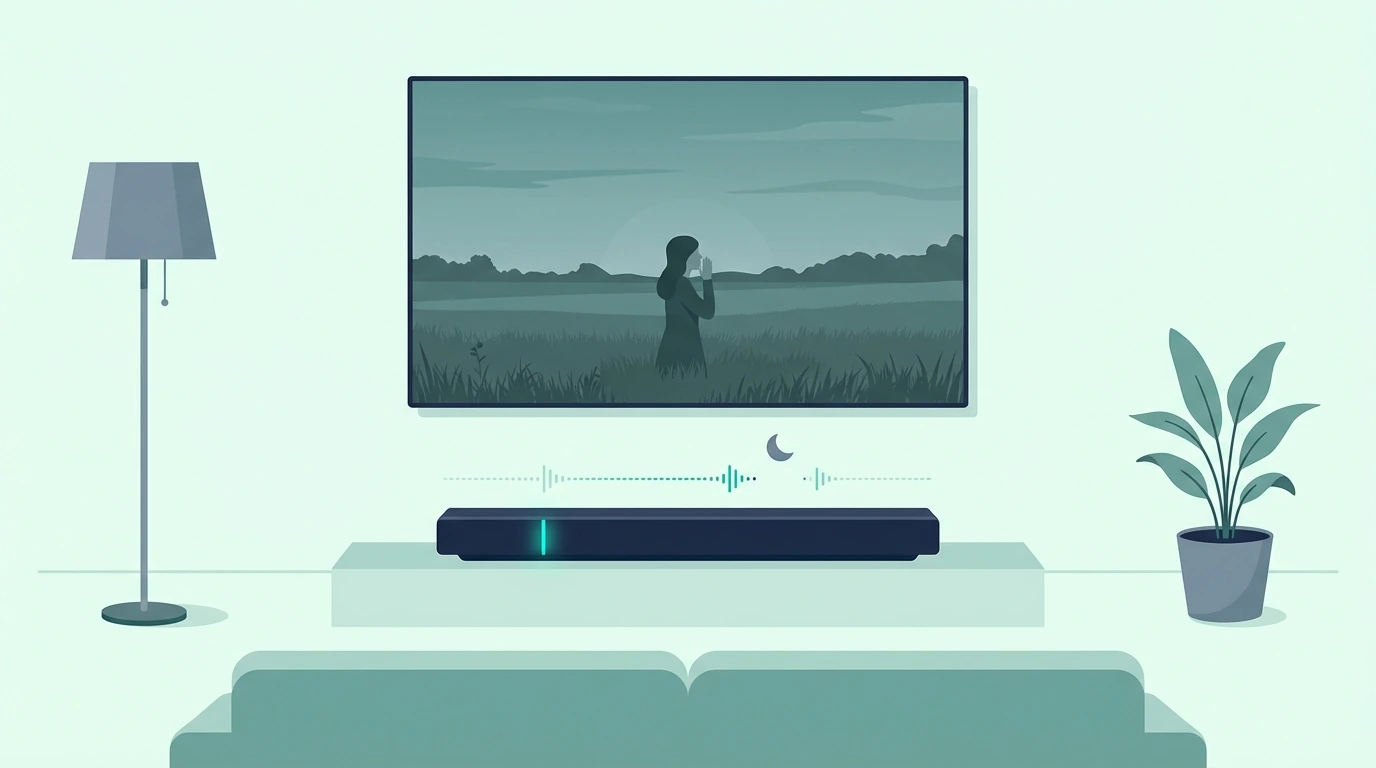
This version of the problem feels especially weird because the soundbar may work perfectly during loud action scenes. Then it starts dipping in and out during soft dialogue, ambient background noise, or low-volume late-night watching.
Sound modes that mute soft signals
Many soundbars include night mode, auto volume, adaptive sound, dialogue enhancement, or dynamic range compression.
Those features can help in the right room, but they can also clamp down on quiet signals so aggressively that soft content seems to disappear.
This is not always a defect.
Sometimes the bar is reacting exactly as the sound mode tells it to react, especially if the soundtrack hovers right around the threshold where the processor decides a signal is too soft to keep open.
Turn those modes off one at a time. If the dropout vanishes the moment night mode or adaptive processing is disabled, you just found a settings problem instead of a hardware problem.
Some bars also combine those listening modes with auto-standby or eco behavior.
When the bar sees a few seconds of soft dialogue or near-silence, it can misread the signal as inactivity and shut the audio path until a louder sound wakes it back up.
TV eco modes can create the same symptom from the other end.
If quiet-scene cutouts line up with sleep settings, green modes, or auto power-off behavior, disable those before you decide the soundbar itself is failing.
Streaming apps can make this even murkier by switching between ads, stereo menus, and surround sound content on the fly.
That quick format shift is one reason a system can feel stable for half an hour and then suddenly start misbehaving.
Using a repeatable test instead of guessing
Do not diagnose this kind of dropout by flipping through random scenes. Use one repeatable test clip with soft dialogue, low ambient sound, and at least a few minutes of continuous playback.
Run the same clip three ways if you can: built-in TV app, external streamer, and a second connection type such as optical.
When the dropout follows one app or one connection only, the problem gets much easier to pin down.
Also test at the exact volume where the issue usually happens.
A soundbar that behaves at volume 35 but starts cutting in and out at volume 10 is telling you something very different from one that fails at all levels.
That is usually the moment when people stop guessing and start seeing the pattern.
If you still cannot separate a settings issue from a real failure after that, the next useful checkpoint is how to tell whether the soundbar itself is bad.
When Is It Probably a Hardware Fault?
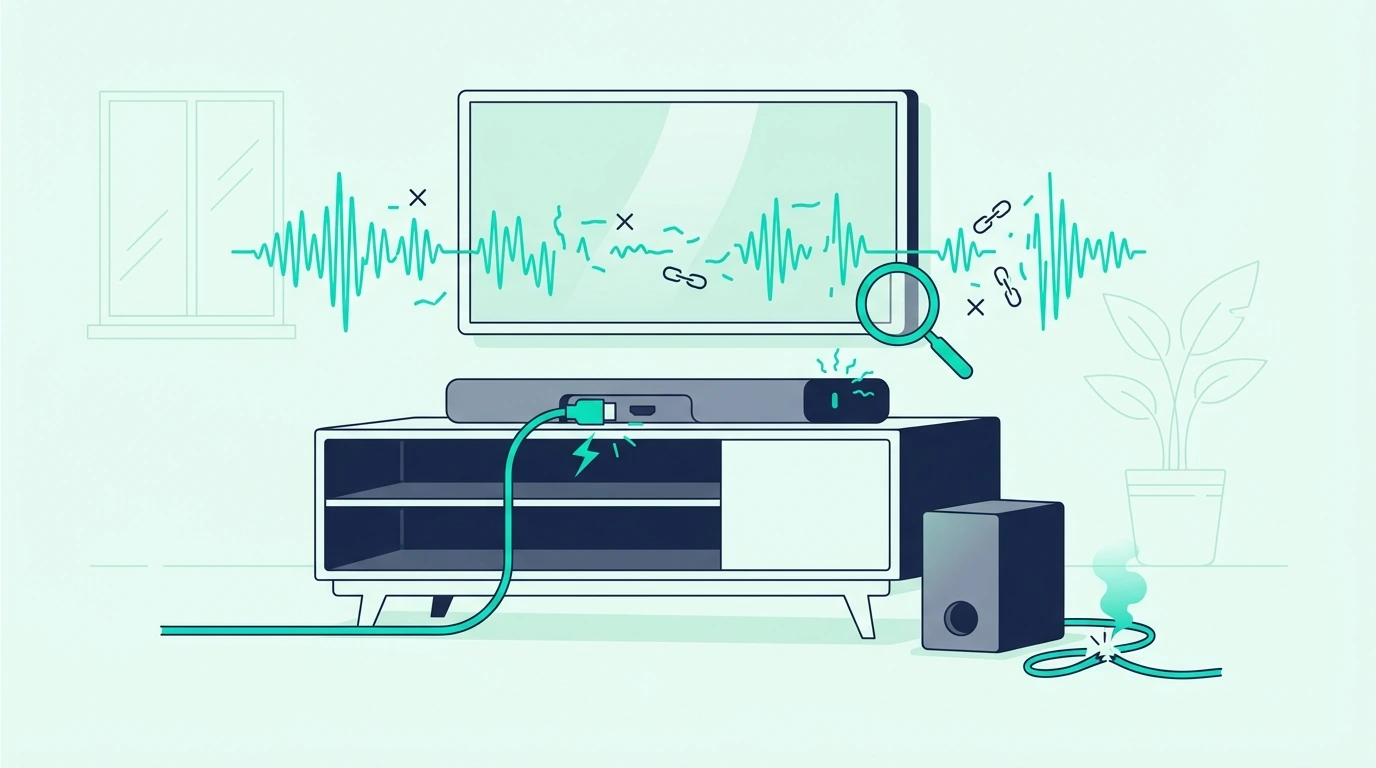
After all those connection checks, one question remains. What if the soundbar really is the bad part of the system?
Signs of actual hardware failure
Hardware failure usually looks consistent, not mysterious.
The strongest sign is a soundbar that cuts out on every source, every connection type, and every cable even after a full reset.
Heat is another clue. If the bar plays normally for 20 to 30 minutes and then starts dropping audio as the chassis warms up, an internal amplifier or power-supply issue becomes much more believable.
Listen for relay clicks, power-light resets, or one permanently weak channel that stays bad on TV audio and Bluetooth alike.
Those symptoms are hard to pin on an HDMI cable or TV menu setting because they survive even when the signal path changes.
Age matters too, but it is not the only factor.
Many soundbars last five to ten years or more, yet poor ventilation, heavy daily use, or repeated power issues can shorten that window significantly.
Before replacing the soundbar
Factory-reset the bar, update the firmware, move it to a different outlet, and test it with one known-good source.
That last pass matters because replacement decisions go wrong when the real culprit was the TV, the cable, or the wireless environment all along.
If the soundbar is under warranty, document the behavior with a short video and write down the exact conditions that trigger it.
Manufacturers respond much better to repeatable evidence than to a general complaint that the sound is sometimes weird.
If it is out of warranty and still fails on every path, replacement becomes the practical answer.
This is where diagnosing a bad soundbar and the bigger value question in whether a soundbar is worth it intersect, because you do not want to replace a bar before you are sure the rest of the chain is clean.
A new soundbar will not fix a bad TV menu, a weak HDMI lead, or a noisy wireless environment.
But when every test points back to the same bar, replacing it is the clean fix rather than a guess.
The Bottom Line
Most soundbar cutouts are connection problems, not dead-soundbar problems.
If you isolate the failure by source, by connection type, and by whether the whole system drops or only the wireless modules do, the root cause usually becomes obvious faster than most people expect.
Start with the path that fails most often in your room, not with random settings changes.
ARC and eARC issues want handshake and cable checks, optical issues want fit and output checks, Bluetooth wants interference control, and partial subwoofer dropouts want wireless placement and re-pairing.
If the bar still cuts out on every source after all of that, treat it as a hardware diagnosis and move on with confidence instead of guessing. That is the point where troubleshooting has done its job.
Frequently Asked Questions
How do I stop my soundbar from cutting out?
Start by checking whether the problem happens on HDMI ARC, optical, Bluetooth, or only on the wireless subwoofer and rear speakers.
Once you isolate the failing path, the fix is usually straightforward: rebuild the ARC handshake, swap the cable, reselect the TV output, reduce Bluetooth interference, or re-pair the wireless speakers.
Why does my sound keep cutting in and out?
Because some part of the audio chain is unstable.
That can be a TV audio setting, a weak cable, a bad wireless link, a buggy app, or a sound mode that keeps clamping down on soft audio.
Why does my sound bar keep going off?
If the whole soundbar goes off, look at power, HDMI ARC, firmware, and the TV audio output first.
If only the bass or rear speakers disappear, the bar is usually still fine and the wireless speaker link is where the problem lives.
How long should a soundbar last?
A decent soundbar often lasts five to ten years or longer when it has good ventilation and a stable power source.
If yours is cutting out much earlier than that, check the connection path and firmware before assuming age is the reason.
Why does my soundbar cut out during quiet moments?
That usually points to night mode, auto volume, adaptive sound, or another processing mode that is muting soft signals too aggressively.
Turn those features off, then test the same quiet scene again before you blame the hardware.
Why does only my subwoofer keep cutting out?
Because the subwoofer usually uses a separate wireless link from the main bar.
Move it farther from routers and metal furniture, re-pair it, try another outlet, and only then start suspecting a failing subwoofer module.