Best MIDI Controller for Reaper: 6 Picks and How Each One Connects
After you buy what looked like the best MIDI controller for Reaper, the keys play the moment you plug it in, yet the play button and faders stay dead.
That’s because Reaper treats playing notes and controlling Reaper as two separate jobs, and only some controllers arrive with a setup for the second one.
This guide sorts six controllers by how each one connects, using the makers’ own Reaper pages and the REAPER user guide.
You’ll see which picks install their own Reaper integration, which lean on Mackie Control or HUI, and which are plain MIDI devices you map yourself.
Start with the short answer, because the six picks only make sense once you know what each one is for.
Which Is the Best MIDI Controller for Reaper?
That depends on whether you want a controller that only plays notes or one that also runs Reaper’s transport and mixer. For most people the Nektar Impact LX49 mk3 is the closest match, because Nektar is the only maker among the six that writes its own Reaper integration, and the table sorts all six picks by job.
| Your goal | Pick | How it connects to Reaper |
|---|---|---|
| Deepest Reaper control from a keyboard | Nektar Impact LX49 mk3 | Nektar’s own Reaper integration |
| The same idea in a laptop bag | Nektar Impact LX Mini | Nektar’s own Reaper integration |
| Pads and faders with a documented setup | Novation Launchkey 49 MK4 | HUI (partial) control surface |
| Faders and transport over Mackie Control | Arturia KeyLab Essential 49 mk3 | Mackie Control Universal |
| Mixing without keys | PreSonus FaderPort 8 | Mackie Control Universal |
| Keys and pads, with the rest mapped by you | Akai MPK mini IV | Generic MIDI, learned in Reaper |
The other five trade some of that for a smaller body, a fader surface without keys, a documented standard-protocol setup or a plain controller you map yourself.
Whether you call it a MIDI keyboard or a MIDI controller, Reaper sees the same thing, a MIDI device, so the five with keys or pads play notes once the device is enabled as a MIDI input. What separates them is what the faders, knobs and buttons do afterward, and if the term itself is new, our explainer on the basics of a MIDI controller covers it in a few minutes.
| Product | Link |
|---|---|
Best for Deep Reaper Control 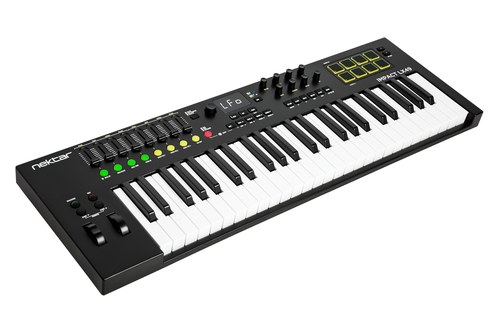 | See ratings |
Best Compact Reaper Controller 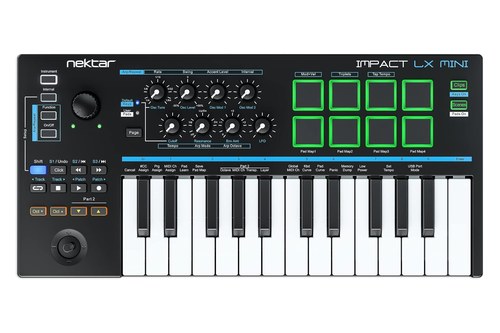 | See ratings |
Best Documented Setup With Pads 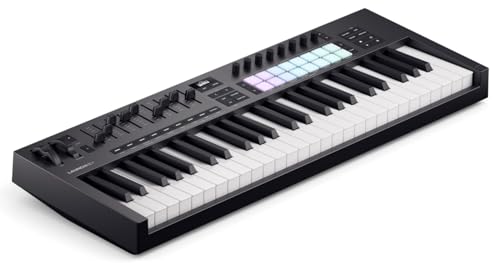 | See ratings |
Best for Mackie Control Setups 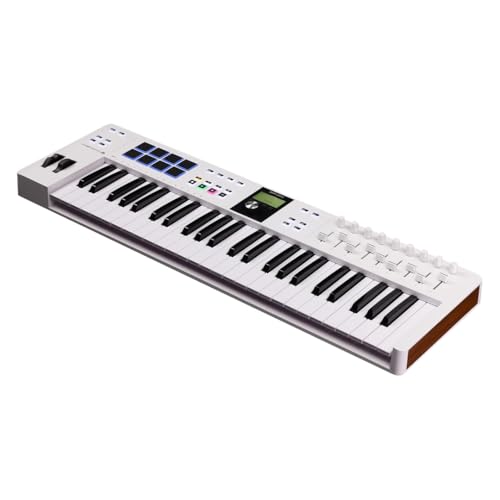 | See ratings |
Best Fader Surface Without Keys 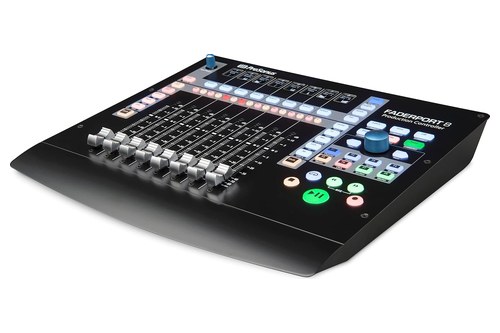 | See ratings |
Best Plain Controller With Pads 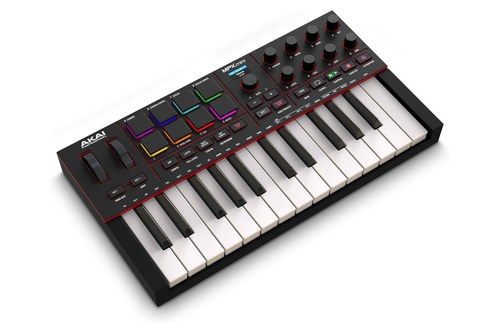 | See ratings |
How Does Reaper Talk to a MIDI Controller?
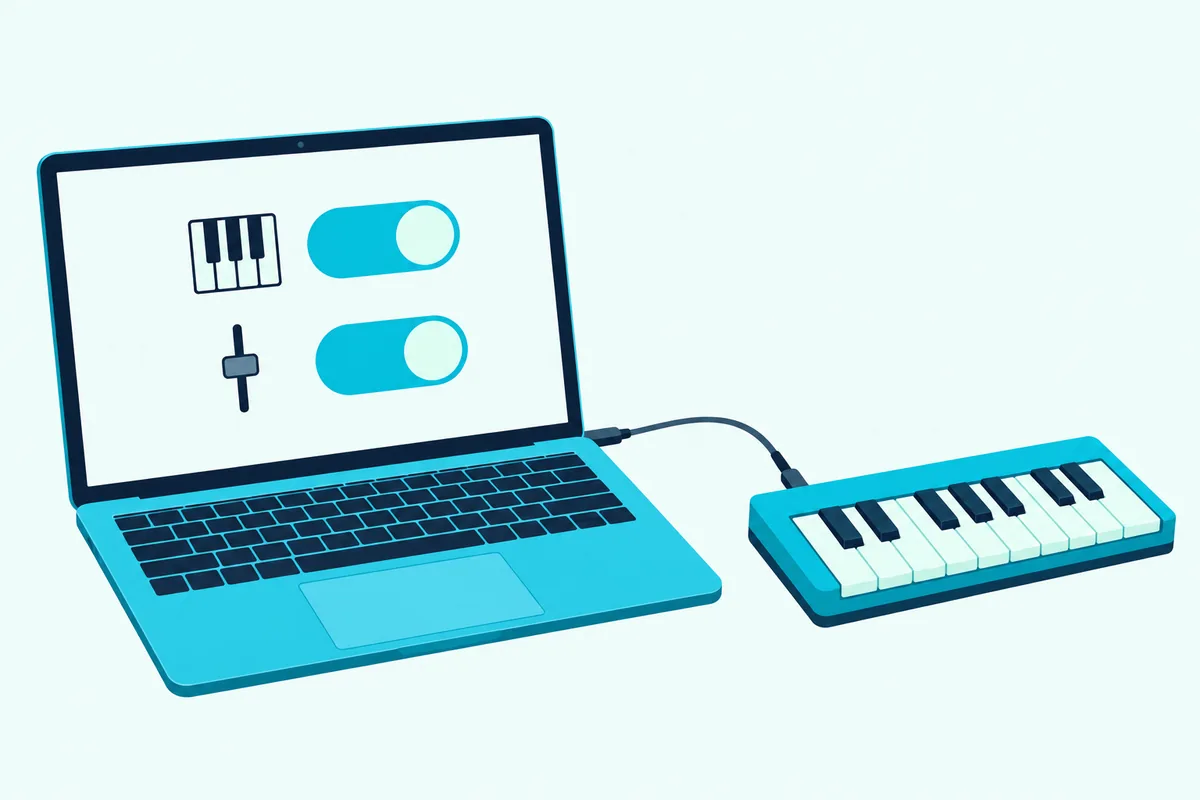
Those six picks fall into three groups, and the REAPER user guide explains where the lines are. A device is either recognized as a named control surface or it’s a generic device, and a generic one can still be installed if it emulates a listed device such as HUI or Mackie (REAPER user guide).
| Path | Who does the Reaper work | What you get | Picks here |
|---|---|---|---|
| Maker’s own integration | The maker’s installer adds the controller to Reaper’s control surface list | Transport, loop points, mixer and plug-in control already mapped | Nektar Impact LX49 mk3, Nektar Impact LX Mini |
| Mackie Control or HUI | You choose the protocol in Reaper’s Control/OSC/Web list | Transport, volume, pan and often mute, solo and sends | Arturia KeyLab Essential mk3, Novation Launchkey MK4, PreSonus FaderPort 8 |
| Generic MIDI | You assign each control yourself | Only what you map | Akai MPK mini IV |
Reaper also keeps two separate switches for every MIDI input. One, Enable input for track record input, lets the device record notes, and the other, Enable input for control messages, lets it act as a controller.
That split is why a keyboard can play perfectly while its faders do nothing, and why Nektar and Arturia both tell you which ports to enable and which to leave off. The guide adds one caution for every path: not all control surfaces can control all actions, even those listed as MIDI CC capable.
Get Studio Tips Weekly
Join 5,000+ creators getting acoustic treatment advice every week.
No spam. Unsubscribe anytime.Why Is the Nektar Impact LX49 mk3 the Closest Match for Reaper?
It earns that spot because Nektar writes its own Reaper integration instead of leaving the mapping to you. Nektar’s Reaper guide lists the Impact LX mk3 series with extended transport control, project navigation, selected parameter control, volume and pan mixer control and instrument plug-in control.
The Nektar Impact LX49 mk3 has 49 synth-action keys, eight 30 mm faders, eight encoders plus a large global one, and eight pads, according to Nektar. Its display shows parameter values from the DAW, which helps when you’re making fine adjustments.
The Nektar Impact LX49 mk3
In Mixer mode the eight faders follow the first eight channels in your project, the encoders set pan, and the buttons under the faders mute or solo. Shift plus Bank moves everything to channels 9 to 16, and Nektar’s manual says the display shows which way to move a fader when it doesn’t line up with a channel’s level.
Nektar’s manual lists the transport buttons below for the LX mk3, and says they work the same way in every mode. Its Reaper page for the older LX+ keyboards shows the same kind of mapping, plus a toggle between overdub and replace recording.
| Button | Main function | With Shift |
|---|---|---|
| Loop | Turns cycle on or off | Quantizes the current selection |
| Rewind | Moves the playhead back one bar | Jumps to the left loop point |
| Forward | Moves the playhead forward one bar | Jumps to the right loop point |
| Stop | Stops playback | Undoes the last action |
| Play | Starts playback | Turns the click on or off |
| Record | Starts recording | Captures MIDI, if the DAW supports it |
The large encoder is the standout for Reaper work. In its orange mode, Nektar’s manual says, it controls any automatable parameter on the selected channel, plug-ins included, and in most DAWs clicking the parameter is enough to select it.
Nektar’s manual says Reaper has no macro controls, so the knobs get two pages you can customize with its Grab function. With Instrument mode active, hold Shift, move a plug-in parameter, move the control that should own it, release Shift, then press Shift twice to save the assignment in Reaper.
In orange mode, holding Select while you turn the large encoder gives finer control, up to 10-bit resolution, and the display shows the actual values. Outside the integration it’s still a programmable MIDI controller, with settings stored in five presets and eight pad maps.
The integration isn’t in the box. You download it from your Nektar account after registering the keyboard, and the manual says to update the firmware first.
It also carries NKS support, so Native Instruments’ Komplete Kontrol plug-ins map to the encoders in any DAW, and the bundle includes Komplete Select 15, Bitwig Studio 8-Track and MOK’s Miniraze synth. Nektar sells the mk3 in 25, 49, 61 and 88 keys, and the 25-key version drops the faders.
Is the Nektar Impact LX Mini Enough for a Laptop Setup?
If your whole studio is a laptop, this smaller Nektar keeps the same Reaper integration in a body made for travel. Nektar’s Reaper guide calls it the most powerful of its mobile mini controllers, because it adds instrument plug-in control and mixer volume for the selected track or master to everything the GX Mini does in Reaper.
The Nektar Impact LX Mini has 25 mini keys, eight knobs, eight drum pads, a joystick, a sustain pedal connector and two independent arpeggiators, according to Nektar.
The Nektar Impact LX Mini
Reaper’s built-in instruments are pre-mapped to the eight knobs, and you can make your own assignments for Reaper’s instruments or any third-party plug-in. The GX Mini features it builds on are full transport control with locators, project navigation, track selection and open and close for DAW and plug-in windows.
What you give up is a bank of faders, since Nektar describes mixer control on the LX Mini as volume for the selected track or the master. Mini keys are narrower than full-size ones, which is the trade for the smaller body.
Does the Novation Launchkey 49 MK4 Work Well With Reaper?
It does once you set it up as a HUI device, because Novation publishes a Reaper setup article for the Launchkey MK4 and the MK4 Mini. It covers both ranges, and its notes name the 49 and the 61 (Novation).
The Novation Launchkey 49 MK4 has 49 semi-weighted keys, nine faders, eight encoders and 16 velocity-sensitive pads, according to Novation. Its product page also lists Chord and Scale modes and an OLED display.
The Novation Launchkey 49 MK4
The same page lists custom integration for Ableton Live, Logic, Cubase, FL Studio, Reason, Bitwig and Ardour, which doesn’t include Reaper, so the HUI article is what fills that gap. The page also says you can store up to four Custom Modes for the faders and encoders to send notes, MIDI CCs or program changes, and map MIDI parameters to any pad or encoder in Novation’s Components software.
Reason is the opposite case, since Reason 13.0.2 and later already contain the Launchkey MK4’s scripts, as Burton Acoustix’s Reason controller guide explains.
In Reaper it runs as a HUI (partial) control surface, and Novation lists what that gives you. Play, record and stop control the transport, the encoders handle volume and pan in Mixer mode and sends A to E in Sends mode, and in DAW mode the pads control mute and solo for the tracks in focus.
On the 49-key model the fader buttons are fixed to select and arm by default, the faders are fixed to track volume, and Fader 9 controls the master track. Holding Shift while you turn an encoder previews its value on the screen without changing it.
Novation’s article names play, record and stop and doesn’t mention loop points or locators, so if you lean on those, check that the functions you need are listed before you buy.
Is the Arturia KeyLab Essential mk3 Good for Reaper’s Mixer?
It can be, but Arturia is upfront that no dedicated Reaper script exists, so the setup borrows the Mackie Control protocol instead. That gives you the basics without the deeper mapping Nektar ships (Arturia).
The Arturia KeyLab Essential 49 mk3 has 49 velocity-sensitive keys, nine 30 mm faders, nine rotary encoders, eight pads and eight transport switches, according to Arturia. The keyboard measures 790 by 240 by 70 millimeters.
The Arturia KeyLab Essential 49 mk3
Arturia says that once Mackie Control Universal is set up in Reaper, start, stop, record, backward, forward, loop, track volume and pan should work. Its product page lists custom DAW scripts for FL Studio, Logic Pro, Ableton Live, Cubase and Bitwig Studio, and calls the keyboard compatible with MCU and HUI control, which is the route Reaper takes.
The bundle includes Analog Lab V with more than 2,000 sounds, which is handy if you’d rather browse presets than build them. Arturia’s page also lists up to six user presets, a 2.5-inch display, a 5-pin MIDI output and a pedal input.
Arturia’s steps ask you to enable input for the KeyLab’s MIDI and MCU/HUI ports but not the DIN or ALV ones, and to allow Control on the MCU port only.
Do You Need Keys to Control Reaper?
No, and this is where a fader surface earns its place, because the REAPER user guide itself uses a PreSonus FaderPort as its example of a control surface. The guide names it twice, once for enabling control messages on a device and once for learning a plug-in parameter.
The PreSonus FaderPort 8 has eight touch-sensitive, motorized 100 mm faders and eight scribble strip displays, and PreSonus says it supports Mackie Control Universal and HUI emulation over USB with no driver to install (PreSonus).
The PreSonus FaderPort 8
PreSonus publishes a Reaper setup article for it, and the steps use Mackie mode. Power the unit on while holding the first two Select buttons to reach its control mode menu and choose MCU, then add Mackie Control Universal in Reaper’s control surface preferences and pick PreSonus FP8 as both MIDI input and output (PreSonus support).
That article was published in 2016 and warns that current versions of Reaper differ, so expect some menu names to have moved. PreSonus lists transport buttons, channel controls for level, pan, solo, mute and record arm, and automation modes from touch and latch to write and read, and adds that functionality varies slightly depending on the DAW.
The FaderPort 8’s own page names Fender Studio Pro and Ableton Live for its deeper modes, and Mackie Control and HUI for Logic Pro X, Cubase, Pro Tools and more, so Reaper isn’t named there. Its one-fader sibling, the FaderPort, is the cheaper way in, and REAPER’s own changelog lists a native FaderPort v2 (2018) mode that arrived in version 6.05 in March 2020 (REAPER changelog).
Our guide to fader surfaces and other DAW controllers compares both.
A game controller can do some of the same work, because Reaper converts joysticks to MIDI by itself: its user guide puts Add joystick MIDI under the Add virtual MIDI button in the MIDI input preferences, and our page on a game controller as a MIDI controller covers the mapping.
Can a Plain MIDI Controller Like the Akai MPK mini IV Run Reaper?
It can, but only the parts you assign, because Akai’s product page names Ableton Live, Logic Pro and FL Studio for its pre-programmed DAW mapping and doesn’t name Reaper. In Reaper it’s a generic MIDI device, which the REAPER user guide says you can still use as a controller if the hardware supports it.
The Akai MPK mini IV has 25 velocity-sensitive mini keys, eight assignable rotary knobs and eight velocity- and pressure-sensitive RGB pads, according to Akai.
The Akai MPK mini IV
Notes, pads and the pitch and mod wheels record like any other MIDI input once the device is enabled for track record input. Anything beyond that, such as the knobs and transport buttons, is yours to assign with the Actions list or Reaper’s Learn function.
It needs no installer and no account, only the preferences you’ll see next. Akai’s page also lists a full-size MIDI output, a sustain pedal input and USB-C bus power.
Does NKS Support Matter When You Use Reaper?
Not for controlling Reaper itself, but it matters for controlling plug-ins, because NKS is Native Instruments’ standard for mapping a controller to instrument parameters. Nektar’s LX mk3 page says NKS works in any DAW, with or without Nektar’s own DAW integration.
With Komplete Kontrol on a track, the LX mk3’s eight encoders adjust eight plug-in parameters, and Nektar’s manual says the Browse buttons switch presets while Shift plus Browse moves between plug-in slots. Nektar’s integration detects Komplete Kontrol whenever you select that track and switches the controls over by itself.
Novation calls the Launchkey hardware NKS-ready, and Akai’s page says the MPK mini IV’s NKS integration covers more than 2,500 virtual instruments and effects from more than 300 developers.
Treat NKS as a second job on top of the Reaper setup. The control surface route runs the transport and mixer, and NKS or a plug-in’s own mapping runs the instrument.
Can You Use a Keyboard and a Fader Surface Together?
Yes, and the REAPER user guide says so directly. It says you can install several control devices, and its own example pairs two different surfaces, so long as each is installed correctly.
In MIDI Devices you can double-click a device to give it your own name, which makes two controllers easy to tell apart. The guide adds that with several devices, each device’s input can arrive on its own specified channel.
Reaper allows up to 62 MIDI input ports and 64 output ports, according to the REAPER user guide, so a keyboard, a fader surface and a pad controller won’t hit a port limit. A pairing that follows from the picks above is a keyboard for notes plus the FaderPort 8 for mixing, and our guide to running two MIDI controllers side by side covers the general setup.
How Do You Set Up a MIDI Controller in Reaper?
After the controller is plugged in and switched on, the first steps are the same for all of them. Then the path splits, and the steps below follow the REAPER user guide’s MIDI setup section.
- Open Reaper’s preferences, which is Options, Preferences on Windows and Reaper, Settings on a Mac, then go to Audio and MIDI Devices.
- Right-click your controller in the input list and choose Enable input for track record input, so Reaper can record its notes.
- If it also has faders, knobs or buttons you want Reaper to obey, double-click the device name and choose Enable input for control messages.
- Create a track, arm it, set its record input to MIDI with Monitor Input on, and add an instrument plug-in so you can hear what you play.
How Do You Set Up Nektar’s Reaper Integration?
Nektar’s Reaper setup page covers its GX, SE and LX+ models, says the integration needs Reaper 4.59 or later, and shows the general pattern. Open Reaper at least once before you run Nektar’s installer, or the controller may not show up in the list later.
- Register the keyboard, download the Reaper integration file from your Nektar account page, and run the installer.
- In Reaper, open Preferences, Control/OSC/Web, click Add and pick your Impact model in the Control surface mode list.
- Under MIDI Devices, enable only the first port of your Impact, in Enable+Control mode, and leave the other two ports off.
- Click Apply, then OK.
For the LX mk3, Nektar’s manual says to set up your DAW as the installer documentation describes and to keep the firmware current. To check the result, press Play on the keyboard, and if Reaper plays, press Stop and you’re ready.
How Do You Set Up Arturia’s Mackie Control Route?
Arturia’s steps start on the keyboard, not in Reaper. They use the MIDI Control Center and the same two Reaper preference pages you’ve already seen.
- In Arturia’s MIDI Control Center, open Device Settings and set the DAW mode to Mackie.
- In Reaper’s MIDI Devices, enable input for the KeyLab Essential mk3 MIDI and MCU/HUI ports but not the DIN or ALV ones, and allow Control on the MCU port only.
- In Control/OSC/Web, click Add, choose Mackie Control Universal, and set both MIDI input and output to the KeyLab Essential mk3 MCU/HUI port.
How Do You Set Up Novation’s HUI Route?
Novation wants the firmware current first, using its Components app. After that the work happens in Reaper’s Control/OSC/web preferences.
- Click Add and choose HUI (partial).
- On Windows, set MIDI input to MIDIIN2 and MIDI output to MIDIOUT2, both labeled Launchkey MK4 MIDI.
- On a Mac, set input to Focusrite – Novation – Launchkey MK4 – DAW Out and output to Focusrite – Novation – Launchkey MK4 – DAW In.
How Do You Set Up PreSonus’ FaderPort 8 or a Plain Controller?
PreSonus’ article for the FaderPort 8 is a two-step job, and a plain controller needs only the four general steps above for notes.
- Put the FaderPort 8 in MCU mode: power it off, hold the first and second Select buttons while powering on, release them when Select Control Mode appears, and choose MCU.
- In Reaper’s control surface preferences, which PreSonus’ 2016 article calls Control Surfaces and current versions call Control/OSC/Web, click Add, choose Mackie Control Universal, and set MIDI input and output to PreSonus FP8.
For the single-fader FaderPort, PreSonus’ owner’s manual says you choose its operation mode by holding Next while powering on and then pressing a mode button, and its table of recommended modes doesn’t list Reaper.
How Do You Map a Knob or Fader to Something in Reaper?
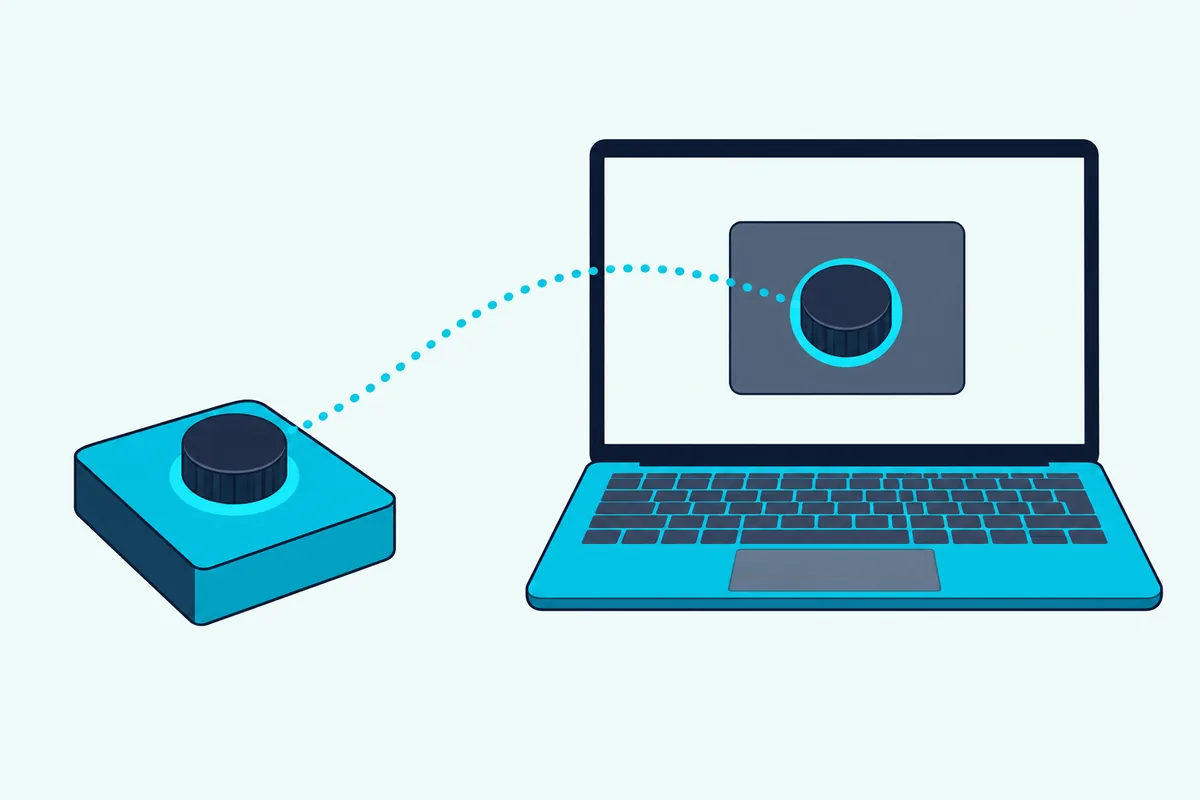
Once a controller is enabled for control messages, mapping takes the same few clicks whether it’s a knob, a fader or a button. The REAPER user guide compares the first method to assigning an action to a key on your computer keyboard, with a control instead of a keystroke.
- Open the Actions list from Reaper’s menu.
- Select an action listed as supporting MIDI CC control, such as one that adjusts a track’s volume.
- Click Add, move the knob or fader instead of pressing a key, and click OK.
The guide’s own example assigns a rotary control to the volume of track 1. The second method works on plug-in parameters and is the one the guide illustrates with a FaderPort.
- In the plug-in’s window, click the parameter you want to control, such as a compressor’s threshold.
- Click the Param button and, under Last touched, choose Learn.
- Move the control on your controller, choose your MIDI or OSC Learn options, and click OK.
On a Nektar keyboard the Grab function does a similar job from the hardware, and Nektar’s manual says Reaper keeps the assignments once you save them. Mapping is also how a plain controller like the MPK mini IV earns its place.
How Many Keys and Controls Do You Need?
Those six picks range from no keys to 49 and from no faders to nine, and Reaper sees the same MIDI notes from any of them. So the count comes down to your hands, your desk and the jobs you want done.
| Controller | Keys | Faders | Knobs or encoders | Pads |
|---|---|---|---|---|
| Nektar Impact LX49 mk3 | 49 | 8 | 8, plus 1 large | 8 |
| Nektar Impact LX Mini | 25 mini | 0 | 8 | 8 |
| Novation Launchkey 49 MK4 | 49 | 9 | 8 | 16 |
| Arturia KeyLab Essential 49 mk3 | 49 | 9 | 9, plus 1 clickable | 8 |
| PreSonus FaderPort 8 | 0 | 8 (100 mm, motorized) | 1 large | 0 |
| Akai MPK mini IV | 25 mini | 0 | 8 | 8 |
Nektar’s LX mk3 page splits the jobs this way: faders for mixing or envelopes, encoders for parameters and pan, and pads for beats. That’s a fair guide for any of the six.
For the playing side, our guide to how many keys you need walks through 25, 49, 61 and 88. If desk space is tight, Nektar lists the LX49 mk3 at 80.2 centimeters wide and Arturia lists the KeyLab Essential 49 at 790 millimeters, so both need a little over 31 inches.
What Goes Wrong When Reaper Can’t See Your Controller?
Most failures trace back to the two switches from earlier, because Reaper only listens to a port you’ve enabled for the job you want. The symptoms below run from dead buttons to a missing Nektar entry, each with the fix its maker or the REAPER user guide gives.
The Keys Play but the Buttons Do Nothing
Double-click the device in MIDI Devices and choose Enable input for control messages, as the REAPER user guide describes for control surfaces. Then confirm the controller was added in Control/OSC/Web, because a Nektar, Mackie or HUI entry has to be there too.
The Buttons Work but No Notes Record
Right-click the device and choose Enable input for track record input, then arm a track and set its record input to MIDI. If notes record but stay silent, check that the track has an instrument plug-in and that Monitor Input is on.
A Nektar Controller Isn’t in Reaper’s List
Nektar says that if you installed its Reaper files before opening Reaper for the first time, the controller may be missing from the Control Surfaces list. The fix is to delete Reaper’s folder in Application Support on a Mac or in AppData Roaming on Windows, start and quit Reaper once, then run the installer again.
Several Nektar Ports Are Switched On
Nektar says to enable only port 1 in MIDI Devices, because with more ports enabled the controller won’t work correctly.
The Patch Buttons Do Nothing in a Plug-in
Nektar says its Patch buttons drive the DAW’s own patch navigation, so a plug-in with its own preset browser may need its presets saved in Reaper’s format first.
The Controller Acts Like a Plain MIDI Device on an M1 Mac
Nektar’s Reaper page says its controllers operate as generic MIDI devices when Reaper runs natively on M1-based Apple computers, and suggests opening Reaper in Rosetta: right-click the app, choose Get Info and tick Open in Rosetta. Check that page for the latest status before you change how Reaper opens.
Reaper Reports an Error Opening MIDI Ports
Arturia says that if Reaper shows an error opening MIDI inputs and outputs, you should check all the settings and then close and reopen Reaper.
The Device List Looks Wrong
The REAPER user guide says a controller may appear under its own name or merely as a USB Audio Device, that you can right-click leftover entries and choose Ignore device, and that Reset all MIDI devices sits near the foot of the list.
Can You Control Reaper Without Any Hardware?
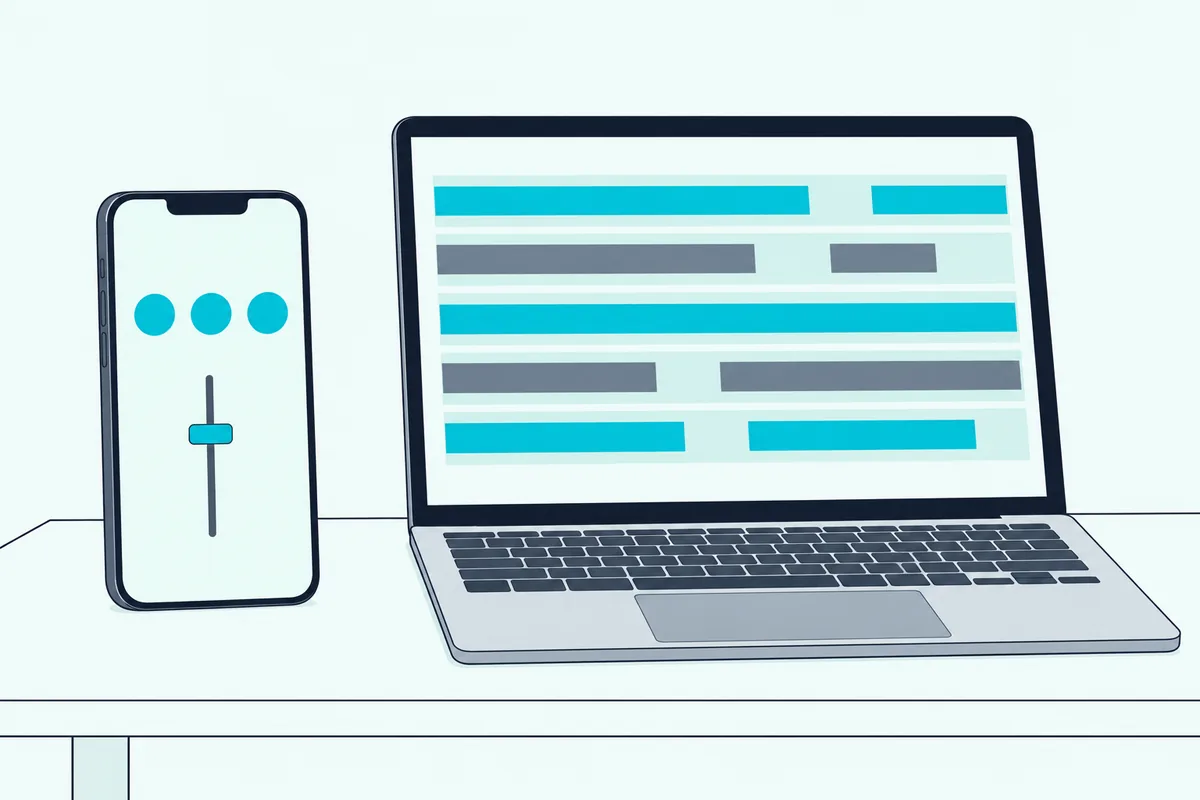
Yes, because the Control/OSC/web page from the setup steps also offers a browser interface that turns a phone or tablet into a control surface, according to the REAPER user guide. It’s built into Reaper, so the setup is three steps.
- Open Options, Preferences, Control/OSC/web, click Add and choose Web browser interface.
- Pick basic.html for a simple layout or index.html for a graphical one, then click Apply Settings.
- Note the Access URL on your screen and type it into a browser on your phone or tablet.
The phone shows play, stop, record and abort record buttons, then lists your tracks starting with the master, where you can arm, monitor or mute them. Touch a track and you get its volume fader plus mute and solo.
The guide warns that some Windows installs need the port opened in the firewall, with 8080 as its example. For notes, View, Virtual MIDI Keyboard opens an on-screen keyboard you can play with the mouse or computer keyboard, and our guide to a computer keyboard as a MIDI controller covers what that can and can’t do.
The Bottom Line
Pick the Nektar Impact LX49 mk3 if you want Reaper’s transport, mixer and plug-in control on the hardware without mapping it yourself, and the LX Mini if that has to fit in a laptop bag.
Choose the Novation Launchkey 49 MK4 or the Arturia KeyLab Essential 49 mk3 if you want more pads or a documented Mackie or HUI setup, the PreSonus FaderPort 8 if you’d rather have eight motorized faders than keys, and the Akai MPK mini IV if you’ll map everything yourself.
Whichever you buy, enable it for notes and for control messages in Reaper’s MIDI Devices, because that one step is behind most dead faders.
Frequently Asked Questions
Does Reaper work with any MIDI keyboard?
Yes for notes. Once you enable the device as a MIDI input in Reaper’s preferences, it records like any other input, while buttons, knobs and faders need a control surface setup or your own mapping.
Do these controllers need drivers?
Nektar’s manual says the LX mk3 uses your operating system’s class-compliant MIDI driver, and PreSonus says the FaderPort 8 needs no driver installation. Nektar’s Reaper integration files are a separate download from your account page, and Novation asks you to update the Launchkey’s firmware in its Components app first.
What’s the difference between Mackie Control and HUI in Reaper?
Both are standard control surface protocols that Reaper can work with, and the makers simply pick differently. Arturia’s page says to use MCU for Reaper and HUI only for Pro Tools, while Novation’s Launchkey MK4 setup picks HUI (partial), so follow the entry your maker names.
Can I use two controllers at once?
Yes. The REAPER user guide says you can install several control devices, such as two different surfaces, so long as each is installed correctly, and it lets you give each device its own name.
Do I need a Reaper-specific controller?
No. The REAPER user guide says a device that isn’t on Reaper’s list can still be used, installed as a MIDI device for control messages and mapped through the Actions list. A maker’s integration just saves you that mapping work.
Can I use a foot or pad controller with Reaper?
Yes. Nektar’s Reaper guide lists its PACER footswitch for hands-free transport, locators and track or patch selection, with presets that can trigger Reaper actions, and its AURA pad controller for transport, locators, loop length and track selection.
Which controller has the most Reaper-specific control?
Nektar’s Reaper guide calls its Panorama CS12 channel strip controller the most advanced controller for Reaper on the market, which is Nektar’s own claim about a different class of device. Among keyboards, it describes the Panorama and Impact LX ranges as offering a complete Reaper control experience.
Does Reaper list the controllers it recognizes?
Yes. Options, Preferences, Control/OSC/Web, Add shows the list of recognized devices, including an OSC option, per the REAPER user guide.
Can I control Reaper from a phone?
Yes, through Reaper’s web browser interface described above. It gives you play, stop, record, track arm and mute, and a volume fader for each track you open.