Best DJ Controller for Virtual DJ on a Home or Pro License
Choosing the best DJ controller for Virtual DJ comes down less to the brand on the box than to which VirtualDJ license the controller needs.
Plug in a controller your license doesn’t cover and VirtualDJ lets it run for only 10 minutes at a time, so you end up restarting the software halfway through a mix.
Pick one that VirtualDJ already maps and that your license covers, and its jog wheels, pads and faders work with no manual assignment at all.
This guide covers 10 controllers VirtualDJ supports natively, seven on its low-cost Home list and three that need Pro for four channels, motorized platters or laptop-free sets.
The quick answer and a side-by-side table come first, then each pick, the Home and Pro rules and the setups that decide which one belongs on your desk.
What Is the Best DJ Controller for Virtual DJ?
That license question decides the answer, and for most people the Pioneer DJ DDJ-FLX4 is the best DJ controller for Virtual DJ. VirtualDJ already has a ready mapping for it and lists it for its low-cost Home license (VirtualDJ), and Pioneer DJ gives it two channels, back-lit performance pads and a built-in sound card.
The other nine picks each answer a narrower need, from four-deck stems control to a controller that fits in a pocket:
| Pick | Type | Channels or decks | VirtualDJ license it needs | Best for |
|---|---|---|---|---|
| Pioneer DJ DDJ-FLX4 | Laptop controller | 2 channels | Home or Pro | Best overall |
| Pioneer DJ DDJ-FLX10 | Laptop controller | 4 channels | Pro | Four decks and stems |
| RANE PERFORMER | Laptop controller | 4 channels | Pro | Motorized scratching |
| Denon DJ SC LIVE 4 | Standalone controller | 4 decks | Pro | With or without a laptop |
| Hercules DJControl Inpulse 200 MK2 | Laptop controller | 2 decks | Home or Pro | Learning to beatmatch |
| Pioneer DJ DDJ-REV1 | Laptop controller | 2 channels | Home or Pro | Battle-style layout |
| AlphaTheta DDJ-FLX2 | Compact controller | 2 channels | Home or Pro | Small desks |
| Numark Party Mix II | Compact controller | 2 decks | Home or Pro | House parties |
| Hercules DJControl Starlight | Ultra-compact controller | 2 decks | Home or Pro | Ultra-compact with lights |
| Numark DJ2GO2 Touch | Pocket controller | 2 channels | Home or Pro | Travel |
Every pick met Burton Acoustix’s rating, review and stock checks on 16 October 2026, but ratings, review counts and prices aren’t shown here because they change daily. None of these controllers was tested for this guide, so each verdict rests on VirtualDJ’s own hardware manuals and license pages and on each maker’s spec page.
If you haven’t settled on VirtualDJ yet, the controllers we recommend for rekordbox, Serato and laptop-free setups are in our general guide.
| Product | Link |
|---|---|
Best Overall 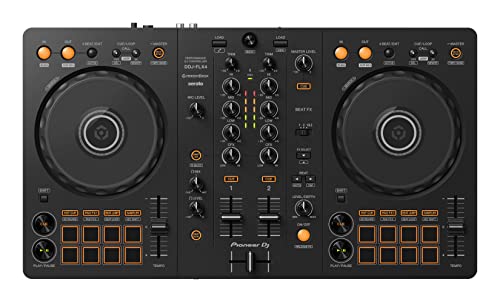 | See ratings |
Best for Four Decks and Stems 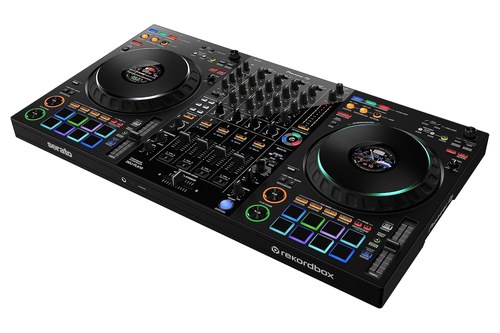 | See ratings |
Best for Motorized Scratching 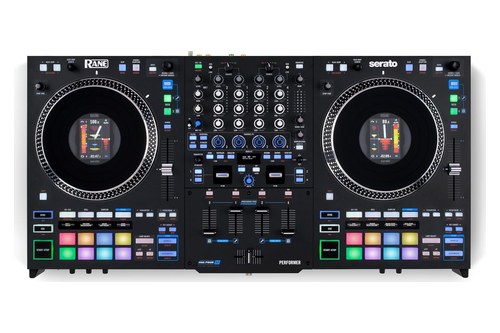 | See ratings |
Best Standalone Option 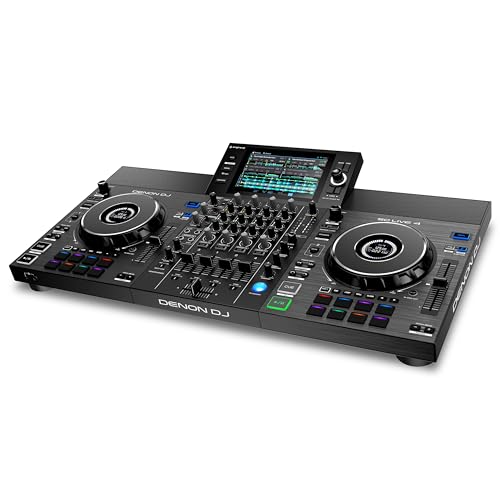 | See ratings |
Best for Learning to Beatmatch 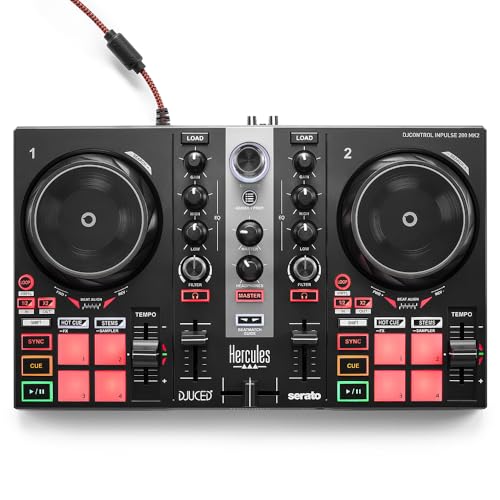 | See ratings |
Best Battle-Style Layout 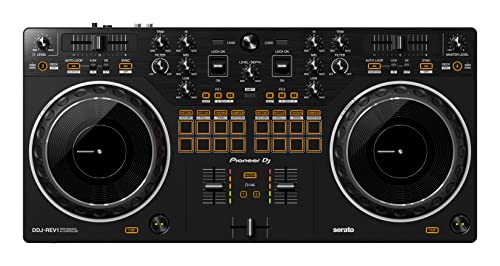 | See ratings |
Best for Small Desks 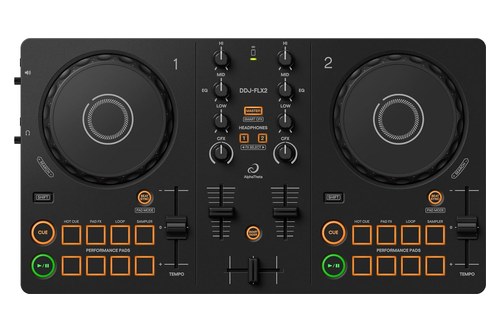 | See ratings |
Best for House Parties 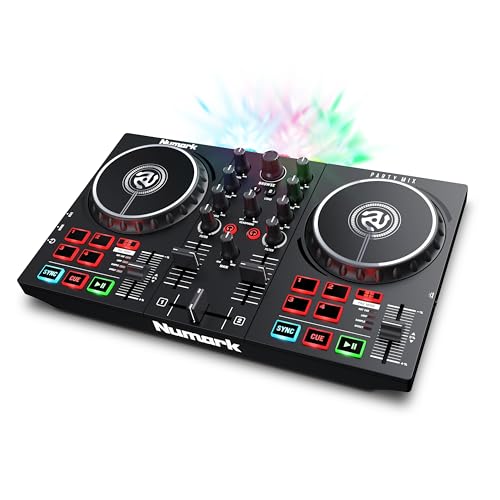 | See ratings |
Which DJ Controllers Work Best With VirtualDJ?
Those 10 picks split into seven on VirtualDJ’s Home list and three that need Pro, and each one wins a different setup. The FLX4 is best overall, the FLX10 the best for four decks and stems, the PERFORMER the best for scratching on motorized platters and the SC LIVE 4 the best standalone option, while the Home-list picks cover learning, battle layouts, small desks, parties and travel.
Pioneer DJ DDJ-FLX4
For most VirtualDJ users, the Pioneer DJ DDJ-FLX4 is the pick.
the Pioneer DJ DDJ-FLX4
VirtualDJ’s controls guide sets its pads to hot cues, loops, beat jump and the sampler, with cue loops, pad effects, loop rolls and key cues on a second layer (VirtualDJ). The same guide gives it full stems controls through its EQ modes, and in VirtualDJ its Smart Fader matches the two decks’ tempos, adjusts the low EQ and adds an echo out at the end of the blend.
Pioneer DJ says it’s class compliant, so no audio driver is needed, and it runs on USB bus power and connects to speakers with one RCA cable (Pioneer DJ). It also unlocks rekordbox, djay, Serato DJ Lite and Traktor Play for free, which helps if you ever switch DJ software.
It suits a first or second controller for home mixing, at 482 mm wide and 2.1 kg.
Pioneer DJ DDJ-FLX10
For four decks and hands-on stems, the Pioneer DJ DDJ-FLX10 is the pick.
the Pioneer DJ DDJ-FLX10
Pioneer DJ builds it around STEMS, with color-coded buttons that mute or isolate the vocals, drums and other instruments of a track, a display in each jog wheel and a 4-sensor MAGVEL FADER (Pioneer DJ). In VirtualDJ those buttons choose which stems stay audible, the EQ knobs can switch to stems channels and the Beat FX section sends effects to decks 1 to 4, the master or the sampler (VirtualDJ).
VirtualDJ’s setup page asks for a Pro Infinity or Pro subscription license, plus Pioneer DJ’s drivers on both Windows and Mac. It suits DJs who want four channels and live mashups and have room for a controller 716 mm wide.
RANE PERFORMER
For scratching on spinning platters, the RANE PERFORMER is the pick.
the RANE PERFORMER
Serato describes it as a 4-channel controller with high-torque motorized platters, stems controls, a MAG FOUR crossfader and four PRECISION FEEL volume faders (Serato). VirtualDJ’s layout guide maps buttons that switch each side between decks 1 and 3 or 2 and 4, adds a Stem Split button that clones the top deck onto the lower one, and stops the motor when Vinyl mode is off (VirtualDJ).
VirtualDJ’s setup page asks for a Pro Infinity or Pro subscription license and RANE’s latest firmware and drivers, and the source selectors on top have to match the USB port you use. It suits scratch DJs who want spinning platters and four decks in one unit.
Denon DJ SC LIVE 4
For a unit that plays with or without a laptop, the Denon DJ SC LIVE 4 is the pick.
the Denon DJ SC LIVE 4
Denon DJ sells it as a 4-deck standalone controller with Wi-Fi streaming, built-in speakers and a 7-inch touchscreen, and its Computer Mode turns it into a controller for Serato DJ, with a Pro license included, or for VirtualDJ with an additional license (Denon DJ). VirtualDJ’s guide says the software downloads its own interface to that screen the first time you connect, with three deck views (VirtualDJ).
The catch is the changeover, because VirtualDJ notes there’s no back-to-back operation between the two modes, so you close one system before you open the other. It suits mobile DJs who want one unit that plays music from USB drives, an SD card or streaming and also runs VirtualDJ.
Hercules DJControl Inpulse 200 MK2
For learning to beatmatch by hand, the Hercules DJControl Inpulse 200 MK2 is the pick.
the Hercules DJControl Inpulse 200 MK2
Hercules’ Beatmatch Guide puts light guides below the jog wheels and beside the tempo faders: one shows where to move the tempo fader and the other which way to turn the jog wheel (Hercules). In VirtualDJ those lights work once its BeatMatch Guide button is on, and the four pads per deck switch between hot cues, stems, effects and the sampler (VirtualDJ).
Hercules gives it a built-in sound card with speaker and headphone outputs and a 2-band EQ on each channel. It suits a first controller for someone who wants to learn manual beatmatching before leaning on sync.
Pioneer DJ DDJ-REV1
For a battle-style layout that Home covers, the Pioneer DJ DDJ-REV1 is the pick.
the Pioneer DJ DDJ-REV1
Pioneer DJ modeled it on two PLX turntables and a DJM-S mixer, with 154 mm jog wheels, 60 mm tempo sliders running across the top and the pads moved into the mixer section (Pioneer DJ). VirtualDJ maps its pads to eight modes, though its Tracking and Trans pad pages run from the controller’s own firmware and Tracking needs the crossfader enabled in VirtualDJ’s options (VirtualDJ).
The same guide notes a firmware limit of one effect per deck at a time. It suits beginners who want to learn scratching on a layout that copies battle gear.
AlphaTheta DDJ-FLX2
For a small desk, the AlphaTheta DDJ-FLX2 is the pick.
the AlphaTheta DDJ-FLX2
AlphaTheta calls it its lightest and most compact DJ controller, at 383.2 mm wide and 1.2 kg (2.6 lb), running on USB bus power with 3.5 mm master and headphone outputs (AlphaTheta). In VirtualDJ its EQs can switch to the Stems EQ mode, and its touch-sensitive jog wheels scratch when Vinyl mode is on.
It also works with rekordbox, djay, Serato DJ Lite and Traktor Play, so VirtualDJ users who also want Rekordbox for club prep can keep both on one small controller.
Numark Party Mix II
For house parties, the Numark Party Mix II is the pick.
the Numark Party Mix II
Numark lists Virtual DJ among its other supported software and gives it three multicolored LEDs with wide-coverage lenses for a beat-synchronized light show, switched on and off at the side (Numark). VirtualDJ’s guide adds that the lights follow the mode you pick on the controller, not the pads on screen.
Its four pads a side, sync buttons, filter knobs and touch-sensitive jog wheels cover the basics, and the 1/8-inch outputs plug into a home speaker and headphones.
Hercules DJControl Starlight
For the smallest controller with lights, the Hercules DJControl Starlight is the pick.
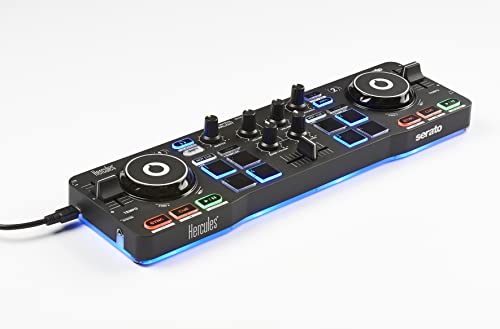
the Hercules DJControl Starlight
Hercules calls it ultra-compact and ultra-light, with touch-sensitive jog wheels, four pads a side in four modes and one bass or filter knob on each side (Hercules). Its base lights up with RGB and strobe effects, and VirtualDJ lets you choose how with the Lightsmode setting under Settings, Options, Controller.
It suits DJs who want a controller small enough to carry anywhere, with 3.5 mm outputs for speakers and headphones.
Numark DJ2GO2 Touch
For a pocket-sized travel controller, the Numark DJ2GO2 Touch is the pick.
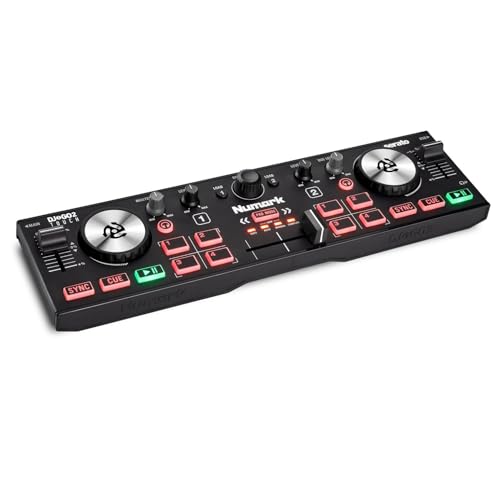
the Numark DJ2GO2 Touch
Numark calls it a pocket-sized controller with capacitive touch jog wheels you can scratch on, a driverless audio interface and 1/8-inch main and headphone outputs (Numark). It packs two channels, a crossfader, pitch faders and 8 pads with four modes for cue points, loops and samples, all powered over USB.
VirtualDJ’s guide sets the jog wheels to scratch in Vinyl mode or bend the pitch with it off, and lists no EQ knobs among its controls.
Which Controllers Does the VirtualDJ Home License Cover?
That Home license covers seven of the 10 picks above, and it’s VirtualDJ’s cheaper way to run a controller past the free version’s 10-minute limit. VirtualDJ’s Home page lists the entry-level controllers it covers, including the DDJ-FLX4, DDJ-FLX2, DDJ-REV1, Inpulse 200 MK2, Party Mix MKII, StarLight and DJ2GO2 Touch, while Pro works with every controller (VirtualDJ).
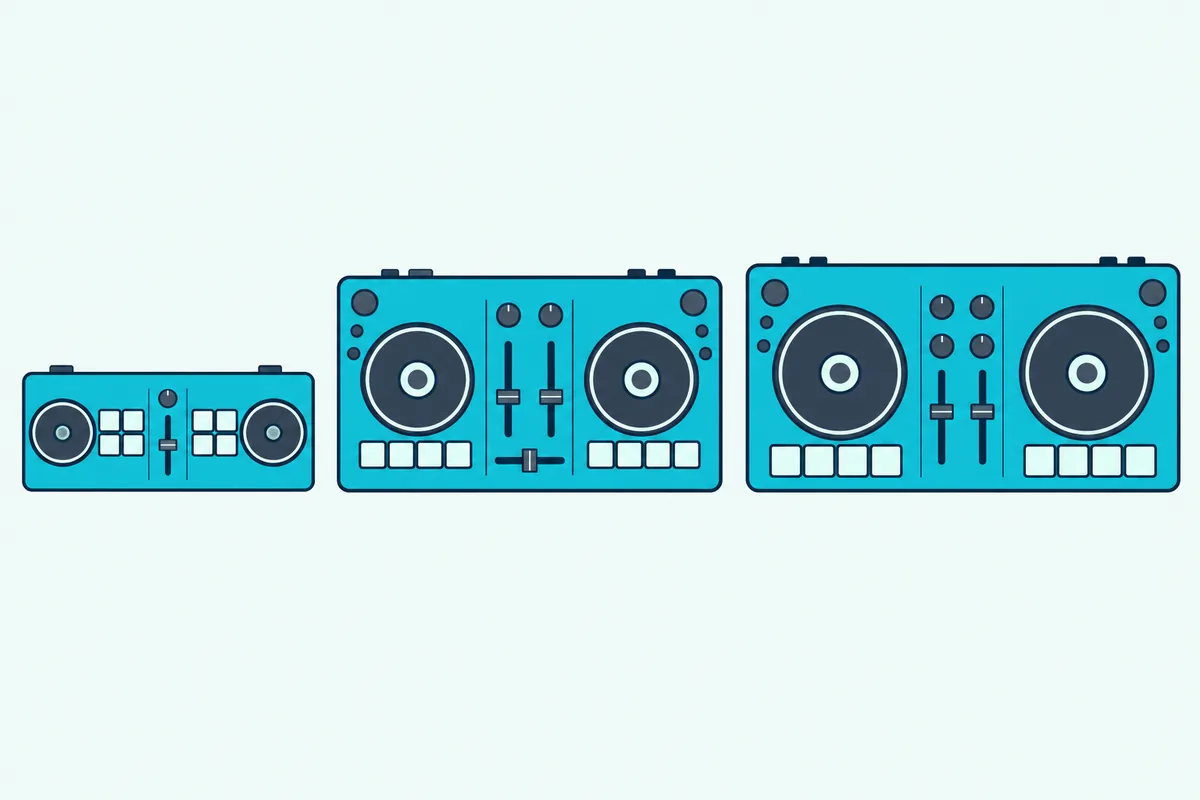
VirtualDJ’s comparison chart sets out what each tier changes:
| What you get | Free | Home | Pro |
|---|---|---|---|
| USB and MIDI controllers | 10 minutes at a time | Entry-level list only | Every controller |
| Public or paid gigs | No | No | Yes |
| VirtualDJ audio drops and video logo | Kept | Kept | Removed |
| Advanced AI features | No | No | Yes |
| External mixers and timecode vinyl | No | No | Yes |
| Decks, audio effects, video and karaoke | Yes | Yes | Yes |
The chart comes from VirtualDJ’s price page and the 10-minute rule from its trial page (VirtualDJ). That 10-minute limit is the first thing to plan around, and our steps for how to connect a DJ controller to Virtual DJ show where it appears and what each license changes.
Home suits learning at home on one of those controllers, but VirtualDJ doesn’t allow it at public or paid events, so anyone booking gigs needs Pro whatever the controller. Budget matters most at this end of the list, and our guide to the best controllers at this price tier compares the FLX2, Inpulse 200 MK2, Party Mix II, Starlight and DJ2GO2 Touch on what each includes.
What Does Native Support in VirtualDJ Mean?
Every pick so far is natively supported, which means VirtualDJ already has a mapping for it. VirtualDJ’s manual says the software comes with predefined mappings for most MIDI and HID DJ controllers on the market, and a supported controller shows up in the Controllers tab with its factory default mapping selected (VirtualDJ).
A controller without native support can still work, but you map it yourself. VirtualDJ’s wiki says to look for a user’s mapper on its Add-Ons page first, then assign each control with Key learn, and warns that LEDs and other advanced MIDI features won’t work without a proper definition file (VirtualDJ).
Native support doesn’t skip the payment step, though. A Serato controller that VirtualDJ maps still stops after 10 minutes without a license: Home if it’s on the entry-level list, Pro if it isn’t.
How Do You Check a Controller Against VirtualDJ’s Hardware List?
That native support is easy to confirm before you buy, because VirtualDJ publishes its own compatibility list. Its hardware page lists supported controllers and mixers by brand and filters them by category, such as all-in-one units, and by features such as 4-deck control, a built-in sound card, touch-sensitive jog wheels and ModernEQs (VirtualDJ).
Most listed models link to a VirtualDJ manual whose setup page names the license it needs, which is where the Pro-only status of the FLX10, PERFORMER and SC LIVE 4 comes from. Search the exact model and generation, since VirtualDJ lists versions such as the Inpulse 200, 200 MK2 and 200 MK3 separately.
All 12 picks in our general DJ controller guide appear in that directory too, but only three of them, the FLX4, FLX2 and DJ2GO2 Touch, are on the Home list.
Should You Get a Four-Deck Controller for VirtualDJ?
Those Home-list picks are all two-channel controllers, which raises the question of whether you need four. You need one only for hands-on control of more than two decks at once, because VirtualDJ’s comparison chart gives every license, Free included, from 2 to 99 decks in the software.
The FLX10 and PERFORMER put four channels under your hands, and the PERFORMER’s buttons switch each side between decks 1 and 3 or 2 and 4. The SC LIVE 4 shows all four on its screen, and our guide to what a four-channel controller adds covers the difference between channels and decks.
Can an All-in-One or Standalone Unit Run VirtualDJ?
That SC LIVE 4 is the clearest example, because it plays sets on its own and also works as a VirtualDJ controller. It runs VirtualDJ only in Computer Mode, though: on its own it runs Engine DJ, and VirtualDJ takes over when you connect a computer running VirtualDJ with a Pro license.
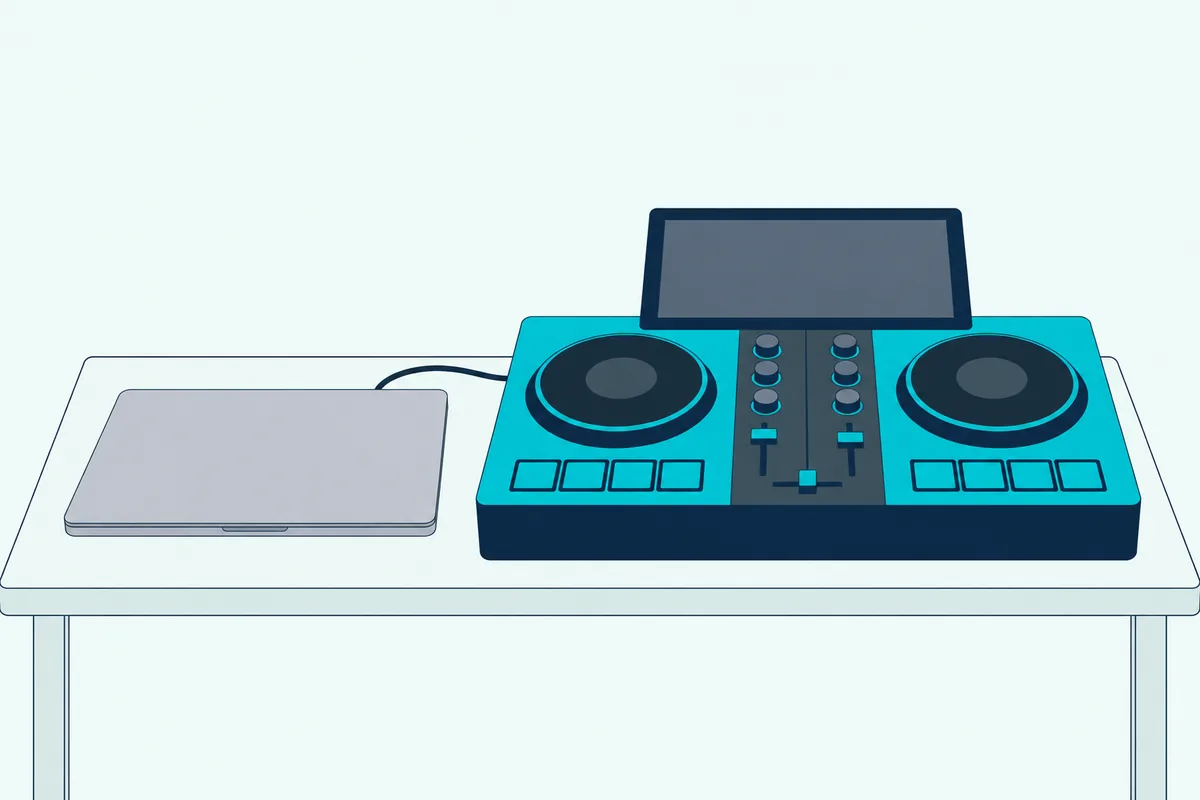
VirtualDJ’s directory files all-in-one units in their own category, and the Mixstream Pro manual it links for Numark’s Mixstream Pro Go also asks for a Pro license (VirtualDJ). If you’d rather leave the laptop at home entirely, Burton Acoustix’s standalone DJ controller picks compare units built to play on their own.
Which Controllers Give You Hands-On Stems in VirtualDJ?
Unlike decks, stems control isn’t the same on every pick, because each VirtualDJ mapping handles vocals and instruments in its own way. The FLX10 has the most of it here, with stem buttons, EQ knobs that switch to stems channels and pads that add echo, reverb or beat-grid effects to the vocal or instrumental part (VirtualDJ).
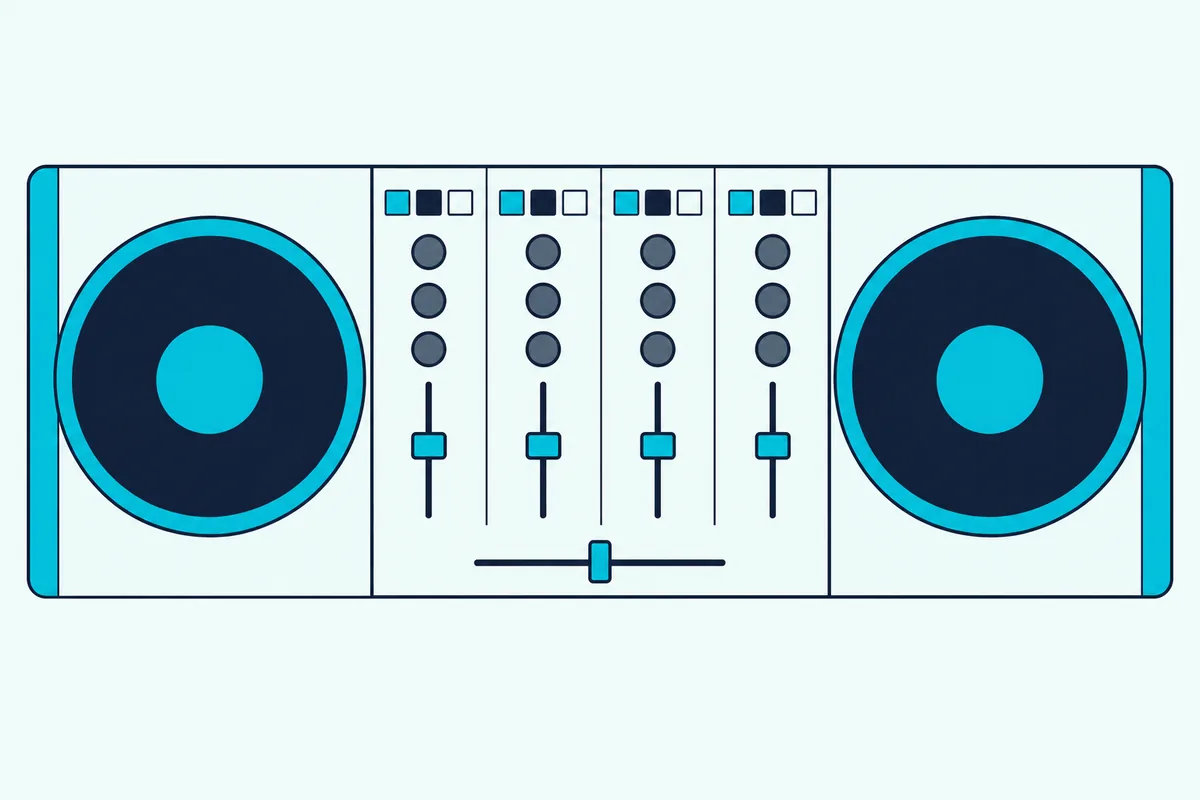
VirtualDJ’s guides also give the FLX4 full stems controls through its EQ modes, let the FLX2’s EQs switch to a Stems EQ mode, put a Stems pad mode on the Inpulse 200 MK2 and map a Stem Split button on the PERFORMER. The REV1, Party Mix II, Starlight and DJ2GO2 Touch guides show no stems controls, so stems on those stay in the software window.
One caveat applies to all of them. VirtualDJ’s buy page lists high-quality stems separation among Pro’s features, and its comparison chart doesn’t say whether Home includes it, so check with VirtualDJ before counting on stems with a Home license (VirtualDJ).
What Makes a Controller Good for Scratching in VirtualDJ?
Scratching is the other setup where the hardware matters, and in VirtualDJ it starts with touch-sensitive jog wheels and Vinyl mode switched on. VirtualDJ’s own wiki says a controller with touch-sensitive or spinning platters is important for scratching, and that scratch DJs on Windows need a low-latency ASIO sound card for a good scratch response (VirtualDJ).
The FLX4, FLX2, Inpulse 200 MK2, Party Mix II, Starlight, DJ2GO2 Touch and FLX10 all have jog wheels that VirtualDJ’s guides set to scratch in Vinyl mode and to bend the pitch with it off. The REV1 adds a battle layout and 154 mm jogs, while the PERFORMER’s motorized platters spin like records and stop when Vinyl mode is off.
Once you have the hardware, our scratch tutorial for VirtualDJ walks through the settings and the first techniques.
Which Controllers Didn’t Make the List?
These 10 aren’t the only controllers VirtualDJ maps, and several others were checked against the same rules on 16 October. The Numark Mixtrack Platinum FX is on the Home list, but Amazon listed it as currently unavailable, and the Reloop Mixtour Pro, Reloop Buddy, Reloop Mixon 8 Pro and The Next Beat SX1 fell short of the rating or review bar.
The Pioneer DJ DDJ-REV7, Hercules DJControl Inpulse 500, Numark Mixstream Pro Go and AlphaTheta XDJ-AZ passed, but none is on the Home list, so each needs Pro, and the picks above already cover their setups. The Hercules Inpulse 300 MK2 and the newer Inpulse 200 MK3 passed too and are on the Home list, so either is a fallback if the 200 MK2 sells out.
The Bottom Line
So for most people, the Pioneer DJ DDJ-FLX4 is the best DJ controller for Virtual DJ, because VirtualDJ maps it and lists it for the low-cost Home license. Go Pro for the FLX10’s stems, the PERFORMER’s motorized platters or the SC LIVE 4’s laptop-free sets, and pick from the Home list for learning, a battle layout, a small desk, parties or travel.
Frequently Asked Questions
Can you use VirtualDJ with any controller?
Most of them, yes. VirtualDJ comes with predefined mappings for most MIDI and HID DJ controllers on the market, and its hardware page lists the ones it supports natively. A controller that isn’t listed can still be mapped by hand with Key learn or a user’s mapper from VirtualDJ’s Add-Ons page, though LEDs and other advanced features need a proper definition file. Any controller also needs Home or Pro to work for more than 10 minutes at a time, and Home covers only VirtualDJ’s list of entry-level models.
Which DJ controller comes with VirtualDJ?
Some controllers ship with VirtualDJ LE, a limited edition that VirtualDJ says gives a 30-day trial of Pro features and supports only the controller it came with. VirtualDJ’s wiki adds that controllers sold with LE are natively supported and that LE owners can normally upgrade to a full license at a discount. None of the 10 picks here lists VirtualDJ LE, though: their makers point to rekordbox, Serato DJ Lite or Pro, djay, Traktor Play or DJUCED instead, so check the box contents on the maker’s page before you count on a bundled copy.
Is VirtualDJ free to use with a controller?
Not for long. VirtualDJ’s trial page says the software is free to use at home without professional gear such as USB controllers, and that a controller works for 10 minutes at a time, with each restart giving another 10 minutes (VirtualDJ). A logged-in account with a controller connected also gets a one-time 30-day trial of Pro features. After that, the Home license covers VirtualDJ’s list of entry-level controllers and keeps its branding, while Pro works with every controller and is the license for anyone earning money with the software.
Do Pioneer DJ controllers work with VirtualDJ?
Yes. VirtualDJ’s hardware page lists Pioneer DJ and AlphaTheta models from the DDJ-200 and DDJ-400 to the DDJ-FLX10, DDJ-REV7 and XDJ-AZ, each with its own VirtualDJ manual. The DDJ-200, DDJ-400, DDJ-FLX4, DDJ-REV1 and DDJ-FLX2 are on the Home license list, while the FLX10, REV5, REV7, XDJ-RX3 and XDJ-AZ need Pro. Pioneer DJ’s own pages name rekordbox or Serato as the software these units unlock, so VirtualDJ is a separate license either way.
Do Numark and Hercules controllers work with VirtualDJ?
Yes. VirtualDJ’s Home list includes Numark’s DJ2GO2 Touch, Mixtrack Platinum FX, Mixtrack Pro FX and Party Mix MKII and Hercules’ DJControl Inpulse 200 MK2, Inpulse 300 MK2 and StarLight, and its hardware page has manuals for larger models such as the Numark NS4FX and Hercules Inpulse 500, which need Pro. Numark lists Virtual DJ among the Party Mix II’s supported software, while the Numark and Hercules picks here ship with Serato DJ Lite, plus DJUCED on the Inpulse 200 MK2.
Can I use VirtualDJ for live gigs?
Yes, with a Pro license. VirtualDJ says its Home license isn’t allowed at public or paid events and keeps the VirtualDJ audio drops and video logo, while Pro can be used in public or paid gigs, removes the branding and works with every controller. VirtualDJ’s download page says the software is used daily by millions of professional DJs around the world.