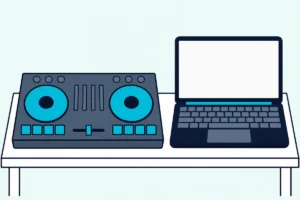
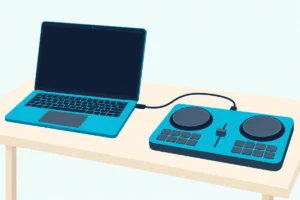
The AlphaTheta DDJ-FLX2 is the best budget DJ controller for most people, because it works with a phone, tablet or laptop.
The picks
AlphaTheta DDJ-FLX2
Hercules DJControl Inpulse 200 MK3
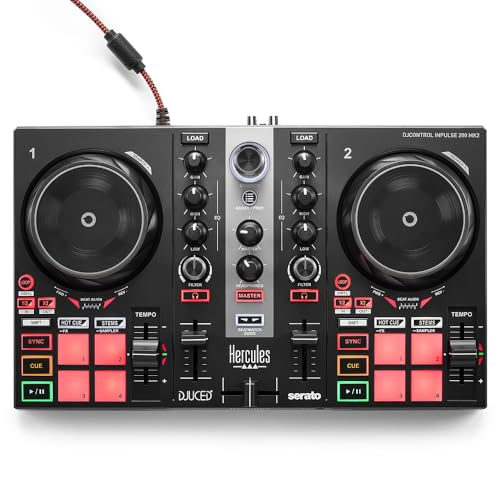
Hercules DJControl Inpulse 200 MK2
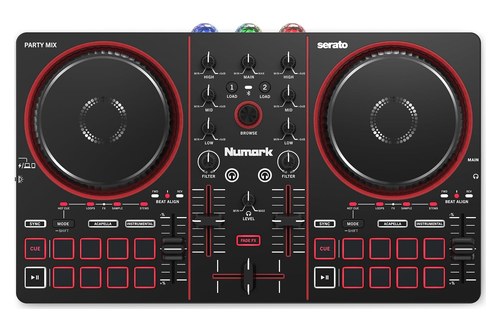
Numark Party Mix III
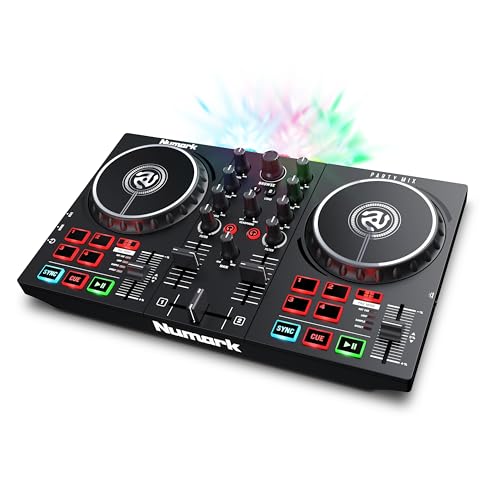
Numark Party Mix II
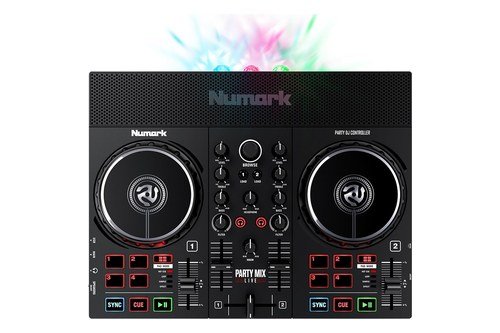
Numark Party Mix Live
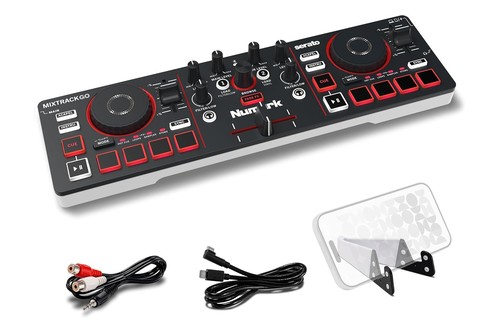
Numark MixTrack Go
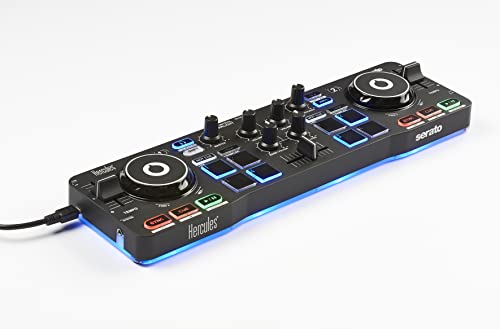
Hercules DJControl Starlight
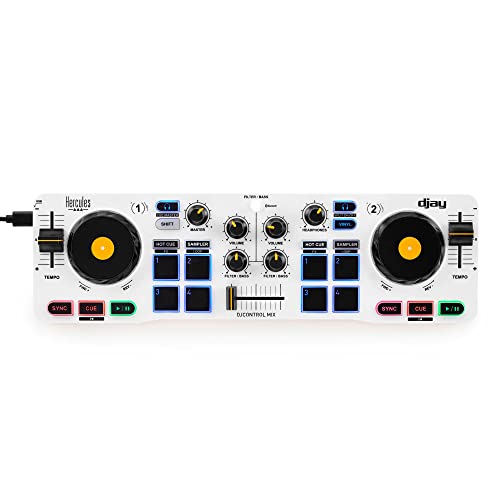
Hercules DJControl Mix
Choosing the best budget DJ controller starts with a question the photos won’t answer: where does your headphone cue come from, the controller or your phone?
Get that wrong and you can’t preview the next track before the room hears it, because some small controllers send all their sound through the phone and others silence their own jacks over Bluetooth.
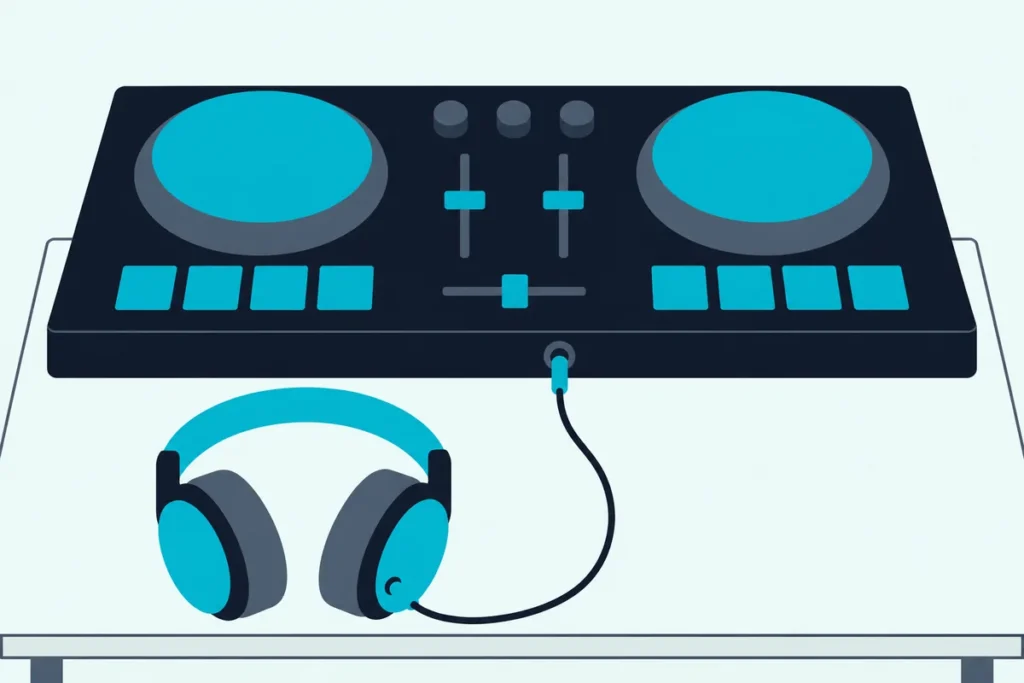
Match the controller to the device you already own, and you’ll have the next track in your headphones, the mix in your speakers and free software to start on.
The picks come first, sorted by what each one plugs into, from AlphaTheta’s phone-or-laptop unit to Hercules’ laptop learners and its phone-only DJControl Mix.
After them come the headphone cue, the controls each maker leaves out, the free software, phone setups, the extras you need, scratching and when to move up.
What Is the Best Budget DJ Controller?
That headphone question narrows the list quickly. The AlphaTheta DDJ-FLX2 is the best budget DJ controller for most people, because AlphaTheta lists it for phones, tablets, PCs and Macs, gives it its own master and headphone jacks and names rekordbox, djay, Serato DJ Lite and Traktor Play as compatible software.
If you only mix on a laptop and want light-up help with beatmatching, the Hercules DJControl Inpulse 200 MK3 is the pick. For a house party, the Numark Party Mix III adds a beat-synced light show to the same phone-or-laptop idea.
| Pick | Best for | Why |
|---|---|---|
| AlphaTheta DDJ-FLX2 | Most people | Works with a phone, tablet or laptop |
| Hercules DJControl Inpulse 200 MK3 | Learning to beatmatch | Beatmatch Guide arrows |
| Hercules DJControl Inpulse 200 MK2 | Lessons with a gain knob | A gain knob on each channel |
| Numark Party Mix III | House parties | A light show and 8 pads per deck |
| Numark Party Mix II | Laptop party sets | Built-in lights, 4 pads per deck |
| Numark Party Mix Live | No speakers yet | Two built-in speakers |
| Numark MixTrack Go | A phone kit in a small bag | 0.6 kg, runs from a battery bank |
| Hercules DJControl Starlight | The lightest laptop kit | 0.5 kg with its own sound card |
| Hercules DJControl Mix | Mixing from a phone alone | Bluetooth to djay on a phone |
Start with the Best for column, then the headphone section below, which shows the picks that can cue on their own.
Every pick met Burton Acoustix’s rating, review and stock checks on 5 November 2026. The descriptions come from the makers’ manuals and spec pages.
Whichever laptop pick you choose, the first job is the same, and the cable, software and sound steps for a laptop cover it, from the USB connection to the first sound check.
The Best Budget DJ Controller Picks, Sorted by What Each One Plugs Into
That table’s order is the order here: phone-or-laptop first, then laptop learners, then party units and the smallest kits. Three picks plug into a phone, tablet or laptop alike, three are PC or Mac only, two reach a phone through an adapter, and the DJControl Mix works with a phone or tablet alone.
AlphaTheta DDJ-FLX2 for a Phone, Tablet or Laptop
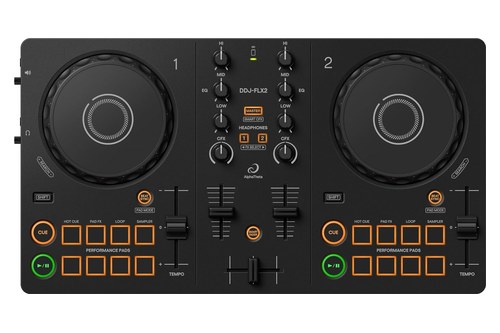
For most people, the AlphaTheta DDJ-FLX2 is the pick, since no other controller here lists rekordbox, djay, Serato DJ Lite and Traktor Play together. AlphaTheta calls it the company’s lightest and most compact DJ controller, at 383.2 x 208 x 48.2 mm and 1.2 kg (2.6 lb).
AlphaTheta DDJ-FLX2
Each deck has a jog wheel, a tempo slider and 8 performance pads for Hot Cue, Pad FX, Beat Loop and Sampler. Each channel has HI, MID and LOW knobs, a CFX knob and a channel fader, and AlphaTheta says its Smart Fader handles volume, BPM and bass automatically as you slide the crossfader.
It runs on USB bus power from a computer or a USB-C phone or tablet, though AlphaTheta excepts some Android devices. With rekordbox on an iPhone or iPad, the device’s own speaker can play the mix with no other gear, a setup AlphaTheta says isn’t available on Android.
On a Mac or PC, the DDJ-FLX2 instruction manual says plugging it in unlocks rekordbox’s Performance mode without a paid plan, a feature it calls Hardware Unlock. AlphaTheta’s setup list adds that playing through the computer’s own speakers works only in rekordbox.
The leave-outs show in the manual’s panel drawing: no browse knob, load buttons, gain knob or level meter, so you pick tracks on the phone or laptop screen. Its master and headphone outputs are both 3.5 mm mini jacks, and the manual says headphones under 32 ohms won’t work.
Hercules DJControl Inpulse 200 MK3 for Learning on a Laptop
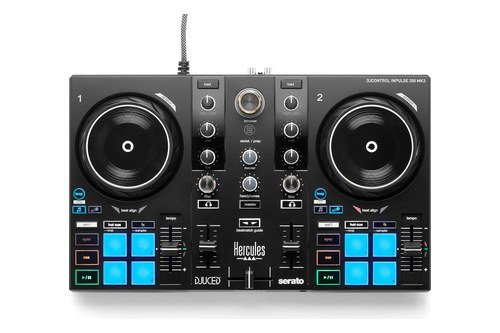
If you’re learning on a laptop and want the controller to coach your beatmatching, the Hercules DJControl Inpulse 200 MK3 is the pick. Hercules’ product page lists touch-sensitive jog wheels, a tempo fader, 4 pads per deck in Hot Cue, FX, Loop and Sampler modes, and separate Instrumental and Vocal stems buttons.
Hercules DJControl Inpulse 200 MK3
Turn on its Beatmatch Guide and four red arrows per deck do the coaching: the ones by the tempo fader show which way to move it, and the ones under the jog wheel show which way to turn it. The point is to learn the manual move, and Hercules says you can switch the guide off once you’ve got it.
Each channel gets low, mid and high EQ plus a filter, with the high knob adjusting gain while you hold SHIFT. A volume fader per deck, a crossfader, a browser knob and load buttons round out the panel, so you can pick tracks without reaching for the trackpad.
Its built-in sound card sends the mix to two RCA jacks on the back and the cue to a 3.5 mm jack on the front. It connects to a PC or Mac over USB-C, which also powers it, and Hercules doesn’t list phones or tablets for it.
Hercules includes DJUCED and Serato DJ Lite, with DJUCED PRO, DJUCED PRO+ and Serato DJ Pro as paid upgrades. It measures 320 x 195 x 49 mm and weighs 0.9 kg (2 lb), which puts it in the middle of this list for desk space.
Hercules DJControl Inpulse 200 MK2 for a Separate Gain Knob
The Hercules DJControl Inpulse 200 MK2 shares the MK3’s body size, weight and Beatmatch Guide, so the choice comes down to a few lines on the spec sheet. Hercules’ DJControl Inpulse 200 MK2 manual gives each channel a separate gain knob, a 2-band EQ with HIGH and LOW, and a filter.
Hercules DJControl Inpulse 200 MK2
Its 4 pads per deck run Hot Cue, Stems, FX and Sampler, so stems sit on the pads here instead of on the MK3’s dedicated buttons. Each deck also has its own loop section, and its VU meter is something the FLX2’s panel doesn’t have.
The cable is the other practical difference. Hercules’ product page lists a braided USB cable attached to the controller and asks for a Type-A port, or a USB-C to Type-A adapter on a USB-C laptop.
Its sound card sends the mix to two RCA jacks and the cue to a 3.5 mm jack on the front, the same pairing as the MK3.
In DJUCED, its ASSIST button opens a panel suggesting upcoming tracks and lets you steer them by energy level, and in Serato DJ Lite it adds the current track to the Prepare list instead. It’s also on VirtualDJ’s list for its Home license, and our guide to controllers for VirtualDJ sorts out when Home is enough.
Numark Party Mix III for House Parties
For a house party, the Numark Party Mix III adds a beat-synced LED light show to a 2-deck layout with 8 pads per deck, double its predecessor’s count. Numark’s product page also gives it 3-band EQ and filter knobs, capacitive touch jog wheels and dedicated Instrumental and Acapella buttons.
Numark Party Mix III
Beat Align lights beside each wheel show whether a track needs a nudge forward or a pull back, a similar lesson to Hercules’ arrows. Fade FX adds effects and EQ moves automatically as you work the crossfader, and the pads add Beat Jump in compatible software.
It draws 5 V at 500 mA over USB-C from a computer, phone or tablet, and it measures 339 x 205 x 47 mm at 1.1 kg (2.43 lb). Numark’s Party Mix user guide puts a 1/8-inch main output and a 1/8-inch headphone jack on one side, and the box holds a 1/8-inch-to-RCA adapter and a phone stand.
Over USB the cue comes from its built-in sound card, but Bluetooth changes that. The guide says the audio outputs are disabled while Bluetooth control is active, so speakers and headphones plug into the phone instead.
It unlocks djay and Serato DJ Lite for free, while Serato DJ Pro and VirtualDJ need their own licenses. A button on the side cycles its lights through color-controlled, beat-controlled, random, all-on and off.
Numark Party Mix II for Laptop Party Sets
If you mix from a laptop and want the lights without Bluetooth, the Numark Party Mix II is the earlier model. Numark’s product page lists three multi-colored LEDs with a switch on the side, four pads per deck, a 2-band EQ, dedicated filter knobs and large touch-sensitive jog wheels with a pitch-bend ring.
Numark Party Mix II
Each channel also gets a level knob and a volume fader, and a browse knob and load buttons sit in the middle. Both outputs are 1/8-inch, a 1/8-inch aux cable comes in the box, and it runs from USB at 325.5 x 199 x 51 mm and 0.95 kg (2.1 lb).
A phone takes more gear here. Its user guide asks for a natively supported, powered adapter, naming Apple’s Lightning to USB 3 Camera Adapter for iOS, and Numark’s page says Android isn’t currently supported.
The guide also warns that djay PRO may need a paid subscription, so Serato DJ Lite is the plain route on this one. Numark’s system list stops at macOS Catalina and Windows 10, so check Serato DJ Lite’s current requirements against your laptop.
Numark Party Mix Live for a Setup With No Speakers Yet
If you don’t own speakers yet, the Numark Party Mix Live has its own. Numark’s product page lists two 2-inch drivers at 5 W each with a frequency response of 150 Hz to 20 kHz, plus an on/off switch that keeps the mix in your headphones.
Numark Party Mix Live
The rest follows the Party Mix II: four pads per deck, a 2-band EQ, filter knobs, three multi-colored LEDs and 1/8-inch main and headphone jacks. The speakers make it bigger, at 325.5 x 256 x 66.4 mm and 1.22 kg (2.69 lb), and Numark lists a power adapter, in the box, as its power source.
Serato DJ Lite comes with it, and phones connect through a USB adapter sold separately: its user guide names Apple’s Camera Connection Kit for iOS and an OTG adapter for Android. Numark’s product page still marks Android as unsupported, so an Android owner should check with Numark first.
A controller can also skip speakers entirely, and our walkthrough on mixing with no speakers at all covers that route.
Numark MixTrack Go for a Phone Kit in a Small Bag
For a phone kit in a small bag, the Numark MixTrack Go is the pick. Numark’s product page lists it at 324 x 93 x 40 mm and 0.6 kg (1.32 lb), powered over USB-C by a laptop, a phone, a USB power block or a battery bank.
Numark MixTrack Go
The size costs controls. Its user guide shows a channel level knob instead of a fader, one Filter/Low knob per channel and four pads per deck.
Hold MODE/SHIFT and press LOAD 1 and that knob becomes a low EQ for a bass swap, and MODE/SHIFT with LOAD 2 turns vinyl mode on or off for the capacitive jog wheels. Numark keeps Acapella and Instrumental buttons, Fade FX and a browse knob in that small panel.
Its 1/8-inch main output sits on one side and its 1/8-inch headphone jack on the other, and the box adds a 1/8-inch-to-RCA adapter and a phone stand. Like the Party Mix III, it silences those jacks in Bluetooth mode and then needs a power adapter or power bank of at least 5 V at 500 mA.
It unlocks djay and Serato DJ Lite for free, with Serato DJ Pro and VirtualDJ as licensed extras.
Hercules DJControl Starlight for the Lightest Laptop Kit
For the lightest laptop kit, the Hercules DJControl Starlight weighs 0.5 kg (1.1 lb) at 340 x 100 x 49 mm, per Hercules’ product sheet. It still has a built-in audio interface with 1/8-inch master and headphone jacks, so you can monitor in headphones and play through speakers.
Hercules DJControl Starlight
Serato’s page for it lists 3-inch touch-sensitive jog wheels and four pads per deck in cue point, loop, FX and sampler modes. The mixer is one bass/filter knob and one volume knob per deck plus a crossfader, with no mid or high EQ on the sheet.
Its RGB backlighting under the base has seven modes, and one doubles as a lesson, lighting red on the first beat and blue on the beats after it. Hercules’ sheet lists Windows or macOS, a USB 2.0 port and Serato DJ Lite, with a USB cable in the box.
Hercules DJControl Mix for Mixing From a Phone Alone
For mixing from a phone alone, the Hercules DJControl Mix pairs with djay over Bluetooth Low Energy. Hercules’ product page lists 4 pads per deck, touch-detecting jog wheels, and one bass/filter knob and one volume knob per deck, at 34 x 10 x 4.9 cm and 0.5 kg (1.1 lb).
Hercules DJControl Mix
It has no audio jacks of its own, so every sound route runs through your device: its speaker, a Bluetooth speaker, a wired speaker or the included DJ splitter cable on its headphone jack. It also needs a USB power adapter or external battery, and its user manual warns that the Bluetooth pairing is lost whenever the phone’s display turns off.
The cue takes the most care here, because the manual says to use only wired headphones for monitoring. It also says the features it describes are available in the free djay, yet Algoriddim’s Android manual says pre-cueing requires a PRO subscription, so test the app’s pre-cueing setting while you can still return the controller.
Hercules’ DJControl Mix Ultra adds a rechargeable battery rated for up to 10 hours, a 3-band EQ and 8 performance pads, with the same phone-routed audio. Our guide to what Bluetooth does on a DJ controller covers how those wireless links behave, and the standalone controller market is the next stop if you’d rather play with no phone at all.
Where Does the Headphone Cue Come From on a Budget DJ Controller?
Those cue notes run through every pick above. On a controller with its own sound card, the cue comes from a headphone jack on the unit, because the card sends the mix to one output and the next track to another.
Hercules’ manual for the Inpulse 200 MK2 puts it plainly: its multichannel sound card plays your mix on speakers for the audience and lets you monitor the next track on headphones. Hercules’ DJControl Mix manual gives the reason it matters, which is preparing the transition without your audience noticing anything.
On the four picks that play from a phone or tablet, the cue comes from here:
| Pick | Headphone cue | EQ |
|---|---|---|
| AlphaTheta DDJ-FLX2 | Its own 1/8-inch jack over USB | 3-band |
| Numark Party Mix III | Its own 1/8-inch jack over USB | 3-band |
| Numark MixTrack Go | Its own 1/8-inch jack over USB | One filter/low knob |
| Hercules DJControl Mix | The phone, through the included splitter | One bass/filter knob |
The five laptop-first picks keep the cue on the unit, and the Party Mix II and Party Mix Live reach a phone only through an adapter:
| Pick | Headphone cue | EQ |
|---|---|---|
| Hercules DJControl Inpulse 200 MK3 | Its own 1/8-inch jack | 3-band, high shared with gain |
| Hercules DJControl Inpulse 200 MK2 | Its own 1/8-inch jack | 2-band, plus a gain knob |
| Numark Party Mix II | Its own 1/8-inch jack | 2-band |
| Numark Party Mix Live | Its own 1/8-inch jack | 2-band |
| Hercules DJControl Starlight | Its own 1/8-inch jack | One bass/filter knob |
A sound card keeps the mix and the cue apart inside the controller, sending the mix to the master jack and the next track to the headphone jack.
What happens when you switch to Bluetooth?
The wireless link carries control, and the sound stays on the phone. AlphaTheta’s manual says sound doesn’t output from the FLX2 over Bluetooth, and Numark’s guides say the Party Mix III’s and MixTrack Go’s audio outputs are disabled while Bluetooth control is active.
So those controllers behave one way over USB and another over Bluetooth, and the jack you bought them for goes quiet. AlphaTheta’s example shows the catch: with a split cable on the phone, the master and the headphone monitor sound both play in mono.
Can you cue with no sound card at all?
Yes, on a phone with a splitter, which is how the DJControl Mix does it. Algoriddim’s iOS manual says Split Output sends the master to one side of the stereo channel and the cue to the other, and a stereo/mono DJ split cable turns those into two mono outputs.
The same manual rules out pre-cueing with AirPlay or Bluetooth devices, which matches Hercules’ wired-headphones rule. Try this first: look at your phone, because one with no headphone jack also needs the data-port-to-3.5 mm adapter Hercules describes.
If you’d rather run the sound through an interface you already own, our guide on adding an audio interface and keeping your cue covers that path. On any model not listed here, check its manual for a headphone jack on the unit and then for what happens to that jack in Bluetooth mode.
What Do You Give Up on a Budget DJ Controller?
A sound card only settles the cue, and the panel is where these controllers differ most. You give up EQ bands, pads, channel faders and connections, and how much depends on the size of the box.
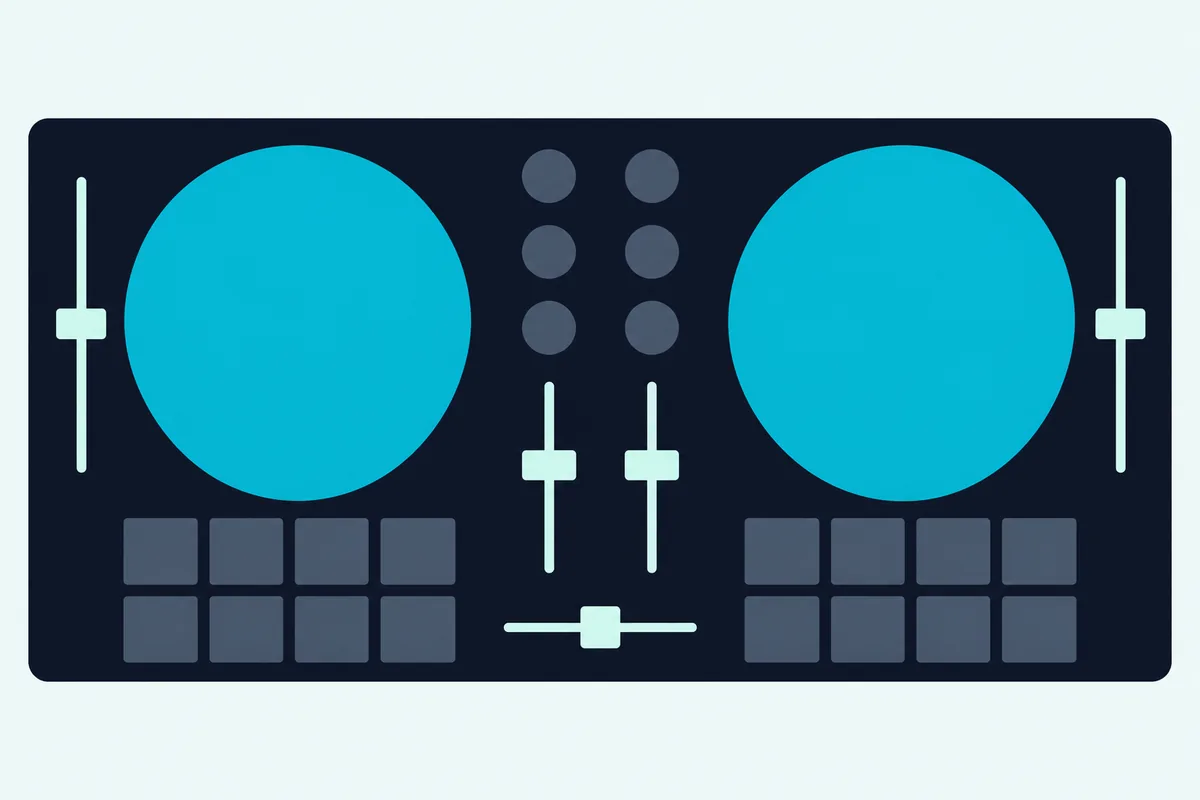
Start with the EQ. Numark’s guides describe high, mid and low as treble, midrange and bass controls for each channel, so a 2-band unit gives up the midrange knob and a one-knob unit leaves you with filter or bass.
That one knob still mixes. Numark says the MixTrack Go’s filter sweeps highs and lows for smooth transitions, and Hercules says the DJControl Mix’s volume and filter/bass knobs and crossfader create transitions, so you can blend on any of them.
Pads are the next gap, at 8 per deck on the FLX2 and Party Mix III against 4 on the rest. The smaller pad blocks still switch between modes such as hot cues, FX and samples, and Numark says the extra pads open more options, like Beat Jump.
Size explains the rest. The controllers around 100 mm deep swap channel faders for knobs, and they weigh half of what the FLX2 does or less.
Try this with a tape measure: mark 93 mm, then 256 mm, on the desk in front of your laptop. That’s the depth of the MixTrack Go and the depth of the Party Mix Live, so you’ll see quickly which layouts your desk allows.
Connections are the quiet cost. The Inpulse 200 models take RCA cables straight from the back, the Party Mix III and MixTrack Go include an adapter, the Party Mix II and Live include a 1/8-inch aux cable, and AlphaTheta’s FLX2 accessory list names only its USB cable, so check which cable your speakers need.
None of the makers’ output lists here includes a microphone input or a booth output. If you need to talk over a mix, that’s a job for the bigger controllers further down this page.
Every pick is also a 2-deck layout. In rekordbox, Performance mode can show up to 4 decks, but the FLX2’s panel still gives you two channel faders to work them with.
Which Software Comes With a Budget DJ Controller?
Those panels only matter once a program is running behind them, and every pick here can start on a free one. Serato DJ Lite covers most of them, DJUCED joins it on the Inpulse 200 models, rekordbox and Traktor Play join it on the FLX2, and djay handles the phone-first models.
Serato’s DJ Lite page lists Stems, streaming from Apple Music, Beatport, SoundCloud, Spotify and Tidal, six FX presets and a four-slot Sampler panel, with no license or subscription required. The same page says you can’t record a set in Lite, and Serato’s pricing page sells Serato DJ Pro as a subscription or a one-time purchase.
If you want your sets saved, here are other ways to record a mix. Serato says Lite runs on the same core technology as Serato DJ Pro, so what you learn carries over when you upgrade.
You can even try Lite before you buy anything, since Serato says its Practice Mode mixes on your laptop with no controller at all.
DJUCED’s home page lists recording among its free edition’s features, along with real-time stems, 8 hot cues, the Beatmatch Guides and streaming from Beatport, SoundCloud GO+ and TIDAL, for use with a Hercules controller. Its paid steps are DJUCED PRO, a one-time fee, and DJUCED PRO+, a subscription.
On the FLX2, the manual’s Hardware Unlock line is the key one, and rekordbox’s Hardware Unlock page describes Performance mode as up to 4 decks and 16 samplers. AlphaTheta also says the FLX2 works with Traktor Play at no extra cost.
Numark says the Party Mix III and MixTrack Go unlock djay and Serato DJ Lite for free, and AlphaTheta says connecting the FLX2 opens every djay feature the controller can reach. The DJControl Mix’s manual points to the free djay, with djay Pro as the paid version.
Read each program’s own terms before you count on a feature, because the tier lines above belong to the software makers and they can move them. Our DJ software comparison breaks down what each platform offers at the free tier.
Can You DJ From a Phone on a Budget Controller?
Those app tiers lead straight to the phone question. Yes, you can DJ from a phone on the FLX2, Party Mix III, MixTrack Go and DJControl Mix, and through an adapter on the Party Mix II and Party Mix Live.
The USB-C route is the simplest, since the included cable goes straight from the controller to a USB-C phone or tablet and the phone powers it. Numark’s guides suggest wireless charging or a powered USB hub if you want to protect the phone’s battery.
AlphaTheta adds two limits for the FLX2. An iPhone or iPad with a Lightning port, or an Android device with micro USB, has to connect over Bluetooth, and some USB-C devices may need Bluetooth too if the connection or the sound misbehaves.
Bluetooth needs its own power, since the phone isn’t feeding the controller. AlphaTheta and Numark both ask for a 5 V, 500 mA source, and AlphaTheta specifies a mobile battery without a power-saving function.
The Inpulse 200 models and the Starlight sit out this section, because Hercules lists them for computers. If a phone or iPad is your main screen, that alone narrows the choice.
Wireless mixing from a phone or iPad gets more room in our list of DJ controllers for iPad. If you go the iPad route, our page on the adapters and power an iPad DJ setup needs explains the cables and the order to connect them.
What Else Do You Need Besides the Controller?
A phone or laptop is only the first item on the list. You also need a computer or phone that meets the software’s requirements, wired headphones with the right plug and, for a room, powered speakers.
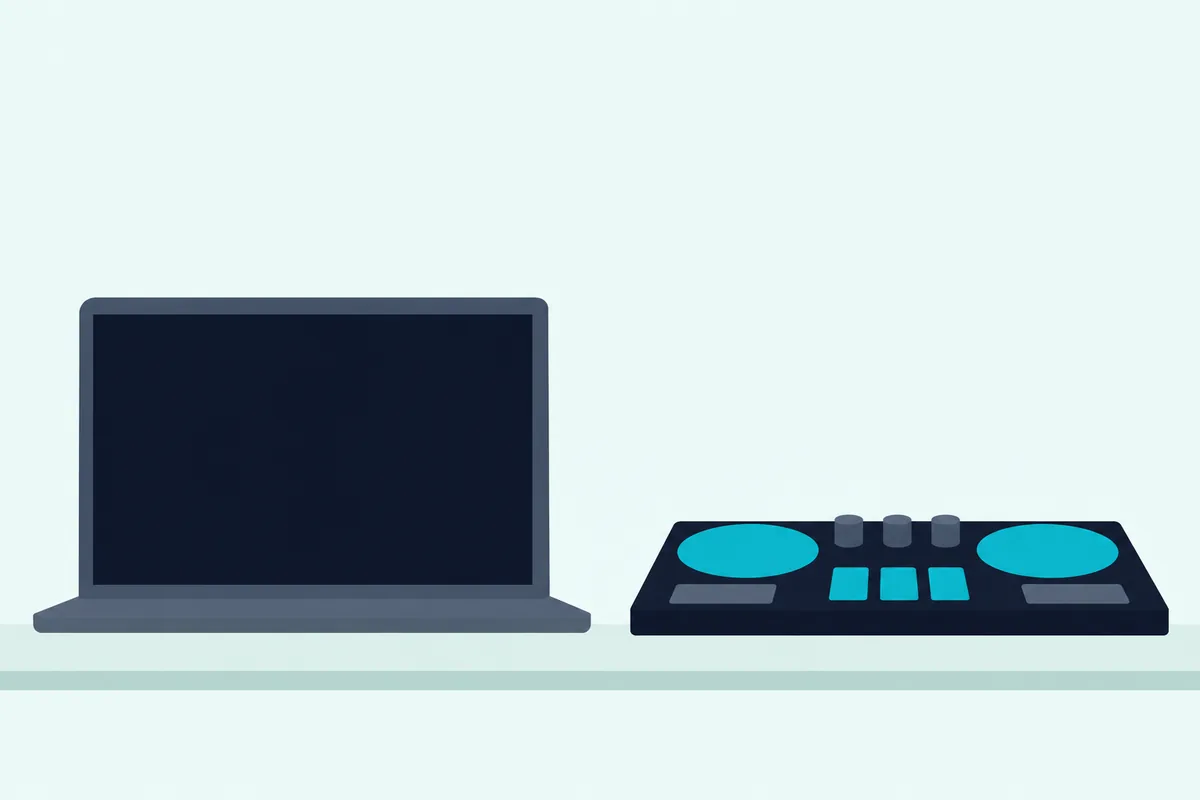
Check the computer first. Hercules’ page for the Inpulse 200 MK2 asks for 4 GB of memory and 5 GB of free space, while DJUCED’s download page recommends 8 GB and asks for 16 GB for stems, so a laptop that’s fine for mixing may not separate stems smoothly.
Headphones are next, and the makers are specific. Hercules says TRRS plugs (the headphone-and-microphone kind) aren’t compatible with the Inpulse 200 MK2 and MK3, so you need a standard TRS plug, and that 32-ohm floor on the FLX2 applies too.
Speakers depend on your outputs, and Hercules’ manual tells you to connect active speakers to the master output. If yours have different plugs, its MK3 manual suggests a dual RCA to 3.5 mm adapter or the headphone output with the MASTER button pressed.
You can also start with no speakers. Hercules’ manuals show a Use Laptop Speakers option in Serato DJ Lite and a matching setting in DJUCED, with your headphones still plugged into the controller.
Music is the easy part now. AlphaTheta lists Apple Music, Beatport Streaming, SoundCloud, Spotify and Tidal for the FLX2, varying by app and country, and Hercules notes that Spotify in djay needs a Premium subscription.
Free lessons help too. Numark’s video lessons with Crossfader include tracks to mix for Party Mix and MixTrack Go owners, and Hercules’ DJ Academy covers counting beats and first transitions on YouTube.
Windows laptops add one more step on some models. Hercules’ manual has you install its driver pack for ASIO mode, which it says reduces latency, and Numark lists a required Windows driver for the Party Mix II, while it calls the Party Mix III and MixTrack Go class-compliant, with no driver to install.
Is a Budget DJ Controller Good for Scratching?
With the room sorted, the next question is what those wheels can do. A budget DJ controller can teach the scratching motion, since every pick here has a touch-sensitive jog wheel or a top surface that scratches, but small wheels are the trade-off.
Pioneer DJ says it directly on its DDJ-REV1 page: the bigger the jog wheels, the better for scratching. Serato lists the Starlight’s at 3 inches, while Numark’s 6-inch wheels on the Mixtrack Pro FX come on a controller 53.6 cm wide, so bigger wheels cost you desk space.
You’ll usually need to switch scratching on. The Inpulse 200 manuals use SHIFT and LOOP for Vinyl mode, the Starlight and DJControl Mix have a VINYL button, and the MixTrack Go uses MODE/SHIFT with LOAD 2.
The FLX2’s manual says turning the top of the wheel scratches the track and turning the outer section bends the pitch. Numark’s Party Mix II page promises backspins, pauses and scratches on its large wheels, so you can practice the same moves there.
If scratching is the main goal, our list of controllers built around scratching goes further than this page does.
When Should You Move Up From a Budget DJ Controller?
Those wheels are one reason to move up, and the makers’ own line-ups show the others. You should move up when you need a microphone input, more outputs, more pads or bigger jog wheels, and a mid-range controller covers most of that list.
Pioneer DJ’s DDJ-FLX4 is the nearby step, adding RCA master outputs and a 1/4-inch mic input at 2.1 kg (4.63 lb). Hercules’ DJControl Inpulse 300 MK2 moves to 8 pads per deck in 8 modes, and Hercules says it adds more outputs and a headphone jack with a higher-quality preamp.
Sometimes the software is the limit, and then the controller can stay. Serato’s pages for these Lite controllers offer Serato DJ Pro as a paid upgrade on the same hardware, with recording and extra cues and loops.
Gigs bring their own rule. VirtualDJ’s Home license covers entry-level controllers such as the FLX2, Inpulse 200 models and Party Mix III at home, but it isn’t allowed at public or paid events, so anyone playing out needs its Pro license.
Stay put if you’re still learning the basics, because Hercules’ and Numark’s beat-matching steps both come down to a tempo fader and a jog wheel. A bigger controller for intermediate DJs or professionals adds inputs, outputs and screens, and those two controls stay where they are.
The Bottom Line
Until you need those extras, the choice comes down to the device you’ll mix on. Get the AlphaTheta DDJ-FLX2 if you want one controller for a phone today and a laptop later, and keep in mind that you pick tracks on the phone or laptop screen, since it has no browse knob.
Get the Hercules DJControl Inpulse 200 MK3 if you mix on a laptop and want RCA jacks and the Beatmatch Guide, or the MK2 if you’d rather have a separate gain knob. Get the Numark Party Mix III for parties, the Party Mix II for laptop party sets without Bluetooth, and the Party Mix Live if you don’t own speakers yet.
For the smallest kits, the MixTrack Go is the phone choice and the Starlight the laptop choice, and the DJControl Mix suits someone who’ll only ever use a phone. Whichever you pick, plug in wired headphones first and confirm you can hear the next track before the room does.
Frequently Asked Questions
Is a budget DJ controller good enough to learn on?
Yes, and several are built for it. Serato describes the Inpulse 200 MK2 as an entry-level controller for DJs learning the basics of mixing and scratching, and Hercules says its Beatmatch Guide exists to teach manual beatmatching. For controllers suited to a first year of DJing, see our beginner controller guide.
Do I need a sound card in my DJ controller?
You need a way to hear the next track privately, and a controller’s own sound card is the simplest one. Without one, as on the DJControl Mix, you use a splitter cable and wired headphones on your phone, and each output becomes mono. Over USB, the FLX2, Inpulse 200 models, Party Mix models, MixTrack Go and Starlight all cue from the controller.
Should I save up for a more expensive controller instead?
Save up if you already know you need a mic input, RCA outputs on a larger layout or platters for scratching, because those live on bigger models. If you’re still learning, Serato says what you learn in Lite carries over to Serato DJ Pro, so an entry controller doesn’t waste your practice. Upgrade when you meet a limit you can name.
Can you use a budget DJ controller without a laptop?
Yes, with a phone or tablet. The FLX2, Party Mix III and MixTrack Go connect over USB-C or Bluetooth, and the DJControl Mix connects over Bluetooth alone. You still need an app such as djay or rekordbox, so these aren’t standalone units, and on Bluetooth the sound comes from the phone.
How does the Party Mix III differ from the Party Mix II?
Numark gives the Party Mix III 8 pads per deck against 4, a 3-band EQ against 2, Stems buttons and USB-C bus power, and it adds Bluetooth control of djay on iOS and Android. The Party Mix II has neither Bluetooth nor Android support on its product page, and a phone needs a powered adapter. Both keep the beat-synced lights and the 1/8-inch jacks.
What’s the difference between the Inpulse 200 MK2 and MK3?
Hercules gives them the same 320 x 195 x 49 mm body, 0.9 kg weight, 4 pads per deck and Beatmatch Guide. The MK3 adds a mid EQ knob, dedicated Instrumental and Vocal buttons and a USB-C plug, while the MK2 has a separate gain knob, a Stems pad mode and a Type-A plug. Both include DJUCED and Serato DJ Lite.