How to Connect a Roku Ultra to a Samsung Soundbar
How to connect a Roku Ultra to a Samsung soundbar: you don’t connect them to each other at all — the soundbar goes into the TV’s HDMI ARC port, and the Roku goes into any other HDMI port on the TV.
That’s why you can’t find the cable that joins them. There isn’t one.
Wire it that way and everything comes out of the soundbar — the Roku, the TV’s own apps, whatever’s on the aerial — with one remote for the volume.
It’s three cables and three settings, and the settings are where nearly everyone gets stuck.
Here’s the wiring, then the three settings, then what to check when there’s picture but no sound.
Why Does the Roku Connect to the TV, Not the Soundbar?
That missing cable isn’t an oversight in the design — it’s the design.
The Roku Ultra outputs picture and sound together over one HDMI cable. That has to reach the TV, because the TV is what shows the picture.
The soundbar then takes the audio back out of the TV through HDMI ARC — the Audio Return Channel.
ARC sends sound backwards along an HDMI cable that’s normally carrying it forwards. One port on the TV is labeled ARC or eARC, and it’s the only port that does this.
How ARC works in practice covers it in more detail.
The result is a triangle with the TV in the middle. That’s why routing through the TV gets you everything, not just the Roku.
How to Connect a Roku Ultra to a Samsung Soundbar
With the triangle clear, the wiring itself is quick.
Power everything down — TV, soundbar, Roku.
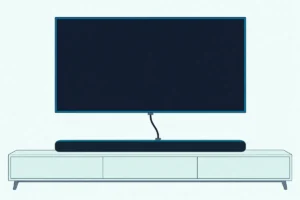
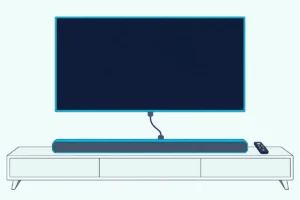
Soundbar to TV. HDMI cable from the HDMI OUT port on the soundbar to the TV input marked ARC or eARC.
Not any other input. The label matters, for the reason above.
Roku Ultra to TV. HDMI cable from the Roku into any other HDMI input on the TV.
Power on in order — TV first, then the soundbar, then the Roku.
Bringing them up in that order lets each device see the one before it, which avoids a large share of handshake failures.
If the soundbar has never been connected to this TV before, the general soundbar-to-TV setup is worth running through first.
Get Studio Tips Weekly
Join 5,000+ creators getting acoustic treatment advice every week.
No spam. Unsubscribe anytime.What Settings Do You Need to Change?
Those three cables are the easy part, and this is where nearly everyone gets stuck.
The cabling is the easy part. These settings are where setups fail, and they’re spread across three different devices.
On the TV: set audio output to the external speaker. Until you do, the TV keeps using its own speakers and the soundbar stays silent regardless of cabling.
On the TV: enable HDMI-CEC. Samsung calls this Anynet+, and it’s often off by default.
It lets devices pass control signals along the HDMI cable. That’s what allows one remote to handle volume, and what lets the TV wake the soundbar.
On the Roku: check the audio settings. Under the S/PDIF and ARC options, Auto detect is the default and works for most setups — the Roku asks what the chain can handle and sends accordingly.
Auto passthrough sends Dolby Digital, Dolby Digital Plus or DTS through unmodified when available. That’s the better setting when the soundbar can decode those formats and you want it to.
Picture but no sound means the answer is in one of these three, not in the cables.
Can You Use an Optical Cable Instead?
All of that assumes a working ARC port, which not every TV has.
If the TV has no ARC port, or the ARC port is faulty, an optical cable from the TV’s optical output to the soundbar’s optical input works.
On a Roku TV, that means setting Settings > Audio > Audio output to Optical, one of the steps in our soundbar setup for Roku TVs.
The trade-offs are real. Optical carries stereo and compressed surround reliably, but it can’t carry Dolby Atmos or the higher-bandwidth formats that eARC handles.
It also doesn’t carry control signals. That means the CEC single-remote convenience is lost and you’re back to two remotes.
Use optical when ARC isn’t available, not by preference.
What Is the Difference Between ARC and eARC?
That port label has been doing a lot of work in this article, so it’s worth knowing which version you’ve got.
ARC is the original standard, and it handles compressed surround — Dolby Digital, DTS — comfortably.
eARC is the enhanced version with far more bandwidth. It carries uncompressed and object-based audio, which in practice means full-quality Dolby Atmos and DTS:X.
Whether the distinction matters depends entirely on what you own. If the TV, the soundbar and the content all support Atmos, eARC is what delivers it.
Plain ARC falls back to a compressed version. If any one of the three doesn’t support it, eARC changes nothing for you.
Both ends need it. An eARC soundbar on an ARC-only TV runs at ARC.
Why Is There Picture But No Sound?
This is the most common outcome of a first attempt, and it’s almost always one of the three settings above.
Work through these in order. The cause is nearly always in the first three.
TV audio output still set to internal speakers. The most common single cause, and the first setting from earlier.
Wrong HDMI port. The soundbar has to be in the ARC or eARC input, and adjacent ports look identical without carrying the return channel.
CEC disabled on the TV, the soundbar, or both. It has to be on at both ends.
Roku audio format set to something the chain can’t handle. If Auto passthrough is selected and something in the chain can’t decode the format being passed, you get silence rather than a graceful fallback.
Setting it back to Auto detect resolves that immediately, and it’s worth trying before anything more involved.
Cable. Not all HDMI cables are equal, and eARC in particular wants one rated for the bandwidth.
A cable that carries picture perfectly can still fail on high-bandwidth audio. Our notes on choosing an HDMI cable for a soundbar explain which rating you actually need.
Why Won’t the TV Remote Control the Volume?
Sound working but the remote not is a narrower problem, and it points straight back at CEC.
A Roku remote has its own setup step for that, and getting a Roku remote to run your soundbar volume walks through it for Roku TVs and streaming sticks.
With CEC working, the TV remote should control the soundbar’s volume.
When it doesn’t, or when it adjusts the TV’s own muted speakers instead, CEC is either disabled at one end or the TV is still routing audio internally. Both are settings from earlier.
Samsung’s Anynet+ occasionally needs the TV restarting after being enabled before it takes effect throughout the chain.
Should You Plug the Roku Into the Soundbar?
One last temptation, since some soundbars do have an HDMI input.
Some soundbars have an HDMI input as well as an output, which makes running the Roku straight into the bar look sensible.
It generally works, and it costs you things worth having.
The soundbar becomes the switcher, so the TV’s own apps and aerial no longer reach it. It can also limit the video passing through to the bar’s specification rather than the TV’s.
And it removes the single-remote convenience that CEC over ARC provides — the whole point of enabling Anynet+ in the first place.
Unless the TV genuinely has no ARC port, route through the TV. It’s simpler to live with, and simpler to diagnose when something stops working.