How to Connect a Soundbar to a Roku TV
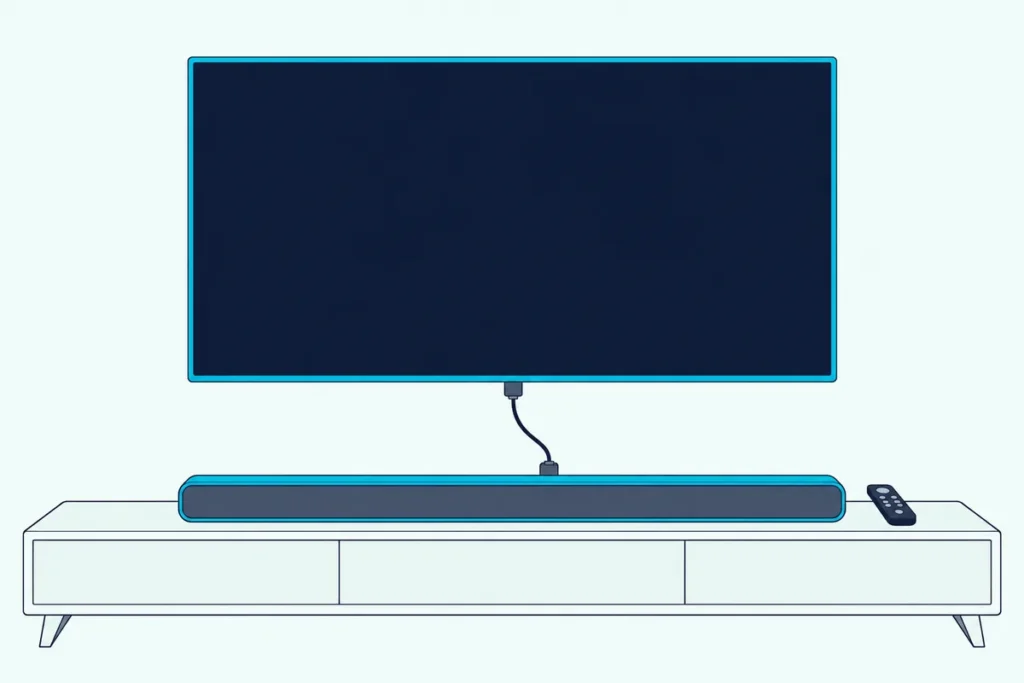
Here’s how to connect a soundbar to a Roku TV: run an HDMI cable from the TV’s HDMI ARC (or eARC) port to the bar, then turn on ARC under Control other devices (CEC).
If you were hoping to pair it over Bluetooth instead, Roku’s own help doesn’t offer that, since its Bluetooth pages cover phones and headphones, not soundbars.
Get the cable into the right port and the Roku remote can run the bar’s volume, and a Roku TV Ready bar even puts its sound modes on the TV screen.
Below are the menu paths from Roku and TCL, the S/PDIF and ARC format choice, and the optical route for a bar without HDMI ARC.
You’ll also see what Roku sells in place of Bluetooth, plus the checks that bring a silent bar back.
How to Connect a Soundbar to a Roku TV
That ARC port does most of the work, and Roku says every Roku TV model has a type of HDMI ARC connection plus a digital audio output. Here’s the order Roku’s and TCL’s articles give:
- Find the HDMI port labeled HDMI ARC or ARC (HDMI eARC or eARC on select models) among the TV’s HDMI ports.
- Connect it to the bar’s HDMI ARC port with an HDMI cable, and power both on.
- On the TV, press Home, then open Settings > System > Control other devices (CEC).
- Check the box for ARC (or eARC), then check System audio control and 1-touch play.
TCL’s Roku TV article adds that HDMI ARC is disabled by default, and that turning it on also turns on System audio control. Roku’s newer HDMI article, updated on 12 Oct 2026, puts the eARC choice under Settings > Audio > Audio Output instead, so check both places if your menu looks different.
The cable matters more on eARC. Roku asks for a High Speed HDMI Cable with Ethernet there, or an Ultra High Speed cable, which includes it; UGREEN’s 6.6 ft Certified Ultra High Speed HDMI cable is sold as one.

UGREEN’s 6.6 ft Certified Ultra High Speed HDMI cable
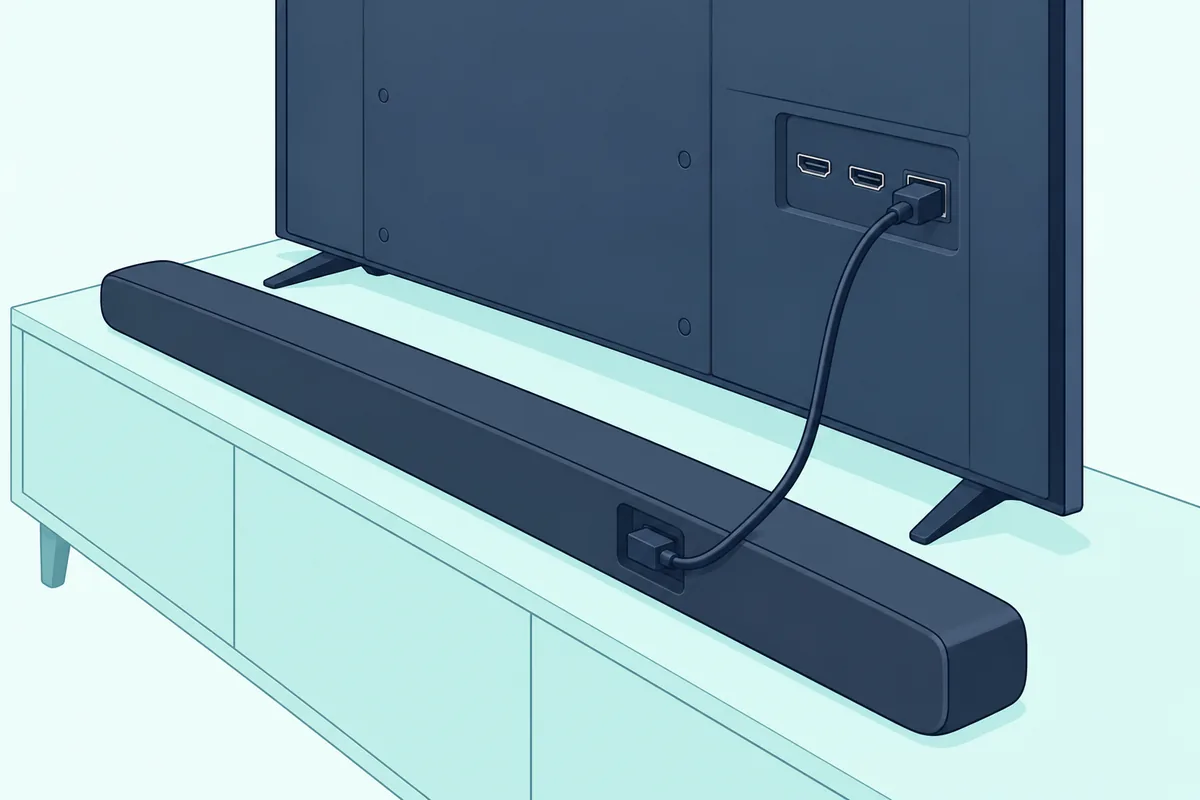
Once you activate HDMI ARC and CEC this way, the TV remote takes over the bar’s volume. Roku’s surround sound article says it then adjusts the bar’s volume and mute and shows the level on screen, the part controlling the soundbar with a Roku remote covers in depth.
Can You Connect a Bluetooth Soundbar to a Roku TV?
Those cable steps are the only soundbar hookup Roku documents, so the Bluetooth question gets a short answer. Roku’s pages don’t describe sending a Roku TV’s sound to a Bluetooth soundbar: its Bluetooth article covers a smartphone, tablet or computer playing audio into a Roku device.
Even that direction is limited on Roku TVs. Roku says a Bluetooth device connects directly to a Roku Plus Series TV, while other Roku TVs need Roku wireless speakers or a Roku TV Wireless Soundbar paired first; its compatibility list also names the Select Series 4K (2025) and Pro Series TVs.
Headphones are the one Bluetooth output Roku names. Its Headphone Mode article says Bluetooth headphones of version 4.2 or later pair only with the Roku Select Series 4K (2025), Plus Series and Pro Series TVs, under Settings > Remotes & devices > Wireless headphones.
So Roku’s help gives no pairing steps for a Bluetooth soundbar on any Roku TV. The HDMI ARC route above, or optical further down, is the connection it does cover.
Get Studio Tips Weekly
Join 5,000+ creators getting acoustic treatment advice every week.
No spam. Unsubscribe anytime.What Does Roku Offer Instead of Bluetooth?
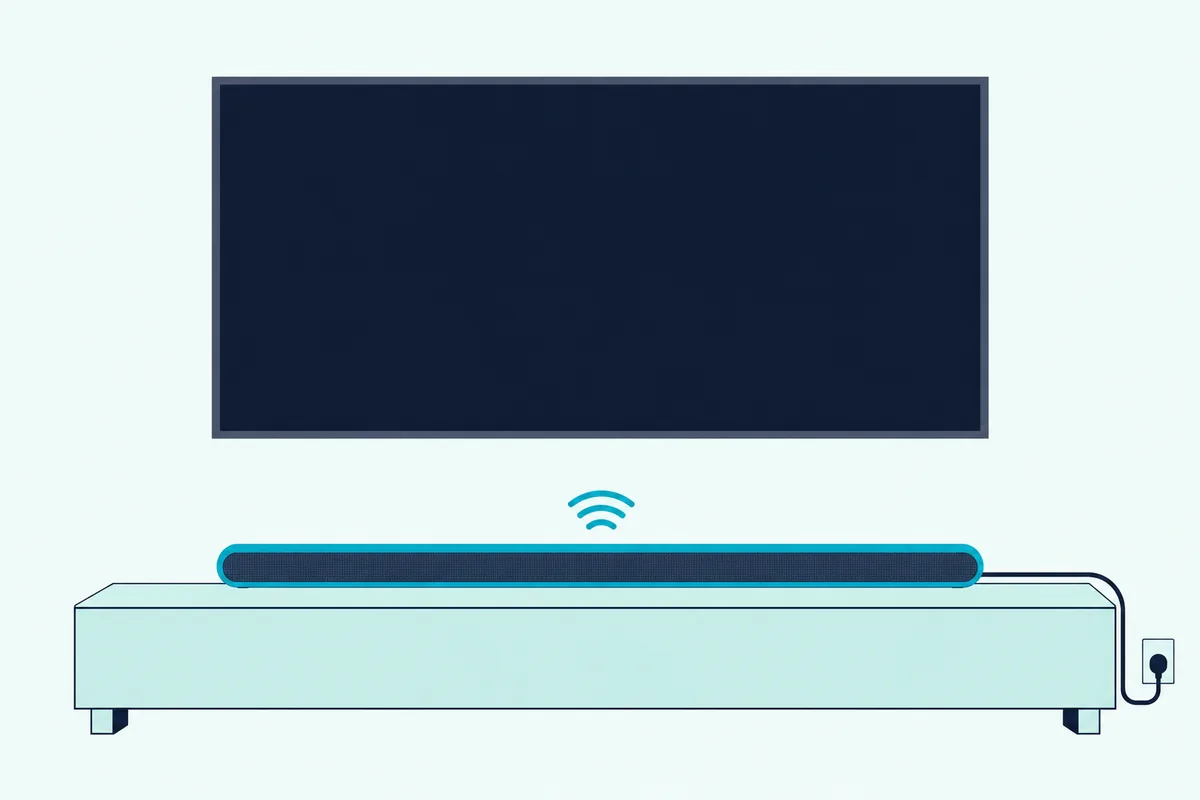
That missing Bluetooth route points to Roku’s own audio gear, which pairs wirelessly with the TV instead. The Roku TV Wireless Soundbar needs only a power cable: press and hold Home on the Roku remote for 5 seconds and select Wireless Soundbar, on a TV running Roku OS 10.0 or higher.
Roku says that bar works only with Roku TVs, not other TVs, Roku players or sticks, and should sit within 30 feet of the TV. Once it’s set up, the TV speakers turn off.
Roku’s wireless speakers work with any Roku TV, and its surround guide builds a 4.0 system from the Wireless Soundbar and two speakers, or 4.1 with the Roku subwoofer, on Plus and Pro Series TVs.
For quiet listening, Roku points to Headphone Mode. The Roku remote app’s Headphone Mode plays streaming sound through headphones on up to four phones or tablets at once, and some Roku voice remotes have a headphone jack for Headphone Mode too.
Which Roku TV Settings Send the Sound to the Soundbar?
Whichever bar you end up with, the wired ones above or Roku’s own, one menu decides where the sound goes. Open Settings > Audio > Audio output:
| Audio output choice | What Roku says it does |
|---|---|
| TV speakers | Turns on the built-in speakers along with the other audio outputs |
| ARC or Optical | Turns on only the audio outputs, with the TV speakers off |
| Wireless speakers or Wireless soundbar | Plays through Roku’s own wireless audio devices |
| Auto | One of the choices Roku gives for turning a Roku wireless device back on |
Picking ARC or Optical suits a wired bar, because the TV speakers stop playing along. If the remote won’t change the bar’s volume, recheck System audio control under Control other devices (CEC).
TCL’s article adds a test in the same menu: Search for CEC devices lists the CEC devices the TV finds on each HDMI input. If the bar isn’t listed, the TV isn’t seeing it over CEC.
Should S/PDIF and ARC Be on Auto Detect or Auto Passthrough?
Once the sound reaches the bar, the next menu decides its format. Leave it on Auto detect, Roku’s default, which reads what the bar supports over HDMI, and switch only if the TV misreads the bar.
The setting sits at Settings > System > Audio > S/PDIF and ARC. Auto passthrough sends unmodified Dolby Digital, Dolby Digital Plus or DTS when the bar supports it, and Roku says it may convert formats the bar can’t play to stereo PCM to keep delay low.
The third choice, a specific format, is for a bar the TV misreads when you know its formats. Here’s what each connection carries, per Roku:
| Connection | Formats Roku lists |
|---|---|
| Optical (S/PDIF) | 2-channel PCM, or 5.1 Dolby Digital or DTS |
| HDMI ARC | The same, plus Dolby Digital Plus and compressed Dolby Atmos |
| HDMI eARC | Adds DTS-HD Master Audio, DTS:X, Dolby TrueHD and uncompressed Atmos |
Both ends need eARC for that last row. Roku says a bar with eARC on an ARC port, or the reverse, falls back to standard ARC.
How Do You Connect a Soundbar to a Roku TV Without HDMI ARC?
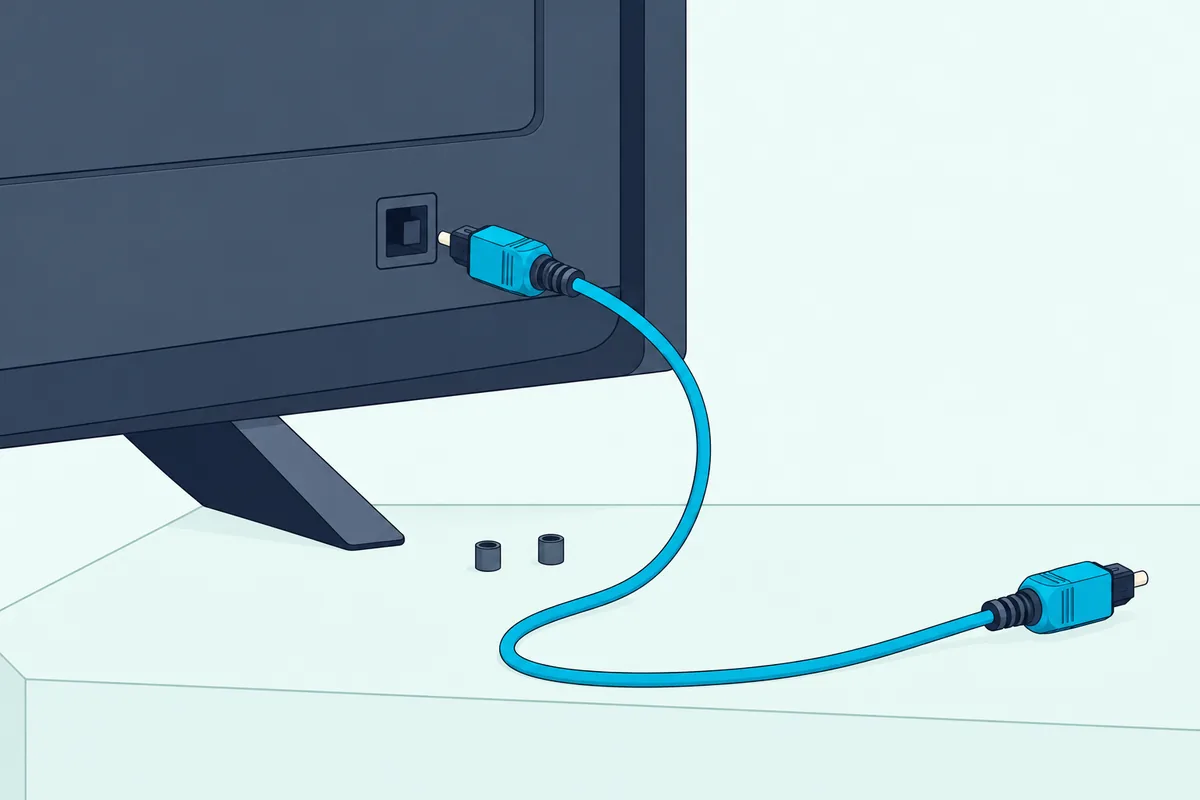
That first table row is the fallback, since every Roku TV also has a digital audio output. Run an optical cable from the jack labeled Digital audio out or Digital output to the bar’s optical input, then set Audio output to Optical.
Roku calls the cable TOSLINK and the connection S/PDIF, and warns you to pull the plastic caps off both plugs first. Leaving them on can cause a faulty connection or damage the cable or the port.
You give up some formats on optical. Per the format table, it stops at 5.1 Dolby Digital or DTS, and Roku lists remote volume control among HDMI ARC’s benefits over the digital audio output.
If the TV’s ARC port is simply taken, Roku suggests moving that device to another HDMI port; a cable box or console on the TV still reaches the bar over ARC, as the Roku Ultra and Samsung soundbar walkthrough shows for a player.
What Does a Roku TV Ready Soundbar Add?
A plain ARC bar gets volume and mute, and a certified one goes further. A Roku TV Ready soundbar starts its own setup as soon as the TV detects it on the HDMI ARC port, then puts its maker’s sound modes on the Roku screen.
Look for the Roku TV Ready logo on the box, in the manual or on the maker’s product page. Press Star on the Roku remote and choose Sound settings (Volume modes on some models) to change the mode, and the on-screen volume level matches the bar’s.
The bar’s own remote keeps working, and Roku says its changes show up in the TV’s sound menu. One Philips model carries the badge: the Philips B5306 2.1 soundbar lists HDMI ARC, optical and audio-in inputs plus a wireless subwoofer.
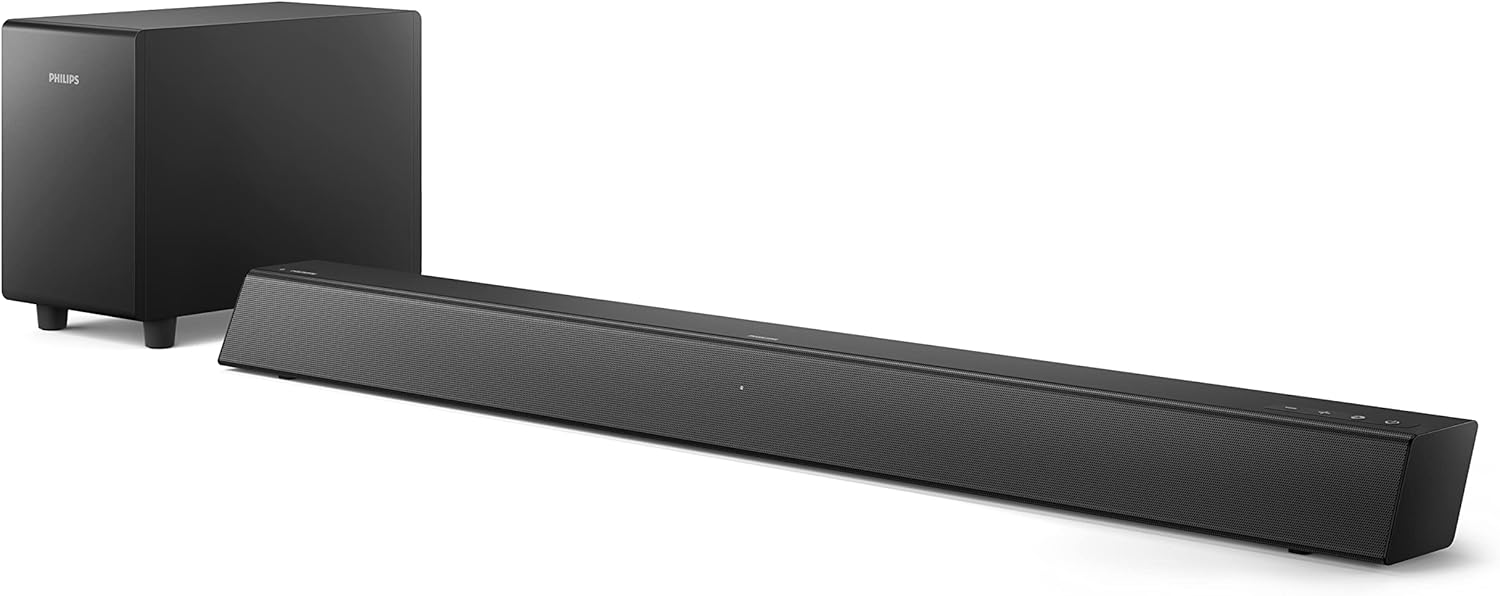
the Philips B5306 2.1 soundbar
Two Roku limits apply. Roku wireless speakers must be forgotten under Settings > Remotes & devices before a TV Ready bar from another maker will set up, and the Roku Wireless Bass can’t be connected while one is in place; more bars that carry the badge are in our picks of the best soundbar for a Roku TV.
Why Is There No Sound From the Soundbar on a Roku TV?
A silent bar sends you back through the settings above, and Roku’s articles name each check. Work down this list:
| Check | What to do |
|---|---|
| Port | Use the HDMI port labeled ARC or eARC; a TV Ready bar warns if it’s plugged into the wrong one |
| ARC and CEC | Check ARC, System audio control and 1-touch play under Control other devices (CEC) |
| Audio output | Choose ARC or Optical under Settings > Audio > Audio output |
| Optical caps | Pull the caps off both plugs and reseat them |
| Format | Try a specific format under S/PDIF and ARC if Auto detect misreads the bar |
| Restart | Unplug every HDMI device and the TV for about a minute, then reconnect in order |
That restart order comes from Roku’s HDMI article: the TV first, then the HDMI audio device, then the other sources. Roku also suggests checking for a TV firmware update.
Frequently Asked Questions
Can I use any soundbar with my Roku TV?
Any sound bar with an HDMI ARC or optical input can connect, since Roku says every Roku TV model has a type of HDMI ARC connection and a digital audio output. A Roku TV Ready bar adds on-screen sound modes, while the Roku TV Wireless Soundbar works only with Roku TVs.
How do I pair a soundbar to my Roku TV?
Roku’s pairing steps are for its own Wireless Soundbar, while a wired bar connects by HDMI ARC or optical and is switched on in the TV’s settings. For the Wireless Soundbar, hold Home on the Roku remote for 5 seconds and select Wireless Soundbar, or go to Settings > Remotes & devices > Set up a new device.
Should I plug my cable box or game console into the soundbar or the TV?
Into the TV. Roku’s TV Ready article says HDMI ARC carries the TV’s sound from streaming apps, the built-in tuner and connected devices such as a Blu-ray player, game console or cable box to the bar, with no extra cables.