Which Cable Is the Best Connection for a Soundbar?

The best connection for a soundbar is an HDMI cable into the TV’s port labeled eARC or ARC, and that cable is often already in the box.
Pick the wrong port, though, and you can lose Dolby Atmos, the TV remote’s volume control, or the sound altogether.
Optical and Bluetooth still have their place, mainly on older TVs and awkward setups.
The right choice depends on what both your TV and soundbar support, and on what you want to play.
Below, each connection is ranked by what it carries, with when to pick optical or Bluetooth instead and how to connect a Furrion RV soundbar.
What Is the Best Connection for a Soundbar?
That ranking starts and ends with HDMI. When both your TV and soundbar support HDMI ARC or eARC as well as optical, RTINGS says HDMI is the better option, because even basic ARC matches optical’s audio format support and adds two-way communication between the devices (RTINGS).
Here’s how the connections compare, using Roku’s breakdown of what each one carries (Roku):
| Connection | What it carries | TV remote controls the bar? | Use it when |
|---|---|---|---|
| HDMI eARC | Everything ARC does, plus uncompressed formats like Dolby TrueHD, DTS-HD Master Audio, DTS:X and full-quality Dolby Atmos | Yes, over HDMI-CEC | Both TV and soundbar have eARC |
| HDMI ARC | Stereo PCM, Dolby Digital and DTS, plus Dolby Digital Plus and compressed Dolby Atmos | Yes, over HDMI-CEC | Both have ARC, but not both eARC |
| Optical | Stereo PCM, or 5.1 compressed Dolby Digital or DTS | No; use the soundbar’s remote | The TV has no ARC port |
| Bluetooth | Wireless sound at lower quality than HDMI | Depends on the TV | A cable run isn’t practical |
| Analog (3.5 mm or RCA) | Basic stereo | No | The TV has only analog outputs |
Vizio’s quick start guides rank them the same way, calling HDMI ARC the best choice, optical or coaxial better, and a 3.5 mm to RCA cable good (Vizio).
Is HDMI ARC Better Than Optical?
For sound quality alone, the two tie at their most basic. RTINGS says audio quality and format support are the same between HDMI ARC and optical, while HDMI eARC far exceeds both with its expanded bandwidth and format support.

The difference is everything else HDMI brings. Roku lists three benefits of ARC over the optical output: one cable instead of separate audio and video leads, control of the soundbar’s volume and mute from the TV remote, and support for formats like Dolby Digital Plus and Dolby Atmos.
eARC adds built-in lip-sync correction, which was only optional in the original ARC specification, according to Roku. To use any of it, the cable must go into the TV’s port labeled ARC or eARC, since only that port sends sound back to the soundbar.
Our full HDMI and optical comparison for soundbars goes deeper into the formats each cable carries.
Get Studio Tips Weekly
Join 5,000+ creators getting acoustic treatment advice every week.
No spam. Unsubscribe anytime.Which HDMI Cable Does a Soundbar Need?
That port matters more than the cable, but the cable still has a minimum. Samsung says any HDMI cable version 1.4 or higher works for ARC, while Roku says eARC needs a High Speed HDMI cable with Ethernet or an Ultra High Speed HDMI cable (Samsung).
Many soundbars include one. Bose packs both an HDMI and an optical cable with its Smart Soundbar, and Vizio’s SB3830-D0 guide lists HDMI, optical, coaxial and analog cables in the box.
If you need to buy one for a bar right below the TV, a short cable rated for eARC, such as a short Silkland 8K cable rated for eARC, covers every format above. Our roundup of HDMI cables worth buying for a soundbar compares longer options.
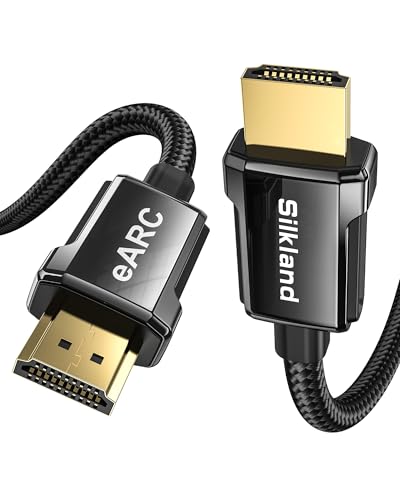
short Silkland 8K cable rated for eARC
When Is Optical the Better Choice?
Optical wins when HDMI can’t work. If your TV has no port labeled ARC, Polk’s and Vizio’s manuals both point you to an optical cable from the TV’s digital audio output instead (Polk).
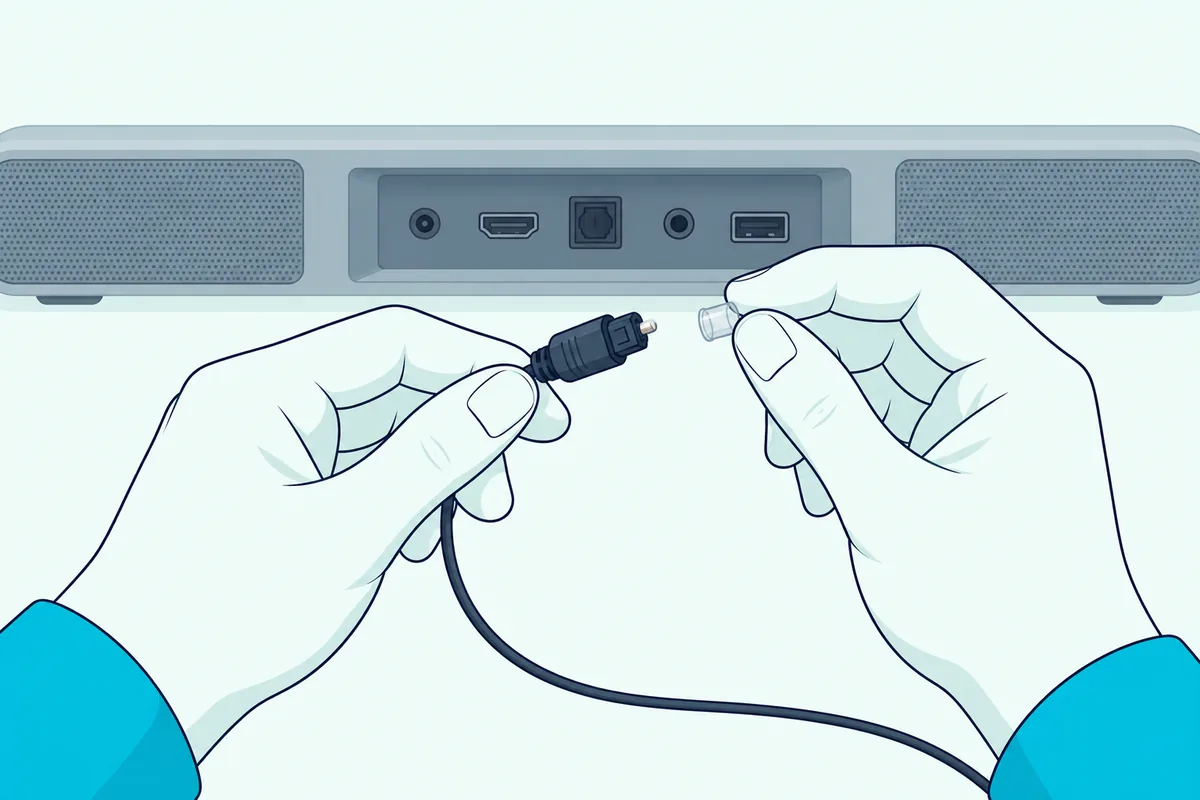
It also helps with a mismatch between eARC and older equipment. Roku says its Streambar SE doesn’t support eARC, and you may need to turn off the TV’s eARC option before it works.
Before plugging in, remove the protective plastic caps from both ends, which Roku warns can otherwise cause a faulty connection or damage the port. A standard lead like KabelDirekt’s 6-foot TOSLINK cable fits almost any TV and soundbar.
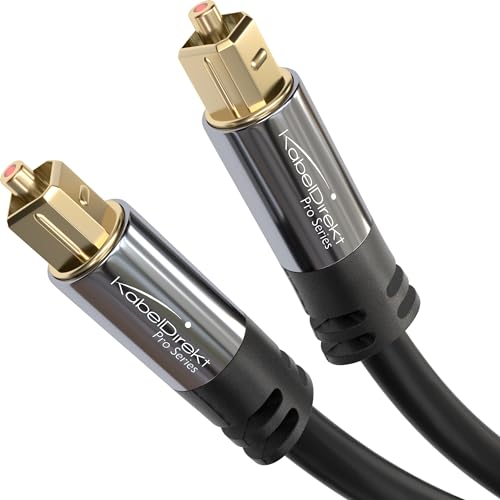
KabelDirekt’s 6-foot TOSLINK cable
The cost is format support. On Polk’s MagniFi Max AX, for example, an optical connection doesn’t support Dolby Atmos, DTS:X or Roku TV Ready features.
Can You Connect a Soundbar With Bluetooth Instead?
Bluetooth skips the cable, which is its whole appeal. Samsung says it doesn’t match HDMI’s sound quality and can be unstable because of outside factors like other electrical devices, though it’s the easiest option to set up (Samsung).
On a Samsung TV, you pair from Settings, Sound, Sound Output, then Bluetooth Speaker List. Samsung’s HW-A450 manual adds that only one TV can connect to the soundbar at a time.
Many soundbars treat Bluetooth mainly as a way to stream from a phone. For a side-by-side look, our guide to Bluetooth versus optical for a soundbar covers the delay and quality trade-offs.
How Do You Connect a Furrion Soundbar to a TV?
Furrion’s soundbars, sold for RVs and outdoor TVs, use the same connections, and the 70W Aurora 2.1 Outdoor Soundbar adds one extra step. On that model, Furrion’s manual has you remove the screws on the rear protective cover to reach the ports, then connect the TV by HDMI or optical cable, or pair it over Bluetooth (Furrion).

Its ports are one HDMI input, one optical input and one 3.5 mm AUX input, and HDMI and AUX cables come in the box. Once everything is connected, Furrion says to close the cover and tighten the screws again for the best waterproofing.
Bars made for vehicles take that weatherproofing further. Our guide to soundbars built for golf carts covers the water ratings and the 12-volt wiring they need.
To choose the input, press M on the soundbar or SOURCE on the remote until the display shows HDMI, Optical, AUX or Bluetooth. Furrion notes the default input is Optical, and after that the bar starts on whichever source you used last.
For Bluetooth, select Bluetooth mode and the bar starts pairing automatically; choose Furrion SB 2.1 on the TV or phone, within 33 feet (10 m). To pair a different device, hold the unpair button on the remote for 3 seconds first.
If the sound is distorted, Furrion’s troubleshooting says to mute the TV when its audio plays through the soundbar. If there’s no sound, check the input, the cable, the volume and the mute setting before anything else.
Why Is There No Sound After Connecting a Soundbar?
That Furrion checklist works for almost any brand, because silence usually comes from one of a few causes. Work through them in order:
- The port. An HDMI cable has to be in the TV’s port labeled ARC or eARC, not any HDMI input.
- The TV’s settings. Turn on HDMI-CEC and ARC in the TV’s menu, where brands use names like Anynet+ or SIMPLINK.
- The soundbar’s input. Set the bar to the input that matches the cable, such as HDMI ARC or Optical.
- The audio format. If a digital connection plays nothing, Vizio suggests setting the TV’s audio output to PCM.
- Other HDMI devices. Samsung’s troubleshooting starts by unplugging set-top and streaming boxes, since some don’t fully follow the HDMI specification.
Our step-by-step guide to hooking a soundbar up to any TV, cable by cable walks through each connection from the start.
Frequently Asked Questions
Is HDMI eARC worth it for a soundbar?
Yes, if both the TV and soundbar have it. Roku says eARC carries uncompressed formats like Dolby TrueHD, DTS:X and full-quality Dolby Atmos, and only works when both devices support it.
Does optical support Dolby Atmos?
No. Roku says optical is limited to stereo PCM or 5.1 compressed Dolby Digital or DTS; Dolby Atmos needs HDMI ARC in compressed form, or eARC for full quality.
Which HDMI port should the soundbar use?
The one labeled ARC or eARC on the TV. Polk’s manual warns that only one port carries that label, and you won’t hear TV audio through any other.
Is Bluetooth good enough for a TV soundbar?
It works, but Samsung says it doesn’t match HDMI’s quality and can drop out. Use it when running a cable isn’t practical.