Best Portable MIDI Controller Picks for Keys, Pads and Faders
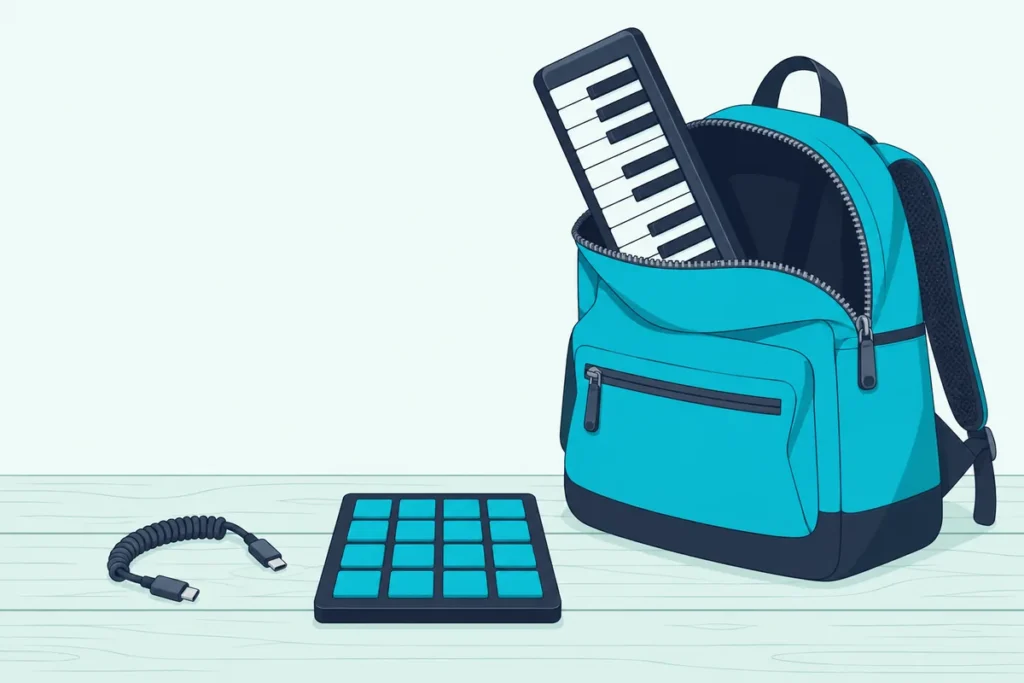
Finding the best portable MIDI controller comes down to a test most spec sheets skip: whether it fits the bag you carry and runs from the device inside it.
A 25-key board can still weigh a kilogram, a mini-USB port needs the right cable for a USB-C laptop, and a controller with no MIDI out can’t play a synth without a computer or tablet in between.
Get those details right and a controller small enough for a laptop sleeve can play melodies, trigger drums or ride faders wherever you set up.
This guide compares six keyboards, two pad units and a fader unit from Korg, Arturia and Novation, using only what their makers publish about size, weight, power and connections.
The picks come first, then the checks that matter on the road: batteries, cables, iPads, airport security and the controllers that didn’t make the cut.
What Is the Best Portable MIDI Controller?
Those picks start with one clear favorite for most travelers. The Korg nanoKEY Studio is the best portable MIDI controller for most people on the move: Korg lists 25 keys, eight pads, eight knobs and an X-Y touch pad in a 471-gram body that runs about 10 hours on two AAA batteries and pairs over Bluetooth LE (Korg).
The other eight each solve a narrower problem:
| Pick | Type | Controls | Power | Weight, per the maker | Best for |
|---|---|---|---|---|---|
| Korg nanoKEY Studio | Keys and pads | 25 keys, 8 pads, 8 knobs, X-Y pad | 2 AAA batteries or USB | 471 g | Wireless travel |
| Arturia MiniLab 3 | Keys, pads and faders | 25 keys, 8 pads, 8 encoders, 4 faders | USB-C bus power | 1 kg | One box for everything |
| Novation Launchkey Mini 25 MK4 | Keys and pads | 25 keys, 16 pads, 8 encoders | USB-C bus power | 0.78 kg | Clips and finger drumming |
| Korg nanoKEY Fold | Keys | 25 keys, 2 touch sliders | USB-C bus power | 126 g | A pocket or small bag |
| Arturia MicroLab mk3 | Keys | 25 keys, 2 touch strips | USB-C bus power | 0.62 kg | Simple USB-C keys |
| Korg nanoKEY2 | Keys | 25 keys | Mini-USB bus power | 244 g | Slim budget keys |
| Novation Launchpad Mini MK3 | Pads | 64 pads, 16 buttons | USB-C bus power | Not listed | A clip-launching grid |
| Korg nanoPAD2 | Pads | 16 pads, X-Y pad | Mini-USB bus power | 285 g | Slim drum pads |
| Korg nanoKONTROL2 | Faders | 8 faders, 8 knobs, 24 buttons | Mini-USB bus power | 293 g | Mixing and DAW control |
Each pick had at least 4.0 stars from 50 or more reviews on Amazon and was in stock on 14 October 2026, and no prices appear because they change often.
If all you need is a 25-key keyboard for a desk at home, our mini MIDI keyboard shortlist covers more of those boards.
| Product | Link |
|---|---|
Best Overall 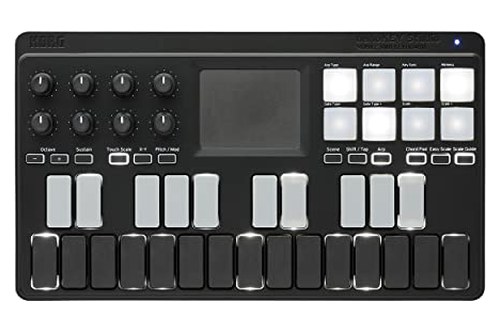 | See ratings |
Best All-in-One 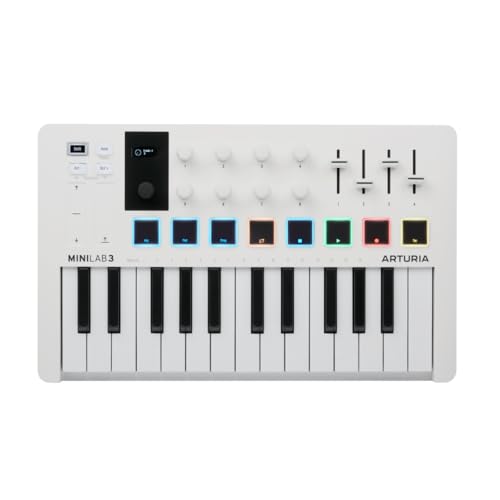 | See ratings |
Best for Clip Launching 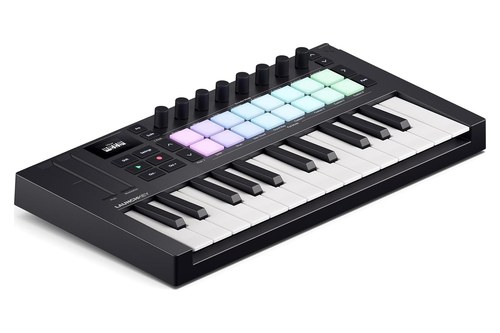 | See ratings |
Most Pocketable 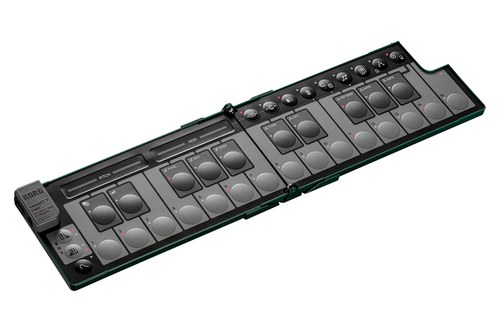 | See ratings |
Best Simple Keyboard 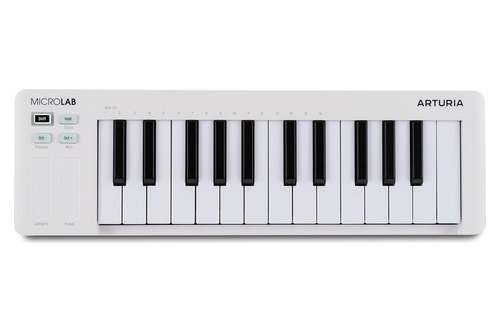 | See ratings |
Best Budget Keys 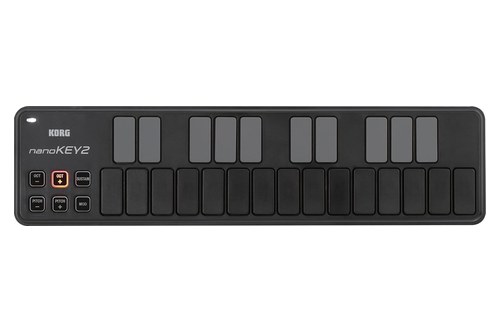 | See ratings |
Best Pad Grid 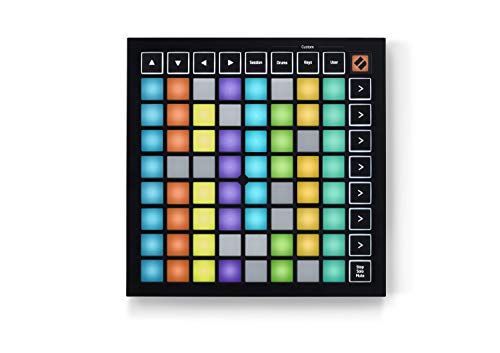 | See ratings |
Best Budget Pads 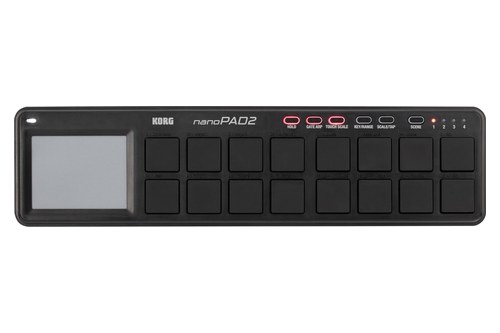 | See ratings |
Which Portable MIDI Controller Should You Buy?
That table splits into six keyboards, two pad units and one fader unit, and the keyboards come first because most people start with notes. Pick the keyboard by how much control you want beside the keys, then add a pad or fader unit only if your music calls for one.
Korg nanoKEY Studio
For most people who want one controller in the bag, the Korg nanoKEY Studio is the pick.
the Korg nanoKEY Studio
It’s the only one of the nine that runs on batteries: Korg rates two alkaline AAA cells at about 10 hours with the factory settings, and USB bus power takes over when you plug it in. Korg also allows nickel-metal hydride rechargeables, which helps if you’d rather not buy cells for every trip.
Its 25 backlit keys can light the notes of a chosen scale, and the Chord Scale function turns the eight pads into chords for that key. Touching the X-Y pad drives an arpeggiator with rhythm patterns, so one finger can keep a phrase going while the other hand plays.
Korg says the whole unit is smaller than a sheet of letter-sized paper, at 278 by 160 millimeters and 33 millimeters tall (Korg). Its eight assignable knobs reach DAW and plug-in settings, and KORG Gadget on an iPhone or iPad has a native mode that maps the controls automatically.
Wireless pairing covers iPhone, iPad, Mac and Windows, though Windows needs Korg’s BLE-MIDI Driver. Our Bluetooth MIDI controller comparison walks through the pairing steps on each system.
Arturia MiniLab 3
For one box that covers keys, drums and mixing, the Arturia MiniLab 3 packs the most controls.
the Arturia MiniLab 3
Arturia lists 25 velocity-sensitive slim keys, eight RGB pads that sense velocity and pressure, eight encoders and four faders, all powered over one class-compliant USB-C connection that also works with an iPad (Arturia). A small display and a clickable browser knob let you pick presets without reaching for the mouse.
A 5-pin MIDI output can drive a hardware synth directly or pass MIDI through, and a control input takes a sustain pedal, expression pedal or footswitch. Custom scripts map it to Ableton Live, Logic Pro, Cubase, FL Studio and Bitwig, with Mackie Control and HUI support for nearly every other DAW.
The trade-off is bulk: at 1 kilogram it weighs more than any other pick with a published weight, and at 54 millimeters tall it’s the thickest. Arturia still sells it on performance-ready portability, light enough for a backpack, and backs it with a five-year warranty and a shell made from at least 50% recycled plastic.
Novation Launchkey Mini 25 MK4
For clip launching and finger drumming as well as keys, the Novation Launchkey Mini 25 MK4 has twice the pads of the MiniLab 3.
the Novation Launchkey Mini 25 MK4
Novation pairs 25 synth-style mini keys with 16 velocity-sensitive pads that respond to polyphonic aftertouch, plus eight endless encoders and a small OLED display (Novation). Its pads use force-sensing resistors with a radial sensor, which Novation says gives more sensitive, consistent hits.
In Ableton Live it opens Sequencer, Drum Rack and Clip modes, and custom scripts also cover Logic, Cubase, FL Studio, Reason and Ardour, with HUI for other DAWs. Scale Mode locks the keys to one of 30 scales, beside three chord modes and a generative arpeggiator with a step editor.
A 3.5 mm MIDI out and a quarter-inch sustain jack join the USB-C port, and the whole board weighs 0.78 kilograms. Novation lists it as USB bus powered, with no power supply included, so the cable from your laptop or tablet does all the work.
Korg nanoKEY Fold
For the smallest bag or a jacket pocket, the Korg nanoKEY Fold folds into what Korg calls a smartphone-sized body.
the Korg nanoKEY Fold
Korg lists it at 147 by 73 by 17 millimeters folded and 126 grams, opening to 282 millimeters wide with 25 keys (Korg). That makes it the lightest controller here with a published weight, about half as heavy as the nanoKEY2.
The keys are silent membrane buttons with 13 velocity levels, and two touch sliders handle pitch and modulation or play notes inside a chosen scale. A split function gives the left and right halves different jobs, such as chords on one side and a melody on the other.
USB-C connects it to a phone, tablet or computer, and its 3.5 mm MIDI out reaches older synths through the TRS-DIN adapter cable in the box; Korg specifies a type-A converter for that jack. Korg lists USB bus power at 500 mA or less, and the Fold saves your settings in 15 scenes.
Arturia MicroLab mk3
For plain keys on USB-C with nothing extra to learn, the Arturia MicroLab mk3 is the simple choice.
the Arturia MicroLab mk3
Arturia lists 25 velocity-sensitive slim keys, two touch strips for pitch, modulation and browsing, a sustain pedal input and a chord mode that plays a full harmony from one key (Arturia). Buttons handle octave shift, hold and preset navigation.
It’s class compliant over a bus-powered USB-C port, and Arturia says it works with iPads and Android devices through an adapter. Arturia aims it at beginners starting out in music production as well as producers on the go, and Windows users get its multi-client MIDI driver.
At 0.62 kilograms it’s lighter than the MiniLab 3, but at 406 millimeters it’s also 50 millimeters longer, with no pads, knobs or MIDI DIN out. Think of it as the keyboard half of the MiniLab 3 in a longer, thinner shell, 39 millimeters tall instead of 54.
Korg nanoKEY2
For a low-profile keyboard built to sit with a laptop, the Korg nanoKEY2 keeps things simple.
the Korg nanoKEY2
Korg lists 325 by 83 by 16 millimeters and 244 grams, with 25 velocity-sensitive keys and a draw of less than 100 mA of USB bus power (Korg). Korg designed it for laptops, with ample key width and space between the keys to cut down on wrong notes.
Pitch bend, modulation and sustain are buttons rather than wheels, and the octave buttons shift the keys four octaves either way. Korg’s KONTROL Editor sets the velocity response, with three curves or a fixed velocity.
The port is mini-USB, so pack the right cable for a USB-C laptop. Korg says the nano series also works with an iPad through Apple’s Camera Connection Kit without extra power, though it doesn’t guarantee that and suggests a powered USB hub for long sessions.
Novation Launchpad Mini MK3
For launching clips without keys at all, the Novation Launchpad Mini MK3 is Novation’s most compact grid.
the Novation Launchpad Mini MK3
Novation fits 64 RGB pads and 16 buttons into a square 180 millimeters on each side and just 14.2 millimeters thin, powered over USB-C (Novation). Only the nanoKEY Fold, at 14 millimeters when open, is thinner.
It mirrors your Ableton Live session on the grid and triggers Live Loops in Logic Pro, and three Custom Modes let it send whatever MIDI you map. Ableton Live Lite comes with it, and Novation says an existing copy of Live must be version 10 or newer for its integration.
Novation lists no weight, so it’s the one gap in this guide’s size table. For more pad controllers, from MPC-style pads to larger grids, see our drum pad MIDI controller lineup.
Korg nanoPAD2
For drum pads in the same slim shell as the nanoKEY2, the Korg nanoPAD2 is the slim pad unit.
the Korg nanoPAD2
Korg lists 16 velocity-sensitive trigger pads with four velocity curves and an X-Y touch pad in the same 325-by-83-by-16-millimeter body, at 285 grams (Korg). Four scene memories hold 64 pad setups between them.
Touch Scale turns the X-Y pad into a phrase player across 16 scales, and Gate Arp sends notes in time with the tempo, with tap tempo and sync. Like the nanoKEY2, it runs on less than 100 mA of USB bus power through a mini-USB port.
Put the two side by side and you get keys and pads in a smaller combined footprint than the MiniLab 3, going by Korg’s and Arturia’s dimensions. The catch is two cables instead of one.
Korg nanoKONTROL2
For mixing and automation rather than playing, the Korg nanoKONTROL2 puts eight channel strips in front of your laptop.
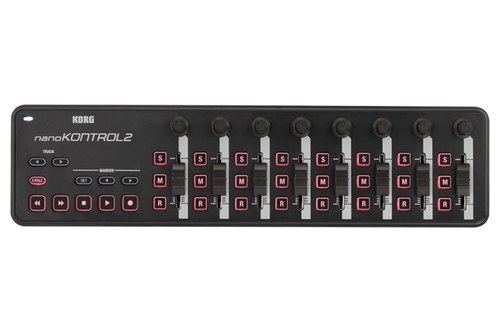
the Korg nanoKONTROL2
Korg gives each of its eight channels a knob, a fader and three buttons, assigned to pan, volume and solo, mute and record, plus transport, marker and track buttons (Korg). Korg lists support for Pro Tools, Logic, GarageBand, Digital Performer, Cubase, Live and SONAR, plus any software that responds to control change messages.
A free plug-in from Korg maps it to the transport, volume, pan, EQ and effect sends in Logic and GarageBand. At 293 grams and 30 millimeters tall, it shares the nanoKEY2’s 325-by-83-millimeter footprint, and Korg lists a SEQUENZ CC-NANO carrying case for the nano series.
If eight short faders feel cramped, our page on larger fader controllers compares desk-sized options.
Get Studio Tips Weekly
Join 5,000+ creators getting acoustic treatment advice every week.
No spam. Unsubscribe anytime.What Makes a MIDI Controller Portable?
Those nine picks share four traits that matter more on the road than at a desk: footprint, thickness, weight and power. A portable MIDI controller fits a laptop sleeve or backpack pocket, weighs about a kilogram or less, and runs from the device it plugs into or from its own batteries, so no wall adapter comes along.
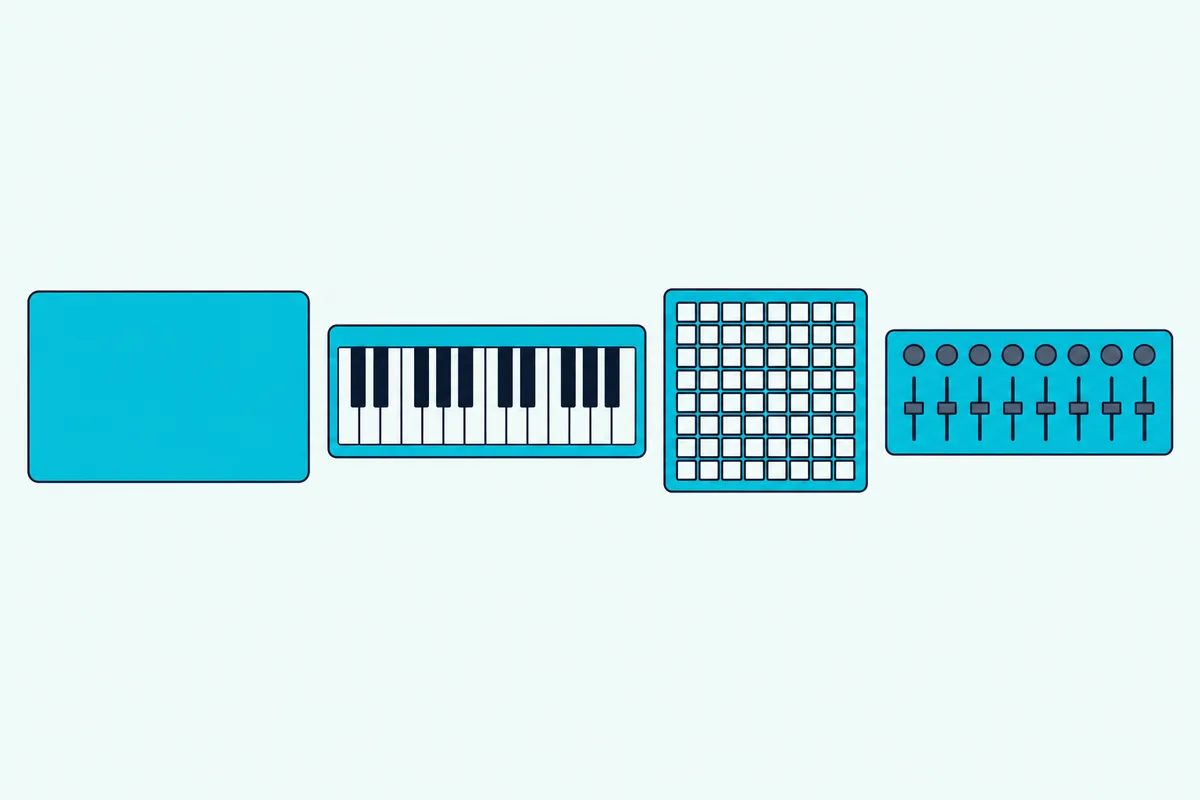
Footprint comes first, because a bag’s laptop sleeve has a fixed length. The three Korg nanoSERIES2 units share one 325-by-83-millimeter outline, the Launchpad Mini is a 180-millimeter square, and the MicroLab mk3 stretches to 406 millimeters.
Thickness decides whether the controller shares a pocket or needs its own. The range here runs from 14 millimeters for the open nanoKEY Fold and 14.2 for the Launchpad Mini up to 49 for the Launchkey Mini and 54 for the MiniLab 3.
Here’s a practical test that takes two minutes: measure the inside of the sleeve or pocket you’ll use with a tape, then compare it with the width and height on the maker’s spec sheet. A board that’s a few millimeters too long for the sleeve ends up loose in the main compartment, where cables and chargers press on its keys.
Weight adds up, since the controller rides with a laptop, a charger and cables. The nanoKEY Fold’s 126 grams and the MiniLab 3’s 1 kilogram sit at opposite ends of this list, a difference of almost 900 grams before you pack a single cable.
Power is the quiet deal-breaker. Every pick here runs on USB bus power, and the nanoKEY Studio adds two AAA batteries, so none of them needs a wall adapter, but each one does need its cable.
How Big and Heavy Is Each Small MIDI Controller?
Those four traits are easier to judge side by side, so here are the makers’ own sizes and weights, lightest first. Among the weights the makers list, the nanoKEY Fold is the lightest at 126 grams and the MiniLab 3 the heaviest at 1 kilogram, and the Fold is also the smallest.
| Controller | Width x depth x height | Weight |
|---|---|---|
| Korg nanoKEY Fold | 147 x 73 x 17 mm folded, 282 x 73 x 14 mm open | 126 g |
| Korg nanoKEY2 | 325 x 83 x 16 mm | 244 g |
| Korg nanoPAD2 | 325 x 83 x 16 mm | 285 g |
| Korg nanoKONTROL2 | 325 x 83 x 30 mm | 293 g |
| Korg nanoKEY Studio | 278 x 160 x 33 mm | 471 g without batteries |
| Arturia MicroLab mk3 | 406 x 125 x 39 mm | 0.62 kg |
| Novation Launchkey Mini 25 MK4 | 338.5 x 176.8 x 49 mm | 0.78 kg |
| Arturia MiniLab 3 | 356 x 219 x 54 mm | 1 kg |
| Novation Launchpad Mini MK3 | 180 x 180 x 14.2 mm | Not listed |
Arturia lists its sizes with the height in a different position, so the table puts width first for both Arturia boards. Novation gives the Launchpad Mini’s size but not its weight, and that gap stays a gap here.
Korg goes further for the nanoKEY Fold, saying it’s thinner, smaller and lighter than any other MIDI keyboard.
That 471-gram nanoKEY Studio figure leaves out its two AAA batteries, so add their weight if you pack spares.
Do You Need Keys, Pads or Faders on the Road?
Size only matters once you know which controls you’ll actually use, and those split into three jobs. Choose keys if you write melodies and chords, pads if you build beats or launch clips, and faders if you mix or record automation.
Keys cover the widest range of work, and every keyboard here has 25 of them, two octaves plus one note. Novation describes the Launchkey Mini’s keys as two octaves and Arturia calls the MicroLab mk3’s a 2-octave keybed, while Korg’s octave buttons on the nanoKEY2, nanoKEY Studio and nanoKEY Fold shift the keys four octaves up or down.
Pads suit drums and loops, and they’re where the picks differ most. The nanoPAD2 has 16 pads, the Launchkey Mini 16 with polyphonic aftertouch, the Launchpad Mini a 64-pad grid, and the nanoKEY Studio and MiniLab 3 eight each on top of their keys.
Faders and knobs earn their place when you’re balancing tracks rather than playing them. The nanoKONTROL2’s eight faders map to track volumes, while the MiniLab 3’s four faders and the encoders on several boards handle synth and plug-in settings.
Picture two trips. A producer sketching beats in hotel rooms gets the most from a keys-and-pads board like the Launchkey Mini or nanoKEY Studio, while a singer recording demos on the road who only rides levels gets more from the nanoKONTROL2.
If you can’t decide, the combined boards are the safe bet, because one cable and one bag pocket cover all three jobs. That’s why the nanoKEY Studio and MiniLab 3 lead the picks, even though neither is the smallest.
Should a Travel Controller Run on Batteries?
Whichever controls you choose, power decides whether the controller works where you sit down. Batteries pay off only if you want to play wirelessly, away from the device; otherwise USB bus power is simpler, and eight of the nine picks use nothing else.
The nanoKEY Studio is the exception: Korg rates two alkaline AAA batteries at about 10 hours with the factory settings, and it switches to USB bus power when the cable is connected. Korg notes that battery life varies with the batteries and how you use them.
Bus power isn’t free, either, because the controller draws from your laptop or tablet. Korg lists the nanoKEY2, nanoPAD2 and nanoKONTROL2 at less than 100 mA each, and the nanoKEY Fold and nanoKEY Studio at 500 mA or less.
That draw matters most on a tablet. Apple notes that some accessories can request more power from an iPad Pro and suggests disconnecting them when you aren’t using them, and Korg advises a powered USB hub for long iPad sessions with its nano series.
Two well-known battery boards, Korg’s microKEY Air and nanoKONTROL Studio, missed this list for stock and ratings, as the section on exclusions explains below. If battery play is the whole point, the nanoKEY Studio is the one pick that does it.
Pack spare AAA cells if you go wireless. The battery rules for flying, covered further down, are friendly to the alkaline and nickel-metal hydride cells Korg allows.
Which Cable Does Each Controller Need?
That bus power also means the cable matters as much as the controller. Five of the nine use USB-C (the MiniLab 3, MicroLab mk3, Launchkey Mini, Launchpad Mini and nanoKEY Fold), the three nanoSERIES2 units use mini-USB, and the nanoKEY Studio uses a micro-B jack.
The cable in the box doesn’t always match a modern laptop. Arturia ships the MiniLab 3 with a USB-C to USB-A cable, and Novation’s Launchkey Mini also comes with a USB-C to USB-A cable, so a laptop or iPad with only USB-C ports needs a different cable or an adapter.
Apple’s own guidance for the iPad is simple: a device with a USB-C port needs a cable with USB-C at both ends, and a USB-A plug goes through Apple’s USB-C to USB adapter (Apple). The same logic applies to a USB-C laptop, and a mini-USB or micro-B controller needs a cable with that plug on one end and USB-C on the other.
Adapters can add their own trouble. On its microKEY Air page, Korg reports power supply issues when a USB-C to USB adapter is used on a Mac’s Thunderbolt 3 port, which is a good reason to test the exact cable at home first.
Here’s the habit that saves a session: keep one cable that fits your controller and your laptop in the controller’s case, and a second in the laptop bag.
Will a Small MIDI Controller Work With an iPad or Phone?
Those cables matter most with an iPad or phone, which has one port to share. Yes, a small controller works with an iPad when the app supports MIDI: Apple lists keyboards, audio interfaces and MIDI devices among the USB accessories its iPad USB-C port connects to.
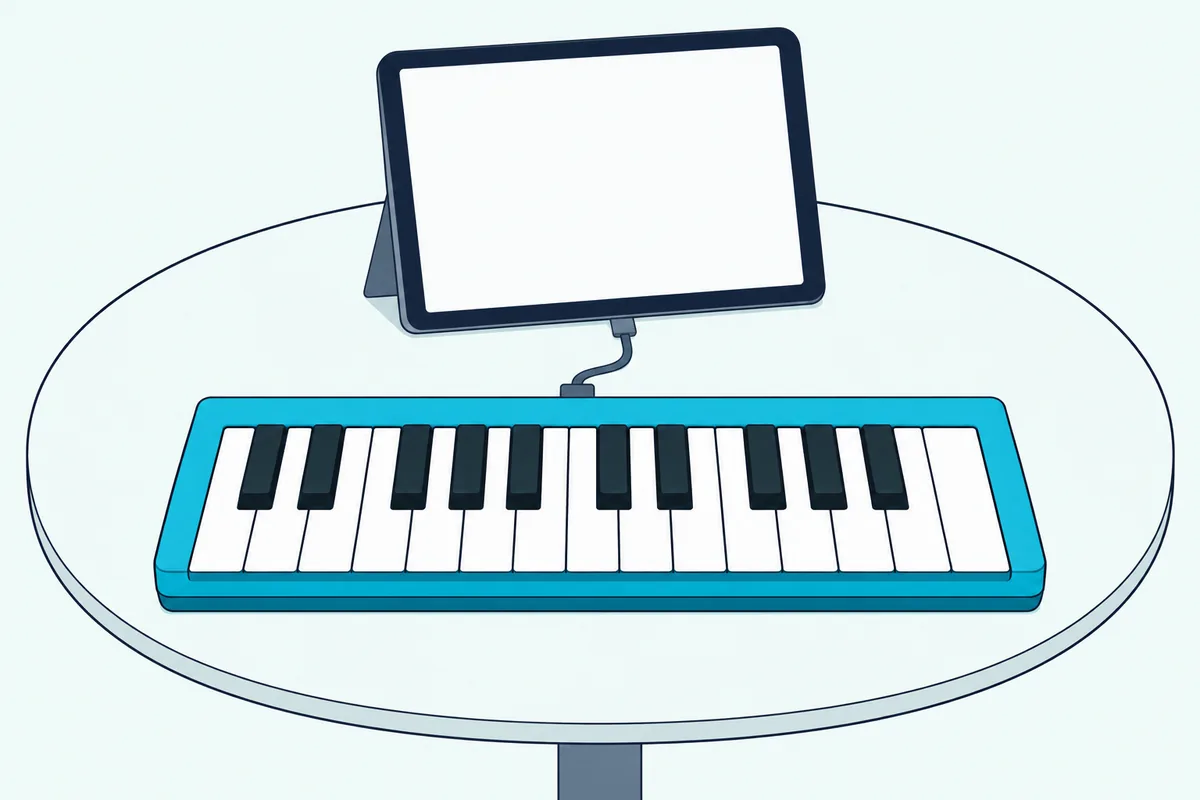
The makers say the same for their own boards. Arturia lists the MiniLab 3’s USB-C port as connecting to computers and iPad, and it says the MicroLab mk3 works with iPads and Android devices through an adapter.
Korg’s nano series works with an iPad through Apple’s Camera Connection Kit without an external power supply, according to Korg. Korg doesn’t guarantee that across iPad models and system updates, asks for an app that supports Core MIDI, and suggests a powered USB hub for long sessions or more than one controller.
Wireless skips the cable entirely. The nanoKEY Studio pairs over Bluetooth with an iPhone or iPad that supports Bluetooth 4.0 and runs iOS 8 or later, and Korg’s Bluetooth MIDI Connect app links it to Core MIDI apps that lack their own Bluetooth menu.
For setting up an iPad studio around one of these, Burton Acoustix’s guide to iPad keyboards covers the Lightning adapters, power and apps in more detail. Phones vary more by model, so check the maker’s supported devices before you rely on one.
Can a Small Controller Play a Hardware Synth?
An iPad is one kind of host, and a hardware synth is another, but only three picks can reach a synth without a computer in between. The MiniLab 3 has a 5-pin MIDI out, and the Launchkey Mini and nanoKEY Fold have 3.5 mm MIDI outs, so each can send notes straight to a synth’s MIDI input.
The MiniLab 3’s 5-pin output takes a standard MIDI cable, and Arturia says it can also act as a MIDI Thru port. The Launchkey Mini and nanoKEY Fold use a mini jack instead, which saves space but needs an adapter cable for a synth with a 5-pin input.
Mini-jack MIDI comes with a wrinkle. The MIDI Association publishes a specification for wiring TRS connectors on MIDI gear, and Korg specifies a type-A TRS-to-DIN converter for the nanoKEY Fold, so check which adapter type your controller’s maker names before buying a spare (MIDI Association).
Novation’s Launchkey Mini page lists a 3.5 mm jack MIDI out socket but doesn’t name an adapter type, so its user documentation is the place to check. All three still draw power over USB, so plan for a power source even when no computer is involved.
The other six send MIDI only over USB, and the nanoKEY Studio also over Bluetooth, so they reach a synth through a computer or tablet. If a hardware rig is the main reason you’re buying, that narrows the list to the MiniLab 3, Launchkey Mini or nanoKEY Fold.
How Do You Set Up a Controller on the Road?
Those MIDI outs and USB ports only help once the controller talks to your software, and most of these boards need very little setup. Plug it in and pick it as a MIDI input in your DAW or app: Arturia calls both of its boards class compliant, Korg says one USB cable carries power and MIDI data to a nanoSERIES2 unit, and Novation says the Launchpad Mini also works as a standard MIDI controller.
The makers’ own editors are where a travel setup gets fast. Korg’s free KONTROL Editor sets velocity curves and what each control sends on its boards, Arturia includes its MIDI Control Center with the MiniLab 3, and Novation’s Components software maps pads and encoders on the Launchkey Mini and Launchpad Mini.
Scenes and presets carry that work with you. The nanoKEY Fold stores 15 scenes, the nanoKEY Studio 8 and the nanoPAD2 4, and the MiniLab 3 holds up to five user presets, so you can build one for each app at home and switch between them instantly, as Korg puts it.
DAW scripts do the rest on the boards that have them. Novation’s scripts cover Ableton Live 11 or later, Logic, Cubase, Reason, FL Studio and Ardour, Arturia’s cover Ableton Live, Logic Pro, Cubase, FL Studio and Bitwig, and Korg’s plug-in maps the nanoKONTROL2 to Logic and GarageBand.
Do the downloads at home, while the connection is fast and the manuals are a click away. Windows users who plan to pair the nanoKEY Studio wirelessly should install Korg’s BLE-MIDI Driver then too, and Arturia’s multi-client driver covers the MicroLab mk3 on Windows.
What Software Comes in the Box?
Those editors handle the controller itself, and most of these boards also bring software to play through it. Every pick ships with some software, and four of them, the MiniLab 3, MicroLab mk3, Launchkey Mini and Launchpad Mini, include Ableton Live Lite.
Arturia adds Analog Lab Intro to both of its boards, and the MiniLab 3 also comes with a Komplete 15 Select bundle of your choice (Beats, Band or Electronic), a two-month Loopcloud subscription and a Melodics trial. Novation pairs Live Lite with Cubase LE on both of its picks, plus its own Novation Play sounds on the Launchkey Mini and instruments from AAS and XLN Audio on the Launchpad Mini.
Korg’s nanoKEY Studio bundle leans mobile, with KORG Gadget 2 Le and KORG Module for iPhone and iPad alongside Reason Lite, KORG Collection M1 Le and iZotope Ozone Elements for Mac and Windows. The nanoKEY Fold comes with Ozone Elements, Skoove lessons and software synths, and the nanoSERIES2 ships with software licenses and discount coupons.
That iPad route from earlier gets easier with the right app, so KORG Gadget’s native mode for the nanoKEY Studio counts for more on the road than at home. A laptop with no DAW installed becomes a working setup with Live Lite or Reason Lite and a controller, as long as you install it before you leave.
The software usually arrives as codes and downloads: Korg lists a KORG Software Bundle code among the nanoKEY Studio’s included items. Register and download over home internet, since Arturia’s own platform specs ask for 3 GB of free disk space for its software.
Can You Take a MIDI Controller on a Plane?
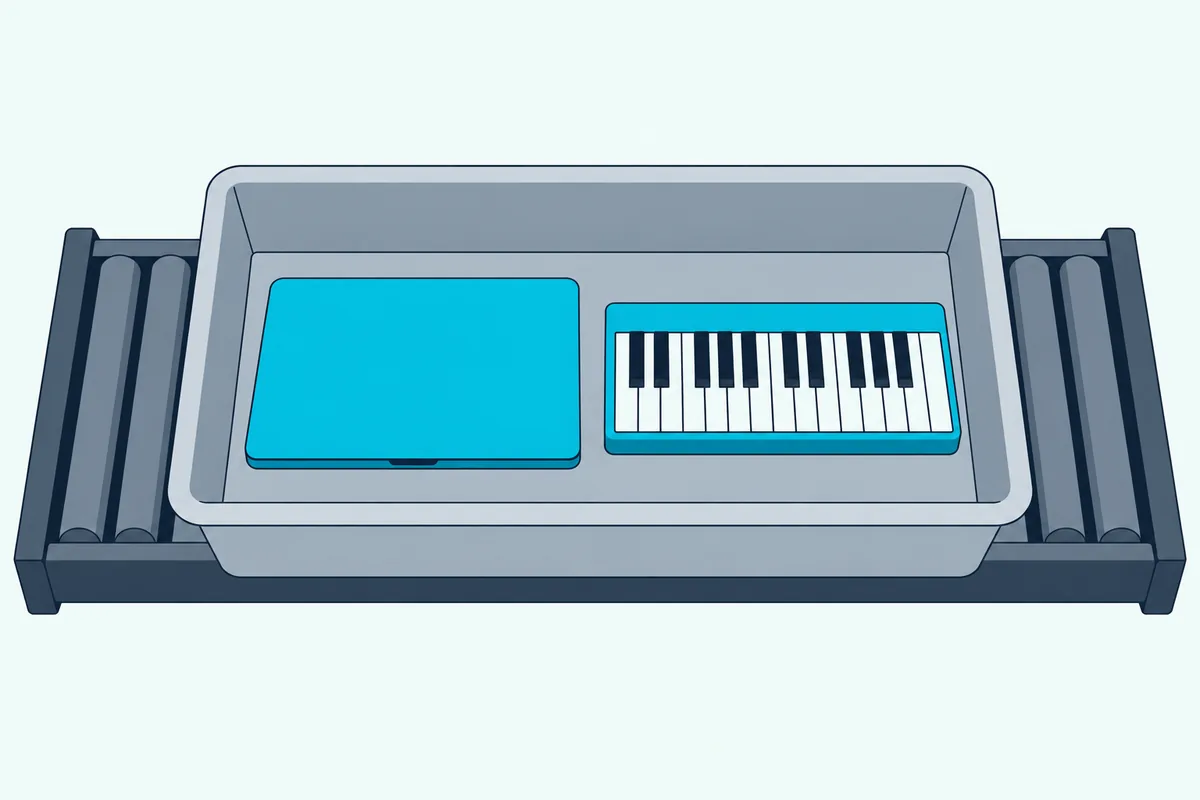
That synth question often comes with a flight, and airport security is where a small controller’s size counts again. Yes, as far as TSA’s published rules go: its screening page doesn’t name MIDI controllers, but standard lanes ask travelers to take personal electronic devices larger than a cell phone out of carry-on bags and put them in a bin with nothing on or under them (TSA).
TSA’s examples are laptops, tablets, e-readers and handheld game consoles, and TSA PreCheck travelers don’t need to remove laptops. Korg describes the nanoKEY Fold’s body as smartphone-sized, while every other pick here is larger than a phone, so pack them where they’re easy to lift out.
Batteries are the other question, and the answer is friendly for these controllers. The FAA’s PackSafe chart allows dry alkaline AA and AAA cells and dry rechargeable nickel-metal hydride cells in both carry-on and checked bags, as long as they’re protected from damage and short circuits (FAA).
Each maker lists USB bus power for these picks, plus AAA cells for the nanoKEY Studio, and none lists a built-in battery. A power bank is different: the FAA says spare lithium batteries and power banks must travel in carry-on bags only, and airlines can set stricter limits.
How Do You Keep a Controller Safe in Transit?
That airport tray is only one bump on a trip, and protection is the last thing to sort before you pack. Carry the controller in a padded case or sleeve in your cabin bag, keep its knobs and faders from pressing against a laptop, and use a lock slot if you leave it on a shared desk.
Korg lists the SEQUENZ CC-NANO, a carrying case made for its nano series, and the flat boards are the easiest to pack. The Launchpad Mini’s 14.2 millimeters and the nanoKEY2’s 16 leave little to snag, while the MiniLab 3 and Launchkey Mini carry rows of encoders on bodies 54 and 49 millimeters tall.
Novation lists a Kensington security slot on the Launchkey Mini and a Kensington MiniSaver slot on the Launchpad Mini, so either one can take a laptop-style cable lock. That’s worth having in a shared studio, a classroom or a co-working space where gear sits out between sessions.
Warranty is the last check, because travel gear takes more knocks than desk gear. Arturia backs the MiniLab 3 with a five-year warranty, and the other makers’ terms are worth reading on their sites before a long trip.
Are Mini Keys Too Small to Play Well?
Once the bag and the airport are sorted, the keys themselves are the last compromise. They’re fine for sketching melodies and chords, but none of the six keyboards here claims full-size keys: Novation and Arturia describe mini or slim keys, and Korg describes the nanoKEY2 as a low-profile keyboard and the nanoKEY Fold’s keys as membrane buttons.
So if you were hoping for a small MIDI keyboard with full-size keys, none of these six fits that description. Narrower keys are how a 25-key board stays short enough for a bag.
Korg says the nanoKEY2’s keys have ample width and plenty of space between them to cut down on wrong notes. Arturia promises a real key feel in a minimal form factor for the MicroLab mk3, and Novation says its mini keybed has a precise, velocity-sensitive action.
Velocity settings help a small keybed match your touch. The nanoKEY Fold offers 13 velocity levels, the nanoKEY2 three curves or a fixed velocity, and the nanoKEY Studio four velocity curves.
Try this before you commit: play a two-handed part you know, such as a simple chord under a melody, across 25 keys. If your hands collide or you keep hitting octave buttons mid-phrase, a travel board will feel like a sketchpad rather than an instrument, and that’s fine if sketching is the job.
Two-handed piano parts need more keys, which means a bigger board and a bigger bag. The mini keyboard guide linked near the top weighs mini against full-size keys in more detail.
Which Small Controllers Didn’t Make the List?
Those key types narrowed the field, but stock, reviews and documentation narrowed it further. Akai’s MPK Mini, Korg’s microKEY Air and nanoKONTROL Studio, M-VAVE’s wireless pad and mixer units, and Keith McMillen’s slim keyboards all missed out.
Akai’s MPK Mini appears on most competing lists, but Akai’s product pages couldn’t be read for this guide, so its specs couldn’t be checked against the maker. CME’s Xkey and Native Instruments’ small Komplete Kontrol boards weren’t checked for the same reason.
Korg’s microKEY Air runs about 30 hours on two AA batteries, but its 25- and 37-key Amazon listings showed no price or stock on 14 October. The nanoKONTROL Studio adds Bluetooth and two AAA batteries to eight faders, but it fell short of this guide’s rating bar.
M-VAVE documents rechargeable Bluetooth pad and fader units, the SMC-PAD at 520 grams and the SMC-Mixer at 445 grams, but their listings had too few reviews to judge. Its SMC-PAD Pocket, 105 millimeters square and 130 grams, had the same problem.
Keith McMillen’s K-Board-C also had too few reviews, and the QuNexus showed out of stock on its maker’s store on 14 October. Check any of these again if their listings recover, using the same tests from the sections above.
What Should You Check Before You Buy?
Those exclusions came down to stock, reviews and documentation, but your own checks are about fit. Four take a few minutes each:
- The width and height on the spec sheet fit the bag pocket you’ll actually use.
- The port matches a cable you own, such as USB-C at both ends for a USB-C laptop or iPad.
- Your DAW or app is on the maker’s list, or accepts any class-compliant MIDI controller.
- A MIDI out is there if a hardware synth is part of the plan.
Plug the controller into the exact laptop or tablet you’ll travel with before the trip. Finding a missing driver or the wrong cable at home costs minutes; finding it in a hotel room costs the session.
The Bottom Line
Buy the Korg nanoKEY Studio if you want one wireless controller with keys and pads that runs on batteries, or the Arturia MiniLab 3 if one USB-C cable is fine and you want faders too.
Choose the nanoKEY Fold for a pocket, the Launchkey Mini or Launchpad Mini for Ableton clips, and the nanoKONTROL2 when mixing matters more than notes.
Frequently Asked Questions
What is the smallest MIDI controller?
Among the controllers in this guide, the Korg nanoKEY Fold is the smallest: Korg lists it at 147 by 73 by 17 millimeters folded and 126 grams, opening to 282 millimeters wide with 25 keys. Korg says it’s thinner, smaller and lighter than any other MIDI keyboard. For pads, M-VAVE documents its SMC-PAD Pocket at 105 millimeters square and 130 grams, though its listing had too few reviews to recommend. The Launchpad Mini MK3 is just 14.2 millimeters thin, but at 180 millimeters square it takes more space in a bag.
Can you use a portable MIDI controller without a computer?
Yes, in two ways, though something still has to make the sound. An iPad or phone running a MIDI-capable app can replace the computer: Apple lists MIDI devices among the accessories its iPad USB-C port supports, and the nanoKEY Studio pairs with an iPhone or iPad over Bluetooth. A hardware synth is the other route, through the MiniLab 3’s 5-pin MIDI out or the 3.5 mm MIDI outs on the Launchkey Mini and nanoKEY Fold. Those three still need power over USB.
Do portable MIDI controllers need a power adapter?
None of the nine picks needs a wall adapter. Each maker lists USB bus power, so the laptop, tablet or other device on the end of the cable supplies the power, and the nanoKEY Studio can also run on two AAA batteries for about 10 hours, per Korg. Novation lists the Launchkey Mini as USB bus powered, with no power supply included. Korg does suggest a powered USB hub for long iPad sessions or more than one nano controller, so the hub, not the controller, is the thing to pack for that setup.
Is a 25-key controller enough for travel?
For most sketching, yes. Every keyboard in this guide has 25 keys, two octaves plus one note, and octave buttons reach the rest of the range: Korg’s nanoKEY2, nanoKEY Studio and nanoKEY Fold shift four octaves up or down. Chord and scale modes make two octaves go further, since the MiniLab 3, MicroLab mk3 and nanoKEY Fold can play a full chord from one key, and the Launchkey Mini’s Chord Map plays chords from curated sets. Two-handed piano parts are the exception, and those need a longer board.
Do these controllers work with GarageBand?
Korg names GarageBand for two of them. The nanoKEY Studio connects to iPhone and iPad apps such as Apple GarageBand, and the nanoKONTROL2 lists GarageBand among its supported programs, with a free plug-in that maps it to GarageBand’s transport, volume, pan, EQ and sends. Arturia and Novation don’t name GarageBand on these product pages, though both list Logic scripts, Arturia calls its boards class compliant and Novation says the Launchpad Mini works as a standard MIDI controller. On an iPad, the app has to accept MIDI input, and Korg asks for Core MIDI support for its nano series.