Best MIDI Controller With Faders: 10 Picks for CC and Mixing
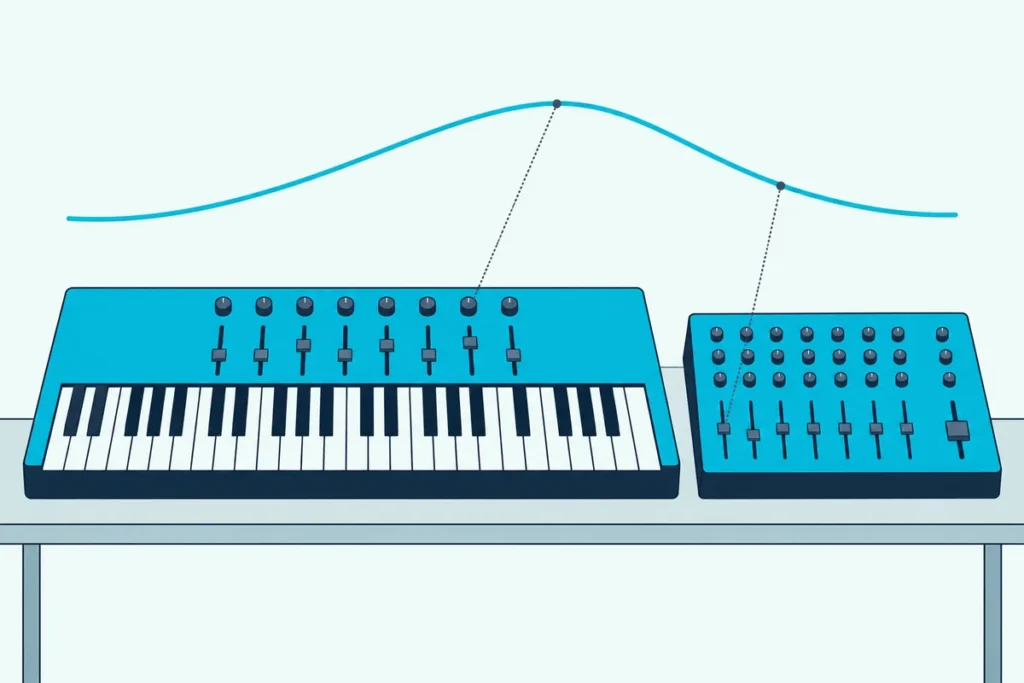
Picking the best MIDI controller with faders comes down to one question: will those faders shape a sound while you play, or balance tracks in your mix?
Drawing a string swell with a mouse means clicking curve points in one by one, and balancing eight tracks means grabbing one tiny on-screen fader at a time.
A row of real faders lets you ride dynamics as you play and move several levels at once, then simply redo the take.
This guide compares ten picks, from keyboards with nine faders to a motorized eight-fader desk, using each maker’s own specs and manuals.
Start with the quick picks, then see what faders actually send, because that decides which kind of controller you need.
Which Is the Best MIDI Controller With Faders?
Those ten picks split into keyboards with faders and fader boxes without keys, and the Novation Launchkey 49 MK4 is the best all-rounder. Its nine faders can run your DAW’s mixer or send MIDI CCs from a Custom Mode, and a five-pin MIDI output reaches hardware synths too.
| Your goal | Pick | Faders |
|---|---|---|
| One keyboard for playing and mixing | Novation Launchkey 49 MK4 | 9 |
| A mixer layout beside your keyboard | Akai MIDImix | 8 plus a master |
| A tight budget | Korg nanoKONTROL2 | 8 |
| Faders that move on their own | PreSonus FaderPort 8 | 8 motorized, 100 mm |
| 61 keys and Arturia’s sounds | Arturia KeyLab Essential 61 mk3 | 9 x 30 mm |
| 61 keys with aftertouch | M-Audio Oxygen Pro 61 | 9 |
| Mixing from a 49-key board | Nektar Impact LX49 mk3 | 8 x 30 mm |
| A small desk | Arturia MiniLab 3 | 4 |
| Hardware synths over five-pin MIDI | Novation Launch Control XL 3 | 8 x 60 mm |
| Clip launching in Ableton Live | Akai APC Mini MK2 | 8 plus a main |
Every pick had at least 4.0 stars and 50 reviews on Amazon and was in stock on 7 October 2026, and no prices appear because they change often. Fader lengths show only where the maker publishes them.
If you mostly mix and want scribble strips and a jog wheel, our DAW controller buying guide compares surfaces built only for that job.
| Product | Link |
|---|---|
Best Keyboard With Faders Overall 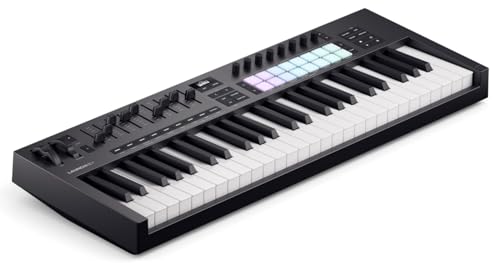 | See ratings |
Best Mixer-Style Fader Box 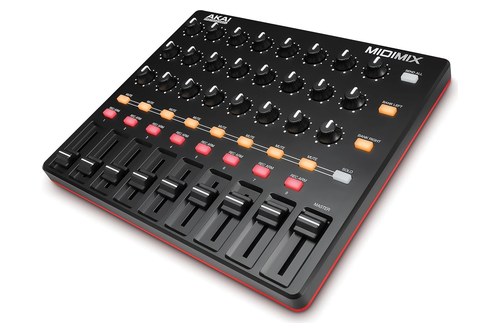 | See ratings |
Best Budget Fader Controller 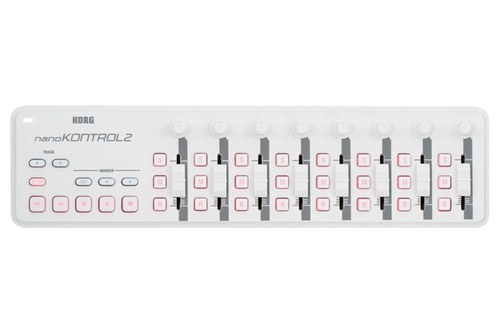 | See ratings |
Best Motorized Faders 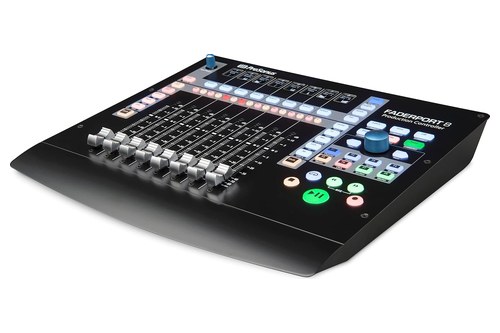 | See ratings |
Best 61-Key Pick With Faders 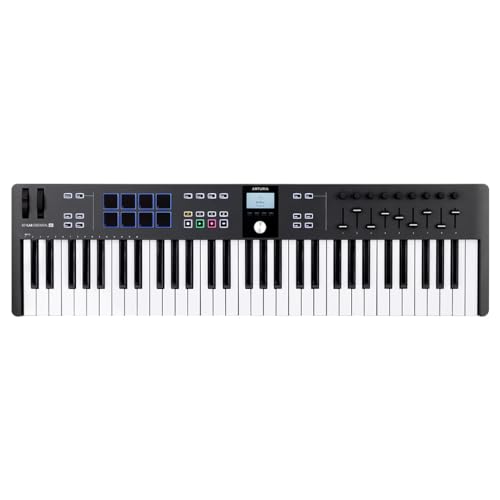 | See ratings |
Best for Aftertouch and Faders 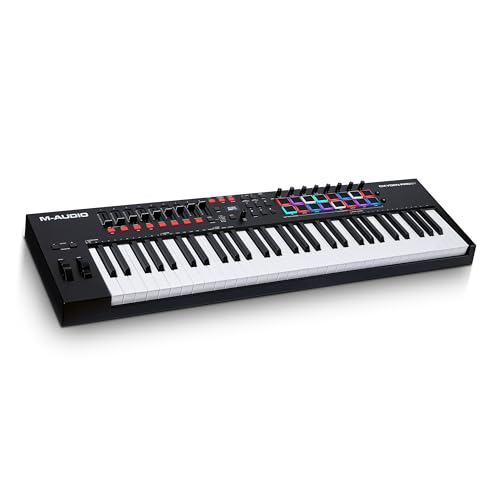 | See ratings |
Best for Mixing From the Keys 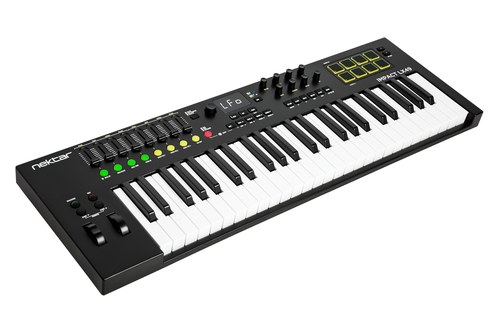 | See ratings |
Best Compact Keyboard With Faders 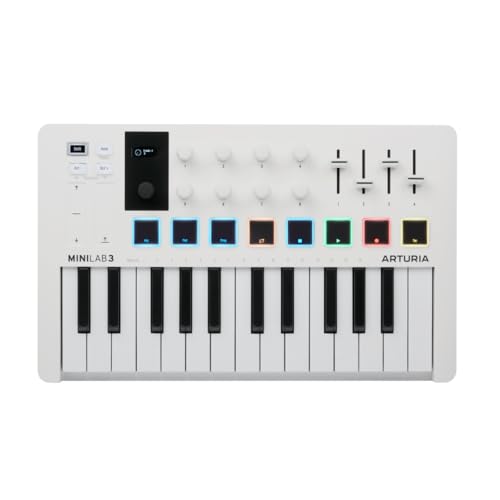 | See ratings |
What Do the Faders on a MIDI Controller Actually Send?
That table hides one big difference, because a fader can speak one of two languages. In CC mode it sends a Control Change message, which the MIDI Association’s table defines as a controller number plus a value from 0 to 127.
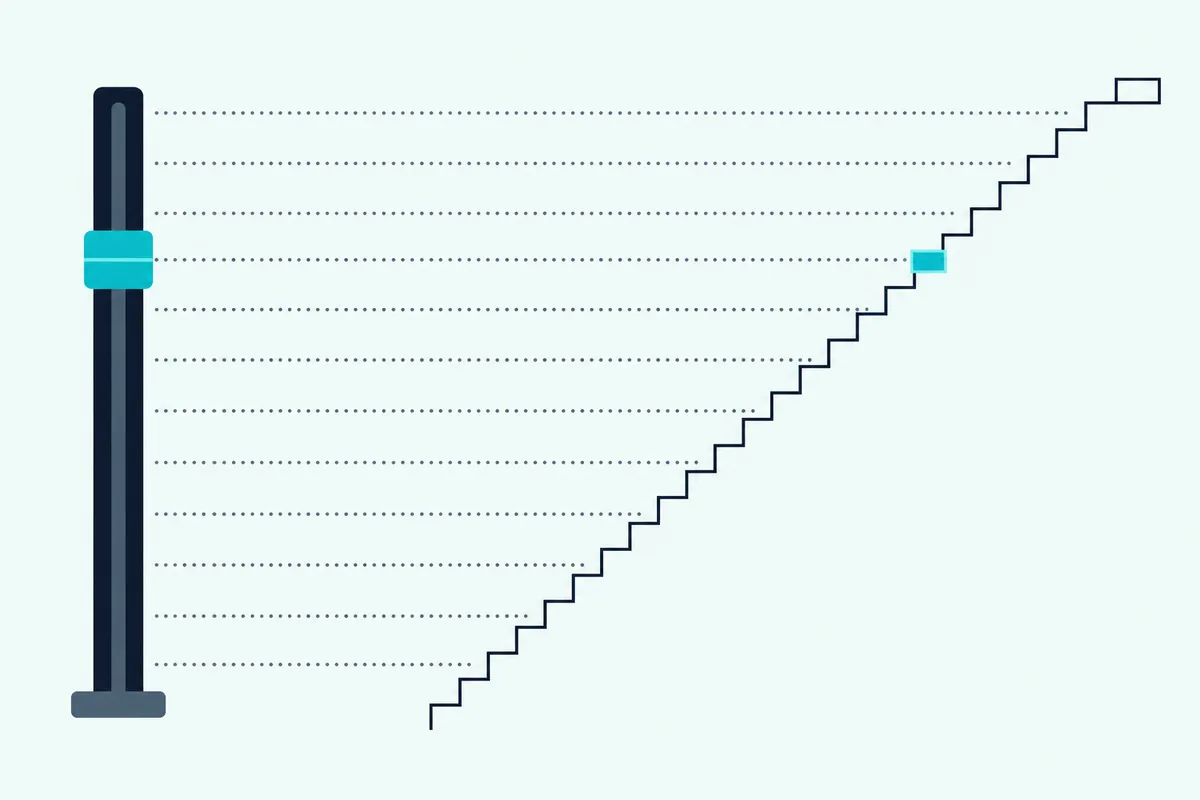
Some numbers carry standard jobs: CC1 is the modulation wheel, CC7 channel volume, CC10 pan and CC11 the expression controller. Push a fader set to CC11 from bottom to top and your instrument receives a stream of values climbing from 0 to 127.
Ableton’s manual groups faders with the controls that send absolute values, so each position always means the same number. Some encoders send relative “a bit more, a bit less” messages instead, which the manual says prevent parameter jumps (Ableton manual).
The second language is DAW control. PreSonus says its FaderPort works as a Mackie Control or HUI device in most major DAWs, so the faders run the mixer itself rather than one mapped parameter.
Get Studio Tips Weekly
Join 5,000+ creators getting acoustic treatment advice every week.
No spam. Unsubscribe anytime.Why Is the Novation Launchkey 49 MK4 the Best Keyboard With Faders?
Both of those languages live in this one keyboard, which is why the Launchkey 49 MK4 tops the list. Novation’s custom scripts cover Ableton Live 11 or later, Logic X and 11, Cubase 11 and 12, Reason, FL Studio and Ardour, and every other DAW connects through HUI.
The Novation Launchkey 49 MK4 has 49 semi-weighted keys, nine faders, eight endless encoders and 16 pads with polyphonic aftertouch, according to Novation. Its faders and encoders can balance tracks, shape sounds or, in up to four stored Custom Modes, send notes, MIDI CCs or program changes.
The Novation Launchkey 49 MK4
That Custom Mode is the part orchestral writers want, since you can set two faders to CC1 and CC11 and ride them with one hand while the other plays. Novation’s Components software builds those maps, and the keyboard has a 128 by 64 monochrome OLED display.
A five-pin MIDI output, a sustain input and a USB-C port handle the connections, and the board runs on USB bus power. It measures 730 millimeters wide and weighs 4.08 kilograms.
Is the Akai MIDImix the Best Mixer-Style Fader Box?
Unlike the Launchkey, the MIDImix leaves the keys to a keyboard you already own and lays its controls out like a small mixer. Yes, if you want that layout, since its master fader and three knobs per channel copy a small hardware mixer more closely than any other box here.
The Akai Professional MIDImix has eight channel faders plus a master fader, 24 knobs arranged three per channel and 16 buttons in two banks for mute, solo and record arm, according to Akai. Ableton Live gets a one-to-one mapping, and Akai includes Live Lite.
The Akai Professional MIDImix
Akai’s user guide says each channel fader sends a continuous controller message, the master fader runs your software’s master volume by default, and Bank Left and Right shift which eight channels it controls. Outside Live, the guide says most controls may map to track parameters automatically, and your DAW’s MIDI learn customizes the rest.
A Send All button pushes every control’s position to your DAW at once, though the guide warns it may do nothing when your software uses a pickup or takeover mode. USB powers it, and Akai asks for a powered hub if you don’t plug it straight into the computer.
Which Fader Box Fits in Front of a Laptop?
That mixer layout shrinks to one knob per channel on the Korg nanoKONTROL2, which Korg sized to sit in front of a laptop. For a tight budget and a small desk, it’s the fader box to start with.
The Korg nanoKONTROL2 gives each of its eight channels a knob, a fader and three switches, assigned to pan, volume and solo, mute and record, according to Korg. Korg’s own example puts an envelope’s attack, decay, sustain and release on the faders, with filter cutoff and resonance on the knobs.
The Korg nanoKONTROL2
The free Korg Kontrol Editor sets the minimum and maximum value of each control change message, which helps when a fader should only sweep part of a range. Korg also offers a free plug-in that maps the transport, volume, pan, mute, solo, EQ and effect sends in Logic and GarageBand.
One USB cable carries power and MIDI data, and Korg lists iPad use through Apple’s Camera Connection Kit. A dedicated transport section and a marker button round out the strip.
Why Is the PreSonus FaderPort 8 the Pick for Motorized Faders?
Those first three picks leave each fader wherever your hand left it, while the FaderPort 8’s motors move its faders to match your DAW. If you mix and automate a lot, that’s the feature worth paying for.
The PreSonus FaderPort 8 has eight touch-sensitive, 100 mm long-throw motorized faders, LCD scribble strips and full transport and automation controls, according to PreSonus’s owner’s manual. In its DAW modes the faders show and set channel levels, plug-in parameters, send levels or pan, and the manual lists native Studio One support plus customized modes for Logic and Cubase.
The PreSonus FaderPort 8
For composers, the useful part is MIDI Mode, where fader 1 sends CC1, fader 2 sends CC11 and fader 3 sends CC7, with CC10, CC5, CC84, CC2 and CC16 on the rest. Press both Shift buttons to switch, but the manual describes MIDI Mode as one-way, from the controller to the software, so don’t expect the motors to follow your DAW there.
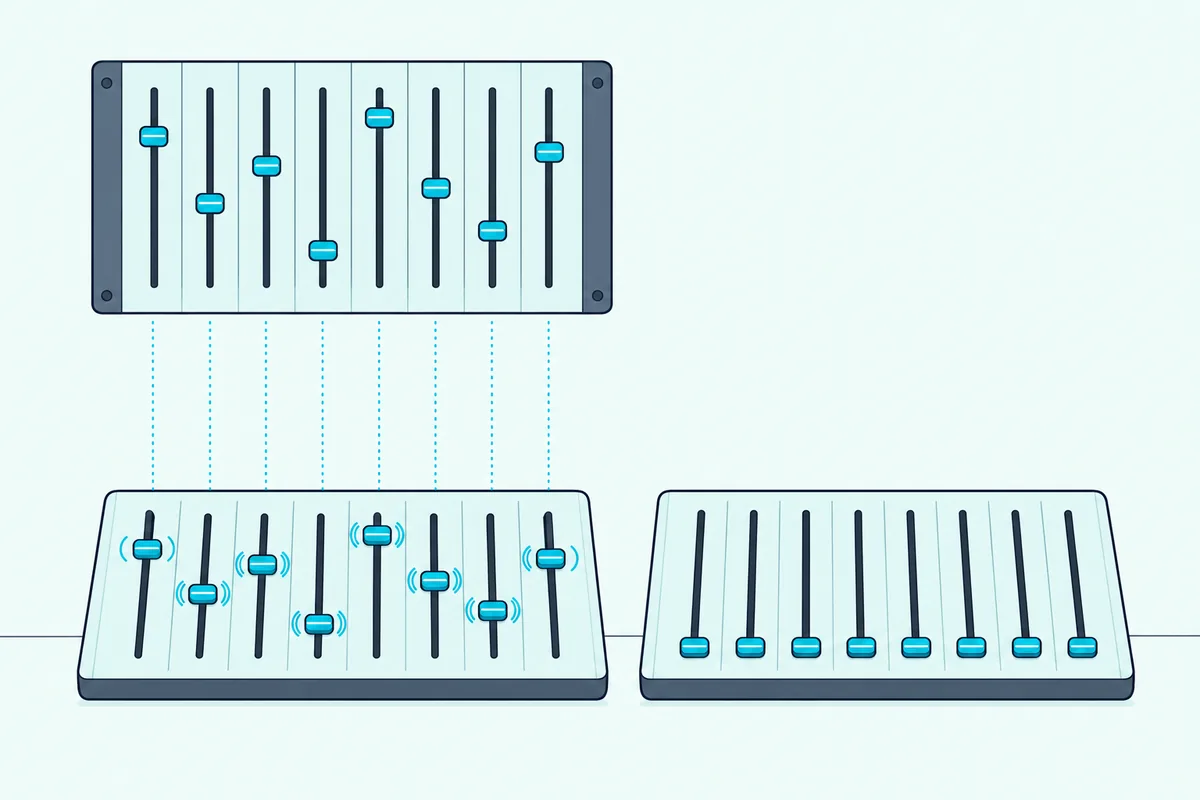
In your DAW, MIDI Mode runs as a separate generic MIDI controller on its own port, which the manual names for macOS and Windows. The box ships with an external power supply as well as a USB cable, and a footswitch input handles start and stop.
Is the Arturia KeyLab Essential 61 mk3 the Best 61-Key Pick?
Like the Launchkey, the KeyLab Essential 61 mk3 has nine faders, but it adds 12 more keys and Arturia’s own sound library. Yes, if you want faders mapped to synth sounds as well as your mixer, while the Oxygen Pro 61 below adds aftertouch.
The Arturia KeyLab Essential 61 mk3 has 61 velocity-sensitive keys, nine 30 mm faders, nine rotary encoders plus a clickable one and eight pressure-sensitive pads, according to Arturia. Arturia pre-maps the faders to track levels in your DAW and to the main parameters of its own instruments in Analog Lab.
The Arturia KeyLab Essential 61 mk3
Custom scripts cover FL Studio, Logic Pro, Ableton Live, Cubase and Bitwig Studio, plus MCU and HUI compatibility, and up to six user presets hold your own assignments. Weighing 3.08 kilograms, it adds a five-pin MIDI output and a pedal input that takes sustain, expression or a footswitch.
Is the M-Audio Oxygen Pro 61 Better for Expressive Playing?
If you play more than you program, the Oxygen Pro 61 keeps nine faders and adds channel aftertouch to its semi-weighted keys. That extra layer of expression on the keys is its main draw.
The M-Audio Oxygen Pro 61 has 61 semi-weighted keys with aftertouch, nine assignable faders, eight knobs and 16 RGB pads with Note Repeat, according to M-Audio. Aftertouch keeps reading how hard you press a key after it’s down, which M-Audio says can shape a plug-in’s sound as you play.
The M-Audio Oxygen Pro 61
If key pressure matters more to you than faders, our list of MIDI keyboards with aftertouch separates this channel aftertouch from the per-key polyphonic kind.
Select your DAW on the keyboard and M-Audio says its transport, faders and channel buttons map automatically in Ableton, Pro Tools, MPC Beats, Cubase, Logic, Studio One or any other major DAW. At 965 millimeters wide and 4.8 kilograms, it’s the widest and heaviest keyboard here, with a five-pin MIDI output and a sustain input.
How Does the Nektar Impact LX49 mk3 Handle Mixing From the Keys?
That auto-mapping idea goes further on the Nektar Impact LX49 mk3, because Nektar writes its own integration for 11 DAWs, including Reaper, Reason and GarageBand. One button press hands its faders to your DAW’s mixer.
The Nektar Impact LX49 mk3 has 49 synth-action keys, eight 30 mm faders with an LED button under each, nine encoders and eight velocity-sensitive pads, according to Nektar. Nektar says one button press maps the faders to the first eight channels of your DAW’s mixer, and Bank Up and Down step through the next groups of eight.
The Nektar Impact LX49 mk3
The buttons under the faders mute or solo their channels, while the encoders switch between pan and sends. Nektar’s spec table marks the MIDI output socket as absent on every LX mk3 size, and Burton Acoustix’s Reaper picks compare it with other boards for that DAW.
Can a Compact Keyboard With Faders Still Be Useful?
If you’re short on desk space, the MiniLab 3 keeps four faders on a body less than half the Oxygen Pro’s width. Four is enough for an envelope or a few track levels, though not for a whole mix at once.
The Arturia MiniLab 3 has 25 slim velocity-sensitive keys, four sliders, eight encoders and two banks of eight pads, according to Arturia. Pitch bend and modulation sit on touch strips, and it measures 355 by 220 by 50 millimeters.
The Arturia MiniLab 3
One DAW preset handles the major DAWs, with Mackie Control transport for the rest, and up to five user presets store your own assignments. A five-pin MIDI output and a sustain, expression or footswitch pedal input match the KeyLab Essential, and USB-C connects it to a computer or an iPad.
Which Fader Controller Works Best With Hardware Synths?
Those five-pin outputs on the keyboards only send, and the Launch Control XL 3 adds a MIDI input and a second output so it can sit at the center of a hardware rig. That makes it the fader box for synths and effects, with or without a computer.
The Novation Launch Control XL 3 has eight 60 mm faders, 24 endless encoders with RGB LEDs and 16 assignable buttons, according to Novation. Novation says its MIDI In, Out and Out2/Thru ports give custom-mapped control of hardware synths and effects with no computer needed.
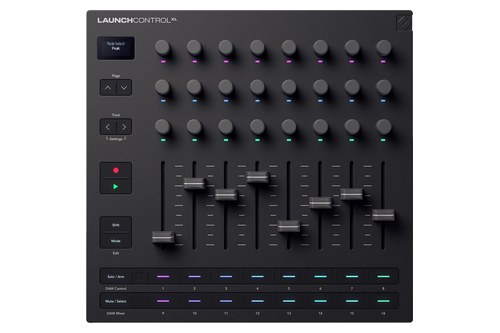
The Novation Launch Control XL 3
Its faders have selectable pickup to avoid sudden jumps, and up to 15 Custom Modes map them to effects, filters and more. Custom DAW scripts cover Ableton Live 12 or later, Logic Pro 11 and later, Cubase 12 and later, FL Studio and Bitwig, with HUI for the rest.
Should Ableton Users Get the Akai APC Mini MK2?
Unlike the XL 3, the APC Mini MK2 is built around one program, Ableton Live, and pairs its faders with a grid of clip pads. Yes, if you launch clips in Live’s Session View, because its 64 pads mirror your clips while nine faders handle volume, pan and sends.
The Akai Professional APC Mini MK2 has 64 RGB-backlit pads in an 8×8 grid, eight assignable track faders and an assignable main fader, according to Akai. Device Mode maps the faders to the eight Macro Controls of the selected Live device, and Soft Keys reach solo, mute, stop and record arm.
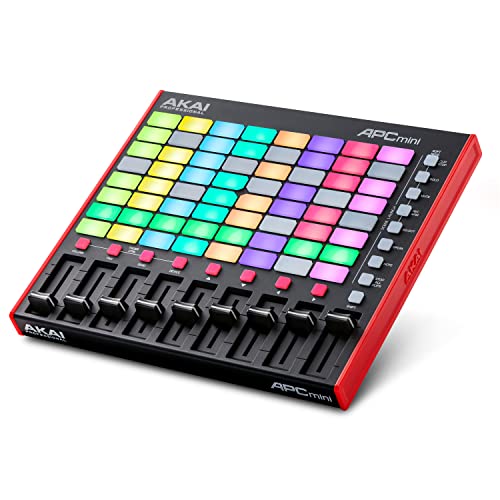
The Akai Professional APC Mini MK2
Drum Mode gives a four-by-four quadrant to Live’s Drum Rack, and the unit runs on USB bus power through a USB Type-B port. If you’d rather play keys in Live, our best Ableton MIDI controller roundup covers keyboards built for it.
Should You Buy a Keyboard With Faders or a Separate Fader Box?
Those ten picks fall into two camps, and the right one depends mostly on whether you already own a keyboard you like. If you don’t, a keyboard with faders such as the Launchkey 49 MK4 keeps notes, faders and DAW control on one USB cable.
If you do, a box such as the MIDImix or nanoKONTROL2 adds faders beside it without replacing the keys you already play. Both run on USB bus power, and the Launch Control XL 3 can even drive hardware over five-pin MIDI with no computer at all.
Think of the box as a second instrument on the desk rather than an add-on. You can park it by your mouse hand for mixing, then slide it next to the keys when you want to ride CC1 and CC11 while playing.
How Many Faders Do Orchestral Libraries Need?
That CC1 and CC11 pairing, which the FaderPort 8 puts on its first two faders, mirrors how Spitfire Audio sets up its libraries, where three faders cover the defaults. Spitfire’s help center lists dynamics on CC1, vibrato on CC21 and expression on CC11 (Spitfire Audio).
Dynamics crossfade between sampled layers from pianissimo to fortissimo, which often changes the tone as well as the level. Expression is a plain volume control inside the library, so you can shape a phrase without touching the tone.
Spitfire says it tends to use the vibrato fader as a switch rather than a crossfade. That leaves CC1 and CC11 as the two faders you ride continuously while you play.
Any controller here covers that, since the pick with the fewest faders, the MiniLab 3, still has four. A Spitfire string line then gets its swell from CC1 and its overall level from CC11, both under one hand.
Does Fader Length Matter?
Those dynamics rides are where fader length shows, because a standard CC fader always sends the same 128 values from bottom to top. On a 30 mm fader that’s about four steps per millimeter, and on a 100 mm fader about one, by our own arithmetic.
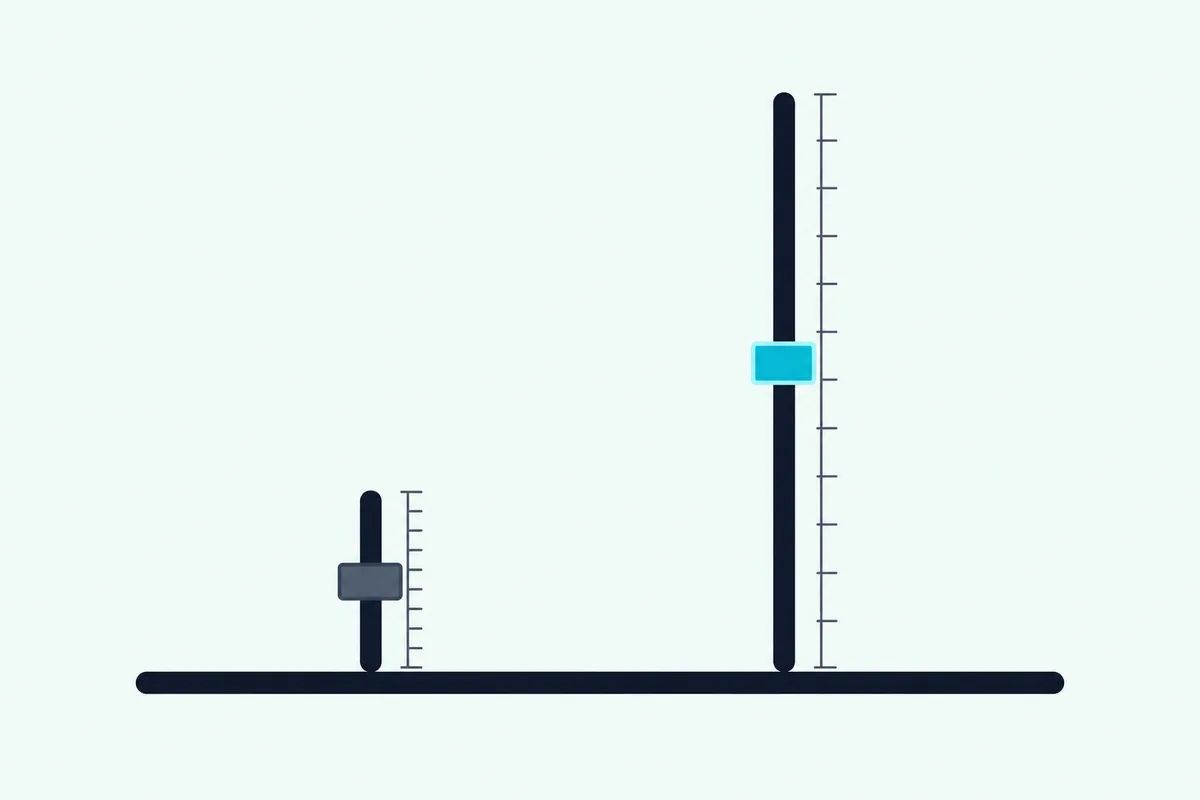
Think of a ruler with the same 128 marks printed on a short stick and a long one: the long one is easier to land on. Arturia lists 30 mm faders on the KeyLab Essential mk3, Nektar 30 mm on the LX mk3, Novation 60 mm on the Launch Control XL 3 and PreSonus 100 mm on the FaderPort 8.
The pages for the other picks list no fader length, so compare their photos side by side. The FaderPort also changes the math in its DAW modes, where PreSonus’s protocol appendix says fader moves travel as pitch bend messages.
The MIDI Association measures pitch bend with a 14-bit value, which works out to 16,384 steps instead of 128. So the FaderPort’s faders move your mix in far finer steps in DAW mode than any 7-bit CC can.
Why Do Faders Jump When You Switch Banks?
Length decides how finely you can move a fader, and banking decides whether its position still means anything. A fixed fader stays where you left it, so after you bank to new tracks it no longer matches the new parameter, and the first nudge sends its own value at once.
The same Ableton manual offers two fixes besides doing nothing. Pick-Up ignores the fader until it reaches the parameter’s current value, and Value Scaling eases the two together as you move it.
Novation builds selectable fader pickup into the Launch Control XL 3, and Akai warns that the MIDImix’s Send All button may do nothing when pickup or takeover is on. Motorized faders solve it in hardware, because the FaderPort 8 receives fader positions from your DAW in its DAW modes.
How Do You Map a Fader to Any Parameter?
Once pickup is set, mapping a fader takes a few clicks, shown here with Ableton Live. Ableton’s manual says you switch on the Remote setting for the controller’s input port, then use MIDI Map Mode.
- Open Settings, choose the Link, Tempo & MIDI tab and set Remote to On for your controller’s input.
- Click the MIDI switch at the top right of Live to enter MIDI Map Mode.
- Click the parameter you want, then move the fader.
- Click the MIDI switch again to leave the mode.
The Mapping Browser lists every mapping with its Min and Max values, so you can limit a fader to part of a parameter’s range there too. Many DAWs call this MIDI learn, and our guide to assign a fader to any FL Studio control walks through it in FL Studio.
What the fader sends in the first place is set on the hardware side. Novation uses its Components software, Arturia its MIDI Control Center, Korg the Kontrol Editor and Akai a MIDImix Editor, while Nektar’s Setup mode programs controls on the keyboard itself.
The same setup turns nine faders into drawbars for an organ plug-in such as Arturia’s B-3 V, which is why our organ MIDI controller picks lead with nine-fader keyboards.
The Bottom Line
Those ten picks come down to how you’ll use the faders. Buy the Novation Launchkey 49 MK4 for one keyboard whose faders can mix or send CCs, or the PreSonus FaderPort 8 if faders that move with your DAW matter most.
Add an Akai MIDImix or Korg nanoKONTROL2 beside a keyboard you already own, take the Novation Launch Control XL 3 for hardware synths and the Akai APC Mini MK2 for Ableton clip launching.
For 61 keys, choose the Arturia KeyLab Essential 61 mk3 for Arturia’s sounds or the M-Audio Oxygen Pro 61 for aftertouch. The Nektar Impact LX49 mk3 suits mixing from 49 keys, and the Arturia MiniLab 3 fits a small desk.
Frequently Asked Questions
Do I need motorized faders?
Only if you switch banks or edit automation often. In its DAW modes the PreSonus FaderPort 8 moves its eight touch-sensitive 100 mm faders to your DAW’s levels, while fixed faders rely on the pickup or takeover settings that Ableton and Novation describe to avoid jumps. None of the five keyboards here lists motorized faders, and for riding CC1 and CC11 as you play, fixed faders do the job.
Is there a MIDI controller with just faders?
The closest picks here are the Korg nanoKONTROL2, Akai MIDImix, Novation Launch Control XL 3 and PreSonus FaderPort 8, none of which has keys. Each still adds knobs or encoders and buttons for pan, mute and solo, and the APC Mini MK2 swaps keys for a grid of pads. The nanoKONTROL2 keeps it simplest, with one knob and three switches per fader.
What’s the best MIDI fader controller for Logic Pro?
For moving faders, the PreSonus FaderPort 8, whose manual lists a customized Mackie Control mode for Logic, and for keys and faders together, the Novation Launchkey 49 MK4, whose scripts cover Logic X and 11. The Launch Control XL 3 covers Logic Pro 11 and later, Arturia scripts the KeyLab Essential mk3 for Logic Pro, and Nektar’s LX mk3 integration needs Logic Pro 10.8 or later. On a budget, Korg’s free plug-in maps the nanoKONTROL2 to Logic and GarageBand.
Can I get a MIDI controller with 16 faders?
Yes. PreSonus’s manual covers the FaderPort 16 alongside the FaderPort 8, with 16 motorized faders, and in Pro Tools it’s set up as two HUI devices. Or pair an eight-fader box with your keyboard, and our page on running a fader box beside your keyboard explains how two controllers share one computer.
Do fader controllers work with an iPad?
Some do. Korg lists the nanoKONTROL2 for iPad through Apple’s Camera Connection Kit, though it doesn’t guarantee compatibility and recommends a powered USB hub for long sessions or several controllers. Arturia says the MiniLab 3’s USB-C port connects to an iPad as well as a computer, and Korg notes the app has to support Core MIDI.