Best Mini MIDI Keyboard Picks for 25 and 32 Keys
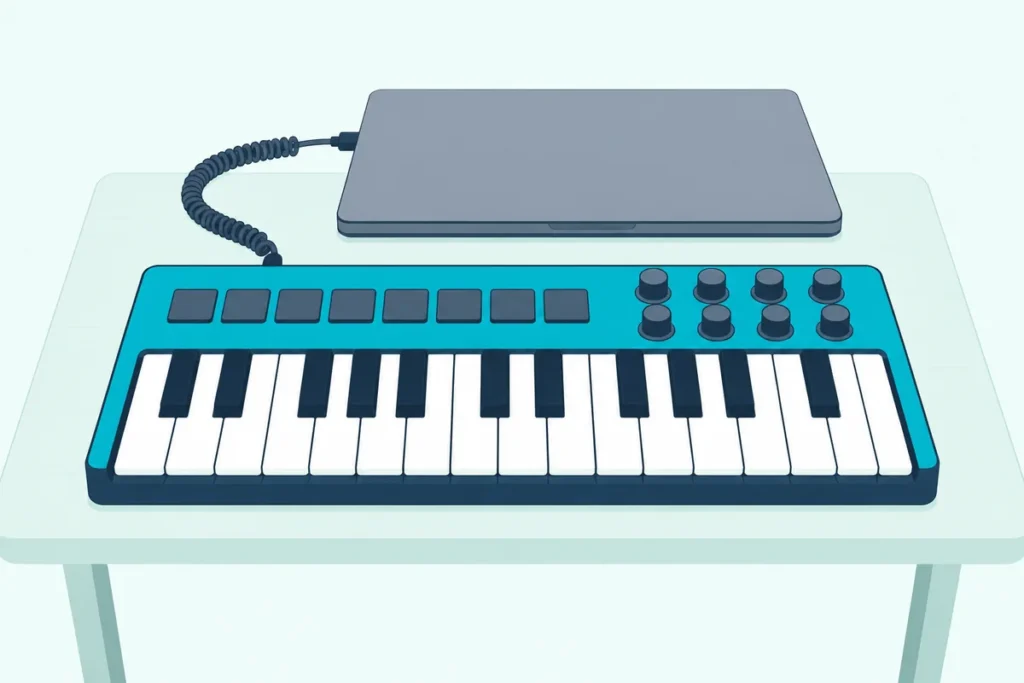
If you’re shopping for the best mini MIDI keyboard, decide first what its two octaves have to do, because the same 25 keys come as a complete beat station on some boards and as a bare strip of keys on others.
Pick the wrong kind and you end up clicking drums in with a mouse because there are no pads, or bending notes with a button because there’s no wheel.
Get it right and a board under 42 cm wide covers melodies, chords, drums and mixer moves from one spot on your desk.
The 10 picks below run from all-in-one boards with pads, knobs and wheels to slim keys-only boards, each described from its maker’s own specifications.
The shortlist comes first, then the sizes, keys, controls, connections and software that decide between them.
What Is the Best Mini MIDI Keyboard?
That shortlist starts with the one board that packs the most into two octaves. The Akai MPK Mini IV is the best mini MIDI keyboard for most people: Akai lists 25 velocity-sensitive keys, eight velocity- and pressure-sensitive pads, eight endless knobs, real pitch and modulation wheels and a 5-pin MIDI out on a 1 kg board (Akai’s MPK mini IV user guide).
The other nine each win a narrower job, and the table sets all 10 side by side:
| Pick | Keys | Controls | MIDI out | Weight, per the maker | Best for |
|---|---|---|---|---|---|
| Akai MPK Mini IV | 25, velocity-sensitive | 8 pads, 8 endless knobs, 2 wheels | 5-pin DIN | 1 kg | Most people |
| Novation Launchkey Mini 25 MK4 | 25 synth-style mini keys | 16 pads, 8 endless encoders, 2 touch strips | 3.5 mm jack | 0.78 kg | Running a DAW |
| Arturia MiniLab 3 | 25 slim keys | 8 pads, 8 encoders, 4 faders, 2 touch strips | 5-pin DIN | 1 kg | Faders and bundled software |
| M-Audio Oxygen Pro Mini | 32 semi-weighted mini keys | 8 pads, 4 knobs, 4 faders, 2 wheels | Listed, connector not named | 1.2 kg | 32 keys with pads |
| Akai MPK Mini MK3 | 25, velocity-sensitive | 8 pads, 8 knobs, thumbstick | None listed | 0.75 kg | A smaller all-in-one |
| Korg nanoKEY Studio | 25, velocity-sensitive | 8 pads, 8 knobs, X-Y pad | None listed | 471 g without batteries | Wireless play |
| M-Audio Keystation Mini 32 MK3 | 32 low-profile mini keys | Volume knob and buttons | None listed | 0.45 kg | Light 32-key note entry |
| Korg microKEY 25 | 25 Natural Touch mini keys | Joystick, arpeggiator | None listed | 0.65 kg | Keys with an arpeggiator |
| Arturia MicroLab mk3 | 25 slim keys | 2 touch strips | None listed | 0.62 kg | Simple USB-C keys |
| Korg nanoKEY2 | 25 low-profile keys | Buttons | None listed | 244 g | The smallest, lightest board |
The weights are the makers’ own figures, and Korg’s nanoKEY Studio number leaves out its two AAA batteries. Every pick met Burton Acoustix’s rating, review and stock checks on 15 October 2026, and no prices appear because they change often.
This guide compares them as keyboards for your desk. If the controller mainly has to travel, and pads or faders matter as much as keys, our best portable MIDI controller picks compare battery, foldable and USB-C options by size and weight.
| Product | Link |
|---|---|
Best Overall 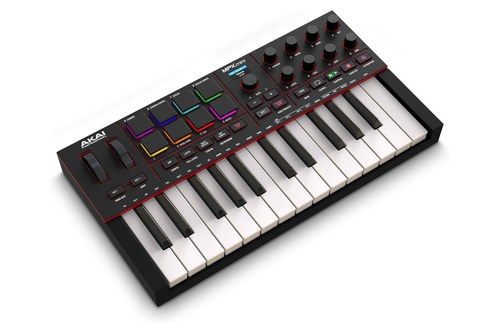 | See ratings |
Best for DAW Control 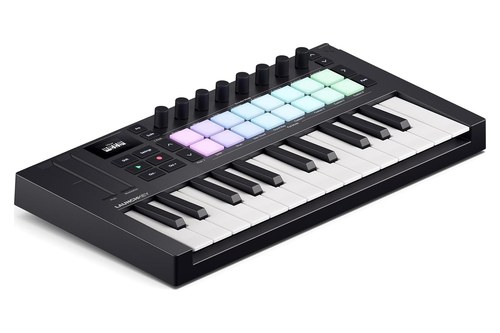 | See ratings |
Best for Faders and Software 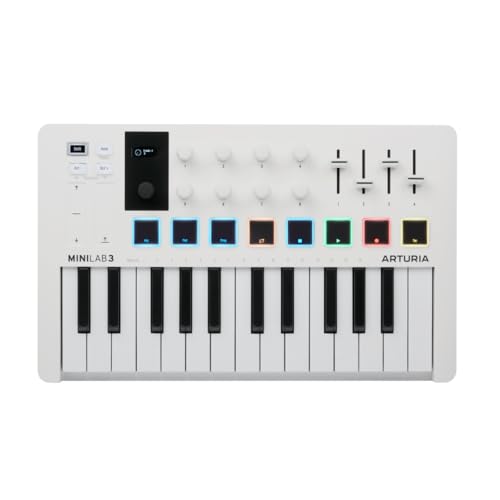 | See ratings |
Best 32-Key With Pads 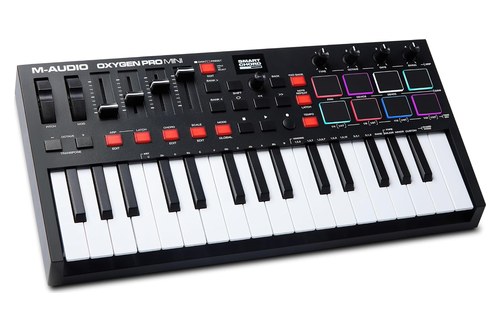 | See ratings |
Best Smaller All-in-One 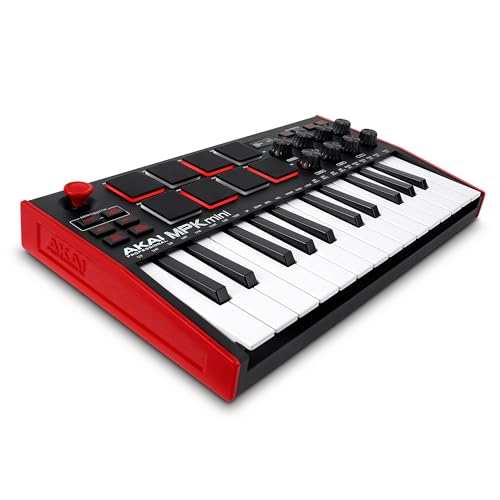 | See ratings |
Best Wireless 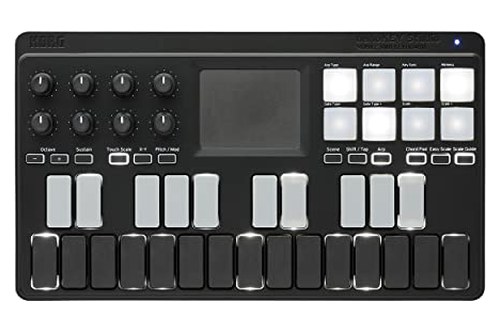 | See ratings |
Best 32-Key Keys-Only 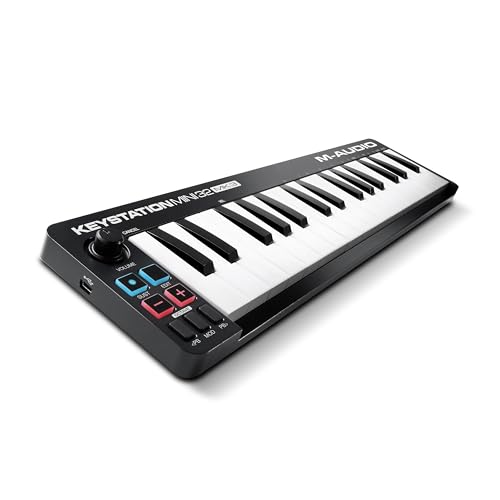 | See ratings |
Best Keys-Only With an Arpeggiator 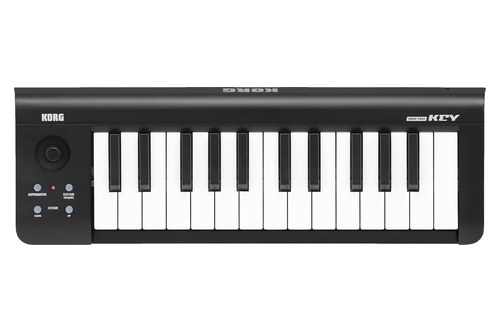 | See ratings |
Which Mini MIDI Keyboards Are Worth Buying?
That table is the short version, and the write-ups below take each board in the same order. The mini MIDI keyboards worth buying in October 2026 are these 10, eight of them 25-key MIDI controllers: four all-in-one boards with pads, a smaller all-in-one and a wireless one, then four keys-only boards for people who program drums some other way.
None was played or measured for this guide, so each ‘best for’ label is a reading of the makers’ spec sheets rather than a verdict on feel.
Akai MPK Mini IV
For most people who want one small board to play, drum and mix with, the Akai MPK Mini IV is the pick.
the Akai MPK Mini IV
Akai’s user guide lists 25 velocity-sensitive keys that shift four octaves either way, eight RGB pads in two banks, eight endless knobs, a push encoder and real pitch and modulation wheels. The pads can send notes, CC messages or program changes, and their pressure can go out as channel or polyphonic aftertouch.
Around the back are USB-C, a 5-pin MIDI out and a 1/4-inch sustain input. The board runs on USB bus power or a 5 V, 0.5 A adapter sold separately, and a Global Menu setting decides whether the MIDI out repeats what arrives over USB or sends the board’s own playing.
Akai adds Chords and Scales modes, an arpeggiator with Mutate and Freeze, Note Repeat, Tap Tempo and control scripts for five DAWs. At 34.7 x 19.2 x 3.7 cm and 1 kg, it ties the MiniLab 3 as the heaviest 25-key board here.
Akai recommends checking for a firmware update before first use, and the box holds the board, a USB-C cable and a quickstart guide.
Novation Launchkey Mini 25 MK4
For producers who want the keyboard to run their DAW, the Novation Launchkey Mini 25 MK4 is the pick.
the Novation Launchkey Mini 25 MK4
Novation lists 25 synth-style mini keys, 16 RGB pads with polyphonic aftertouch, eight endless encoders, pitch and mod touch strips and a 128 x 64 OLED display on a 338.5 mm, 0.78 kg board (Novation). Its custom scripts cover Ableton Live 11 or later, Logic X and 11, Cubase 11 and 12, Reason Studios, FL Studio and Ardour, with HUI for other DAWs.
In Ableton Live it adds built-in Sequencer, Drum Rack and Clip modes, and the pads launch clips while a Scene Launch button handles scenes. Novation notes that the pads’ polyphonic aftertouch works with supported DAWs and plugins, and Burton Acoustix’s aftertouch guide sorts keyboards by the kind of pressure they send.
Its arpeggiator has an eight-step editor with tie, accent and ratchet controls, and the bundle includes Ableton Live Lite, Cubase LE, Novation Play and Komplete 15 Select. The catch for hardware is the MIDI out, a 3.5 mm jack rather than 5-pin DIN, beside a 1/4-inch sustain jack.
It’s USB bus powered with no power supply included, and Novation’s box list holds only the keyboard and a USB-C-to-A cable.
Arturia MiniLab 3
For a first controller or a beat maker who wants faders as well as pads, the Arturia MiniLab 3 is the pick.
the Arturia MiniLab 3
Arturia lists 25 velocity-sensitive slim keys, eight velocity- and pressure-sensitive RGB pads, eight encoders, four faders, pitch and mod touch strips and a mini display with a clickable browser knob (Arturia). Connections are USB-C, a 5-pin MIDI out that can double as a MIDI thru, and a pedal input for sustain, expression or a footswitch, all on USB bus power.
The software runs to Analog Lab Intro, Ableton Live Lite, a Native Instruments Komplete 15 Select bundle of your choice, a two-month Loopcloud subscription and Melodics lessons. Arturia says you don’t need to buy any software to start, and our picks for beginners compare six first controllers.
Chord mode, Hold and an arpeggiator that follows your project tempo sit on the panel, and the box holds the MiniLab 3 and a USB-C to USB-A cable. It measures 356 x 219 x 54 mm and weighs 1 kg, and if four faders won’t cover a mix, our list of MIDI controllers with more faders goes bigger.
Arturia also calls it the world’s first eco-designed MIDI controller, built from at least 50% recycled plastic, packed in fully recyclable cardboard and covered by a five-year warranty.
M-Audio Oxygen Pro Mini
For seven more keys without giving up pads, the M-Audio Oxygen Pro Mini is the pick.
the M-Audio Oxygen Pro Mini
M-Audio lists 32 velocity-sensitive, semi-weighted mini keys on its PrecisionTouch keybed, eight RGB velocity-sensitive pads with Note Repeat, four assignable knobs, faders and buttons, pitch and mod wheels and an OLED screen (M-Audio). It’s the only 32-key pick with pads, and the only board here besides the MPK Mini IV with real wheels.
Its auto-mapping covers Ableton, Pro Tools, MPC Beats, Cubase, Logic and Studio One, and it maps to the bundled AIR instruments as well. Smart Chord plays a full chord from one key or pad, Smart Scale locks the keys to one of 16 scales, and the arpeggiator has type, octave, gate and swing controls.
There’s a 1/4-inch sustain input and a MIDI output for external gear, though M-Audio’s page doesn’t say which connector that output uses. It measures 401 x 190 x 60 mm and weighs 1.2 kg, the most of any pick, and M-Audio’s macOS 26 Tahoe list marks it Supported on Intel and Apple silicon Macs (M-Audio).
Akai MPK Mini MK3
For the MPK layout in a smaller, lighter body, the Akai MPK Mini MK3 is the pick.
the Akai MPK Mini MK3
Akai’s quickstart guide lists 25 velocity-sensitive keys, eight backlit pads that are velocity- and pressure-sensitive in two banks, eight 360-degree knobs and a four-axis thumbstick that bends pitch side to side and adds modulation up and down (Akai’s guide). At 31.8 x 18.1 x 4.4 cm and 0.75 kg, it takes less desk space than the MPK Mini IV and weighs 250 g less, which is the reason to choose it.
The trade-offs are the thumbstick in place of wheels and no MIDI out, since Akai lists one USB port and a 1/4-inch sustain input on USB bus power. It keeps an arpeggiator, Tap Tempo, Note Repeat and Full Level, and its display shows the velocity of each pad hit from 0 to 127.
Akai’s product page names a Gen 2 keybed, MPC3 among the included software and a free Komplete Select bundle. If you connect it through a USB hub, Akai asks for a powered one.
Korg nanoKEY Studio
For playing without a cable, the Korg nanoKEY Studio is the pick.
the Korg nanoKEY Studio
Korg lists 25 velocity-sensitive keys with four velocity curves, eight velocity-sensitive trigger pads, eight knobs and an X-Y pad, connected by Bluetooth Low Energy MIDI or a micro-B USB cable (Korg). On two AAA batteries it runs about 10 hours wirelessly with alkaline cells at factory settings, and over USB it takes bus power.
Its 278 x 160 x 33 mm body weighs 471 g without batteries, the lightest of the six boards with pads. Scale Guide lights the keys that fit your chosen scale, Easy Scale lets you produce musical phrases from any keys, and the pads can play chords picked for your key and scale.
Windows needs Korg’s BLE-MIDI Driver for a wireless link, and KORG Gadget has a native mode made for this board. The box holds a USB cable and a KORG Software Bundle code.
M-Audio Keystation Mini 32 MK3
For 32 keys at the lowest weight here, the M-Audio Keystation Mini 32 MK3 is the pick.
the M-Audio Keystation Mini 32 MK3
M-Audio lists 32 low-profile, velocity-sensitive mini keys with selectable velocity curves, octave buttons, a volume knob, pitch-bend and modulation buttons, a sustain button and an Edit Mode button (M-Audio). It weighs 0.45 kg and measures 16.46 x 4.13 x 0.78 inches, the widest pick here and the second thinnest after the nanoKEY2.
It’s USB-powered and class compliant, and for iPads M-Audio names Apple’s Lightning to USB Camera Adapter, sold separately. M-Audio lists no MIDI out and no pedal input, and it built the board for sequencing and playing virtual instruments on a Mac or PC.
The box holds the keyboard and a USB-A to mini-B cable, and the software is MPC Beats, AIR’s TubeSynth, Electric and Bassline, and Melodics.
Korg microKEY 25
For a keys-only board with a joystick and an arpeggiator, the Korg microKEY 25 is the pick.
the Korg microKEY 25
Korg’s spec sheet for the microKEY-25 lists its Natural Touch mini keyboard, a joystick, an arpeggiator button, a Sustain/Tap button and octave shift buttons that move four octaves either way (Korg). Korg says the joystick handles pitch bend and modulation, and its KONTROL Editor adjusts the velocity curve.
It connects through a USB Type-B port on bus power, draws less than 100 mA and needs no driver on Mac or Windows. On an iPad or iPhone, Korg names Apple’s Lightning to USB camera adapter.
At 395 x 131 x 52 mm and 0.65 kg, it’s a middleweight, and the 25-key model has no pedal jack. Korg gives the 37, 49 and 61-key models in the microKEY series an assignable switch jack instead, and the box holds a USB cable and a KORG Software Bundle code.
Arturia MicroLab mk3
For a light, plain keyboard on USB-C, the Arturia MicroLab mk3 is the pick.
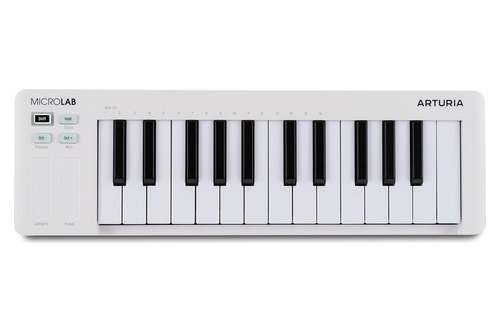
the Arturia MicroLab mk3
Arturia lists 25 velocity-sensitive slim keys, two touch strips for pitch bend and modulation, four control buttons for octave shift and navigation, Chord Mode and a Hold function (Arturia). It weighs 0.62 kg and measures 406 x 125 x 39 mm, with USB-C bus power and a pedal input that takes a sustain or expression pedal.
Arturia calls it MIDI class compliant, offers a multiclient MIDI driver for Windows and says it works with iPads and Android devices through an adapter. The box holds the MicroLab mk3, a USB-C cable and a registration card, and the software is Analog Lab Intro with 500 sounds and Ableton Live Lite.
There are no pads, knobs or MIDI out, so it suits players who only need notes and a pedal.
Korg nanoKEY2
For the smallest and lightest board here, the Korg nanoKEY2 is the pick.
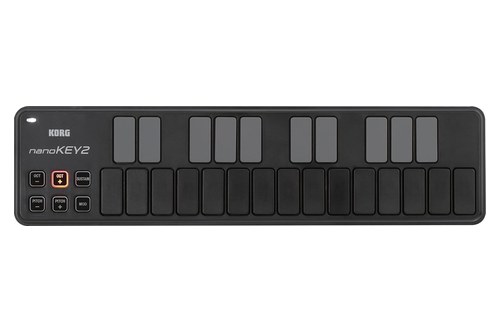
the Korg nanoKEY2
Korg lists 25 velocity-sensitive keys, pitch up and down buttons, a modulation button, a sustain button and octave shift across four octaves either way, in a 325 x 83 x 16 mm body that weighs 244 g (Korg). Korg says it gave the low-profile keys ample width and plenty of space between them to cut down on wrong notes.
The free Korg Kontrol Editor offers four velocity settings, three curves or a fixed velocity. It runs on USB bus power through a mini-USB port, draws less than 100 mA and ships with software licenses and discount coupons.
Korg says nanoSERIES2 controllers work with an iPad through Apple’s Camera Connection Kit without external power, though it asks for a powered USB hub for long sessions or more than one unit. It doesn’t guarantee iPad compatibility.
How Small Is a Mini MIDI Keyboard?
Those 10 write-ups quote very different footprints, so size gets its own look here. Among these picks, a mini MIDI keyboard is 28 to 42 cm wide and weighs 0.24 to 1.2 kg, against 46 cm and 1.8 kg for Novation’s Launchkey 25 MK4 with full-size keys (Novation’s Launchkey range table).
Here are the makers’ own sizes, narrowest first:
| Board | Width x depth x height | Weight |
|---|---|---|
| Korg nanoKEY Studio | 278 x 160 x 33 mm | 471 g without batteries |
| Akai MPK Mini MK3 | 318 x 181 x 44 mm | 0.75 kg |
| Korg nanoKEY2 | 325 x 83 x 16 mm | 244 g |
| Novation Launchkey Mini 25 MK4 | 338.5 x 176.8 x 49 mm | 0.78 kg |
| Akai MPK Mini IV | 347 x 192 x 37 mm | 1 kg |
| Arturia MiniLab 3 | 356 x 219 x 54 mm | 1 kg |
| Korg microKEY 25 | 395 x 131 x 52 mm | 0.65 kg |
| M-Audio Oxygen Pro Mini | 401 x 190 x 60 mm | 1.2 kg |
| Arturia MicroLab mk3 | 406 x 125 x 39 mm | 0.62 kg |
| M-Audio Keystation Mini 32 MK3 | 418 x 105 x 19.8 mm | 0.45 kg |
| Novation Launchkey 25 MK4 (full-size keys, not a pick) | 461 x 251 x 79 mm | 1.8 kg |
Arturia prints height first or in the middle, so the table reorders its figures. It also converts the Keystation’s 0.78-inch height, which M-Audio’s page gives beside it as 198 mm.
Depth matters as much as width: the nanoKEY2 is 83 mm deep and the MiniLab 3 219 mm. Try this before you order: mark the board’s width and depth on your desk with tape, and if that rectangle crowds your mouse or laptop, pick a narrow strip like the nanoKEY2 or Keystation Mini 32.
Should You Choose a Mini or Full-Size 25-Key Keyboard?
That full-size Launchkey 25 is the same controller family with bigger keys, which makes it a fair test of the trade. Choose mini keys for one-handed lines, chord stabs and drums programmed into a DAW, and full-size keys if you play two-handed parts or want your fingers to learn a piano’s spacing.
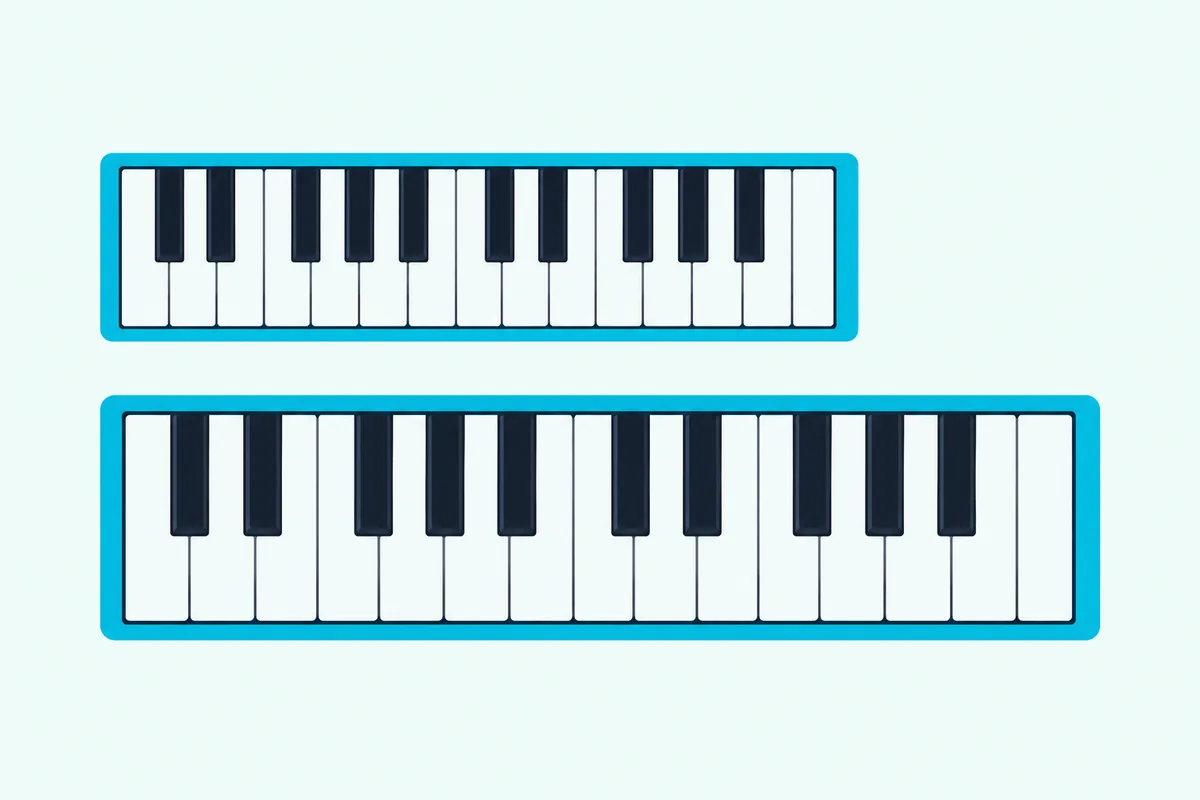
The cost of full-size keys is space, which is why all 10 compact keyboards here use smaller keys. In Novation’s range table, the Launchkey 25 MK4 is 122.5 mm wider, 74 mm deeper and 1 kg heavier than the Launchkey Mini 25 MK4, with the same 16 pads and 25 keys; it also swaps the touch strips for pitch and mod wheels and the 3.5 mm MIDI jack for 5-pin.
Makers use three words for small keys. Novation and M-Audio say mini keys and Korg calls the microKEY’s a Natural Touch mini keyboard, Arturia calls its version slim keys, and Korg describes the nanoKEY2 as low-profile.
None of the maker pages cited here measures the keys themselves, so compare boards by their overall width and, if you can, try one in a shop. Stretch your hand across an octave on a real board: if a C-to-C reach feels cramped at mini size, two-handed parts will too.
Half of the picks let you adjust velocity response, going by their makers’ pages. Akai’s MPK Mini IV has Light, Norm and Heavy key curves, M-Audio gives the Keystation Mini selectable velocity curves, and Korg offers four velocity settings on the nanoKEY2, four curves on the nanoKEY Studio and curve adjustment on the microKEY.
The Oxygen Pro Mini is the only pick whose maker calls its mini keys semi-weighted, with what M-Audio calls a professional semi-weighted action. If two-handed playing is the goal, a full-size controller from our main MIDI keyboard list fits better, and a budget full-size controller skips the mini stage entirely.
Are 25 Keys Enough, or Do You Need 32?
Key size is half the question, and key count is the other half. For one-handed melodies, bass lines and chords, 25 keys are enough, since they span two octaves plus one note, while 32 keys add seven more notes without leaving mini territory.
Octave buttons stretch that range. Akai lets the MPK Mini MK3 move four octaves either way for a ten-octave range, and Korg gives the nanoKEY2 and microKEY 25 the same four steps in each direction.
What octave buttons can’t do is let you play two far-apart parts at once. Open a MIDI clip you’ve already made and check its lowest and highest notes: if they sit more than two octaves apart, a 25-key board needs an octave shift partway through, and 32 keys only buy seven more notes.
That’s why the two 32-key picks here, the Oxygen Pro Mini and the Keystation Mini 32 MK3, suit songwriters who sketch a left-hand part under a melody. For beat making, pads and knobs usually matter more than seven extra keys.
Three full octaves are the next step up, and 37-key boards compared by key size and ports show what that costs in width. Novation’s Launchkey Mini 37 is 477.8 mm wide against the Mini 25’s 338.5 mm, with the same pads and encoders.
Past that, a 49-key controller gives both hands room, and a 61-key board spans five octaves. Our guide to how many keys a MIDI keyboard should have walks through each size from 25 to 88.
Which Small Keyboards Have Pads, Knobs or Faders?
Once the key count is settled, the controls around the keys decide what else the board can do. Six of the 10 picks have pads, eight each on the two MPK Minis, the MiniLab 3, the Oxygen Pro Mini and the nanoKEY Studio and 16 on the Launchkey Mini, and only the MiniLab 3 and Oxygen Pro Mini add faders, four each.
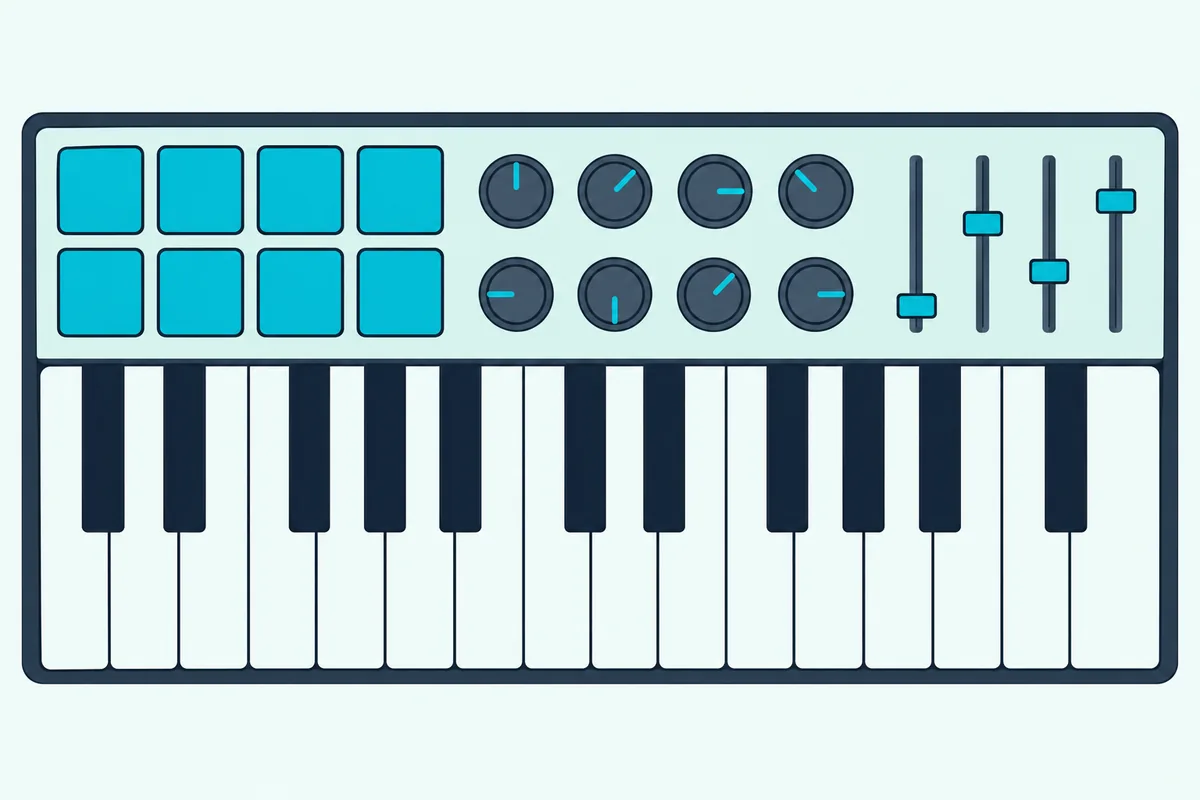
The makers’ control counts line up like this:
| Board | Pads | Knobs or encoders | Faders |
|---|---|---|---|
| Akai MPK Mini IV | 8, velocity and pressure (channel or poly aftertouch) | 8 endless, plus a push encoder | None |
| Novation Launchkey Mini 25 MK4 | 16, velocity and polyphonic aftertouch | 8 endless | None |
| Arturia MiniLab 3 | 8, velocity and pressure | 8, plus a clickable browser knob | 4 |
| M-Audio Oxygen Pro Mini | 8, velocity, with Note Repeat | 4 | 4 |
| Akai MPK Mini MK3 | 8, velocity and pressure | 8 (360 degrees) | None |
| Korg nanoKEY Studio | 8, velocity | 8, plus an X-Y pad | None |
| Keystation Mini 32 MK3, microKEY 25, MicroLab mk3, nanoKEY2 | None | A volume knob on the Keystation only | None |
Pads are for drums and samples, but the better ones do more. Akai’s pads can switch to CC or program change messages, and Novation’s launch clips, so the same eight or 16 squares can run a set as well as a beat.
Endless encoders are the other quiet upgrade. Novation says its eight always pick up where you left off, and Akai lets the MPK Mini IV’s knobs send absolute or relative values, warning that absolute mode can make you spin a knob to catch up after switching banks.
If finger drumming matters more to you than keys, a dedicated pad controller is the other route, and that guide weighs MPC-style pads against grids. The four keys-only boards make the most sense when your drums come from another device or from the mouse.
How Do Mini Keyboards Handle Pitch Bend and Modulation?
Pads and knobs cover drums and mixing, and the small controls at the left end shape the notes themselves. Only the MPK Mini IV and Oxygen Pro Mini have real pitch and modulation wheels; the Launchkey Mini, MiniLab 3 and MicroLab mk3 use touch strips, the MPK Mini MK3 and microKEY 25 a joystick, and the Keystation Mini 32 and nanoKEY2 buttons.
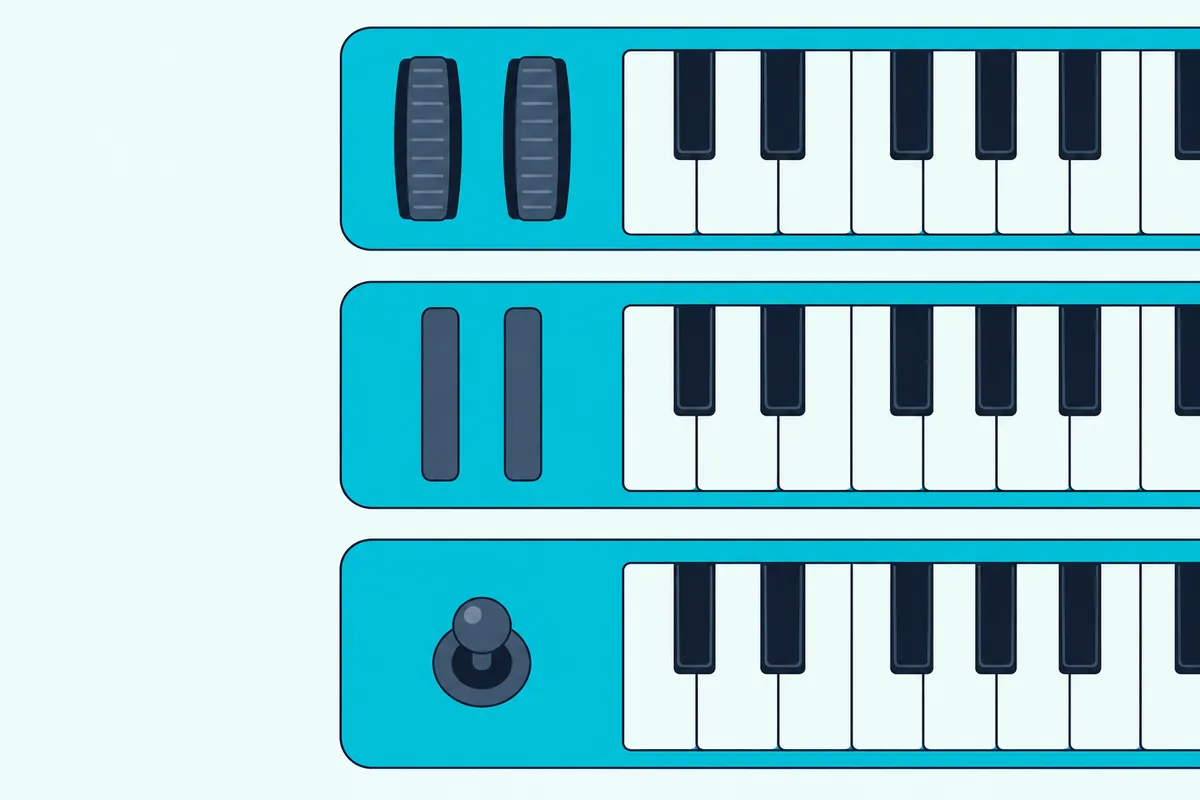
Akai describes the pitch wheel as the way to bend notes up or down for phrases such as guitar-style riffs, and the mod wheel as the way to add variation such as vibrato. Those are the moves that make a synth lead sound played rather than typed.
A joystick puts both moves under one thumb. On the MPK Mini MK3, Akai says left and right bend the pitch while up and down apply a mod wheel effect, and Korg gives the microKEY 25’s joystick the same two jobs.
Arturia calls the MiniLab 3’s touch strips accurate and touch-sensitive and says the MicroLab mk3’s respond to swipes and taps. The nanoKEY2 and Keystation Mini put pitch bend and modulation on buttons.
The nanoKEY Studio takes its own route, with an X-Y pad and a Pitch/Mod button among its controls. If you play leads with bends, choose wheels or a joystick; if bends are rare, strips or buttons won’t hold you back.
Sustain follows a similar split. The MPK Minis, Launchkey Mini, MiniLab 3, Oxygen Pro Mini and MicroLab mk3 take a pedal, while the microKEY 25, nanoKEY2, nanoKEY Studio and Keystation Mini 32 give you a sustain button instead.
Do Chord and Scale Modes Help on Two Octaves?
Wheels and pedals shape single notes, and the newer minis also help choose which notes to play. They do help: a chord mode puts a whole chord under one key, and a scale mode locks the keys to one scale, so two octaves play only the notes that fit your song.
The MPK Mini IV’s Chords mode offers triads, sevenths, sevenths with ninths and major, minor and dominant seventh chords in any key. Its Scales mode runs from major and minor through the modes to blues, flamenco, Hungarian, Persian, bebop and whole tone.
Novation’s Launchkey Mini holds 30 scales and three chord modes: Chord Map plays chords from curated sets, User Chord saves progressions and Fixed Chord transposes them. M-Audio’s Smart Scale offers 16 scales on the Oxygen Pro Mini, and Smart Chord turns one key or pad into a full chord.
Arturia puts Chord mode and Hold on both the MiniLab 3 and the MicroLab mk3. Korg’s nanoKEY Studio lights the keys that belong to your scale and can put matching chords on its pads.
Arpeggiators sit on seven of the 10 boards: both MPK Minis, the Launchkey Mini, MiniLab 3, Oxygen Pro Mini, nanoKEY Studio and microKEY 25. Akai’s user guide spells out the MPK Mini IV’s in the most detail: seven play modes, one to four octaves, swing from 50 to 75%, a Mutate setting that now and then jumps a step up an octave and a Freeze mode that keeps an arpeggio running while you play over it.
The Keystation Mini 32 and nanoKEY2 list none of these tools, which is fine if your DAW already handles chords and scales.
Do Mini Keyboards Work With Every DAW?
Chord and scale modes work inside the keyboard, while DAW integration decides what the knobs and buttons do in your software. All 10 are USB MIDI keyboards that a DAW can record from, but mapped transport, mixer and plugin control depends on which DAWs each maker writes scripts or presets for.
| Board | DAWs the maker names |
|---|---|
| Akai MPK Mini IV | Ableton Live 11 and 12, FL Studio, Logic Pro, GarageBand, Cubase (control scripts to install) |
| Novation Launchkey Mini 25 MK4 | Ableton Live 11 or later, Logic X and 11, Cubase 11 and 12, Reason Studios, FL Studio, Ardour; HUI for others |
| Arturia MiniLab 3 | Ableton Live, Logic Pro, Cubase, FL Studio, Bitwig; NKS; MCU/HUI for others |
| M-Audio Oxygen Pro Mini | Ableton, Pro Tools, MPC Beats, Cubase, Logic, Studio One (auto-mapping) |
| Arturia MicroLab mk3 | ‘All major DAWs and soft synths’, with no scripts named |
| Korg nanoKEY Studio | KORG Gadget’s native mode; Korg names GarageBand among the iPad and iPhone apps it connects to |
The keys-only boards don’t need scripts to play notes. Korg says the microKEY needs no driver on Mac or Windows, M-Audio calls the Keystation Mini 32 class compliant, and Arturia adds a multiclient MIDI driver for Windows users of the MicroLab mk3.
Mac owners should check the current macOS list, since M-Audio’s macOS 26 Tahoe page says any product it doesn’t list isn’t considered supported. Both M-Audio picks are on it, Supported on Intel and Apple silicon.
What Software Comes With Each Mini Keyboard?
Scripts decide how a board controls your DAW, and if you don’t have a DAW yet, the bundle decides what you’ll record into. Ableton Live Lite is listed for four picks (the Launchkey Mini, MiniLab 3, MicroLab mk3 and Oxygen Pro Mini), the Launchkey Mini adds Cubase LE, and both M-Audio boards include MPC Beats.
Instrument bundles differ more than the DAWs. Akai’s Studio Instrument Collection on the MPK Mini IV draws on Akai Professional, AIR Music Technology and Moog sounds, and Arturia’s Analog Lab Intro comes with the MiniLab 3 and MicroLab mk3, 500 sounds on the MicroLab per Arturia.
M-Audio bundles AIR instruments, three on the Keystation Mini 32 and six on the Oxygen Pro Mini, and Korg’s three boards come with KORG Software Bundle licenses. If you already own a DAW, the scripts in the table above matter more than whichever Lite edition is in the box.
Can a Mini Keyboard Play a Hardware Synth or an iPad?
All that software runs on a computer, but some of these boards reach beyond it. Four picks have a MIDI out for hardware synths: the MPK Mini IV and MiniLab 3 with 5-pin DIN, the Launchkey Mini with a 3.5 mm jack and the Oxygen Pro Mini with an output M-Audio doesn’t describe; the makers list no MIDI out for the other six.
A 3.5 mm MIDI jack needs a TRS-to-DIN adapter cable to reach a synth’s 5-pin input. Novation’s box list for the Launchkey Mini doesn’t include one, while Korg, for comparison, packs a MIDI TRS-DIN adapter cable with its nanoKEY Fold.
Without a computer, the keyboard still needs power. Akai lists a 5 V, 0.5 A adapter for the MPK Mini IV, sold separately, and its Global Menu can send the board’s own playing to the MIDI out, so it can drive a synth on its own.
For tablets, Apple lists MIDI devices among the accessories an iPad’s USB-C port takes, with Apple’s USB-C to USB adapter for a USB-A plug (Apple). Arturia says the MiniLab 3 and MicroLab mk3 work with iPads, while Korg and M-Audio name Apple’s Lightning to USB camera adapter for Lightning iPads.
The pages cited here make no iPad statement for the MPK Minis, Launchkey Mini or Oxygen Pro Mini, so that stays unconfirmed. For apps, cables and more boards, our list of MIDI keyboards for the iPad goes deeper.
Is a Wireless Mini Keyboard Worth It?
Those cables and adapters disappear with Bluetooth, and only one pick has it. It’s worth it if you play into an iPhone, iPad or Mac from across the room or the sofa, and the nanoKEY Studio does it with Bluetooth LE MIDI, about 10 hours on two AAA batteries and a USB jack for when you’d rather plug in.
Korg’s notes are worth reading first. Windows needs the KORG BLE-MIDI Driver, Korg lists Bluetooth 4.0 and iOS 8 or later for iPads and iPhones, and its Bluetooth MIDI Connect app links the keyboard to iOS apps that support Core MIDI but have no Bluetooth MIDI menu.
Burton Acoustix’s Bluetooth MIDI roundup sets the nanoKEY Studio beside Roland’s Bluetooth keyboards and three adapters that make wired boards wireless.
Is a Mini Keyboard Right for Beats, Synth Lines or Piano Practice?
That covers the hardware, and the last question is the music you make. A mini keyboard suits beat making and synth lines well and piano practice poorly, because pads, scale modes and a one-handed range serve the first two, while piano technique needs full-size keys and more than two octaves.
For beats, pads decide it: the MPK Mini IV and Launchkey Mini carry the most drum tools, and the Launchkey’s 16 pads and clip launching suit Ableton users. For synth lines and hardware, the MPK Mini IV pairs wheels with a 5-pin MIDI out, and the MiniLab 3 has the 5-pin out with touch strips.
For songwriting, the 32-key boards give a left hand somewhere to go, and for note entry in a piano roll or notation software, the keys-only boards are enough. For piano lessons, skip the minis, or pair one on the desk with a bigger keyboard: running two controllers at once takes a few settings in Ableton Live or Logic Pro.
Why Didn’t Other Mini Keyboards Make the List?
Those scenarios cover the 10 picks, and several familiar names are missing for specific reasons. Each one lacked an Amazon offer or enough reviews on 14 October 2026, had no maker spec sheet cited here, or belongs to another of our guides.
The Nektar SE25, the lightest pick on the old version of this page, showed no offer on its Amazon listing on 14 October 2026, and Nektar’s Impact LX25+ wasn’t available to buy that day. Novation’s full-size Launchkey 25 MK4 had too few reviews.
Native Instruments’ Komplete Kontrol M32 passed the rating and review checks, but Native Instruments’ own pages for it aren’t covered here. The midiplus AKM320, this page’s former budget pick, passed too, but no maker spec page for it is cited here, and M-VAVE’s SMK-25, the old Bluetooth pick, is covered in the Bluetooth roundup linked above.
The 37-key minis, such as Novation’s Launchkey Mini 37 MK4, Akai’s MPK Mini Plus and Korg’s microKEY2-37, belong to the 37-key guide linked earlier. Korg’s nanoKEY Fold sits on the portable list, where its fold-flat design matters most.
The Bottom Line
Every pick in this guide comes back to the question at the top: what your two octaves have to do. The Akai MPK Mini IV does the most, the Launchkey Mini 25 MK4 runs a DAW best, the MiniLab 3 adds faders and a full software kit, and the Oxygen Pro Mini gives you 32 keys with pads.
If you only need notes, the Keystation Mini 32 MK3, microKEY 25, MicroLab mk3 and nanoKEY2 cover that at 244 g to 0.65 kg. Check the width, the MIDI out and the bend controls against your desk and your music before anything else.
Frequently Asked Questions
Are mini MIDI keyboards good for beginners?
Yes, for anyone starting with beat making or electronic production. The Arturia MiniLab 3 arrives with a DAW (Ableton Live Lite), sounds (Analog Lab Intro) and lessons (Melodics), and the MPK Mini IV and Launchkey Mini 25 MK4 add chord and scale modes that keep a newcomer’s notes in key. Piano learners are the exception: two octaves of mini keys won’t train a hand for a real piano, so start on full-size keys instead.
What is the smallest MIDI keyboard?
Among the picks here, the Korg nanoKEY2 is the smallest and lightest at 325 x 83 x 16 mm and 244 g, per Korg, and the nanoKEY Studio is the narrowest at 278 mm. Korg’s nanoKEY Fold goes smaller still, folding to 147 x 73 x 17 mm at 126 g, and Korg calls it thinner, smaller and lighter than any other MIDI keyboard. Its keys are membrane buttons, though, so it’s a carry-everywhere sketchpad more than a desk keyboard.
Are mini MIDI keyboard keys velocity sensitive?
On all 10 picks, yes: nine makers’ pages call the keys velocity-sensitive, including Korg’s 244 g nanoKEY2, and Korg’s microKEY page offers velocity-curve adjustment. Several also let you set how hard you have to play, from Light, Norm and Heavy key curves on the MPK Mini IV to three curves or a fixed velocity in Korg’s free editor for the nanoKEY2. Small keys change the reach between notes, not the velocity data a good board sends.
Can you use a mini MIDI keyboard for live performance?
Yes, and the pads are what make it work. Novation’s Launchkey Mini 25 MK4 launches clips and scenes and, in Ableton Live, adds Sequencer, Drum Rack and Clip modes, while the MPK Mini IV’s pads can send program changes to switch sounds between songs. Two octaves limit what you can play by hand, so a mini works best for triggering and shaping parts rather than long keyboard lines.
Is a mini keyboard or a pad controller better for beats?
A mini MIDI controller with keys and pads covers both melody and drums in one box, so one cable and one spot on the desk do both jobs. Both MPK Minis, the MiniLab 3, Oxygen Pro Mini and nanoKEY Studio have eight pads each and the Launchkey Mini has 16, next to 25 or 32 keys. A dedicated pad controller makes sense if finger drumming is your main instrument and you already own a keyboard, since it puts drums at the center of the desk instead of beside the keys.