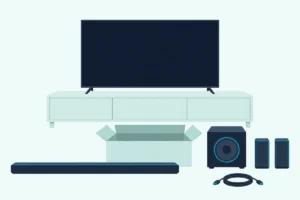
How Do You Hook Up an RCA Sound Bar to a TV?
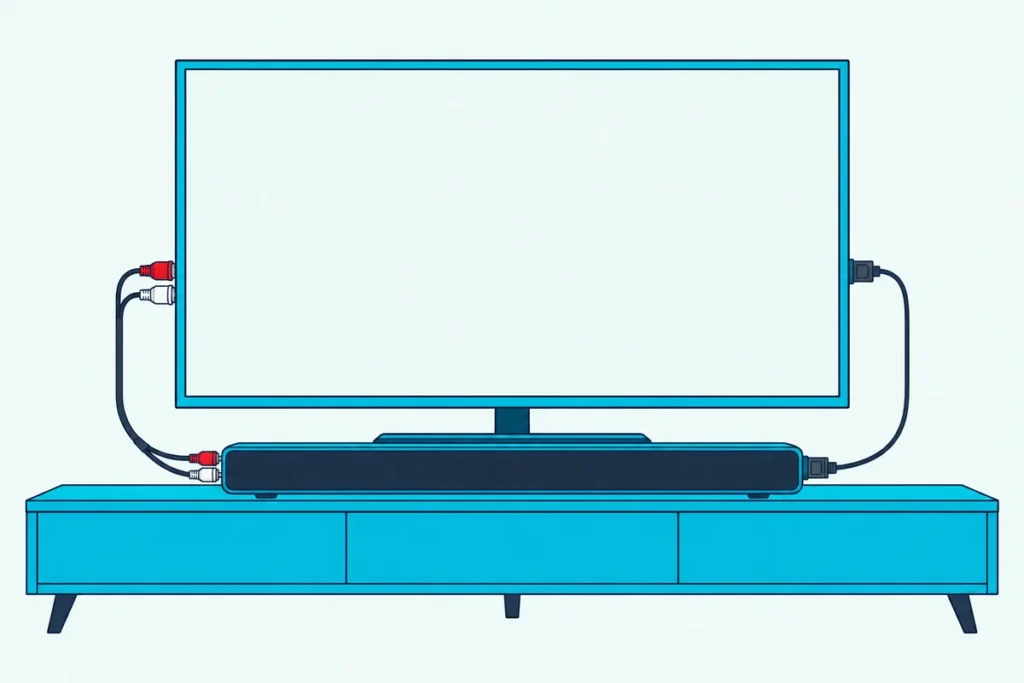
How do you hook up an RCA sound bar? Run an optical cable or a red-and-white RCA cable from your TV’s audio output to the bar, then press the matching key on its remote until that input’s light comes on.
The catch is that none of the RCA bar manuals behind this guide shows an HDMI input, and several of them leave the TV cable out of the box.
Match the cable to your model’s jacks, and the bar plays the TV’s sound whether your search meant the RCA brand, the red-and-white plugs or both.
The steps come first, then each model’s jacks from its own manual, the PCM setting that fixes a silent optical link and the Bluetooth code.
If your RCA is the TV rather than the bar, or you want to know who still supports these bars, the last sections cover both.
How Do You Hook Up an RCA Sound Bar, Step by Step?
Those two cables are the main routes, and the steps barely change from one RCA model to the next. Connect the TV’s audio output to the bar’s matching input, switch the bar to that input, then make sure the TV is sending its sound out:
- Find the TV’s audio output: an optical port, a red-and-white pair marked AUDIO OUT or a headphone jack.
- Run the matching cable to the bar’s OPTICAL IN, AUX IN or LINE IN jack.
- Turn the bar on and press OPTICAL, AUX or LINE IN on the remote, or SOURCE on the bar, until that input’s light comes on.
- Set the TV to send its sound to that output, and to PCM if you used optical.
The manual for the RTS7010B, RTS7110B and RTS7630B describes all three cable routes and marks each cable as not included (ManualShelf’s copy). The RTS7131B, RTS739BWS and RTS7113WS manuals do the same, so plan on buying one.
If the bar goes on the wall, the manuals say to connect every cable, the power adapter included, before you hang it.
For the optical route, Amazon Basics’ Toslink cable is a 6-foot digital optical cable, per its listing.
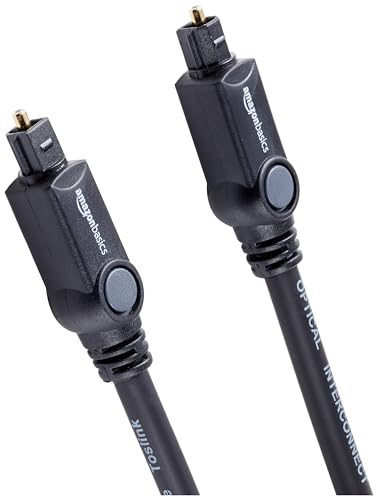
Amazon Basics’ Toslink cable
Step 4 sits in a different menu on each TV brand, so our steps for connecting a soundbar to a TV with an optical cable list each brand’s path.
Which Jacks Does Your RCA Sound Bar Have?
That second step depends on your model, because RCA’s bars don’t all share one back panel. Read side by side, their manuals fall into four groups:
| Model | Inputs for the TV | Remote keys | Input lights |
|---|---|---|---|
| RTS7010B, RTS7110B, RTS7630B, RTS7131B, RTS739BWS, RTS7220B-2, RTS7340SB | Optical, AUX (red and white), 3.5 mm LINE IN | OPTICAL, AUX, LINE IN | One light per input on top |
| RTS7010B GE6, RTS7015B, RTS7116S, RTS7113WS | The same three, plus coaxial | DIGITAL: once for optical, again for coaxial | One light shared by optical and coaxial; red for optical, green for coaxial on the RTS7116S and RTS7113WS |
| RTS7220B | Two red-and-white pairs (AUX1, AUX2) and 3.5 mm LINE IN; no optical | AUX1, AUX2, LINE IN | One light per input on top |
| RTS6737BHS (DVD sound bar) | Optical, coaxial, AUX, LINE IN | DIGITAL IN, ANALOG IN | Shared lights: steady for optical or AUX, a slow flash for coaxial or LINE IN |
Two rows stand out: the RTS7220B has no optical jack at all (ManualShelf’s copy), and the RTS6737BHS’s HDMI OUT only sends its DVD player’s picture to the TV. Of the bars with a subwoofer, the RTS7116S and RTS7340SB connect it by wire, while the RTS7113WS’s wireless subwoofer pairs by itself once both are plugged in and the bar is on.
No readable manual turned up for the RTS735E, RTS736W or RTS635, so match the labels on those bars’ back panels to the rows above.
Get Studio Tips Weekly
Join 5,000+ creators getting acoustic treatment advice every week.
No spam. Unsubscribe anytime.Does It Matter Which RCA Cable Goes Where?
Those red-and-white AUX IN jacks are where the brand and the cable meet, and the colors do matter. Put the red plug in the jack marked R and the white plug in L, the order Bose’s Solo 15 guide spells out for its own analog connectors, and plug the other ends into the TV’s jacks marked AUDIO OUT.
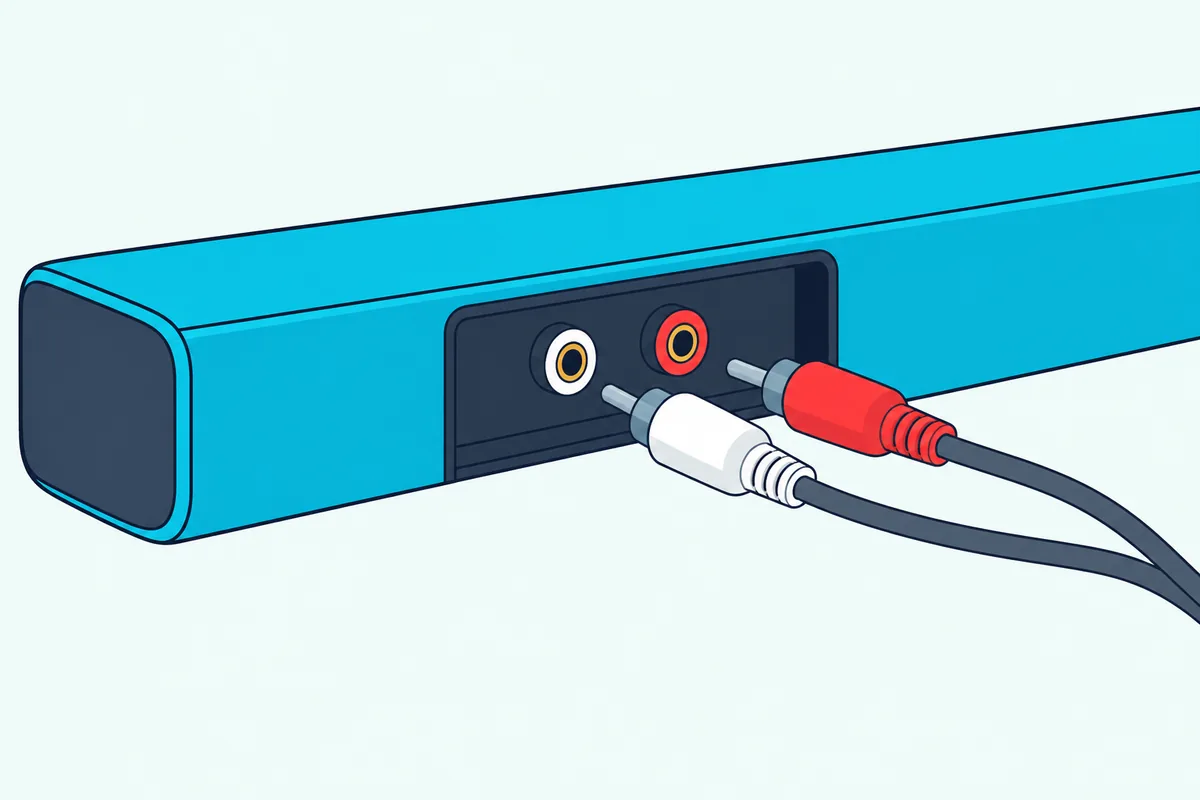
RCA’s manuals connect AUX IN to the TV’s AUDIO OUT, so a red-and-white pair marked IN on the TV is the wrong one. If you need the cable, FosPower’s 6-foot RCA stereo cable has two RCA plugs at each end, per its listing.
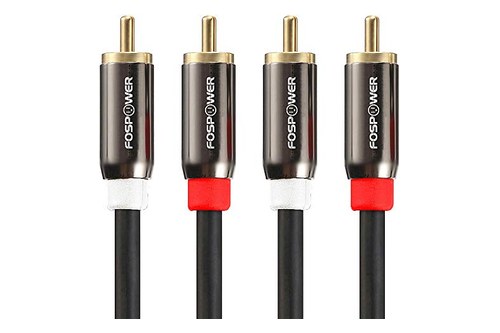
FosPower’s 6-foot RCA stereo cable
A TV with only a headphone jack works too: the RTS7113WS sheet draws a 3.5 mm-to-RCA cable from that jack into AUX IN, and the RTS7010B manual describes the same route. UGREEN’s 6.6-foot 3.5 mm-to-RCA cable is that cable, per its listing.
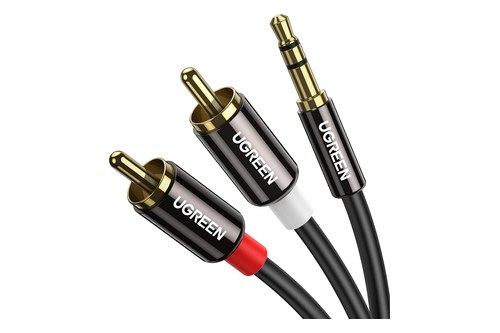
UGREEN’s 6.6-foot 3.5 mm-to-RCA cable
Bose’s guide for that hookup sets the TV’s volume to 75 percent of maximum, then adjusts the bar with its own remote, while RCA’s manuals give no level. iLive’s steps match the colors the same way, as how an iLive bar takes the same cable shows.
Why Is an RCA Sound Bar Silent on Optical?
That optical route has one catch the analog jacks don’t: the RCA manuals that cover it allow only one format. The RTS7010B manual says OPTICAL IN only supports PCM, so if the optical light is on but nothing plays, activate PCM (Downmix), in the manual’s words, in the TV’s audio settings.
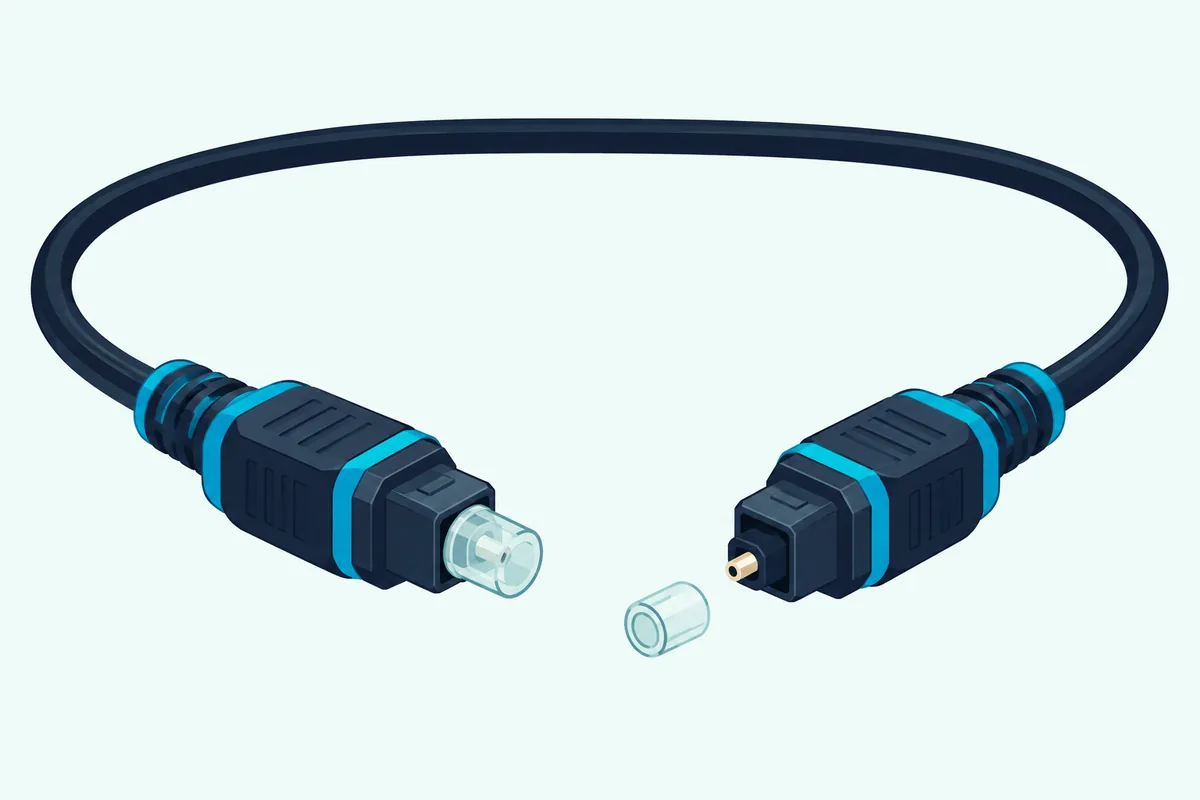
The RTS6737BHS’s manual sets the same PCM-only limit for both its optical and coaxial inputs. On a Roku TV, that choice lives under Settings, System, Audio, S/PDIF and ARC (Roku).
Pull the protective caps off a new optical cable before you plug it in, because Roku warns that a capped plug can make a faulty connection. If PCM doesn’t fix it, the manuals’ other checks are loose cables, the wrong input light and mute, which flashes all four lights.
Can You Hook Up an RCA Sound Bar With HDMI?
Those digital limits are where HDMI would help, but none of the RCA manuals read here lists an HDMI input or ARC. The only HDMI jack is the RTS6737BHS’s HDMI OUT, which its manual connects to the TV’s HDMI IN so the DVD picture reaches the screen, while TV sound comes back over optical, coaxial or AUX.
None of the manuals mentions HDMI-CEC or running the bar from a TV remote either, so keep the RCA remote handy. If you’re weighing a newer bar with ARC, our comparison of HDMI vs optical on a soundbar covers what changes.
How Does Bluetooth Pairing Work on an RCA Sound Bar?
Bluetooth is the only wireless input these bars list, and every manual pairs it the same way. Press SOURCE on the bar or the Bluetooth key on the remote until the Bluetooth light blinks, then pick the bar on your phone and enter 0000 if it asks for a code.
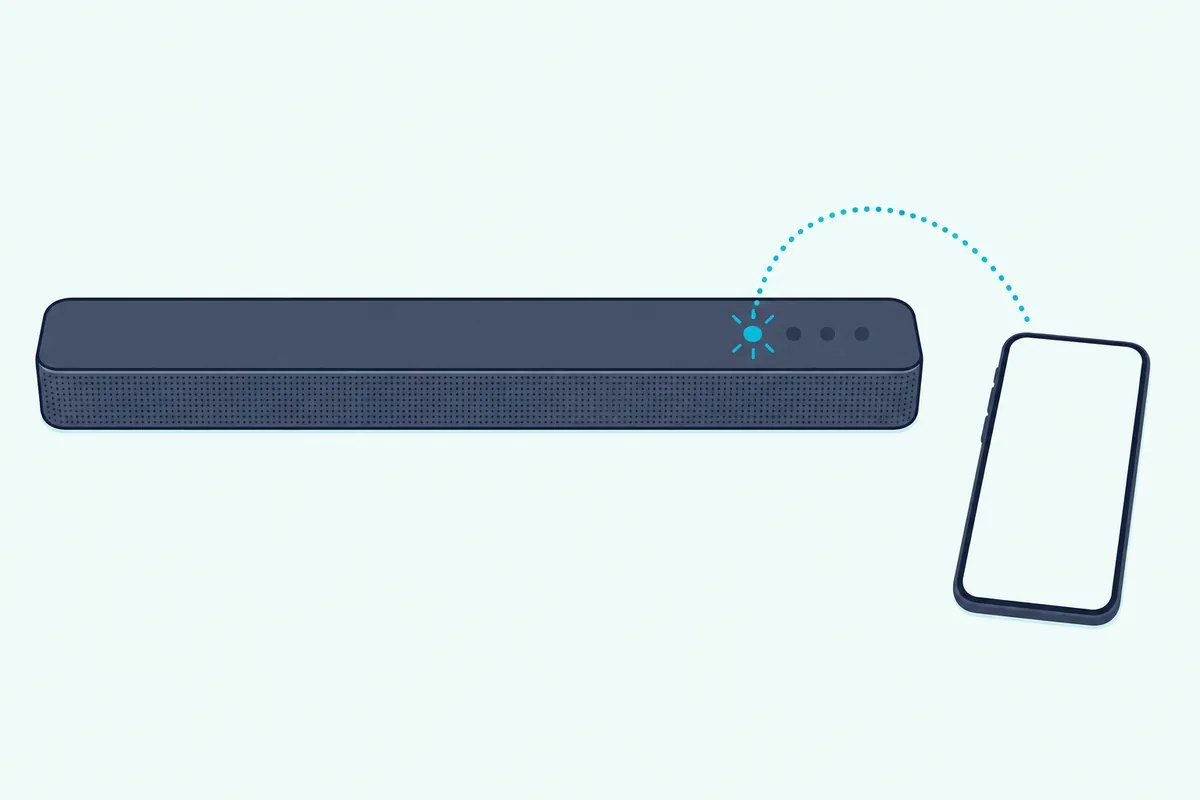
The name to pick is RCA plus the model on the RTS7010B, RTS7131B, RTS7220B, RTS7220B-2 and RTS739BWS, and simply “Bluetooth” on the RTS7010B GE6, RTS7015B, RTS7116S, RTS7113WS and RTS6737BHS. A steady light means it paired, and a slow blink means it failed and you should try again.
The RTS7220B adds a step: a slow blink means it’s looking for the last device it paired with, and a fast blink means it’s ready for a new one. The manuals’ examples are a phone or an MP3 player, and none describes pairing a TV, so the cables above stay the documented route for TV sound.
How Do You Hook Up a Sound Bar to an RCA TV?
That cable-first advice also covers the third reading of RCA: a sound bar of any brand on an RCA TV. RCA’s support page describes its TVs as Roku TV and webOS sets, and Roku says every Roku TV has an HDMI ARC connection and a digital audio output.
So on an RCA Roku TV, a bar with ARC goes on the HDMI port labeled ARC, and an RCA bar goes on the optical output with the PCM setting above. For other menus and older sets, Burton Acoustix’s guide to connecting any soundbar to a TV walks through ARC, optical and the analog jacks.
Who Still Supports RCA Sound Bars?
Support is the hard part, because RCA itself doesn’t build these bars. RCA’s site says its name and logos belong to Talisman Brands and that licensees are solely responsible for RCA-branded products (RCA).
The manuals name AVC Multimedia as the warranty provider and support.RCAAV.com as its help site, and the FCC filings for these bars list Alco Electronics. That address now shows only a “Redirecting…” page, and RCA’s own sound bar page still reads “Coming soon Q1 2024.”
The closest listed contact is the TV-accessories line on RCA’s support page, 1-877-252-6873, which is also the number AVC printed in the RTS7010B and RTS7220B-2 manuals. So the manual for your model, from the copies linked here, is the most complete set of instructions left.
Frequently Asked Questions
What is the Bluetooth code for an RCA sound bar?
It’s 0000. Every RCA manual read here says to enter the 4-digit number 0000 if your phone asks for a password while pairing, and the name to pick depends on the model, as the Bluetooth section above lists.
Why won’t my RCA sound bar pair with Bluetooth?
The manuals’ fix for a failed pairing is to reset the link: turn your phone or the bar off and on, or switch the bar to another source and back to Bluetooth. Turn the phone’s Bluetooth on before you start, and on the RTS7220B wait for the fast blink that means it’s ready for a new device.
Why are all the lights on my RCA sound bar flashing?
The bar is muted. The manuals say all four lights flash while mute is on, so press MUTE on the remote to bring the sound back; when you change the volume, bass or treble, the same lights show the level for a moment instead.
Where can I find RCA sound bar instructions?
This guide links readable copies: ManualShelf’s for the RTS7010B, RTS7110B, RTS7630B and RTS7220B, and Forest River’s for the RTS7131B. ManualShelf lists the table’s other models too, and the support site printed in the manuals now shows only a redirect page, so save the copy for your model.