How to Connect a Soundbar to a TV With an Optical Cable
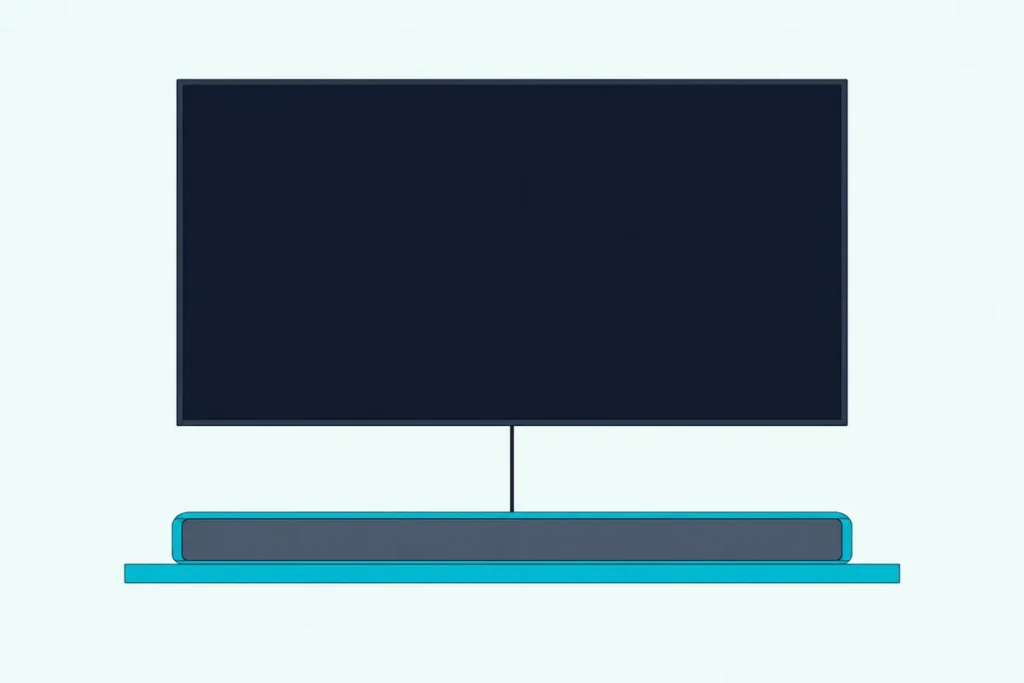
Here’s how to connect a soundbar to a TV with an optical cable: run the cable from the TV’s digital audio output to the bar’s optical input, set the bar to that input, then switch the TV’s audio output to optical.
Skip that last menu and the bar can sit on the right input in silence while the TV’s own speakers carry on.
Set the output and the audio format once, and the bar handles the TV’s audio from then on.
Each maker puts that switch somewhere different, so the paths below come from Samsung’s, LG’s, Sony’s, Roku’s, Vizio’s and Hisense’s own manuals and help pages, with the TV systems each one covers.
Start with the five steps, find your TV in the menu table, then work through the no-sound checks if the bar stays quiet.
How to Connect a Soundbar to a TV With an Optical Cable?
Those five steps cover both ends of the cable, and their order matters. Plug the cable into the TV’s digital audio output and the bar’s optical input, then choose the optical input on the bar and the optical output on the TV.
| Step | What to do |
|---|---|
| 1 | Pull the protective caps off both plugs, then insert one end in the TV’s optical output and the other in the bar’s optical input |
| 2 | Switch the soundbar on, then the TV |
| 3 | Set the soundbar to its optical input |
| 4 | Send the TV’s audio to the optical output in its settings |
| 5 | Set the TV’s digital audio format to PCM, then try Dolby Digital once you hear the TV |
Roku warns that a cap left on can cause a faulty connection or damage the cable or the port. Hisense’s manuals want the audio device switched on before the TV, and Burton Acoustix’s Hisense optical walkthrough covers that brand model by model.
Which Port and Cable Does an Optical Connection Use?
Step 1 starts with finding the right jack, and makers label it several ways. Look on the TV’s back panel for DIGITAL AUDIO OUT (OPTICAL) on a Sony, DIGITAL AUDIO OUT on a Samsung or Hisense, or Optical Audio Out on a Vizio, and Roku adds Digital output and S/PDIF to the list.
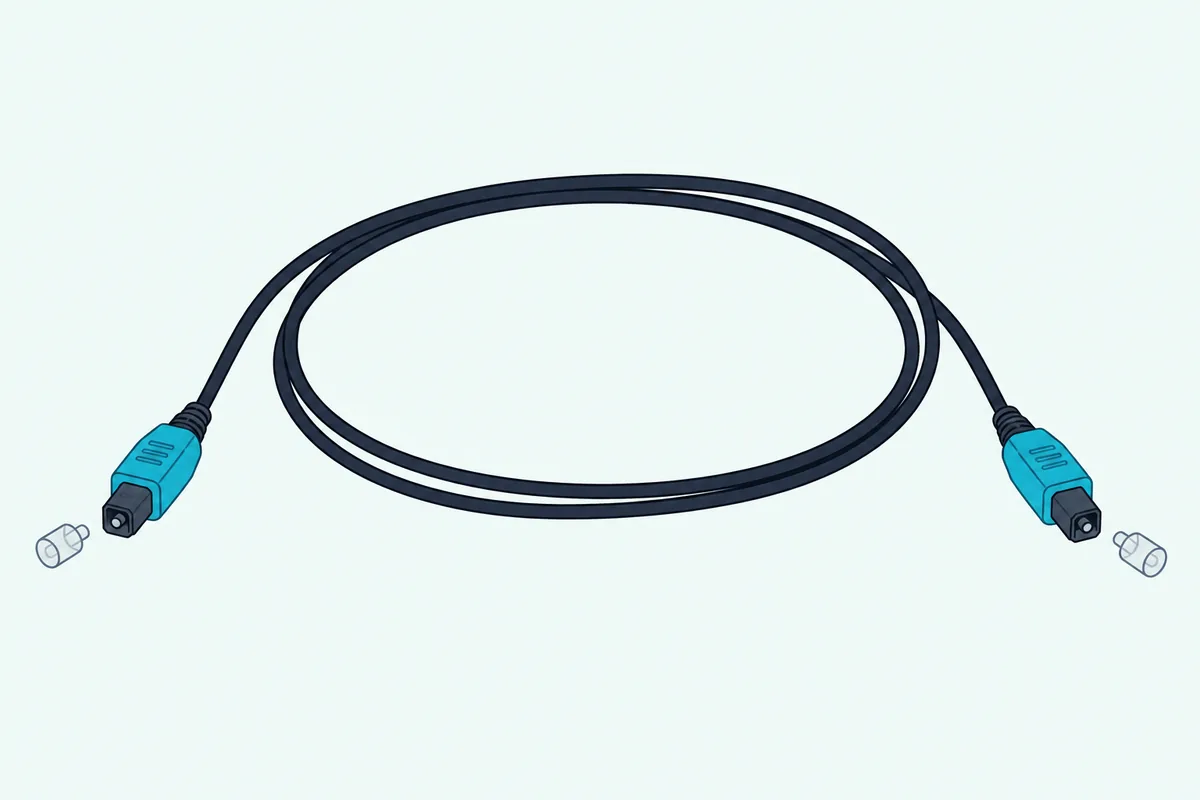
The cable that fits is an optical audio cable, which Roku also calls a TOSLINK cable, and Samsung explains that it transfers digital audio signals as light. That light gives you a quick test: TCL’s support says a faint red light should show at the cable’s end on the source side, and no light suggests the TV isn’t sending optical audio or the cable is faulty.
TCL also warns that bending or pinching the cable sharply can damage the fiber inside. Check the box first, since Samsung’s HW-B650, Vizio’s M51a-H6, Sony’s and Hisense’s manuals all leave the cable out.
If yours is missing, KabelDirekt’s 6 ft TOSLINK optical cable runs from the TV’s digital audio output to the bar’s optical input. It had at least 4.0 stars and 50 reviews on Amazon and was in stock on 14 October 2026, and no price appears because prices change.
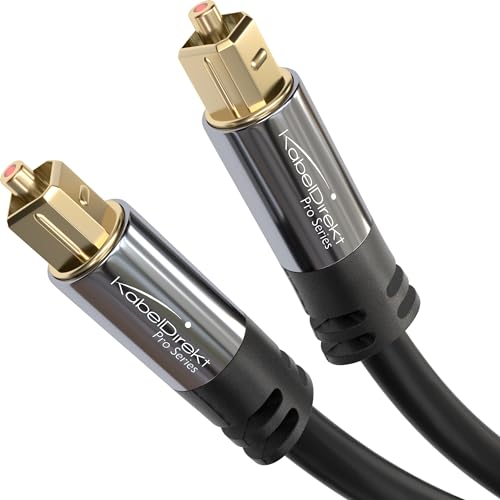
KabelDirekt’s 6 ft TOSLINK optical cable
Get Studio Tips Weekly
Join 5,000+ creators getting acoustic treatment advice every week.
No spam. Unsubscribe anytime.Which Input Do You Choose on the Soundbar?
With the cable seated at both ends, the bar still has to listen to it. Press the bar’s input or source button until it shows its optical input, which each maker names a little differently.
TCL’s support calls it OPTICAL or DIGITAL IN, Samsung’s HW-B650 manual has you select D.IN, and LG’s S75QR shows OPT/HDMI ARC on its display. Vizio’s M51a-H6 lights its input LED red for Digital Optical.
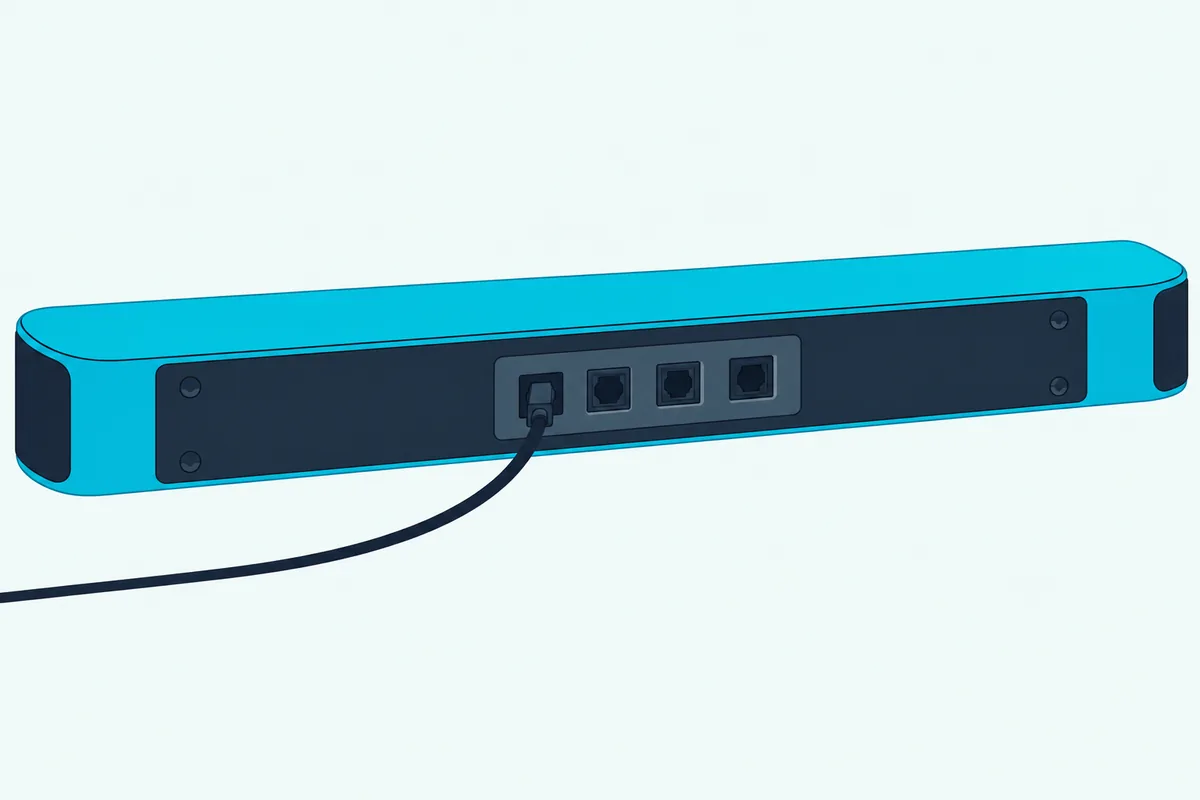
TCL notes that its bars with HDMI ARC or Bluetooth may switch inputs on their own, so reselect optical if yours goes quiet later.
Which TV Menu Turns On the Optical Output?
The bar is ready once it shows optical, but TCL notes that most TVs don’t switch to optical output on their own. Look for Sound Output, Sound Out, Speakers or Audio Output; the table gives each maker’s path from its own documents:
| Your TV (system) | Send the audio to optical | Set the audio format |
|---|---|---|
| Samsung | Settings > Sound > Sound Output, then the optical option | Settings > Sound > Expert Settings > Digital Output Audio Format |
| LG (webOS 22 to 25, 2022-2025) | All Settings > Sound > Sound Out > Use Wired Speaker > Optical Out Device | All Settings > Sound > Advanced Settings > Digital Sound Output |
| Sony (Google TV BRAVIA) | Settings > Display & Sound > Audio output > Speakers > Audio system | Settings > Display & Sound > Audio output > Digital audio out |
| Roku TV (TCL, Hisense and others) | No switch in Roku’s guide; every Roku TV has a digital audio output | Settings > System > Audio > S/PDIF and ARC |
| Vizio (2022 V-Series) | No switch in the manual; Menu > Audio > TV Speakers turns the TV’s speakers off | Menu > Audio > Digital Audio Out |
| Hisense (VIDAA) | Settings > Sound > Audio Output Settings > Audio Output > SPDIF | Settings > Sound > Audio Output Settings > Digital Audio Out |
| Hisense (Google TV, 2025) | Settings > Display & Sound > Audio Output > OPTICAL (S/PDIF) | Settings > Display & Sound > Sound > Digital Audio Output > Digital Audio Format |
Samsung’s optical guide names that option Audio Out/Optical, and our steps to connect a Samsung soundbar to your TV cover the bar side. For older LG sets, LG’s Sound Out paths for each year reach back to 2020.
Sony’s guide sets Speakers to Audio system first, because Digital audio out is only available with that setting, and Sony’s own bars are covered when you connect a Sony soundbar to a TV. Vizio’s TVs switch their speakers off automatically when they discover a sound bar, per its 2022 manual, so set TV Speakers to Off if they keep playing, and the bar side is in our guide to connecting a Vizio soundbar to a TV.
Roku TVs can keep their speakers playing alongside optical, and TCL’s guide for its Roku TVs turns them off under Settings > Audio > TV Speakers. No TCL Google TV manual turned up, so those models aren’t listed.
Should the TV Send PCM or Dolby Digital Over Optical?
That third column matters as much as the second, because a bar fed a format it can’t decode stays silent. Start with PCM, which TCL says ensures compatibility, then move to Dolby Digital or Auto if your bar decodes it and you want 5.1 surround.
Roku’s surround guide spells out the limit: S/PDIF carries 2 channels of uncompressed stereo (PCM) or 5.1 channels of compressed Dolby Digital or DTS. Samsung lists the same Dolby Digital and DTS for optical, while HDMI adds Dolby Digital Plus, Dolby TrueHD, DTS-HD Master Audio, Dolby Atmos and DTS:X.
Samsung keeps its Dolby Digital+ option for HDMI ARC, Hisense’s VIDAA manual reserves Dolby Digital for the optical port, and Sony mutes Dolby Digital Plus over optical audio out.
LG shows what Auto does on its 2024 TVs: Dolby Digital Plus, Atmos and TrueHD soundtracks leave the optical port as Dolby Digital, and DTS:X leaves as DTS. TCL adds that many soundbars, including its own, don’t support Dolby Digital or DTS over optical, which is why PCM comes first.
Why Is There No Sound From the Soundbar Over Optical?
If PCM still gives you silence, check the chain one link at a time. The makers’ troubleshooting pages point to the same few causes: the TV’s output setting, the bar’s input, the cable and a format the bar can’t play.
| Check | What to look for |
|---|---|
| TV output | Optical, Audio system or SPDIF selected, not the TV speakers |
| Soundbar input | Optical, D.IN or Digital Optical showing |
| Cable | Caps off, plugs pushed fully in, a faint red light at the TV end |
| Format | PCM; Vizio’s M51a-H6 flashes its input LEDs and announces “format not supported” on a format it can’t play |
| Volume | The bar turned up, and on a Sony, Digital audio out volume at maximum |
TCL then suggests unplugging the TV and the bar for about 30 seconds, and trying another cable or device to find the faulty part. If a TCL bar itself stops responding, resetting a TCL soundbar starts with that same unplug before its factory reset menu.
Silence from one source only has its own cause. Vizio’s M51a-H6 manual notes that some TVs don’t pass digital audio through, and Sony’s guide says Super Audio CD and DVD-Audio played over HDMI may not reach the optical output.
Can the TV Remote Control the Soundbar’s Volume Over Optical?
Once you hear the TV through the bar, the remote’s volume keys may do nothing. Usually they can’t, because an optical cable carries audio only: Samsung disables the remote’s Volume and Mute buttons when Sound Output is set to external speakers only, and Hisense tells you to turn the TV down and use the sound system’s volume.
HDMI ARC solves that with HDMI-CEC, which Roku says lets the TV remote adjust the volume and mute your sound system. LG is the exception for its own bars, since its webOS guides let a soundbar with LG Sound Sync follow the TV remote over optical once Advanced Settings > LG Sound Sync is on.
Sony’s Digital audio out volume applies to PCM only, so the level changes when you switch formats.
The Bottom Line
Optical takes one cable and three settings: the bar’s optical input, the TV’s optical output and PCM as the first format to try.
Move to Dolby Digital once the bar plays if it decodes it, and choose HDMI ARC when you want one remote or formats such as Dolby Atmos that optical can’t carry.
Frequently Asked Questions
Can you connect a soundbar to a TV with just an optical cable?
Yes. The optical cable carries the TV’s audio on its own, with no HDMI connection needed. On most TVs you’ll set the bar’s volume with its own remote, since the cable can’t carry the TV remote’s commands; LG’s Sound Sync bars on LG TVs are the exception.
Is it better to connect a soundbar with an HDMI cable or an optical cable?
HDMI ARC, when both the TV and the bar have it. Samsung says there’s no difference in sound between the two and that the main difference is the formats, since HDMI adds Dolby Digital Plus, Dolby Atmos and more. Roku adds a single cable and TV-remote volume through HDMI-CEC, so optical is the fallback for a TV or bar without ARC.
Can you use optical and HDMI ARC at the same time?
You can plug in both, but expect one to win. LG’s S75QR manual gives the ARC signal priority when both arrive, and Hisense’s VIDAA manual switches the TV’s output to ARC once an ARC device is connected. Sony’s guide says to set Dolby Digital Plus output to Dolby Digital if you use ARC and optical audio out, because Dolby Digital Plus is muted over optical.
Can an optical soundbar work with a TV that connects over HDMI?
Yes, if the TV also has an optical output, and Roku says every Roku TV has one alongside HDMI ARC. Sony adds that an audio system connected by HDMI without ARC needs an optical cable from DIGITAL AUDIO OUT (OPTICAL) to get digital sound. LG offers Optical Out Device only on models with an optical port, so check the TV’s back panel or manual first.
Why do the TV speakers and the soundbar both play?
The TV’s speakers are still on. LG’s Optical Out Device + TV Speaker and Hisense’s TV Speaker with OPTICAL keep both playing by design, so pick the plain optical option; on a TCL Roku TV, uncheck TV speakers enabled under Settings > Audio > TV Speakers.