How to Connect a Soundbar to a TV With an AUX Cable, Step by Step
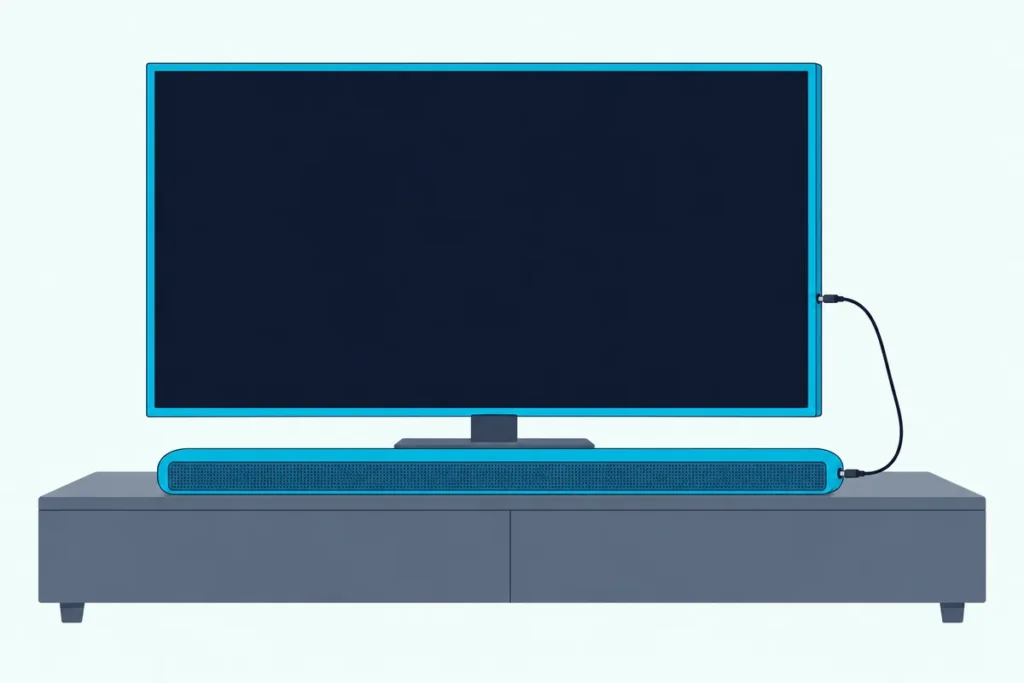
Here’s how to connect a soundbar to a TV with an AUX cable: run a stereo cable from the TV’s headphone or audio-out jack to the bar’s AUX input, switch the bar to AUX, then point the TV’s sound at that jack.
Skip the last step and you get a bar that lights up but stays silent, or one that ignores the TV’s volume buttons.
Get the jack, the cable and that one TV setting right, and an older TV or a bar without HDMI can still feed the soundbar clean stereo sound.
Below you’ll see which TVs still have the jack, what each TV maker calls the output setting, and whether to choose fixed or variable volume.
Then you can decide whether AUX is enough for your setup or whether an optical or HDMI ARC cable is the better buy.
How to Connect a Soundbar to a TV With an AUX Cable in Four Steps
The whole job takes one cable and two menus. To connect a soundbar to a TV with an AUX cable, plug a 3.5 mm stereo cable (or a 3.5 mm-to-RCA cable) into the TV’s headphone or AUDIO OUT jack and the bar’s AUX IN, set the bar to AUX, and set the TV to send its sound out of that jack.
- Find the TV’s analog output: a 3.5 mm headphone jack, or a red-and-white pair of round jacks marked AUDIO OUT.
- Plug the matching cable into that jack and into the soundbar’s AUX IN.
- Turn both on and press Source or Input until the bar is on AUX.
- In the TV’s sound menu, switch the headphone or analog output to audio out, and choose fixed or variable volume.
Samsung’s own AUX steps cover the first three: connect the bar’s AUX IN to the AUDIO OUT jack on the TV, press Source, and set the soundbar to AUX mode. Step 4 lives in the TV’s own menus, so the TV makers’ guides supply it, and the sections below give each maker’s name for it.
The rest of this guide walks through each step in that order, starting with the jack that decides whether AUX is possible at all.
Does Your TV Have a Headphone or Audio Out Jack?
That first step is the one to check before you buy anything. Some TVs have an analog output and some don’t: Hisense’s 55A6GV manual says its HEADPHONE port “may not be available in some models,” and Samsung’s 2025 TV guide hedges the same way with “If your TV has a headphone jack.”
The jack takes one of two shapes. Bose’s TV Speaker owner’s guide splits TVs without optical or HDMI ports into those with only a headphone port and those with only analog ports, the red and white Audio OUT RCA jacks.
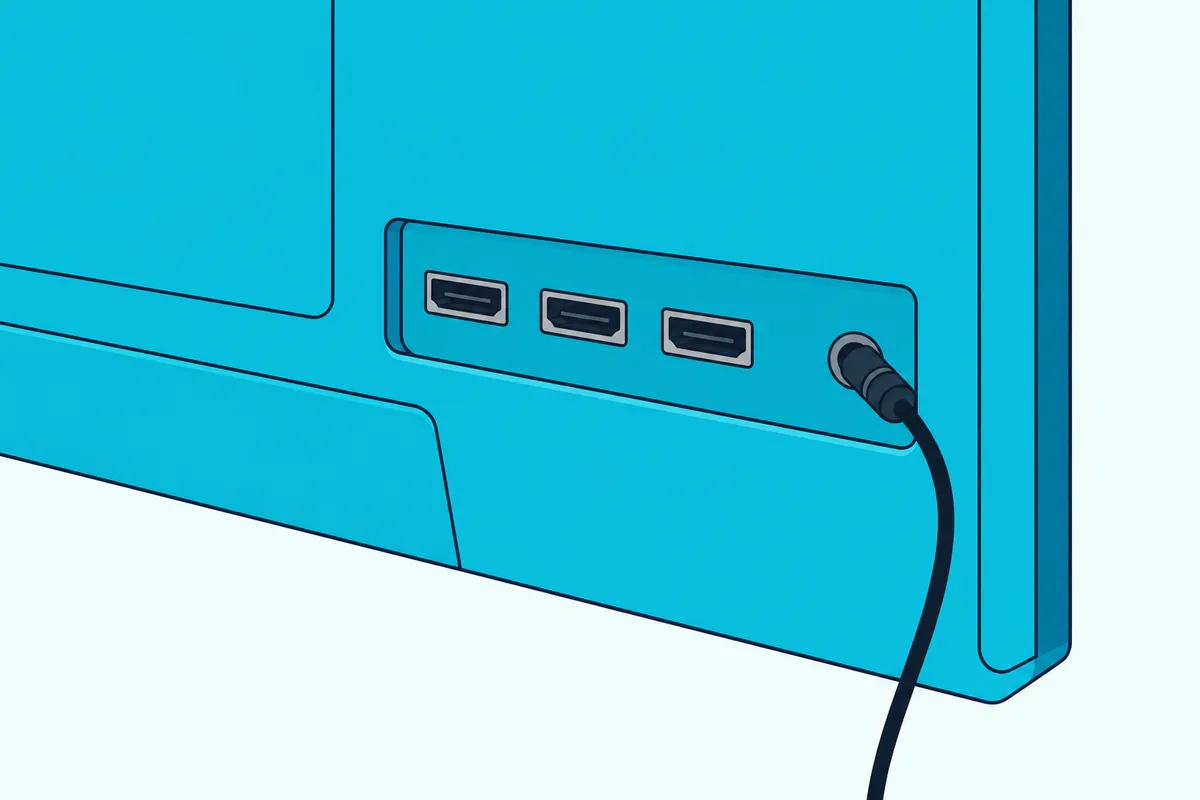
Here’s what the makers call that output, so you can match it to the label on your set:
- Sony BRAVIA: a jack the Help Guide’s Headphone/Audio Out setting can switch from headphones to an external audio system.
- LG webOS: a wired output the e-guide treats as either Wired Headphones or an Audio Out Device.
- VIZIO 2022 V-Series: a Stereo Audio Out pair, which the manual says connects to “an RCA device, such as sound bar.”
- Hisense VIDAA: a HEADPHONE port, on the models that have one.
Try this before you shop: look along the TV’s back and side edges for a small round hole or a red-and-white pair, and read the word printed beside it. A pair marked IN takes sound into the TV, so it’s the wrong one; Bose’s steps use the TV’s Audio OUT jacks and Samsung’s use the AUDIO OUT jack.
No jack at all means AUX is off the table for that TV. In that case the TV’s optical port or HDMI ARC is the route, which the last section of this guide compares.
Get Studio Tips Weekly
Join 5,000+ creators getting acoustic treatment advice every week.
No spam. Unsubscribe anytime.Where Is the AUX Input on the Soundbar, and How Do You Select It?
Once the TV end checks out, flip the soundbar around for the other half. The bar’s AUX input is a stereo jack labeled AUX IN, AUX or ANALOG IN (3.5 mm on the VIZIO and Bose bars read here), and you choose it with the bar’s Source, Input or ANALOG button, the same way you’d pick any other input.
Each maker prints its own name on it. Samsung’s guide calls it the AUX IN jack and the mode AUX; VIZIO’s SB3830 labels it AUX, “Analog Audio In (3.5mm Stereo)”; Sony’s HT-A7000 calls it the ANALOG IN jack; and Bose’s TV Speaker has an AUX IN port beside OPTICAL IN and HDMI IN.
Bars sold under the RCA name have layouts of their own, and the labels vary from model to model. If that’s your bar, the walkthrough on how to hook up an RCA-brand sound bar lists each model’s jacks and buttons.
Selecting the input works like this on the bars read for this guide (each button sits on the bar, its remote or both):
| Soundbar | Input name | How to select it | What tells you it’s on AUX |
|---|---|---|---|
| Samsung (AUX models) | AUX IN | Source | The bar is set to AUX mode |
| VIZIO SB3830 | AUX | Input, on the top panel too | The input you plugged into, such as Aux 1 |
| VIZIO M51a-H6 | AUX In | INPUT | The input LED glows green |
| Sony HT-A7000 | ANALOG IN | ANALOG, or Home, Listen, Analog | The Analog screen on the TV |
That table also answers how to do it without the bar’s clicker. Samsung puts a Source button on the bar itself, and VIZIO’s SB3830 has an Input button on its top panel.
One small trap is a second analog jack. VIZIO’s M51a-H6 has an AUX VA jack beside AUX In, and its manual says to use that port only for a voice assistant device, so the TV cable belongs in AUX In.
Do You Need a 3.5 mm Cable or a 3.5 mm-to-RCA Cable?
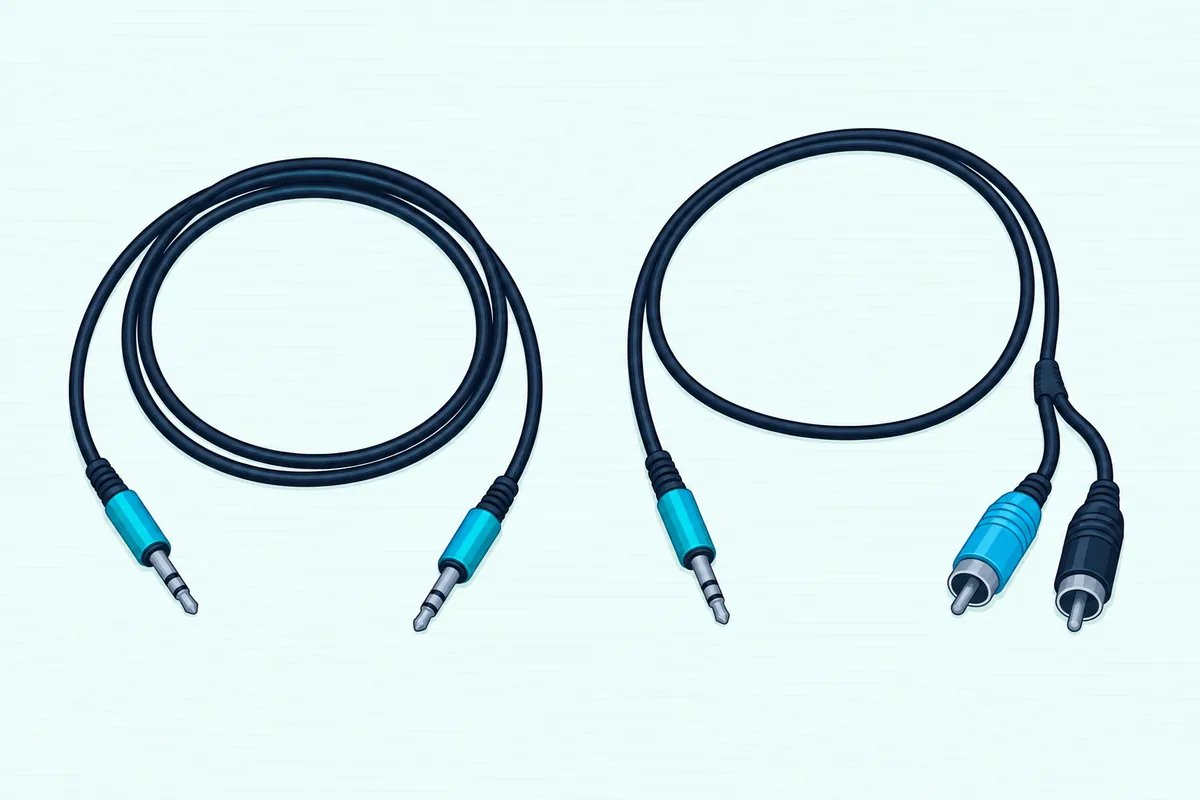
With both jacks found, the cable is simply the shape that joins them. Use a 3.5 mm stereo cable, with a 3.5 mm plug on each end, from a TV headphone jack, and a 3.5 mm-to-RCA stereo cable from a red-and-white AUDIO OUT pair: those are the two cables Bose’s TV Speaker guide names for those two cases.
Check the box before you order, because some bars include the cable and some don’t. VIZIO’s SB3830 ships with both a stereo RCA-to-3.5 mm cable and a 3.5 mm-to-3.5 mm cable, while Bose marks both of its cables “not provided,” Sony’s HT-A7000 lists its analog audio cable as not supplied, and Denon’s Home Sound Bar 550 asks for “a commercially available 3.5 mm stereo audio cable.”
For a headphone jack, UGREEN’s 6 ft 3.5 mm audio cable is a male-to-male 3.5 mm cable with a nylon-braided jacket, per its listing. That’s the plug shape Bose’s headphone-port steps call for at both ends.
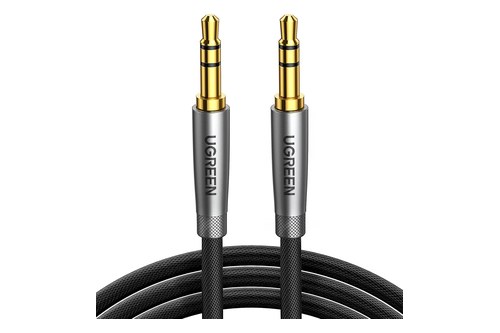
UGREEN’s 6 ft 3.5 mm audio cable
For a red-and-white AUDIO OUT pair, UGREEN’s 6.6 ft 3.5 mm-to-RCA cable has a 3.5 mm plug at one end and two RCA plugs at the other, per its listing. Its RCA end goes into the TV, matching Bose’s analog-port steps, which run the RCA end into the TV’s Audio OUT jacks and the stereo plug into the bar.
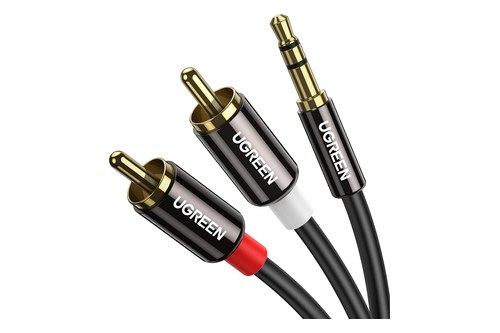
UGREEN’s 6.6 ft 3.5 mm-to-RCA cable
Measure the run first, since a jack on the far side of a wall-mounted TV can sit a long way from a bar on the cabinet below. If the bar’s input turns out to be a red-and-white pair too, you need a cable with two RCA plugs at each end instead.
Which TV Setting Sends Sound Out of the Headphone Jack?
A connected cable still won’t carry sound until the TV knows a speaker system, not a pair of headphones, is on the other end. Find the headphone or analog-output setting in the TV’s sound menu and pick the audio-out option: Sony calls it Headphone/Audio Out, LG lists Audio Out Device beside Wired Headphones, and VIZIO’s is Analog Audio Out.
The path differs by brand and year, so here’s where each maker’s own guide puts it:
| TV | Where the setting is | What to choose |
|---|---|---|
| Sony BRAVIA (2022 Help Guide) | Settings, System Settings, Setup, AV Setup, Headphone/Audio Out | Audio out (Fixed) or Audio out (Variable) |
| Sony BRAVIA (2014 i-Manual) | Settings, Sound, Headphone/Audio Out | Audio Out |
| LG webOS 24 and 25 | Settings, Sound, Sound Out, Use Wired Speaker | Audio Out Device |
| VIZIO 2022 V-Series | Menu, Audio, Analog Audio Out | Fixed or Variable |
| Hisense 55A6GV (VIDAA) | Settings, Sound, Headphone, Headphone Mode | Headphone with Speakers plays both at once |
Sony’s Help Guide adds a rule worth knowing: disconnect any headphones from the TV when you select Audio out (Fixed), Audio out (Variable) or Subwoofer. The same page has a separate Speakers setting that chooses between the TV speakers and external audio equipment.
LG’s webOS e-guide says to choose Wired Headphones or Audio Out Device to suit the device you’ve connected, and notes some models may not support it. It also says the TV detects wired headphones plugged in while it’s on and redirects audio through them.
The TV’s own speakers are the other half of the setting. Hisense says its built-in speakers are disabled while headphones are connected to the HEADPHONE port, and VIZIO’s audio menu has a TV Speakers switch you can set to Off.
Samsung’s 2025 guide is the odd one out among the guides read here. Its Connection Guide lists “Optical/Audio Out” among audio connections, but the guide names no setting for an analog output, so check your own model’s e-Manual.
Should the TV’s Audio Out Be Fixed or Variable?
Sony and VIZIO add one more choice to that menu, and it decides which remote you’ll reach for. Choose Variable if you want the TV remote to set the soundbar’s level, and Fixed if you’ll use the soundbar’s remote: VIZIO’s V-Series manual says to select Variable when you control the volume with the TV remote and Fixed when the sound bar will control it.
Sony’s Help Guide spells out what each one does. With Audio out (Fixed), the TV’s output stays put and you use the audio system’s volume control, while Audio out (Variable) lets the TV’s remote control the volume going out of the jack.
Think of Fixed as a tap left fully open, with the soundbar as the only valve. Variable turns the TV into a second valve upstream, so both volume settings now shape what you hear.
Bose puts a number on that second valve for its headphone-port setup. Its guide says to set the TV’s volume to 75 percent of maximum, then set the speaker’s level with the speaker’s own remote.
Here’s a quick test: with sound playing, press the TV remote’s volume button and listen to the bar. If the bar’s level moves, the TV is sending a variable output.
LG’s and Hisense’s guides read for this page don’t name a fixed or variable option. On those TVs, run the same test, and if the TV remote does nothing, use the bar’s remote for volume.
Why Is There No Sound From the Soundbar Over AUX?
When the bar stays quiet, walk back through those four steps in order. Check the three links in the chain: that the cable sits in the TV’s OUT jack, that the bar is on the input you plugged into, and that the TV’s headphone setting points to audio out.
- The jack: a red-and-white pair marked IN takes sound into the TV and won’t send any out. Bose’s analog steps use the Audio OUT jacks, and Samsung’s use the AUDIO OUT jack.
- The input: VIZIO’s SB3830 guide says that if you connected the TV to AUX 1, set the bar to Aux 1.
- The TV setting: on a Sony, Headphone/Audio Out still set to Headphone sends sound to a headphone, not a sound system.
- Mute: Bose’s TV Speaker shows mute with a pulsing TV or Bluetooth light, and its Mute button clears it.
That fixed-or-variable choice from the last section matters here too. On a variable output, a TV turned all the way down or muted sends the bar nothing to play, so raise the TV volume before you decide the cable has failed.
Distortion is the opposite problem. Bose’s troubleshooting table answers poor or distorted audio with, among other fixes, reducing the volume of the device the audio is coming from, which here means easing the TV’s output down and raising the bar instead.
One Bose detail can look like a fault but isn’t. The TV Speaker has an auto-wake setting that powers it on whenever a sound signal arrives over an optical or analog cable, so it can switch itself on when the TV starts playing.
Can an AUX Cable Carry Surround Sound or Dolby Atmos?
Once sound is flowing, it helps to know what kind of sound it is. An AUX cable carries two-channel stereo: VIZIO’s TV manual says audio with more than two channels has to go out the digital output, and VIZIO describes its bars’ AUX jacks as stereo (the M51a-H6 calls AUX In “Analog Audio In (Stereo 3.5mm)”).
So a 5.1 Dolby Digital or DTS soundtrack can’t reach the bar as 5.1 over this cable, only as two channels. Dolby Atmos is out too, and VIZIO’s SB46514-F6 manual lists Aux among the inputs that “do not support Dolby Atmos.”
Compare that with the digital routes. Roku’s surround sound guide says the optical (S/PDIF) output carries 2-channel PCM or 5.1 Dolby Digital or DTS, and HDMI ARC adds formats such as Dolby Digital Plus and Dolby Atmos.
Samsung says the same thing about sound quality in plainer words. Its AUX guide says you’ll still enjoy first-rate sound from the bar, but because AUX cables use an analog connection, it won’t sound as good as HDMI or an optical cable.
The bar’s own processing still works on a stereo feed, though. VIZIO’s M51a-H6 manual says that with its Surround setting on and stereo content playing, EQ Music produces DTS Virtual:X enhanced sound and EQ Movie a 5.1 effect, so a stereo feed still gets the bar’s own surround processing, just not a true 5.1 soundtrack.
Can the TV Remote Control the Soundbar’s Volume Over AUX?
Stereo is the sound trade-off; the remote is the everyday one. Not through the link that usually does it: Roku describes TV-remote volume and mute for a soundbar as part of CEC, an HDMI feature, and an AUX cable has no HDMI connection to carry it.
VIZIO’s TV manual shows the same split from the TV side. Its Sound Bar Settings appear in the TV’s Audio menu only when a VIZIO bar is detected and connected over CEC through HDMI ARC or eARC.
That leaves three ways to live with it, and the first comes straight from the last few sections:
- Set the TV’s output to Variable (Sony, VIZIO), so the TV remote changes the level of the signal going to the bar.
- Teach the bar your TV remote, if it supports learning. Bose’s TV Speaker can program a third-party infrared remote: put the speaker in program mode, press Volume up on the Bose remote, then hold Volume up on the TV remote for 2 seconds, and repeat for Volume down and Mute.
- Keep two remotes, with the TV output on Fixed and the bar’s remote for volume.
Bose adds one catch to option 2. Not every remote works: it has to send infrared (IR) signals for the speaker to learn it.
When Should You Use HDMI ARC or Optical Instead of AUX?
Those limits match the way VIZIO ranks the cables. Use HDMI ARC when both the TV and the bar have it and optical when they don’t, saving AUX for a TV and a bar that only share an analog jack: VIZIO’s SB3830 quick start guide labels the 3.5 mm-to-RCA cable GOOD, the digital optical and coaxial cables BETTER and the HDMI ARC cable BEST.
The reasons line up with everything above. Optical carries 5.1 Dolby Digital or DTS where AUX stops at stereo, and HDMI ARC adds Dolby Digital Plus, Atmos and CEC remote control, per Roku’s guide.
If your TV has a digital audio port, optical is the next step up on VIZIO’s scale, and our steps for connecting the soundbar over optical instead give each TV maker’s menu. If both have an ARC port, Burton Acoustix’s HDMI ARC walkthrough covers the port, the cable and the CEC setting by brand.
Some setups mix the two. Denon’s Home Sound Bar 550 page for a TV with HDMI but no ARC and an analog output uses the bar’s included HDMI cable plus a 3.5 mm stereo cable, and our page on every route for a TV without ARC lays out what each option gives up.
The Bottom Line
To connect a soundbar to a TV with an AUX cable, match the cable to the TV’s jack (3.5 mm for a headphone port, 3.5 mm-to-RCA for a red-and-white AUDIO OUT pair), set the bar to AUX, and switch the TV’s headphone or analog output to audio out. Then pick Variable to steer volume from the TV, or Fixed to steer it from the bar.
Expect stereo, not surround or Atmos, and a second clicker on the coffee table unless the output is variable or the bar can learn your TV’s. If the TV and bar share an optical or HDMI ARC port, that’s the better connection; AUX is the dependable fallback when they don’t.
Frequently Asked Questions
Can you connect a soundbar to a TV with an AUX cable without the soundbar remote?
Yes, as long as the bar has an input button of its own. Samsung’s AUX steps say to press the Source button on the soundbar or the remote to change the mode to AUX, and VIZIO’s SB3830 has an Input button on the top of the bar that changes the audio source. The TV side needs no soundbar remote at all, since the headphone or analog output setting lives in the TV’s own menu. Volume is the awkward part without it: set the TV’s output to Variable, where the TV offers it, so the TV’s own buttons set the level.
Do soundbars come with an AUX cable?
Some do. VIZIO’s SB3830 includes both a stereo RCA-to-3.5 mm cable and a 3.5 mm-to-3.5 mm cable. Others don’t: Bose’s TV Speaker comes with an optical cable and marks its 3.5 mm and 3.5 mm-to-RCA cables “not provided,” Sony lists the HT-A7000’s analog audio cable as not supplied, and Denon’s Home Sound Bar 550 asks for a commercially available 3.5 mm stereo cable. Check the box contents on the bar’s manual before you order one.
Why do the TV speakers go silent when the AUX cable is plugged in?
On some TVs, plugging into the headphone jack turns the speakers off. Hisense’s manual says the built-in speakers are disabled while headphones are connected to its HEADPHONE port, unless you choose Headphone with Speakers in the Headphone Mode menu. LG’s e-guide says the TV detects wired headphones and redirects audio through them. With a soundbar on that jack, the TV speakers going quiet is usually what you want, and if you later go back to the TV speakers, Samsung’s troubleshooting advice is to make sure nothing is plugged into the headphone jack.
Is AUX worse than optical for a soundbar?
For most TV sound, yes, by the makers’ own rankings. Samsung says an AUX cable’s analog connection won’t sound as good as HDMI or optical, and VIZIO’s SB3830 guide rates the 3.5 mm-to-RCA cable GOOD and optical BETTER. Optical also carries 5.1 Dolby Digital or DTS, per Roku, while AUX carries stereo only. AUX still has its place: it’s the connection to use when the TV has no optical port or HDMI ARC.