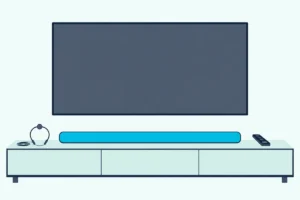
Best Soundbar Bracket: 8 Mounts Matched to Bar and TV
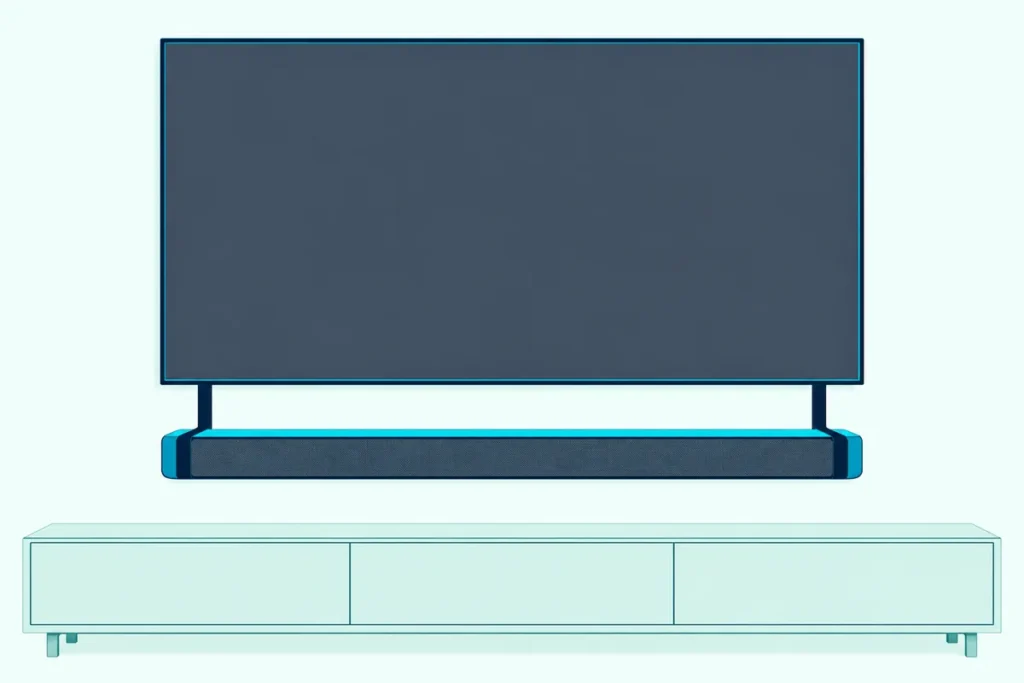
Choosing the best soundbar bracket starts with three numbers from your own setup: the soundbar’s weight, the TV’s mounting-hole pattern and the gap the soundbar maker wants under the screen.
Get one of them wrong and the soundbar sags on an underrated arm, blocks the TV’s remote sensor, or sits so close under the screen that the TV gets in the way of its upward-firing speakers.
Get them right and the soundbar hangs level, moves with the picture on a swinging TV mount, and sounds the way its maker tuned it.
Below are eight brackets checked on Amazon on 24 October 2026, from TV-attach arms and wall shelves to a no-drill top shelf and two maker-specific mounts.
The picks come first, then the bracket types, the four checks that match one to your soundbar, and what Sonos, Samsung, LG, Bose and Sony sell or ask for.
Which Is the Best Soundbar Bracket for Most Setups?
The short list has a pick for every way a soundbar can hang. For most people with a wall-mounted TV, the Mounting Dream MD5420 is the best soundbar bracket: its arms bolt between the TV and its wall mount, hold a soundbar up to 15 lbs above or below the screen, and swing with a full-motion mount.
Heavier soundbars need a higher rating, and the table sorts the eight picks by type, the load each listing states and what each one fits.
| Pick | Type | Rated load (listing) | Fits |
|---|---|---|---|
| Mounting Dream MD5420 | TV-attach arms | 15 lbs | TV VESA 200×100 to 600×400 mm |
| USX MOUNT universal mount | TV-attach or wall | 17.6 lbs | TV VESA 150 to 600 mm, studs 8 to 24 in apart |
| Mounting Dream 20 lb bracket | TV-attach or wall | 20 lbs | Hole spacing 200 to 800 mm wide |
| SANUS SOA-SBM1 | TV-attach arms | 15 lbs | TVs 32 to 86 inches |
| ECHOGEAR EGAV-SSBWM1 | Wall shelf | 20 lbs | Soundbars with or without threaded inserts, 3.6 to 6.6 in deep |
| Steel TV top shelf | Rests on the TV | 15 lbs | Flat-top TVs at least 4.72 in off the wall |
| Bose Soundbar Wall Bracket | Maker wall bracket | Not stated | Bose Soundbar 500, 700, SoundTouch 300 |
| SANUS mount for Sonos Arc | Maker-partner TV mount | Not stated | Sonos Arc and Arc Ultra, TVs 50 to 90 inches |
Everything in that table comes from the listing titles and photos, since none of the listings carried a written spec list. Once you’ve picked one, our step-by-step guide to hanging a soundbar on the wall covers the drilling.
| Product | Size | Link |
|---|---|---|
Most Wall-Mounted TVs 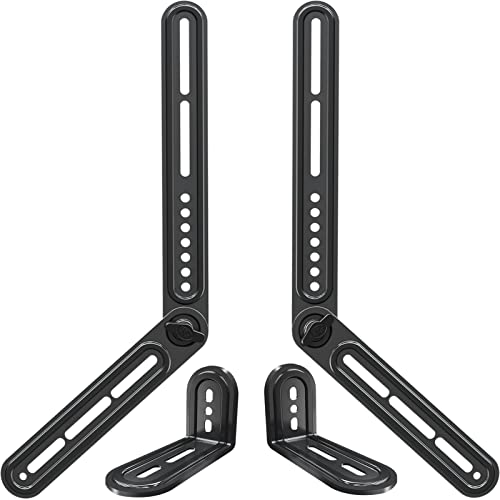 | — | See ratings |
TV or Wall, Your Choice 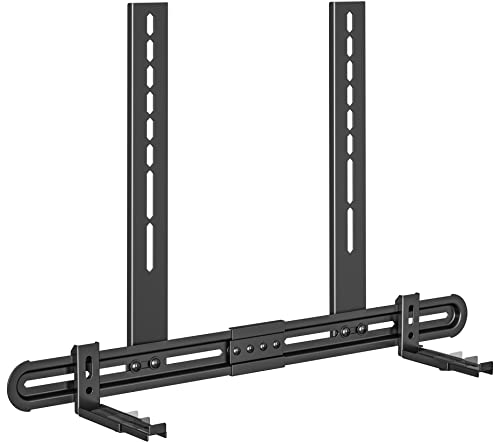 | 6.06 inch | See ratings |
Heavier Soundbars 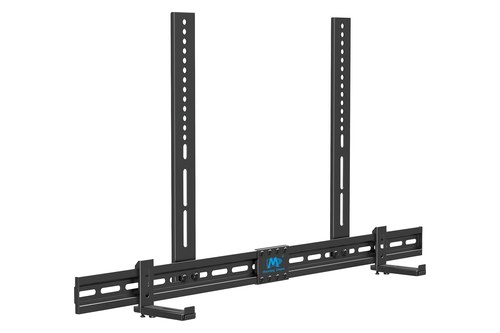 | — | See ratings |
Tool-Free Height Changes 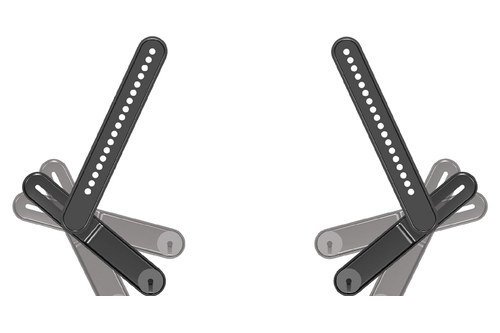 | 86 inch | See ratings |
Wall Shelf Under a Fixed TV 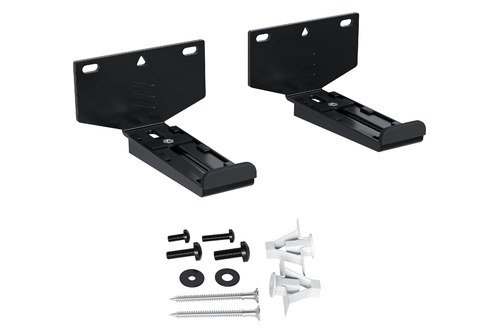 | 6.6 inch | See ratings |
Above the TV, No Drilling 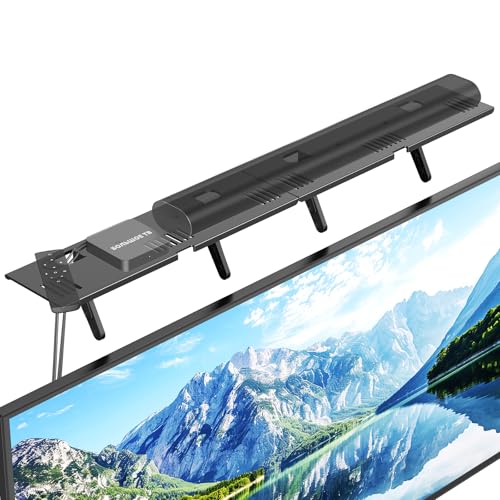 | 16.9 inch | See ratings |
Bose Soundbars 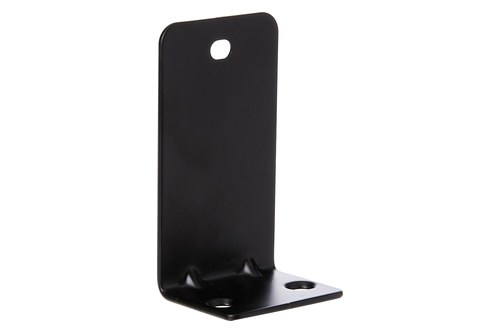 | — | See ratings |
Sonos Arc on the TV 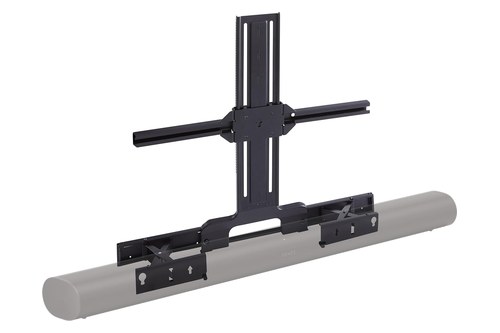 | 90 inch | See ratings |
Which Soundbar Brackets Are Worth Buying?
Those eight rows break into three groups: brackets that hang from the TV, brackets that fix to the wall, and brackets made for one maker’s soundbars. Each card names what the bracket is for and the one limit to check before you order.
Mounting Dream MD5420
A Mounting Dream bracket tops most of the competing roundups, and the MD5420’s listing photos show why. Two long arms bolt to the TV’s mounting holes, and the soundbar hangs from them below or above the screen.
For most wall-mounted TVs, the Mounting Dream MD5420 is the pick.
the Mounting Dream MD5420
The listing’s photos give three ways to attach the soundbar: through holes on its back, through keyhole slots, or on two included L-shaped feet when the soundbar’s threaded holes face down. The arms rotate through 180 degrees, so the same pair can hold the soundbar under the TV or above it.
USX MOUNT Universal Soundbar Mount
The USX MOUNT’s photos add a second job: hanging a soundbar on the wall itself, without touching the TV. Its listing photos show the same frame bolted to the TV’s mounting holes or screwed straight to wood studs, concrete or brick.
For a soundbar you may move from the TV to the wall later, the USX MOUNT universal soundbar mount is the pick.
the USX MOUNT universal soundbar mount
Mounting Dream Soundbar TV Bracket (20 lbs)
Heavier soundbars push past both of the first two ratings. Mounting Dream’s second bracket lists a 20 lb load and a horizontal bar 871 mm long, so it suits heavier soundbars than the MD5420.
For a heavier soundbar, the Mounting Dream 20 lb soundbar bracket is the pick.
the Mounting Dream 20 lb soundbar bracket
SANUS SOA-SBM1
The SANUS arms do the same job as the MD5420 with one convenience the listing spells out. Tension knobs set the soundbar’s height without tools, and the hardware pack comes pre-divided by screw size.
For easy height changes after install, the SANUS SOA-SBM1 is the pick.
the SANUS SOA-SBM1
SANUS’s own description is honest about the catch: the mount works with nearly every soundbar, “just make sure it has mounting holes.” A soundbar with no threaded inserts needs a shelf-style bracket instead.
ECHOGEAR EGAV-SSBWM1
A wall shelf is the simplest bracket of all, and EchoGear publishes the manual to prove what this one can take. Two adjustable cradles fix to the wall, and the soundbar either sits on them or screws into them from below.
For a soundbar on the wall under a fixed TV, the ECHOGEAR EGAV-SSBWM1 is the pick.
the ECHOGEAR EGAV-SSBWM1
EchoGear’s EGAV-SSBWM1 manual caps the load at 20 lbs (9.0 kg) and gives two methods: bottom-mounted with M4, M5 or M6 screws into the soundbar’s threaded inserts, or shelf-style for soundbars without them. Its drywall anchors are marked for drywall only, never concrete or wood.
Steel TV Top Shelf
Mounting above the screen without drilling is a different job, and this shelf does it by resting on the TV’s top edge. Its photos show a steel ledge on angled legs that rest against the back of the set, with no-residue tape to keep the soundbar in place.
For a soundbar above the TV with no drilling, the steel TV top shelf is the pick.
the steel TV top shelf
None of the soundbar makers’ guides read for this page shows a soundbar on the TV’s top edge, so check your soundbar’s manual first.
Bose Soundbar Wall Bracket
Bose is the clearest case of a maker that wants its own bracket only. Its Smart Soundbar owner’s guide says to mount the soundbar with the Bose Soundbar Wall Bracket and no other hardware.
For a Bose soundbar, the Bose Soundbar Wall Bracket is the pick.
the Bose Soundbar Wall Bracket
The listing names the Bose Soundbar 500, Soundbar 700 and SoundTouch 300 and says the steel brackets sit flush to masonry, wood or drywall. After mounting a Bose Smart Soundbar, the guide asks you to hold the remote’s Mute button for 5 seconds so the soundbar adjusts its audio for the wall.
SANUS Soundbar TV Mount for Sonos Arc
Sonos sells its own wall mounts, but the Arc Ultra Wall Mount fell short of this page’s Amazon review threshold when the picks were checked. SANUS’s TV mount for the Arc fills that gap, and its listing says SANUS designed it in partnership with Sonos.
For a Sonos Arc or Arc Ultra under a wall-mounted TV, the SANUS soundbar TV mount for Sonos Arc is the pick.
the SANUS soundbar TV mount for Sonos Arc
Get Studio Tips Weekly
Join 5,000+ creators getting acoustic treatment advice every week.
No spam. Unsubscribe anytime.What Types of Soundbar Brackets Are There?
The eight cards cover four ways to hang a soundbar, and the right one depends on how your TV is mounted. Wall brackets from the soundbar’s maker, universal wall brackets, TV-attach brackets and shelf or top mounts each solve a different setup.
A maker’s own wall bracket is shaped for one soundbar and often comes in the box. LG, Samsung and Sony include them with many models, while Sonos and Bose sell theirs separately.
A universal wall bracket, like the EchoGear shelf, fixes two cradles to the wall and fits most soundbars by width and depth. Think of it as a small bookshelf: it holds anything that sits on it, but it can’t follow a TV that moves.
A TV-attach bracket bolts into the same VESA holes as the TV’s wall mount and hangs the soundbar from the TV itself. SANUS’s SASB1 page puts the benefit plainly: on a full-motion TV mount, the soundbar moves with the screen.
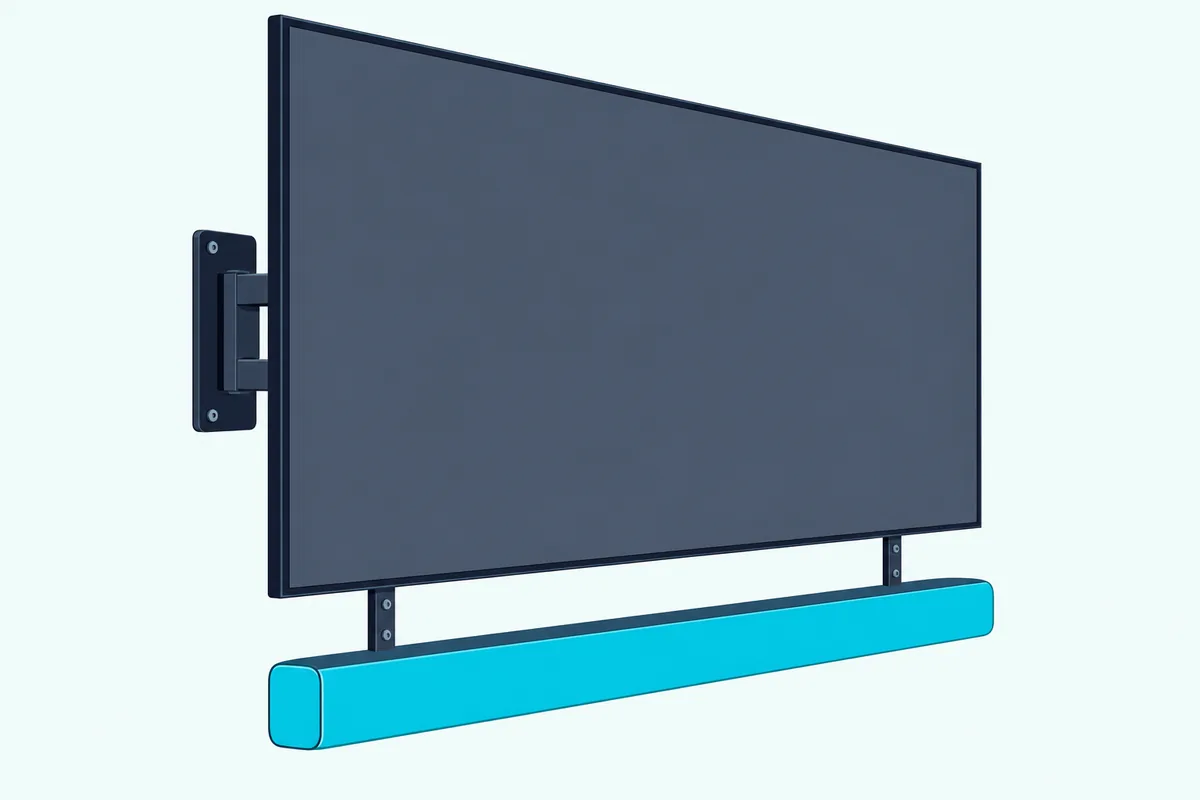
Shelf and top mounts are the fourth group. A shelf bracket holds a soundbar with no threaded holes, and a top shelf like the steel ledge above sits on the TV without a single screw in the wall.
Should the bracket hang from the TV or the wall?
That choice follows your TV mount. Hang the soundbar from the TV when the mount tilts or swings, and fix it to the wall when the TV is on a fixed, flat mount.
A full-motion arm is the real test. If the TV swings 30 degrees toward a chair and the soundbar stays on the wall, the sound and the picture point in different directions, which is why most of the TV-attach listings above advertise a soundbar that moves with the TV.
How Do You Match a Bracket to Your Soundbar?
Picking a type narrows the list, and four checks finish the job: weight, width, the way the soundbar attaches, and depth. Run them in that order, because weight is the one limit no adjustment can fix.
What weight rating do you need?
Your soundbar’s weight must sit below the bracket’s rated load, with room to spare. The picks here run from 15 lbs (MD5420, SANUS SOA-SBM1, top shelf) to 17.6 lbs (USX) and 20 lbs (Mounting Dream’s second bracket, EchoGear).
The soundbar’s weight is on its maker’s spec page or in its manual, so look it up rather than guessing from its size.
Will the bracket span your TV and soundbar?
Width works on two levels: the bracket must reach the TV’s mounting holes, and it must hold a soundbar of your length. The MD5420 lists TV hole patterns from 200×100 to 600×400 mm, the USX from 150 to 600 mm, and Mounting Dream’s 20 lb bracket from 200 to 800 mm wide.
For soundbar length, the USX and the 20 lb Mounting Dream say a soundbar under 27 inches and under 34 inches respectively can hang from one horizontal bar.
How do mounting holes and clamps decide the fit?
Look under and behind your soundbar before you buy anything. Threaded holes on the back suit arms like the MD5420’s, holes on the bottom suit bottom-screw or L-foot designs, and no holes at all means a shelf or cradle.
EchoGear’s manual draws exactly that split: bottom-mounted with screws into the soundbar’s threaded inserts, or shelf-style without them. SANUS says the same thing from the other side, asking for a soundbar with mounting holes.
How much gap does the soundbar need below the TV?
Depth and gap protect two things: the soundbar’s upward-firing speakers and the TV’s remote sensor. Sonos asks for at least 4 inches (10 cm) between Arc Ultra and the TV, Bose 4 inches above the Smart Soundbar, LG 10 cm for bars with top speakers, and Samsung at least 5 cm under the TV for the HW-Q990F.
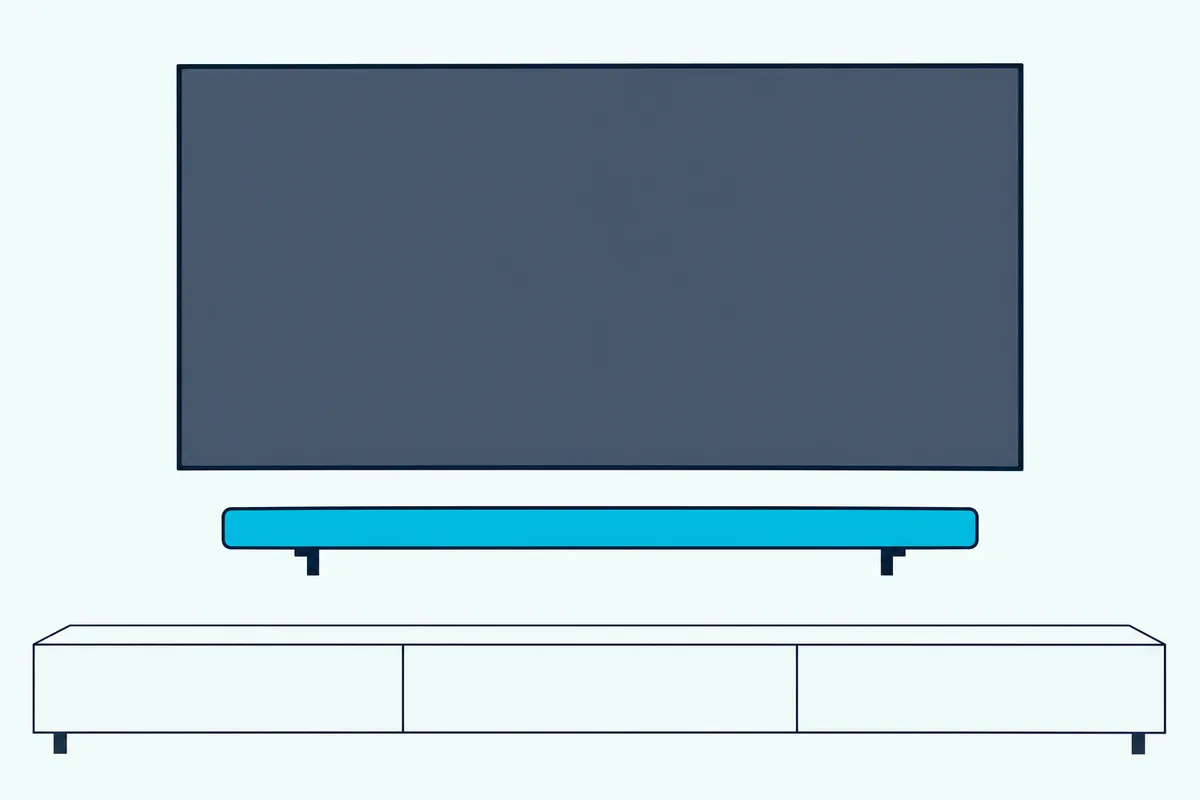
Sony ties the gap to TV depth. For the BRAVIA Theatre Bar 9 and 8, its wall-mounting help page asks for 120 mm (4 3/4 in) when the mounted TV is shallower than 85 mm, and 200 mm (7 7/8 in) when it’s deeper.
The remote sensor is the other reason. Sonos’s Beam and Ray guides both say not to block the TV’s IR sensor, so a soundbar mounted above the screen, or one pushed up tight under it, needs its depth set so it clears that window.
Try this before drilling: hold the soundbar where the bracket will put it and press a few buttons on the TV remote. If the TV stops responding, lower the soundbar or move it out on the bracket’s depth slots.
Which Brackets Do the Soundbar Makers Sell?
The gap figures above come from the makers’ own manuals, and those manuals also say which bracket each soundbar expects.
| Maker | Bracket | In the box? | Gap the maker asks for |
|---|---|---|---|
| Sonos | Arc Ultra Wall Mount (Arc Wall Mount also fits); Beam and Ray wall mounts | No, sold separately | 4 in (10 cm) from the TV |
| Samsung | Wall-mounting brackets and holder screws (HW-Q990F, Q930F, Q800F) | Yes; wall screws not supplied | 5 cm or more below the TV |
| LG | LG wall bracket (S95TR and others); SC9S TV bracket for OLED C2, C3, C4 | Yes; bracket screws and wall plugs sold separately | 10 cm for bars with top speakers |
| Bose | Bose Soundbar Wall Bracket | No, sold separately | 4 in (10 cm) above the soundbar |
| Sony | Wall mounting brackets (BRAVIA Theatre Bar 9 and 8) | Yes; wall screws not supplied | 120 or 200 mm by TV depth |
The table shows a pattern worth acting on: a soundbar that came with a bracket rarely needs a universal one. Check the box and the manual first, and buy only the screws and plugs the maker says to supply.
What does each maker’s manual add?
Each manual adds one detail the table can’t hold. Sonos’s Arc Ultra guide puts the top of its bracket 5.5 inches (14 cm) below the TV and keeps both ends of the soundbar at least 1 foot (30 cm) from a wall.
Samsung’s HW-Q990F guide asks you to reinforce a wall that can’t bear the weight, and Burton Acoustix covers Samsung’s in-box wall-mount kit, step by step. LG’s S95TR manual recommends Hilti HUD-1 6 x 30 plugs, and its SC9S bracket fixes to the 55, 65 and 77-inch OLED C2, C3 and C4, as our guide on which LG soundbar mount fits each bar lists.
Bose warns against any hardware but its own bracket, which rules out the universal picks for a Bose Smart Soundbar. Sony says not to mount the Theatre Bar 9 or 8 directly on the wall, because heat can build up inside, while its Theatre Bar 5 hangs on two screws through holes in its own back.
Is a TV Wall Mount With a Soundbar Attachment Better?
The maker brackets above all assume a TV that’s already on the wall, but some buyers want one mount for both. A TV wall mount with a soundbar attachment is a full TV mount that ships with a soundbar arm, so the TV and soundbar go up together on one wall plate.
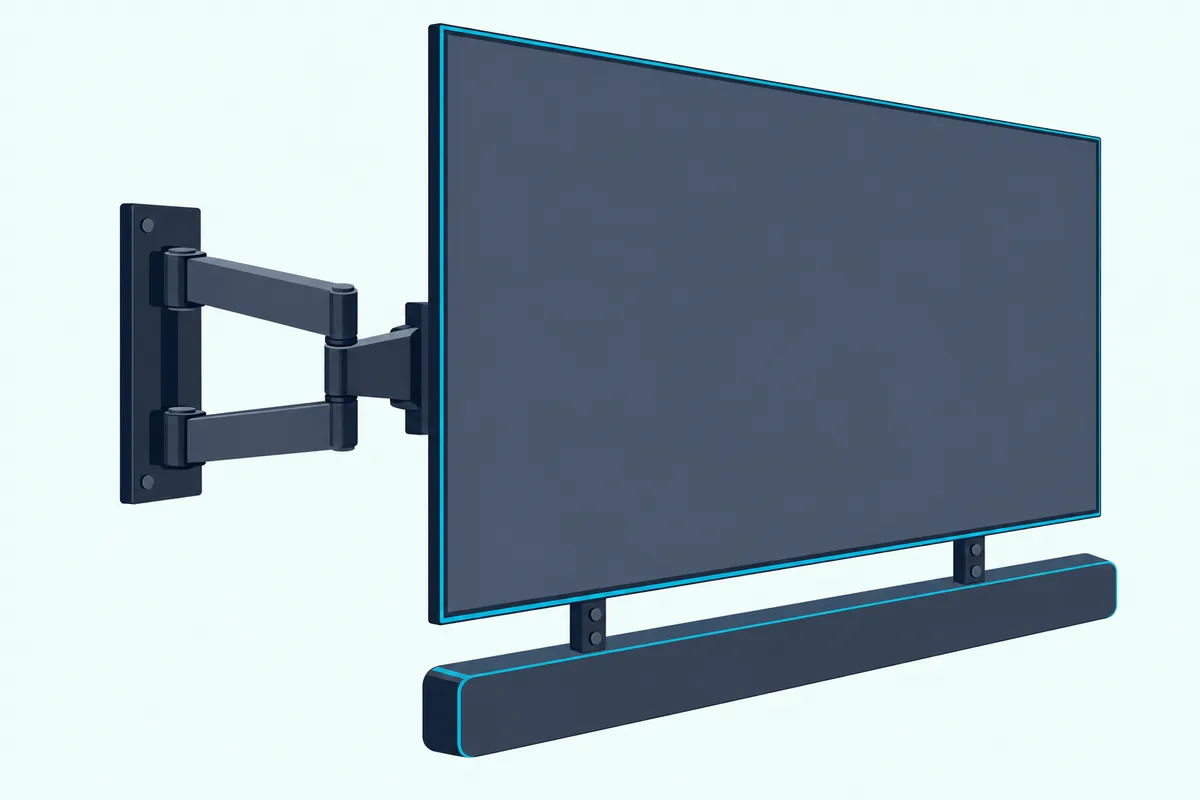
That’s the better route only when you’re buying a TV mount anyway. If the TV is already up, a TV-attach bracket like the MD5420 or the USX adds the same arm to the mount you have, and the SANUS Sonos mount does it for the Arc.
What Do the Makers Say About Studs and Wall Anchors?
Every bracket above ends at the wall, and the wall is where the makers are strictest. Follow the anchor and stud instructions printed by your bracket’s maker, not a general rule.
EchoGear’s manual asks for the wood stud to be centered on the bracket, and marks its anchors for drywall only. Sonos lists a 1/8-inch bit for wood studs and a 5/16-inch bit for drywall, plaster, concrete or brick, and says not to use its anchors in wood.
LG recommends Hilti HUD-1 6 x 30 plugs, Sony leaves screw choice to the wall material and suggests a Sony dealer or licensed contractor, and Samsung says to reinforce a weak wall first. Where your bracket’s manual is silent, the soundbar maker’s manual is the next authority, and a professional installer is the third.
Connect the cables before the soundbar goes up. LG and Samsung both say so, because ports behind a wall-hung soundbar are hard to reach.
How Were These Brackets Checked?
Burton Acoustix did not install or test these brackets. Each pick was checked on Amazon on 24 October 2026 for a 4.0-star rating or better, at least 50 reviews and stock on the day, and every card figure comes from that listing’s title, description or photos.
The Bottom Line
The best soundbar bracket is the one your soundbar’s maker supplies or names, and a universal one only when it doesn’t. If the box held a bracket, use it; if it didn’t, the Mounting Dream MD5420 fits most TV-mounted setups, the EchoGear shelf suits a fixed wall mount, and the 20 lb Mounting Dream takes heavier soundbars.
Weigh the soundbar, check the TV’s hole pattern, look for threaded holes and leave the gap the maker asks for.
Frequently Asked Questions
Is it better to wall mount a soundbar?
Wall mounting is better when the TV is on the wall, because the soundbar stays centered under the picture, where the makers’ manuals put it. Sonos recommends below the TV over above it for the Arc Ultra.
If the TV stands on furniture, a soundbar on the same stand is fine.
Do you need a bracket for a soundbar?
Usually yes, and often one comes in the box. LG, Samsung and Sony include wall brackets with many models, while Sonos and Bose sell theirs separately.
Some soundbars hang without one: Sony’s BRAVIA Theatre Bar 5 hangs on two screws through holes in its back. Others, like the Theatre Bar 9 and 8, must not be mounted directly on the wall, so check the manual before you drill.
Where is the best place to mount a soundbar?
Below the TV and centered under it is the place the makers’ guides describe. Sonos calls below the TV the recommended spot for Arc Ultra and allows above it as the alternative.
Keep the gap your soundbar’s manual asks for, from the 4 inches Sonos and Bose want to Sony’s 120 or 200 mm, and make sure the soundbar doesn’t cover the TV’s IR sensor.
Is there a way to mount a soundbar to the TV?
Yes: a TV-attach bracket bolts into the TV’s VESA holes between the TV and its wall mount and hangs the soundbar from the TV. The MD5420, USX MOUNT, SANUS SOA-SBM1 and Mounting Dream’s 20 lb bracket all work this way.
Check that the bracket covers your TV’s hole pattern and that the soundbar’s weight is inside its rating.
Can a universal bracket hold a Sonos Arc or a Bose soundbar?
For Bose, the owner’s guide says no: it names the Bose Soundbar Wall Bracket as the only hardware to use.
For the Arc and Arc Ultra, Sonos recommends its own wall mount, and SANUS sells a TV mount made for the Arc in partnership with Sonos. A universal bracket may physically fit, but neither maker’s guide names one.