How to Mount a Samsung Soundbar, Model by Model
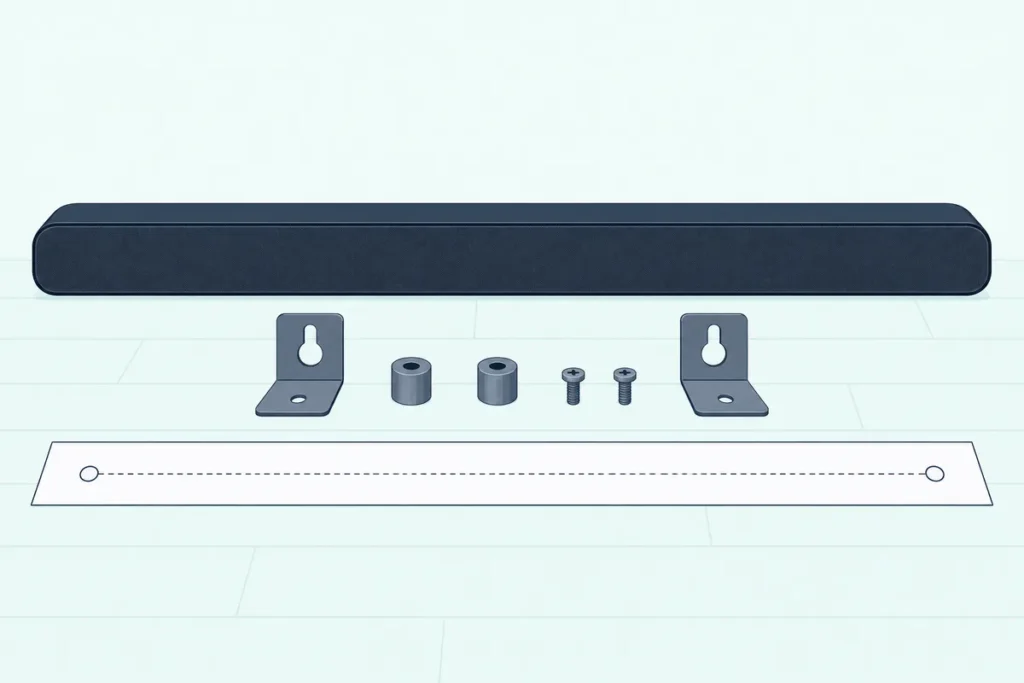
Here’s how to mount a Samsung soundbar by Samsung’s steps: tape the paper guide level, drill at its marks, fix a holder in each hole with your own screw, then hang the bar on its brackets.
The catch is the hardware: almost every box holds brackets and a paper guide, but only the slim S800D and S700D add fixings for the wall.
Buy the right screws, leave at least 5 cm (2 inches) under the screen and plug the cables in first, and the bar goes up once, level and centered.
This guide follows Samsung’s manuals model line by model line, from the Q-series flagships to the budget B-series, plus the bars that hang differently or from a TV.
The steps come first, then what each box holds, the fixings to buy, the gap under the screen and where the subwoofer and rear speakers go.
How to Mount a Samsung Soundbar, Step by Step
Those steps come from the mounting chapter Samsung prints, almost unchanged, in its soundbar manuals from the 2019 HW-Q70R to the 2025 HW-Q600F. Before you start, Samsung asks for a vertical surface strong enough to carry the bar, away from heat and humidity, with the bar switched off, unplugged and already cabled.
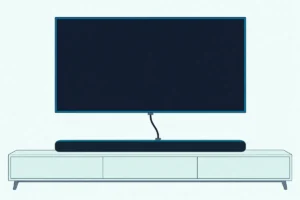
- Hold the paper Wall Mount Guide flat and level where the bar will go, at least 5 cm (2 inches) below the bottom of a mounted TV.
- Line up the guide’s center line with the middle of the screen, or with the middle of the space if nothing hangs above, and tape it in place.
- Push a pen or sharp pencil tip through the center of the A-TYPE mark at each end (B-TYPE on some models), then take the guide down.
- Drill a hole at each mark, and fit an anchor or molly in any hole that misses a stud, drilling that hole large enough for it.
The second half joins your fixings to Samsung’s parts. Each bracket’s hanger part has to sit behind the back of the bar, as Samsung’s drawings show.
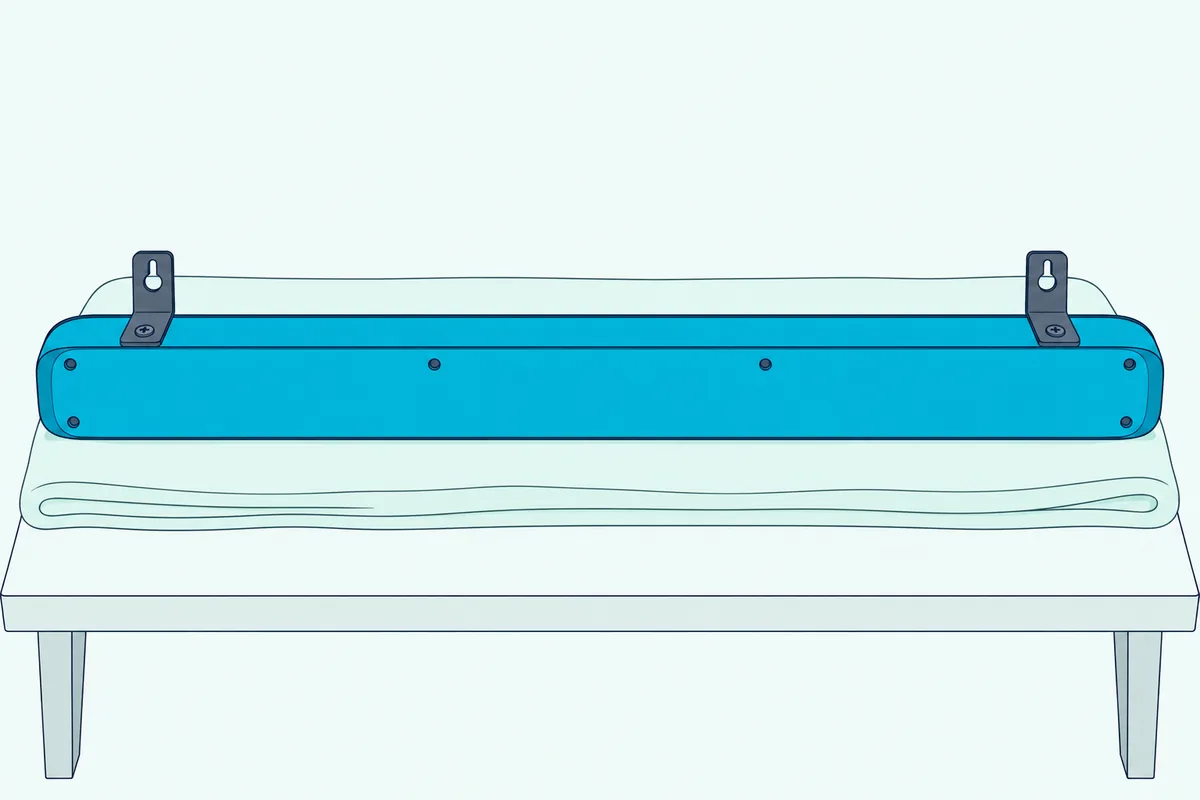
- Push one of your screws through each holder-screw and drive it firmly into its hole.
- Attach the two brackets to the bottom of the bar with the two small screws from the box.
- Lift the bar and hang the brackets on the two holders.
- Slide the bar down until both brackets rest securely on the holders.
The 2025 Q-series guides for the Q990F, Q930F, Q900F and Q800F merge the last two steps and rename the parts the Wall-mounting Guide, Holder Screw and Wall-mounting Bracket. Samsung Australia’s wall-mount page adds two rules for afterward: don’t hang on the installed bar, and make sure children can’t pull its cables, since that may make it fall.
Which Samsung Soundbars Come With a Wall Mount Kit?
Step 6 assumes the brackets are in your box, and for nearly every model they are. Every Samsung manual read for this guide from 2019 to 2025 lists the paper guide, two holder-screws, two brackets and the screws that fix the brackets, except the HW-B400F, which has no bracket at all.
| Samsung line | Manuals read | Samsung’s kit in the box? | Wall fixings you buy |
|---|---|---|---|
| Q-series top lines | HW-Q950A (2021), Q990B (2022), Q990C, Q700C, Q800C, Q930C (2023), Q990D, Q700D, Q800D, Q930D (2024), Q990F, Q930F, Q900F, Q800F (2025) | Yes, plus 4 rubber feet | M5, 35 mm or longer (the 2025 guides name no size) |
| Q-series Q60 to Q600 | Q70R (2019), Q60T (2020), Q600B (2022), Q600C, Q60C (2023), Q600F (2025) | Yes | M5, 35 mm or longer |
| S-series Lifestyle | S60B, S61B (2022), S60D, S61D (2024) | Yes | M5, 35 mm or longer |
| S-series slim | S800D, S700D (2024) | Yes, plus four M5 x 55 mm fixings and four anchors | The kit includes them |
| B, C, T and A series | T450 (2020), A450 (2021), B550, B650 (2022), C450 (2023), B550F, B750F (2025) | Yes | M5, 35 mm or longer |
| B400F | UK manual (2025) | No: it hangs on supports built into its back | Two M4, 40 mm or longer, plus plugs for concrete |
On the other kits the two small bracket screws are M4 x 10 mm wherever the manual gives a size.
The top Q-series lines add four rubber feet, which only matter if the bar sits on a TV stand, and their manuals go on to mounts for the surround speakers. Older bars are less certain: the 2016 HW-K450’s quick guide shows the same bracket set under “Accessories for Wall-mounting” but leaves it off its list of box contents.
Get Studio Tips Weekly
Join 5,000+ creators getting acoustic treatment advice every week.
No spam. Unsubscribe anytime.What Screws Does a Samsung Soundbar Need for the Wall?
Those boxes leave out the part that carries the weight. Samsung asks you to buy wall mount screws with an M5 diameter and recommends 35 mm (1 3/8 inches) or longer, driven into studs where you can, with anchors or mollies in any hole that misses one.
Samsung leaves the exact type to your wall, from drywall to wood, and asks you to check that it can take the bar’s weight before you drill. Its spec pages put the B550F’s main unit at 1.8 kg (4.0 lb), the B750F’s at 3.2 kg (7.1 lb) and the Q600F’s at 3.9 kg.
The 2025 Q-series soundbar wall chapter names no size, only fixings or anchors that suit the surface. Yet Webfronts’ copy of that US guide lists the same holder part, AH61-04110A, as the Q990D guide that asks for M5.
Studs are Samsung’s first choice, and a stud finder such as the Franklin Sensors ProSensor M150 shows where they run before you tape up the guide. Franklin’s instructions add a check worth copying: scan up and down, because the lights usually stay steady over a stud but show only now and then over bumps in the surface.
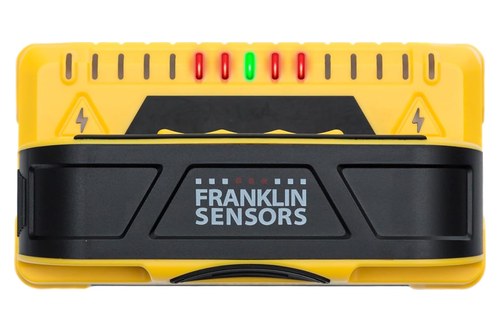
the Franklin Sensors ProSensor M150
If a mark lands between studs, the anchor has to take that M5 size, so check the packet before you buy. For how much weight different anchors are rated to hold, Burton Acoustix’s makers’ guide to wall-mounting soundbars compares stud fixings and toggle anchors in drywall.
How Far Below the TV Should a Samsung Soundbar Go?
Once those fixings are sorted, one number sets the height. Every Samsung manual read here, from the 2016 HW-K450 to the 2025 HW-Q990F, asks for at least 5 cm (2 inches) between a mounted TV and the bar below it.
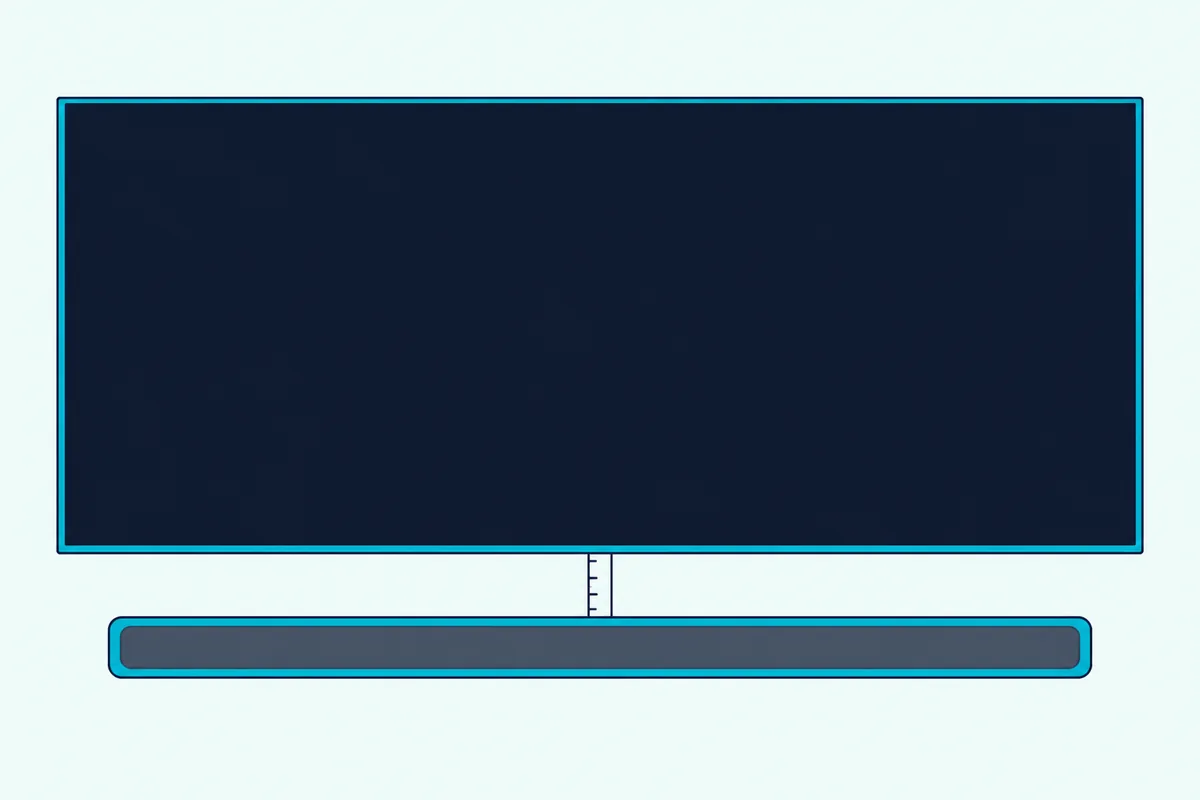
Samsung Australia’s wall-mount page ties that gap to the best performance from a mounted bar, and the guide’s center line keeps it centered under the screen. The same 5 cm covers Samsung’s Dolby Atmos bars: the Q990D and 2025 Q-series guides give no separate clearance above the bar for their top speakers.
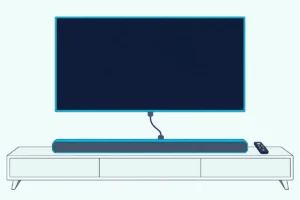
On a TV stand the numbers change. Abt’s copy of the B750F manual and the Q600F manual ask for at least 3 cm (1.2 inches) between the bar and the front of the set for the best sound, and the S60D asks for the same 3 cm so that nothing interferes with voice recognition.
The 2023 to 2025 Q-series bars with microphones, from the Q700C to the Q990F, ask for at least 2 cm from the panel for the microphones’ sake. The slim S800D gives no figure, only a warning that too small a gap can cause voice recognition and acoustic problems.
Which Samsung Soundbars Hang a Different Way?
Two lines break the pattern in that table, and both change what you buy. The 2025 HW-B400F hangs on two screws by supports built into its back, and the 2024 HW-S800D and HW-S700D come with their own fixings and anchors.
Samsung’s UK manual for the B400F calls mounting optional and supplies nothing for it: you buy two M4 screws at least 40 mm long and, for concrete, two plugs. Its drawings mark the holes 450 mm apart on a center line, drill them 6 mm wide and 50 mm deep, and leave each screw head 12 mm out from the surface.
The power cord goes in next, then the supports on the back of the bar go over the heads and you press the bar down firmly. Samsung warns that a bar that isn’t firmly fixed can come off and that a knock from below can detach it, and for drywall it strongly recommends drilling into the wood studs.
The S800D and S700D manual lists four M5 x 55 mm fixings and four anchors in the kit, plus a paper guide with both A-TYPE and B-TYPE marks to push through. Its drawings put the brackets on the surface, two of those in each, and the holders in the back of the bar, the reverse of the other models.
You then drop the holders into the wide part of each bracket and slide the bar down until it rests securely. Syndigo’s copy of the S80D and S70D user guide shows each step.
Can You Mount a Samsung Soundbar to a Samsung TV?
Those two bars still go on a wall, like every current model in this guide. Samsung’s documents show one way to do it: the WMN300SB, a mount that joins the bar to a Samsung TV, made for the 2017 Sound+ bars, the HW-MS650, HW-MS6500 and HW-MS750.
Samsung’s WMN300SB spec sheet, in Webfronts’ copy, lists the 2016 and 2017 Samsung sets it fits, most in 49- to 65-inch sizes only. It promises no extra holes and one cable to power both the set and the bar.
The bar’s side of that is a power socket. The MS650’s manual says its POWER OUT jack powers a Samsung TV mounted with the WMN300SB, as long as the set uses a 2-pin power cord and draws 400 W or less.
For every newer Samsung bar read here, the manuals show only two places for it, mounted below the screen or standing on a TV stand. If you’d rather hang the bar from the TV’s own mount anyway, that’s a third-party bracket job, covered in our guide to mounting a soundbar to a TV mount.
Where Should the Samsung Subwoofer and Rear Speakers Go?
Once the bar is up, the rest of the system needs a spot too. The recommended layout in the Q990D and 2025 Q-series guides puts the wireless subwoofer beside the TV and the surround speakers behind the seats on each side, at 135 to 150 degrees from straight ahead.
Samsung asks for clear space around the subwoofer and surround speakers and keeps them away from water and moisture, because their wireless antennas are built in. Troubleshooting pages such as the B550F’s add that other devices sending radio signals nearby can interrupt the subwoofer’s link.
None of the Samsung manuals read here covers mounting the subwoofer. Their mounting chapters stop at the soundbar and, on the Q-series bars sold with them, the surround speakers.
For those speakers, the Q990D user guide in Syndigo’s copy says to buy the mounts separately and that Samsung doesn’t sell them. Each one has to support more than 8.0 kg (17.6 lb) and take one 1/4-20 UNC screw 18 mm (0.70 inch) long in the speaker’s threaded insert.
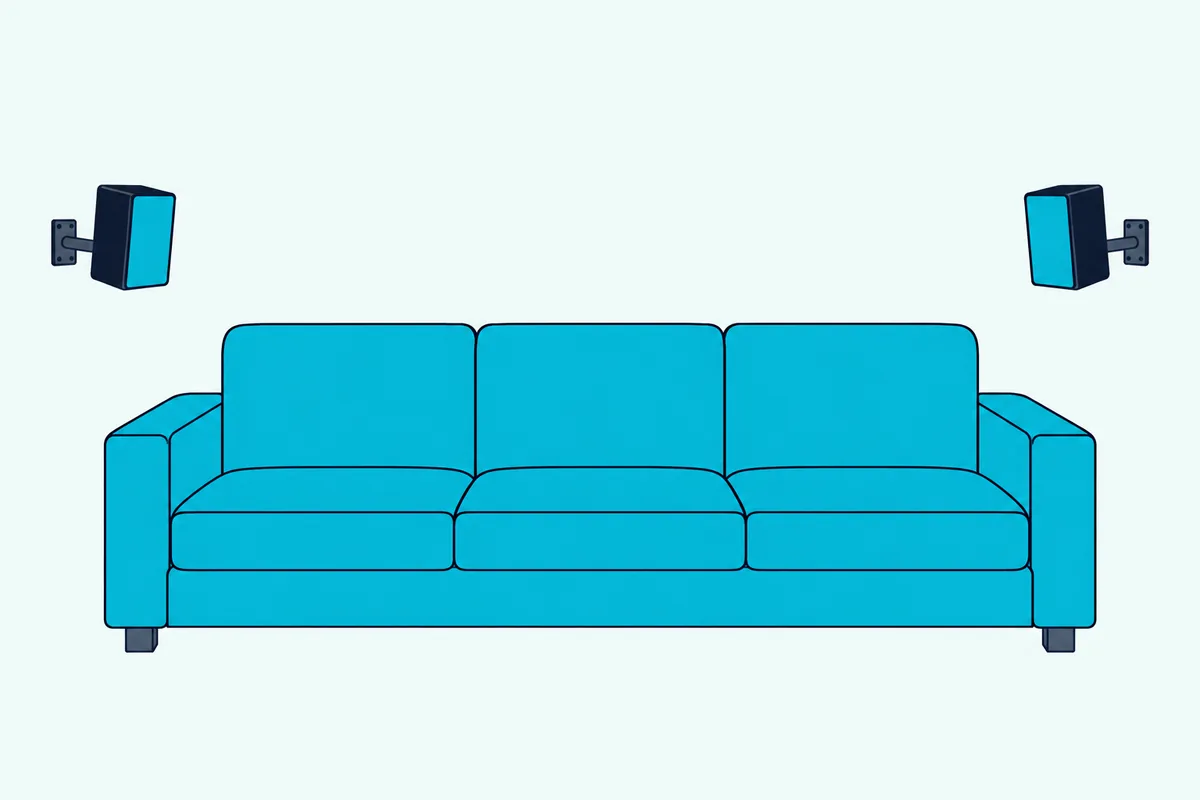
Samsung also asks you to check the surface’s strength first and never to mount the speakers sideways or upside down. If they end up beside the TV instead of behind you, switch the bar’s Surround Speaker setting from Rear, the default, to Front and turn the speakers toward you.
Bars sold without rear speakers can add them later, and Samsung’s add-on rear speaker kits are matched to specific models.
What If Part of Samsung’s Mounting Kit Is Missing?
Those speaker mounts and your wall screws are the only mounting parts Samsung leaves you to buy elsewhere. For anything from the box, the manuals say to contact a Samsung Service Center or Samsung Customer Care, and several of Samsung’s US guides print a part number beside each piece.
| Part | Samsung part number | Guides that list it |
|---|---|---|
| Holder-screw | AH61-04110A | HW-MS650, MS750 (2017), S60B (2022), Q990C (2023), Q990D (2024), Q990F, Q930F, Q900F, Q800F (2025) |
| Screw for the brackets | 6001-001202 | The same guides |
| Wall mount bracket | AH61-04119A | MS650, MS750, Q990C, Q990D and the 2025 Q-series |
| Wall mount bracket | AH61-04235A | S60B, S61B |
| Paper guide | AH81-15186A | S60B, Q990C, Q990D |
| Holder, bracket, screw and anchor (slim bars) | AH61-03164A, AH61-04277A, 6011-008215, BN61-17904A | S800D, S700D |
The same holder number turns up in guides from 2017 to 2025, so one part serves many bars. On 17 October 2026, Amazon’s results for a Samsung soundbar mounting kit were third-party brackets, several sold as fitting named Samsung models, and none came with a Samsung document to check it against.
Which Cables Go In Before a Samsung Soundbar Goes Up?
Parts can wait, but the cables can’t. Every Samsung manual here asks you to connect the cables from the bar to your other devices before mounting it, with the bar switched off and unplugged.
Check the box before you start, because the cables differ by model and region: Samsung’s US guide for the Q990D lists an HDMI cable in the box, its UK edition says one isn’t supplied, and the B750F comes with an optical cable. Once the bar is up, how to connect your Samsung soundbar to the TV covers HDMI eARC, optical and the TV’s menus by year.
The Bottom Line
Samsung makes most of this easy, since nearly every box holds the paper guide, holders and brackets. What you add is the right fixing for your wall, a 5 cm gap under the screen and the cables, plugged in before the bar goes up.
The exceptions are worth checking against your model number first: the B400F hangs on two fixings you buy, the S800D and S700D bring their fixings, and only the 2017 Sound+ bars have a Samsung kit that hangs them from the TV.
Frequently Asked Questions
Can you mount a Samsung soundbar without screws?
Not by Samsung’s manuals. Every mounting procedure read for this guide fixes the bar to the wall, from the standard holder kit to the B400F’s two M4 fixings, and none describes adhesive strips. If you’d rather not drill, Samsung’s other option is a TV stand, where the manuals ask for 3 cm (1.2 inches) in front of the set on bars like the B750F and Q600F and 2 cm from the panel on the Q-series bars with microphones.
Do Samsung soundbars have mounting holes?
They do, but where they are depends on the bar. Most take Samsung’s two brackets on the underside, fixed with the two small screws from the box, and Samsung Australia’s wall-mount page has you line up the bumps on the bar with the holes in the brackets. The S800D and S700D take their holders in the back instead, and the B400F has supports built into its back that hang straight on two fixings.
Can the Samsung subwoofer go on the wall?
Samsung’s manuals don’t cover it. Their mounting chapters cover the soundbar and, on the Q-series bars sold with them, the surround speakers, but none of the manuals read here gives mounting steps for the subwoofer. In Samsung’s recommended layout it sits beside the TV, with clear space around it.
How do you take a Samsung soundbar off the wall?
Samsung Australia’s wall-mount page has you push the bar in the direction its drawing shows, tilt it up slightly and then pull it away. The same page asks you not to hang on the bar while it’s installed and to secure it firmly enough that it can’t fall.
Can a Samsung soundbar go above the TV?
Samsung’s manuals don’t describe it. Every mounting chapter read here places the bar below a mounted TV, or centered in the space when no set is above it, and none shows it above the screen. Burton Acoustix’s page on putting a soundbar above the TV instead covers the makers that do allow it.