Can You Connect Bluetooth Headphones to a Soundbar? Usually Not
Can you connect Bluetooth headphones to a soundbar? Only when the bar’s manual documents a way to send sound out, and most of the manuals checked here describe Bluetooth only coming in.
That’s why your headphones can blink away in pairing mode and never appear, because a bar that only receives isn’t looking for them.
Pick the right route and the TV plays in your ears at your own volume, with the bar either muted or still filling the room.
The first stop is the bar itself, since Sony, Bose and Sonos each document a way to send TV sound to headphones.
If yours can’t, the TV takes over through its own Bluetooth, a transmitter or a wired pair, and the last sections cover lag and how many headphones can join.
Can You Connect Bluetooth Headphones to a Soundbar Directly?
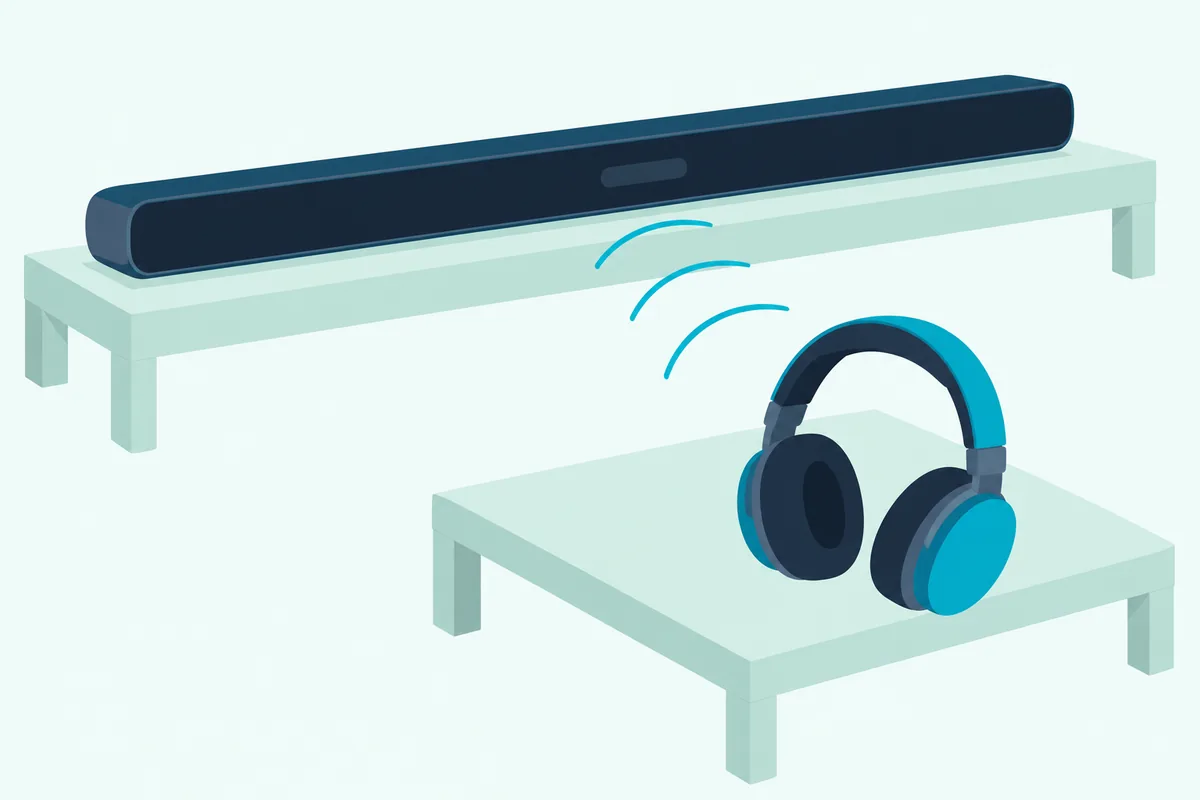
Only on the few bars built to transmit. Sony’s HT-A7000 and HT-A3000 guides show the switch: in Receiver mode the bar takes audio in from a Bluetooth device, and only in Transmitter mode does it send audio out to Bluetooth headphones.
Think of two radios both set to receive. A bar in Receiver mode and a pair of headphones are both waiting for a signal, so neither one sends it.
Bose says as much for some of its own products: the Soundbar 500 guide notes that you can’t connect Bluetooth headphones to the soundbar, and the TV Speaker guide says the same of the speaker. The other big makers’ bar manuals stop at receiving, too.
Samsung’s 2025 HW-Q990F guide covers Bluetooth from a Samsung TV or a phone into the bar. None of the Samsung, LG or Vizio soundbar manuals checked for this guide mentions headphones at all.
| Maker | Bars whose guides document it | How you start it | What the bar does meanwhile | Headphones it takes |
|---|---|---|---|---|
| Sony | HT-A7000, HT-A3000 | Bluetooth Mode set to Transmitter | Mutes its own speakers | Bluetooth headphones |
| Bose | Smart Soundbar, 600, 700, 900, Smart Ultra | SimpleSync in the Bose app | Keeps playing, with its own volume | Bose headphones |
| Sonos | Arc Ultra, Arc, Beam, Ray | TV Audio Swap from the headphones | Sonos calls it a swap | Sonos Ace |
| Samsung, LG, Vizio | None in the manuals checked | Use the TV instead | Not applicable | Not applicable |
That last row is the common case, which is why the TV routes further down matter.
How Does a Sony Soundbar Send Sound to Bluetooth Headphones?
That Transmitter switch from the table lives in the bar’s own menu. On the HT-A7000 and HT-A3000, Sony’s steps run like this:
- Put the headphones in pairing mode, following their own instructions.
- Press HOME, then select Setup > Advanced Settings > Bluetooth Settings > Bluetooth Mode > Transmitter.
- Pick the headphones from the Device List, or select Scan if they’re missing.
- Return to the home menu and choose the input: BT TX appears on the front panel and the sound moves to the headphones.
Sony says the bar’s own speakers mute at the same time, so this is a private-listening mode rather than a second zone. Set the volume on the headphones first, then fine-tune it with the bar’s +/- buttons or the remote, as Sony’s HT-A7000 Help Guide describes.
A few things switch off while it transmits. Sony lists the Sound Effect and 360 Spatial Sound Mapping settings as disabled, and the bar’s Bluetooth input stops working until you go back to Receiver.
One more trap: Sony’s troubleshooting says headphones can’t connect while Chromecast built-in is in use. If the headphones stay silent, its checklist moves the bar and headphones closer, clears obstacles and sets Wireless Playback Quality to LDAC Stable Connection (Auto) or SBC Stable Connection (Auto).
Get Studio Tips Weekly
Join 5,000+ creators getting acoustic treatment advice every week.
No spam. Unsubscribe anytime.How Do Bose Headphones Connect to a Bose Soundbar?
Bose takes the opposite approach to that muting. Bose headphones connect to a Bose smart soundbar through SimpleSync in the Bose app, and Bose’s Smart Soundbar owner’s guide says you can then lower or mute the bar while keeping the headphones as loud as you like.
That guide lists the QuietComfort Ultra Headphones, QuietComfort Ultra Earbuds, QuietComfort 45 and Ultra Open Earbuds among popular compatible products. The older 700 and 900 guides, which use the Bose Music app, list the Noise Cancelling Headphones 700 and QuietComfort 35.
On the Smart Ultra you can skip the app: press and hold the remote’s Bluetooth button until the light bar pulses blue, then put the headphones in pairing mode. Bose says it could take up to 30 seconds to connect.
Range is up to 30 feet (9 m), and walls can cut it. Every one of these guides adds that only one product can connect to the bar at a time.
The catch is the brand lock. SimpleSync lists Bose products only, and the 700’s own troubleshooting says you can’t connect Bluetooth headphones to the soundbar, so plan on a TV route for a non-Bose pair; Bose’s pairing-mode steps for each of its soundbars cover the phone side of the same bars.
Does a Sonos Soundbar Work With Headphones?
Sonos locks the feature to its own headphones even more tightly than Bose. Sonos’ Ace page says TV Audio Swap moves TV audio from an Arc Ultra, Arc, Beam or Ray to Sonos Ace headphones at a press of the Content Key.
It needs the Sonos app and a compatible soundbar connected to Wi-Fi. Two Ace headphones can share the swap with compatible software, and Sonos notes that head tracking switches off while both are listening.
Can the TV Send Sound to Your Headphones Instead?
That last table row, the bars that only receive, sends you to the TV. Yes, a TV with Bluetooth audio out can pair the headphones itself, and these are the menus four makers’ guides use:
| TV maker’s guide | Where the headphones pair | How it treats the soundbar |
|---|---|---|
| Samsung, 2025 user guide | Sound > Sound Output > Bluetooth Speaker List | Sound Output lists TV speaker, soundbar and Bluetooth headset as choices |
| LG, 2025 webOS e-guide | Sound > Sound Out > Use Wireless Speaker > Bluetooth Device | HDMI(ARC) Device is a separate Use Wired Speaker choice |
| Vizio, 2022 V-Series and D-Series | Menu > Bluetooth Headphones | The manual doesn’t say |
| Hisense 55A6GV | Settings > Network > Bluetooth, then Audio Output > Bluetooth | Audio Output also selects the optical (SPDIF) output |
Samsung’s, LG’s and Hisense’s menus treat the headphones and the bar as separate outputs, so plan on switching between them. The combined modes the guides do offer pair headphones with the TV’s own speakers: Samsung’s Multi-output Audio lets the headphones play louder than the TV speaker, and LG’s Bluetooth Device + TV Speaker comes with an Audio Delay control.
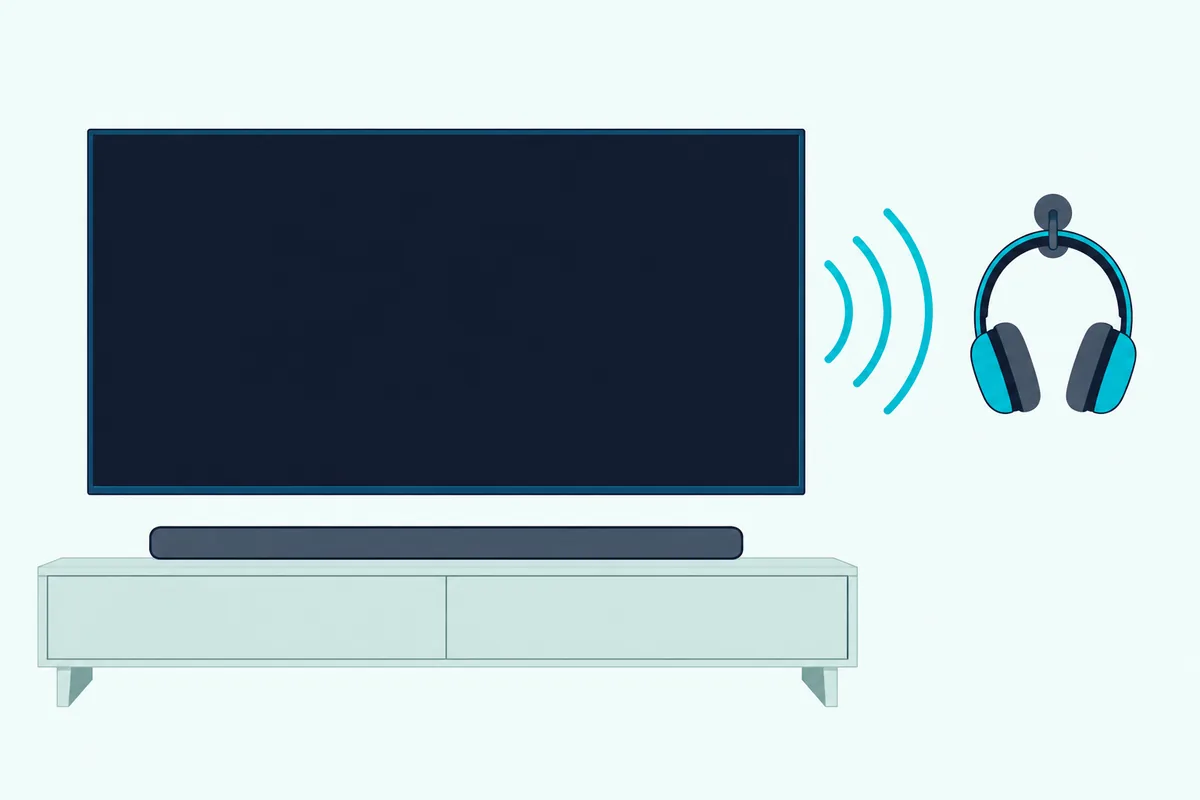
Vizio names the menu after headphones, and its 2022 V-Series manual pairs headphones “for listening to audio.” The guide to connecting a Vizio TV to a soundbar over Bluetooth shows which Vizio sets carry that menu.
When Does a Bluetooth Transmitter Make Sense?
A TV without that Bluetooth menu can still feed a transmitter from a wired audio output. A Bluetooth transmitter makes sense when neither the bar nor the TV can send Bluetooth, because it plugs into the TV’s optical, 3.5 mm or RCA output and pairs with the headphones itself.
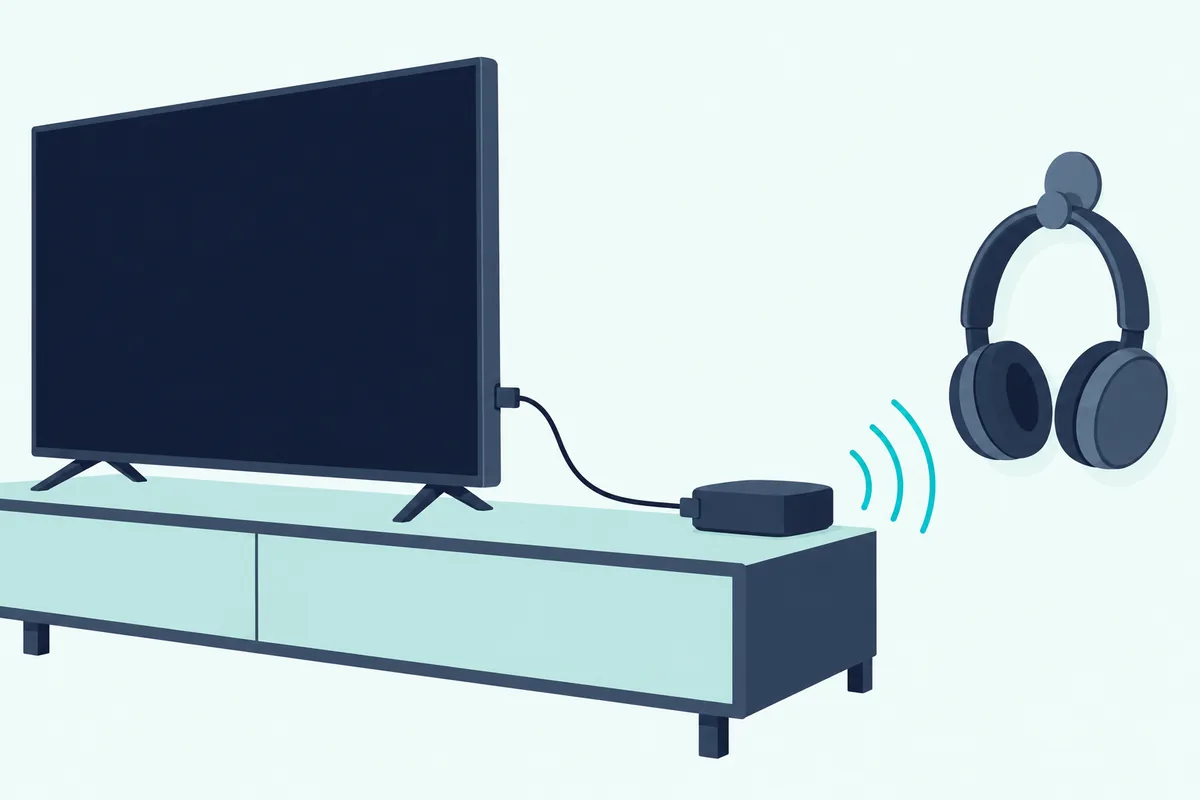
Samsung’s guide lists Optical/Audio Out among its audio connections, LG’s has an Optical Out Device setting for its optical digital audio output port, and Hisense’s 55A6GV manual has you select SPDIF under Audio Output for its DIGITAL AUDIO OUT port. If the bar already uses HDMI ARC, check your TV’s manual before counting on both at once, since LG lists Optical Out Device and HDMI(ARC) Device as separate choices.
MEE audio’s Connect transmitter is listed for up to two wireless headphones or speakers, with optical, 3.5 mm and RCA inputs.
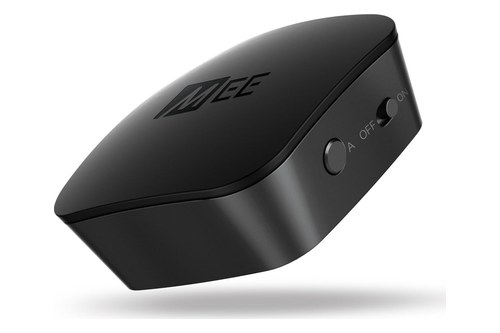
MEE audio’s Connect transmitter
Transmitter makers tie their low-delay claims to aptX Low Latency. 1Mii’s B06TX listing, for one, ties its no-lip-sync-delay promise to compatible aptX-LL headphones or speakers, so check that your headphones list it too.
Can You Plug Wired Headphones Into a Soundbar?
That 3.5 mm output from the transmitter section can take wired headphones, too. A soundbar takes them only if it has a headphone or line output, and none of the bar manuals checked for this guide shows one, though ZVOX’s support answer on subwoofers mentions ZVOX bars with a Line Out or Headphone jack.
That leaves the TV’s jack. Hisense’s manual says plugging headphones into its HEADPHONE port disables the built-in speakers unless Headphone Mode is set to Headphone with Speakers.
LG’s e-guide adds that the TV detects wired headphones plugged in while it’s on and redirects audio through them, though neither guide says what a bar on HDMI ARC does meanwhile. Samsung’s guide hedges with “If your TV has a headphone jack,” so check the back panel before buying a long cable.
That same jack can feed a bar instead, which is the setup in connecting a soundbar to a TV with an AUX cable. One jack takes one plug, so a TV with a single analog output serves the bar or the headphones, not both.
Why Do Bluetooth Headphones Lag Behind the Picture?
Every wireless route above shares one weakness: delay. Sony’s guide says Bluetooth playback is delayed compared to the bar’s own speakers due to the characteristics of Bluetooth, and Samsung’s warns that lip-sync errors may occur.
Bose’s 700 guide admits that not all speakers or headphones can play in perfect sync with the bar. LG says some Bluetooth devices may show unsynchronized video and audio, and it suggests a wired connection if problems continue.
On a Bose Smart Soundbar, the guide’s fixes for poor audio from connected headphones are a 5 GHz Wi-Fi connection for the bar and software updates for the headphones.
On a transmitter, the aptX Low Latency match from the transmitter section is the lever that matters. If the picture and the bar drift apart as well, the lip-sync settings on the TV and the bar are the next stop.
How Many Headphones Can Connect at Once?
Delay isn’t the only limit, and the head count changes with the route. Bose allows one product at a time on its bars, and Hisense one Bluetooth speaker or headphone per TV, with a new one disconnecting the old.
Two is the usual ceiling elsewhere: Sonos supports two Ace headphones, LG two Bluetooth devices of the same model in its combined mode, some Samsung models two Bluetooth devices, and the MEE and 1Mii transmitters two headphones or speakers each.
Auracast is the exception on newer TVs. Samsung’s and LG’s 2025 guides both describe connecting several Auracast-capable Bluetooth devices at once, though not mixed with devices that lack it, and Samsung limits it to its QN9 F-series sets and up.
Frequently Asked Questions
Do soundbars have Bluetooth output?
A few do. Sony’s HT-A7000 and HT-A3000 switch to a Bluetooth Transmitter mode for headphones, Bose’s smart soundbars send sound to Bose headphones through SimpleSync, and Sonos bars swap TV audio to Sonos Ace headphones, a link Sonos doesn’t describe as Bluetooth. The Samsung, LG and Vizio bar manuals checked for this guide describe no Bluetooth output, so on those the TV or a transmitter does the sending.
Why won’t my Bluetooth headphones pair with my soundbar?
Usually because the bar only receives Bluetooth, the same way your headphones do. Bose’s Soundbar 500 and Smart Soundbar 700 guides say plainly that you can’t connect Bluetooth headphones to the soundbar. On a Sony bar that can transmit, check that Bluetooth Mode is set to Transmitter and that Chromecast built-in isn’t in use.
Can I connect AirPods to a soundbar?
Not through SimpleSync or TV Audio Swap, which take Bose and Sonos headphones. Sony’s transmitter mode is written for Bluetooth headphones in general, so AirPods are worth trying there, but Sony doesn’t list models. Otherwise pair them with the TV’s Bluetooth menu or a transmitter.
Can the soundbar and headphones play at the same time?
On a Bose smart soundbar, yes: SimpleSync plays both, with separate volumes so you can turn the bar down. Sony’s transmitter mode mutes the bar, and the TV combinations from Samsung and LG pair headphones with the TV’s own speakers rather than a soundbar.