How to Connect a Vizio TV to a Soundbar Over Bluetooth

If you’re working out how to connect a Vizio TV to a soundbar over Bluetooth, start with the TV, because Vizio documents sending sound over Bluetooth on its 2022 and newer sets under a menu named Bluetooth Headphones, not on every model.
That menu name is easy to miss, since the sound bar sits in pairing mode with its lights running while the TV seems to offer nothing but a remote and headphones.
Get the order right and it’s a four-step job, with the TV’s Bluetooth list open first and the bar’s pairing button second.
The first step is a look at your TV’s model number and its Menu, which tells you whether Bluetooth out is there at all.
Below are the models Vizio documents, the button to press on each Vizio bar, what changes once they’re paired, and the cable routes that beat Bluetooth.
Can a Vizio TV Connect to a Soundbar Over Bluetooth?
That model check has a short answer for the sets Vizio documents. The table sorts the Vizio TVs whose manuals or product pages were read for this guide, with what each one says about sending sound over Bluetooth.
| Vizio TV | What Vizio documents | Source |
|---|---|---|
| 2022 V-Series (V435M-K04, V505M-K09, V555M-K01, V585M-K01, V655M-K03, V655M-K04, V705M-K03, V755M-K03) | Menu > Bluetooth Headphones, which pairs headphones “for listening to audio” | V-Series user manual |
| 2022 D-Series (D24fM-K01, D32fM-K01, D40fM-K09, D43fM-K04) | The same Bluetooth Headphones menu and steps | D-Series user manual |
| 2023 Quantum Pro (VQP65C-84, VQP75C-84) | BlueTooth listed among the audio outputs, beside HDMI, eARC and Digital Optical | Quantum Pro user manual |
| Current 4K V4K65M-0804 and Full HD VFD40M-0810 | Bluetooth 5.2 or 5.0 with BLE; both model pages say to pair your Bluetooth headphones | vizio.com model pages, 24 Oct 2026 |
| Current Quantum VQD65R-1004 and mini-LED VQM65C-1004 | Bluetooth 5.2 with BLE in the specs, with no audio wording on the model page | vizio.com model pages, 24 Oct 2026 |
| Older SmartCast sets | Not covered by any manual checked here | Check the TV’s Menu |
So the answer is yes on the documented sets, with one catch in that middle column. Vizio’s 2022 manuals describe headphones only, and they don’t say whether a sound bar will appear in the same list, so treat the steps below as something to try rather than a promise.
The Quantum Pro manual goes further than the others. Its specification table lists Bluetooth as an audio output in the same row as HDMI eARC and optical (Vizio Quantum Pro manual).
Other TV brands label the same feature differently, and the any-brand guide to TV Bluetooth audio lists the menu names to look for on those sets.
Which Vizio TVs Have Bluetooth Audio Out?
Those last rows of the table are the ones worth a closer look, because a Vizio TV can have Bluetooth without sending sound over it. The 2022 V-Series manual says the Voice Remote pairs to the TV with Bluetooth during first-time setup, so a spec sheet that only says “Bluetooth” may be describing the remote (Vizio 2022 V-Series manual).
The wording on vizio.com shows the split. Its product cards say “Bluetooth Compatible” on some models and “Bluetooth headphone capable” on others, and only the second phrase tells you the TV will send audio to a wireless device.
The 2022 manuals show it in their own specification tables too. The V-Series table lists HDMI eARC, analog stereo out and digital optical as its audio outputs, with no Bluetooth row, even though the same manual has the Bluetooth Headphones menu, which is a reason to trust the menu over the spec sheet.
The practical test is quick. Press MENU on the Vizio remote and look at the first screen: on the 2022 V-Series and D-Series, Vizio’s manuals list Set up Bluetooth Headphones there, next to picture, audio and network settings.
If that entry is missing, your TV doesn’t offer Bluetooth out in a form Vizio documents. Skip ahead to the cable section, since every Vizio bar in this guide takes at least one cable from the TV, or to the transmitter section if a cable really can’t reach.
Get Studio Tips Weekly
Join 5,000+ creators getting acoustic treatment advice every week.
No spam. Unsubscribe anytime.How to Connect a Vizio TV to a Soundbar Over Bluetooth
Once that Bluetooth Headphones entry is found, the job has two halves, TV first. Vizio’s TV manual has you open its Bluetooth Headphones menu and then put the other device in pairing mode, and the V21d-J8 and SB2021n-J6 manuals likewise say to set your Bluetooth device into pairing mode before the sound bar.
Open the Vizio TV’s Bluetooth list
The TV half follows Vizio’s headphone steps from the 2022 V-Series and D-Series manuals. Each step is short.
- Press MENU on the TV remote and open Bluetooth Headphones.
- Put the sound bar in pairing mode, using the table below; it should appear in the list of Other Devices.
- Highlight it and press OK.
- Check that it moves to Paired Devices, which Vizio says means it’s ready for listening.
A non-Vizio sound bar goes through the same TV steps. Only step 2 changes, so use that bar’s own pairing button and hold time from its manual.
Put the Vizio sound bar in pairing mode
That second step is where the hold time varies by model. The table lists what each Vizio manual says, and the name the bar shows in a device list.
| Vizio sound bar | How to start pairing | Name in the list |
|---|---|---|
| V51x-J6 | Hold the Bluetooth button on the bar or remote for 5 seconds | VIZIO V51 |
| M51ax-J6 | Hold the Bluetooth button on the bar or remote for 5 seconds | VIZIO M51 |
| V21d-J8 | Hold the Bluetooth button on the bar or remote for 5 seconds | VIZIO V21d |
| M213ad-K8 | Hold the Bluetooth button on the bar or remote for 5 seconds | VIZIO M213ad |
| SB2021n-J6 | Hold the Bluetooth button on the bar or remote for 3 seconds | VIZIO SB2021n |
| Elevate P514a-H6 | Hold the Bluetooth button on the bar or remote for 5 seconds | P-Elevate |
| SV210M-0808 (2025) | Quick press and release the Bluetooth button on the bar | VIZIO 2.1 Soundbar |
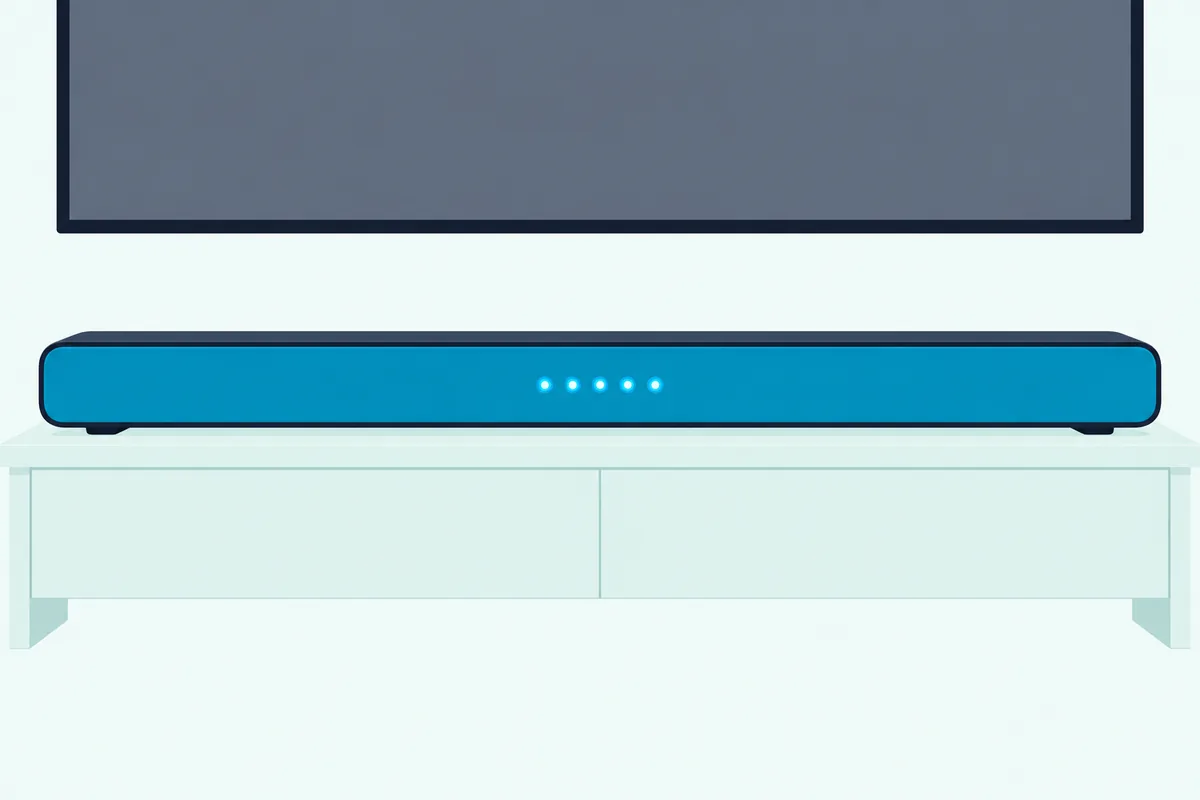
On the 2021 and 2022 bars the front lights tell you it worked. The V51x-J6’s LEDs light up in sequence from bottom to top and back, and the V21d-J8’s run left to right, until a device connects.
The SV210M-0808 signals differently. Its single LED blinks blue rapidly and a tone plays twice, then the blinking stops and a confirmation tone sounds once it’s paired.
There’s a clock on it, too. The V21d-J8, M213ad-K8 and SB2021n-J6 manuals say the bar stays discoverable for 15 minutes and powers down if no device is found, so keep the TV’s list open while you press the button.
If the bar never appears under Other Devices, that window may have run out. Back out of the TV menu, reopen Bluetooth Headphones, and start the bar’s pairing mode again so both sides are searching at once.
What Happens to the Sound Once They’re Paired?
A finished connection is where the Bluetooth route starts to show its limits, and Vizio’s sound bar manuals spell most of them out. The V51x-J6 manual gives a range of up to 30 feet and calls Bluetooth “a compressed audio format,” so the sound may lose some integrity compared with a wired connection (Vizio V51x-J6 manual).
Inputs matter too. On the V51x-J6, M51ax-J6 and V21d-J8, changing the bar’s input disconnects the Bluetooth device (unless Auto VA BT is on, on the V21d-J8), and switching back to Bluetooth reconnects any paired device automatically.
The 2025 SV210M-0808 adds its own rule, called Auto HDMI. When the TV turns on the bar defaults to the TV as its audio source, and if you adjust the TV volume with its remote while Bluetooth is playing, Bluetooth disconnects and the bar switches to TV audio (Vizio SV210M-0808 manual).
Vizio’s mobile app has a toggle for that. Turning Auto HDMI off stops the automatic switch away from Bluetooth, which matters if the TV is on Bluetooth and the HDMI cable is also plugged in.
Volume works on both ends. The Vizio bar manuals say Bluetooth volume can be controlled on the source device and on the sound bar, so if the bar is quiet, turn up the TV as well as the bar.
Interference is the other variable. Vizio lists wireless security cameras, wireless video baby monitors, cordless phones and microwave ovens as things that can shorten Bluetooth range, and suggests turning them off or moving them.
The manuals leave one question open, and it’s the one TV viewers notice. None of the Vizio bar manuals lists which Bluetooth codecs it supports, so there’s no documented figure for how far the sound lags the picture on this link.
Vizio TVs do have a Lip Sync setting in the Audio menu, which the 2022 manuals describe as synchronizing the picture with the audio track. They don’t say whether it applies to Bluetooth output, so try it if voices run behind lips, and if it doesn’t help, the HDMI route below is the fix.
Why Is HDMI ARC the Better Link for a Vizio Sound Bar?
Those Bluetooth limits are the case for a cable, and every Vizio bar in this guide except the SB2021n-J6 has one in common: HDMI ARC or eARC. It carries the TV’s sound to the bar, lets the TV remote control the bar’s power and volume, and has no 30-foot range or pairing window to manage.
Vizio’s own manuals favor it. The SV210M-0808 manual tells you to connect its included HDMI cable to the TV’s HDMI ARC or eARC port “for optimal audio performance,” and the V51x-J6 includes an HDMI ARC cable in the box.
There’s a format reason, too. The V51x-J6 manual says Dolby Audio is only available on its HDMI ARC and Digital Optical inputs, which leaves Bluetooth out.
Setting up HDMI ARC or eARC on a Vizio TV
The 2022 V-Series manual walks through the TV side in three settings. Plug the bar into the TV’s HDMI-1 (HDMI ARC) input, set the bar to its HDMI ARC input, then turn on CEC under Menu > System > CEC.
Device Discovery on the same screen checks that the TV sees the bar. With CEC working, Vizio says the TV remote can control power on and off, volume and mute, depending on the device.
Your TV handles the speakers for you. Vizio’s manual says the built-in TV speakers switch off automatically when a sound bar is discovered, and that a Vizio bar connected over CEC shows its settings in the TV’s Audio menu.
The SV210M-0808 adds one warning worth repeating. Make sure the TV port is an audio output, which is why ARC or eARC on the TV’s label matters, not just any HDMI socket.
If the cable from the box has gone missing, UGREEN’s 6.6 ft certified HDMI cable is sold as Certified Ultra High Speed. HDMI.org says certified cables carry a certification label on the package that standard QR code apps can scan to verify it (HDMI.org).

UGREEN’s 6.6 ft certified HDMI cable
Optical when ARC isn’t free
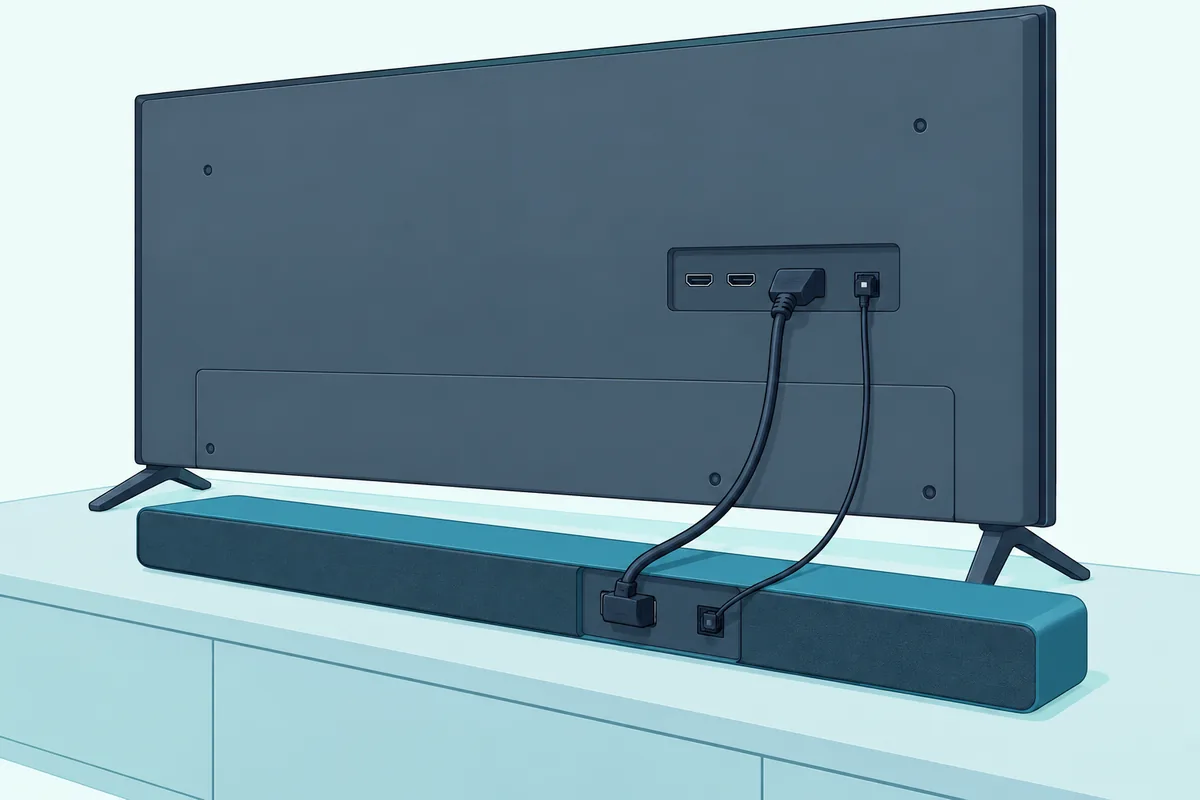
Optical is the fallback when the ARC port is taken or the bar has no HDMI, like the SB2021n-J6. The V51x-J6 manual shows Digital Optical as a connection option but marks the optical cable as not included, so you’ll need one before this route works.
There’s one setting to check afterward. If optical gives no sound, the V51x-J6 manual says to set the TV’s output to PCM, and on a Vizio TV that’s Digital Audio Out in the Audio menu, which covers both optical and HDMI ARC.
One bar skips this route entirely. The SV210M-0808 manual says no optical connection is available on that model, so it’s HDMI eARC or Bluetooth.
Amazon Basics’ 6 ft Toslink cable is sold as a digital optical cable for sound bars. Push each plug fully into the TV’s optical output and the bar’s Digital Optical input, then select that input on the bar.
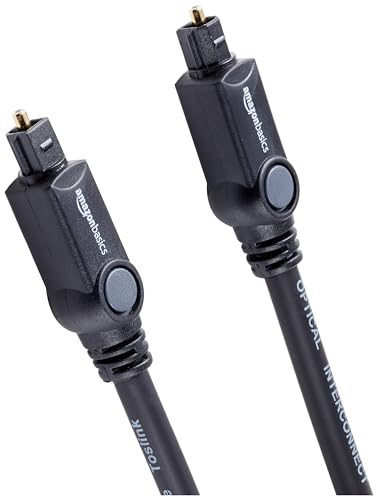
Amazon Basics’ 6 ft Toslink cable
Analog for older bars
The third cable route uses the TV’s stereo audio out, which the 2022 V-Series and D-Series list among their outputs. The V51x-J6 shows a 3.5 mm to RCA cable for its AUX input, also not included.
Set the TV’s Analog Audio Out to match how you’ll control volume. Vizio’s manual says to select Fixed if the sound bar will control the volume and Variable if you’re using the TV remote.
For a full walk-through of all three cables, with the button names on each bar, this cable-by-cable Vizio soundbar setup covers first-time hookup port by port.
Is the Vizio Subwoofer Link the Same as Bluetooth?
The cables cover the TV link, but Vizio bars carry a second wireless connection that’s easy to mix up with Bluetooth: the one to the subwoofer. The V51x-J6 manual calls it pairing, which it defines as connecting wirelessly, yet it uses different buttons from the Bluetooth steps above.
Vizio pairs the two at the factory. The V51x-J6 manual says the subwoofer may need re-linking if no sound comes from it.
Re-linking takes two holds. Press and hold the ON/OFF button on the back of the subwoofer for 5 seconds until its LED blinks, then hold the Power button on top of the bar for 5 seconds; the front LEDs flash 3 times when the subwoofer is linked.
The rear speakers on that system don’t pair at all. The V51x-J6 manual has you connect the surround speakers to the subwoofer with the included cables, so they get their sound from it.
So a Bluetooth problem with the TV won’t explain a silent subwoofer, and the other way around. For the full subwoofer steps, see these Vizio subwoofer re-link steps.
How Do You Stream From a Phone to a Vizio Sound Bar?
That subwoofer link runs in the background, but the Bluetooth button on a Vizio bar is written up in its manuals for a different source. The V51x-J6 manual says the bar “supports music streaming from devices with Bluetooth capability,” and the steps match the pairing table above: hold the button, then pick the bar’s name on the phone.
On a phone, open its Bluetooth settings, put the bar in pairing mode, and tap the bar’s name when it appears, VIZIO V51 on that model.
The SV210M-0808 gives you two routes. Press its Bluetooth button quickly and pick VIZIO 2.1 Soundbar on the phone, or start from the Music button on the EQ Modes tab of the VIZIO mobile app.
That bar takes one source at a time. Its manual says only one paired device can stream music at once, and to connect a new one you first disconnect the old one in its Bluetooth settings.
Phones don’t take over a Vizio TV link permanently, either. Because changing the input disconnects Bluetooth on the V51x-J6, M51ax-J6 and V21d-J8, you can move between the phone on Bluetooth and the TV on HDMI ARC with the INPUT button.
If you’re setting up a phone rather than the TV, the phone-to-soundbar Bluetooth guide covers iPhones and the Samsung, LG, Polk and Sony bars too.
What If Your Vizio TV Has No Bluetooth Audio?
A phone streams to every Vizio bar in this guide, but an older TV without the Bluetooth Headphones menu can’t. The fix that costs least is still a cable, since every 2021 and 2022 Vizio bar in this guide has a Digital Optical input, and the 2025 SV210M-0808 takes HDMI eARC.
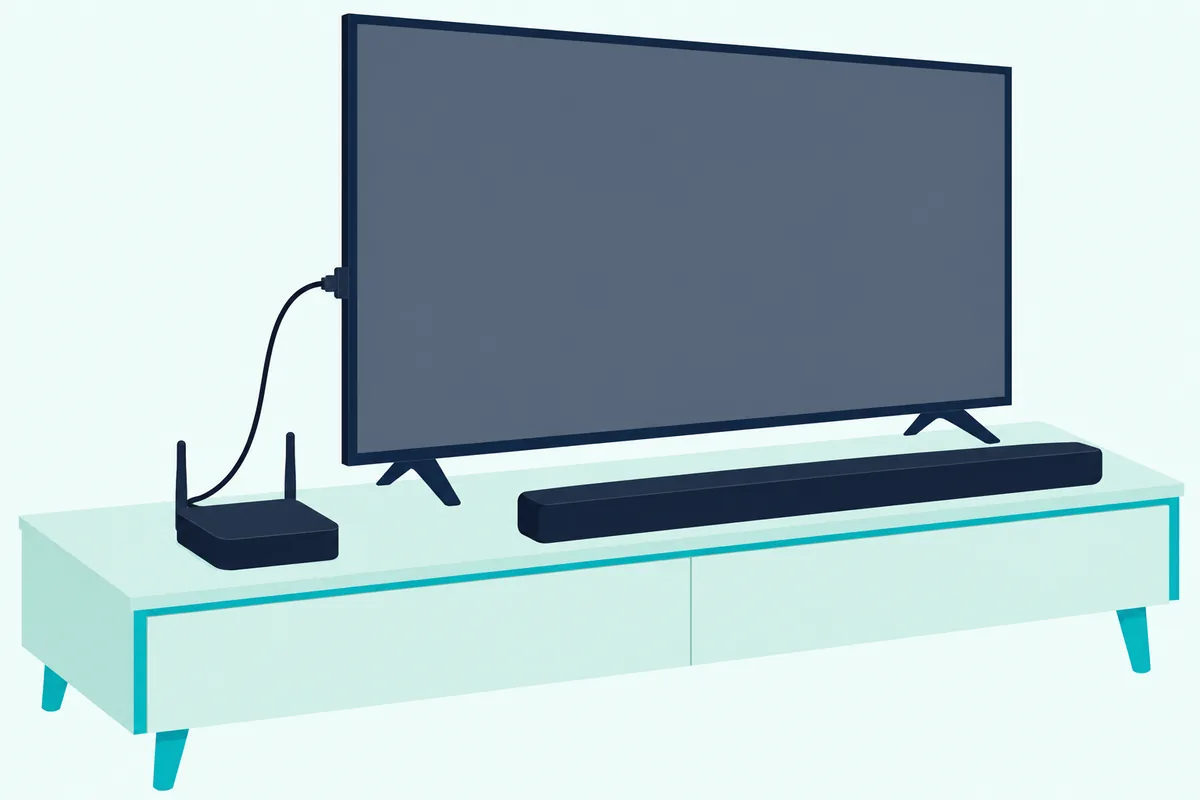
A Bluetooth transmitter only makes sense when the bar must sit where no cable will reach. It plugs into the TV’s optical or analog audio output and sends that sound over Bluetooth to the bar, which pairs with it as it would with a phone.
The 1Mii B06TX transmitter takes optical, 3.5 mm or RCA from the TV, according to its listing, and pairs with up to two Bluetooth headphones or speakers. The same listing says its no-lip-sync claim applies to devices with aptX Low Latency.
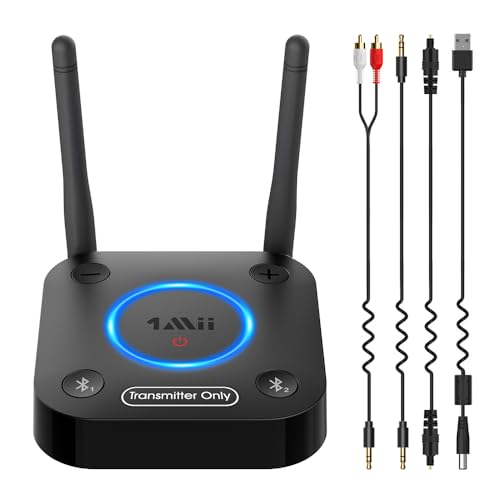
The 1Mii B06TX transmitter
That condition is the catch for Vizio owners. None of the Vizio bar manuals checked here mentions aptX, so the low-latency claim can’t be counted on with a Vizio bar, and you may see the same lag as with any Bluetooth link.
The input rules from earlier still apply. A V51x-J6 drops the transmitter when you change inputs, and an SV210M-0808 with Auto HDMI on switches to its HDMI input when the TV turns on.
Why Won’t the Sound Bar Show Up on the Vizio TV?
Those same steps above, taken in the wrong order, explain most failures, whether the TV pairs directly or through a transmitter. Run through them in this sequence before anything drastic.
- Confirm the TV has the Bluetooth Headphones menu, since a TV whose only Bluetooth is its remote won’t have the list at all.
- Open the TV’s list, then put the bar in pairing mode, holding the button for the full 3 or 5 seconds its manual gives, and watch for the moving lights or the rapid blue blink.
- Keep the TV’s Bluetooth Headphones list open while the bar is discoverable, which is 15 minutes on the V21d-J8, M213ad-K8 and SB2021n-J6.
- Disconnect any phone that’s paired to the bar, because the SV210M-0808 streams from one device at a time.
- Move the bar and TV within 30 feet with nothing solid between them, and switch off nearby baby monitors, cordless phones or cameras.
If the bar pairs but stays silent, check the input first. Press the bar’s Bluetooth button to select Bluetooth Mode, since any other input disconnects it, and on the SV210M-0808 check that Auto HDMI hasn’t switched it back to the TV.
When none of that works, the bar may have a fault of its own. This symptom-by-symptom guide to a Vizio sound bar goes through the lights, the inputs and the reset, and a full reset unpairs every Bluetooth device, so leave it for last.
Frequently Asked Questions
Does Vizio TV have Bluetooth for a soundbar?
Some do. The 2022 V-Series and D-Series manuals include a Bluetooth Headphones menu for listening to audio, the 2023 Quantum Pro manual lists Bluetooth among its audio outputs, and vizio.com’s current 4K and Full HD model pages say to pair Bluetooth headphones. Vizio’s manuals name headphones, though, and don’t say whether a sound bar will appear in the list. Older sets aren’t covered by the manuals checked here, so look in your TV’s Menu: if there’s no Bluetooth Headphones entry, use HDMI ARC or optical instead.
Does my Vizio sound bar have Bluetooth?
Every Vizio bar whose manual was checked for this guide has a Bluetooth button and a Bluetooth input: the V51x-J6, M51ax-J6, V21d-J8, M213ad-K8, SB2021n-J6, Elevate P514a-H6 and the 2025 SV210M-0808. On the 2021 and 2022 models the input light turns blue when Bluetooth is selected, and on the SV210M-0808 its LED turns dark blue. Hold the button for 3 or 5 seconds, or quick-press it on the SV210M-0808, to start pairing.
Can a Vizio TV use a non-Vizio Bluetooth sound bar?
The TV side doesn’t change. On a Vizio TV with the Bluetooth Headphones menu, put the other brand’s bar in pairing mode using its own manual, then select it under Other Devices and press OK. Vizio doesn’t promise that any sound bar will appear there, since the manual names headphones. If yours doesn’t, the same HDMI ARC and optical routes work with any brand, and on bars that support CEC, the Vizio TV’s remote controls the bar’s volume over HDMI.
Why does my Vizio sound bar switch off Bluetooth when the TV turns on?
That’s the SV210M-0808’s Auto HDMI feature at work. Its manual says the bar defaults to the TV as the audio source when the TV turns on, and that adjusting the TV volume with its remote disconnects Bluetooth and switches the bar to TV audio. The VIZIO mobile app has a toggle that turns Auto HDMI off, which stops the switch. On the V51x-J6, M51ax-J6 and V21d-J8, changing the input does the same thing, so stay on Bluetooth Mode.
How do I connect a Vizio sound bar to a TV without HDMI?
Use optical or AUX. The V51x-J6, M51ax-J6, V21d-J8, M213ad-K8, SB2021n-J6 and P514a-H6 manuals all show a Digital Optical input, and the V51x-J6 also takes a 3.5 mm to RCA cable on AUX; neither cable comes in its box. Set the TV’s digital output to PCM for optical, or its analog output to Fixed for AUX. The 2025 SV210M-0808 is the exception, because its manual says it has no optical connection, so a TV without HDMI ARC or eARC can only reach it over Bluetooth.