How to Connect a Bose 700 Soundbar to a TV (HDMI or Optical)
Here’s how to connect a Bose 700 soundbar to a TV: run the HDMI cable from its box between the TV’s eARC or ARC port and the bar’s HDMI (ARC) jack, then finish in the Bose app.
Put that cable in the wrong TV port, or leave the TV’s CEC setting off, and the bar stays silent while the TV’s own speakers keep talking.
Get both right and the 700 plays every TV input, follows the TV’s power and, where CEC passes volume along, answers the TV remote.
This guide follows Bose’s own guide and help pages for the Smart Soundbar 700, plus the TV makers’ menus for Samsung, LG, Sony and VIZIO.
It starts with the box and the right port, then covers the app, TV settings, the universal remote and fixes for silence, dropouts and a TV remote that won’t change the volume.
How to Connect a Bose 700 Soundbar to a TV, Step by Step
That one-cable hookup takes four steps, and the only part that needs care is the TV end. Bose’s owner’s guide calls HDMI eARC or ARC the preferred connection and keeps optical as the backup (Bose Smart Soundbar 700 owner’s guide).
- Plug one end of the HDMI cable into the TV’s port labeled eARC or ARC, not a standard HDMI input.
- Plug the other end into the HDMI (ARC) connector on the back of the soundbar.
- Connect the power cord: the bar switches on by itself and its light bar glows amber.
- Open the Bose app on your phone and follow its setup, which ends with ADAPTiQ room calibration.
To check the result, turn on the TV and press Power on the Bose remote if the bar is still off. Then press Mute: when both the TV speakers and the bar go quiet, the TV’s sound is coming from the 700.
Bose also says to turn the TV’s own speakers off, to avoid hearing distorted audio. If yours is a different Bose model, here’s how to hook up any other Bose soundbar to a TV, from the TV Speaker to the Smart Ultra.
What Comes in the Box, and Which Cable Should You Use?
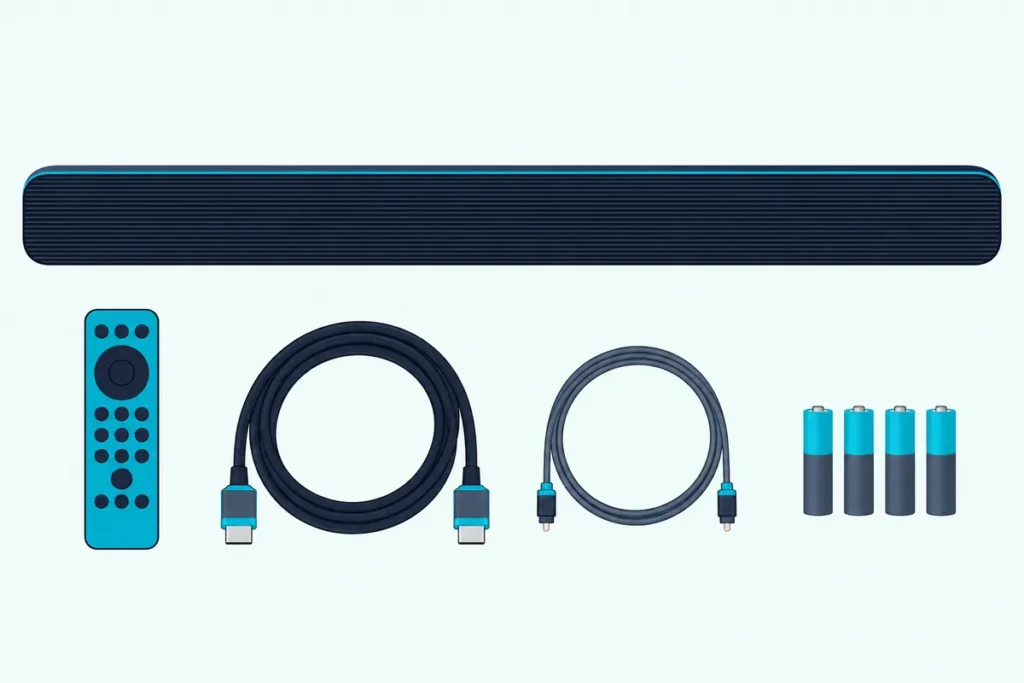
Those four steps use only parts from the carton. Bose’s guide lists the soundbar, the Bose Soundbar Universal Remote with four AA batteries, a power cord, an HDMI cable, an optical cable, a cleaning cloth and the ADAPTiQ headset, and Bose’s US product page adds a quick start guide (Bose).
So there’s nothing to buy for a normal hookup, and no adapter is involved. The 700 has its own OPTICAL IN connector for the optical cable, and neither Bose list mentions an adapter.
Use the HDMI cable whenever the TV has an eARC or ARC port. The guide turns to optical only when the TV lacks one, and Bose’s FAQ calls the supplied HDMI cable the simplest way to connect.
That preference isn’t arbitrary. HDMI also carries CEC, the control link a TV uses to switch connected devices on and pass them volume commands, and Bose’s troubleshooting asks more than once whether CEC is on.
Which TV Port Is the Right One?
The cable choice only works if the TV end goes into the one port that sends sound back out. Bose’s guide says the cable must go into the TV connector labeled eARC or ARC (Audio Return Channel), never a standard input, with the other end in the bar’s HDMI (ARC) connector.
Look for that label printed beside one input on the TV’s back panel. Sony’s help guide names it the input bearing “ARC” or “eARC/ARC”, and VIZIO’s 2022 V-Series manual puts it on HDMI-1.
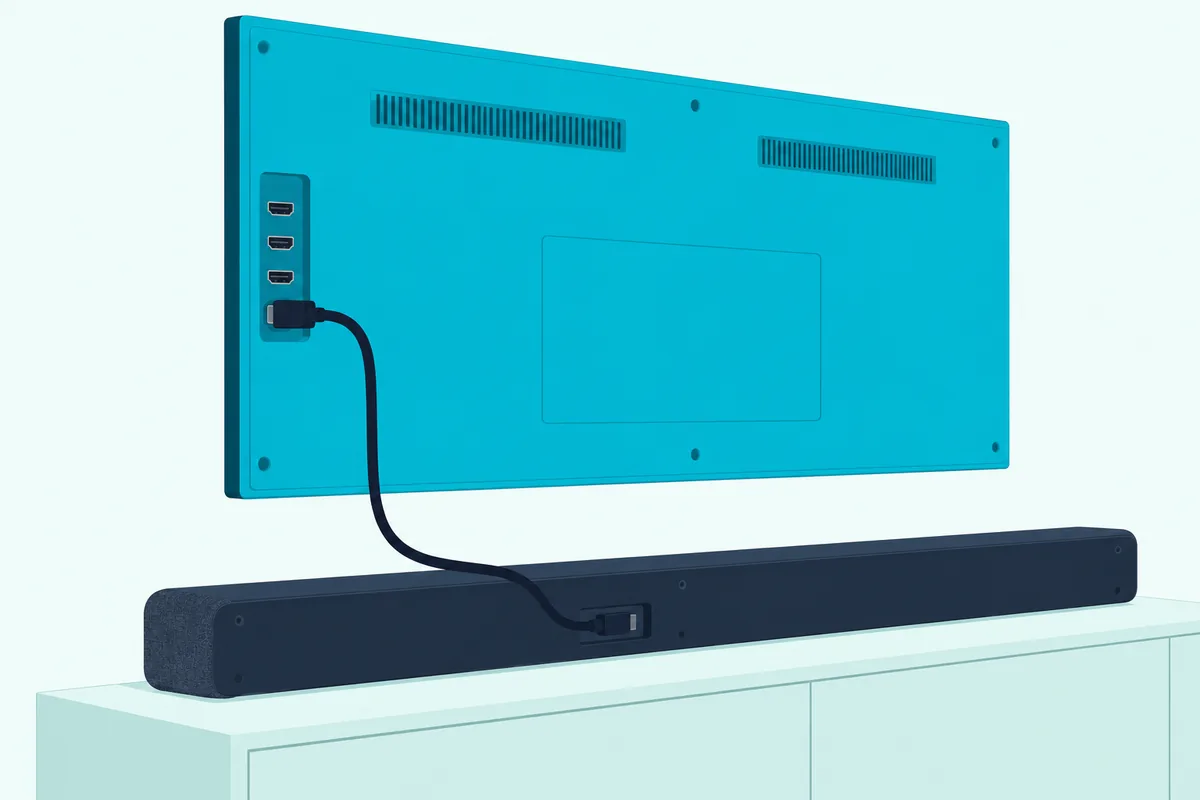
eARC is an advanced version of the same return channel with wider bandwidth, as Samsung’s and LG’s guides describe it. Bose’s 700 page lists ARC in its highlights, yet answers “Yes” when its FAQ asks whether the bar has HDMI-eARC capability.
Either port does the job, because the 700’s guide treats eARC and ARC as one option and never mentions Dolby Atmos, one of the formats Samsung ties to eARC’s extra bandwidth. If you’re still weighing an upgrade, the Soundbar 700 vs 900 rundown covers what the newer bar adds.
Your other boxes don’t plug into the bar at all. Bose’s FAQ says a cable box or game console connects to the TV, and a single HDMI or optical cable then runs from the TV to the soundbar.
Can You Use the Optical Cable Instead?
That single-cable rule still holds when the TV has no ARC port; only the cable changes. Yes, optical works: Bose’s guide makes it the second option for any TV without an eARC or ARC connector, using the optical cable from the box.
Bose’s steps run like this:
- Remove the protective cap from both ends of the optical cable.
- Plug one end into the TV’s jack labeled Optical OUT.
- Line up the other plug with the bar’s OPTICAL IN connector, whose hinged door swings inward as the plug goes in.
- Push the plug in firmly until you hear or feel a click.
Bose warns that a plug pushed in the wrong way round can damage the plug or the jack, so match its shape first. What optical can’t carry is CEC, which LG and Samsung both describe as a feature of the HDMI link, so the TV can’t wake the bar or send it volume that way.
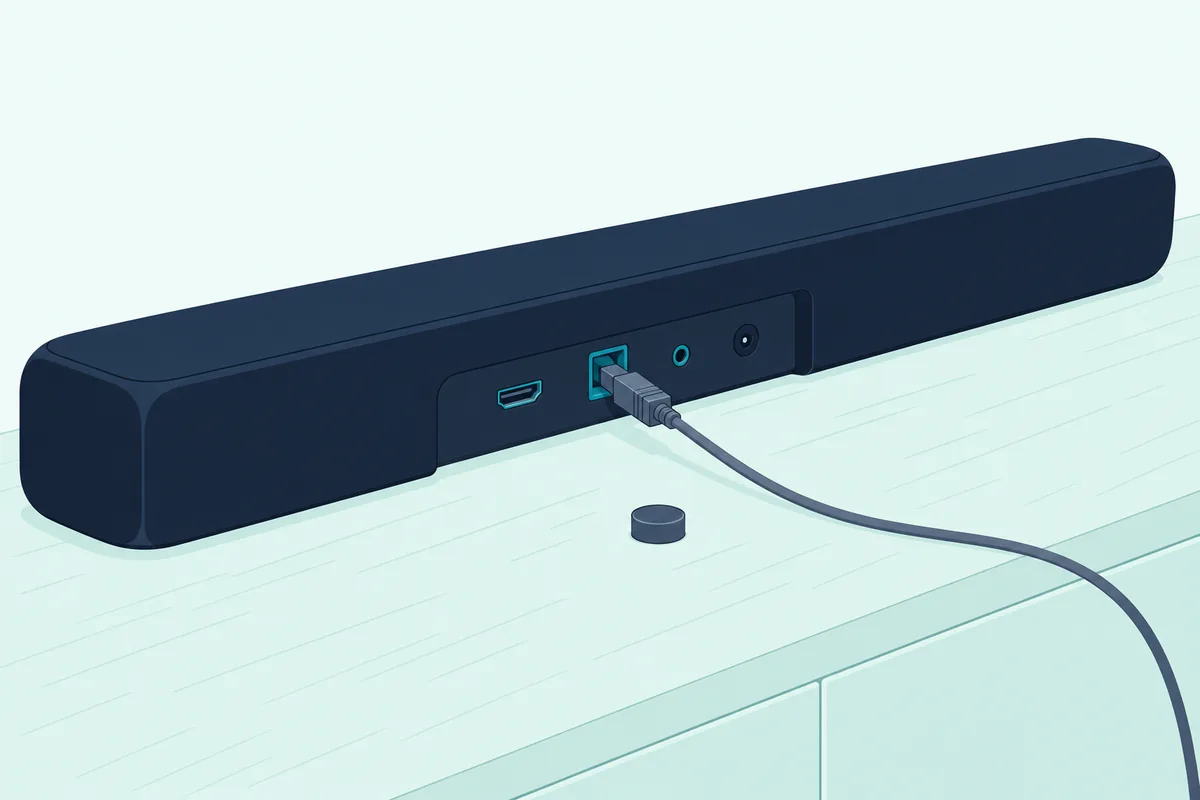
For an optical hookup, Bose’s help article for the 700 puts an Optical Auto-Wake switch in the Bose app under Settings, then Power. The guide’s troubleshooting table even suggests running both cables at once when the sound keeps coming from the TV speakers or the bar picks the wrong source.
If the TV has neither ARC nor optical, the same table points to an audio converter plus a separate coaxial, 3.5 mm or analog cable, neither supplied, chosen to match the TV’s outputs. Our guide to hooking a soundbar to a TV that has no ARC port covers those headphone and RCA routes.
How Do You Set Up the 700 in the Bose App?
Once a cable is in, the rest of the setup happens on your phone. Bose’s help article for the 700 runs it in four moves: install the app, power the bar, let the app find it and give it your Wi-Fi.
The app to install today is the Bose app; Bose’s 2021 owner’s guide for the 700 calls it the Bose Music app.
- Install the Bose app and turn on your phone’s Bluetooth.
- Plug in the soundbar: its light bar blinks for about 30 seconds, then glows amber.
- Open the app, sign in or create an account, and allow the Location, Local Network and Bluetooth permissions it asks for, or it won’t find the bar.
- Tap Add when the 700 appears (or tap the My Bose icon, then the plus sign), pick your Wi-Fi network, enter the password and tap Connect.
From there, the guide just says to follow the app’s instructions, and the app also programs the universal remote to your TV during this setup. A wired network works too, since Bose’s help article lets you run an Ethernet cable from the bar to your router before you start.
If the light bar isn’t amber when you begin, the bar isn’t waiting for setup. The guide’s own route back to amber is its step for joining a different Wi-Fi network: hold the remote’s TV and Skip backward buttons together until the light bar glows amber.
The app finishes by prompting ADAPTiQ, which tunes the bar’s sound to your room’s acoustics. A microphone on top of the ADAPTiQ headset from the box takes five measurements, so set aside about 10 minutes of quiet.
Run it again whenever you add a bass module or surround speakers, move the bar or rearrange the furniture. The option sits in the app’s Settings menu.
Which TV Settings Send the Sound to the 700?
That app setup handles the Bose side, but the TV still decides where its sound goes. Bose’s guide asks for two things on the TV: CEC turned on, under whatever name the TV maker uses, and the TV’s own speakers turned off.
Here’s where four TV makers put those settings in their own guides:
| TV brand | CEC setting and its name | Where the TV’s sound output is set |
|---|---|---|
| Samsung | Anynet+: Settings > All Settings > Connection > External Device Manager (2022 and newer); Settings > General > External Device Manager (2021 and older) | Settings > Sound > Sound Output, then the soundbar (Audio Out/Optical for an optical cable) |
| LG | SIMPLINK: Settings > All Settings > General > External Devices > HDMI Settings | Settings > All Settings > Sound > Sound Out > Use Wired Speaker > HDMI(ARC) Device, or Optical Out Device |
| Sony | BRAVIA Sync control: Settings > Channels & Inputs > External inputs > BRAVIA Sync settings (Sony BRAVIA Help Guide) | Settings > Display & Sound > Audio output > Speakers > Audio system |
| VIZIO | CEC: Menu > System > CEC, set to Enable (VIZIO V-Series user manual) | Menu > Audio > TV Speakers, set to Off |
On a Samsung TV, Samsung’s ARC help page adds that Anynet+ has to be on for ARC to work, and that ARC needs a cable rated version 1.4 or higher. Its Anynet+ page says 2022 and newer models usually have it on already, but it’s worth checking.
LG’s guide says choosing HDMI(ARC) Device turns SIMPLINK on by itself, and its eARC Support switch sits under Sound, then Advanced Settings. LG also says SIMPLINK’s features work only with devices carrying the SIMPLINK logo, so its guide makes no promise for a Bose bar.
Sony’s guide sets eARC mode to Auto under Display & Sound, then Audio output, when the bar sits on the eARC/ARC input. VIZIO’s manual says its TVs switch their built-in speakers off by themselves once a sound bar is discovered.
Menus move between model years, so if your TV’s screens don’t match, search its settings for the CEC name in the table. For any other brand, Bose’s advice is the same: find your TV’s name for CEC in its owner’s guide and switch it on.
How Do You Program the Bose Remote to Run Your TV?
Once the TV is sending sound, the Bose Soundbar Universal Remote can take over the TV itself. You program it in the Bose app, where the TV entry under Universal Remote finds your TV’s remote code.
Bose’s 700 page explains the trick: the remote talks to the bar over Bluetooth Low Energy, so it needs no line of sight, and the bar then sends infrared commands to your other devices. Bose’s help article for the 700 gives this path in the app:
- Tap the Settings icon in the upper-right corner, after picking the 700 with the My Bose icon if another product shows.
- Under Universal Remote, select TV, then tap Connect to a New TV.
- Choose Search For My TV, or type the TV’s brand, confirm the TV is on and tap Turn Off Now.
- Answer Yes if the TV switched off, or No, Try Again for the next code, and use Enter Model Number if none works.
With the HDMI cable already in, Bose says the app may offer to read the TV’s brand, model number and remote code straight from the TV. If no code matches the model, the bar falls back to controlling the TV over CEC, which needs the HDMI connection and CEC switched on in the TV.
Choosing Use Manufacturer’s Remote ends the programming and leaves the TV on its own remote. The guide adds that if you replace the TV later, you program the remote again in the app.
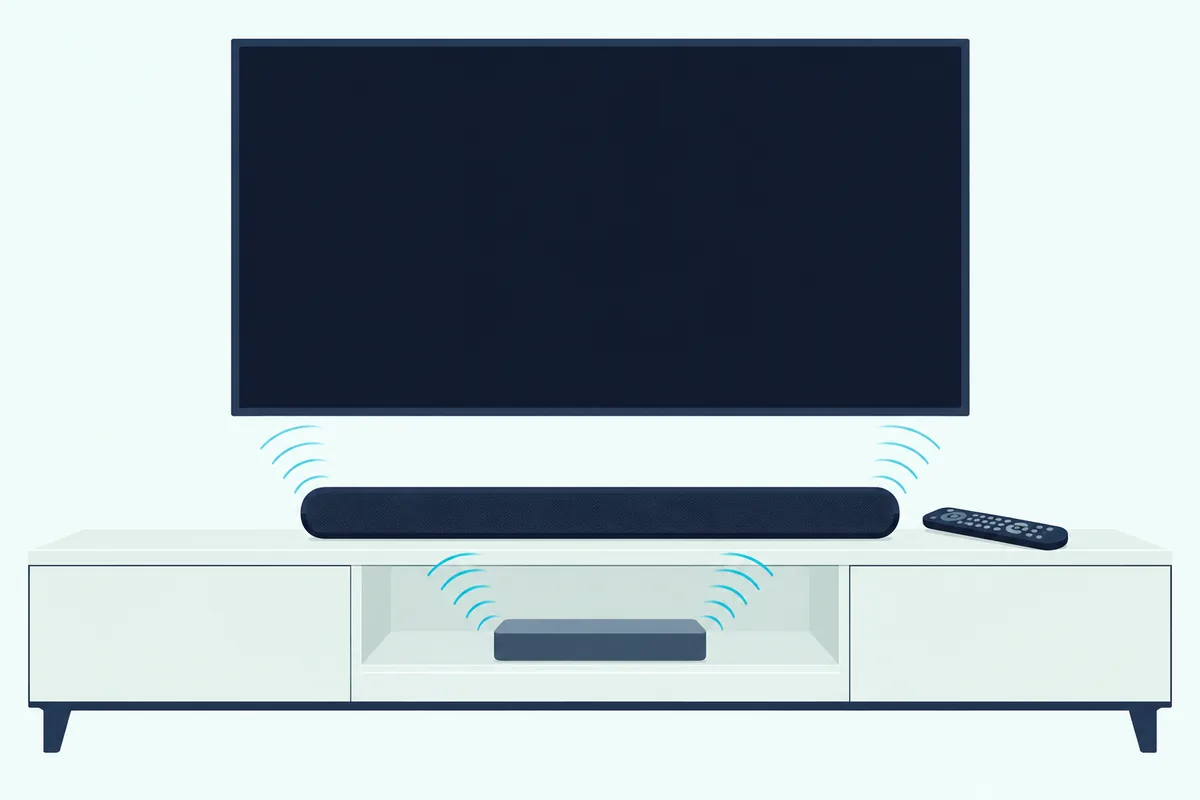
The four source buttons work as modes, not inputs. Pressing one powers on the bar and points the remote at that box, but it doesn’t change the TV’s input; Bose’s steps use the remote’s TV input button for that.
Cable and satellite boxes are the devices Bose singles out, since its FAQ says they may not respond to HDMI commands. Program them under Configure in the same Universal Remote section, where the app adds them as a new device.
Can the TV Remote Control the 700’s Volume?
That Bose remote isn’t the only option: the TV’s own remote can run the bar’s volume two ways. Over HDMI with CEC on, the TV makers describe their remotes running connected devices: VIZIO’s manual lists power, volume and mute, and Samsung says Anynet+ lets its TV remote control all your HDMI-connected devices.
If the volume keys do nothing over HDMI, check the same two things Bose checks for missing sound. The cable has to sit in the TV’s eARC or ARC port, and CEC has to be on in the TV’s menu.
The second way skips CEC, which makes it the route for an optical hookup. Bose’s guide lets you program a third-party remote, such as a cable or satellite box remote, to send the 700 infrared commands for basic jobs like power and volume, following that remote’s own instructions.
Nothing changes on the bar for that, according to Bose’s help article for the 700. Its infrared sensors sit at the far left and right ends of the bar, so keep both ends unblocked.
Not every remote qualifies, though. Bose notes that a third-party remote has to send infrared signals to control the bar.
Will the 700 Turn On and Off With the TV?
Those same CEC settings decide whether the bar follows the TV’s power. Sony’s BRAVIA Sync settings include Device auto power off and TV auto power on, LG’s SIMPLINK lists Main Power Off and Main Power On, and VIZIO’s CEC covers power on and off.
On the Bose side, the bar drops into network standby after 20 minutes with no audio and no button presses. The guide wakes it with the remote’s Power, source or preset buttons, the Bose app or a voice assistant.
Plugging the bar in powers it on as well, and the first time it starts it picks the TV source. With an optical hookup, the Optical Auto-Wake switch from the optical section is the Bose setting to look for.
When the bar and a box drift out of step, one on and one off, the guide’s fix is quick. Press that box’s source button on the Bose remote, then press Power.
Why Is There No Sound From the 700?
If the bar is still silent after all that, start where Bose’s troubleshooting table does. Its list for missing audio begins with the mute and the volume, then moves to the TV port and CEC:
- If the left side of the light bar glows solid white, the bar is muted, so press Mute.
- Turn the volume up on the bar, or switch to a different source.
- Check the cable sits in the TV’s eARC or ARC port and that CEC is on, then unplug it at the TV and plug it back in.
- With optical, make sure the TV end is in a jack labeled Output or OUT, not Input or IN.
If that fails, unplug the power cords of the bar and any bass module or surround speakers, wait 30 seconds and plug them back in firmly. That full power cycle is the last step in Bose’s list for missing sound.
Sound from the TV speakers instead of the bar gets its own list in the guide. Turn the TV speakers off and the TV’s volume to its lowest setting, and if the bar still isn’t taking over, connect both the HDMI and the optical cable.
VIZIO’s manual adds one more for its TVs when there’s no sound: set eARC to Off and use ARC mode. That’s a TV-side switch, so it costs nothing to try.
Why Does the Sound Drop Out or Switch Inputs?
Dropouts that come and go point back to the same list, plus a few placement rules. Bose’s guide says to keep wireless gear such as routers, cordless phones and microwaves 1 to 3 feet (0.3 to 0.9 m) from the bar, and to keep the bar out of enclosed cabinets.
If the bar jumps to the wrong source, or switches after a delay, the guide’s fixes are short. Set CEC to Alternate in the Bose app, turn CEC off on the source box, or connect both cables.
Poor or distorted TV sound gets a separate check. Make sure the TV can output surround sound, lower the volume of any other device feeding it, and run ADAPTiQ again.
A light bar that pulses amber four times is the bar’s own signal for a source error. The guide sends you to the Bose app for the cause.
What Do the 700’s Lights Mean During Setup?
That amber pulse is one of several signals from the light bar on the front of the soundbar. During a TV hookup, solid amber means it’s ready for setup in the app, pulsing white means it’s joining Wi-Fi, and solid white that fades out means it’s connected.
Bose’s guide lists the rest:
| Light bar | What it means |
|---|---|
| Solid amber | Wi-Fi setup in progress: the bar is ready for the app |
| Pulsing white | Connecting to Wi-Fi |
| Solid white, then fading to black | Connected to Wi-Fi |
| Left side solid white | Muted |
| Four amber pulses | Source error: check the Bose app |
| Four red pulses | Request temporarily unavailable: try again later |
| Solid red | Soundbar error: contact Bose customer service |
White light sliding from right to left means an update is downloading, and sliding left to right means it’s installing. For the lights on Bose’s other bars, see Burton Acoustix’s guide to Bose status lights.
When Should You Reset the 700?
If a light or a fault outlasts all of those fixes, a reset is the heavy option, and Bose keeps it for the very end of its troubleshooting chapter. A factory reset clears the source, volume, network and ADAPTiQ settings, so you’ll set the bar up again from scratch.
On the remote, press and hold Power and Skip forward together for 5 seconds, until the light bar pulses white twice and fades to black. The bar reboots and glows solid amber, ready for the Bose app and a fresh ADAPTiQ run.
Your TV’s CEC and sound settings stay as they are, since the reset only touches the soundbar. Other Bose models use different buttons, and every Bose reset sequence is laid out model by model.
The Bottom Line
The whole job comes down to one cable in the right TV port and CEC switched on, with optical as the fallback for a TV without ARC. Everything after that, from the remote’s TV codes to ADAPTiQ, runs through the Bose app on your phone.
If the TV remote won’t take over the volume, check CEC first, then program an infrared remote. And if the bar goes quiet, Bose’s own checklist above starts with the mute light and ends with a 30-second power cycle.
Frequently Asked Questions
Can the Bose 700 be used with any TV?
Any TV with an HDMI eARC or ARC port, or an optical audio output, can feed it with the cables in the box. For a TV with neither, Bose’s guide points to an audio converter and a coaxial, 3.5 mm or analog cable bought separately, matched to the TV’s outputs.
Can you connect the Bose 700 to a TV wirelessly?
Bose’s documents give two TV connections, HDMI and optical, and both are wired. The bar’s Bluetooth steps are written for phones, tablets and laptops, so plan on a cable for the TV.
Does the Bose 700 work with a TV without Wi-Fi?
Bose’s guide doesn’t tie TV sound to Wi-Fi: its cable and sound-check steps involve no app, and the bar starts on its TV source the first time it powers on. Programming the remote, ADAPTiQ, voice assistants and automatic updates all run through the app, though, and an Ethernet cable is the guide’s backup when Wi-Fi won’t connect.
Where is the Bluetooth button on the Bose 700?
It’s on the universal remote, not the bar. Press it and the light bar pulses blue while the bar waits in pairing mode for a phone or tablet; press and hold it to add another device, and the bar’s list holds up to eight.
How do I get my TV to recognize my sound bar?
Turn on the TV’s CEC setting (Anynet+, SIMPLINK, BRAVIA Sync or plain CEC, depending on the brand) and make sure the cable is in the eARC or ARC port. VIZIO’s CEC menu has a Device Discovery option that checks the bar is seen, and Sony’s BRAVIA Sync settings show a device list.
Does the Bose 700 have an HDMI input for a cable box?
No. Bose says every source, from a cable box to a game console, plugs into the TV, and one HDMI or optical cable runs from the TV to the soundbar.