Best Settings for Bose Soundbar 600, Slider by Slider
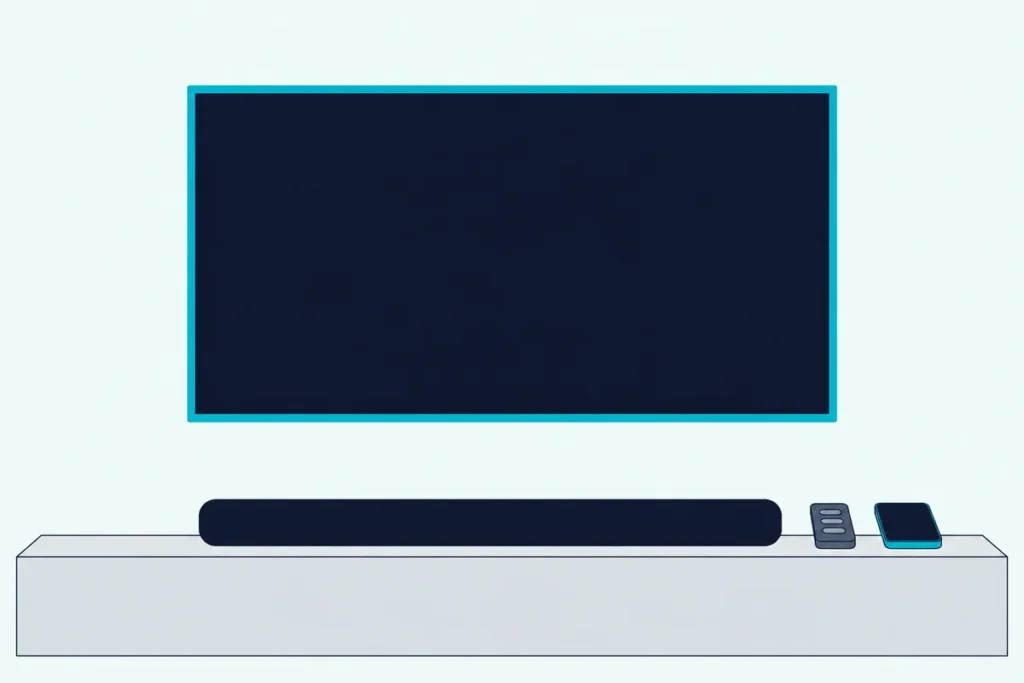
If you’re hunting for the best settings for Bose Soundbar 600, Bose’s owner’s guide names five levels in its app (bass, treble, center channel, height channel and surround channels) and gives a number for none of them.
That leaves you guessing, because the 600 has no ADAPTiQ calibration to measure your room and any value quoted online is one owner’s taste in one space.
Get the order right and those levels become small finishing touches: clear the bar’s top and sides, let the TV pass Dolby Atmos through, then move one slider at a time.
This guide starts with every control Bose’s guide lists for the 600, then takes up what it leaves open about Dialogue Mode and TrueSpace.
After that come the wall-mount step, the TV menus, the power settings and add-on bass and surround speakers, so you can set yours in one pass.
What Are the Best Settings for Bose Soundbar 600?
Bose keeps the list short. The best settings for Bose Soundbar 600 are the ones its guide documents: set bass, treble, center channel, height channel and surround channels in the Bose app’s Settings menu, run the wall-mount adjustment if the bar hangs on a wall, and connect to the TV’s HDMI eARC port with CEC on.
The Bose Smart Soundbar 600 owner’s guide lists no default or range for those five levels. Here’s every adjustable setting it names:
| Setting | Where | What Bose says |
|---|---|---|
| Bass, treble, center, height, surround | Settings menu | Adjust each level; no values given |
| Wall-mount audio | Hold Mute 5 seconds, or the app | You “must” adjust it after mounting |
| Auto-wake | Hold Power 10 seconds, or Settings | Powers on when a sound signal arrives, optical only |
| Standby timer | Settings menu | Can be disabled; otherwise standby follows 20 minutes of silence |
| Advanced CEC | Settings menu | A check for no-audio, TV-speaker and wrong-source problems |
Bose’s 2022 announcement calls the app Bose Music while the current guide says Bose app, so expect either name.
Does the Bose Soundbar 600 Have ADAPTiQ or Room Calibration?
One row you won’t find in that table is a room measurement. No, the Bose Soundbar 600 has no ADAPTiQ: Bose Canada’s comparison table marks it No, and the owner’s guide has no calibration section at all.
See how the 600 stacks up against the ADAPTiQ-equipped 700 for what that costs; here, it makes placement your calibration. Bose’s guide and its Canadian store FAQ ask for four things:
- Keep the up-firing speakers on top and the side-firing speakers on the ends unblocked, with nothing resting on the bar.
- Bring the front of the bar as close as you can to the front edge of the shelf, and leave at least 0.4 in (1 cm) behind it.
- Skip enclosed cabinets and diagonal corner spots.
- Center it on the TV, equally far from each side wall.
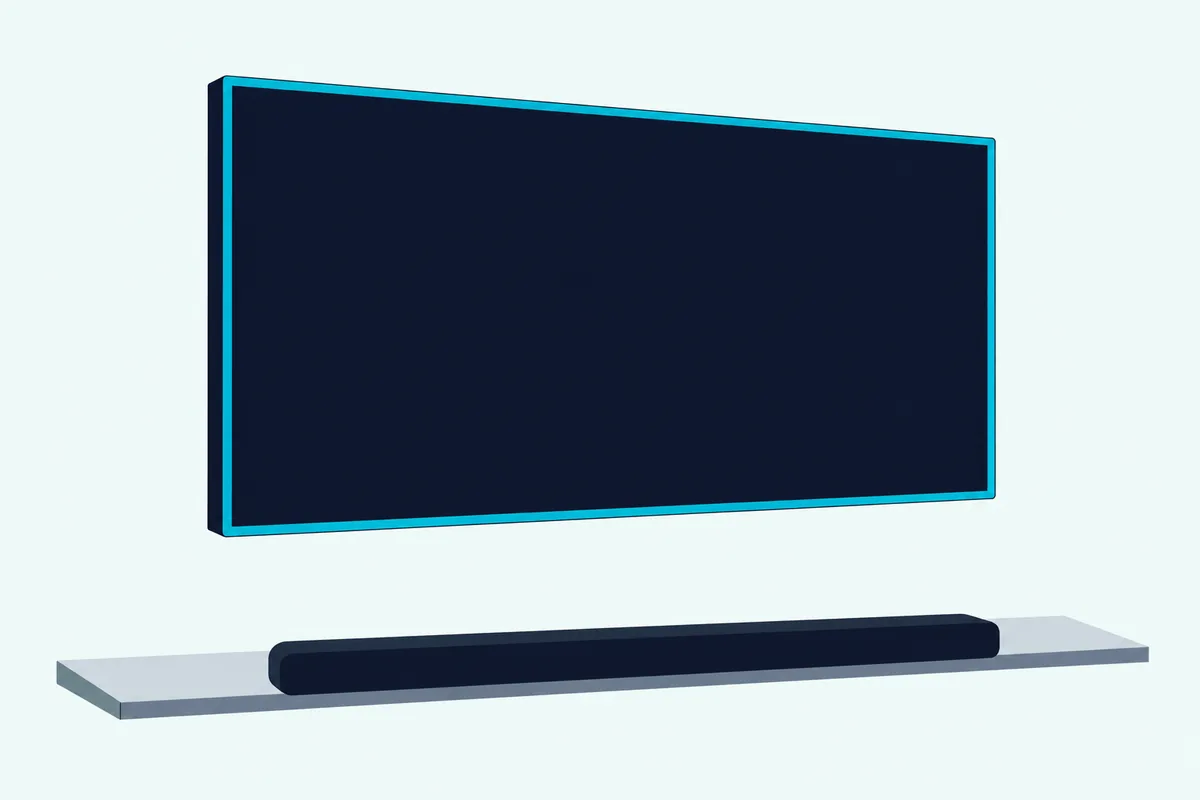
Bose says the 600 uses the reflective surfaces of your room, so think of the walls and ceiling as part of the speaker.
What Do Bass and Treble Change on the 600?
With the bar placed, the two tone levels come next. Bass and treble raise or lower the low and high ends of the sound, and the 600’s guide gives them no recommended value, only the instruction to adjust them in the app.
Those two levels are the whole equalizer: RTINGS’ Smart Soundbar 600 review lists bass and treble adjustments but no EQ. Bose’s soundbar performance story says the app’s equalizer settings fine-tune the signal to your own sound preferences, which is as close to a rule as Bose gets.
Here’s a practical test: play a scene you know at your normal volume, then lower bass a step if it sounds boomy or smeared. Bose lists that level among its fixes for poor or distorted audio, and CNET’s review found that boosting it won back some, though not all, of the dynamics the bar lacked on a film.
Treble works the same way from the other end: a small cut if voices turn sharp, a small raise if they sound dull (our suggestion, not Bose’s).
How Should You Set the Center, Height and Surround Levels?
The same one-step habit carries over to the three channel levels. Raise center for clearer voices and height or surround for more immersion, which is how the newer Smart Soundbar’s owner’s guide describes the trade.
That line comes from its Personal Surround pages, not the 600’s guide, but the two guides list the same five levels. Bose’s announcement names the 600’s five drivers: a center tweeter for dialogue, two side-firing drivers and two up-firing drivers that bounce sound off the ceiling.
That’s why a height value copied from someone else’s listening room means little. The 600’s guide doesn’t say how the surround level behaves without rear speakers, so judge it by ear.
Here’s a sensible order, which is our suggestion rather than Bose’s:
- Leave all three alone for a night of normal viewing.
- If you keep reaching for the remote during talk, raise center a step.
- If Atmos films sound flat overhead, raise height a step, then surround.
Does the Bose Soundbar 600 Have a Dialogue Mode?
Center is the level that helps voices, but the 600 has a second route. Yes, the 600 has a Dialogue Mode in the app, though its owner’s guide never mentions it: SoundGuys’ Smart Soundbar 600 review says you can enable it through the Bose Music app to make voices more pronounced.
RTINGS also credits the bar with a dialogue enhancement tool. If your app doesn’t show the switch, raise the center level instead.
Bose’s guides for other bars disagree on how long it lasts: the Smart Soundbar 300’s keeps it on for that source even after you switch or power off, and one Soundbar 550 edition’s ends it when you do either. AI Dialogue Mode is a different feature, one Bose’s FAQ says the newer Smart Soundbar has.
Can You Turn TrueSpace Off on the 600?
Dialogue Mode is a switch you control, but TrueSpace looks like the opposite. Probably not: the 600’s owner’s guide never names TrueSpace, let alone a switch for it, and reviews of its successor, the Smart Soundbar, say it’s always on.
SoundGuys says there’s no way to disable it on that bar, and RTINGS calls it always on too. Neither says so of the 600 itself, so check your Bose app.
Bose’s announcement says TrueSpace analyzes signals other than Dolby Atmos, like stereo or 5.1, and remixes them. If stereo tracks sound too spread out, try lowering height and surround a step for music, which is our suggestion rather than Bose’s.
How Do You Set the Wall-Mount Adjustment?
TrueSpace runs on its own, but one audio step won’t happen unless you trigger it. To set the wall-mount adjustment, hold the remote’s Mute button for 5 seconds until you hear a tone and the light bar pulses white twice, or make the same adjustment in the Bose app.

Bose’s wording is firm: after mounting, “you must adjust audio for best sound quality.” If you take the bar down again, repeat the hold to return to the default audio settings.
The guide also says to use only the Bose Soundbar Wall Bracket and keep the top of the bar at least 4 in (10 cm) from the TV. The drilling side is in our walk through hanging a soundbar on the wall.
Which TV Settings Does the 600 Need for Dolby Atmos?
That adjustment suits the bar to its spot, but it can only play what the TV sends it. The 600 needs the TV’s HDMI eARC or ARC port and a TV audio setting that lets Dolby Atmos pass through, and Bose’s check is the app’s Now Playing screen: if the audio isn’t streaming in Dolby Atmos, go to the TV’s advanced audio settings.
Optical is the fallback: Bose says it still gives “spacious and life-like sound,” but it keeps the Dolby Atmos experience for HDMI.
LG’s webOS 25 user guide puts the menu under Sound, Advanced Settings, Digital Sound Output. PCM turns every input into PCM, while Auto or Pass Through lets Atmos through over HDMI ARC or eARC; over optical, the same table shows Atmos leaving as plain Dolby Digital.
LG also wants eARC Support set to On, and SIMPLINK (HDMI-CEC) is its name for CEC. Samsung’s 2025 TV e-Manual calls the menu Digital Output Audio Format, where Auto follows what the soundbar supports and Pass-through sends audio with no processing, and its name for CEC is Anynet+ (HDMI-CEC).
While you’re in there, turn off the TV’s own speakers, as Bose’s sound check asks. The 600’s guide lists no lip-sync control, so delay fixes live on the TV side too, such as Samsung’s Digital Output Audio Delay; for the cable itself, here’s how to hook a Bose bar up to the TV.
Which Power and CEC Settings Are Worth Changing?
That TV-side CEC switch has a partner in the Bose app. Three settings are worth a look: Advanced CEC if the bar plays the wrong source, auto-wake if you use optical, and the standby timer if the bar drops off during quiet stretches.
Advanced CEC sits in the Settings menu, and Bose lists it for intermittent audio, sound stuck on the TV speakers and a bar that picks the wrong source after a delay. The bar powers on to the TV source by default, and your TV remote controls its power, volume and mute only over HDMI eARC or ARC.
Auto-wake works over optical only. Hold Power for 10 seconds until you hear a tone and the light bar pulses white twice, or use the Settings menu.
Standby follows 20 minutes without audio, button presses or voice commands, and the Settings menu lets you disable that timer.
What Changes When You Add a Bass Module or Surround Speakers?
Those settings cover the bar alone, but Bose names four add-ons for it. Adding a bass module or surround speakers brings no new slider in the 600’s guide: a bass module joins from the Settings menu, and if an add-on stays silent, Bose says to adjust the same bass level.
Placement does the rest. Bose’s store FAQs put a bass module on the floor against the same wall as the TV, closer to walls and corners for more bass and pulled away for less, and put surround speakers behind the main listening area, one left and one right.
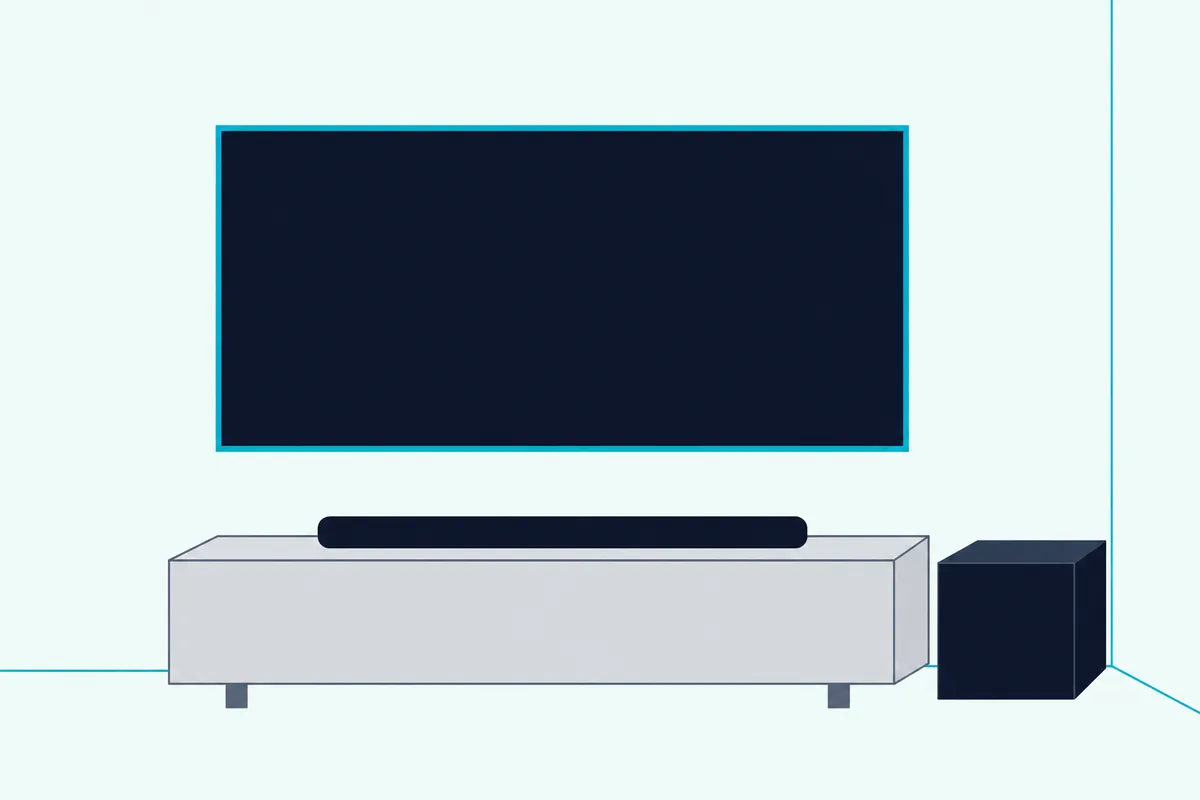
The guide’s list is the Bass Module 700 and 500, the Surround Speakers 700 and the Surround Speakers. CNET says a Bose bass module added deeper, more resonant bass on film.
If the bass slider runs out of low end, the Bose Bass Module 500 is the one Bose’s FAQ calls the better design match for the 600.
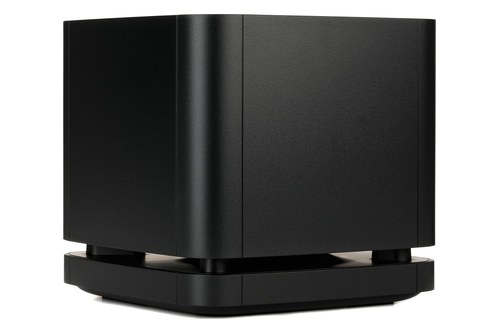
the Bose Bass Module 500
For real rear channels, the Bose Surround Speakers 700 join wirelessly. Each listing met Burton Acoustix’s rating, review and stock checks on 4 November 2026.
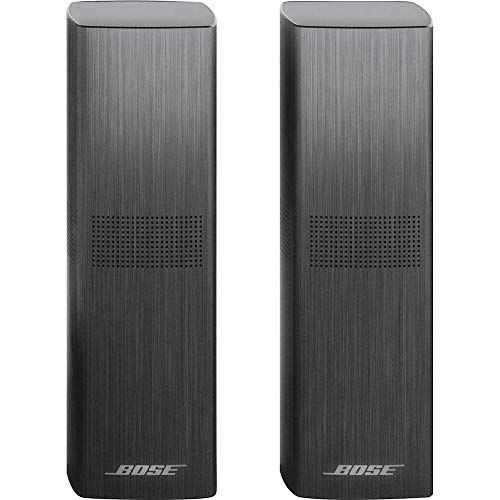
the Bose Surround Speakers 700
Will a Factory Reset Undo Your Settings?
All of that can vanish with one button hold. Yes: Bose says restoring factory settings clears all source, volume and network settings and returns the 600 to its default settings, so note your five levels first.
The hold is Volume down and Play/Pause for 5 seconds, then you add the bar back in the Bose app. Burton Acoustix’s Bose reset guide covers the other Bose bars and what a reset erases.
Where to Start Tonight
Pulled together, the routine is short. Clear the bar’s top and sides, use the TV’s eARC port with CEC on, set the TV’s output to Auto or Pass Through, and confirm Atmos on the app’s Now Playing screen.
Then watch something you know well and move one level at a time, center first if voices get lost. The descriptions come from the makers’ manuals and spec pages, plus the reviews named above.
Frequently Asked Questions
What is the best EQ setting for a Bose Soundbar 600?
Bose doesn’t publish one. The 600’s owner’s guide lists the five levels in the Settings menu without default or recommended values, so change one at a time while watching something familiar.
Does the Bose 600 have sound modes for movies or music?
Its owner’s guide lists none: no movie, music or night preset appears in it. RTINGS adds that the bar has no auto-volume mode to even out loud and quiet programs.
Is the Bose Soundbar 600 good for music?
Decent, by the reviews. RTINGS rates it decent for music, with a balanced response but little low bass, and CNET calls it a pleasant performer that a bass module turns into a “music dynamo.”