Bose Soundbar 600 vs 700: Atmos Height or the Universal Remote

If you’re stuck on the Bose Soundbar 600 vs 700, the twist is that the newer, shorter bar is the one with Dolby Atmos height speakers, while the older, longer one comes with more in the box.
So judging them by length points you the wrong way, since the 700’s roughly 11 extra inches buy a different set of features rather than more of the 600’s.
Once you know whether you want sound from above or a remote that runs your whole TV cabinet, the choice gets quick.
This guide lines both bars up from Bose’s owner’s guides, launch announcements and store pages, including the Smart Soundbar that Bose now sells in the 600’s place.
A side-by-side table comes first, then each difference in turn, then which bar suits which room.
What Is the Real Difference in the Bose Soundbar 600 vs 700?
That twist comes down to age and design. The real difference in the Bose Soundbar 600 vs 700 is that the 600, announced in October 2022, adds Dolby Atmos through up-firing speakers, while the 700, announced in August 2018, adds ADAPTiQ room calibration, a universal remote and Google Assistant built in (Bose’s Smart Soundbar 600 announcement).
Bose’s launch announcements also put the 700 about 11 inches longer, at 38 inches against just over 27, with both bars about 2 inches tall and 4 inches deep.
| Feature | Bose Smart Soundbar 600 | Bose Smart Soundbar 700 |
|---|---|---|
| Announced | October 2022 | August 2018, as the Bose Soundbar 700 |
| Size (H x W x D) | 2.21 x 27.34 x 4.09 in | Just over 2 x 38 x 4 in |
| Dolby Atmos | Yes, with up-firing and side-firing speakers | Not mentioned in its guide, store page or announcement |
| Drivers | Five transducers, including a center tweeter | Custom low-profile transducers with PhaseGuide technology |
| Top | Matte, with a wraparound metal grille | Tempered glass, with a wraparound metal grille |
| Room calibration | None in its guide | ADAPTiQ, with a headset in the box |
| Remote | Eight buttons, one CR2032 coin battery | Bose Soundbar Universal Remote, four AA batteries |
| Voice | Alexa built in; Google Assistant through a Google device | Alexa or Google Assistant built in |
| HDMI label | HDMI (eARC) | HDMI (ARC) |
| Wired network | None (Wi-Fi only) | Ethernet |
| Bluetooth | Eight devices remembered, 30 ft range | The same, with two connected at once |
| Bass modules | Bass Module 500 or 700 | Bass Module 500 or 700, Acoustimass 300 |
| Power input | 100 W | 65 W |
On those specs, most of the 700’s extras sit in the box and on the remote, while the 600’s sit inside the cabinet. The rest of this page takes those rows one at a time, starting with Dolby Atmos.
Does the Bose 700 Have Dolby Atmos Like the 600?
That Dolby Atmos row comes first because height sound is the 600’s headline feature. Bose doesn’t list Atmos for the 700: the 600’s guide says the bar “uses up-firing and side-firing speakers to deliver high-quality sound from all directions,” while the 700’s guide, store page and 2018 announcement never mention Dolby Atmos (Bose’s Smart Soundbar 600 owner’s guide).
Bose’s 2022 announcement lists the 600’s five transducers: two side-firing racetrack drivers that spread sound across the room, a center tweeter for dialogue and two up-firing drivers that reflect sound off the ceiling. For shows that aren’t in Atmos, Bose says its TrueSpace processing remixes stereo or 5.1 signals through those same five transducers.
The 700 takes a different route to a wide sound. Bose’s 2018 announcement credits its PhaseGuide technology with “placing discrete sound in places where there are no speakers,” backed by custom low-profile transducers and QuietPort technology (Bose’s 2018 Soundbar 700 announcement).
Its guide says it’s manufactured under license from Dolby Laboratories and DTS, and its trademark notices name Dolby Audio and DTS Digital Surround. Neither notice mentions Atmos, and the guide describes no up-firing speakers or height channel, so if sound from above is the goal, the 600 is the bar Bose documents with it.
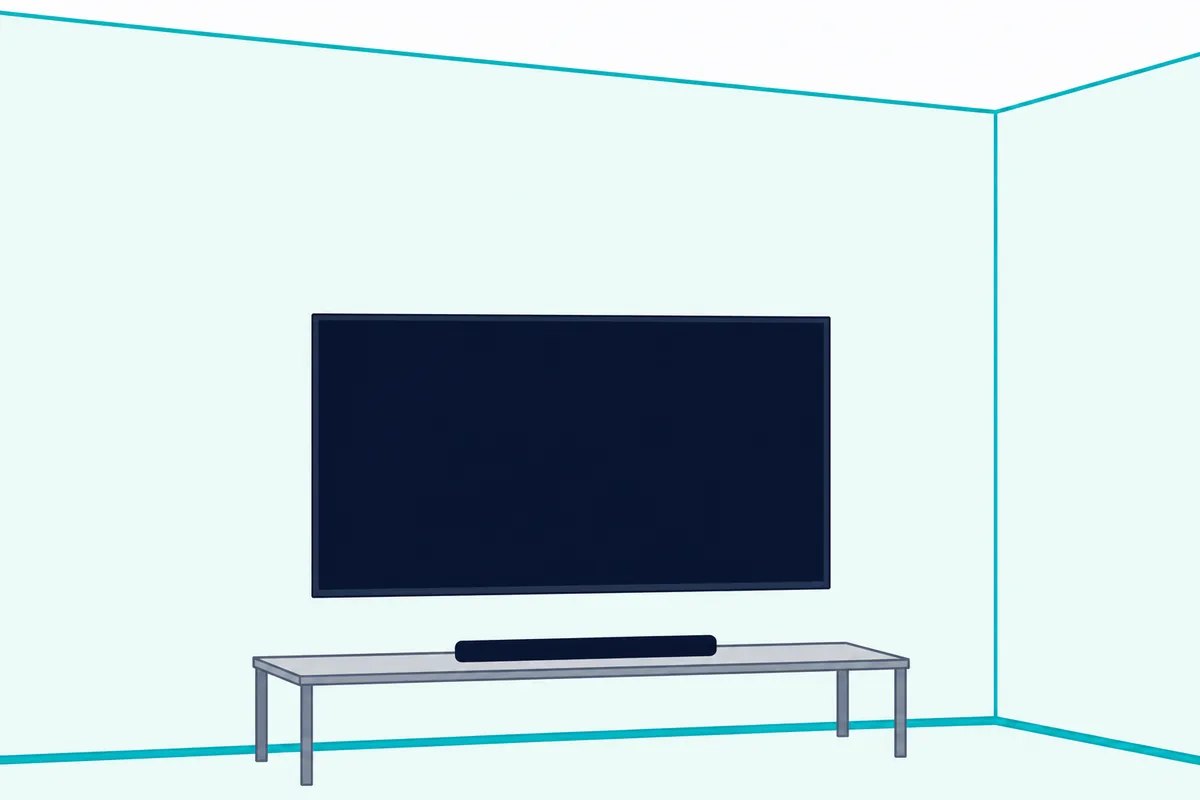
The 600’s Atmos comes with conditions. Bose ties it to the TV’s HDMI eARC or ARC port, and says the optical cable gives “spacious and life-like sound” instead.
To check it’s working, play a Dolby Atmos title and look at the Bose app’s Now Playing screen. If it doesn’t show Atmos, the guide points you to the HDMI eARC or ARC connection and to your TV’s setting for passing Dolby Atmos through.
The same up-firing wording appears in Bose’s guides for the Soundbar 550, which is why the 550 and 600 side by side comes down to voice control instead.
How Much Bigger Is the 700, and Will It Fit Under Your TV?
Those up-firing drivers fit in the smaller cabinet, which is the 600’s other surprise. The 700 is about 11 inches longer: Bose’s announcement gives it as 38 inches long, against 27.34 inches for the 600 on Bose Canada’s listing, at nearly the same height and depth.
Bose Canada lists the 600 at 2.21 inches high, 27.34 inches wide and 4.09 inches deep (56 mm by 69 cm by 104 mm), weighing 6.91 lb (3.13 kg). Bose’s 2018 announcement names no weight for the 700.
Try this before you order: measure the flat top of your TV stand, or the gap between your TV’s feet if the bar will sit in front of them. A 700 needs about 38 inches of clear surface, and both guides want the bar on its rubber feet, with both feet resting on the surface.
Both guides also want the front of the bar close to the front edge of the shelf, the back at least 0.4 inches (1 cm) from any surface and the bar out of enclosed cabinets. Bose’s store pages give both the same advice on where it goes: centered in front of the TV and equally far from each side wall, since each bar uses the room’s reflective surfaces.

On a wall, both use the Bose Soundbar Wall Bracket, and both guides warn against any other hardware. The 600’s guide adds that the top of the bar should sit at least 4 inches (10 cm) away from the TV.
The finish differs too. The 700 has a tempered glass top and a wraparound metal grille, and its guide says not to use the bar if the glass is ever broken, while the 600 has a matte top with a wraparound metal grille.
Which Remote Comes With Each Bar?
That longer cabinet comes with a much bigger remote, too. The 700 ships with the Bose Soundbar Universal Remote and four AA batteries, while the 600 comes with a small eight-button remote that runs on one CR2032 coin battery (Bose’s Smart Soundbar 700 owner’s guide).
The 700’s remote is built to run a whole TV cabinet. It has four programmable source buttons for a TV, cable or satellite box, game system or disc player, plus a number pad, channel buttons, a DVR button and the red, green, yellow and blue buttons a cable box uses.
Bose’s store page for the 700 calls it a backlit universal remote that talks to the bar over Bluetooth Low Energy, so it needs no line of sight to the bar. The bar then sends the infrared commands to your other devices, and the Bose Music app programs the remote to your TV during setup.
Six preset buttons sit on it as well, each holding music you save from a streaming service in the Bose Music app. The 600’s guide has no presets section.
The 600’s remote covers the basics: power, volume, mute, play and pause, and buttons for the TV, Bluetooth and Bose app sources. Its guide gives a 20-foot (6 m) range, the same as the 700’s, and says your TV’s own remote can handle the 600’s power, volume and mute only when the bar is on the TV’s HDMI eARC or ARC port.
Both bars take third-party remotes too. The 700’s guide says a cable or satellite remote that sends infrared signals can be programmed for its power and volume, and Bose Canada’s FAQ says the 600 answers to universal remotes that carry Bose’s published IR codes.
So if your coffee table holds three remotes today, the 700’s could replace them. If it holds one TV remote you like, the 600 keeps that remote in charge.
What Does ADAPTiQ on the 700 Do That the 600 Skips?
The 700’s box holds one more item the 600’s doesn’t: a headset. ADAPTiQ on the 700 tunes the bar’s sound to your room, with a microphone on top of that headset taking five audio measurements of your listening area, which need 10 quiet minutes.
The Bose Music app prompts you to run it after setup. Bose says to run it again if you add a bass module or surround speakers, or move the bar or the furniture.
A factory reset clears the calibration along with the bar’s source, volume and network settings. So the 700’s guide has you run ADAPTiQ again after a reset.
Bose Canada’s comparison table puts a No beside ADAPTiQ for the 600, and its guide has no calibration section. Instead, the 600’s guide sends you to the Bose app’s levels for bass, treble, center channel, height channel and surround channels, where the 700’s guide mentions only a bass adjustment.
Think of ADAPTiQ as a tailor taking measurements, while the 600 hands you the tape measure. If voices get lost on a 600, the app’s center channel level is the natural setting to raise.
The 600 has one room setting of its own. After you wall mount it, holding Mute on the remote for 5 seconds, until you hear a tone and the light bar pulses white twice, adjusts its sound for the wall.
How Do Alexa and Google Assistant Work on Each Bar?
Those level controls live in the app, but both bars also take orders by voice, and here the older bar gives you more choice. The 700 has Alexa and Google Assistant built in, one at a time, while the 600 has Alexa built in and takes Google Assistant commands only through a separate Google Assistant-enabled device.
On the 700, you pick one assistant in the Bose Music app, since its guide says it can’t run Alexa and Google Assistant at the same time. Both bars have an Action button and a Microphone off button on top, and a red light shows when the microphone is off.
Bose’s 2018 announcement describes an eight-microphone array in the 700 for picking up voices near and far, even with music playing loudly, and Bose Canada describes the 600’s mics as noise-rejecting.
On the 600, Google works through Google Cast. You switch Google Cast on in the Bose app, then say “Hey Google” to a Google Assistant-enabled device, such as the Google Mini that Bose Canada’s FAQ names, and name the soundbar.
Alexa gets the same TV trick on both bars. Bose Voice4Video lets you say “Alexa, turn on TV,” switch to your Bluetooth source and tune a cable or satellite box by network name or channel number.
You set Voice4Video up in the app once Alexa is running, and the 700’s troubleshooting table reminds you to enter your postal code and cable or satellite provider. The 600’s guide also covers Alexa calling, messaging, Drop In and Do Not Disturb, and Bose’s 700 store page says Alexa calling works on the 700 too.
Are the Ports, Streaming and Network Options the Same?
Voice control needs a network, and that’s where the 700 keeps a port the 600 doesn’t have. Mostly, yes: both connect to the TV through HDMI eARC or ARC, or optical, and both stream over Wi-Fi, Bluetooth and AirPlay 2, but only the 700 takes an Ethernet cable for a wired network connection.
Bose Canada’s FAQ says the 600 has no Ethernet and connects only over Wi-Fi. The 700’s guide offers an Ethernet cable as one fix when the bar won’t join your Wi-Fi.
The HDMI labels differ. The 600’s back panel reads BASS, HDMI (eARC), OPTICAL IN, IR, SERVICE and POWER, while the 700’s guide calls its connector HDMI (ARC), and Bose’s 700 store page lists HDMI ARC connectivity among its highlights, though the page’s FAQ answers yes when asked about eARC.
Either way, each guide says to plug into the TV’s HDMI eARC or ARC port, not a standard HDMI input, and to use the optical cable when the TV has neither. With no ARC or optical port at all, both guides point to an audio converter, and the 600’s guide adds running its HDMI cable to a cable or satellite box.
Neither bar takes a game console or streaming box directly. Bose Canada’s FAQ says the 600 handles only the TV’s audio, with no 4K pass-through, and Bose’s 700 store page says every source connects to the TV, which then sends one HDMI or optical connection to the bar.
The only use either guide gives the SERVICE connector is a USB cable to a computer, for reading the bar’s software license notices. Neither guide describes playing music from USB.
Both stream over Wi-Fi from Bose’s app, through AirPlay 2 from an Apple device running iOS 11.4 or later, and over Bluetooth up to 30 feet (9 m), remembering up to eight devices. The 700 can stay connected to two Bluetooth devices at once, though each bar plays from one at a time.
Bose’s 2022 announcement gives the 600 Chromecast built-in and Spotify Connect. Only the 600’s guide covers Google Cast, though Bose’s 700 store page answers yes to casting audio to a group of Bose smart speakers and soundbars.
Both also pair with certain Bose headphones or a Bose SoundLink speaker through SimpleSync, so one person can listen to the TV on headphones without disturbing the room. The guides name different apps, though: the 700’s 2021 guide refers to the Bose Music app, while the 600’s 2025 guide uses the Bose app.
Can Both Bars Use the Same Bass Module and Surround Speakers?
That BASS label on the 600’s back panel points to the add-ons, where the two lists overlap more than they differ. Yes: both guides list the Bose Bass Module 500, the Bass Module 700 and the Surround Speakers 700, and Bose’s store pages for those three name both the Smart Soundbar 600 and the Smart Soundbar 700 as compatible.
Both guides also list the original Bose Surround Speakers. The 700’s guide goes further, adding the Acoustimass 300 bass module and the Virtually Invisible 300 wireless surround speakers.
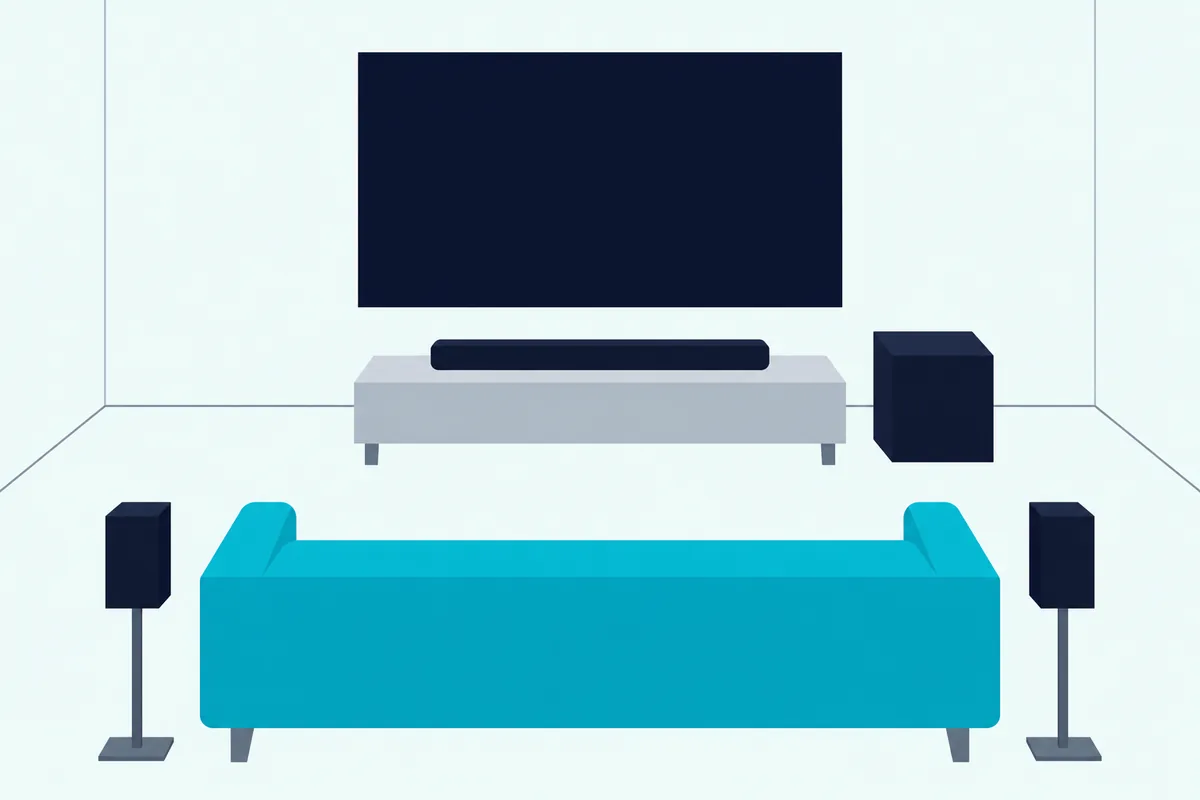
The Surround Speakers 700 connect wirelessly to either bar, so no cable runs from the front of the room to the back. Bose’s page notes that each speaker’s wireless receiver still needs power, with a speaker wire from the receiver to the speaker.
Bose’s 700 store page says the 700 and the Bass Module 500 and 700 share the same wireless protocols, so any of those pairings works. It adds that the 700’s glass looks best beside other products from the same line.
Say you already own a Bass Module 700 from an older Bose setup. By both guides, either bar can take it, and the 700’s guide has you run ADAPTiQ again once it’s connected.
What Replaced the Bose Smart Soundbar 600?
Those add-on pages still name the 600, but Bose’s US store has moved on from it. Bose now sells the Bose Smart Soundbar in the 600’s place: the 600’s old store address opens Bose’s home theater category, and the Smart Soundbar’s FAQ calls it “similar in many ways to the Smart Soundbar 600” (Bose).
Bose names two additions. AI Dialogue Mode senses when dialogue is playing and adjusts the tonal balance for clearer speech, and Personal Surround pairs Bose Ultra Open Earbuds as rear surround speakers.
The paperwork shows how close the two are. The Smart Soundbar’s owner’s guide carries the 600’s model number, 439269, and Bose’s US store lists it at 2.21 by 27.34 by 4.09 inches and 6.91 lb, the same figures Bose Canada gives the 600.
The 700 is no easier to buy from Bose. Its US product page was still up on 25 October 2026, but it was marked out of stock, with a Notify me button in place of the cart.
So for a new bar in the 600’s size from Bose itself, the Smart Soundbar is the one to look at. If you’re weighing it against Bose’s bigger current bar, see how the Smart Soundbar measures up to the Smart Ultra.
Which One Should You Buy for Your Room?
With the Smart Soundbar in the picture, the choice between these two still comes back to that first table. Buy the 600 if you want Dolby Atmos height in a smaller cabinet, and the 700 if you want ADAPTiQ calibration, the universal remote, Google Assistant built in or a wired network connection.
Under a smaller TV or on a narrow stand, the 600’s 27-inch cabinet fits where the 700’s 38 inches may not. Keep its top clear, since Bose warns against blocking the up-firing and side-firing speakers.
In a living room with a cable box, a game console and a disc player, the 700’s universal remote can run the lot, and Voice4Video adds voice control of the TV and cable box. Its Ethernet port also gives you a wired fallback if the Wi-Fi at the TV is unreliable.
In a home run by Google speakers, the 700 puts Google Assistant in the bar itself. In an Alexa home, either bar works, and the 600 adds Atmos to the bargain.
If the 600 is your pick, the Bose Smart Soundbar 600 is still listed new on Amazon, even though Bose’s own US store has moved on to the Smart Soundbar.
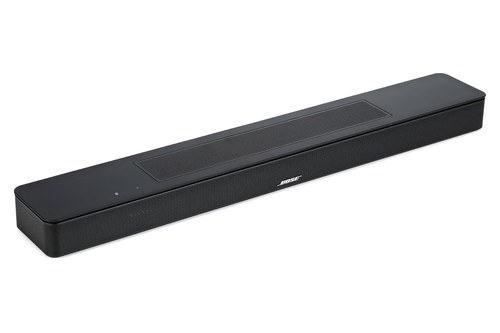
the Bose Smart Soundbar 600
For the 700, the Bose Smart Soundbar 700 is listed new on Amazon too. Check that the seller includes the universal remote and the ADAPTiQ headset, which Bose’s guide puts in the box, since Bose’s own US store shows the bar out of stock.
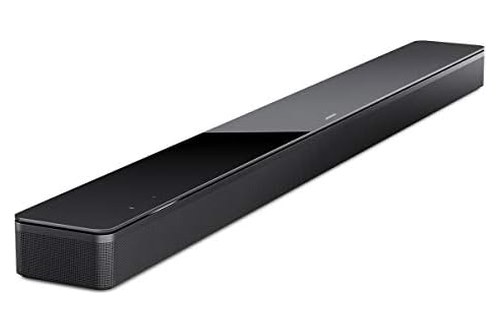
the Bose Smart Soundbar 700
Each listing met Burton Acoustix’s rating, review and stock checks on 3 November 2026.
The Bottom Line
That room-by-room split mirrors the table at the top of this page. Choose the 600 for Dolby Atmos height in a cabinet about 11 inches shorter, and the 700 for ADAPTiQ, the universal remote and Google Assistant built in.
The descriptions come from Bose’s owner’s guides, launch announcements and store pages. For the bars Bose sells today, see Burton Acoustix’s pick of the current Bose lineup.
Frequently Asked Questions
Is the Bose Smart Soundbar 700 the same as the Bose Soundbar 700?
Yes, by Bose’s own documents. Bose announced it in August 2018 as the Bose Soundbar 700, with the tempered glass top, PhaseGuide technology, universal remote and ADAPTiQ that its later owner’s guide and store page describe under the name Bose Smart Soundbar 700.
The old name survives in setup: when you move the bar to a different Wi-Fi network, the guide has you pick “Bose Soundbar 700” in your phone’s Wi-Fi settings.
How old is the Bose Soundbar 700?
Bose announced the Soundbar 700 on 28 August 2018 and said it would be available that October, with AirPlay 2 to follow in early 2019. The Smart Soundbar 600 arrived four years later: Bose announced it on 10 October 2022, for sale from 20 October.
How do you reset a Bose Smart Soundbar 600 or 700?
The button pairs differ. On the 600, hold Volume down and Play/Pause on the remote for 5 seconds; on the 700, hold Power and Skip forward for 5 seconds, until the light bar pulses white twice and fades.
Each bar restarts and glows amber, ready to add back in the app, and the 700’s guide has you run ADAPTiQ again. Our step-by-step Soundbar 700 reset covers the 700’s other fixes.