How to Connect an Onn Subwoofer to Its Soundbar, Model by Model
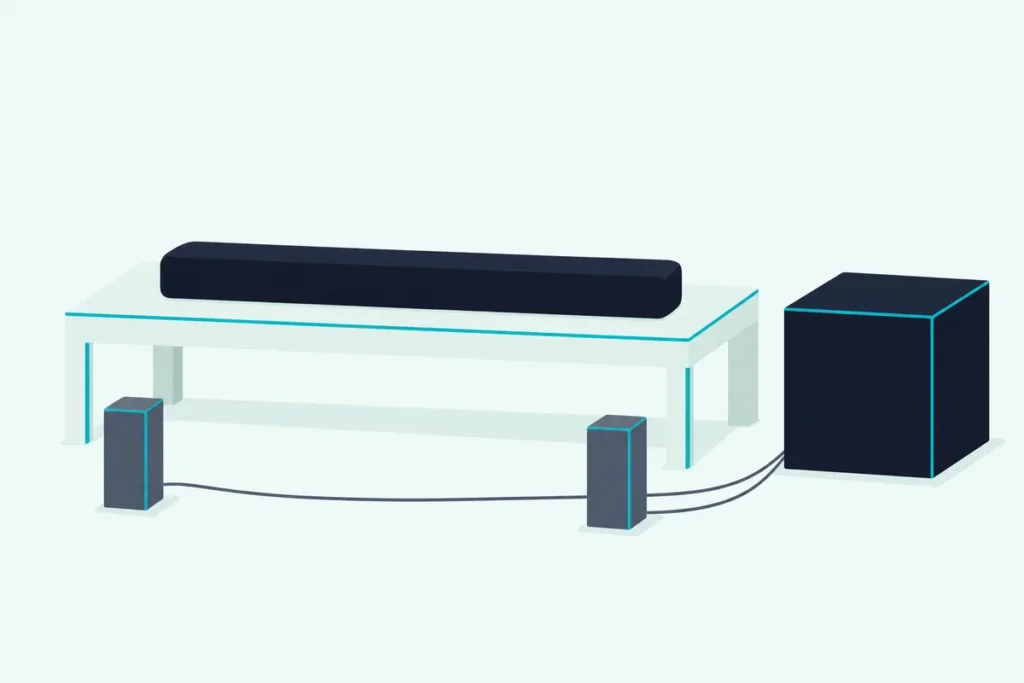
How to connect an Onn subwoofer to its soundbar: plug both into the wall and switch the bar on, since Onn’s instructions say the two connect by themselves when the soundbar turns on.
When they don’t, the bar plays on its own, and the key that starts the fix sits on the remote rather than on the bar or the subwoofer.
Hold that key for 7 seconds, then the subwoofer’s own button for 3, and Onn’s 36-inch bars confirm the link with a solid light or the word LINKED.
The Onn Roku Smart Soundbar works differently, because its subwoofer links through a menu on the TV screen that the Roku remote’s Home button opens.
Below, find your model in the table, follow its steps, read the lights, and work through Onn’s and Roku’s fixes if the subwoofer still won’t link.
How to Connect an Onn Subwoofer to Its Soundbar: Which Model Do You Have?
That model number decides the steps, because Onn’s bars link their subwoofers in three ways and some have no separate subwoofer at all. Use the remote’s mute key and the subwoofer’s button on the 36-inch 5.1 and 2.1 bars, let the 42-inch 5.1.2 Atmos bar link by itself, and use the Roku menu on the Onn Roku Smart Soundbar.
| Onn model and number | Separate subwoofer | How it links |
|---|---|---|
| 36″ 5.1 with wireless subwoofer (100027812) | Wireless subwoofer, two satellites plug into it | By itself at power-on; if not, hold mute 7 seconds, then the subwoofer’s pairing button 3 seconds |
| 36″ 5.1 (100008866, also listed as 100015717) | Wireless subwoofer, two satellite speakers | Same as above |
| 36″ 2.1 with external subwoofer (100023515) | Wireless subwoofer | Same as above |
| 42″ 5.1.2 Dolby Atmos (100002634) | Wireless subwoofer | By itself once both are powered |
| Onn Roku Smart Soundbar (9100) | Sold separately: the Onn Roku Wireless Subwoofer | Hold Home on the Roku remote 5 seconds, then select Subwoofer |
| 2.0 bars (SB2028, 30″ 100019624, 20″ SB2125), 36″ 2.1 SB2135, 36″ 2.1 with built-in subwoofer (100008045) | None | Nothing to connect |
The descriptions come from the makers’ manuals and spec pages. Every separate subwoofer in them links wirelessly, and none of these bars lists a subwoofer output among its ports.
The last row is the quick check before any button pressing. The SB2135’s box list has no subwoofer, and Onn’s wall-mount guide for the 100008045 calls it a 2.1 soundbar with a built-in subwoofer, so neither has a second box to link.
If your Onn bar isn’t in the table, its own manual and Onn’s support line, listed in the troubleshooting section below, are the places to check.
Do Onn Subwoofers Pair by Themselves?
Those wireless subwoofers should link without any button at all. Onn’s 100008866 manual and its 100023515 instructions say the subwoofer leaves the factory already linked to its soundbar and connects automatically when the soundbar is turned on, and the 100027812 instructions describe the same automatic connection.
So the first job is power, not buttons. Each of these subwoofers comes with its own power cord, and the three 36-inch manuals show an ON/OFF switch on the subwoofer’s back panel.
Onn’s 42-inch 5.1.2 Atmos manual describes the same start from the subwoofer’s side. Connect its AC cord and turn the unit on, and the orange light on its rear panel flashes to show pairing mode, then turns solid once the subwoofer has linked to the soundbar.
Try the simple version first: plug the subwoofer in, set its switch to on, turn the bar on with its own Power button and watch the subwoofer’s light. A light that settles to solid means the link formed by itself, and the rest of this page is for a light that won’t settle.
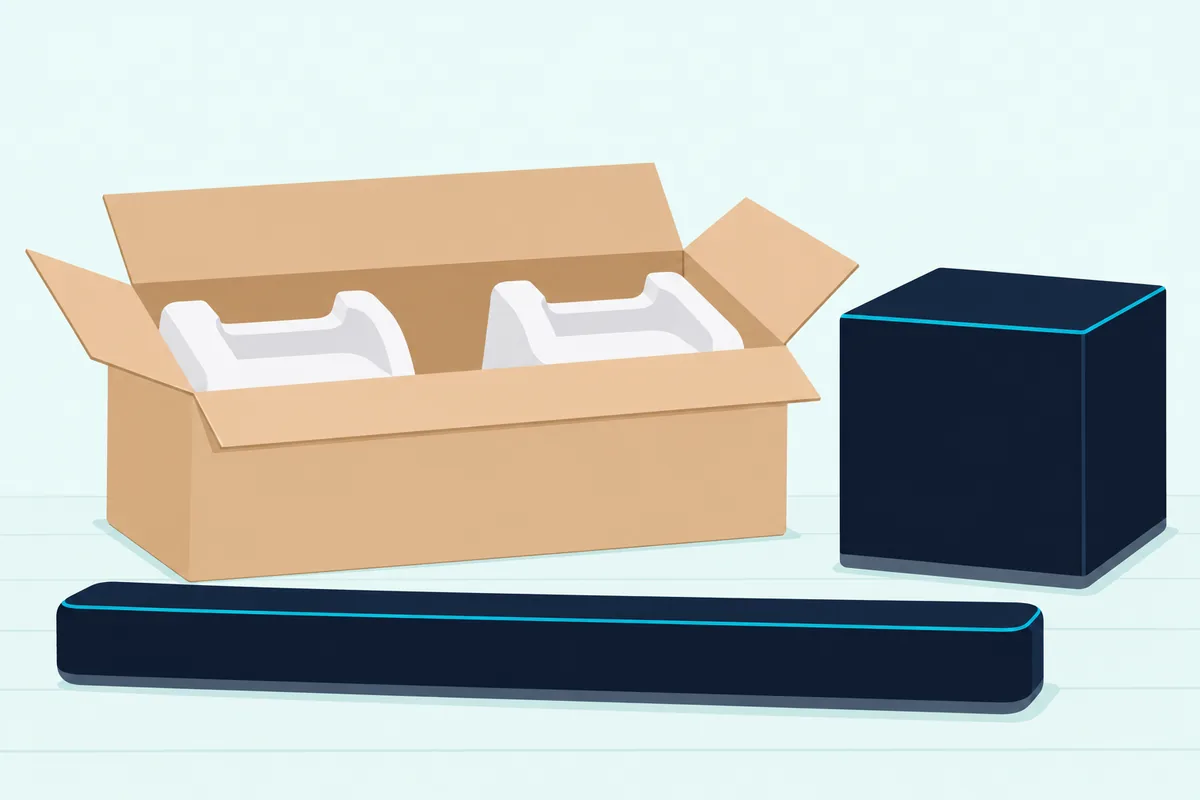
On the 100027812, the two satellite speakers plug into the subwoofer with the included RCA cables, each 14.7 feet long, so pick the subwoofer’s spot with those cables in mind. The TV link is a separate job that runs from the TV to the bar, and Burton Acoustix’s Onn TV hookup steps cover HDMI ARC, optical and Bluetooth on these same models.
How Do You Pair an Onn Subwoofer Manually?
If that light never settles, Onn’s 36-inch instructions switch to pairing manually, a routine that starts on the remote. The 100027812, 100008866 and 100023515 guides give the same two holds: mute on the remote for 7 seconds, then the subwoofer’s pairing button for 3 seconds.
- Turn the bar on, with the subwoofer plugged in and its switch on.
- Press and hold mute for 7 seconds; the 100027812 and 100023515 displays show SUB LINK, and the 100008866’s current input light blinks fast.
- Press and hold the subwoofer’s button for 3 seconds; its light blinks fast, blue on the 100027812 and 100023515, red and blue on the 100008866.
- Wait for the subwoofer’s light to stay solid; the 100027812 and 100023515 displays then show LINKED.
The order matters: the bar goes first, with SUB LINK on the display, and the subwoofer answers. Onn’s 100027812 manual says LINKED stays up for 3 seconds, so glance at the bar the moment the subwoofer’s light goes solid.

Aim the handset at the bar while you hold mute. Onn’s fix for a handset that doesn’t respond is to use it near the unit, point it at the sensor, clear anything in between and fit fresh batteries.
A short press of the same key is Onn’s ordinary mute, and on the bars with a display it reads MUTING until you press it again. If the bar seems silent after the routine, check for that word first.
What Do the Lights on an Onn Subwoofer Mean?
Those blinks and display words are how Onn’s guides show where the link stands, so read them before you press anything again. A fast-blinking subwoofer light means the link is still being made and a solid light means it’s done, in every Onn document that describes the light.
| Model | While linking | Once linked |
|---|---|---|
| 36″ 5.1 with wireless subwoofer (100027812) | SUB LINK on the bar; fast blue blink on the subwoofer | LINKED on the bar for 3 seconds; solid blue subwoofer light |
| 36″ 5.1 (100008866) | Bar’s current light blinks fast; subwoofer blinks red and blue | Lights stay solid |
| 36″ 2.1 with external subwoofer (100023515) | SUB LINK on the bar; fast blue blink on the subwoofer | LINKED on the bar; solid subwoofer light |
| 42″ 5.1.2 Atmos (100002634) | Orange light on the subwoofer’s back flashes | Orange light solid |
| Onn Roku Wireless Subwoofer | Status light on its back flashes repeatedly | On-screen setup plays a test sound |
One display word belongs to something else. UNPAIR on the 100027812 and UNPAIRED on the 100023515 are the Bluetooth disconnect messages in their instructions, not subwoofer messages.
Phone connections run on the Bluetooth key instead, with their own PAIRING and PAIRED messages on the bars with a display. Onn’s guides stop at the two subwoofer states in the table, fast blinking and solid, so any other pattern isn’t one they explain.
Why Won’t Your Onn Subwoofer Connect?
When both holds are done and the subwoofer still stays silent, Onn’s troubleshooting points at power first. Under “No woofer sound,” the 100027812 and 5.1.2 manuals give two fixes: plug the subwoofer’s AC cord securely into the wall outlet, and connect the unit and the subwoofer.
Onn doesn’t spell out what that second fix involves, but the only connection its instructions describe between bar and subwoofer is the wireless link. So run the routine again, holding each button for the full 7 and 3 seconds.
Look at the subwoofer’s back as well, since all three 36-inch manuals show an ON/OFF switch there.
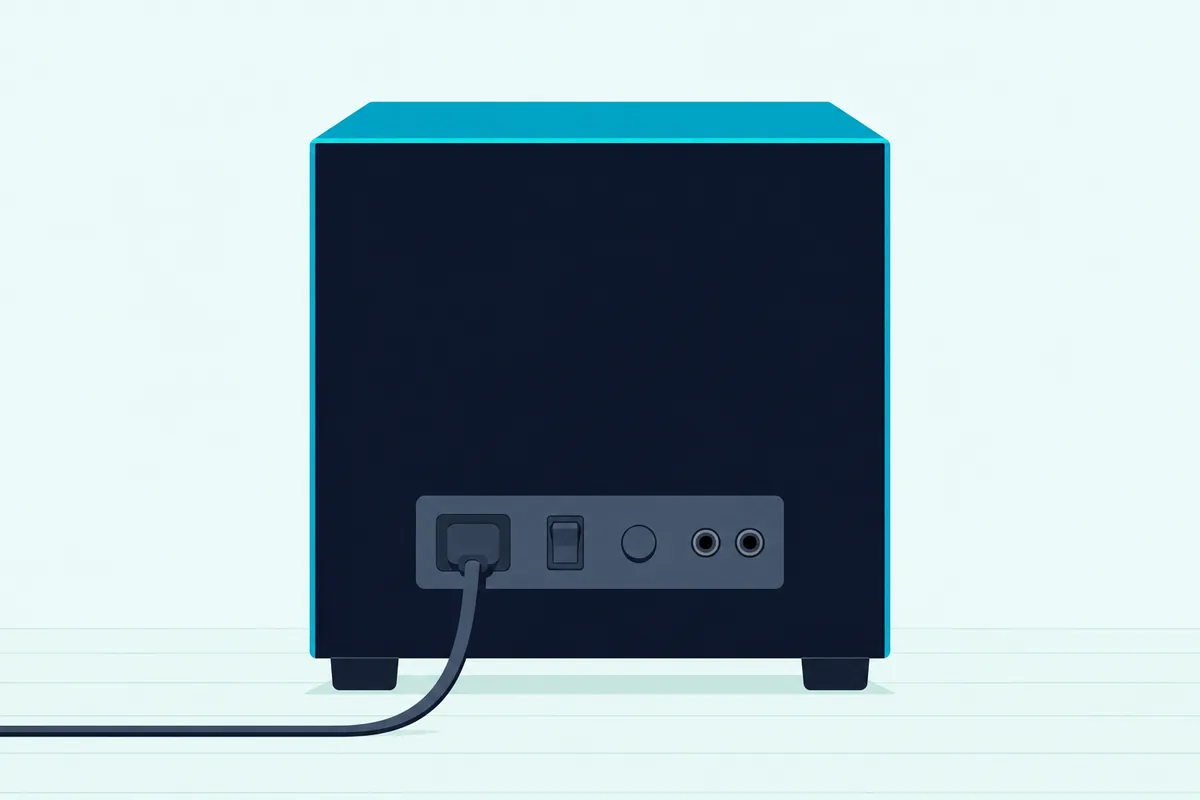
Distance is something Onn leaves out: the 100027812, 100008866, 100023515 and 5.1.2 documents give no range for the subwoofer link. Roku’s 30 feet belongs to its own Roku-built subwoofer, so on a 36-inch Onn bar try a closer spot rather than assume a range.
Keep a factory reset for last. The 36-inch handsets put RESET on the play/pause key, which Onn says resets the device to its factory default settings.
None of those guides says whether a reset touches the subwoofer link, so re-link first and turn to how to reset an Onn soundbar by model number only after that. If nothing works, the 100027812 and 5.1.2 manuals list Onn’s support line, 1-888-516-2630, open every day from 7 a.m. to 9 p.m., Central time.
How Do You Connect the Onn Roku Wireless Subwoofer?
Those mute-key steps don’t apply to the Roku-built Onn Roku Smart Soundbar, which links its subwoofer through Roku’s menus. The Onn Roku Wireless Subwoofer’s quick start guide says to place it within 30 feet of the TV, plug it in, press and hold Home on the Roku remote for 5 seconds to reach the pairing menu, and select Subwoofer, or Speaker if no subwoofer option appears.
The same guide lists the Onn Roku Smart Soundbar or another compatible Roku audio product as what you’ll need, and the on-screen setup then connects the subwoofer and tests the sound. Switch the TV to the soundbar’s input first, the step the quick start guide for the Onn Roku Wireless Surround Speakers gives before the same 5-second Home hold.
Roku’s subwoofer troubleshooting article adds a menu route that skips the long press: Settings, Remotes & devices, Pair new device, Subwoofer. Its progress screen moves through Searching, Pairing, Updating and Restarting, and Roku says the last two run only when the subwoofer needs a software update, which needs an internet connection throughout.
When the soundbar can’t find the subwoofer, Roku’s article starts with power: a status light on the subwoofer’s back should flash repeatedly, and no light means checking the outlet and the cable. It then asks for a spot within 30 feet, away from wireless routers and microwaves, ideally with a clear line of sight to the soundbar.
A subwoofer still linked to another Roku device needs a factory reset first. Hold the Reset button on its back for 10 seconds, because Roku says a short press only restarts it.
If the test sound doesn’t play, select Try again. If it still doesn’t, Roku says Exit setup factory resets the subwoofer, and you can start the setup again once its status light flashes.
Can You Connect an Onn Subwoofer Without the Remote?
That Roku menu needs the handset too, and so does the routine on Onn’s own bars. The automatic link at power-on needs no remote, but when it fails, the 100027812, 100008866 and 100023515 instructions start the re-link with the mute key, and the bar’s own panel has only Power, SOURCE, VOL- and VOL+.
Switching the bar off and on again repeats that automatic connection, the only remote-free step those guides give. For the 7-second hold itself, you need a handset with a mute key.
ZdalaMit’s onn 100027812 replacement remote copies the original’s layout, mute key included, and its listing names the 100027812 and 100015717.
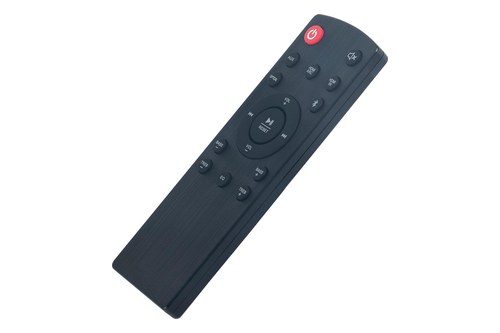
ZdalaMit’s onn 100027812 replacement remote
On the Roku bar, both of Roku’s routes run through the Roku handset, the 5-second Home hold or the Settings menu. The 42-inch 5.1.2 Atmos manual prints no handset steps for its subwoofer, since it links on its own once both are powered.
Can You Use a Different or Second Subwoofer With an Onn Soundbar?
That replacement covers the buttons, and the subwoofer itself raises a different question, one only Roku’s documents answer. Roku says a Roku host device takes only one Roku subwoofer, and to replace it, you factory reset the current one and then set up the new one.
The Onn Roku Wireless Subwoofer’s own quick start guide, for its part, lists the Onn Roku Smart Soundbar or another compatible Roku audio product as what it needs.
Onn’s own documents for the 36-inch bars and the 5.1.2 say nothing about a different or second subwoofer, and none of those bars lists a subwoofer output for a wired one. Treat the subwoofer that came in the box as the only one Onn documents for that bar, and see whether you can add another subwoofer to a soundbar of another brand.
For other brands, the general pairing routine also starts with the automatic link.
Frequently Asked Questions
How do I put my Onn subwoofer in pairing mode?
On the 36-inch 5.1 and 2.1 bars, hold mute on the remote for 7 seconds first, then the subwoofer’s own button for 3 seconds, and its light blinks fast until it links. The 42-inch 5.1.2 Atmos subwoofer goes into that mode by itself once it’s powered, with its orange rear light flashing. Roku says its subwoofers enter pairing mode as soon as the power cable goes in, and the Roku remote’s 5-second Home hold opens the soundbar’s side of it.
How do I reset my Onn soundbar and subwoofer?
On the 36-inch bars, RESET shares the play/pause key on the handset, and Onn says it restores the factory default settings. Onn doesn’t say whether it touches the subwoofer link, so run the mute routine again if the subwoofer drops out afterward. The Onn Roku Wireless Subwoofer has its own Reset button on the back, which Roku says to hold for 10 seconds, since a short press only restarts it. The 36-inch subwoofers’ drawings show no reset button.
Why is my Onn subwoofer blinking blue?
On the 36-inch 5.1 with wireless subwoofer (100027812) and the 36-inch 2.1 (100023515), a fast blue blink means the subwoofer is still linking. Onn says it keeps blinking until the two have linked, then stays solid. If it doesn’t stop, hold mute for 7 seconds, then the subwoofer’s button for 3 seconds, and make sure the subwoofer’s power cord is firmly in the wall outlet.
How far can an Onn subwoofer be from the soundbar?
Onn’s guides for the 36-inch bars and the 42-inch 5.1.2 don’t give a distance for the wireless subwoofer link. The one documented figure is Roku’s: the Onn Roku Wireless Subwoofer can sit anywhere within 30 feet of the TV, and Roku’s troubleshooting adds keeping it away from wireless routers and microwaves. On a 36-inch bar, try a closer spot and run the mute routine again if the subwoofer won’t link.
Does an Onn subwoofer connect over Bluetooth?
Onn keeps the two jobs apart. The subwoofer links through the mute key and its own button, while Bluetooth is for phones and other devices, started from the Bluetooth key with its own PAIRING and PAIRED messages. Onn’s instructions don’t name the wireless technology behind the subwoofer link.