Acoustic Treatment Vs Digital Room Correction (Which Do You Actually Need)
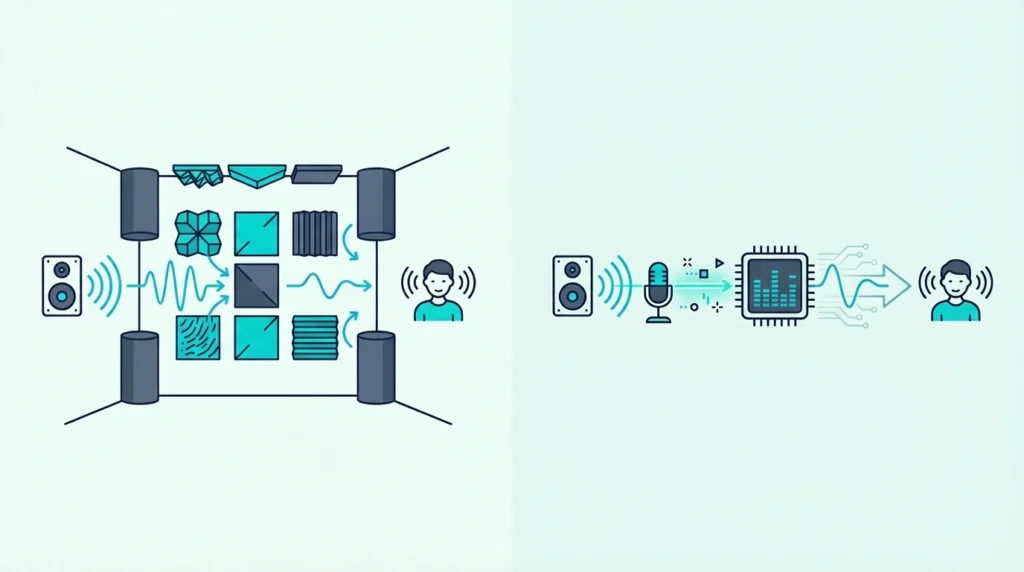
Acoustic treatment vs digital room correction is a debate that confuses most home studio builders — but the answer is straightforward once you understand what each one actually does, because treatment and correction solve fundamentally different problems and one cannot replace the other.
The confusion comes from the fact that both claim to “fix your room.” Treatment does it by physically absorbing and scattering sound energy.
Room correction software does it by applying EQ to flatten the frequency response at your listening position. They sound like they do the same thing, but they work on completely different aspects of your room’s acoustic problems.
Treatment fixes the room itself — reducing reverb time, eliminating flutter echo, and taming bass buildup for everyone in the room and every microphone in it. Room correction adjusts the signal at one position.
It cannot remove reverb, stop flutter echo, or change how the room sounds to a microphone.
Below you will find exactly what each approach fixes, what it cannot fix, and the specific order to implement them for the best result. Start with physical treatment — it solves the problems that software cannot touch.
Acoustic treatment and digital room correction are not interchangeable. Treatment physically absorbs sound energy, reducing reverb time and flutter echo for everyone in the room. Room correction software applies EQ to flatten frequency response at one listening position but cannot fix reverb, echo, or comb filtering. Always treat the room first with physical panels and bass traps, then use room correction to fine-tune remaining bass mode issues at the sweet spot.
What Is Acoustic Treatment?
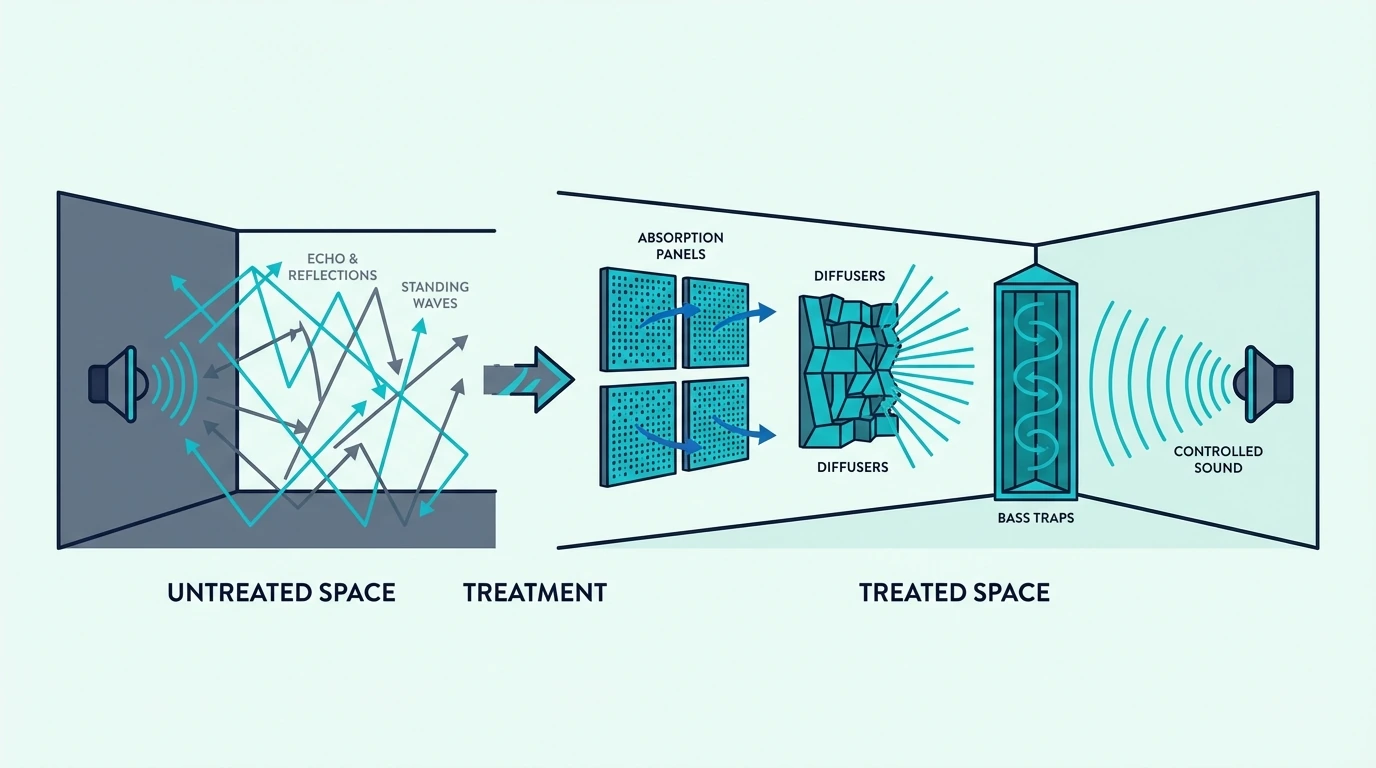
Acoustic treatment uses physical materials — fiberglass panels, mineral wool bass traps, and diffusers — to change how sound behaves inside a room. Panels absorb sound energy, converting it to heat through friction as sound waves pass through the porous material.
The how treatment works guide covers the physics in detail. The key point is that treatment removes energy from the room permanently — once a sound wave is absorbed, it is gone.
What Treatment Does Well
Treatment reduces reverb time — the amount of time sound lingers in a room after the source stops. A shorter reverb time means cleaner recordings and more accurate monitoring because you hear more direct sound and less room coloration.
Treatment also eliminates flutter echo between parallel walls, reduces comb filtering from strong early reflections, and tames bass buildup in corners. These improvements benefit every position in the room and every microphone.
The fiberglass treatment guide covers the specific materials and panel thicknesses that deliver the most absorption per dollar.
The mixing room guide explains why these physical improvements are essential for accurate mix decisions.
What Treatment Cannot Fix
Treatment absorbs sound — it cannot add frequencies that are missing. If your room has a bass null (a position where certain frequencies cancel out), treatment cannot fill that gap because the problem is caused by destructive interference between direct and reflected sound waves.
Treatment also has diminishing returns. After covering approximately 30-40% of wall area with absorption, additional panels provide progressively less improvement and can make a room sound unnaturally dead if overdone.
Treatment also cannot perfectly flatten frequency response at your listening position. It provides broad improvement across the room, but fine-tuning the response curve at one specific position requires measurement and targeted correction.
What Is Digital Room Correction?
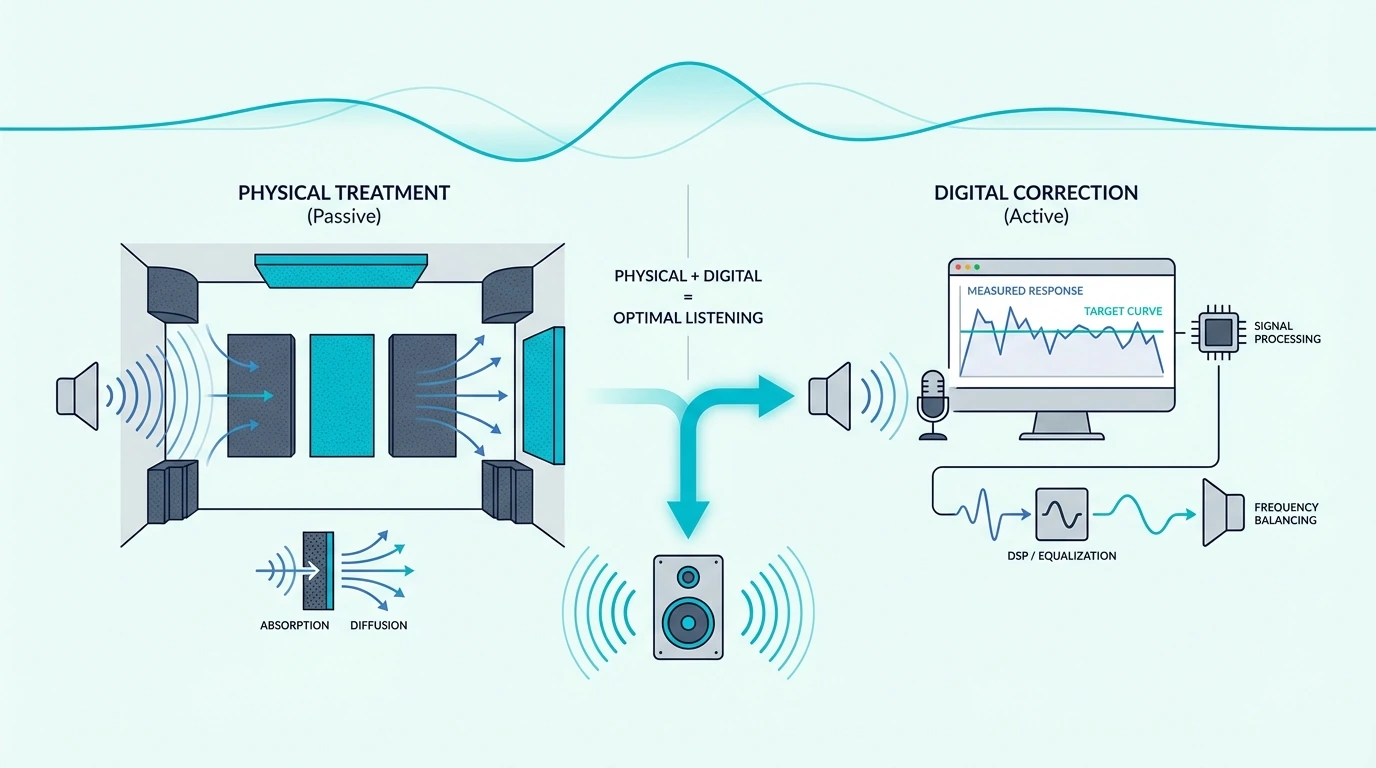
Digital room correction software measures your room’s frequency response using a calibration microphone, then applies EQ filters to compensate for peaks and dips. The goal is a flat frequency response at your listening position.
Popular room correction tools include Sonarworks SoundID Reference (the most common in studios), Dirac Live (popular in home theater), and REW (free, for measurement and manual correction).
What Room Correction Does Well
Room correction excels at flattening bass response at the listening position. Low-frequency room modes create severe peaks and dips that are difficult to treat physically — bass traps help but rarely eliminate modes completely.
Correction software measures these peaks and dips, then applies precise EQ cuts and boosts to flatten the response. The result is more accurate bass monitoring at the sweet spot, which directly improves low-end mix decisions.
Correction also compensates for speaker-specific frequency response issues. If your monitors have a slight bump at 3 kHz or a dip at 200 Hz, correction software can flatten those anomalies along with the room response.
What Room Correction Cannot Fix
Room correction cannot reduce reverb time. A reverberant room still sounds reverberant after correction — the software adjusts the frequency balance of what you hear, but the reflections are still physically bouncing around the room.
Correction cannot eliminate flutter echo. The rapid metallic ringing between parallel walls continues regardless of any EQ applied to your monitoring chain.
Correction only works at the measurement position. Move one foot to the left and the correction is no longer accurate.
This means it helps the engineer at the sweet spot but does nothing for a vocalist tracking in the same room, a second listener, or any microphone.
The correction also does not help recordings. If you record in a room with long reverb time, that reverb is captured by the microphone regardless of what correction software is doing to your monitoring.
Get Studio Tips Weekly
Join 5,000+ creators getting acoustic treatment advice every week.
No spam. Unsubscribe anytime.Should You Use Treatment, Correction, Or Both?
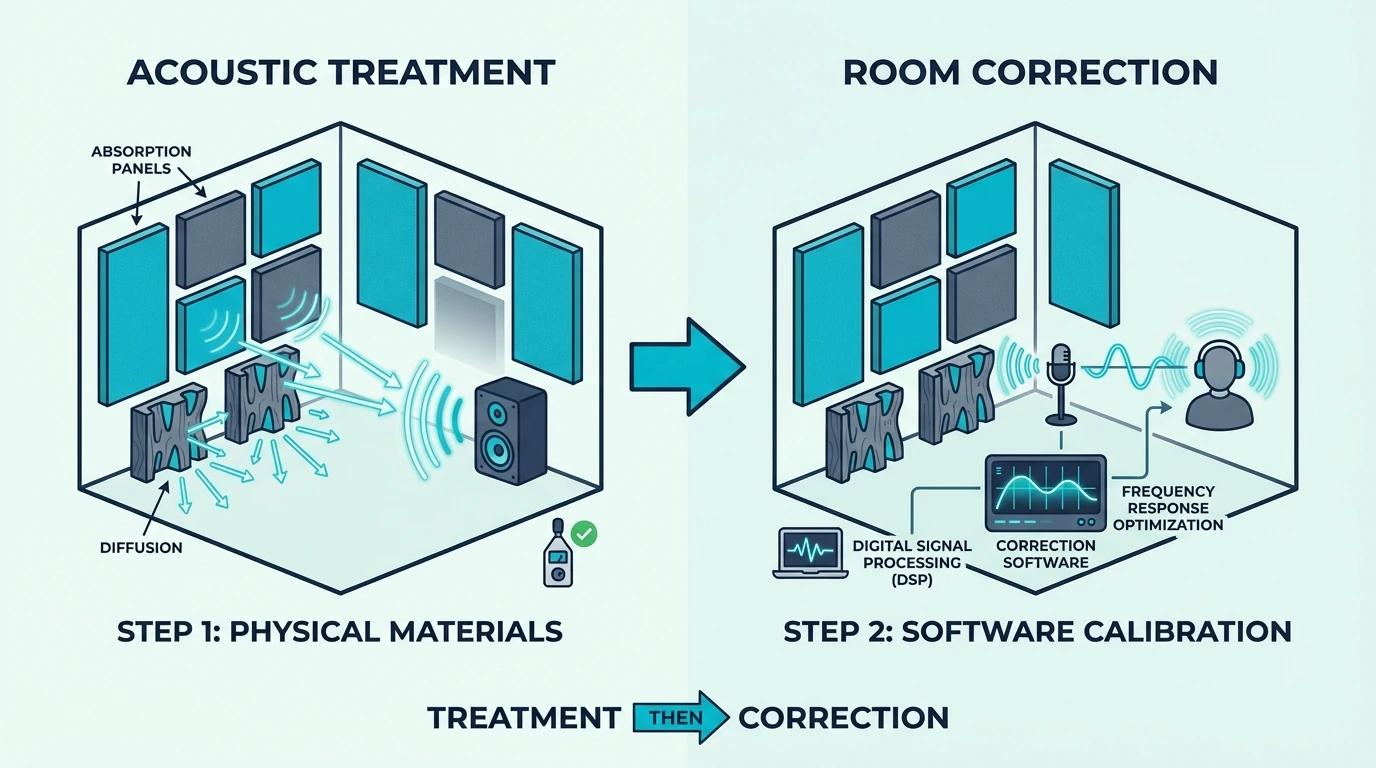
Both — but in the right order. Treatment first, correction second.
This is not debatable in professional audio engineering, and the reason is simple: correction cannot fix physical acoustic problems.
Treatment First — Always
No amount of DSP processing can remove reverb from a live room. No EQ curve can stop flutter echo.
No software can make a microphone hear a dry, controlled room when the room is actually reflective and uncontrolled.
Fiberglass acoustic panels at first reflection points physically absorb the reflections that room correction software cannot touch. Two panels on the side walls and bass traps in the corners solve the majority of problems that no amount of DSP can address.
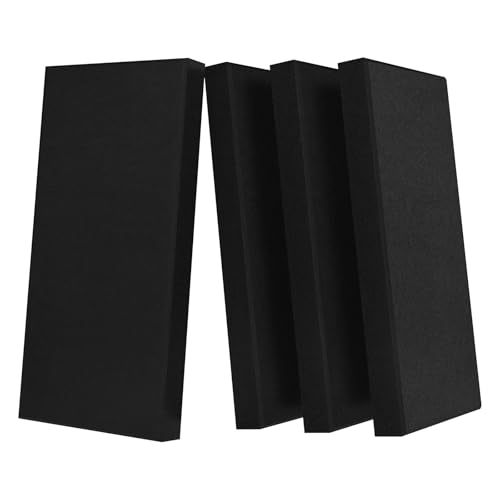
Fiberglass acoustic panels
The home studio setup guide covers treatment priorities in order of impact. The cost breakdown guide shows that basic treatment starts at 100-200 dollars for DIY panels.
For budget-conscious builders, Olanglab fiberglass panels provide an affordable entry into physical treatment. The fiberglass core absorbs mid and high frequency reflections that DSP cannot remove from the room.

Olanglab fiberglass panels
Correction On Top — For Fine-Tuning
After treatment is in place, room correction software fine-tunes what treatment cannot fully resolve. Bass modes are the primary target — even with thick bass traps, most small rooms still have residual peaks and dips below 200 Hz.
Run room correction after treatment to flatten remaining bass response issues at your listening position. This combination of physical treatment plus digital correction produces the most accurate monitoring environment possible in a home studio.
The small room guide explains why bass modes are especially problematic in compact spaces and how treatment and correction work together to manage them.
The Bottom Line
Treatment and room correction are complementary tools, not alternatives. Treatment fixes the physical room — reverb, flutter echo, comb filtering, and broad frequency balance.
Correction fine-tunes the remaining bass response at your listening position.
Always treat first. Two panels at first reflection points and bass traps in the corners solve the problems that software cannot.
Add room correction after treatment to flatten residual bass modes. The full guide to acoustic treatment covers the complete treatment workflow.
The is treatment necessary guide explains when treatment alone is sufficient and when correction adds meaningful value.
Frequently Asked Questions
Can digital room correction replace acoustic treatment?
No. Room correction adjusts frequency response at one listening position.
It cannot reduce reverb time, eliminate flutter echo, fix comb filtering from early reflections, or improve how the room sounds to a microphone.
A room with long reverb and flutter echo still has those problems after correction — the software only changes the frequency balance of the monitoring signal at the sweet spot.
What is the best room correction software?
Sonarworks SoundID Reference is the most popular choice for music studios. It measures your room and applies a correction profile to your monitoring output.
Dirac Live is widely used in home theater systems and works with a wide range of AV receivers. REW (Room EQ Wizard) is free and provides measurement tools plus manual correction capabilities for users who prefer hands-on control.
All three require a calibration microphone to measure your room. The measurement process takes approximately 15-30 minutes and produces a frequency response curve that shows exactly where your room’s problems are.
Should I treat my room before using room correction?
Yes — always. Treatment solves physical problems (reverb, echo, early reflections) that correction cannot address.
Correction works best when the room is already reasonably well-treated.
Running correction in an untreated room produces poor results because the software tries to compensate for problems it cannot actually fix. Treat first, measure, then apply correction to fine-tune the remaining bass response.