2.0 vs 3.0 Soundbar: Does a Center Channel Really Improve Dialogue?

The 2.0 vs 3.0 soundbar comparison looks like a minor channel-count upgrade, but it solves a real living-room problem: dialogue that sounds clear in the store and muddy at home.
A 2.0 soundbar uses left and right stereo channels to fake a center voice image. That can sound perfectly fine when you sit centered in a small room.
A 3.0 soundbar adds a dedicated center channel. Speech stays anchored to the screen instead of smearing across the front soundstage.
The pain shows up in wider rooms, busier soundtracks, and off-axis seating. That is when the phantom center starts to blur.
You end up riding the volume or turning subtitles on just to follow the conversation.
If your goal is cleaner dialogue without jumping to a full surround setup, this is the upgrade path worth understanding.
Below, we compare 2.0 and 3.0 soundbars across dialogue clarity, room size, and bass trade-offs.
You can quickly tell when a center channel is worth paying for.
Choose a 2.0 soundbar if you mostly watch TV in a small room, sit centered, and care more about simplicity and music-friendly stereo than maximum dialogue control. A 2.0 bar keeps cost and clutter down while still sounding much better than built-in TV speakers.
Choose a 3.0 soundbar if dialogue clarity is your top priority, your couch seating is wider, or you regularly watch shows and movies with dense soundtracks. The dedicated center channel keeps voices anchored and intelligible in situations where phantom imaging starts to fall apart.
Does a 3.0 Soundbar Really Improve Dialogue?
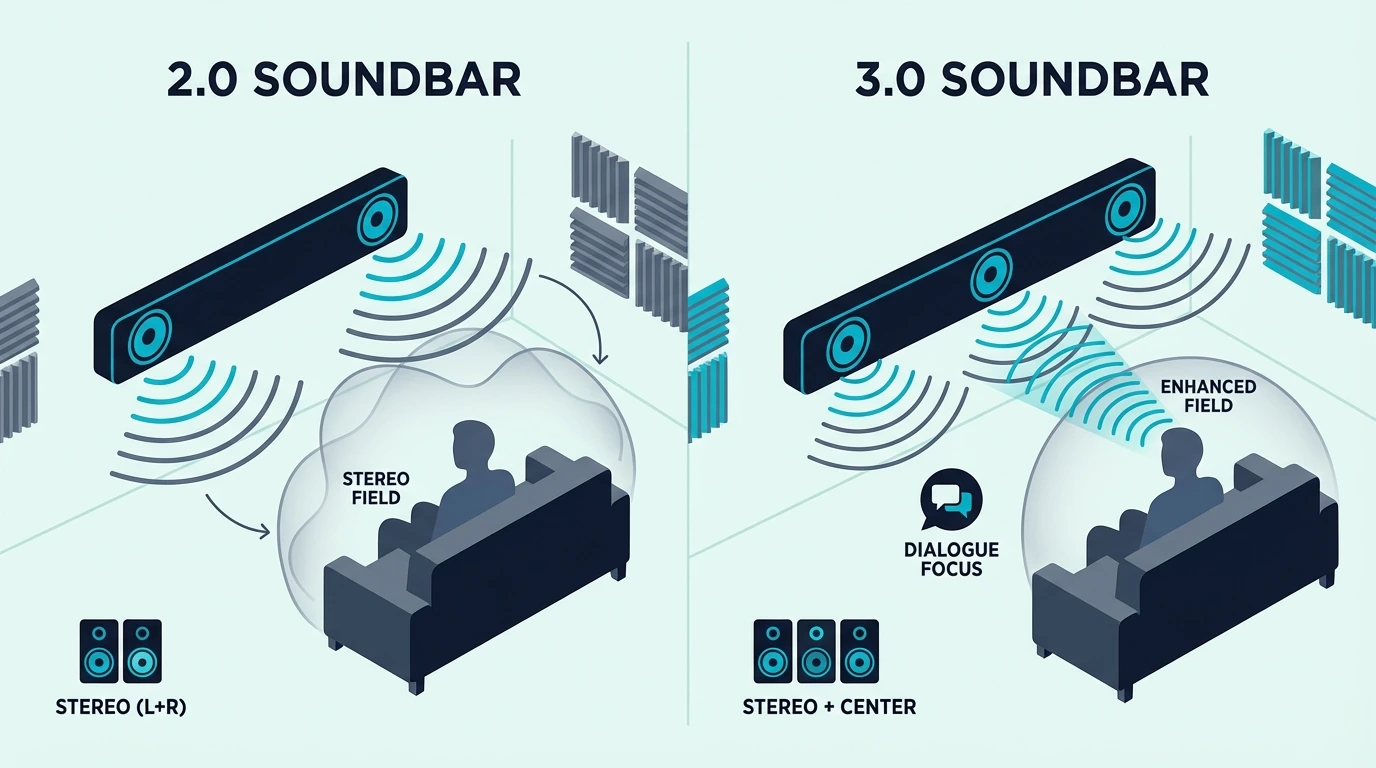
The dedicated center channel in a 3.0 soundbar isn’t just an extra speaker. It fundamentally changes how your soundbar separates human speech from background audio.
This difference explains why some buyers hear a dramatic dialogue improvement while others notice almost nothing after upgrading from 2.0.
2.0 Soundbars: Phantom Center Imaging
A 2.0 soundbar creates the illusion of centered dialogue by playing voice frequencies through both the left and right channels.
Your brain reads that phantom center as coming from the middle of the screen when you sit in the sweet spot.
In small rooms where you sit relatively close and centered, this phantom imaging works remarkably well for both dialogue and music.
The limitation appears in larger rooms and off-center seating. It also shows up during loud scenes.
The left and right drivers have to handle dialogue, music, and effects at the same time.
Voices get masked when competing audio demands overwhelm the same drivers. The Sony S100F 2.0ch Soundbar is a good example of what a 2.0 bar delivers well.

Sony S100F 2.0ch Soundbar
It offers clean stereo with bass reflex technology for respectable low-end, and its phantom center imaging sounds convincing in a small room.
Our what is a soundbar hub explains the basic channel language, and our how to choose a soundbar guide helps you match channel count to room size and listening habits.
3.0 Soundbars: Dedicated Dialogue Driver
A 3.0 soundbar physically separates dialogue from stereo effects by routing voice frequencies to a dedicated center channel driver.
That center driver handles the range where human speech lives.
The left and right channels no longer have to fight voices and effects at the same time.
The result is dialogue that stays clear and anchored to the screen even as volume rises. It also stays more consistent when you sit off to the left or right.
Family members across the couch hear dialogue more clearly than they would with a phantom center.
The center channel driver projects voice frequencies independently of the stereo field. The Sonos Beam Gen 2 shows what a well-tuned 3.0-style bar can do when dialogue is the main priority.
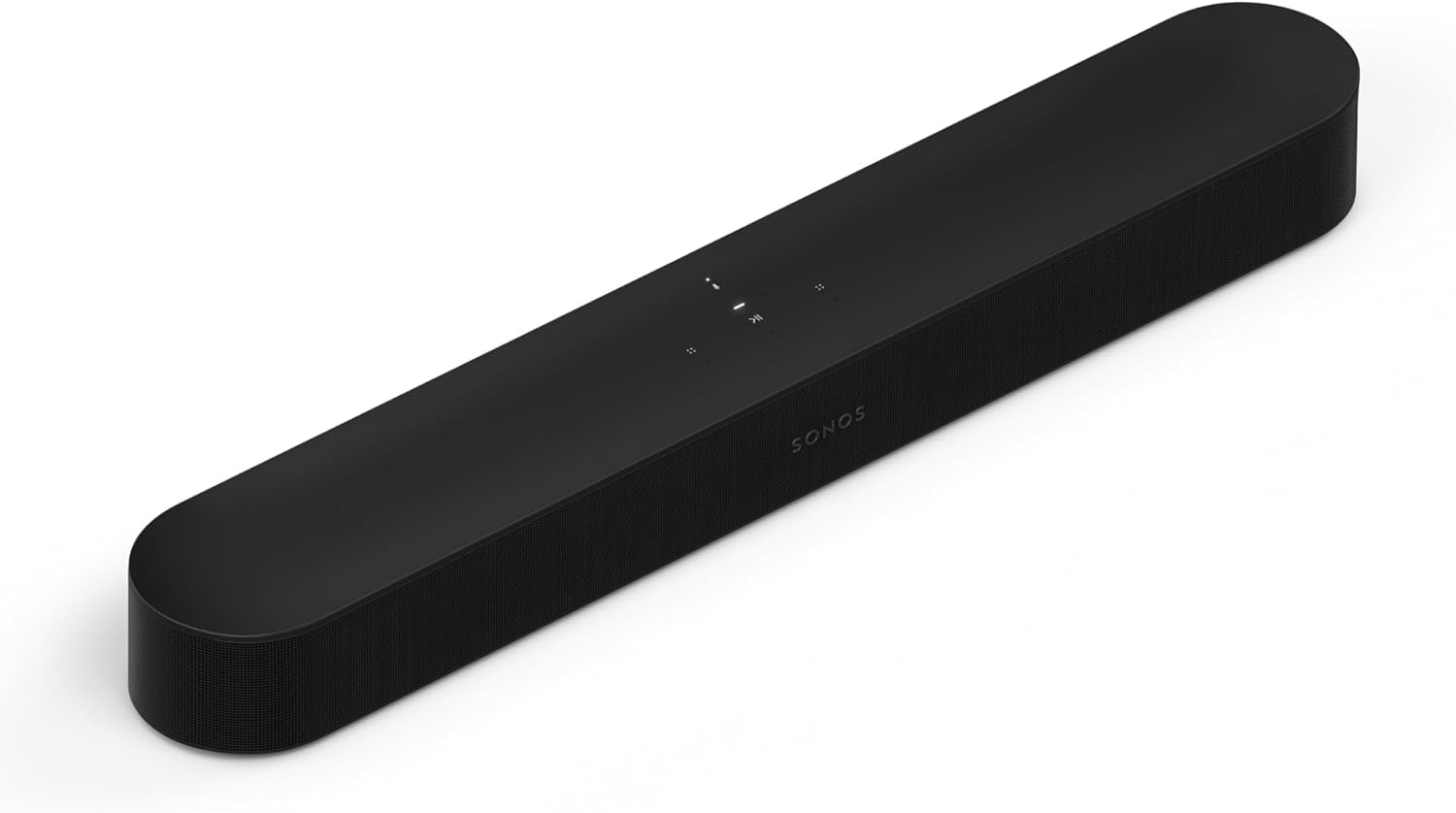
Sonos Beam Gen 2
If you mostly watch talk-heavy TV, dramas, or late-night streaming, that extra center control is often more valuable than chasing slightly wider effects.
Our best soundbar with subwoofer roundup shows where a 2.1 or 3.1 upgrade starts to make more sense.
Our how to choose a soundbar guide helps you weigh dialogue needs against room size and budget.
Which Room and Use Case Fit 2.0 vs 3.0?
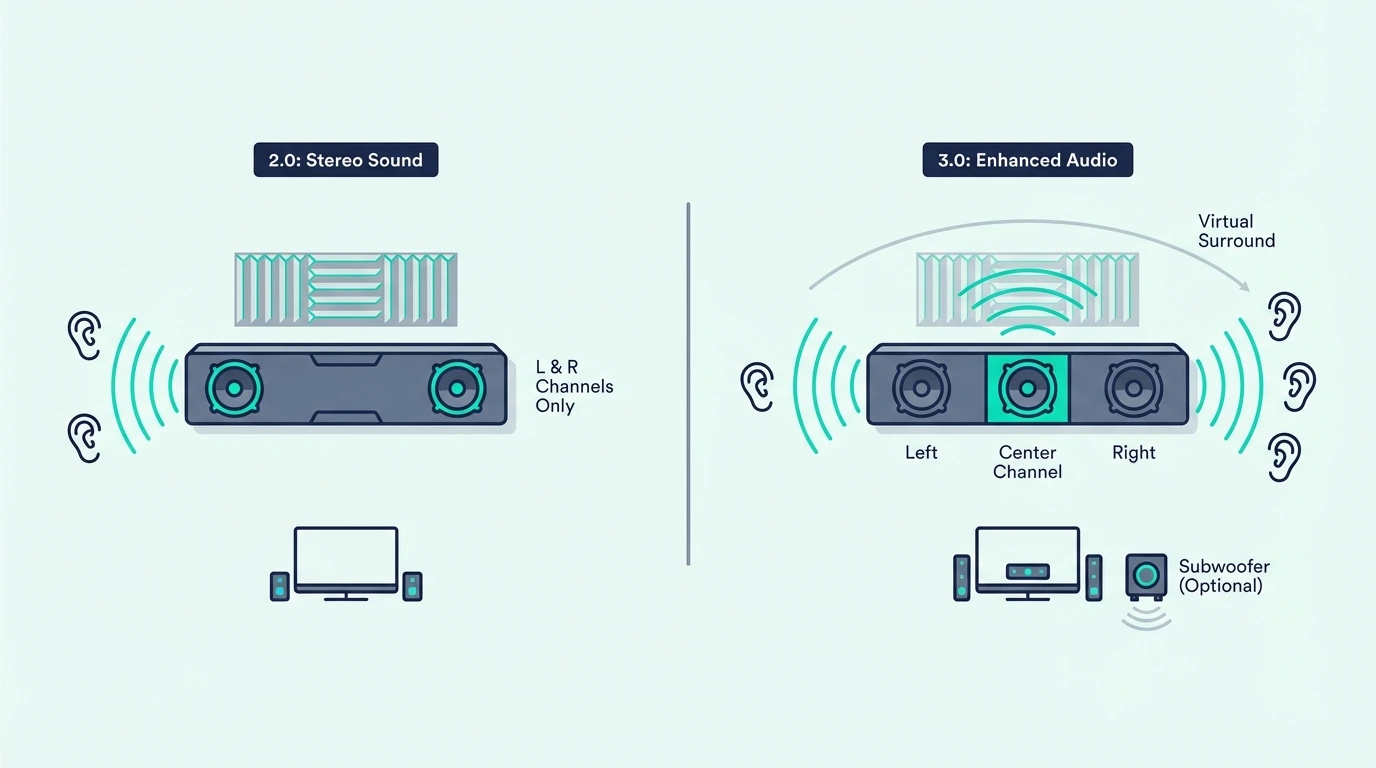
Beyond dialogue clarity, 2.0 and 3.0 soundbars fit different room sizes and content types. That is what determines whether the center channel premium feels useful every day.
Small Rooms and Music: 2.0 Excels
A 2.0 soundbar often works well enough in a small room.
That includes bedrooms, offices, and compact living rooms.
Most listeners within 6 to 8 feet of the TV will not hear a big difference.
The smaller room helps the phantom center hold together because the sound reaches your ears with less spread.
For music listening, some audiophiles prefer 2.0 stereo because it avoids center-channel crossover processing. Pure left-right stereo preserves the recording’s spatial image more naturally.
That appeals to listeners who want the mix to stay closer to the original stereo presentation.
In nearfield listening, the screen is physically closer to your ears. That makes the phantom center hold together more consistently than it does across a wide couch.
That is why a simple 2.0 bar can feel perfectly fine in a bedroom but thin in a larger family room.
Our best budget soundbar roundup shows what simple entry-level bars look like today, and our how to choose a soundbar guide helps you match channel count to your room and listening habits.
Large Rooms and Dialogue-Heavy Viewing: 3.0 Wins
In medium-to-large living rooms, the 3.0 center channel becomes noticeably more valuable. Dialogue stays locked to the screen and more audible for everyone on the couch.
If you frequently turn on subtitles during action movies or rewind because you missed dialogue, a dedicated center channel addresses that frustration more effectively than turning up the volume.
A center channel matters most with compressed streaming dialogue, busy sports broadcasts, and mixed-volume TV shows. Those are the situations where voices constantly compete with effects.
It does not make the soundtrack more cinematic by itself. It makes everyday viewing less frustrating.
A bar with a true center driver keeps speech stable for everyone on the couch. That is why 3.0 makes more sense once the room gets wider or the soundtrack gets busier.
If you also want stronger bass, look at 3.1-style options in our best soundbar with subwoofer roundup.
Our soundbar to TV connection guide covers how both 2.0 and 3.0 configurations connect, and our soundbar setup guide shows how placement affects clarity once you move beyond a tiny room.
Neither Has a Subwoofer: The Bass Gap
One important limitation both 2.0 and 3.0 soundbars share — neither includes a dedicated subwoofer. Neither configuration produces deep bass below 80-100Hz.
If bass impact matters for movies, gaming, or music, you need to step up to a 2.1 or 3.1 configuration with a wireless subwoofer.
If you already know you want clearer speech and more low-end punch, a Samsung HW-B630F 3.1ch Soundbar is the kind of adjacent upgrade worth considering.
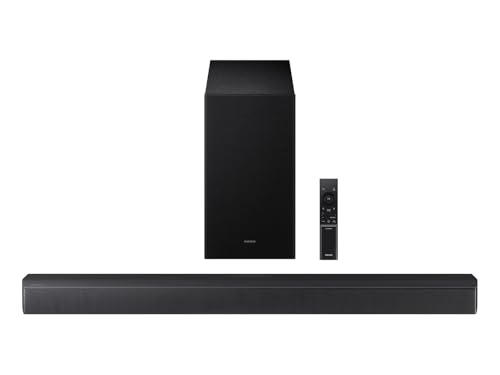
Samsung HW-B630F 3.1ch Soundbar
It is not a pure 3.0 bar.
But it shows why some buyers skip straight to 3.1 when both dialogue and bass matter.
A center channel solves clarity, not impact.
If your biggest complaint is thin explosions or weak kick drums, moving from 2.0 to 3.0 will not fix the low-end gap.
You still need a subwoofer for that.
Our HDMI ARC setup guide explains the cleanest connection path for newer TVs, and our best soundbar with subwoofer roundup shows where the bass upgrade starts to justify the extra hardware.
Get Studio Tips Weekly
Join 5,000+ creators getting acoustic treatment advice every week.
No spam. Unsubscribe anytime.The Bottom Line
Choose a 2.0 soundbar for small rooms, music-focused listening, and centered seating where phantom imaging works well. These bars deliver clean stereo that significantly improves your TV’s built-in speakers at the lowest price.
Choose a 3.0 soundbar for medium-to-large living rooms and dialogue-heavy viewing. It also makes sense when multiple people sit in different positions.
The dedicated center channel keeps voices consistently clear across the couch.
Our guide to mounting a soundbar helps if you want a cleaner install, and a good buying checklist helps you decide whether clarity, bass, or simplicity matters most.
Frequently Asked Questions
What is the difference between 2.0 and 3.0 soundbars?
A 2.0 soundbar has left and right channels that use phantom imaging to simulate centered dialogue. A 3.0 soundbar adds a dedicated center channel that handles dialogue independently.
That keeps voices clearer and more anchored to the screen.
Neither includes a subwoofer for deep bass.
What does 3.0 mean on a soundbar?
The “3.0” means three audio channels — left, center, and right — with zero subwoofers. The first number indicates speaker channels and the second indicates subwoofer units.
A 3.0 adds a dedicated center channel for dialogue clarity compared to a 2.0 (left and right only) but doesn’t include a separate subwoofer.
Is a 2.0 soundbar worth it?
Yes. A 2.0 soundbar is a major upgrade over your TV’s built-in speakers.
It gives you clearer stereo, better volume range, and better dialogue for less money than most 3.0 options.
For small rooms, music listening, and budget-conscious buyers, it is often the smartest value.