How to Set Up a Soundbar: The Spot, the Port and the TV Menus
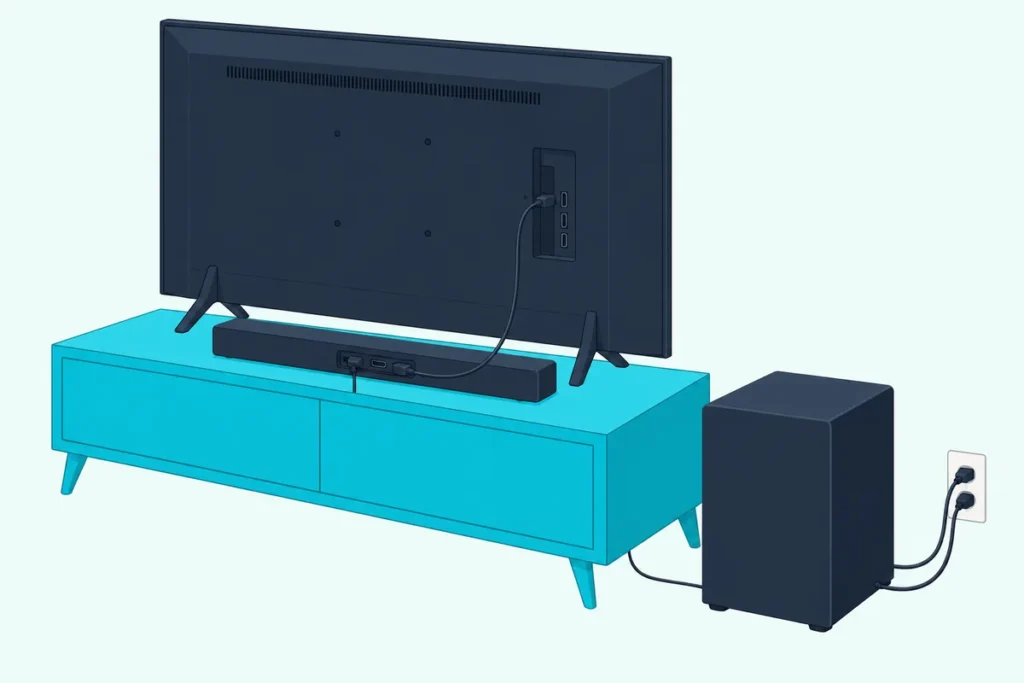
If you’re working out how to set up a soundbar, the short answer is one HDMI cable from the bar’s HDMI OUT to the TV’s ARC or eARC port, plus two TV settings: sound output to the bar and HDMI-CEC on.
Miss the port or either setting and you get the classic first-night problem, a bar whose lights come on while the sound keeps coming from the TV.
Get the order right and the TV remote runs the volume, the bar switches on with the TV, and Dolby Atmos reaches it from apps that carry it.
The seven steps below follow the makers’ own manuals, from where the bar sits to the TV menus and the subwoofer.
Start with the table, then jump to the step you’re stuck on; a no-sound checklist waits at the end.
How to Set Up a Soundbar in Seven Steps
Those seven steps start with the spot, because a wired bar is harder to move, and end with the subwoofer. A soundbar installation goes like this: center the bar below the TV, plug it into a wall outlet, run one HDMI cable to the TV, set the bar’s input, send the TV’s sound to it, turn on HDMI-CEC and let the subwoofer pair.
| Step | What to do | What the makers say |
|---|---|---|
| 1 | Center the bar below the TV, clear of its remote sensor | Roku: don’t block the TV’s IR receiver |
| 2 | Plug it into a wall outlet | TCL: a TV’s USB port often cuts power when the TV turns off |
| 3 | Run one HDMI cable from the TV’s ARC or eARC port to the bar’s HDMI OUT | Samsung: HDMI gives the best audio |
| 4 | Set the bar’s input | Samsung: D.IN, then “TV ARC” appears |
| 5 | Send the TV’s sound to the bar | Samsung: Settings > Sound > Sound Output |
| 6 | Turn on HDMI-CEC | Roku: the TV remote then runs volume and mute |
| 7 | Let the subwoofer pair | Samsung and TCL: it links by itself |
Steps 3 to 5 change on a TV with no ARC port, which the optical section covers. Bluetooth skips the cable at a cost in sound quality that Samsung spells out near the end.
What Do You Need Before You Set Up a Soundbar?
That table takes three things for granted: the right port, the right cable and a free outlet. You need a TV whose HDMI port is labeled ARC or eARC (or an optical output if it has neither), one HDMI or optical cable, and a wall outlet near the TV for the bar and any wireless subwoofer.
Check the TV’s ports for that label first. Roku says it’s often “HDMI ARC” or just “ARC”, and “HDMI eARC” or “eARC” on the select models that have eARC.
The cable matters most for eARC. Roku asks for a High Speed HDMI Cable with Ethernet or an Ultra High Speed one, and Dolby’s soundbar guide recommends “a high capacity, category 3 HDMI cable”.
If you need one, UGREEN’s 6.6 ft HDMI 2.1 cable is sold as Certified Ultra High Speed, the type Roku names for eARC. Our guide to the best cable for a soundbar compares HDMI, optical and Bluetooth.

UGREEN’s 6.6 ft HDMI 2.1 cable
Plan on a wall outlet too. TCL says a TV’s USB port often cuts power when the TV turns off, and it suggests a working wall outlet rather than a power strip or surge protector where possible (TCL).
Get Studio Tips Weekly
Join 5,000+ creators getting acoustic treatment advice every week.
No spam. Unsubscribe anytime.Where Should the Soundbar Go Before You Plug It In?
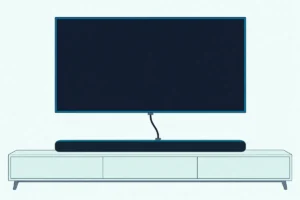
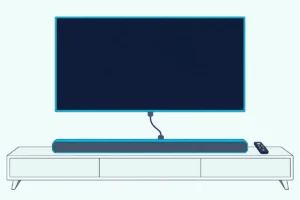
With the parts ready, the spot comes next, since a bar is harder to move once it’s wired. Put the soundbar centered below the TV and close to it: Samsung’s HW-A450 manual says to line up the bar’s center with the TV’s, keep it at least 1.2 inches in front of a TV on a stand, and mount it at least 2 inches below a wall-mounted TV (Samsung).
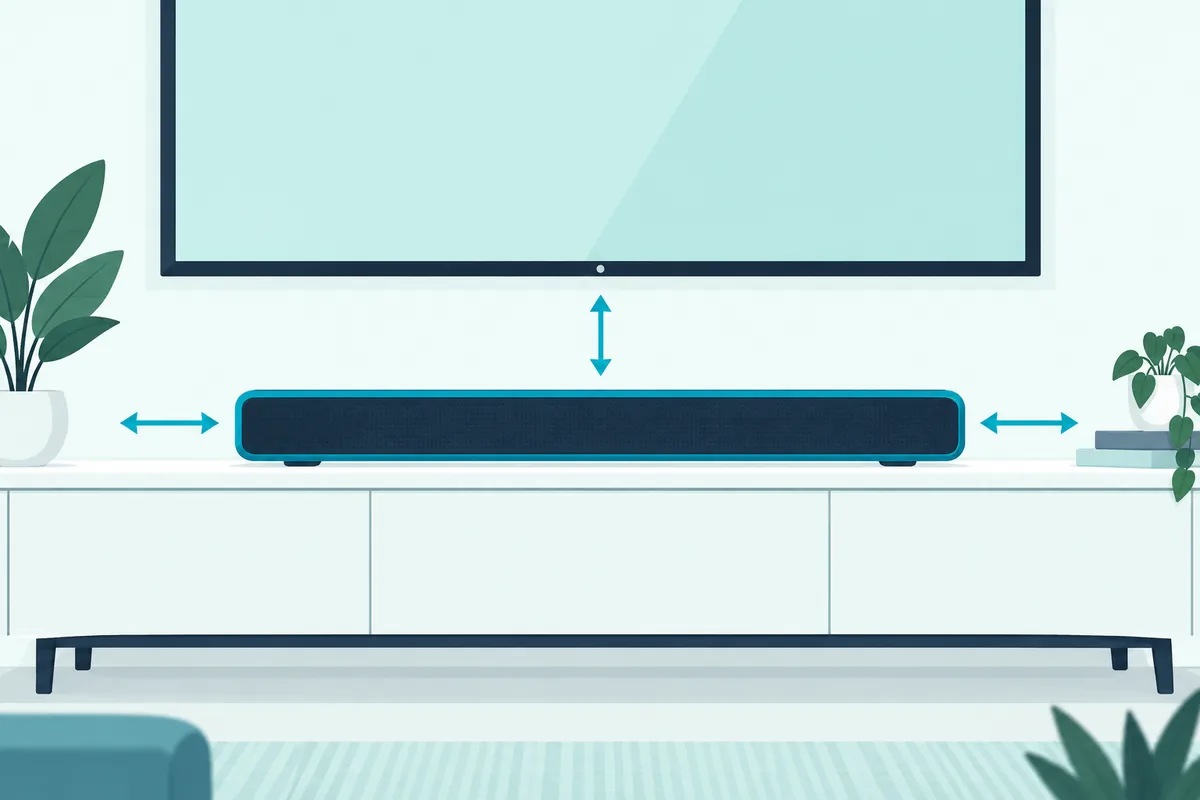
Keep the TV’s remote sensor clear. Roku says the IR receiver typically sits along the bottom edge of the screen, and a bar that blocks it stops the TV remote working from your normal seat.
If yours does block it, some bars can pass the signal along. Sony’s HT-A3000 has an IR-Repeater setting for exactly that case, and Sonos tells Ray owners to keep the bar at least 2 inches from the TV and off the sensor.
Leave room to breathe and to be heard. Samsung’s manual asks for 3 to 4 inches of space around the bar for ventilation, and Roku suggests mounting it at ear level for your seated position.
An Atmos bar’s up-firing speakers also need a clear path to the ceiling, Dolby says, so not inside a cabinet or under a shelf, and no higher than halfway up the wall.
That’s the short version: mounting and placing a soundbar covers heights and shelves in detail, and the ways to keep a soundbar out of sight without blocking it keep the TV’s sensor clear. For a bracket, see how to mount a soundbar to the TV or our steps for mounting a soundbar on the wall.
Which Ports Do the TV and the Soundbar Use?
Once the bar is in place, match the port labels, because makers print different names on the same sockets. The cable runs from the TV’s HDMI input marked ARC or eARC to the soundbar’s HDMI OUT, never to the bar’s plain HDMI IN, which is for a streaming box or console.
| Port | On the TV | On the soundbar |
|---|---|---|
| The one-cable link | HDMI IN (ARC) on Samsung, HDMI (eARC/ARC) on LG | HDMI OUT (TV-ARC) on Samsung, HDMI TV (ARC) on LG’s S60T, HDMI OUT (TV eARC/ARC) on Sony’s HT-A3000 |
| A streaming box or console | Any free HDMI input | HDMI IN |
That table heads off the usual wrong-port mistake, since a bar can carry an HDMI IN right beside its HDMI OUT. Sony adds that some bars don’t print “ARC” or “eARC” on the socket at all, so check the bar’s manual if yours is unmarked.
Burton Acoustix’s port-by-port HDMI guide for soundbars adds the cable grades HDMI Licensing lists and how to scan a certified cable’s label.
How Do You Connect a Soundbar With HDMI ARC or eARC?
Those labels make the main connection quick. To connect a soundbar with HDMI ARC, turn both on, plug the cable into the TV’s labeled port and the bar’s HDMI OUT, then set the bar’s input, as in Samsung’s steps (Samsung):
- Turn on the TV and the soundbar.
- Plug one end of the HDMI cable into the TV’s HDMI IN (ARC) port.
- Plug the other end into the soundbar’s HDMI OUT (TV-ARC) port.
- Set the soundbar’s source to D.IN, and after a few seconds “TV ARC” appears and the TV’s sound plays through the bar.
Dolby adds a check at the end: open the TV’s setup menu and confirm it recognizes the soundbar. The only cost, Samsung notes, is one of the TV’s HDMI ports, which the next section deals with.
The plain and enhanced versions differ in what they carry. Roku says the original carries Dolby Digital Plus and Dolby Atmos, though Atmos only in compressed form, while eARC adds DTS-HD Master Audio, DTS:X, Dolby TrueHD and uncompressed Atmos, plus built-in lip-sync (Roku).
Both ends need eARC to get those extras; if only one has it, Roku says the link still works without them. For the exact setting on your set, see each TV maker’s ARC and eARC menus.
Should a Streaming Box Plug Into the Soundbar or the TV?
That lost HDMI port matters if you also own a streaming box, console or Blu-ray player. Plug it into the soundbar if the bar has HDMI inputs: Dolby says that gives “the highest level of compatibility and the best quality experience”, and devices that don’t fit can go into the TV, whose sound still reaches the bar (Dolby).
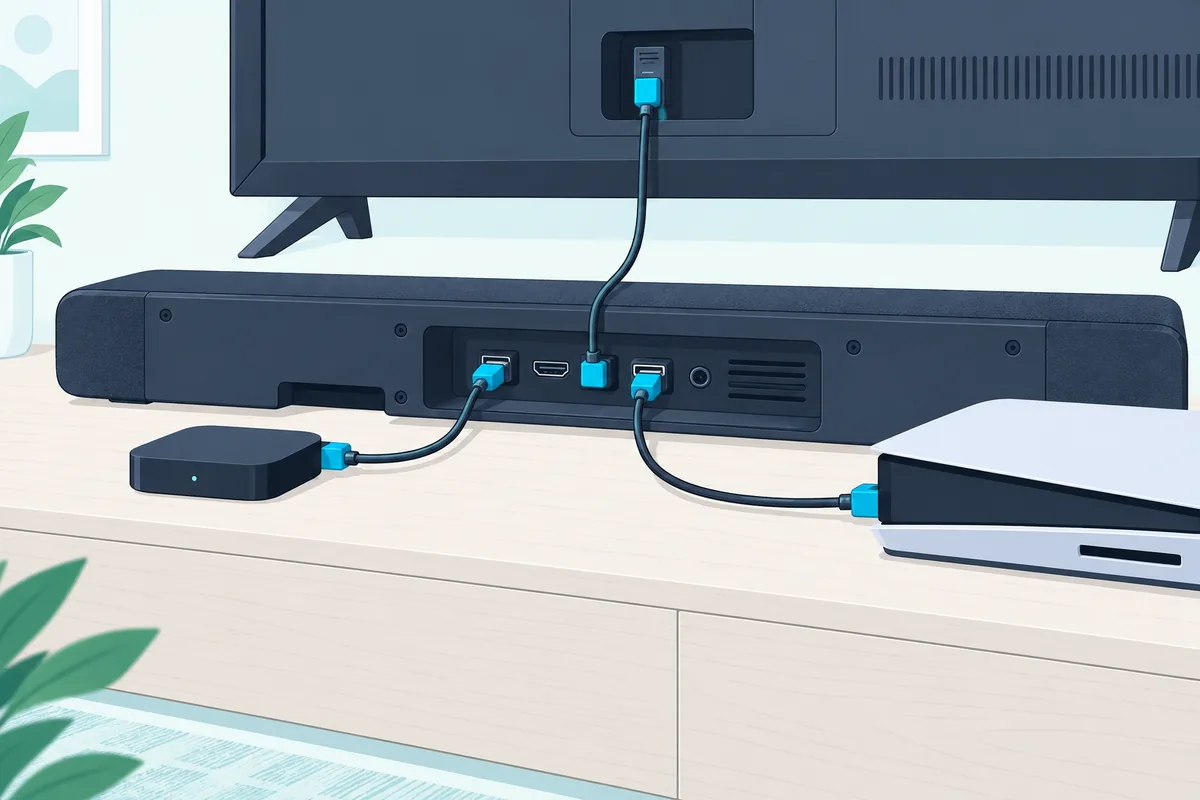
Samsung’s version uses two cables: the box goes into the bar’s HDMI IN, and the bar’s HDMI OUT goes to the TV. Then press Source on the bar until “HDMI” shows and switch the TV to that input.
For that pair of runs, JSAUX’s two-pack of 6 ft HDMI 2.1 cables covers both, though its listing title doesn’t say certified. If you buy only one, the UGREEN one above is the pick for the TV link.
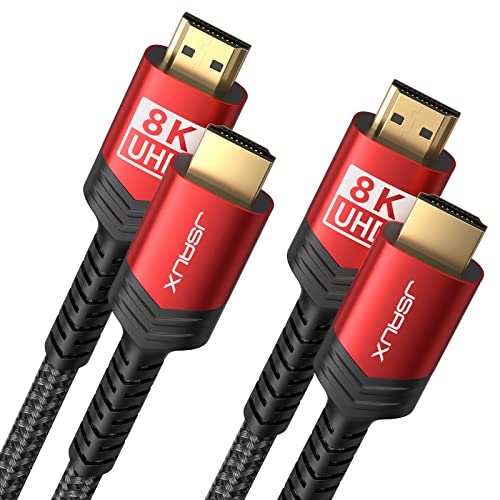
JSAUX’s two-pack of 6 ft HDMI 2.1 cables
Turn on Anynet+ (HDMI-CEC) on both the bar and the TV, and Samsung says the bar then switches on when the box does. For a 4K box, the bar has to pass 4K video through, which Samsung says its 2017 650 series and above all do.
A cable box can go either way too, and the three ways to wire a cable box to a soundbar add the box’s own optical output for a TV that won’t pass 5.1.
Shopping for a bar with HDMI inputs for a console or a projector? Our gaming soundbar roundup and best soundbars for projectors guide are the places to start.
Can You Install a Soundbar on a TV Without ARC?
Both of those routes assume the TV has that port, and not every TV does. Yes, you can install a soundbar on a TV without ARC: run an optical cable from the TV’s optical output to the bar’s optical input, set the bar to its digital input, and switch the TV’s speaker output to optical, as in Samsung’s steps:
- With both turned on, connect the optical cable from the TV’s OPTICAL OUT to the soundbar’s DIGITAL AUDIO IN (OPTICAL).
- Press Source on the remote or the bar and set it to D.IN.
- On a Samsung TV, open Settings, go up to Quick settings and change TV Speaker to Optical.
Pull the protective caps off the plugs first. Roku warns that a capped plug can give a faulty connection or damage the port, and Samsung’s manual says to remove the covers too.
Optical has limits worth knowing before you build around it. Roku says it carries two channels of uncompressed stereo or 5.1 compressed surround (Dolby Digital or DTS) and lists Atmos only for the HDMI connections, and Samsung says optical can’t match HDMI’s bandwidth.
For this route, KabelDirekt’s 6 ft TOSLINK cable has a TOSLINK plug at each end, and Burton Acoustix’s optical cable guide gives the output menu for each TV brand.
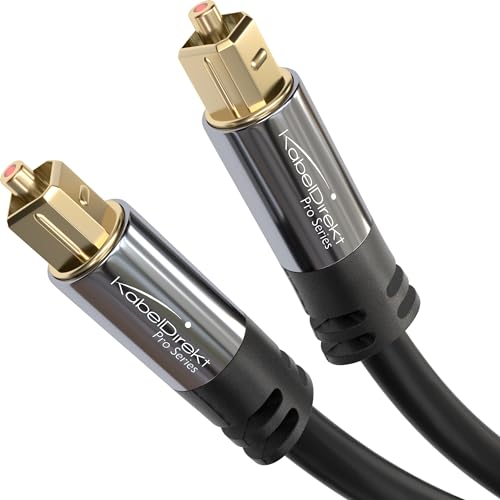
KabelDirekt’s 6 ft TOSLINK cable
Sony’s HT-A3000 guide wires such a TV both ways, adding optical to the bar’s TV IN (OPT) beside the HDMI connection. An analog AUX cable works too, though Samsung says it won’t sound as good, and it adds that a TV with no audio output at all can’t feed a soundbar.
Bluetooth and an HDMI audio extractor round out the options for a TV without ARC, each with its own trade in sound formats, volume control or lip sync.
Dolby’s route for such a TV skips the TV’s audio: an Atmos streaming device such as an Apple TV or Fire TV goes into a bar with an HDMI input and output, and the bar’s output goes to the TV. If you’re shopping for a bar for an older set, the best budget soundbar roundup is one place to start.
Which TV Settings Finish a Soundbar Setup?
That cable is only half the job, because the TV decides where its sound goes. A soundbar setup is finished when the TV’s sound output points at the bar and HDMI-CEC is on, which lets the TV remote set the bar’s volume and switch it on with the TV.
| TV | Send the sound to the bar | CEC setting |
|---|---|---|
| Samsung | Settings > Sound > Sound Output, then choose the soundbar | Anynet+ (HDMI-CEC), under Settings > General > External Device Manager |
| LG (webOS 24) | Settings > Sound > Sound Out > Use Wired Speaker > HDMI(ARC) Device | SIMPLINK (HDMI-CEC), under General > External Devices > HDMI Settings |
| Sony BRAVIA | Settings > Display & Sound > Audio output > Speakers > Audio system | Control for HDMI, the base of “BRAVIA” Sync |
| Roku TV | Settings > System > Control other devices (CEC), then check ARC | System audio control, in the same menu |
| Other TVs (TCL’s checklist) | Audio Output set to HDMI ARC in the sound settings | CEC on, called T-Link on TCL TVs |
Two notes from those menus save time. LG says choosing HDMI(ARC) Device turns SIMPLINK on by itself, and Sony’s HT-A3000 guide warns that if the TV’s Control for HDMI is off, the TV’s sound won’t come out of the bar at all.
Once the sound reaches the bar, the best soundbar settings start from its plain preset with bass and treble at 0, adding one feature at a time.
Samsung adds that its TV remotes should control Samsung bars by default once Sound Output points at the bar, on optical or HDMI. Matching brands keeps those names in one family, which is why our best Samsung soundbar roundup, best soundbars for LG TV guide and best Sony soundbar roundup sort bars by TV brand.
How Do the Subwoofer and Rear Speakers Pair?
Once the TV settings are done, check the subwoofer. A wireless subwoofer pairs by itself once it and the bar are plugged in and the bar is on: Samsung says its blue LINK light then glows steadily, and TCL says its subwoofer’s LED turns solid within a few seconds.

If it doesn’t link, both makers have a manual step. On Samsung’s HW-A450 you hold ID SET on the back of the subwoofer for at least 5 seconds, then hold Up on the remote for 5 seconds; on TCL subwoofers that have a Pair button, you hold it for a few seconds.
Samsung’s wireless rear speakers connect through a wireless receiver module that pairs the same way, with ID SET on its back. That’s also the step to redo after a factory reset, when Samsung says the subwoofer may need pairing again.
Placement matters as much as pairing. Dolby’s tips are to face the subwoofer toward the seats, keep it in the front half of the room and close to the bar, beside or under the TV, and keep it out of cabinets and from behind the sofa.
Corners are practical, Dolby says, but can cause problems, so start beside the bar and move it around until it sounds best in your room. Our guide to the best spot for a subwoofer with a soundbar goes through the options.
What Does Dolby Atmos Need After Setup?
That covers the hardware, but Atmos also needs the right content and one setting on your player. Dolby Atmos needs content mixed in Atmos, a device that plays it, and that device’s audio output set to bitstream, so the soundbar does the decoding.
Dolby points to premium tiers of services such as Netflix, Disney+, Apple TV or Roku, or an Atmos Blu-ray, and says Atmos from the TV’s own apps flows to the bar over the Audio Return Channel. Its 2017 sound bar guide adds two traps: many Blu-ray players default to a secondary-audio mix mode that has to be switched off, and many cable boxes default to stereo PCM.
Without eARC at both ends, that Atmos stays compressed, as the eARC comparison showed. Dolby says the bar’s Atmos indicator, on a display, an LED or the companion app, confirms it’s working, and the best Dolby Atmos soundbar guide compares bars if you’re still choosing one.
Can You Set Up a Soundbar With Bluetooth or Wi-Fi Instead?
Those wired steps give the best sound, but some rooms can’t take a cable. You can set up a soundbar with Bluetooth or Wi-Fi, but Samsung says Bluetooth doesn’t match HDMI’s sound quality and can drop out if something disrupts it, so wire the TV when you can.
To pair a Samsung bar, press Pair on its remote, or Source on the bar until the display reads BT, and wait for BT Pairing. Then pick the bar on the TV under Settings > Sound > Sound Output > Bluetooth Speaker List, and if it won’t connect, delete every speaker from that list and pair again.
Wi-Fi setup on a Samsung bar runs through the SmartThings app, and Samsung warns that the TV may drop off Wi-Fi meanwhile, so reconnect it from the TV’s network menu. TCL adds that the HDMI link won’t work while Bluetooth or optical is in use, so reselect the bar’s TV input afterward.
For pairing menus on other TVs, see pairing a soundbar with a TV over Bluetooth, and if phone music matters as much as TV sound, the best soundbars for music guide is the next stop.
Why Is There No Sound After Setting Up a Soundbar?
If the bar still stays silent, work back through the same steps. The usual causes, by Samsung’s and TCL’s no-sound checklists, are the wrong port, the wrong input on the bar, the TV’s sound still going to its own speakers, and CEC switched off:
- The port. The TV end goes in the labeled port, and the bar end in HDMI OUT, not HDMI IN.
- The bar’s input. D.IN on a Samsung bar, HDMI ARC on a TCL bar; Samsung says to allow 4 to 5 seconds after changing the source before sound starts.
- The TV’s sound output. It has to point at the bar or the optical output, not the TV speakers.
- CEC. It has to be on at the TV, under its own name: Anynet+, SIMPLINK, BRAVIA Sync or T-Link.
If a Samsung bar never switches from D.IN to “TV ARC”, Samsung says to try a new HDMI cable, then a second TV, to find which side is at fault. TCL’s power cycle is to unplug both for about 30 seconds, plug them back in and reselect the bar’s input.
TCL adds two quieter causes: some of its bars don’t support Dolby Digital or DTS over that link, so it suggests the TV’s PCM setting, and a TV set to eARC needs a bar with eARC too, or the TV switched to regular ARC.
For more checks, including LG’s and JBL’s, here’s how to fix no sound from a soundbar on HDMI ARC. On an Onn bar, a factory reset followed by re-pairing the wireless subwoofer and re-doing the TV-to-bar handshake is the brand-specific last step.
The Bottom Line
Every fix in that checklist points back to the seven steps at the top: the spot, the wall outlet, one HDMI cable to the TV’s labeled port, the bar’s input, the TV’s sound output, CEC and the subwoofer.
Optical is the fallback for a TV without that port, and Bluetooth is a convenience rather than the TV’s main sound. If you’re still choosing the bar itself, start with our best soundbar roundup, size it with the best soundbars for small rooms roundup, or browse the soundbar hub for every setup and fix guide.
Frequently Asked Questions
Does it matter which HDMI port I use for a soundbar?
Yes. The cable has to go into the TV’s HDMI port labeled ARC or eARC and the soundbar’s HDMI OUT, not its HDMI IN, because only that TV port sends the sound back down the cable. If the bar’s socket is unmarked, Sony says to check its manual.
Do you connect a soundbar to the TV or the cable box?
Either works. Dolby recommends plugging boxes and players into the soundbar’s HDMI inputs when it has them, with the bar’s HDMI output going on to the TV; otherwise the cable box goes into the TV and its sound still reaches the bar. Dolby’s 2017 guide notes that many cable boxes default to stereo PCM, so set yours to bitstream for Atmos.
What wires do you need for a soundbar?
Usually one HDMI cable from the TV’s ARC or eARC port to the bar, plus the bar’s power cord. A TV without that port uses optical instead, a box plugged into the bar needs a second HDMI cable, and a wireless subwoofer needs only its power cord.
Do sound bars need to be plugged in?
Yes. The HDMI, optical or Bluetooth link carries the sound but no power, so the bar needs its own, ideally from a wall outlet: TCL says a TV’s USB port often cuts power when the TV turns off.
How do I make my TV remote control the soundbar?
Connect the bar by HDMI ARC and turn on CEC at the TV: Anynet+ on Samsung, SIMPLINK on LG, BRAVIA Sync on Sony and T-Link on TCL. Roku says CEC lets its TV remote change the volume and mute the bar.