Roku Streambar vs Soundbar: Is the Combo Device Worth It? [2026]

Roku Streambar vs soundbar sounds like a close matchup, but the real question is whether you need one compact box that handles streaming and audio or whether you just need better TV sound.
The problem is that the Roku Streambar spends part of its budget on Roku OS and streaming hardware.
If your TV already streams well, that convenience can turn into redundant hardware while a dedicated soundbar gives you fuller bass, cleaner dialogue, and more upgrade headroom for similar money.
Understanding that tradeoff helps you avoid overbuying convenience or underbuying audio performance.
Below, we’ll compare the Roku Streambar, larger Roku-style streaming bars, and dedicated soundbar alternatives step by step.
Then we’ll narrow down which option makes the most sense for older TVs, secondary rooms, and main living-room movie use.
Choose the Roku Streambar if you have an older TV, need a streaming platform, and want the simplest one-box way to improve weak TV sound.
Choose a larger Roku-style streaming soundbar if you like the all-in-one idea but want more output and a wider front soundstage than a compact Streambar can deliver.
Choose a dedicated soundbar if your TV already streams well and your real goal is stronger dialogue, deeper bass, and better long-term audio value.
How Does the Roku Streambar Compare Inside Roku’s Own Lineup?
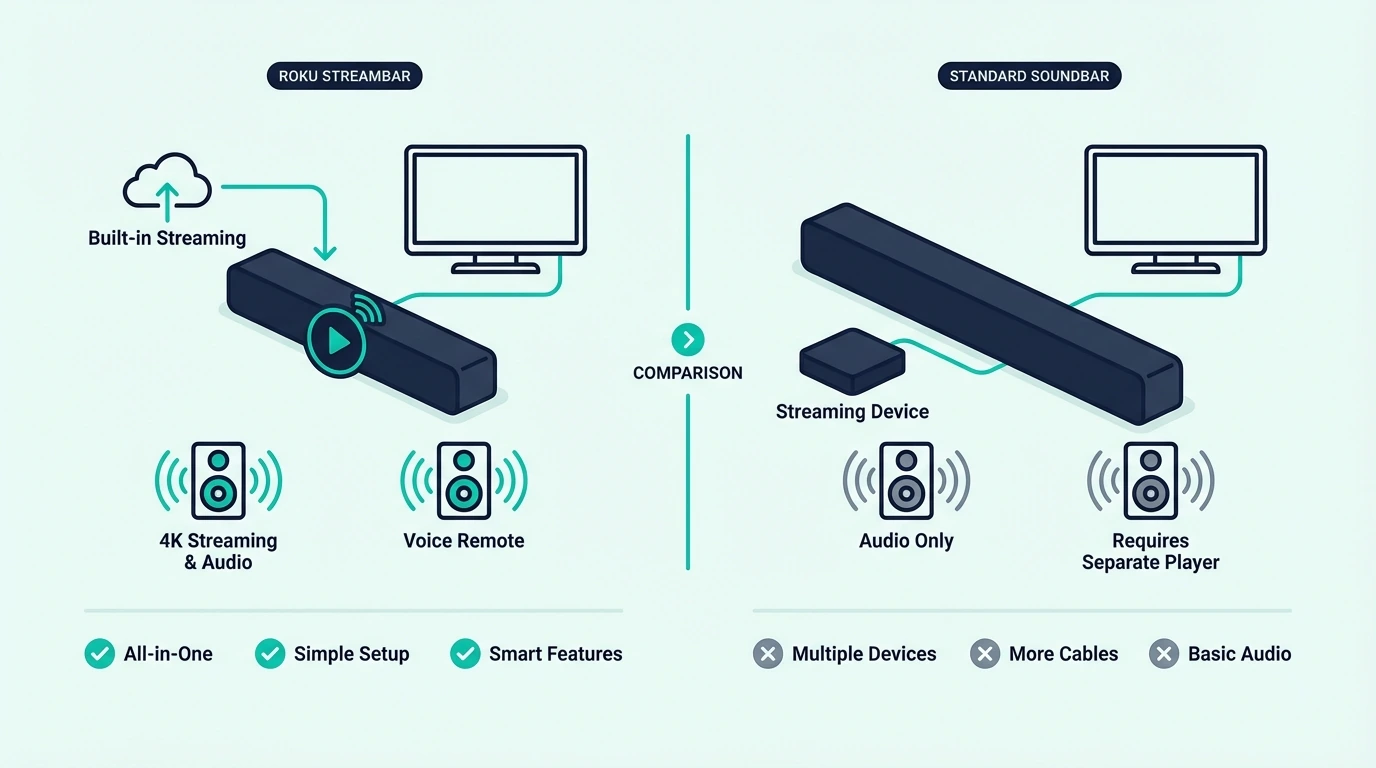
Before comparing the Streambar to dedicated bars, it helps to place it inside Roku’s own ecosystem.
The Streambar is the smallest and most convenience-driven option in the group.
Roku Streambar: Compact Streaming-First Device
The Roku Streambar SE is a compact bar that combines a Roku streaming device and a modest TV-speaker upgrade in one chassis.
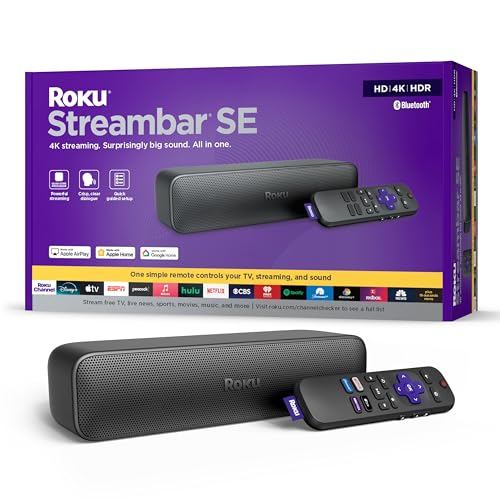
Roku Streambar SE
Its biggest appeal is not raw sound.
Its biggest appeal is that it can modernize an older TV and clean up the setup at the same time.
It connects over HDMI, runs Roku OS, and can keep everything on one remote when the TV cooperates through CEC.
Because the enclosure is small, the sound stays narrow and bass-light compared with a standard dedicated bar.
That tradeoff is easier to accept in a bedroom, kitchen TV, dorm, or guest room than in a main movie room.
For buyers with an aging TV that has slow apps or no streaming at all, that convenience is real.
For buyers with a current smart TV, it is much easier to pay for hardware they no longer need.
That is why the Streambar tends to feel better as a problem-solver than as a pure sound upgrade.
It fixes two needs at once, but it rarely feels generous if audio is the only need left.
If you already like how your TV handles apps, the Streambar’s main argument gets much weaker.
If you want the broader category context, the soundbar hub and the soundbar to TV connection guide help frame where a Streambar fits.
Larger Roku-Based Streaming Bars: Better Sound, Same Convenience Tradeoff
Once you move above the compact Streambar, a larger streaming bar starts to make more sense.
A current example in that lane is the onn. Roku Smart Soundbar with Built-in 4K Streaming Media Player (Renewed).
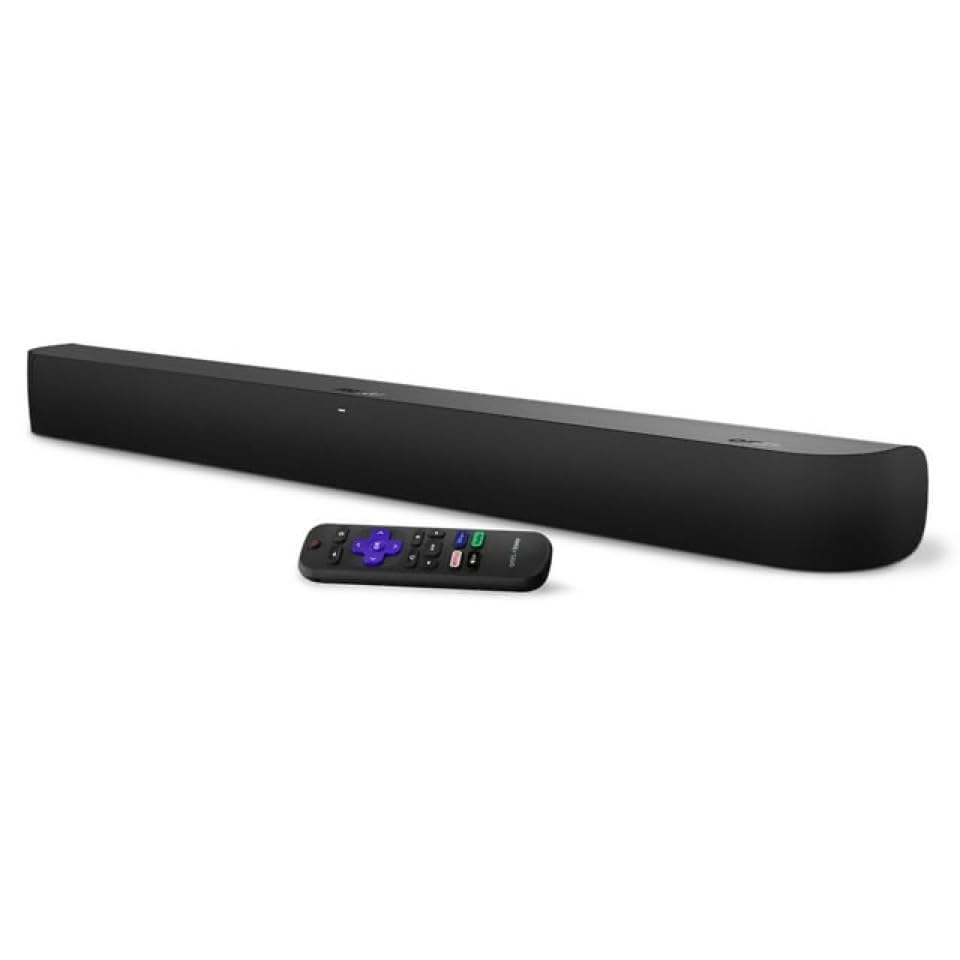
onn. Roku Smart Soundbar with Built-in 4K Streaming Media Player (Renewed)
A bigger cabinet gives you more output, a wider front soundstage, and more breathing room for dialogue than the compact Streambar can manage.
That makes a larger Roku-based streaming bar the better pick if you are committed to the all-in-one idea but do not want the smallest possible speaker package.
The convenience tradeoff still remains.
You are still spending part of the budget on built-in streaming instead of pure audio hardware.
That is easier to justify when you are starting from an older non-smart TV.
It is harder to justify when your TV already handles apps smoothly and you mostly want a better movie experience.
If you want to compare hookup options before buying, the HDMI vs optical guide and the TV-to-soundbar Bluetooth guide show where convenience gains start to disappear.
Why Do Dedicated Soundbars Usually Sound Better?
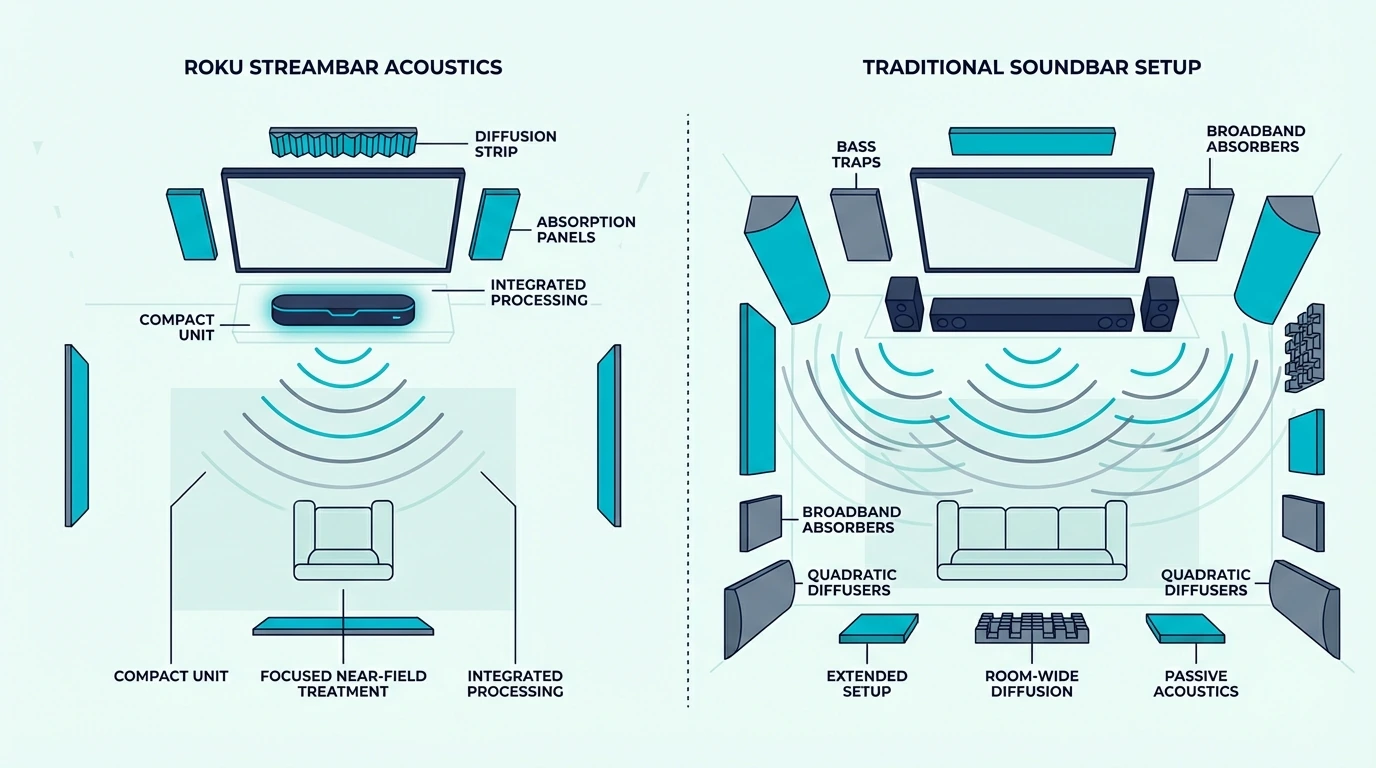
Dedicated soundbars usually win because their entire design budget goes into audio instead of splitting priorities with a streaming platform.
That changes what you get for the money.
The Audio Quality Gap Is Real
A dedicated bar can put more budget into drivers, amplification, channel layout, and bass support.
That matters in everyday viewing, not just in demo scenes.
For a main-room upgrade, a current example is the Amazon Fire TV Soundbar Plus with subwoofer.
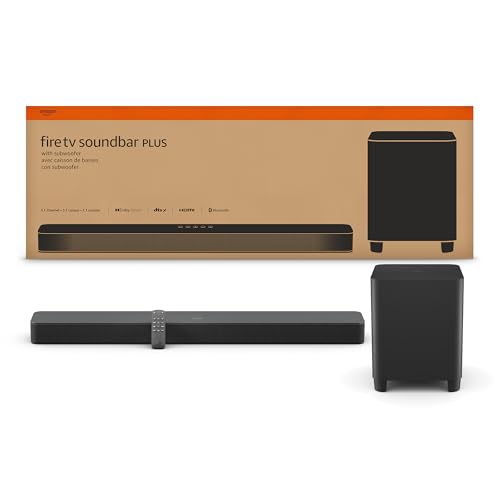
Amazon Fire TV Soundbar Plus with subwoofer
Even before you focus on specs, a setup like that tends to sound fuller and more grounded than a compact Streambar because the low end and center presence have more weight.
The gap widens further when you step into larger Atmos-ready systems.
For bigger-room movie use, a current example is the Klipsch Flexus CORE 210 Dolby Atmos 44″ SoundBar + 10″ Subwoofer.
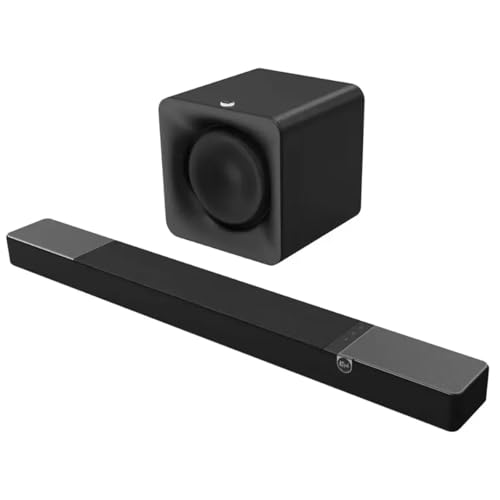
Klipsch Flexus CORE 210 Dolby Atmos 44″ SoundBar + 10″ Subwoofer
That kind of system makes the Streambar’s limits obvious once you care about impact, scale, and a more theater-like presentation.
You hear the difference most in everyday dialogue, bass weight, and how relaxed the system sounds when the volume goes up.
That matters even on regular streaming shows, because fuller sound and more headroom improve the experience long before you get to a blockbuster movie mix.
If you want the next-step buyer education, the 2.1 vs 5.1 soundbar guide and the soundbar vs receiver comparison explain where simple bars end and bigger upgrade paths begin.
Can You Use the Roku Streambar as Just a Soundbar?
Yes.
The Roku Streambar connects over HDMI ARC and can work like a normal TV audio device.
The issue is value, not compatibility.
If you never use the streaming side, part of what you paid for is effectively sitting idle.
That is why the Streambar makes more sense as a combo purchase than as an audio-only purchase.
If your goal is only to improve TV sound, a standard soundbar at similar pricing usually does the job better.
The soundbar to TV connection guide and the soundbar setup guide are the better follow-up reads when you are leaning toward a normal bar.
Which Buyer Profile Fits Each Option Best?
Choose the Roku Streambar when the TV itself is the problem.
That means an older display, slow built-in apps, or a room where simplicity matters more than immersion.
It is also the easier choice when the setup is for guests, kids, or light everyday viewing where convenience beats performance.
Choose a larger Roku-based streaming bar when you still want the one-box Roku experience but need better output than the compact Streambar can provide.
Choose a dedicated 2.1 or 3.1 soundbar when dialogue clarity, bass, and everyday TV/movie use matter more than built-in streaming.
That is the sweet spot for most people with modern smart TVs.
Choose a larger Atmos-ready system when the room is bigger and movie impact matters enough to justify more box size and budget.
If you want a simpler comparison point outside the Roku ecosystem, the TV speaker vs soundbar comparison shows how quickly audio-first products change the experience.
Universal Compatibility Still Matters
The Streambar is more universal than Roku’s wireless speakers because it uses HDMI.
That is a real advantage.
But universal connection does not automatically mean best value.
A normal HDMI ARC soundbar also works across TV brands, and it does so without asking you to pay for another streaming layer.
That matters if you plan to keep the soundbar longer than the TV.
It also matters if more than one person in the house uses the setup and simply wants the TV to sound better without changing how apps are handled.
In that kind of household, keeping streaming and audio as separate decisions often leads to fewer compromises over time.
For the practical side of that move, the HDMI vs optical guide and the soundbar setup guide cover the main setup choices.
Get Studio Tips Weekly
Join 5,000+ creators getting acoustic treatment advice every week.
No spam. Unsubscribe anytime.The Bottom Line
Choose the Roku Streambar if you need to add modern streaming and somewhat better TV sound to an older TV in one affordable device.
Choose a dedicated soundbar if your TV already streams well and you want the purchase to prioritize audio first.
Our best soundbar for Roku TV guide ranks the current picks that pair cleanly with any Roku TV.
For most smart TV owners, that is the better value.
Our best soundbar for TV guide covers the top universal picks by room size and budget.
If you are still comparing room size, channel layout, and setup complexity, the 2.1 vs 5.1 soundbar guide and the soundbar setup guide are the best next steps.
Frequently Asked Questions
What is the difference between Roku Soundbar and Streambar?
The Streambar is the smaller combo device.
It focuses on adding Roku streaming plus a basic audio upgrade in a compact form.
A larger Roku-based streaming soundbar gives you more output and a wider front stage because the enclosure has more room for drivers.
Can I use the Roku Streambar as just a soundbar?
Yes.
It works over HDMI ARC like a normal soundbar.
The catch is that you are still paying for built-in Roku streaming even if you never touch it.
Is the Roku Streambar worth it if I already have a smart TV?
Usually no.
If your smart TV already runs the apps you use without frustration, the Streambar’s main advantage is gone.
At that point, a dedicated soundbar is usually the better audio purchase.
Who should avoid the Roku Streambar?
Buyers who want deep bass, a wide movie soundstage, or the best audio value for a main living-room TV should usually skip it.
Those priorities point much more clearly toward a dedicated soundbar.