Can You Mount a Soundbar Above the TV? What Makers Allow
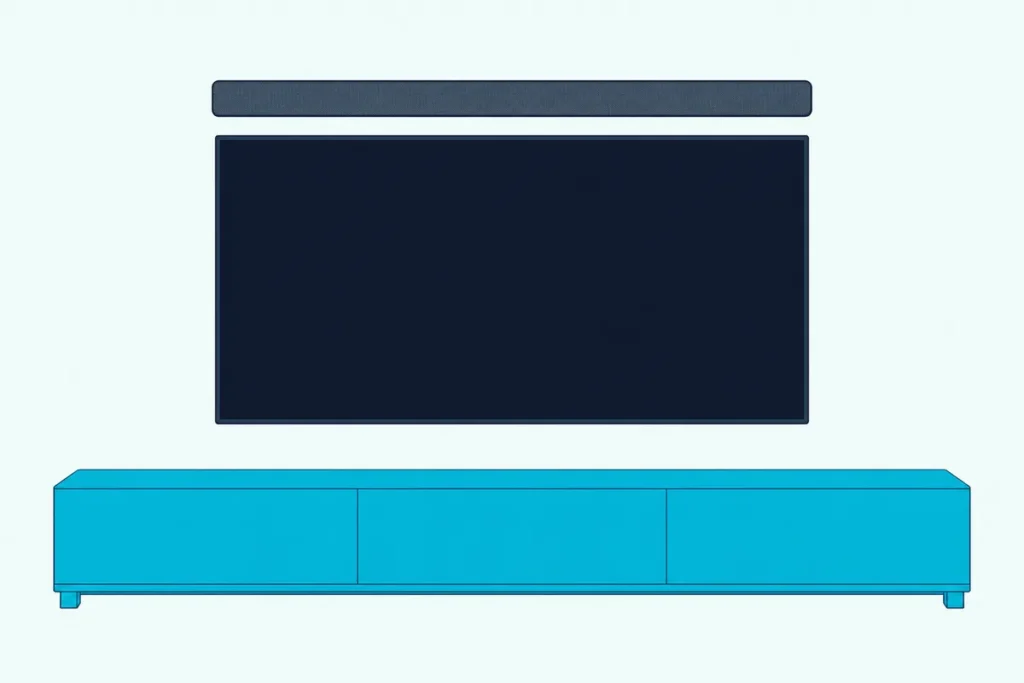
Can you mount a soundbar above the TV? Yes, if the bar’s maker allows it, though Dolby, Bose and Sonos’s Arc Ultra guide all prefer below the screen.
Skip that check and you risk what Dolby warns about: a bar placed too high makes the sound seem to come from somewhere other than the action on the screen.
Get the height, gap and hardware right and a bar above the screen still sits close to the picture, with the TV clear of any upward-firing speakers.
Start with your bar’s manual: Sonos clears Beam, Ray and Arc Ultra for above the TV, while Samsung, Sony and LG only describe mounting below it.
After that, this guide covers how high is too high, what changes for Dolby Atmos, which brackets hold a bar up there and how to run its cables.
Can You Mount a Soundbar Above the TV?
That manual check comes first because the makers split cleanly on this question. You can mount a soundbar above the TV when its maker says so: Sonos allows Beam, Ray and Arc Ultra there, Bose’s owner’s guides allow it for five of its bars while preferring below, and Samsung, Sony, LG and Vizio only describe a spot below the TV.
| Maker and model | Above the TV? | What the maker’s guide says |
|---|---|---|
| Sonos Arc Ultra | Yes, as the alternative | Wall mount below (recommended) or above; at least 4 in (10 cm) between the bar and the TV |
| Sonos Beam | Yes | Wall mount above or below; at least 1 in (25 mm) free above the bar for the touch controls |
| Sonos Ray | Yes | Wall mount above or below; at least 1 in (25 mm) free above the bar for the touch controls |
| Sonos Arc (first model) | Not covered | Wall mount below the TV, or in or on a TV stand |
| Bose Smart Soundbar, Smart Ultra Soundbar | Yes, below preferred | Below and in front of the TV (preferred) or above it, front facing into the room |
| Bose TV Speaker, Solo Soundbar Series II | Yes, below preferred | Directly below (preferred) or above the TV, grille facing into the room |
| Samsung HW-Q990D, HW-Q600F, HW-S60D | Not covered | At least 5 cm (2 in) below a wall-mounted TV |
| Sony BRAVIA Theatre Bar 5, 7, 9 and 8 | Not covered | Mount the bar under the wall-mounted TV |
| LG S90TR | Not covered | Under the TV, 10 cm (3.9 in) from its bottom, because of the speakers on top |
| Vizio V51x-J6 | Not covered | Close to ear level and centered below the TV |
Not covered means exactly that: none of those manuals forbids a spot above the TV, and none gives a gap or a step for it either. If yours is one of them, ask the maker before you drill above the screen, since every gap those guides give was set for a bar below it.
Bose adds one rule that holds in any position. Its Smart Soundbar and TV Speaker guides say to mount the bar only with the Bose Soundbar Wall Bracket, and the Smart Soundbar guide adds a caution not to use any other hardware.
If there’s any room below the TV, start with the best places to put a soundbar, which covers TV stands, shelves and the gap under a wall-mounted screen. The rest of this guide is for rooms where below doesn’t work.
Is a Soundbar Better Above or Below the TV?
Behind that list sits a simple rule about where your ears are. Below is better in most rooms: Dolby says a soundbar is typically best placed below the TV, and that ideally it should sit about level with your ears when you’re seated, with the screen at about eye level.
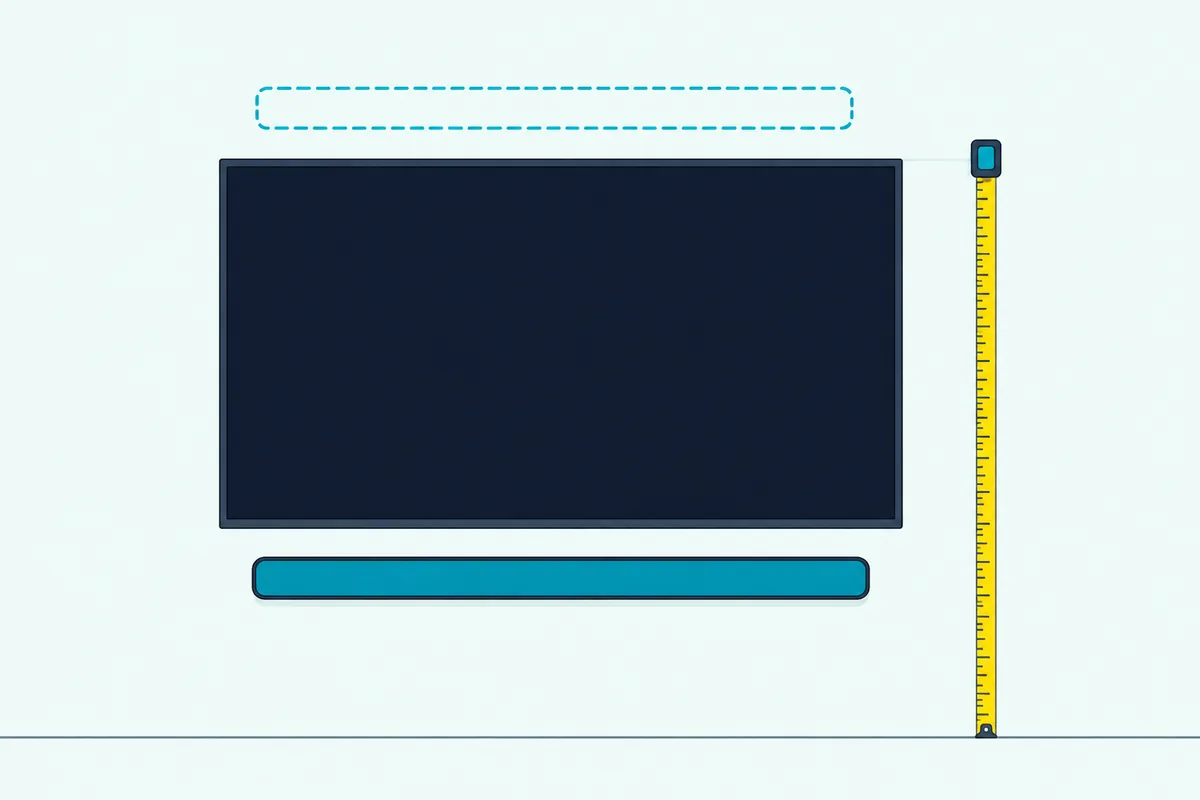
Dolby makes one exception. If your TV is mounted low on the wall, it says, a wall-mounted soundbar could go above it, while a bar placed off-center, too high or too low makes the sound seem to come from somewhere other than the action on the screen.
Yamaha’s guide to mounting a TV and sound bar turns that into a number. When seated, it says, an average person’s eyes are 42.5 inches off the floor, and it suggests putting the bar wherever is closest to that height, which it says is typically below the TV in 95% of installations.
Roku gives the reason for ear height plainly: mounting at seated ear level best focuses the sound at your listening position.
Try this before you buy a bracket. Measure from the floor to the TV’s bottom edge and to its top edge, then compare each with 42.5 inches; whichever edge is nearer is where the bar belongs.
Get Studio Tips Weekly
Join 5,000+ creators getting acoustic treatment advice every week.
No spam. Unsubscribe anytime.How High Is Too High for a Soundbar Above the TV?
That 42.5-inch line also shows how far above your ears a bar over the screen can end up. Take Yamaha’s own example, a typical 65-inch TV that’s 33 inches tall: centered at 42.5 inches, its top edge sits at 59 inches, so a bar above it with the 4-inch minimum Sonos sets for Arc Ultra starts at 63 inches, 20.5 inches above seated ear height.
Below the same TV, with the same gap, the top of the bar sits at 22 inches, also 20.5 inches from that height. So with a TV hung exactly as Yamaha suggests, the two spots tie.
The tie breaks as soon as the TV goes up. Yamaha says your eyes can sit as low as the TV’s bottom-third line, which lets a 65-inch set’s bottom edge start as high as 31.5 inches, and here’s what that does to the two spots:
| Where the 65-inch TV hangs | Bar above it (4 in gap) | Bar below it (4 in gap) |
|---|---|---|
| Centered at 42.5 in (bottom at 26 in) | Starts 20.5 in above ear height | Tops out 20.5 in below ear height |
| Bottom at 31.5 in (top at 64.5 in) | Starts 26 in above ear height | Tops out 15 in below ear height |
The arithmetic fits Yamaha’s 95%. TVs are often mounted too high, Yamaha says, and every inch the TV climbs moves the spot below closer to your ears and the spot above farther away.
The spot above only comes out closer when the whole TV hangs low, which is exactly Dolby’s exception.
If your TV is already too high, Yamaha’s answer is for the TV, not the bar: a tilt mount lets a set forced above the center of your eyes tilt downward. Its formula for the bottom edge, 42.5 inches minus half the TV’s height, gives the height to aim for if you can lower it.
What Happens to Dolby Atmos When the Bar Sits Above the TV?
Height matters even more for a bar with upward-firing speakers, the kind that bounces sound off the ceiling for overhead effects. Dolby’s soundbar setup guide says such a bar should sit no higher than halfway up the wall from floor to ceiling for the best height effects, and it describes Atmos soundbars as designed to be placed or mounted below the TV.
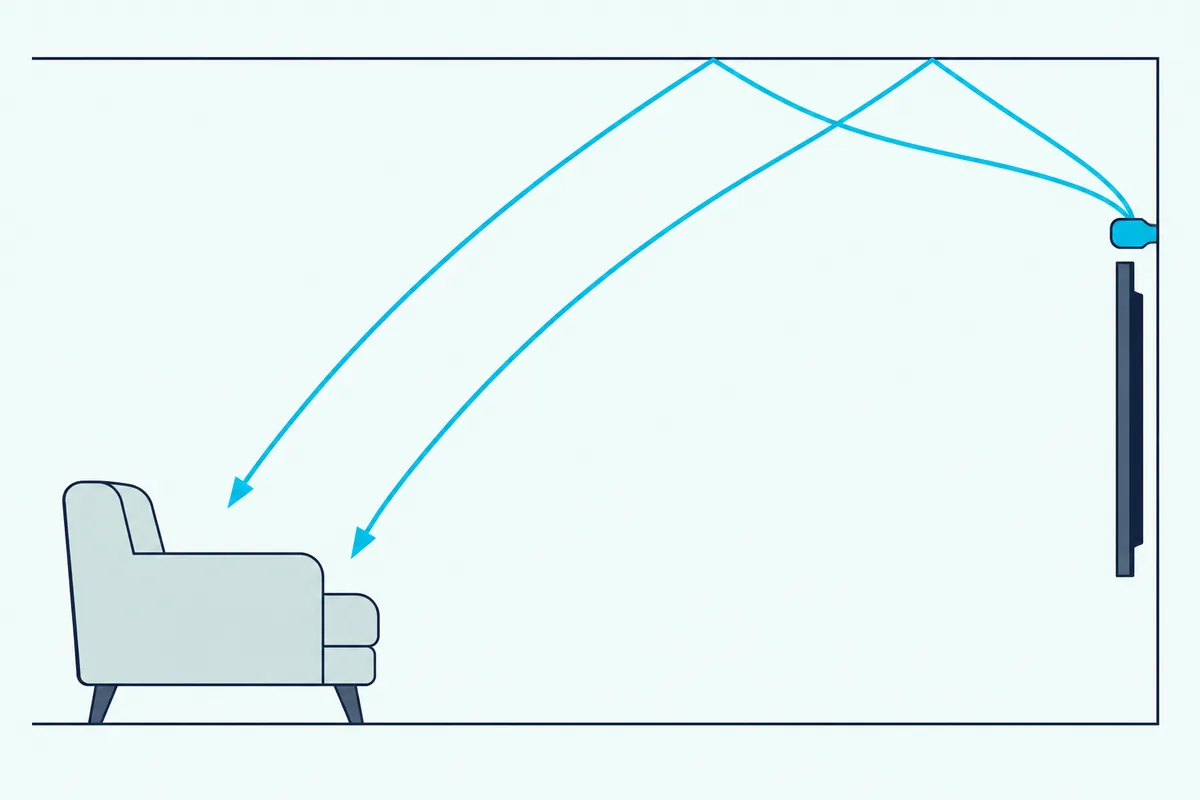
Dolby’s December 2017 setup guide for bars with upward-firing drivers is just as specific. It asks for the bar at, or slightly above, a seated listener’s ear level, on a console in front of the TV or a shelf or wall underneath it, with a clear line of sight to the ceiling.
Run Yamaha’s example through that halfway rule. The bar above the 65-inch TV starts at 63 inches, and halfway reaches 63 inches only under a ceiling 126 inches (10.5 feet) high; under an 8-foot ceiling, halfway is 48 inches.
Some makers still allow an Atmos bar above the TV. Sonos says two of Arc Ultra’s seven tweeters fire upward to create height channels, and still lists above the TV as the alternative; Bose’s Smart Soundbar guide allows above too, and asks, for best sound quality, that its up-firing and side-firing speakers aren’t blocked.
What Dolby warns against is something over the bar. Its guide says to avoid mounting the bar in a cabinet or underneath a soffit, which disrupts the overhead layer of sound, so check the wall above the TV for one before you mark it.
The ceiling counts as well. Dolby’s ideal is 7.5 to 12 feet (2.3 to 3.66 m) high, flat or shallow vaulted, and made of a reflective material like wallboard, plaster or hardwood; acoustic ceiling tiles absorb the overhead sound.
Bars that create height virtually, without upward-firing drivers, are more forgiving. Dolby says its height virtualizer doesn’t require any special room considerations, though it still asks for the bar below the TV at about ear level.
Our roundup of Atmos bars with upward-firing drivers separates the true and virtual designs if you haven’t bought one yet. Which kind you own decides how much the halfway rule should worry you.
Can a Sonos or Bose Soundbar Go Above the TV?
Both brands that allow the spot attach conditions to it, and they’re worth knowing before you buy a bracket. Yes for most of their bars covered here: Sonos says Beam and Ray can be wall mounted above or below the TV and Arc Ultra below (recommended) or above, while Bose’s guides for the Smart Soundbar, Smart Ultra Soundbar, Lifestyle Ultra, TV Speaker and Solo Soundbar Series II all allow above, with below preferred.
The exception is the original Sonos Arc. Its guide says you can wall mount Arc below your TV or place it in or on a TV stand, and gives 5.5 inches (140 mm) between the top of its bracket and the TV.
Sonos’s conditions are about reach and room. Beam and Ray need at least 1 inch (25 mm) free above them so you can reach the touch controls, and Beam’s guide repeats it for this exact case: if you’re mounting above the TV, make sure you can reach the touch controls.
Arc Ultra needs at least 4 inches (10 cm) between the mounted bar and the TV, the controls facing up, and both ends 1 foot (30 cm) from a wall or other obstruction, as its Sonos product guide sets out. Beam’s guide asks for the same 1-foot clearance at each end.
For a Beam, Sonos’s guide calls for its own Beam Wall Mount kit, sold separately, and its template goes on the wall above or below the TV. The Sonos Wall Mount for Beam is Sonos’s Beam wall mount in white, per its listing.
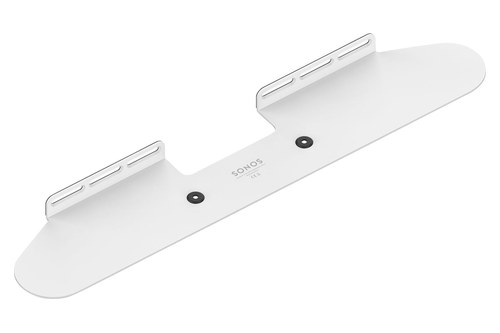
Sonos Wall Mount for Beam
Bose’s conditions are about hardware, airflow and sound. Its Smart Soundbar owner’s guide allows only the Bose Soundbar Wall Bracket, keeps the top of a wall-mounted bar at least 4 inches (10 cm) from the TV and its back 0.4 inch (1 cm) from any other surface, and doesn’t recommend a wall cavity or enclosed cabinet.
The same guide says to make sure the bar isn’t blocking any ventilation openings on your TV, and to follow the TV’s own owner’s guide. Above the screen, that means checking where your TV’s vents are before you choose the gap.
After the bar is up, Bose says you must adjust the audio for wall mounting: hold the remote’s Mute button for 5 seconds until you hear a tone and the light bar pulses white twice, or use the Bose app. Take the bar off the wall later and you repeat it to return to the default settings.
If you’re still choosing between the two brands, our Sonos vs Bose soundbar comparison covers the rest of what separates them.
What Do Samsung, Sony and LG Manuals Say About Above the TV?
Those Sonos and Bose rules stand out because the Samsung, Sony and LG manuals for the models here don’t mention the spot at all. Samsung, Sony and LG give wall-mount steps only for a bar below the TV: Samsung asks for at least 5 cm (2 inches) under a wall-mounted TV in its HW-Q990D, HW-Q600F and HW-S60D guides, Sony’s help guides say to mount the bar under the TV, and LG’s S90TR manual puts it 10 cm (3.9 inches) below.
Samsung’s below-the-screen steps, with the parts and screws each Samsung line uses, are in Burton Acoustix’s Samsung soundbar mounting guide.
Several of those gaps exist because of upward-firing speakers. Sony asks its Theatre Bar 7 to sit 120 mm (4 3/4 inches) or more under a TV shallower than 85 mm (3 3/8 inches), and 200 mm (7 7/8 inches) or more under a deeper one, so the TV doesn’t interfere with the sound going toward the ceiling.
LG gives the same reason for its 10 cm: there are speakers on the top of the product. Polk sets its Signa S4’s space by the TV’s depth too, from more than 50 mm under a TV less than 64 mm deep to more than 191 mm under one over 102 mm deep, so the TV doesn’t block the Atmos speakers.
None of these manuals says a bar can’t go above the TV; they just don’t cover it, so there’s no maker figure for a gap, a bracket or a setting up there. Ask the maker first, since every number those guides give was set for a bar below the screen.
How to Mount a Soundbar Above the TV, Step by Step
If your bar’s maker does allow it, the job follows the same steps as a mount below, with two checks that change. Mount it with the maker’s own bracket on the wall above the screen, or on a bracket that hangs from the TV mount, keeping the maker’s minimum gap above the TV and room above the bar for its controls.
| Step | What to do | The maker’s rule (Arc Ultra unless named) |
|---|---|---|
| 1. Check the manual | Confirm the bar is cleared for above the TV | Sonos Beam, Ray, Arc Ultra; Bose, with below preferred |
| 2. Pick the hardware | The maker’s bracket, or a TV-mount bracket if the maker doesn’t rule one out | Bose: only its Soundbar Wall Bracket |
| 3. Mark the height | Leave the minimum gap above the TV and room above the bar | 4 in (10 cm) to the TV; Beam and Ray: 1 in (25 mm) above |
| 4. Drill and fix | Studs where you can, anchors where you can’t, bracket level | 1/8 in bit for a wood stud; 5/16 in for drywall, plaster, concrete or brick |
| 5. Connect the cables | Power and HDMI into the bar before it goes up | HDMI to the TV’s HDMI ARC or eARC port |
| 6. Hang and set up | Slide it on, controls up, then run any wall setting | Bose: hold Mute for 5 seconds, or use the Bose app |
Steps 3 and 5 are the ones that change above the TV. The gap is measured from the TV’s top edge instead of its bottom, and the cables now have to climb past the screen, which the cable section below covers.
Sonos’s Arc Ultra Wall Mount kit has what you need for the wall: the bracket, a positioning guide, two knobs, six wall anchors and six screws. Don’t use the anchors if you’re drilling into wood or plastic, Sonos says, and screw the bracket on with the arrows in its center pointing up.
The makers’ own screw sizes, anchors and drill bits, from Samsung’s M5 screws to the anchors Sonos packs with its Arc Ultra mount, are listed in Burton Acoustix’s wall-mounting walkthrough.
Will Drywall Hold a Soundbar Above the TV?
Those anchors carry the same load above the TV as below it, since the bar weighs the same wherever it hangs. Yes, with the right anchors or a stud: TOGGLER’s figures put its 1/4-inch SnapToggle BB at 241 pounds of ultimate shear in 1/2-inch drywall, and TOGGLER says industry safety standards recommend a quarter of the ultimate load, about 60 pounds, as a reasonably safe working load.
Compare that with the bar itself. Sonos lists Arc Ultra at 13 pounds (5.9 kg), and Yamaha’s guide says most sound bars don’t weigh very much, so using drywall anchors is usually safe.
The catch is leverage. TOGGLER warns that moving a load away from the wall, as a TV mount that swings out does, significantly increases its effective weight and greatly reduces what an anchor can hold, which matters if your bar rides on the TV’s arm.
Samsung’s wall-mount page adds the plain version. Use screws or anchors suited to your wall, into studs where possible, with M5 screws 35 mm or longer recommended, and anchors or mollies wherever a hole misses a stud.
Look before you drill, too. Bose’s TV Speaker guide says not to mount on surfaces with hazards concealed behind them, such as electrical wiring or plumbing, and to call a qualified installer if you’re not sure.
Should the Soundbar Hang From the TV Mount Instead?
That leverage warning is worth a second look, because the other way to get a bar above the screen skips the wall entirely. It should if your TV moves: Dolby says a bar on a bracket connected to an adjustable TV mount keeps its audio aligned with the screen whichever way the TV faces, and Yamaha says to attach the bar to an articulating arm rather than the wall.
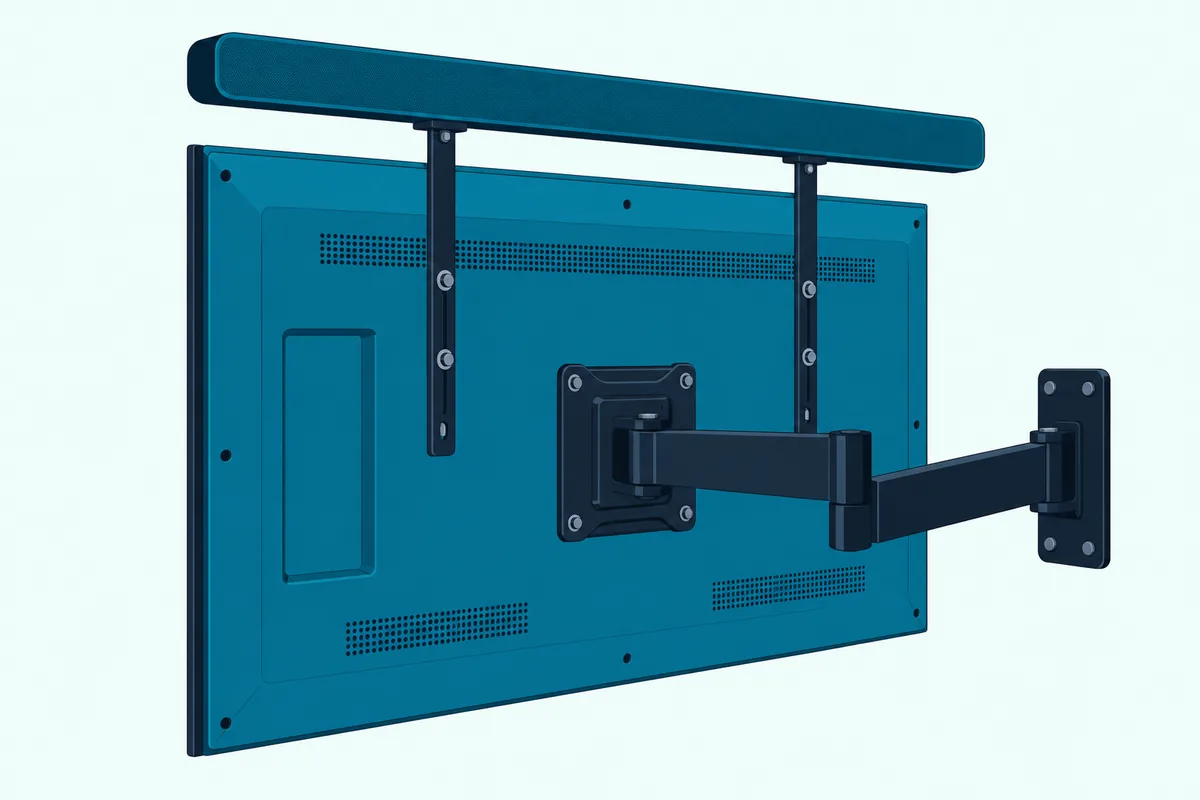
For bars whose makers don’t name a bracket, the Mounting Dream soundbar mount bracket fits between the TV and its mount, and its listing shows it holding a bar above the screen as well as below. Its listing caps the load at 15 pounds (6.8 kg) and includes L-shaped brackets for bars that fix from underneath.
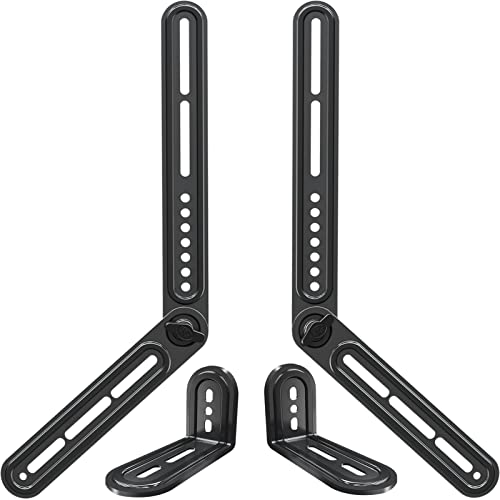
Mounting Dream soundbar mount bracket
Check two things before you order one. Your bar’s maker shouldn’t rule out other hardware, as Bose does, and your TV mount’s weight rating has to cover the TV plus the bar and bracket.
Our guide to hanging the soundbar from the TV mount covers attaching the bracket safely and when a separate wall mount is the better choice. It’s written for the usual spot under the TV, but the bracket and the weight checks are the same.
How Do You Run Cables to a Soundbar Above the TV?
Whichever way you mount it, a bar above the screen needs power and an HDMI cable that reach past the top of the TV. Run them on the wall surface or through a listed in-wall kit, never by pushing the bar’s own power cord inside the wall: Legrand’s Wiremold FAQ states that installing flexible cord in a wall is an NEC code violation.
Legrand’s CMK70 kit gets around that with listed NM cable, the same cable used inside the walls of most homes, which Section 334 of the NEC covers. Yamaha’s guide says you’ll also need a power outlet behind the bar, or a power extender.
Bose adds that the speaker wire and interconnect cables included with its TV Speaker aren’t approved for in-wall installation. Check your local building codes for the right type before anything goes inside the wall.
Connect the cables before the bar goes up. Samsung’s wall-mount page says to connect them from the unit to your other devices before you install it on the wall, and Sonos’s Arc Ultra steps plug in power and HDMI before the bar slides onto its bracket.
Once it’s up, keep the cables out of reach. Samsung asks you to make sure children don’t pull on the connecting cables of a wall-mounted bar, since that may make it fall.
There’s one upside to the spot above that has nothing to do with cables. Roku notes that a TV’s IR receiver typically sits along the bottom edge of the screen and warns against mounting a bar where it blocks it, which a bar above the TV doesn’t do.
When Does Above the TV Make Sense?
All of those checks add up to a short list of rooms where the spot above the TV is a fair choice. It makes sense when the bar’s maker allows it, when the TV hangs low enough that the space above it is nearer 42.5 inches than the space below, and, for an Atmos bar, when there’s no soffit or cabinet over it and it stays under Dolby’s halfway line.
Here’s how that plays out in three kinds of room:
| Room | Above the TV? | Why |
|---|---|---|
| TV centered near eye height, no furniture under it | Usually not | The two spots tie at best, and below is what Dolby and Bose prefer |
| TV high on the wall | No | The spot above is farther from ear height than the spot below |
| Small TV low on a console, wall clear above | Possibly | Dolby’s exception, if the bar’s maker allows it and an Atmos bar stays under halfway |
If your room fails those checks, the fixes run the other way. Lowering the TV toward Yamaha’s formula brings the spot below back within reach, and Dolby’s other option for an Atmos bar is a console in front of the TV.
A TV over a fireplace sits high to begin with, so the spot above it is the highest of all. The placement guide linked near the top covers mantels, including Samsung’s warning about heat from a fireplace, and Bose’s Smart Soundbar guide says not to install it near heat sources such as fireplaces.
Frequently Asked Questions
Can I mount a soundbar on the ceiling?
None of the makers’ guides read for this page covers a ceiling mount, so there’s no maker step, gap or bracket for one. The wall-mount steps in those guides hang the bar level with its top facing up: Sonos says to keep Arc Ultra’s and Ray’s touch controls facing up, and Beam’s guide says not to install it vertically. For an Atmos bar, Dolby also wants the upward-firing drivers to have a clear line of sight to the ceiling. Ask your bar’s maker before trying it.
How far below a TV should a soundbar be mounted?
At least the gap its maker gives: 5 cm (2 inches) for Samsung’s HW-Q990D, HW-Q600F and HW-S60D, 4 inches (10 cm) between a mounted Sonos Arc Ultra and the TV, 10 cm (3.9 inches) for LG’s S90TR, 70 mm (2 7/8 inches) for Sony’s Theatre Bar 5, and 120 or 200 mm (4 3/4 or 7 7/8 inches) for Sony’s Theatre Bar 7, depending on the TV’s depth. Bose asks for the top of a wall-mounted Smart Soundbar to sit at least 4 inches (10 cm) from the TV. Several of those gaps exist so the TV doesn’t block a bar’s upward-firing sound.
Can drywall hold a soundbar?
Yes, with the right anchors or a stud. TOGGLER rates its 1/4-inch SnapToggle BB at 241 pounds of ultimate shear and 265 pounds of ultimate tension in 1/2-inch drywall, and says industry safety standards recommend a quarter of the ultimate load as the working load. Sonos packs six wall anchors with its Arc Ultra mount, and Samsung asks for anchors or mollies wherever a screw misses a stud.
Should soundbars be mounted to TV or wall?
It depends on the TV mount. If the TV moves, Dolby suggests a bracket connected to the TV mount so the sound stays aligned with the screen, and Yamaha says to attach the bar to an articulating arm. With a fixed or tilting mount, Yamaha is fine with the bar on the wall directly below the TV. Bose bars are the exception either way: Bose says to use only its own Soundbar Wall Bracket.
Can a soundbar sit on top of the TV?
Not in any of the makers’ guides read for this page. They describe a bar on a TV stand or shelf, or on a bracket on the wall or the TV mount, below the TV or, for Sonos’s Beam, Ray and Arc Ultra and Bose’s bars, above it. If “on top” means above the screen, everything in this guide applies; resting a bar on the TV’s top edge isn’t a position those guides show.