Connect Turntable To Soundbar — Phono Preamp, AUX, Optical & Bluetooth

Connect turntable to soundbar sounds simple until the record player is quiet, distorted, or impossible to plug into the ports on the back of the bar.
The real issue is not vinyl itself, but signal type.
Most turntables usually output phono-level audio unless they have a built-in preamp switched to line output, while most soundbars expect line-level analog audio, digital optical audio, or Bluetooth.
That mismatch is why the right setup starts with the turntable output first, not the soundbar brand.
Once the turntable signal is converted correctly, you’ll fix the no-sound problem fast: start with line out to AUX, then try a Bluetooth transmitter or an analog-to-digital converter for optical.
To connect a turntable to a soundbar, the turntable must output line-level audio before it reaches the soundbar.
If your turntable has a built-in phono preamp, switch it to LINE and connect it to the soundbar’s AUX input with the right analog cable.
If the turntable has no built-in preamp, add an external phono preamp first. If the soundbar has only optical or Bluetooth, add the correct converter after the preamp.
Do not connect a raw phono output directly into a soundbar AUX input and expect normal volume.
Why Can’t Every Turntable Plug Straight Into A Soundbar?

A turntable is not the same kind of source as a TV, phone, or streaming box.
Many turntables send a very quiet phono-level signal that also needs RIAA equalization before it sounds normal.
A soundbar AUX input is usually looking for line-level audio.
That is the stronger, already-corrected signal you get from a phone headphone output, CD player, mixer output, or turntable with a built-in phono preamp switched to LINE.
If you send raw phono output into the soundbar, the result is usually extremely quiet, thin, noisy, or distorted after you raise the volume too far.
That does not mean the soundbar is broken.
It means the phono stage is missing.
This is the same kind of signal-level mistake that makes microphone setups fail, but the fix is different.
Mic-level voltage and phono-level voltage need different preamp gain stages, even though both look like “small audio source on short cable” from the soundbar input’s perspective — a turntable specifically needs a phono preamp with RIAA equalization before line level.
A regular mic preamp or tiny passive adapter does not automatically solve vinyl playback.
The clean path is turntable, then phono preamp if needed, then soundbar-compatible input.
That compatible input might be AUX, RCA line-in, optical through an analog-to-digital converter, or Bluetooth through a transmitter.
HDMI ARC is usually not the answer.
ARC is designed for a TV sending audio back to a soundbar, not for a turntable sending audio into the bar directly.
If your soundbar only has HDMI ARC and no AUX, optical, or Bluetooth input, it is a poor target for a turntable without extra conversion hardware.
If you are unsure what your soundbar even supports, most bars include AUX, Bluetooth, optical, and HDMI but accept different source types on each — the input map is what matters for a turntable, not the bar’s price tier.
Which Turntable Output Do You Have?
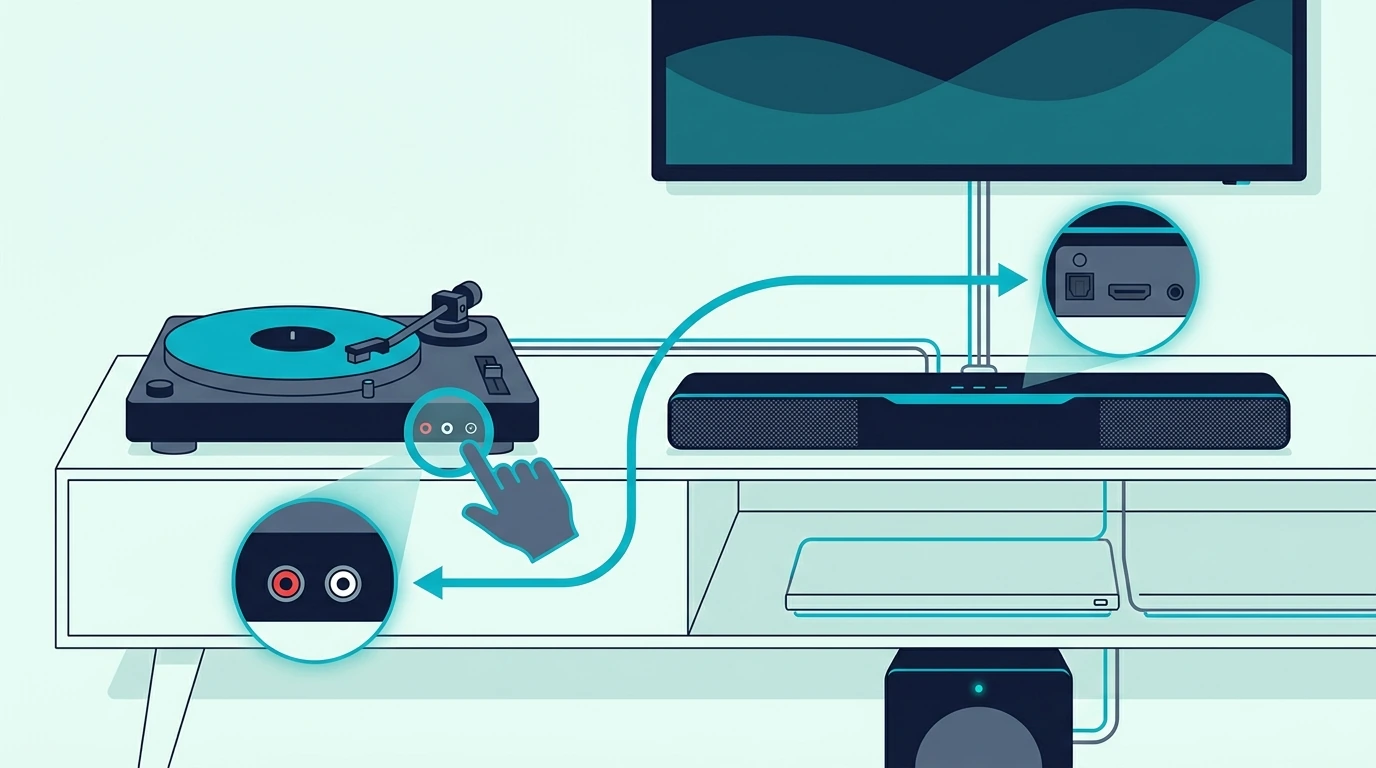
Start by looking for a PHONO/LINE switch on the turntable.
If the switch exists, the turntable has a built-in phono preamp.
Set it to LINE when connecting to a soundbar AUX input, Bluetooth transmitter, powered speaker input, or analog-to-digital converter.
Set it to PHONO only when connecting to a true phono input on a receiver, amplifier, DJ mixer, or external phono preamp.
Most soundbars do not have a true phono input.
If your turntable has RCA cables and a thin ground wire but no PHONO/LINE switch, assume it needs an external phono preamp.
The ground wire should connect to the preamp’s ground post when available.
That helps prevent the low hum that makes vinyl setups sound broken even when the audio path is correct.
If your turntable has Bluetooth built in, it can usually pair directly with a Bluetooth soundbar.
That is the simplest cable-free path, but it is not always the best-sounding path.
Bluetooth adds compression and can create connection delays, although delay matters less for records than it does for TV dialogue.
If your turntable has USB only, do not assume that USB will feed the soundbar.
Most soundbar USB ports are for firmware or file playback, not for acting as a live USB audio input from a turntable.
A quick output check prevents the biggest mistake.
You are not choosing the final cable yet; you are finding out whether the turntable signal is ready for the soundbar.
Get Studio Tips Weekly
Join 5,000+ creators getting acoustic treatment advice every week.
No spam. Unsubscribe anytime.How Do You Connect A Turntable To A Soundbar With AUX?

AUX is the easiest soundbar input for a turntable because it accepts analog line-level audio.
The path is simple when the turntable has a built-in preamp.
Set the turntable switch to LINE, connect RCA out from the turntable to the soundbar AUX input with an RCA-to-3.5mm cable if needed, then select AUX on the soundbar.
Keep the turntable volume path simple during the first test.
Play a clean record, set the soundbar to a moderate volume, and raise it slowly.
If the sound is extremely quiet, the turntable is probably still sending phono-level audio.
If the sound is harsh and overloaded, the turntable may be feeding a signal that is too hot for the soundbar input, or the wrong input mode is selected.
When the turntable does not have a built-in preamp, add the external phono preamp between the turntable and soundbar.
The chain becomes turntable RCA into phono preamp, phono preamp line output into the soundbar AUX input.
Do not skip the preamp just because the plugs fit.
RCA connectors only tell you connector shape, not signal level.
AUX also makes troubleshooting easier than Bluetooth.
If AUX works, you know the turntable and preamp are producing usable audio.
After that, you can decide whether a wireless bridge is worth adding.
If AUX fails, solve that first before adding Bluetooth, optical converters, or a TV into the chain.
HDMI ARC, optical, and Bluetooth all route audio around the TV first, which is the opposite of what a turntable needs unless the TV is the only device with a usable input.
If the soundbar is brand-new and the AUX path still feels wrong, the standard power-on, input-select, TV Sound Out, source-device verification sequence once confirms the bar is awake before you blame the turntable.
What If The Soundbar Only Has Optical?

Optical soundbar input can work with a turntable, but only after the vinyl signal is converted in the correct direction.
A turntable is analog.
Optical input is digital.
That means you need an analog-to-digital converter after the phono preamp, not a normal DAC.
A DAC usually converts digital optical audio into analog RCA audio, which is the reverse of what this setup needs.
For a turntable feeding an optical-only soundbar, the chain is turntable, phono preamp if needed, analog-to-digital converter, optical cable, then soundbar optical input.
If your turntable already has a LINE output, that LINE output can feed the converter directly.
If your turntable only has PHONO output, the phono preamp must come before the converter.
Once the converter outputs optical, use a normal TOSLINK cable into the soundbar.
A simple TOSLINK optical cable is the final link in the chain.
It does not replace the phono preamp or the analog-to-digital converter.
This path is useful when the soundbar has optical but no AUX.
It is not always worth building if you are starting from scratch.
If the goal is serious vinyl listening, powered speakers or a small stereo amp may be cleaner than forcing an optical-only soundbar to act like a hi-fi system.
Optical stays stable once the signal is digital, while Bluetooth adds compression and pairing windows — that is why optical wins for the digital side of a turntable rig.
The hard part here is getting the turntable into that digital format correctly.
Can You Connect A Turntable To A Soundbar With Bluetooth?

Bluetooth is the easiest wireless option if the turntable already has Bluetooth output.
Put the soundbar into Bluetooth pairing mode, put the turntable into Bluetooth transmit mode, and pair them directly.
If the turntable has no Bluetooth, you need a Bluetooth transmitter after the phono preamp or LINE output.
The transmitter must receive line-level analog audio.
That means the phono preamp rule still applies.
A line-level Bluetooth transmitter can make sense when the turntable side already outputs a soundbar-ready signal and you would rather not run an analog cable across the room.
Budget transmitters do the same job at a lower cost when cable routing is the main problem rather than absolute sound quality.
Neither one magically fixes a raw phono output.
Bluetooth is convenient, but it is the least purist vinyl path.
The record is analog, the transmitter converts and compresses it, and the soundbar converts it again for playback.
That can still sound fine for casual listening in a living room.
It is just not the cleanest way to judge a cartridge, record pressing, or turntable upgrade.
If Bluetooth pairing keeps failing, clear the old pairing entry from both devices and repeat from scratch.
Bar into pairing mode first, source device scans second, single confirmation tone third is the brand-neutral pairing flow for any Bluetooth source, including a turntable with a built-in Bluetooth transmitter.
Should You Use The TV As The Middle Device?
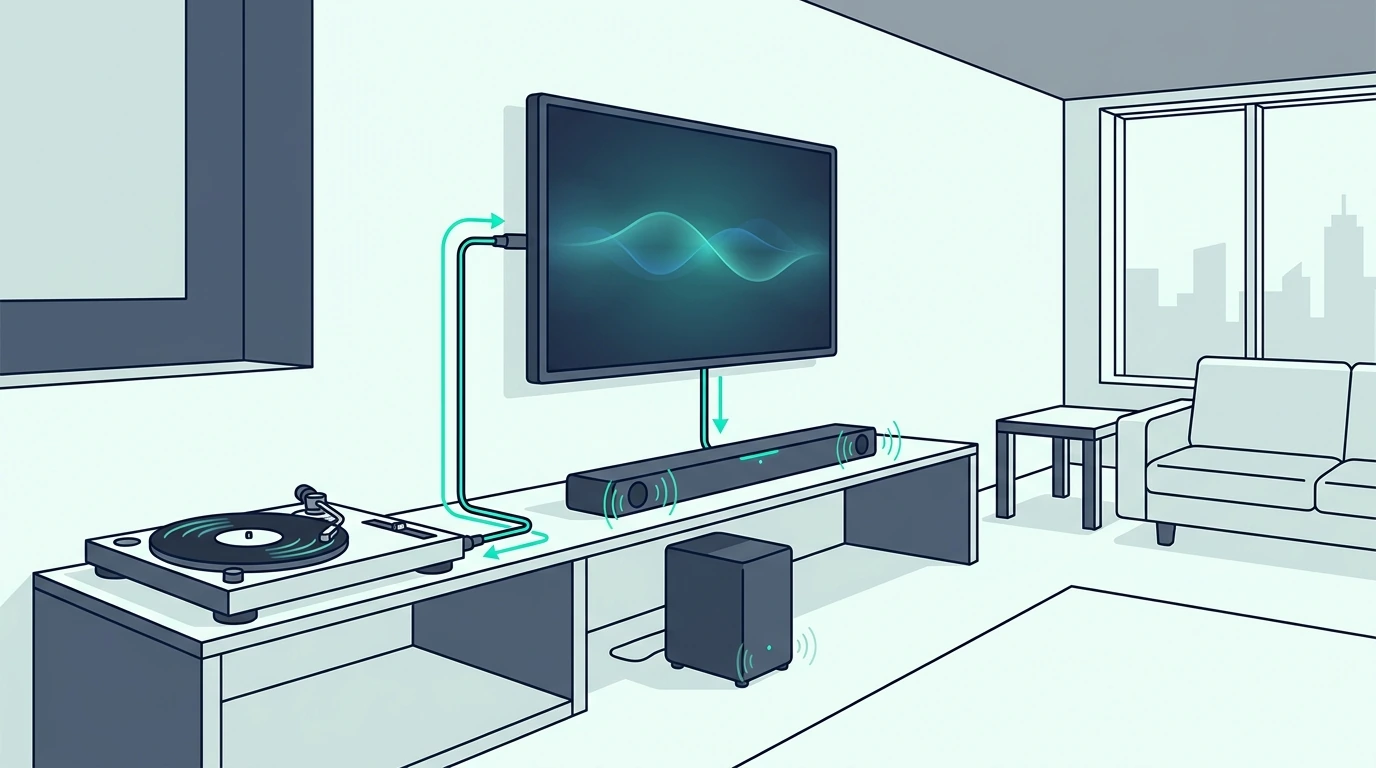
Using the TV as the middle device only works when the TV can actually accept the turntable audio and send it onward.
Many modern TVs do not have analog audio inputs anymore.
Even when they do, the TV may not pass that analog input out to HDMI ARC or optical the way you expect.
That makes TV routing unpredictable for vinyl.
If the TV has RCA or 3.5mm input and the soundbar is already connected to the TV, you can test it.
The chain still needs line-level audio before the TV.
Turntable PHONO output into a TV input is the same mistake as PHONO output into a soundbar input.
If the turntable has a built-in preamp, switch it to LINE before feeding the TV.
If it does not, use an external phono preamp first.
Then set the TV input, confirm the TV can hear that source, and check whether the TV sends that audio to the soundbar.
If it fails, do not spend hours changing ARC settings.
The TV may simply not pass analog inputs to the soundbar path.
HDMI ARC carries TV-side audio back to the bar with HDMI-CEC remote control as a bonus — that path is built for TVs and consoles, not for a turntable that lacks HDMI output.
A direct connection to the soundbar or a dedicated converter is usually easier.
Why Is The Turntable Quiet, Humming, Or Distorted Through The Soundbar?
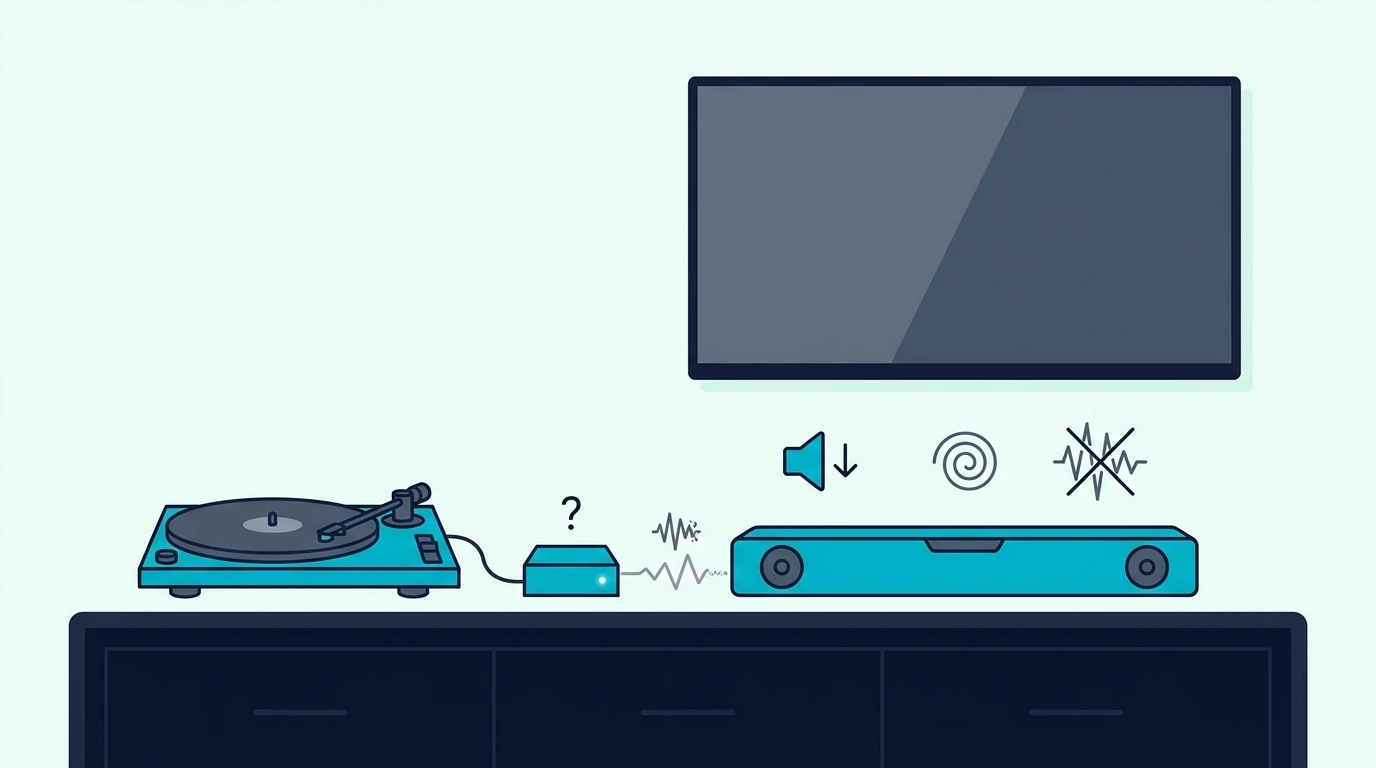
Quiet sound usually means the turntable is still sending phono-level audio.
Check the PHONO/LINE switch or add a phono preamp.
Thin sound with weak bass can point to the same missing phono stage because RIAA equalization is not being applied.
Hum usually means a grounding problem, a noisy analog cable path, or the turntable sitting too close to power gear.
If the turntable has a ground wire, connect it to the phono preamp ground post.
Keep analog cables away from power bricks and TV power cords during the first test.
Distortion usually means the signal is too hot, the soundbar input is overloaded, or the record/needle setup has its own issue.
Lower the soundbar volume, confirm the turntable is not feeding a headphone output at full volume, and test another record.
Bluetooth dropouts usually mean distance, pairing memory, or wireless interference.
Move the transmitter closer, clear old pairings, and do one pairing test with no other Bluetooth device trying to connect.
Optical silence usually means the converter is wrong-direction, not powered, or set to the wrong input.
Remember the direction: analog from the turntable side must become digital optical for the soundbar.
If you bought a converter with optical input and RCA output, that is a DAC for the opposite job.
If the setup feels too adapter-heavy, that is a sign to reconsider the target.
A soundbar can play vinyl, but it is not always the best tool for vinyl.
Passive stereo speakers driven by a discrete amp give wider soundstage and cleaner phono-stage compatibility when the real question is whether a speaker pair would make more sense for records than any soundbar can.
If You Decide To Upgrade To A Turntable-Friendly Soundbar
If the current soundbar makes this harder than it should — no AUX, no Bluetooth, no optical — the cleanest fix is sometimes a soundbar with the right inputs rather than more adapters.
The most turntable-friendly pick on this list is the Sound Bar with Bluetooth, ARC, Optical and AUX because it gives you AUX, Bluetooth and optical on one bar.
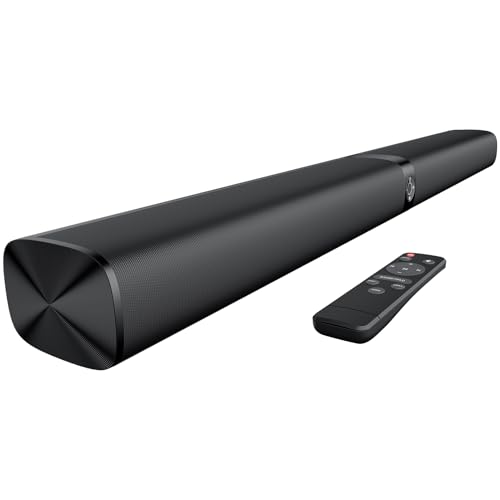
Sound Bar with Bluetooth, ARC, Optical and AUX
If you also want a wireless subwoofer and a stronger long-term review history, the Polk Audio Signa S2 Sound Bar with Subwoofer is the volume choice with over twenty thousand reviews, with Bluetooth available for a wireless turntable bridge.
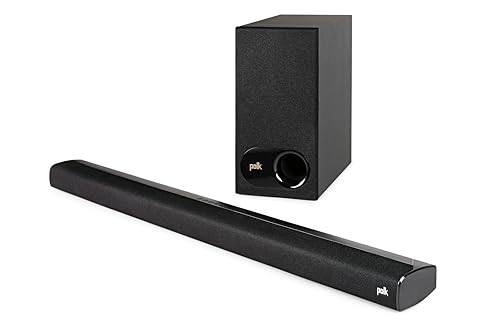
Polk Audio Signa S2 Sound Bar with Subwoofer
For a 5.1-channel option with stronger surround coverage, the ULTIMEA 5.1CH Surround Sound Bar with Subwoofer works when the turntable is one source among many.
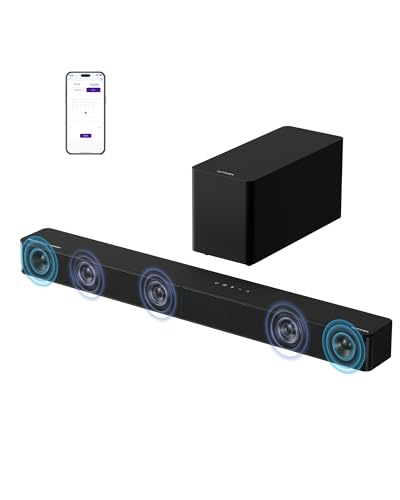
ULTIMEA 5.1CH Surround Sound Bar with Subwoofer
The Amazon Fire TV Soundbar Plus with built-in subwoofer is a compact all-in-one that still accepts Bluetooth from a turntable transmitter.
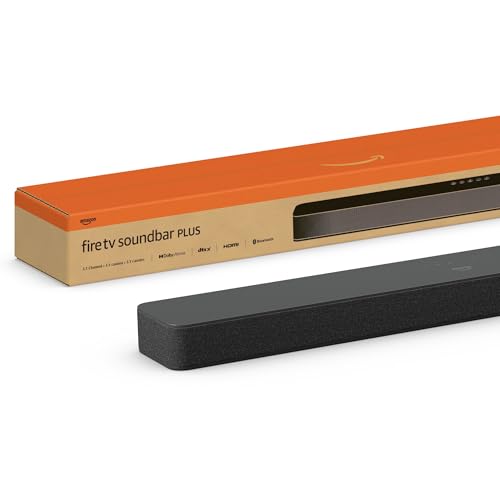
Amazon Fire TV Soundbar Plus with built-in subwoofer
For a Samsung-ecosystem pick at a moderate price, the Samsung B-Series Soundbar HW-B550F covers the same brief in the Samsung ecosystem.
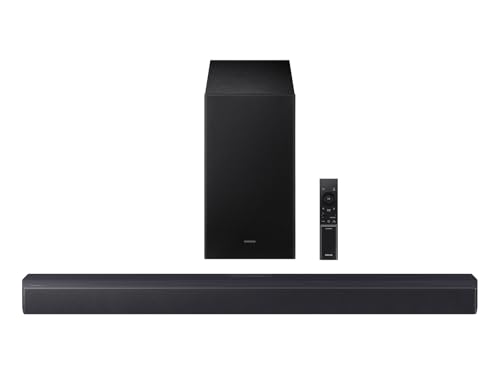
Samsung B-Series Soundbar HW-B550F
Music-tuned bars ranked by midrange clarity, wide stereo separation, and balanced (not bass-heavy) response are the better next stop when vinyl is your main use case.
The Bottom Line
Connect turntable to soundbar by fixing the signal level first.
If the turntable has LINE output and the soundbar has AUX, use that path.
If the turntable only has PHONO output, add a phono preamp before anything else.
If the soundbar only has optical, add an analog-to-digital converter after the preamp.
If you want wireless convenience, use Bluetooth only after the turntable signal is already line-level.
Do not treat connector shape as proof that the setup is right.
RCA, AUX, optical, Bluetooth, and HDMI ARC all carry different assumptions.
Once those assumptions match, the setup becomes much easier to debug.
If you want the broader soundbar connection map, start from the soundbar hub and then choose the guide that matches the input you actually have.
Frequently Asked Questions
Can I plug a turntable directly into a soundbar?
Yes, but only if the turntable outputs line-level audio and the soundbar has a compatible input such as AUX, RCA line-in, Bluetooth, or optical through the right converter.
A raw phono output should not go directly into a soundbar AUX input.
Do I need a preamp to connect a turntable to a soundbar?
You need a phono preamp unless the turntable already has one built in and switched to LINE.
The preamp raises the signal and applies the correction vinyl playback needs before the soundbar can play it normally.
Can I connect a record player to a soundbar with Bluetooth?
Yes, if the record player has Bluetooth output or if you add a Bluetooth transmitter after a line-level output.
Bluetooth is convenient, but a wired AUX path is usually cleaner when sound quality matters most.
Can optical connect a turntable to a soundbar?
Optical can work only after the analog turntable signal is converted to digital optical.
Use a phono preamp first when needed, then an analog-to-digital converter, then an optical cable into the soundbar.
Why is my turntable very quiet through my soundbar?
The usual cause is missing phono preamp gain.
Switch the turntable to LINE if it has a built-in preamp, or add an external phono preamp before the soundbar.