Can You Connect a Microphone to a Soundbar? What Actually Works [2026]
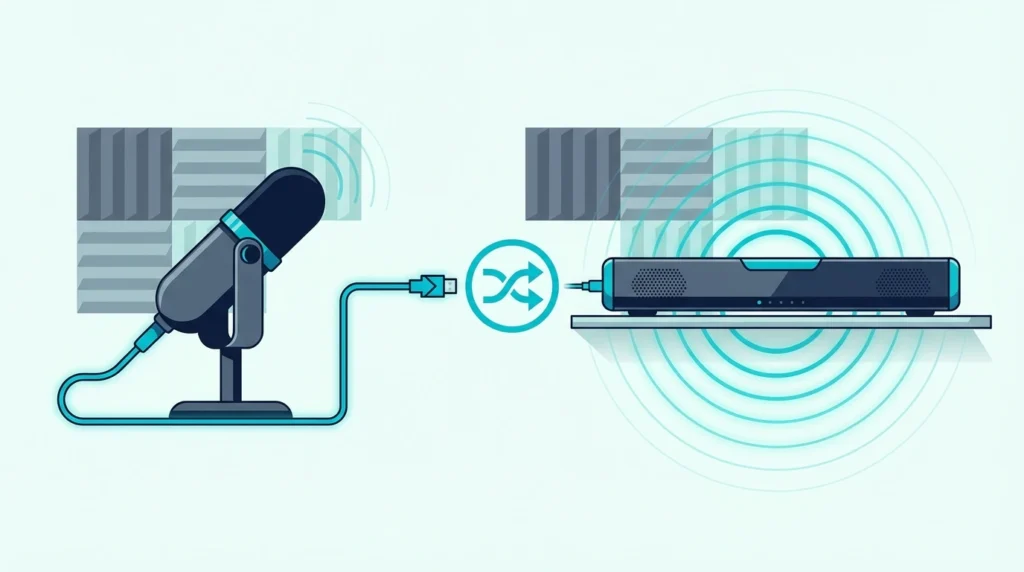
Can I connect mic to soundbar? It seems like it should work — but most soundbars don’t have a mic input, and plugging a mic into the aux jack produces either silence or audio so quiet it’s useless.
The problem is a signal mismatch: microphones produce output roughly 100x weaker than what soundbar inputs expect. Without a built-in preamp to boost that weak signal, the soundbar literally can’t hear you — you end up cranking the volume to maximum and still getting nothing but hiss.
The fix is a $30–80 external mixer that sits between the mic and soundbar, amplifies the signal to the correct level, and outputs audio your soundbar can actually play at normal volume. Below, we cover which soundbars have mic inputs, how the mixer workaround works, and which methods actually produce usable results for karaoke and presentations.
Most consumer soundbars do not have a microphone input — they accept line-level audio from TVs, phones, and streaming devices. To use a mic with a soundbar, you need an external mixer or karaoke machine that amplifies the mic signal and outputs line-level audio into the soundbar’s aux, optical, or Bluetooth input. A few karaoke-specific soundbars and party speakers include built-in mic jacks, but standard TV soundbars from Samsung, Vizio, Sony, and Bose do not. The mixer workaround costs about $30-$80 and works reliably with any soundbar that has an aux or Bluetooth input.
Why Don’t Most Soundbars Have Mic Inputs?
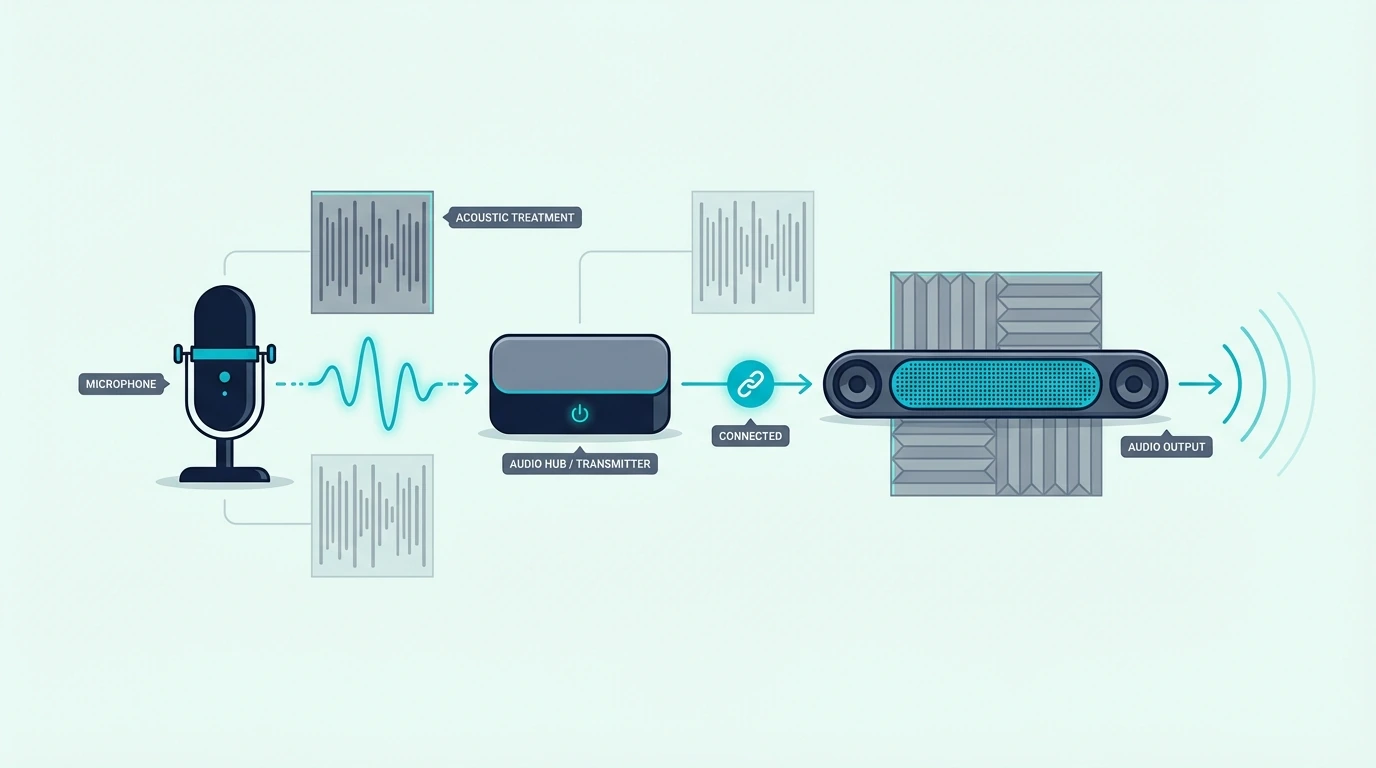
Soundbars are engineered as TV audio replacements, not live sound equipment — every input expects a signal that’s already been amplified and processed by the source device. Understanding why this matters changes which workarounds actually solve the problem and which waste your money.
Soundbar Inputs Expect Line-Level Audio
Every input on a standard soundbar — HDMI ARC, optical, aux 3.5mm, and Bluetooth — accepts line-level audio already amplified by the source device. A microphone produces a signal roughly 100x weaker.
Plug a dynamic karaoke mic into your soundbar’s aux jack, turn the volume all the way up, and you might hear a faint whisper of your voice buried under hiss. It’s not broken — the signal just isn’t strong enough for the soundbar’s input stage to process.
Our soundbar to TV connection guide explains how these input types work for their intended purpose of TV audio, and our HDMI vs optical guide covers the differences between digital connection types that all share the same line-level design limitation.
No Built-In Preamp or Mixing Capability
A microphone needs a preamp to boost its weak signal to line level. PA speakers and karaoke machines include this circuitry. Vinyl playback faces the same gain-stage mismatch at phono level instead of mic level — a turntable cartridge outputs phono-level voltage that needs a phono preamp with RIAA equalization before any soundbar input can use it, which is why a turntable can’t go straight into a generic AUX input unless its built-in preamp is switched on.
Soundbars don’t — adding a preamp, gain control, and mixing circuit increases manufacturing cost for a feature that 95% of TV-audio buyers never use. It’s a deliberate design decision, not an oversight.
That’s why you won’t find XLR jacks (professional mic connector) or 6.35mm quarter-inch jacks (karaoke mic connector) on any Samsung, Sony, Vizio, or Bose soundbar. Those connectors are designed for mic-level signals that need preamplification — something the soundbar’s internal circuitry can’t provide.
Exceptions: Karaoke and Party Soundbars
A small number of soundbar-style speakers include dedicated mic inputs — typically marketed as karaoke soundbars or party speakers. JBL PartyBox models, some LG XBOOM speakers, and Singing Machine karaoke bars include one or two 6.35mm mic jacks with built-in preamps.
These units have independent mic volume controls and echo effects built in. They’re designed for karaoke from the ground up, not retrofitted with mic support as an afterthought.
If weekly karaoke is your goal, a dedicated karaoke speaker with built-in mic jacks is the cleanest solution. But if you already own a standard TV soundbar and want mic capability for occasional parties or presentations, the mixer workaround below costs $30–80 and works with any soundbar that has an aux or Bluetooth input.
How Can You Connect a Microphone to Any Soundbar?

The reliable method: route the mic through an external device that converts mic-level to line-level output compatible with the soundbar’s inputs. All three methods below work with any soundbar brand — Samsung, Sony, Vizio, Bose, JBL, or LG — as long as it has an aux, Bluetooth, or optical input.
Method 1: External Audio Mixer
An audio mixer ($30–80) accepts mic inputs via XLR or 6.35mm jacks, amplifies the signal with a built-in preamp, and outputs line-level audio through RCA or 3.5mm. Connect the mixer’s output to your soundbar’s aux input with a standard audio cable.
The setup takes five minutes: mic into mixer, mixer output into soundbar aux, done. You get independent mic volume control separate from the soundbar’s master volume, which makes it much easier to prevent feedback and set usable vocal level before the sound reaches the soundbar.
A small mixer like the Behringer XENYX 802S is the kind of fix that solves the signal mismatch directly. It gives you mic gain, basic EQ, and the right sort of output stage for a soundbar that only understands normal line-level audio.
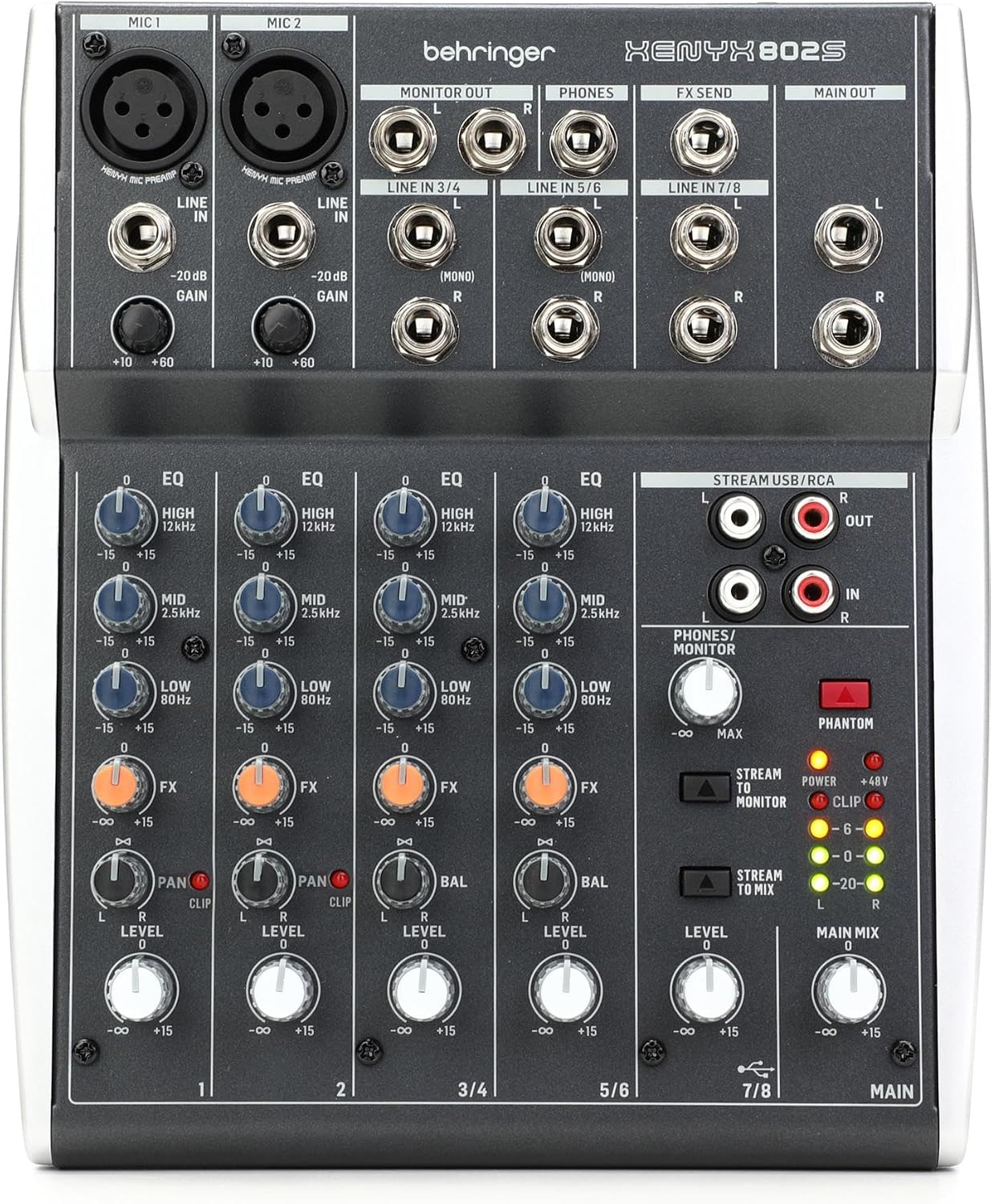
Behringer XENYX 802S
This method works best when your soundbar has an aux or analog line input. If the bar only offers optical, HDMI ARC, or Bluetooth, the better move is usually a karaoke-oriented interface that handles both the mic preamp stage and the final TV-friendly output instead of forcing a plain mixer through multiple adapters.
Method 2: Wireless Microphone System With Receiver
Wireless microphones solve the cable problem, but they do not magically change the signal-level problem. In most workable setups, the wireless receiver still feeds a mixer or karaoke interface first, and that device then sends line-level audio to the soundbar.
A system like the JBL Wireless Two Microphone System makes sense when you want handheld freedom for speeches, parties, or casual karaoke without running long mic cables across the room. The receiver handles mobility, while the mixer or karaoke interface still handles the gain and output conversion the soundbar needs.
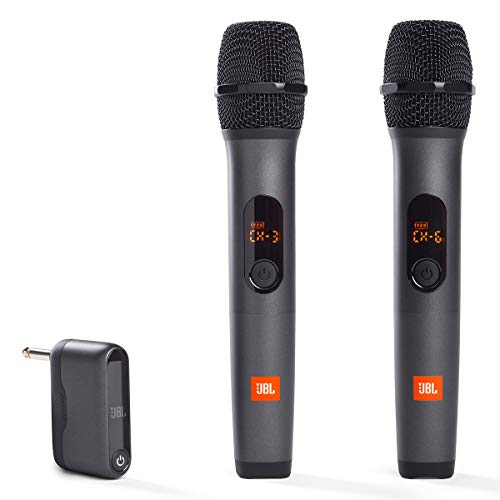
JBL Wireless Two Microphone System
If you try to make the final hop to the soundbar over Bluetooth, latency becomes the next limitation. Bluetooth can add 100–300ms of delay, which creates a disorienting echo and makes singing feel off-beat even when the wireless mic itself works well.
That is why the practical rule is simple: use wireless mics for convenience, but keep the actual soundbar feed as direct and stable as possible. Our Bluetooth vs optical soundbar guide explains why the connection you choose for the last step matters so much for real-time voice use.
Method 3: Karaoke Machine as Intermediary
A dedicated karaoke machine accepts mic inputs, mixes the audio with music playback, and outputs the combined signal as line-level audio to your soundbar. Functionally similar to a mixer, but with song libraries, lyrics displays, and vocal effects built in.
This is the most user-friendly option for families and parties. Everyone can browse songs, adjust their own mic volume, and add echo effects without touching the soundbar’s settings.
Connect the karaoke machine’s output to your soundbar via aux, optical, or HDMI depending on available connections. A product like the Sound Town wireless microphone karaoke mixer is closer to an all-in-one bridge: wireless mics and a mixer in one system, with HDMI ARC, optical and AUX connections to match your soundbar and TV.
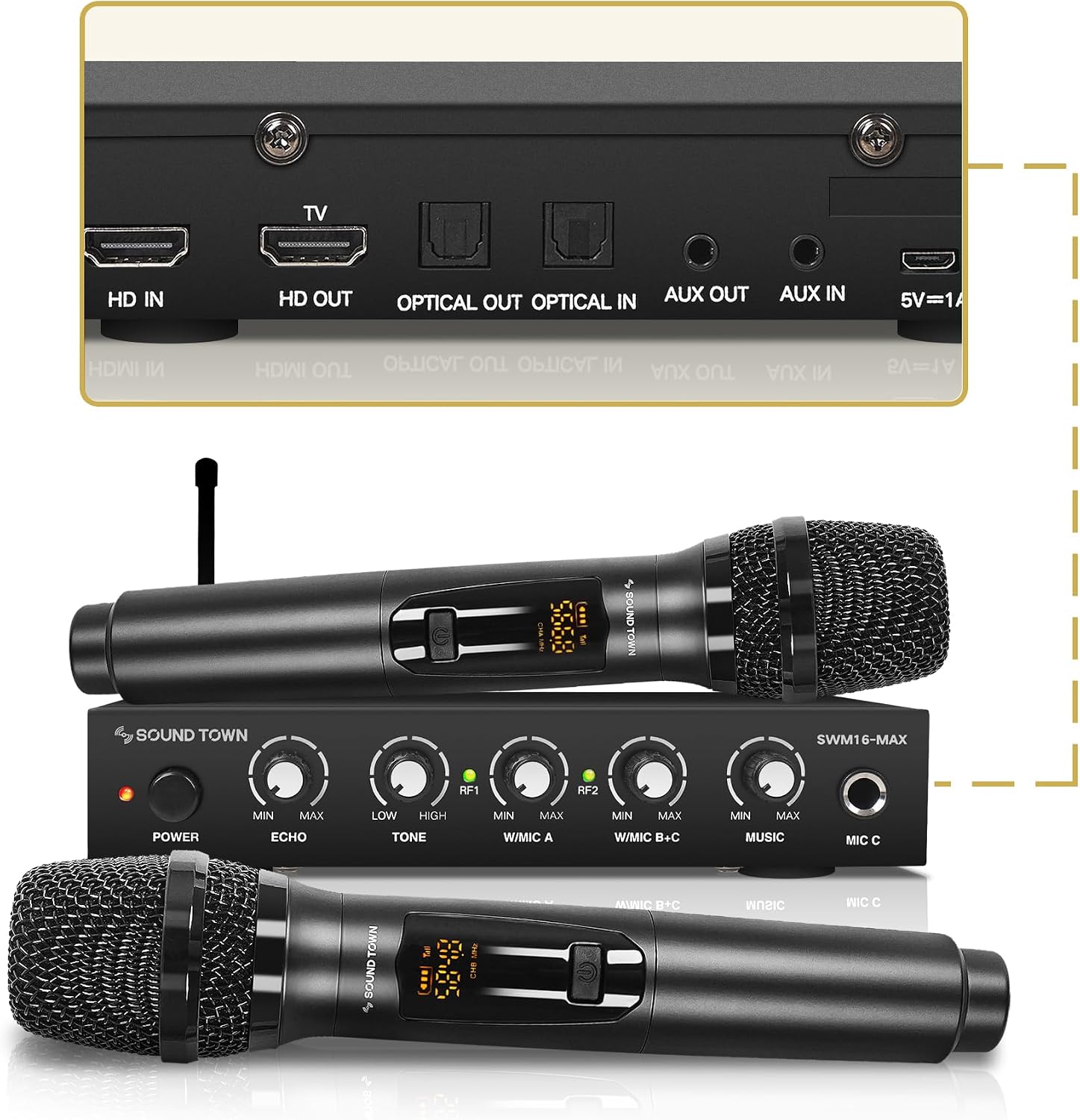
Sound Town wireless microphone karaoke mixer
That makes this route especially useful when your soundbar has no analog aux input or when you want a simpler family karaoke setup instead of piecing together separate mics, mixer, receiver, and adapters.
Samsung Soundbar Mic Connection
Samsung soundbars are the most commonly searched for mic connections. None of Samsung’s current lineup — Q-series, S-series, A-series, or any HW-model — includes a mic input.
The Samsung HW-C450, HW-Q600C, HW-Q990D — none of them. To use a mic with any Samsung soundbar, the external mixer approach is the only reliable method: mic into mixer, mixer output into the Samsung’s aux or Bluetooth input.
This is also where you need to check ports carefully. Some Samsung bars still offer analog input, but many newer models lean on HDMI ARC, optical, and Bluetooth. If your model lacks aux, a karaoke mixer system with optical or ARC support is usually easier than trying to chain analog adapters together.
For general Samsung soundbar setup help, our soundbar setup guide covers the initial configuration process, and our soundbar connection guide covers all available connection methods.
Get Studio Tips Weekly
Join 5,000+ creators getting acoustic treatment advice every week.
No spam. Unsubscribe anytime.The Bottom Line
Most soundbars can’t accept a mic directly — they lack the preamp circuitry for mic-level signals. The practical fix is an external mixer ($30–80) connected to your soundbar’s aux input, which handles preamplification and gives you independent mic volume control.
If your bar has aux, a small mixer is usually the cheapest stable answer. If you want cordless mics, add a wireless receiver to that chain. If your bar lacks aux or you want an easier family-karaoke workflow, a karaoke mixer system that handles the mics and TV-friendly outputs in one unit is the cleaner path.
For understanding what soundbars are designed for and their intended use cases, start with our fundamentals guide. Our is a soundbar worth it analysis covers the full value proposition, and our soundbar vs speakers comparison helps if you’re considering dedicated speakers with built-in mic support instead.
Frequently Asked Questions
Can you plug a mic directly into a speaker?
Into a PA speaker or party speaker with XLR/6.35mm mic jacks and a built-in preamp — yes. Into a soundbar’s aux input — no.
Soundbar aux inputs expect line-level signals roughly 100x stronger than what a mic produces — you’ll get silence or a barely audible whisper. An external mixer ($30–80) bridges the gap by amplifying the mic signal to line level.
Does the Samsung TV have mic input?
No. Samsung Smart TVs have built-in mics for voice assistants (Bixby/Alexa), but no external mic input for karaoke or audio routing.
To use a mic with a Samsung TV and soundbar setup, bypass the TV entirely: connect the mic to an external mixer and route the mixer’s output directly to the soundbar’s aux or Bluetooth input. The TV’s built-in voice assistant mic cannot be repurposed for karaoke or presentation audio.
How do I connect a wireless microphone to a soundbar?
Use a wireless mic system with a USB or 3.5mm receiver dongle. Plug the receiver into a mixer, then connect the mixer output to your soundbar’s aux input.
Direct Bluetooth mic pairing is technically possible but the 100–300ms latency creates an echo effect that makes singing impractical — you hear your voice delayed, which throws off your timing. For speech at a party or presentation, the delay is tolerable but not ideal.