Can You Use a Vizio Subwoofer Without the Soundbar?
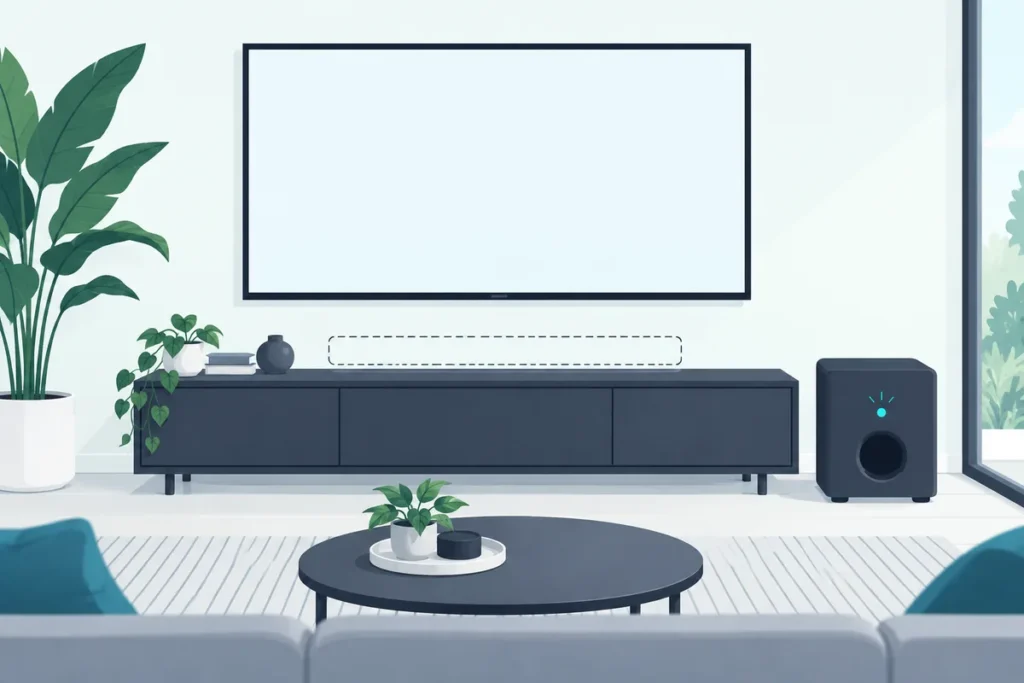
No, a Vizio subwoofer without its soundbar has no way to receive sound, because it only links wirelessly to the bar it was paired with at the factory.
The soundbar stopped working, or you picked up a Vizio sub on its own, and now it sits on the floor with its light on and nothing coming out. It’s a big, capable-looking speaker doing nothing.
That’s because the sub was never designed to take a signal from anything else. Its back panel shows why.
The good news is that there’s still a way to get deep bass under your TV, and it doesn’t involve this sub.
Below you’ll see what the Vizio sub can and can’t do, how to re-pair it if the soundbar is fine, and the setup that works if the bar is gone for good.
Can a Vizio Subwoofer Work Without the Soundbar?
That back panel is the whole answer. On Vizio’s 2025 5.1 system, the back of the subwoofer has a power button, an LED, a power port and two ports for the surround speakers, with no audio input for a TV, phone or amplifier (Vizio SV510M-0806 manual).
Vizio also notes the subwoofer “has already been paired with the soundbar by VIZIO.” It links to that bar over a private wireless connection, so without the bar there’s nothing sending it sound.
The 2021 V-Series 5.1 set is built the same way. Its manual lists the back of the subwoofer as a power button, an LED indicator, a power port and the two surround speaker ports, and nothing else (Vizio V51x-J6 manual).
Why the Surround Speakers Stop Too
On that 5.1 system, the surround speakers plug into the subwoofer rather than the soundbar. So without the bar, the rear speakers go silent as well.
It’s a detail that surprises people selling or reusing parts of the set. The sub and rears only work as a group with their soundbar.
The cables are color-coded, blue for the left surround and gray for the right, and both run from the back of the sub. So the rears depend on the sub, and the sub depends on the bar.
Why Won’t Bluetooth or an AUX Cable Work?
That lack of inputs also rules out the workarounds some guides suggest, like pairing a Vizio sub with your phone or running an RCA cable to it. Neither matches Vizio’s own manuals.
The Bluetooth, optical, 3.5mm and HDMI connections listed in the V51x-J6 specifications all belong to the soundbar, and the Bluetooth steps are written for pairing “the sound bar.” The subwoofer’s only link is to its bar, so a phone won’t find it and a cable has nowhere to go.
What Does the Soundbar Do That the Subwoofer Can’t?
That missing input isn’t an oversight, because the bar does all of the thinking. It decodes the TV’s audio, splits off the bass, sets how loud the sub plays and then sends it only that part.
You can see this in the menus. On the V51x-J6, the subwoofer’s level lives in the soundbar’s LEVEL menu, and Vizio notes that “decreasing the level to the minimum turns off the subwoofer.”
The Sub’s Job Is Narrow
The sub itself is small and specialized. The V51x-J6 sub has a single 4.5-inch driver, and the SV510M-0806 sub has one 5-inch driver.
Those are tuned to fill in below the bar’s small speakers, not to run a room alone. Vizio rates the whole SV510M-0806 system at 45 Hz to 16 kHz, so the sub covers the low end of a system rather than acting as a standalone speaker.
Get Studio Tips Weekly
Join 5,000+ creators getting acoustic treatment advice every week.
No spam. Unsubscribe anytime.Can You Pair a Vizio Subwoofer to a Different Soundbar?
That factory pairing is also why swapping bars rarely works. A Vizio sub links to the soundbar it shipped with, and a different model, or a different brand, won’t recognize it.
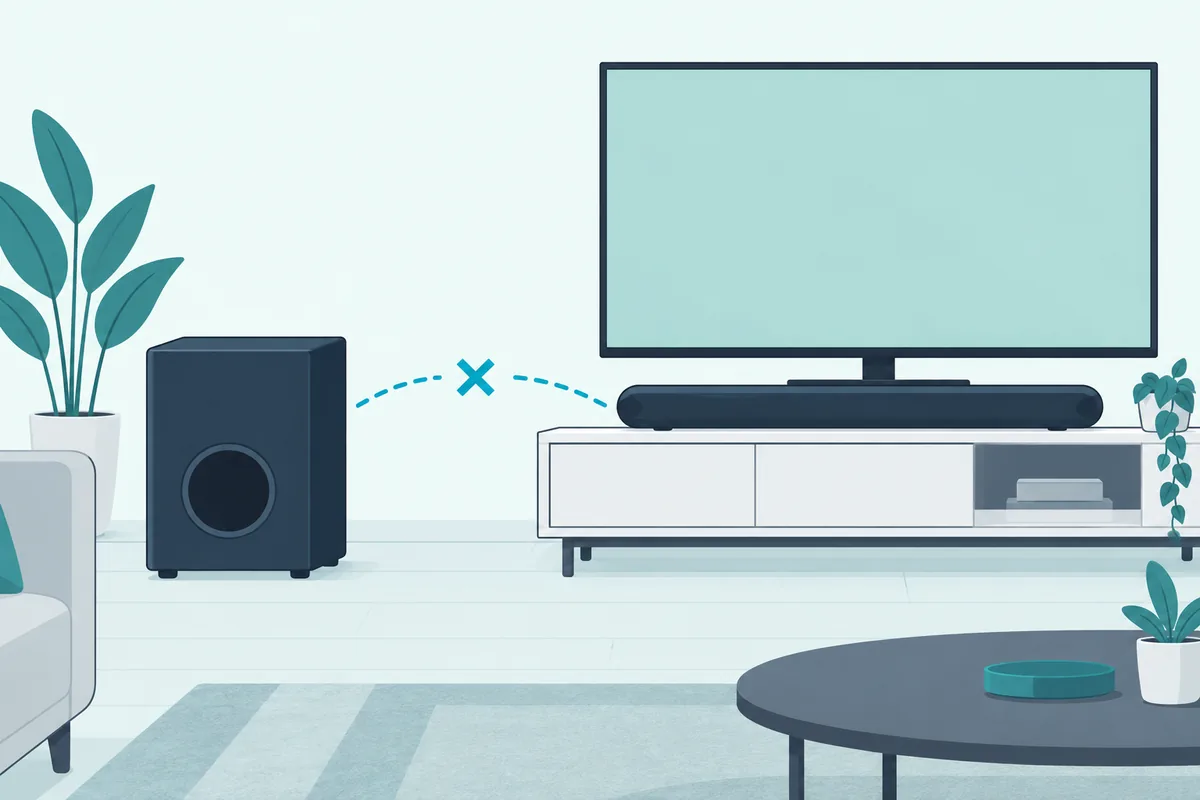
If your soundbar was replaced under warranty or bought as an exact match, the two can be linked with the re-pair steps below. For anything else, check with Vizio about which subwoofer your model supports before buying a used one.
How Do You Find Your Subwoofer’s Model Number?
That check starts with the exact model. Look for the label on the back or bottom of the sub, and note the soundbar’s model number from its own label or the box.
Vizio’s support site organizes manuals and help by model number. Matching the pair by number, not by looks, avoids buying a sub that will never link.
Is a Dead Soundbar Still Under Warranty?
Check the date before you replace anything. Vizio’s standard warranty on the V51x-J6 covers defects for one year from the original purchase for home use, and 90 days for commercial use.
If the bar failed inside that year, Vizio says it will repair or replace it, or refund the price. That keeps your sub paired to a working bar instead of leaving it stranded.
To start a claim, Vizio points owners to support.vizio.com or its US support line, 855-209-4106. It asks for pre-authorization before anything is shipped, and you may need a receipt showing the purchase date.
Mention that the subwoofer is part of the set when you call. A replacement bar from the same model line can then be paired with your existing sub using the steps below.
Buying a Replacement Set
If the bar is gone for good and you want the same setup back, the VIZIO 2.1 Soundbar with Wireless Subwoofer comes with its own wireless subwoofer and an HDMI eARC cable.
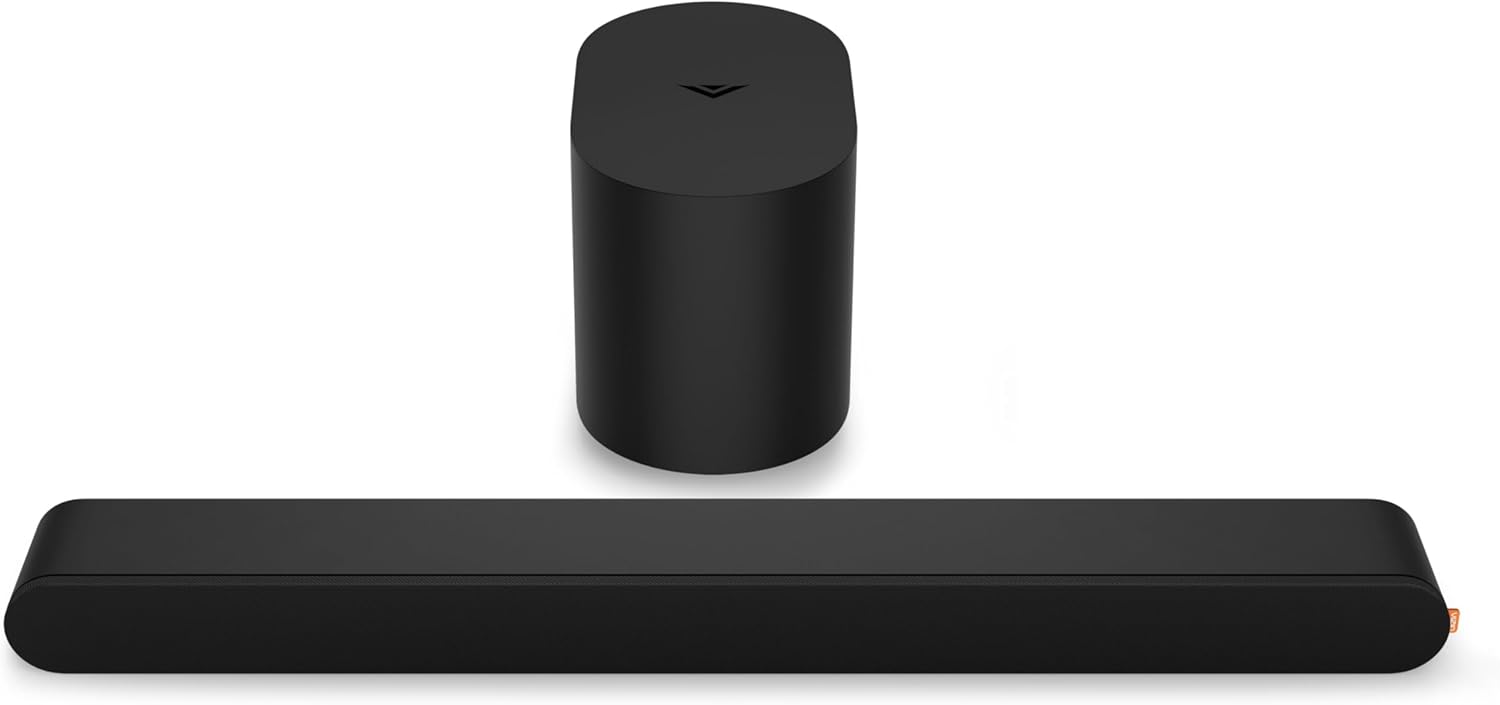
VIZIO 2.1 Soundbar with Wireless Subwoofer
A simpler set is the VIZIO V-Series 2.1, which lets your original TV remote control its volume over HDMI.
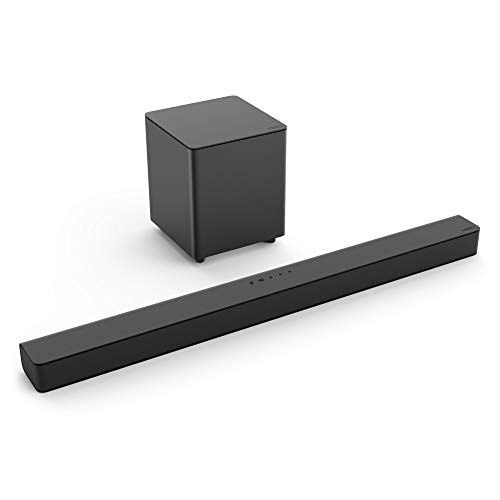
VIZIO V-Series 2.1
If you’re open to switching brands, the Samsung HW-B550F is a Samsung set that also includes a wireless subwoofer.
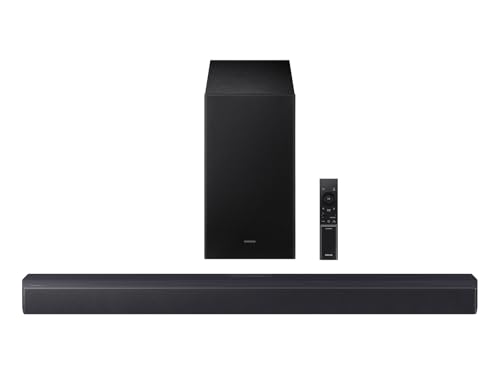
Samsung HW-B550F
Whichever you choose, the old Vizio sub won’t join it. Budget for a set that includes its own subwoofer, and our roundup of soundbars that come with a subwoofer compares more of them.
How Do You Re-Pair a Vizio Subwoofer With Its Soundbar?
If the soundbar still works and the sub has simply gone quiet, re-pairing fixes it. Vizio’s manual for the SV510M-0806 gives these steps:
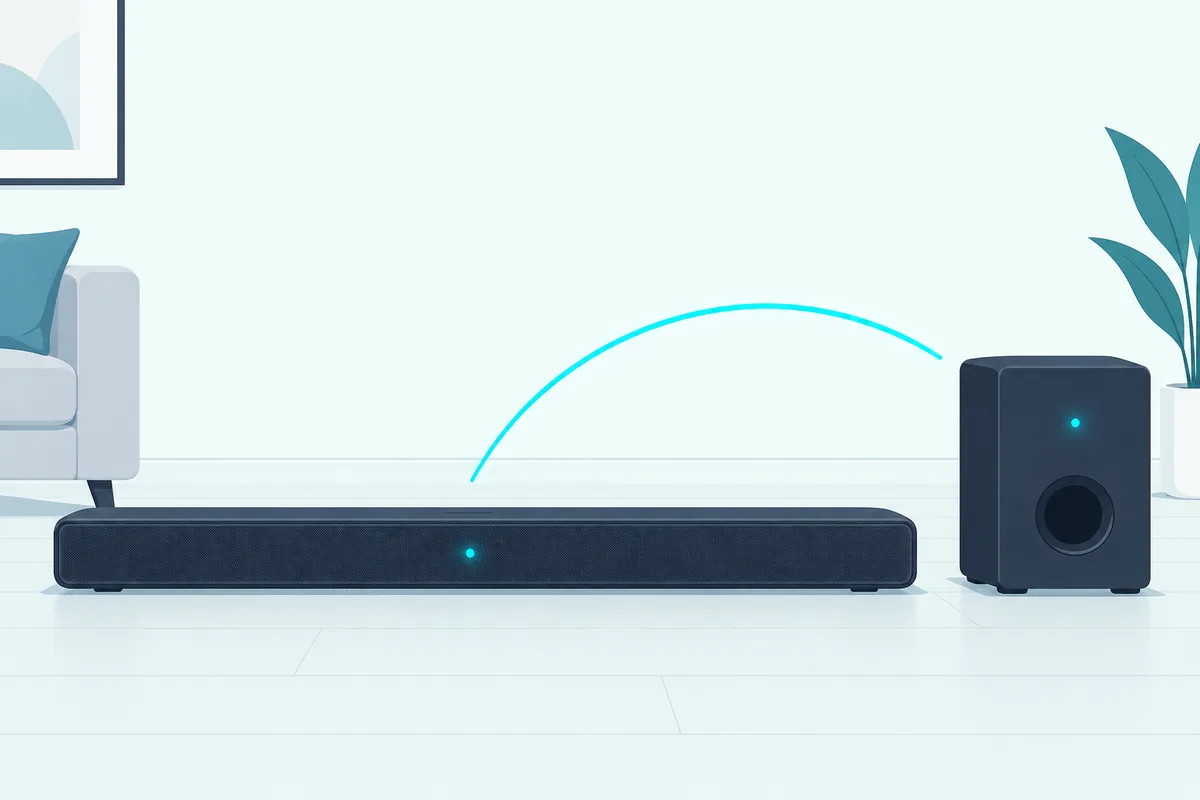
- Check that the subwoofer’s power LED is lit.
- Hold the ON/OFF button on the back of the subwoofer for 5 seconds, until its LED blinks white.
- Hold the Power button on the side of the soundbar for 5 seconds.
- Watch the soundbar’s front LED flash white while it searches, then flash green and turn solid white once paired.
Button locations differ on older bars, so follow your own quick start guide if yours doesn’t match. Burton Acoustix’s pairing walkthrough covers the patterns other brands use.
Re-Pairing the 2021 V-Series 5.1 (V51x-J6)
The 2021 set uses the same idea with a different signal at the end. First confirm the sub’s power LED is on, then hold the ON/OFF button on its back for 5 seconds until the LED starts to blink.
Next, hold the Power button on the top of the soundbar for 5 seconds. The LED indicators on the front flash 3 times when the subwoofer is linked.
On that set, the sub should link by itself when you first plug it in, and its LED turns solid to confirm. If it never goes solid, do the manual pairing above.
Does a Factory Reset Unpair the Subwoofer?
On the SV510M-0806, no. Vizio says a factory reset, done by holding Bluetooth and Volume Down on the bar for 5 seconds, erases your settings but leaves the subwoofer paired.
So if the sub is silent after a reset, the reset isn’t the cause. Re-pair it with the steps above instead.
What If It Still Won’t Pair?
A pairing that keeps failing usually comes down to power or placement. Unplug both the bar and the sub for a minute, plug them back in, and try the steps again with the sub a few feet from the bar.
Once it links, move the sub back to its spot. If it drops out only in that spot, something between the two, such as a metal cabinet, is the likely culprit.
If the sub’s LED never lights at all, the problem comes before pairing. Vizio’s no-power advice is to check the power cord is secure and plug a different device into the outlet to confirm the outlet works.
Is the Subwoofer Broken or Just Turned Down?
Before you assume the sub has failed, check two settings that silence it on purpose. Both live in the soundbar, not the sub.
The Subwoofer Level Setting
The first is the level itself. On the V51x-J6 you’ll find it under LEVEL, then Subwoofer, and turning it all the way down switches the sub off.
Raise it a few steps and play something with obvious bass. Vizio’s quick start guide for the V21x-J8 also suggests adjusting this level if the sub sounds too boomy or lacks impact (Vizio V21x-J8 quick setup guide).
Night Mode
The second is Night Mode. Vizio says that when it’s on, “the sound bar will lower bass frequency levels” for a quieter room.
On the V51x-J6, Night Mode switches off after a power cycle. If the bass disappears only in the evening, that setting is the first thing to check.
Bass Level Isn’t the Subwoofer Level
The two sound alike but do different jobs. On the V51x-J6, LEVEL, then Bass changes the soundbar’s own bass, while LEVEL, then Subwoofer sets how loud the sub plays.
So turning Bass up won’t wake a silent sub. If the sub is quiet, raise the Subwoofer level first, then fine-tune Bass for the bar.
Which Sound Modes Keep the Sub Playing?
The EQ presets on the V51x-J6 are Movie, Music, Direct and Game, with Movie on by default. Vizio notes that with stereo content, Direct mode with Surround off gives 2.1 sound without the center or surround speakers.
That 2.1 still includes the subwoofer, so a mode change shouldn’t silence it. If the sub stops only in one mode, switch back to Movie and compare.
The TV’s Audio Output
Once the bar’s settings look right, the last check is the TV. Vizio’s troubleshooting advice is to set the TV’s audio output to FIXED or STANDARD rather than VARIABLE, and to try PCM if a digital input gives no sound.
A TV sending a stereo PCM signal still carries bass, so the sub should play. If there’s no sound at all from the bar, fix that first, because the sub only plays what the bar sends it.
Run the Soundbar’s Speaker Test
When the settings look right and the sub is still silent, let the bar test it. On the V51x-J6, go to SETUP, then Spkr Test, and press OK.
A voice calls out each speaker in turn, starting with the left front, and the subwoofer plays white noise. Vizio’s advice is that if any speaker is missing, you check its connection and run the test again.
If the sub stays silent through the test after a fresh pairing, the fault is likely in the sub itself. That’s the point to contact Vizio support rather than keep changing settings.
Reset Audio Before Reset All
If you’ve changed a lot of settings, a reset is quicker than undoing them one by one. The V51x-J6 offers two under SETUP, and Reset Audio returns only sound settings such as bass and treble.
Reset All is the bigger step. Vizio says it unpairs every Bluetooth device, removes programmed remotes and loses all settings, so try Reset Audio first.
Where Should a Vizio Subwoofer Go?
Once the sub is playing, placement decides how good it sounds. Vizio’s quick start guide for the V21x-J8 suggests trying different positions if the bass sounds boomy or weak.
Leave the port clear, too. The V51x-J6 manual warns not to block the subwoofer’s port and to allow 1 to 2 inches of space around all sides for ventilation.
A sub pushed into a corner usually sounds louder but boomier. One set a little away from the corner, still near the TV side of the room, is an easy starting point.
Placing a Vizio 5.1 Set
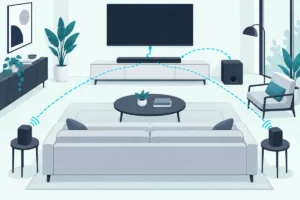
The V51x-J6 manual shows the bar centered below the TV and close to ear level, with the sub to one side and the surround speakers behind the seats. That layout gives the full 5.1 effect.
When rear speakers aren’t practical, Vizio offers Front Surround Mode. You place the surround speakers next to the bar, and it uses DTS Virtual:X to create a virtual surround effect instead.
How Do You Get Bass Under a TV Without the Soundbar?
So the Vizio sub can’t help once the bar is gone, but a regular powered subwoofer can. Home-audio subs have a line or LFE input and their own crossover, which the Vizio sub lacks.

You’ll need a line-level signal from the TV, and the route depends on its ports. An analog audio output can feed the sub directly, while an optical-only TV needs a small digital-to-analog converter in between.
Option 1: A Powered Subwoofer on the TV’s Analog Output
This is the cheapest route when the TV has an analog audio output. A cable from that output goes to the sub’s line input, and the sub’s own amplifier and crossover do the rest.
Check which kind of analog output the TV has before you buy cables. TCL’s support team notes that when you use a dedicated headphone jack, the TV “will automatically disable sound from the TV speakers” (TCL support).
That matters, because a sub on its own plays only bass. If your TV mutes its speakers when the headphone jack is used, you’ll need a pair of speakers as well, which is where a small 2.1 set or a receiver comes in.
Fixed or Variable Output?
Some TVs let you set the audio output to fixed or variable, the same setting Vizio mentions in its troubleshooting. With fixed output, you set the sub’s volume on the sub once, and it stays put.
With variable output, the TV remote changes the sub’s volume along with everything else. That keeps the balance steady as you turn the TV up and down, so it’s usually the easier choice for a sub.
Optical-Only TVs
Many newer TVs have only HDMI and optical outputs. A small digital-to-analog converter turns the optical signal into the analog signal a sub can take.
If the converter’s instructions say it handles PCM only, set the TV’s digital audio output to PCM. Otherwise a Dolby signal can reach it that it can’t turn into sound.
Set the sub’s crossover low so it plays only the deep bass the TV speakers can’t. SVS, a subwoofer maker, calls 80 Hz the most common recommended crossover and the THX standard (SVS crossover guide).
Option 2: An AV Receiver With Speakers
If you also want speakers, a receiver is the cleaner route. The Denon AVR-S570BT is one example, with two subwoofer outputs.
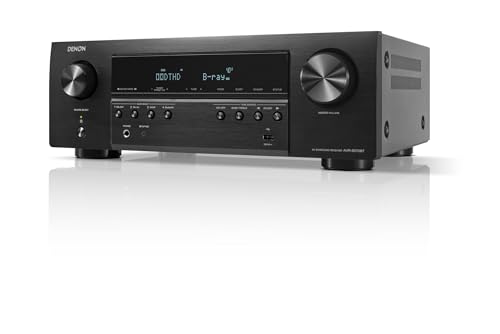
Denon AVR-S570BT
The TV connects to the receiver with one HDMI cable from its ARC or eARC port, and your sources can plug into the receiver’s HDMI inputs. The receiver then feeds the speakers and the powered sub from one volume control.
A receiver handles the bass split for you. THX, which certifies receivers, requires an 80 Hz crossover point in the setup menu of every THX Certified receiver, so the subwoofer takes the lows while the speakers handle the rest (THX).
The full walkthrough, including crossover settings, is in our guide to the Samsung subwoofer without the soundbar, which applies to Vizio too. If you’re adding bookshelf speakers as well, see how to connect a subwoofer to speakers.
Option 3: A New Soundbar Set
The simplest route is another soundbar that comes with its own sub. You get the wireless link back without cables across the room, and the sets above show what that costs.
A set also keeps one remote in charge. On the V51x-J6, turning on the VIZIO TV remote setting lets a Vizio TV remote switch the bar on and control its volume, and the sub simply follows the bar.
What Should You Set on a Regular Powered Subwoofer?
Those routes all end with a regular powered sub, and it gives you the controls the Vizio sub kept inside the soundbar. Three matter most: level, crossover and placement.
Level
Start with the level knob low and raise it while playing something you know well. The sub should fill in the low end without drawing attention to where it sits.
Crossover
After the level, the crossover sets where the sub takes over from the other speakers. SVS calls 80 Hz the most common recommended setting, and it’s a sensible starting point before you adjust by ear.
If your speakers are small, a higher setting can help them. If they’re large floor-standers, a lower one keeps the sub from doubling up their bass.
Placement
The same placement rules apply as for the Vizio sub. Try a few spots near the front of the room and keep the port clear, then settle on the one where the bass sounds even rather than loudest.
Can You Convert a Vizio Subwoofer to Work on Its Own?
With enough electronics skill, yes, but it’s a rebuild rather than a setting. One hobbyist took a 2014 Vizio S4251W-B4 sub bought for $6.50 and found its amplifier chips tied to Vizio’s wireless link, with no way to accept a standard input (Dan Marx’s project write-up).
He removed the original amplifier board, fitted an aftermarket amplifier board with a low-pass crossover, added a separate 24-volt power supply and RCA and power jacks, and printed a new mounting bracket. The parts cost about $40, and the rebuilt sub played strongly down to around 50 to 60 Hz.
Should You Try It?
Only if you’re comfortable opening mains-powered electronics. Vizio’s manual tells owners not to try to repair the unit themselves, and its warranty excludes modifications and repairs by anyone other than an authorized service center.
For most people, a regular powered subwoofer is the simpler buy, and it works on day one. The rebuild is a fun project, not a fix.
What Should You Do With a Spare Vizio Subwoofer?
That leaves the spare sub itself. If you might buy the matching soundbar secondhand, keep it, because the two can be paired again.
Otherwise, sell it as a replacement part. Owners whose original sub failed look for the exact model, and it’s worth more to them than to anyone trying to use it alone.
List it with the full model number from the label on its back and the soundbar model it came with. Buyers searching for a replacement match on those numbers, not on “Vizio subwoofer.”
If nobody wants it, recycle it rather than binning it. The EPA notes that “manufacturers and retailers offer several options to donate or recycle electronics,” and points to directories such as Earth911 for drop-off points (EPA).
If you’re choosing a new bar anyway, it’s worth reading our take on when a sub is worth it first.
Frequently Asked Questions
Can I connect a Vizio subwoofer directly to my TV?
No. The Vizio subwoofer has no audio input, so it can’t take a cable from a TV. It only receives sound wirelessly from its paired soundbar.
Will a Vizio subwoofer work with a Samsung or LG soundbar?
No. Each brand uses its own wireless link between bar and sub, so a Vizio sub won’t pair with another brand’s soundbar.
How do I know if my Vizio subwoofer is paired?
On the SV510M-0806, the soundbar’s front LED flashes green and then turns solid white once pairing finishes. On the V51x-J6, the front LEDs flash 3 times and the sub’s LED glows solid.
Why is my Vizio subwoofer’s light blinking?
On the V51x-J6 and SV510M-0806, the LED on the back blinks while the sub is in pairing mode, waiting for its soundbar. Finish the pairing steps on the soundbar, or power both off and on to let them link again.
Can I pair a Vizio subwoofer with my phone over Bluetooth?
No. Bluetooth on a Vizio set belongs to the soundbar, and the sub only links to its paired bar. Pair your phone with the soundbar instead.
Does resetting the soundbar fix a silent subwoofer?
Sometimes. On the V51x-J6, Reset Audio restores sound settings like the subwoofer level without unpairing anything, so it fixes a sub that was turned down. It won’t fix a sub that has lost its pairing, which needs the re-pair steps.
Can the speaker test tell me if my Vizio subwoofer is broken?
It’s the best quick check. On the V51x-J6, the speaker test plays white noise through the sub, so silence during the test, after a fresh pairing, points to a fault in the sub.
Can I use the Vizio surround speakers without the subwoofer?
Not on the V51x-J6 or SV510M-0806. The surround speakers plug into the subwoofer, so without the sub, and the soundbar behind it, they get no sound.
How long is the warranty on a Vizio soundbar and subwoofer?
For home use, Vizio’s standard warranty on the V51x-J6 runs one year from the original purchase date. For commercial use, it’s 90 days.
Can a Vizio TV remote control the subwoofer?
Indirectly. On the V51x-J6, turning on the VIZIO TV remote setting lets the TV remote turn on the soundbar and change its volume, and the subwoofer plays along with the bar.
Does a Vizio subwoofer need its own power outlet?
Yes. The sub has its own power cable, and Vizio’s setup steps have you plug it into an outlet separately from the soundbar.