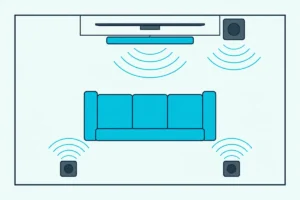
Best Soundbar With Subwoofer Systems Matched to Your Room
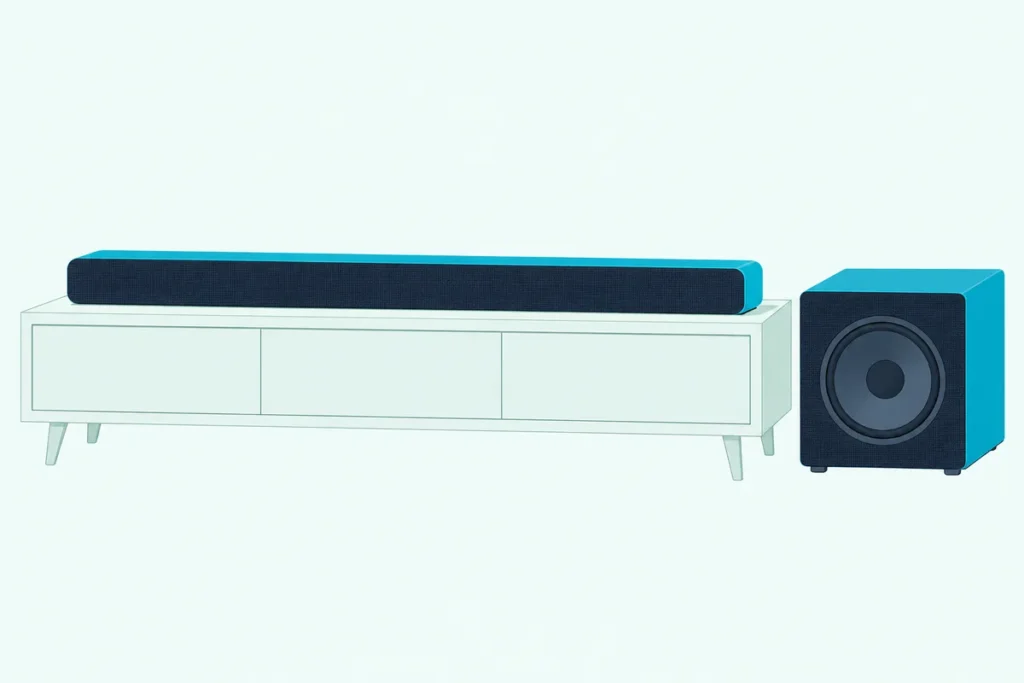
Choosing the best soundbar with subwoofer comes down to three specs most listings bury: the channel count, the size of the sub’s woofer and the port that links the soundbar to your TV.
Get one wrong and explosions boom while voices sink into the mix, or the Dolby Atmos you paid for never plays because the soundbar needs an HDMI eARC link your TV doesn’t have.
Get them right and the sub carries the deep notes a slim soundbar struggles with, while a center channel keeps every line of dialogue clear.
The ten systems below run from a 23-5/8-inch Yamaha for small rooms to a 5.1.2 VIZIO set with rear speakers in the box, each described from its maker’s spec sheet or manual.
Start with the comparison table, then jump to the system that fits your room, your TV and the way you listen.
What Is the Best Soundbar With Subwoofer for Most Rooms?
Those three specs split the field into ten clear choices. For most living rooms, the Polk Signa S4 is the best soundbar with subwoofer on paper: a 3.1.2 Dolby Atmos soundbar with a center channel and two up-firing drivers, plus a wireless sub with a 5.9-inch woofer (Polk).
No listening test was run for this guide, so every pick is compared on its maker’s published specs, with RTINGS’s and Sound & Vision’s verdicts quoted where they exist. The table sums up what each maker lists:
| System | Best for | Layout | Subwoofer | Connects to the TV by | Surround formats |
|---|---|---|---|---|---|
| Polk Signa S4 | Most living rooms | 3.1.2 | Wireless, 5.9-inch woofer | HDMI eARC, optical, analog | Dolby Atmos (needs eARC) |
| Sony BRAVIA Theater Bar 6 | A bigger sub with Atmos | 3.1.2 | Wireless, 6 3/8-inch cone | HDMI eARC/ARC, optical | Dolby Atmos, DTS:X |
| Samsung HW-Q800F | Big rooms, rear speakers later | 5.1.2, or 7.1.4 with optional rears | Wireless, size not listed | HDMI eARC/ARC, optical | Dolby Atmos, DTS:X |
| VIZIO Elevate SE | Rear speakers in the box | 5.1.2 | Wireless, 6-inch driver | HDMI eARC only | Dolby Atmos, DTS:X |
| Bose Smart Ultra + Bass Module 700 | A premium soundbar to build on | Atmos soundbar plus bass module | Wireless or cabled, size not listed | HDMI eARC, optical | Dolby Atmos, TrueSpace |
| Sonos Beam (Gen 2) + Sub Mini | A compact soundbar to build on | Soundbar plus sub | Wi-Fi, two 6-inch woofers | HDMI eARC/ARC, optical adapter | Dolby Atmos (phantom height) |
| Polk Signa S3 | Music streaming | Soundbar plus sub | Wireless, 5.25-inch woofer | HDMI ARC, optical, AUX | Dolby Digital 5.1 |
| Samsung HW-B630F | Dialogue on a budget | 3.1 | Wireless, size not listed | HDMI ARC, optical | Dolby 5.1, DTS Virtual:X |
| Yamaha SR-C30A | Small rooms | 2.1 | Wireless, 5-1/8-inch woofer | HDMI ARC, optical, analog | Dolby Digital, Pro Logic II |
| Hisense HS2100 | Tight budgets | 2.1 | Wireless, 5.25-inch woofer | HDMI ARC, optical, AUX | Dolby Digital Plus, DTS Virtual:X |
Six of the ten list Dolby Atmos, only the VIZIO ships with rear speakers, and the Bose and Sonos picks are soundbars you build on with the maker’s own sub. If you’d like one-box models ranked alongside systems like these, our best sound bar picks for every TV cover both kinds.
| Product | Size | Link |
|---|---|---|
Best for Most Living Rooms 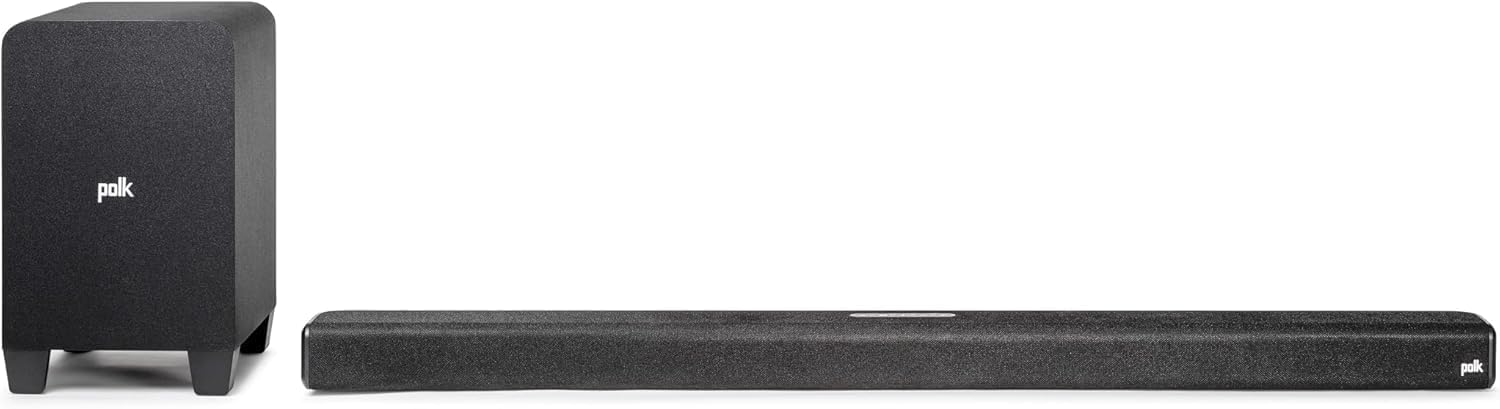 | 5.9 inch | See ratings |
Best for Bigger Bass With Atmos 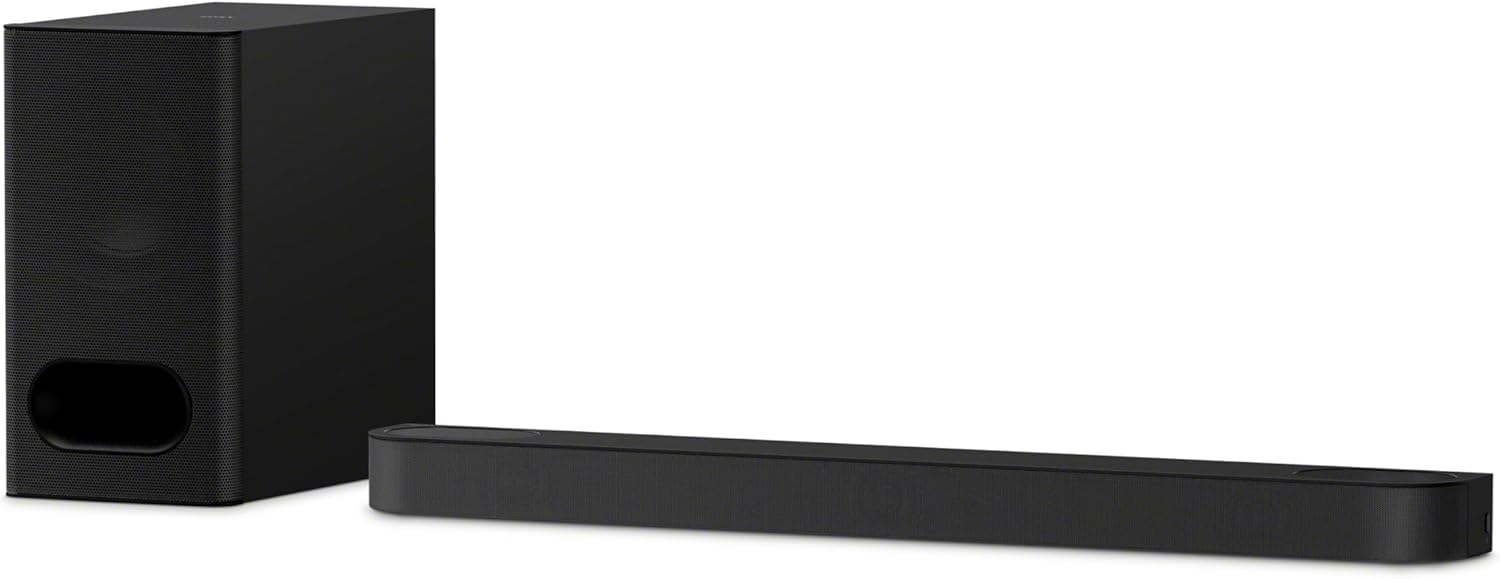 | 8 inch | See ratings |
Best for Big Rooms and Upgrades 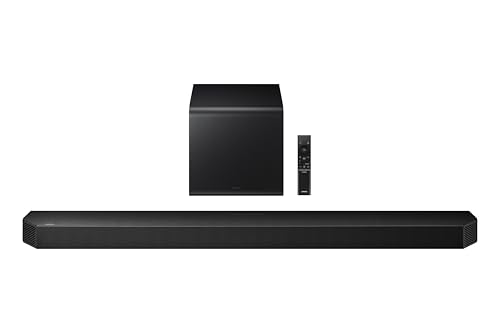 | — | See ratings |
Best for Rear Speakers in the Box 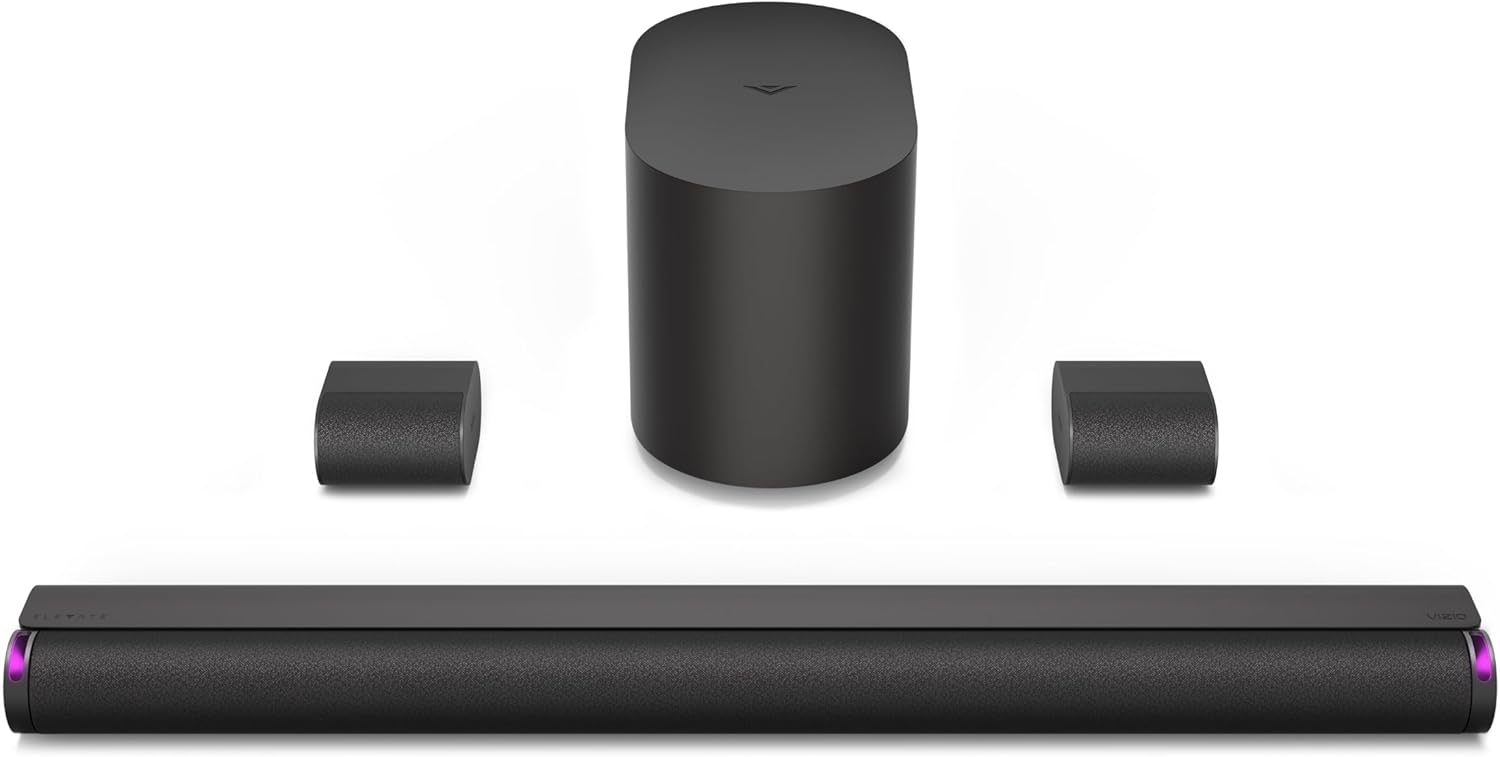 | 6 inch | See ratings |
Best Premium Bar to Build On 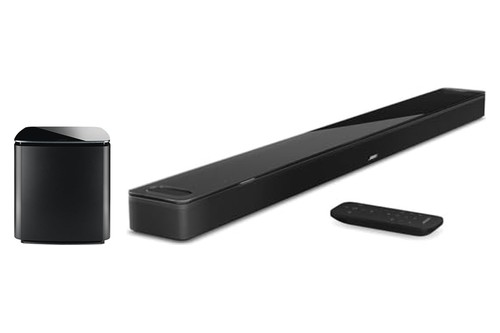 | 41.14 inch | See ratings |
Best Compact Bar to Build On 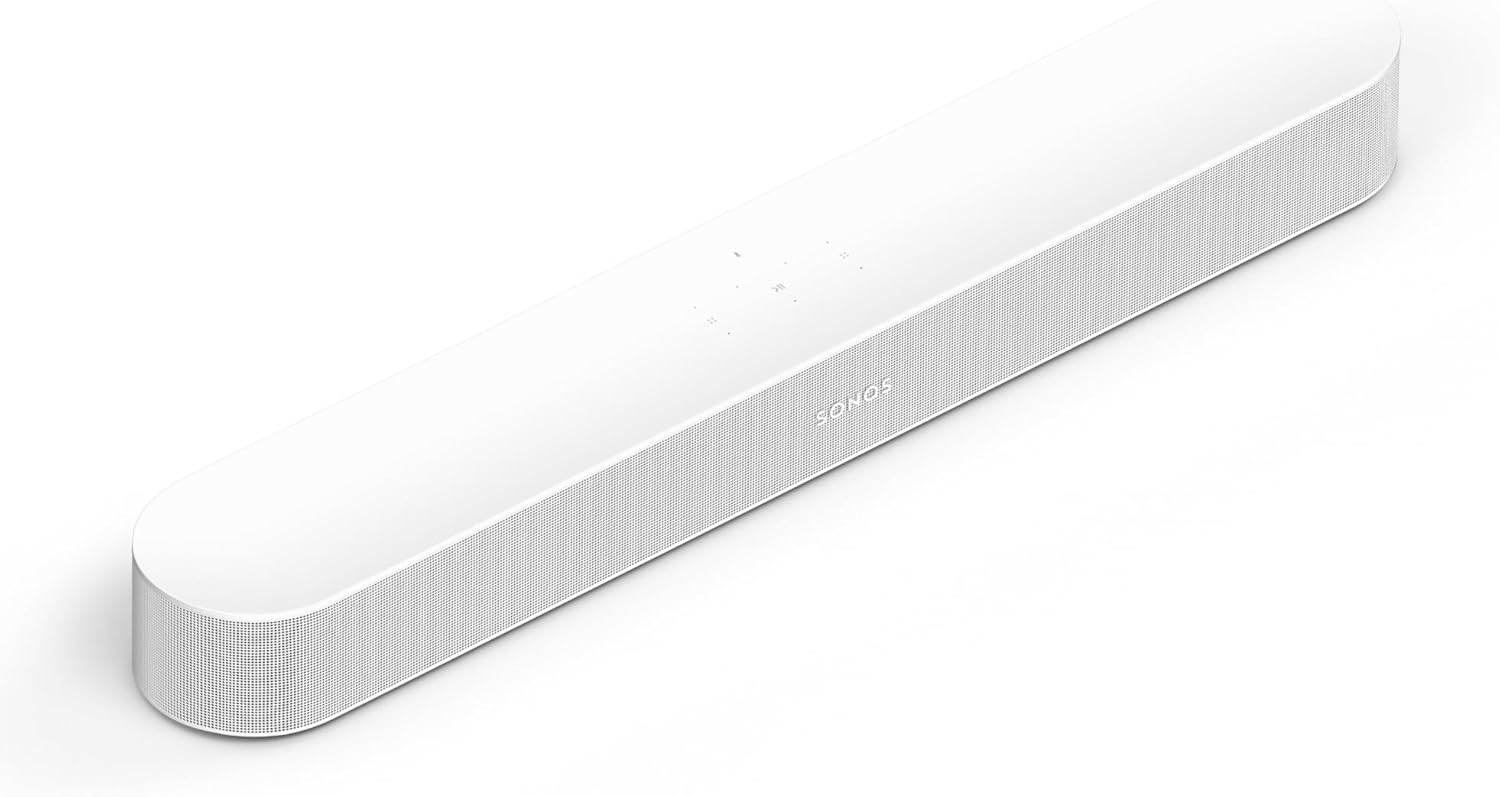 | 25.63 inch | See ratings |
Best Matching Sub for the Beam  | 6 inch | See ratings |
Best for Music Streaming 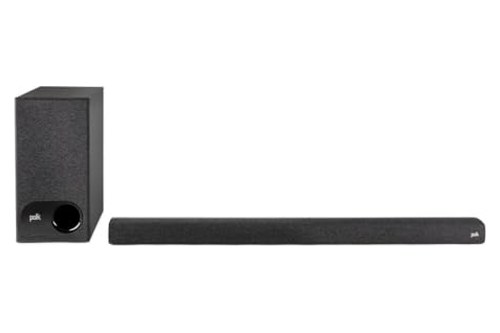 | 5.25 inch | See ratings |
Which Are the Best Soundbars With Subwoofers Right Now?
The table gives the short version, and each system’s strengths and limits come next. The best soundbars with subwoofers to buy right now are the Polk Signa S4, Sony BRAVIA Theater Bar 6, Samsung HW-Q800F, VIZIO Elevate SE, Bose Smart Ultra with Bass Module 700, Sonos Beam (Gen 2) with Sub Mini, Polk Signa S3, Samsung HW-B630F, Yamaha SR-C30A and Hisense HS2100, from the most complete system to the budget pick.
Each card links to Amazon for current ratings, and the Sonos pick gets two cards because its soundbar and sub sell separately.
Polk Signa S4
For most living rooms, Polk’s Signa S4 covers all three specs in one box. Its seven-driver soundbar has a dedicated center channel and two 2.6-inch up-firing drivers for Atmos height, and Polk’s VoiceAdjust raises voices without touching the rest of the soundtrack.
Polk’s Signa S4
Bass Adjust sets the soundbar and the sub together, and Night Mode turns the low end down while lifting dialogue. Atmos needs an HDMI eARC port on the TV, though older sets can still connect by optical or the 3.5 mm analog input.
The sub comes wirelessly connected from the factory, and a CONNECT button on its back links the two again if the bass ever drops out. Sound & Vision keeps the S4 on its current top-picks list and calls its sound surprisingly spacious for its class.
At 41.2 inches wide, it fits under a 50-inch TV without overhanging. Polk says it works with most TV remotes out of the box and packs HDMI and optical cables, a wall-mount template and spacers.
Sony BRAVIA Theater Bar 6
If you want a bigger sub with your Atmos, Sony’s BRAVIA Theater Bar 6 pairs a 3.1.2 soundbar with a wireless subwoofer built around a 160 mm (6 3/8-inch) cone. Sony’s help guide lists front, center and top speaker sections in the main unit, plus Dolby Atmos and DTS:X support (Sony).
Sony’s BRAVIA Theater Bar 6
That cone is the largest woofer any maker of these picks publishes for a bundled sub. The Theater Bar 6 connects to the TV by HDMI eARC/ARC or optical, and Sony lists its USB port as for software updates only.
Voice mode emphasizes dialogue, and with a compatible Sony TV, Voice Zoom raises or lowers voices without changing the overall volume. BRAVIA Sync over HDMI links power, volume and one-touch play with Sony TVs, and setup runs through the Sony | BRAVIA Connect phone app.
The sub measures about 15 3/8 inches tall and deep, and Sony asks for 2 inches of space between it and a wall or TV stand. Sony describes it as omnidirectional, so it can go wherever it fits.
Sony’s app also adds DSEE, which restores the high range of compressed music, and a test tone for checking each speaker.
Samsung HW-Q800F
For a bigger room, or a system you want to grow, Samsung’s HW-Q800F pairs a 5.1.2 Atmos soundbar with a wireless subwoofer. Its manual lists 7.1.4 output once you add the optional SWA-9500S rear speakers, and SpaceFit Sound Pro uses the soundbar’s microphone to tune the sound to your room (Samsung).
Samsung’s HW-Q800F
RTINGS calls it the best 5.1 soundbar it has tested and says the dedicated sub brings plenty of low-end rumble, while noting that its surround effect comes from side-firing drivers rather than rear speakers (RTINGS). With a supported Samsung TV, Q-Symphony plays the TV’s speakers and the soundbar together.
It adds one HDMI input beside its eARC port, plus Voice Enhance and an Active Voice Amplifier that listens for background noise. A Moderate Bass setting mutes the sub and sends the low frequencies through the soundbar for times when the box would be too much.
Samsung also lists AirPlay 2 and a seven-band EQ from 150 Hz to 10 kHz, and Wi-Fi Dolby Atmos with some Samsung TVs.
VIZIO Elevate SE
For true rear channels without extra purchases, VIZIO’s Elevate SE ships as a 5.1.2 system: a 36-inch soundbar, a wireless sub with a 6-inch driver and two Dolby Atmos-enabled rear satellites. VIZIO says its height speakers rotate up automatically when Dolby Atmos or DTS:X content plays, bouncing sound off the ceiling (VIZIO).
VIZIO’s Elevate SE
The two satellites wire to the subwoofer rather than to the soundbar, so plan the sub’s spot with their cable runs in mind. VIZIO lists a 45 Hz to 16 kHz response (±3 dB) and Movie, Music and Direct listening modes.
It connects only by HDMI eARC, with no optical input, and it comes without a remote: you run it from VIZIO’s app or the TV remote. With a VIZIO TV, its settings appear in the TV’s own menu, and on select VIZIO TVs the QuickFit mount attaches it to the bottom of the set.
It also takes Bluetooth 5.3 and plays WAV files from USB.
Bose Smart Ultra Soundbar With Bass Module 700
For a premium soundbar you can build on, Bose’s Smart Ultra Soundbar with the Bass Module 700 comes as a bundle: a 41.14-inch soundbar with nine speakers, two of them upward-firing, and Bose’s larger wireless bass module. Bose lists a dialogue mode, ADAPTiQ room calibration with a headset in the box, and TrueSpace technology that upmixes stereo or 5.1 for a sense of height (Bose).
Bose’s Smart Ultra Soundbar with the Bass Module 700
The bass module connects wirelessly, or with Bose’s Bass Module Connection Cable if you’d rather run a wire. Bose also lets a second module of the same model join for more bass.
The Smart Ultra has no HDMI inputs, so every source plugs into the TV and one HDMI eARC or optical cable runs to the soundbar. It streams over Wi-Fi and Bluetooth, has Ethernet built in and answers Alexa voice commands, and you set the level of the low end in the Bose app.
Bose suggests a 12 x 14 ft room for the Smart Ultra, the only room-size figure any maker of these picks publishes.
Sonos Beam (Gen 2) With Sub Mini
For a compact soundbar that grows, Sonos’s Beam (Gen 2) starts as a 25.63-inch one-box model and gains a subwoofer when you add Sonos’s Sub Mini. The Beam uses five Class-D amplifiers, a center tweeter, four midwoofers and three passive radiators, and Sonos says its processing creates phantom height channels for Dolby Atmos (Sonos).
Sonos’s Beam (Gen 2)
The matching Sonos Sub Mini packs two 6-inch woofers facing each other in a sealed cabinet and reaches as low as 25 Hz, per Sonos (Sonos). It links to the Beam over Wi-Fi, so it only needs a power outlet wherever you put it.
Sonos Sub Mini
The Beam connects by HDMI eARC/ARC with the cable included, or by optical through the included adapter, and adds Speech Enhancement and Night Sound. Sonos lists no Bluetooth for the Beam, so music streams over Wi-Fi and AirPlay 2, and an Ethernet port takes a wired network.
It works with Sonos Voice Control, Alexa and Google Assistant, and the cards link the white versions of both pieces.
Polk Signa S3
For music, Polk’s Signa S3 adds Chromecast built-in, so Spotify, Tidal, Qobuz and other apps stream to it over Wi-Fi. Its wireless sub uses a ported 5.25-inch woofer, and Polk lists a 45 Hz to 20 kHz response for the pair (Polk).
Polk’s Signa S3
The soundbar stands about 2 inches tall, low enough that Polk says it won’t block a TV’s remote sensor. Its HDMI input passes 4K video with Dolby Vision and HDR10 through to the screen.
It decodes Dolby Digital 5.1 rather than Atmos and connects over HDMI ARC, so it’s the pick for streaming more than for height effects. VoiceAdjust and Night Mode carry over from the S4, and the Google Home app groups it with other Chromecast speakers for music around the house.
Samsung HW-B630F
When clear dialogue matters more than height effects, Samsung’s HW-B630F adds a built-in center speaker to a 3.1 soundbar with a wireless sub. Its spec sheet lists Voice Enhance, a Night Mode that compresses the bass, and DTS Virtual:X for a sense of height without up-firing speakers (Samsung).
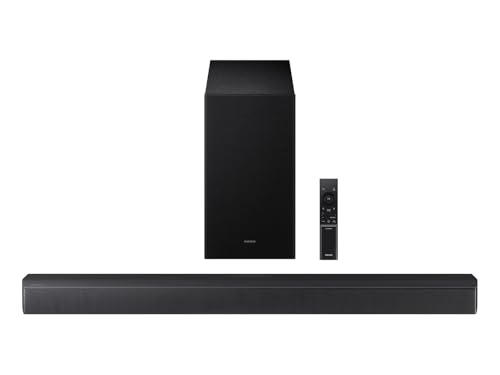
Samsung’s HW-B630F
It has an HDMI input beside the ARC port but no Wi-Fi and no Q-Symphony. Samsung’s Wireless Rear Speaker Kit turns it into a surround sound system later, and a Samsung TV remote can run its power, volume and sound modes.
The soundbar is 33.9 inches wide, and the sub measures 7.2 by 13.5 by 11.6 inches. Bluetooth connects up to two phones at once, or links the soundbar to the TV without a cable.
Yamaha SR-C30A
In a bedroom or small living room, Yamaha’s SR-C30A keeps the soundbar short at 23-5/8 inches and puts the bass in a compact wireless sub. That sub holds a 5-1/8-inch woofer, and Yamaha rates the system at 90 W: 20 W for each front channel and 50 W for the sub (Yamaha).
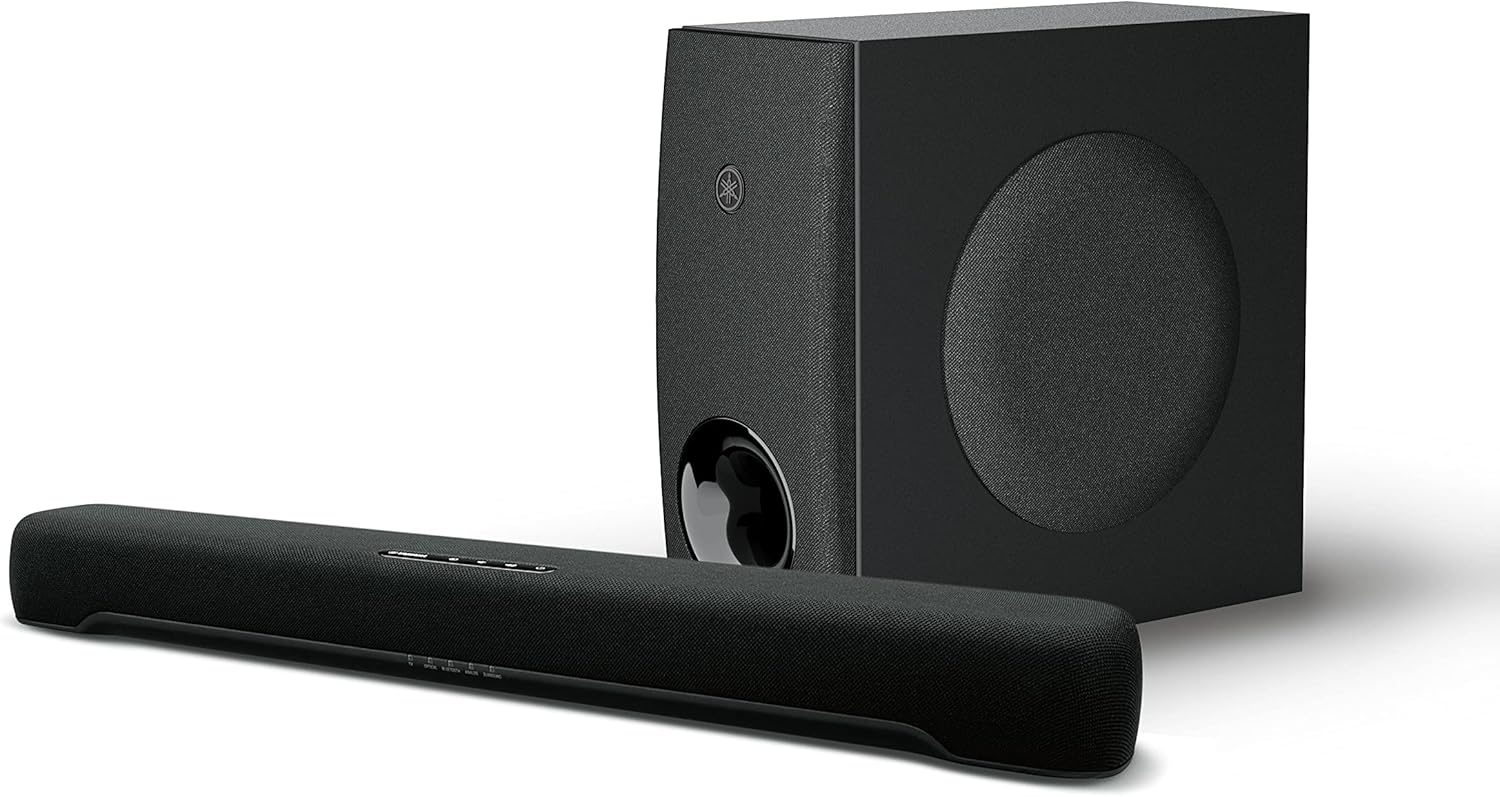
Yamaha’s SR-C30A
Yamaha lists a Bass Extended mode, a 3D Movie mode and a Compressed Music Enhancer. It connects through HDMI ARC, two optical inputs, an analog input or Bluetooth, with no Wi-Fi or DTS decoding.
Yamaha’s Sound Bar Remote app controls it from a phone, and Yamaha gives its Bluetooth range as 33 feet without obstructions.
Hisense HS2100
On a tight budget, Hisense’s HS2100 pairs a 2.1 soundbar with a front-firing wireless sub built around a 5.25-inch woofer. Hisense rates it at 240 W maximum and lists Dolby Digital Plus decoding with DTS Virtual:X (Hisense).
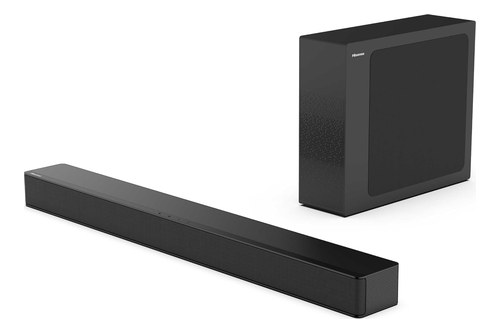
Hisense’s HS2100
Six presets include Night, News and Music modes, and it connects by HDMI ARC, optical, USB or AUX. With a compatible Hisense TV, EzPlay lets the TV remote run it.
Its subwoofer pairs with the bar by itself once both are plugged in and the bar is on, and if that link ever drops, Burton Acoustix’s Hisense subwoofer pairing guide covers the PAIR button and the lights.
If the bar itself needs a fresh start, its factory reset runs from the optical input with a hold of the power button on the bar, and our steps for resetting a Hisense soundbar list what it puts back to default.
Which Setup Fits Your Room and TV?
Ten picks are a lot to weigh, so the table matches common situations to the system whose maker documents the feature that matters. Most choices come down to room size, the TV you already own and whether music matters as much as movies:
| Your situation | Pick | Why, per the maker |
|---|---|---|
| Bedroom or small living room | Yamaha SR-C30A | 23-5/8-inch soundbar with a compact wireless sub |
| Apartment or shared walls | Samsung HW-B630F | Night Mode compresses the low end |
| Large living room | Samsung HW-Q800F | 5.1.2 now, 7.1.4 with optional rears, room tuning by microphone |
| Rear surround from day one | VIZIO Elevate SE | Two Atmos-enabled satellites in the box |
| Samsung TV | Samsung HW-Q800F | Q-Symphony plays the TV’s speakers with the soundbar |
| Sony TV | Sony BRAVIA Theater Bar 6 | Voice Zoom and BRAVIA Sync with compatible Sony TVs |
| VIZIO TV | VIZIO Elevate SE | Settings in the TV menu; QuickFit mount on select sets |
| Hisense TV | Hisense HS2100 | EzPlay lets a compatible Hisense TV remote run it |
| Music first | Polk Signa S3 | Chromecast built-in for music apps over Wi-Fi |
The TV-brand rows matter only for those extras, since every pick here connects to other brands’ TVs over HDMI. The HW-B630F lists no Q-Symphony, so the Samsung TV row goes to the HW-Q800F.
Width matters under the TV too. The listed widths run from 23-5/8 inches (Yamaha) and 25.63 inches (Beam) to 41.14 inches (Smart Ultra) and 41.2 inches (Signa S4), and a 50-inch screen is about 43.6 inches wide, so every listed width fits under it.
Are Soundbars With a Subwoofer Worth It?
All ten picks put the bass in a separate box, which raises the obvious question. A soundbar with a subwoofer is worth it if you watch movies or play music with deep bass, because a dedicated sub can move more low end than drivers squeezed into a slim cabinet.
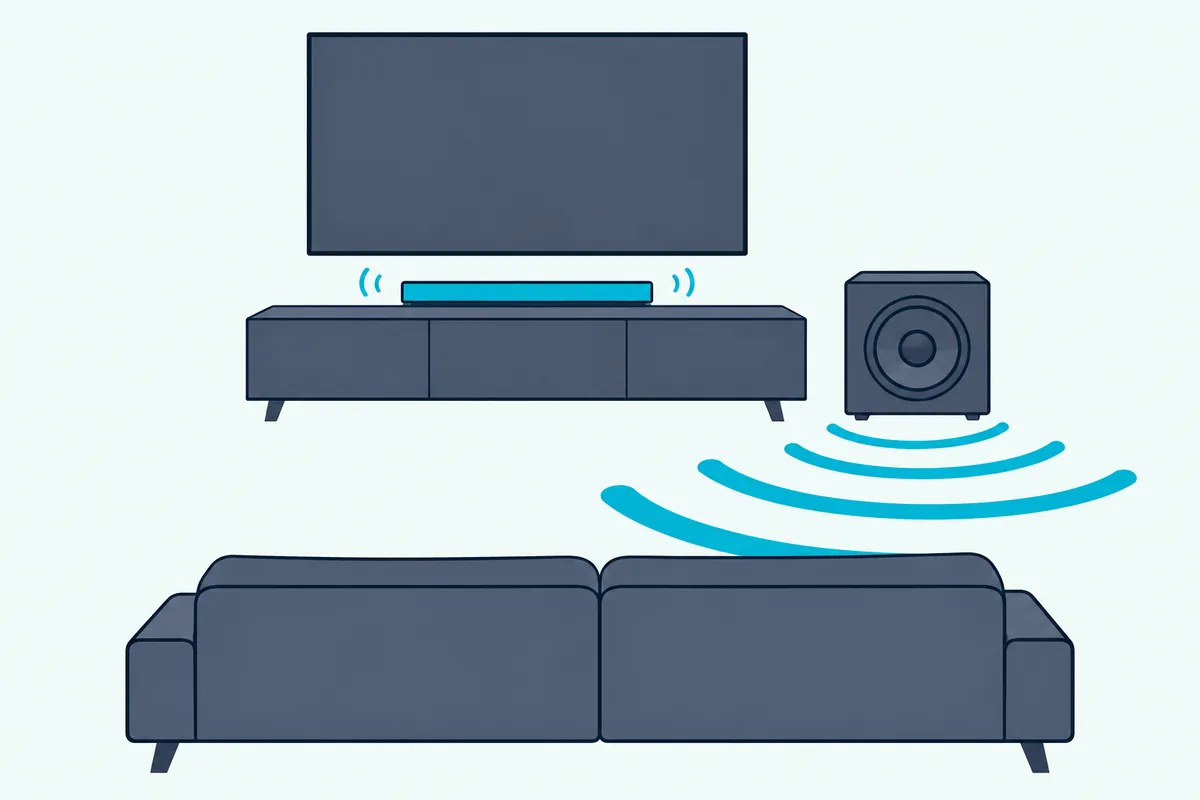
RTINGS makes the point in its 5.1 list: lacking a dedicated sub, LG’s all-in-one Sound Suite H7 can’t put out as much low-end thump as the HW-Q800F. Dolby’s setup guide adds that bass isn’t directional, so the sub can sit almost anywhere in the room (Dolby).
Dolby also notes that a subwoofer lets the main speakers be smaller and easier to place, the same trade that keeps a soundbar slim. Sony adds a caveat in its Theater Bar 6 guide: when a TV program carries little bass, the sub may be hard to hear, so a TV used mostly for news and talk shows may not need one.
Is a Built-In Woofer as Good as a Separate Subwoofer?
That caveat leads straight to one-box designs, which still need bass drivers somewhere. A built-in woofer can carry a small room, but the boxed subs here are bigger: Yamaha’s one-box SR-B20A uses two 3-inch built-in subwoofer cones, against the 5-1/8-inch to 6 3/8-inch woofers in this page’s bundled subs.
Klipsch makes the same split inside one family. It describes the Flexus Core 200’s built-in subwoofers as ‘no subwoofer required’, yet sells the 10-inch Flexus Sub 100 for the same models (Klipsch).
RTINGS’s comparison above is the practical test, since its all-in-one alternative couldn’t match the Samsung’s low-end thump. The Bose and Sonos picks sit in between: each soundbar works on its own and takes its maker’s sub, now or later.
If floor space rules a sub out, Burton Acoustix’s all-in-one soundbar roundup compares models that keep their woofers inside the cabinet. Our soundbar guide explains how each type differs.
Does a 3.1 Soundbar With a Subwoofer Beat a 2.1 for Dialogue?
Bass is only half the story, since voices come from the soundbar itself, and Dolby’s numbering shows where they go. In a layout like 3.1 or 5.1.2, the first number counts ear-level speakers including the center, the second counts subwoofers and the third counts height speakers, so a 3.1 adds a dedicated center channel that a 2.1 lacks.
Makers put that center channel to work on dialogue. Samsung says the HW-B630F’s built-in center speaker delivers clearer dialogue by amplifying voice audio, and Polk pairs the Signa S4’s dedicated center channel with VoiceAdjust for the same job.
Processing helps voices on any layout. Hisense’s 2.1 HS2100 has a News mode, Sony’s Voice mode emphasizes dialogue, Sonos’s Speech Enhancement and Bose’s dialogue mode do the same on one-box designs, and Samsung’s HW-Q800F adds an Active Voice Amplifier that listens for background noise.
If speech is the main complaint, a 3.1 with a dialogue feature is the safer choice, and the HW-B630F is this guide’s budget route to one. A 2.1 suits rooms where the sub’s bass is the upgrade you’re after.
For seven more systems with a center channel, including Sony’s BRAVIA Theater Bar 5 and the all-in-one Fire TV Soundbar Plus, see the best 3.1 sound bar picks.
How Big a Subwoofer Does Your Room Need?
Center channels take care of voices, so the next question is how much bass the box can make. Bose is the only maker of these picks to suggest a room size, 12 x 14 feet for the Smart Ultra, so compare woofers instead: the bundled subs run from 5-1/8 inches (Yamaha) and 5.25 inches (Polk Signa S3, Hisense) through 5.9 inches (Polk Signa S4) and 6 inches (VIZIO) to 6 3/8 inches (Sony), while Samsung and Bose don’t list theirs.

Add-on subs go bigger: Sonos’s Sub Mini uses two 6-inch woofers, Klipsch sells its Flexus Sub 100 as a 10-inch wireless subwoofer, and Bose fits its Bass Module 500 into a 10-inch cube. For how low a system goes, the published figures here are Polk’s 45 Hz to 20 kHz for the Signa S3, VIZIO’s 45 Hz to 16 kHz for the Elevate SE and Sonos’s ‘as low as 25 Hz’ for the Sub Mini.
In a room of 500 square feet or more, soundbars for big open rooms adds the Klipsch Flexus Core 300, whose spec sheet lists 106 dB maximum output, and Sony’s Theater Bar 9, which takes two subwoofers.
Placement changes the result too, and our guide to the best spot for a soundbar subwoofer covers corners, the subwoofer crawl and apartments. Bose’s advice for its bass modules is the floor along the TV wall, closer to walls and corners for more bass and away from them for less.
In a shared building, the level controls also matter: the HW-B630F’s Night Mode compresses the low end, and the HW-Q800F’s Moderate Bass setting mutes the sub.
Do You Need Dolby Atmos or Rear Speakers With a Subwoofer?
Bigger bass fills the room, while height and rear speakers move sound around it. You need Atmos only if you want overhead effects, which come from up-firing drivers that Dolby counts as height speakers, and Polk lists an HDMI eARC link as a requirement for the Signa S4’s Atmos.
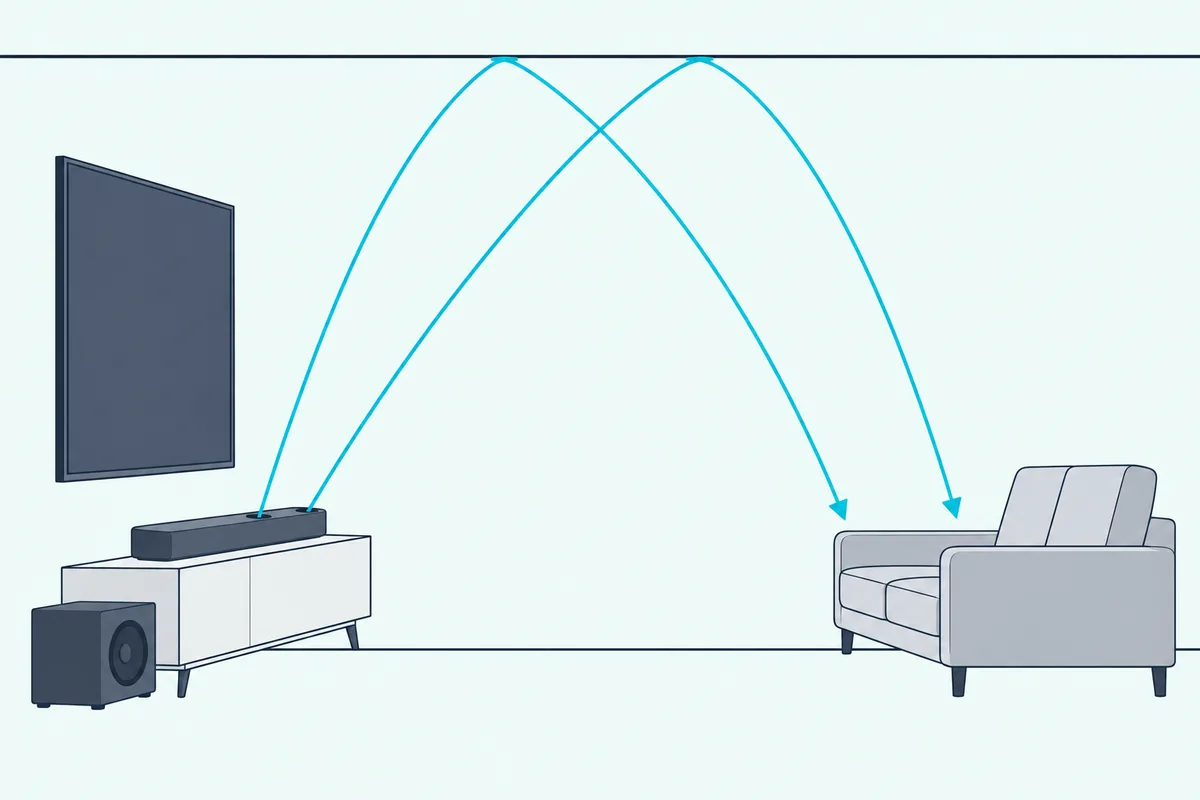
Among the Atmos picks, the Signa S4, Theater Bar 6, Elevate SE and Smart Ultra list up-firing or top speakers, and RTINGS credits the HW-Q800F with up-firing drivers. The Beam is the exception, with phantom height created by processing, and models without height drivers, like the HW-B630F, use DTS Virtual:X for a sense of height instead.
Rear speakers are the other upgrade: the Elevate SE includes two, the HW-Q800F reaches 7.1.4 with the SWA-9500S rears and the HW-B630F takes the Wireless Rear Speaker Kit. Bose sells its Surround Speakers 700 for its soundbars, and Sonos lets the Beam add a pair of rears.
RTINGS makes the case for real rears in its 5.1 list: a soundbar that relies on side-firing drivers doesn’t sound as immersive with multichannel audio as one with dedicated satellites.
If rears are the goal, six 5.1 systems compared by where their surrounds sit show which ship them in the box and which sell them separately.
For more models that play height effects, see our best Dolby Atmos soundbar picks.
Does the TV Connection Change What You Hear?
Height and rear channels only arrive if the cable from the TV can carry them. HDMI eARC is the connection to use when your TV has it: Sony’s guide says eARC carries object-based audio and multichannel LPCM that plain ARC can’t, and HDMI Licensing Administrator lists Dolby TrueHD and Dolby Atmos among eARC’s formats (HDMI LA).
Every pick here connects to the TV through one HDMI port with ARC or eARC, and all but the VIZIO also take optical. Sony notes that when both cables are connected to the Theater Bar 6, the HDMI input takes priority.
Most of these picks put the cable you need in the box: Polk includes HDMI and optical cables, Sony, VIZIO and Sonos include an HDMI cable, Bose adds both, and Sonos adds an optical adapter.
A separate HDMI input on the soundbar matters only if you’d rather plug a streaming box or console into it: the HW-Q800F, Signa S3 and HW-B630F have one, while the Signa S4, Theater Bar 6 and Smart Ultra don’t. Bose spells out the alternative: with the Smart Ultra, every source connects to the TV, and one HDMI or optical cable runs from the TV to the soundbar.
On every pick here, the sub takes its signal from the soundbar, not from the TV.
Should You Buy a Bundled Sub or Add One Later?
That soundbar-to-sub link is where bundled systems and add-later ones part ways. Eight of these picks ship with a matched sub in the box, which keeps setup simple, while the Sonos and Bose picks let you buy a good soundbar now and the maker’s sub when budget or space allows.
Matched subs come from Sonos (the Sub Mini, or the larger Sub 4 with two 5 x 8-inch woofers), Bose (the Bass Module 500 and 700, with up to two of one model on the Smart Ultra) and Klipsch (the Flexus Sub 100 for its Flexus Core models). Sonos’s Sub Mini pairs with its Ray, Beam and Arc models, and Sonos even lets two subwoofers pair with its Arc Ultra.
If you’re tempted by a second one later, these brand-by-brand pairing rules show what each maker allows, since Bose won’t mix a 700 and a 500 on one bar.
Models with a subwoofer output take a separate powered sub by cable instead: Yamaha’s SR-B20A and SR-B30A and Denon’s DHT-S218 all list one (Denon). Our walkthrough on how to add a subwoofer to your soundbar lists which models take one and how to connect it.
What Does a Wireless Subwoofer Still Need?
Every pick above links its sub to the soundbar without a signal cable, but wireless only covers the audio. Each sub still needs its own power outlet: Samsung, Sony and Polk tell you to plug the sub’s power cord in at setup, Sonos builds a power supply into the Sub Mini, and Bose asks for an outlet near the bass module.
Once it’s plugged in, a Bose module pairs from the soundbar’s Settings menu in the Bose app, as our Bose subwoofer connection walkthrough shows bar by bar.
Range and interference matter too: Samsung’s HW-Q800F manual gives the wireless range as up to 10 meters in normal conditions and warns that a steel or reinforced-concrete wall blocks the signal. Sony warns that metal objects near the Theater Bar 6 can make its wireless functions unstable, and Samsung adds that a nearby device on the same frequency can interrupt the sound.
If you’d rather run a wire, Bose’s bass modules take its Bass Module Connection Cable. Sony’s BRAVIA Theater System 6 goes further, cabling its front speaker to a subwoofer that acts as the main unit of the system (Sony).
How Do You Pair a Soundbar’s Subwoofer by Brand?
Wireless links occasionally drop, and each maker re-pairs its sub a little differently. Samsung and Polk subs connect on their own when the soundbar powers up, and the table routes you to each brand’s step-by-step page along with the control its maker names:
| Brand | What the maker documents | Step-by-step page |
|---|---|---|
| Samsung | Connects when the soundbar turns on; hold ID SET on the sub to pair by hand | connect a Samsung subwoofer to its soundbar |
| Polk | Connected at the factory; hold the sub’s CONNECT button to link it again | Polk subwoofer reconnect steps |
| Sony | Press LINK on the sub when the BRAVIA Connect app can’t connect it | Sony subwoofer setup steps |
| LG | Automatic and manual pairing, light codes and rear speakers | Burton Acoustix’s LG pairing walkthrough |
| VIZIO | Buttons by model, the app and light codes | Burton Acoustix’s VIZIO pairing steps |
| Sonos, Bose and others | Sonos sets up in its app; Bose’s module connects wirelessly; anything else starts with auto pairing | general subwoofer re-pairing checklist |
The LG and VIZIO rows describe what our pages cover.
JBL subs pair with a button on the sub plus a short remote sequence that differs by generation, and the JBL soundbar and subwoofer pairing steps lay them out bar by bar.
Can You Adjust the Subwoofer’s Level After Setup?
Once the sub is paired and placed, its level is the next thing to set. The makers that document a level control put it in different places: Samsung’s remote has a Woofer (bass) Level control and a BASS setting from -6 to +6, Polk’s Bass Adjust moves the soundbar and sub together, Sony’s remote has a BASS level button and Bose puts its bass control in the Bose app.
Room tuning helps too. Samsung’s SpaceFit Sound Pro and Bose’s ADAPTiQ measure the room with a microphone, Sonos’s Trueplay adapts the Sub Mini’s bass to the room even next to a wall, and Sony’s app sets each speaker’s distance and level from your seat.
Start at the default level, play a scene you know well, and change one step at a time. If voices get buried, turn the sub down or use the maker’s dialogue mode before turning the master volume up.
The Bottom Line
Those settings are the last thing to check after you buy. For most living rooms, the Polk Signa S4’s center channel, Atmos and 5.9-inch sub cover the most ground, while the Theater Bar 6 adds the biggest bundled woofer here and the HW-Q800F suits big rooms and later rear speakers.
The Elevate SE puts rear channels in the box, the Bose and Sonos picks suit buyers building into one maker’s system, the Signa S3 music streaming, the HW-B630F dialogue, the SR-C30A small rooms and the HS2100 a tight budget. If none of them fits, our list of the cheapest soundbars worth buying includes models with and without subs.
Frequently Asked Questions
Is a soundbar with a woofer the same as one with a subwoofer?
Usually, yes. Shoppers often say woofer, but makers use the word for the bass driver itself: Polk lists the Signa S4’s subwoofer as holding one 5.9-inch woofer, and the HW-Q800F’s remote has a Woofer (bass) Level control. A soundbar sold with built-in subwoofers, like Yamaha’s SR-B20A with its two 3-inch cones, keeps the bass drivers inside the cabinet instead of in a separate box.
Which brand makes the best soundbar with a subwoofer?
No single brand wins every room. On published specs, Polk pairs Atmos and a center channel with a wireless sub in the Signa S4, Sony fits the biggest bundled woofer here into the Theater Bar 6, Samsung covers the widest range from the 3.1 HW-B630F to the rear-ready HW-Q800F, and VIZIO puts rear speakers in the box. Bose and Sonos sell soundbars you build on with their own subs, Yamaha makes a compact 23-5/8-inch system and Hisense the budget one.
Do you need a subwoofer if your soundbar has Dolby Atmos?
Not for Atmos itself, since height and bass are separate channels. Dolby’s numbering lists the subwoofer and the height speakers as different numbers, and Sonos’s Beam plays Atmos without a sub until you add its Sub Mini. A sub adds the low end, and an Atmos soundbar with a wireless sub, like the Signa S4 or Theater Bar 6, gives you both in one box.
How far can a wireless subwoofer be from the soundbar?
Samsung gives the clearest figure: up to 10 meters, about 33 feet, under normal conditions for the HW-Q800F, with steel or reinforced-concrete walls blocking the signal. Sony gives no distance for the Theater Bar 6 but warns that metal objects nearby can make its wireless functions unstable. Bose’s advice for its bass modules is the floor along the TV wall with an outlet nearby, which keeps the sub close anyway.
Can your TV remote control a soundbar with a subwoofer?
Often, yes. Sony’s BRAVIA Sync links power and volume with Sony TVs, a Samsung TV remote runs the HW-B630F’s power, volume and sound modes, and VIZIO’s Elevate SE has no remote of its own, so the TV remote or VIZIO’s app runs it. Polk says the Signa S4 works with most TV remotes out of the box, Bose’s Smart Ultra takes universal remotes that carry Bose’s IR commands, and Hisense’s EzPlay lets a compatible Hisense TV remote run the HS2100.
How far from the wall should the subwoofer go?
Close enough to suit the room, but not jammed in. Sony asks for at least 2 inches between the Theater Bar 6’s sub and a wall or TV stand, and says not to lay it on its side. Bose suggests the floor along the TV wall, nearer walls and corners for more low end and farther out for less, and Sonos says Trueplay keeps the Sub Mini balanced even next to a wall. Our placement guide covers the rest.
Can you use two subwoofers with one soundbar?
Some systems allow it. Bose lets two bass modules connect wirelessly to a Smart Ultra Soundbar as long as both are the same model, and Sonos lets two subwoofers pair with its Arc Ultra. Dolby notes that most setups use one subwoofer and some use two for a large space, while the bundled systems on this page list only their own single sub.
Can you use a soundbar with a subwoofer on a PC?
Yes, as long as the PC and the soundbar share an input. Nine of the ten picks take Bluetooth (Sonos lists none for the Beam), and the Polk Signa S4, Polk Signa S3, Yamaha SR-C30A and Hisense HS2100 also have an analog (AUX) input. On a desk, the Yamaha’s short 23-5/8-inch soundbar fits where a 3-foot model won’t.
Does a 1000-watt soundbar with a subwoofer sound better?
Not necessarily, because makers state power in different ways. Yamaha splits the SR-C30A’s 90 W into 20 W per front channel and 50 W for the sub, while Hisense lists 240 W as the HS2100’s maximum audio power, and neither figure tells you the woofer size or how low the system plays. Polk’s 45 Hz to 20 kHz response for the Signa S3 says more about bass depth than a watt rating.