Do I Need a MIDI Controller? What You Can Make Without One
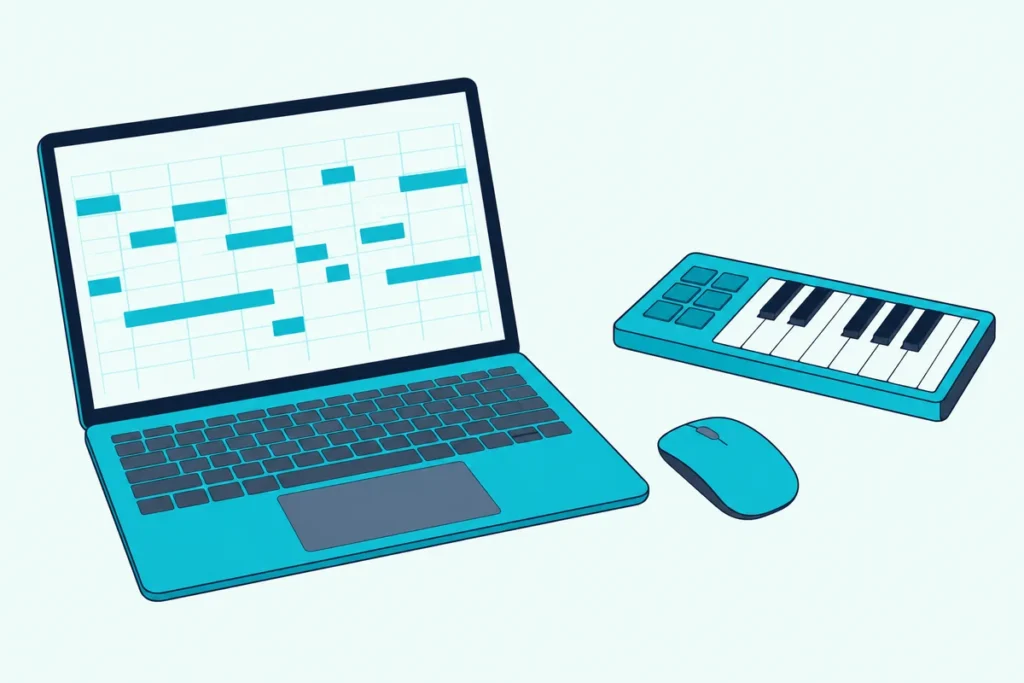
After an hour of clicking single notes into a piano roll, most beginners start wondering, do I need a MIDI controller to do this faster?
The honest answer is no, because your software lets you draw notes, play them from your computer keyboard and enter them one step at a time, but a controller changes how a part feels.
This guide shows what Ableton Live, Logic Pro, GarageBand, FL Studio, Cubase and Reaper give you without hardware, straight from their own manuals.
You’ll also see what a controller adds, which kinds of music need one, and three first controllers worth a look if you decide to buy.
Start with the free route, because it shows you quickly whether the gap is speed, feel or hands-on control.
Do I Need a MIDI Controller to Make Music?
That depends on how you want to get notes into your software, because none of the six programs above needs a controller to start a song. Each one lets you draw, type or click notes in with the computer you already own.
| If you’re making | Do you need a controller? | What covers it without one |
|---|---|---|
| Drum loops built on a grid | No | FL Studio’s Step Sequencer, which its manual calls ideal for drum loops and simple melodies |
| Melodies drawn note by note | No | Draw mode in Ableton Live or FL Studio’s piano roll |
| Parts with natural dynamics | Helps a lot | Ableton says velocity is recorded when you press a key or a pad on a controller |
| Patterns tapped out by hand | Pads help | Ableton can play drum patterns from the computer keyboard, but velocity is set with keys, not touch |
| Recorded vocals or guitar only | No | No MIDI is involved |
| Hands-on knobs and faders | Yes | Ableton says most of Live’s controls can be mapped to an external MIDI controller |
A controller is about feel and speed, not permission. If the term itself is new, our explainer on what counts as a MIDI controller covers it in a few minutes.
Can You Make Music Without a MIDI Controller?
Yes, because every note a controller would send can be entered another way. Ableton’s manual says you can add notes by double-clicking in its MIDI Note Editor or by drawing with the mouse when Draw Mode is on, which the B key toggles (Ableton).
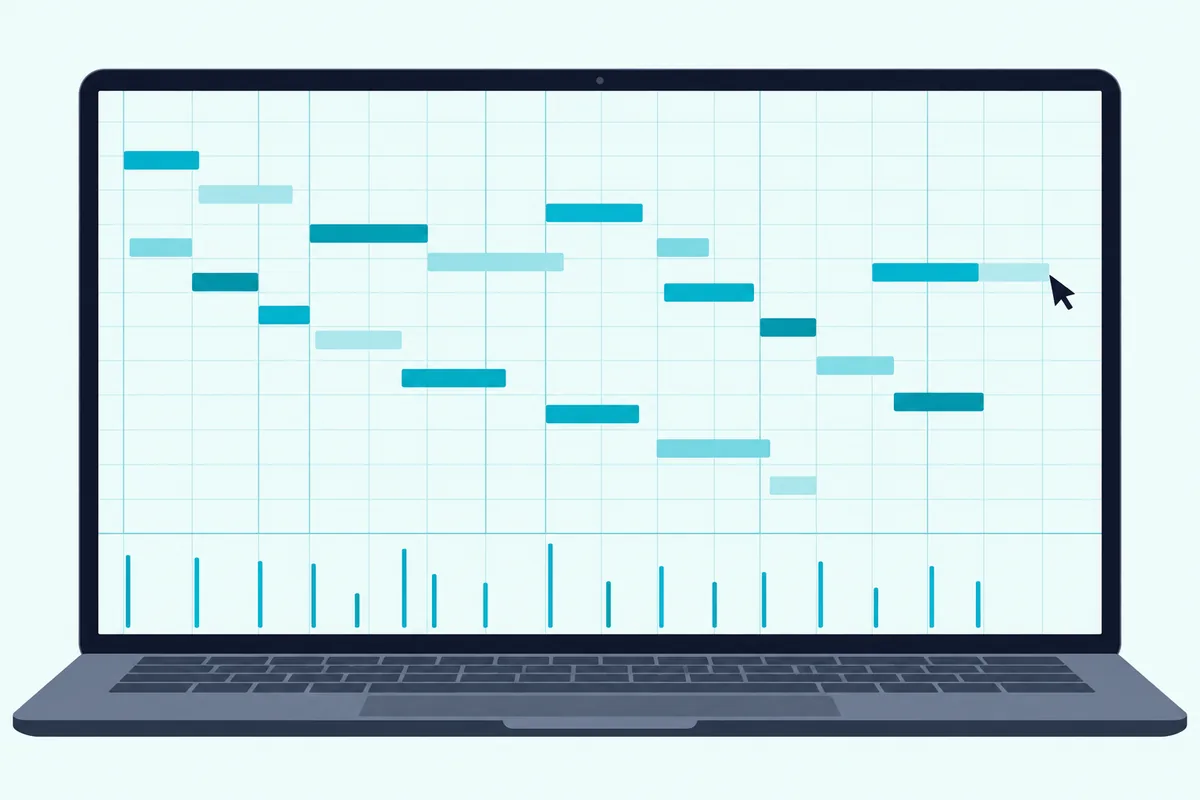
FL Studio’s piano roll works the same way: its draw mode adds a note on a left-click and deletes one on a right-click (FL Studio manual). Its Step Sequencer is a pattern-based grid that the manual calls ideal for creating drum loops and simple melodies (FL Studio manual).
Dynamics aren’t lost either. Every note carries a velocity, which the MIDI Association says decides how loud it plays relative to other notes, and Ableton’s Velocity Editor lets you drag a note’s marker to set it by hand.
Ableton also offers ramp and randomize tools for velocities, so a drawn part doesn’t have to sound flat. FL Studio’s step input goes further, because each key press enters a note and moves the cursor to the next beat, so you never have to play in time.
Your software can also write notes for you. Ableton Live 12’s Generative Tools add new notes to a clip without any input, including a Rhythm tool that builds a pattern of up to 16 steps for a single drum pad and a Stacks tool that adds chords or whole progressions within a scale (Ableton).
FL Studio’s Chord Stamp tool places a chord of your chosen type wherever you click, following the current scale, and its stamp menu also holds percussion note patterns. Ableton warns that generated notes replace any notes already in the selection, so try them on an empty clip or a copy, and which of these tools you have depends on your edition.
The cost is time, not sound. Placing a long part note by note takes far longer than playing it, which is the gap a controller closes.
Get Studio Tips Weekly
Join 5,000+ creators getting acoustic treatment advice every week.
No spam. Unsubscribe anytime.How Do You Play Notes With Your Computer Keyboard?
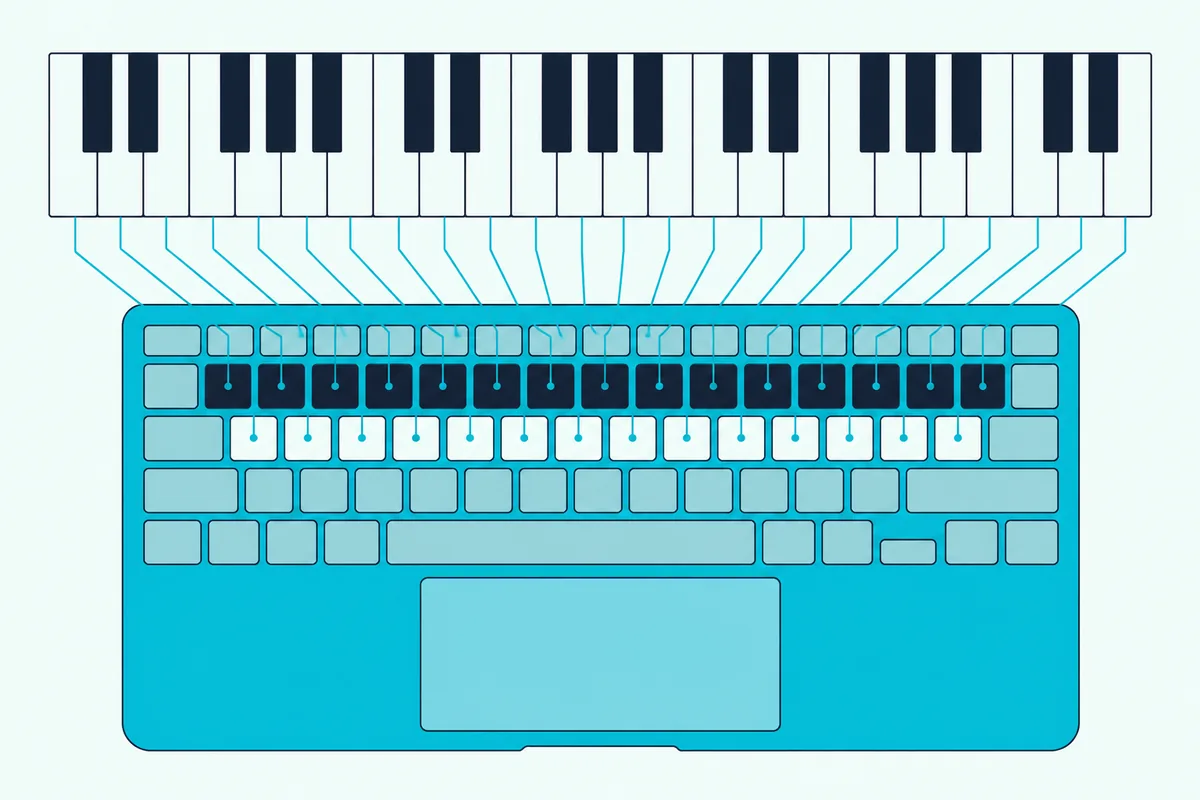
Once drawing gets slow, the next free step is to play notes from the keys you already own, and each program handles it a little differently.
| Program | How to turn it on | What the keys do |
|---|---|---|
| Ableton Live | The Computer MIDI Keyboard button, the Options menu entry or the M key | The middle letter row plays white keys from C3, Z and X move the octave, and C and V change velocity in steps of twenty |
| Logic Pro and GarageBand | Window, Show Musical Typing, or Command-K | Z and X move octaves, C and V lower or raise velocity, 1 and 2 bend pitch, and Tab toggles sustain |
| FL Studio | Typing keyboard to piano keyboard, Ctrl or Cmd plus T | The computer keyboard plays notes and does step entry, and Alt or Option plus number pad 2 to 6 changes the octave |
| Cubase | The On-Screen Keyboard, shown or hidden with Alt or Option plus K | Click the keys or press the matching computer keys to play and record notes |
| Reaper | View, Virtual MIDI Keyboard, or Alt plus B | The on-screen keyboard plays with the mouse or the PC keyboard |
The catch is that a computer key can’t feel how hard you press it. Ableton’s C and V keys change velocity in steps of twenty, and Apple’s onscreen keyboard plays a note louder when you click lower on a key.
Logic Pro’s Musical Typing even covers the wheels, with keys 4 to 8 setting the mod wheel value and keys 1 and 2 bending pitch for as long as you hold them. That’s a coarse stand-in for a wheel, so expressive bends and swells are where a real controller feels different.
Cubase’s manual says its on-screen keyboard is useful when you have no external MIDI instrument at hand and don’t want to draw notes with the Draw tool (Steinberg). Ableton, FL Studio and Cubase all warn that playing from the typing keyboard takes over other key commands, so switch it off when you’re done.
Our guide to playing MIDI from a computer keyboard covers what it can and can’t do in more depth.
Do You Need a MIDI Keyboard to Make Beats?
No, because beats are the job these tools handle best without one. FL Studio’s Step Sequencer is built for drum loops, and Ableton’s manual says that with the computer MIDI keyboard set between C3 and C4, the center row of keys maps to its Impulse sampler’s slots, so you can play and record drum patterns from the computer keyboard.
Pads are where hardware starts to pay off for beats, because they respond to how hard you hit. Akai’s MPK mini IV, for example, lists eight velocity- and pressure-sensitive RGB pads, and our roundup of pad controllers for finger drumming covers pad-only boxes.
If timing is your problem rather than feel, step input is the fix. FL Studio enters one note per key press and moves to the next beat, with a step size you can change.
What Does a MIDI Controller Add That the Mouse Can’t?
Those workarounds cover the notes, but a controller adds three things they can’t match: played dynamics, speed and hands-on control.
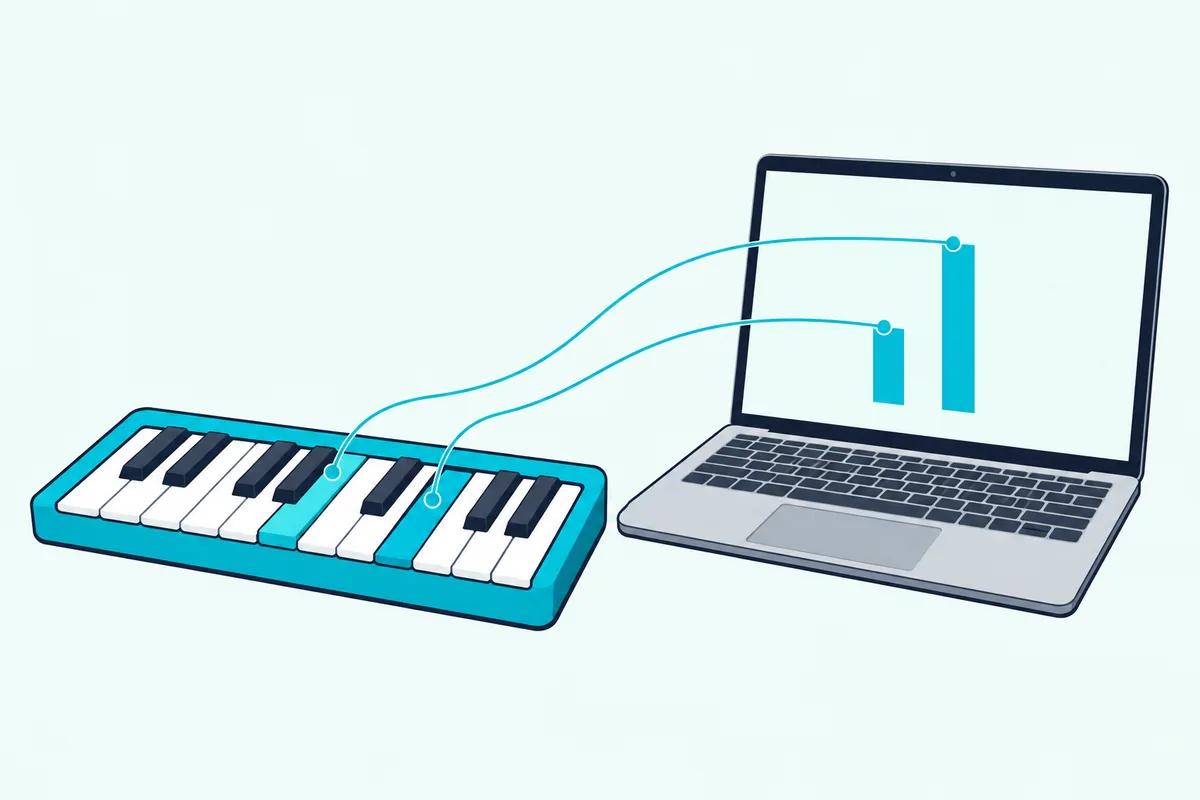
On dynamics, Ableton’s manual says velocity is recorded when a note is played by pressing a key or a pad on a controller. The MIDI Association adds that a key press sends both which key it was and how hard it was pressed.
On speed, FL Studio’s manual describes recording from live MIDI controllers and then editing to fix mistakes. Ableton’s Capture MIDI retrieves what you just played, which its manual says helps if you forgot to press Record or prefer to improvise without the stress of recording.
Playing imperfectly isn’t a barrier either. Ableton can quantize notes as you record them, and its Quantize tool has an Amount control that moves notes only part of the way to the grid, so a part keeps some human feel.
On hands-on control, Ableton says most of Live’s controls can be mapped to an external MIDI controller, which frees you from the mouse. Berklee Online adds that pads, knobs and sliders can be crucial for triggering samples or writing automation in a DAW like Ableton Live.
M-Audio lists octave buttons, pitch-bend and modulation wheels, a volume slider and transport controls on its Keystation 49 MK3 for playing and recording without a mouse or trackpad.
A controller also helps if you don’t play piano. Akai says its MPK mini IV’s Scale mode locks the keys to a scale and its Chord mode plays full chords from single notes, and Arturia lists a chord mode on the MiniLab 3.
When Is a MIDI Controller Worth Buying?
Those three gains tell you when the money is well spent, and the table sorts the cases.
| Buy one when | Wait when |
|---|---|
| You’d rather play a part than place it note by note | Your tracks are built from loops on a grid |
| You keep reaching for the mouse to move the same knobs | You mostly record vocals or guitar |
| You want to finger-drum or tap out rhythms | You haven’t tried the computer-keyboard and draw methods above |
| You need velocity to shape how a part sounds | Desk space or budget is the real limit |
If two or more rows on the left sound like you, a controller will probably earn its place on the desk. If you’re still on the fence, spend a week on the free methods first, since they show which gap you actually feel.
How Can You Test What You Need Before You Buy?
Use the free tools in a fixed order, so you can tell which gap is real instead of guessing. The test takes about a week of short sessions, and it helps to write down how long each step takes.
- Draw a four-bar loop with Draw Mode or the piano roll, and note how long it takes.
- Play the same part from the computer keyboard, using your program’s shortcut from the table above.
- Enter it again with step input, and watch whether timing or feel is the problem.
- Open the velocity lane and shape a few notes by hand, to see whether drawn dynamics satisfy you.
If step 1 was the slow part, the gap is speed, and keys will help most. If steps 2 and 4 left the part sounding stiff, the gap is feel, and velocity-sensitive keys or pads are the fix.
If you found yourself reaching for the mouse to turn the same parameters, the gap is control, and knobs and faders are the answer. If none of it bothered you, a controller can wait.
Could a Keyboard You Already Own Be Your MIDI Controller?
Possibly, because any keyboard that can send MIDI to a computer works as a controller, and that’s worth checking before you buy anything. Casio’s support page sorts its keyboards into three groups: those with standard MIDI In and Out ports need a compatible MIDI interface and cables, those with USB work on a Mac only if they’re class compliant, and those that need their own driver have one only for certain versions of Windows (Casio).
Look at the back panel for a USB port or two five-pin MIDI sockets marked In and Out. Our guide to using a Casio keyboard as a MIDI controller walks through the ports, cables and tests, and the checks carry over to other makers’ keyboards.
Berklee Online says a MIDI-capable digital piano or workstation will generally work for note entry only, and that if note entry is all you need, a keyboard you already have may be completely sufficient. A keyboard with neither port can’t send notes to a computer at all, so in that case a new controller is the way in.
Which MIDI Controller Should You Buy First?
If you decide to buy, three first controllers cover the common cases, and each comes with the maker’s own description of what it does.
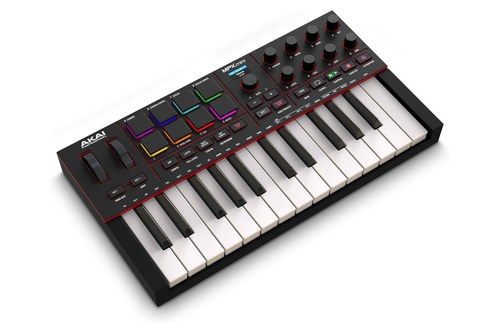
The Akai MPK mini IV has 25 velocity-sensitive mini keys, eight assignable rotary knobs and eight velocity- and pressure-sensitive RGB pads, according to Akai. It’s the pick for beats and melodies from one small box, and its Scale and Chord modes are the part a non-pianist will notice.
The Akai MPK mini IV
Akai also lists USB-C bus power, a full-size MIDI output, a sustain pedal input and pre-programmed DAW mapping for Ableton Live, Logic Pro, FL Studio and more. The included Studio Instrument Collection holds over 1,000 sounds from AIR, Akai Pro and Moog, and Ableton Live Lite 12 comes with it.
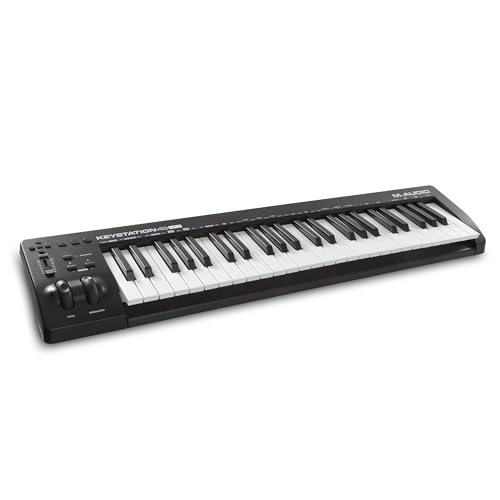
The M-Audio Keystation 49 MK3 has 49 natural feeling full-size velocity-sensitive keys, according to M-Audio. It’s the simple choice for playing chords and melodies, and it has a 1/4 inch sustain pedal input.
The M-Audio Keystation 49 MK3
M-Audio says it’s USB-powered and class-compliant, with octave buttons, pitch-bend and modulation wheels, a volume slider and transport controls.
The Arturia MiniLab 3 packs 25 slim velocity-sensitive keys, eight pads in two banks, eight encoders and four sliders into a 355 by 220 by 50 millimeter body, according to Arturia. Its bundle lists Analog Lab Intro, Ableton Live Lite, Melodics and UVI Model D, and it has a built-in arpeggiator and chord mode.
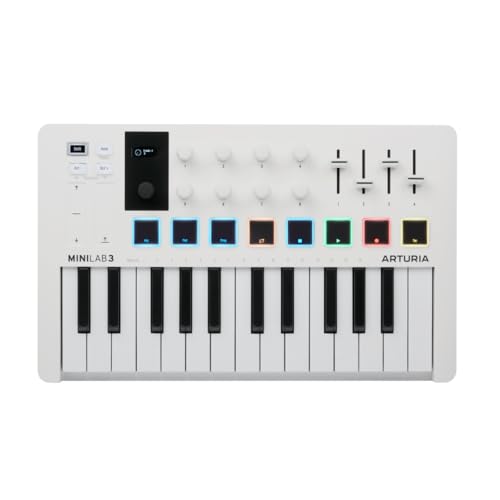
The Arturia MiniLab 3
Berklee Online says a smaller key count suits single-line melodies and portability, while piano players and notation users may want more keys, and that key type is one of the biggest factors in price. If you’re torn on size, our guide to choosing the right number of keys walks through 25, 49, 61 and 88.
What Else Do You Need Besides a MIDI Controller?
Sound, because the notes a controller sends aren’t audio. The MIDI Association says MIDI data is only performance instructions and not a digital version of a sound recording, so you need software instruments to turn the notes into sound.
Because the software makes the sound, a USB controller doesn’t need an audio interface to be heard, and the computer’s own output plays it. M-Audio describes its Keystation as USB-powered and class-compliant, and Casio’s support page says class-compliant USB keyboards need no driver.
You’ll also want headphones or speakers and a DAW, and all six programs above include the computer-keyboard route, so you can try the whole chain before any hardware arrives. Several controllers bundle software too, such as Akai’s Studio Instrument Collection and Arturia’s Analog Lab Intro.
The Bottom Line
You don’t need a MIDI controller to start making music, because drawing notes, playing from the computer keyboard and step entry all work in the software you already have.
You’ll want one when you care about played dynamics, speed or hands-on control, and the Akai MPK mini IV, the M-Audio Keystation 49 MK3 and the Arturia MiniLab 3 are sensible places to start.
Whatever you choose, try the free methods for a week first, because they tell you which of those three gaps you actually feel.
Frequently Asked Questions
Do I need a MIDI keyboard to make beats?
No. FL Studio’s Step Sequencer is built for drum loops, and Ableton can play and record drum patterns from the computer keyboard. Pads help if you want to tap rhythms by feel.
Is a MIDI keyboard necessary for music production?
No. Every program covered above lets you draw notes with the mouse, and Ableton Live, Logic Pro, GarageBand, FL Studio, Cubase and Reaper each include a way to play notes from the computer keyboard.
Do MIDI controllers help?
Yes, for dynamics, speed and hands-on control. Ableton says velocity is recorded when a note is played on a controller, and that most of Live’s controls can be mapped to one.
Can I use my computer keyboard instead of a MIDI controller?
Yes, in every program above. The limits are that velocity is set with keys instead of touch, as with Ableton’s C and V keys in steps of twenty, and that playing from the typing keyboard takes over other key commands.
Does a MIDI controller make sound?
No. The MIDI Association says MIDI is not audio, so the sound comes from a software instrument or another sound source.
Do I need to know piano to use a MIDI controller?
No. Akai says its MPK mini IV’s Scale mode locks the keys to a scale, and its Chord mode plays full chords from single notes.
Do I need a MIDI controller for Ableton, FL Studio or Logic Pro?
No. Ableton’s Computer MIDI Keyboard, FL Studio’s typing keyboard to piano keyboard and Logic Pro’s Musical Typing all play notes without hardware.
How many keys do I need on my first MIDI controller?
It depends on what you play. Berklee Online says a smaller key count suits single-line melodies and portability, while piano players and notation users may want more, and the three picks above run from 25 to 49 keys.
Do I need weighted keys?
Not necessarily. Berklee Online says people used to a real piano may prefer weighted keys, while those unfamiliar with piano may have no preference, and that key type is one of the biggest factors in price.
Do I need to play in time?
No. Ableton can quantize notes as you record them or afterward, and its Quantize tool’s Amount control moves notes only by a percentage of the set value, so you can tighten a part without making it stiff.
Does a MIDI controller have to be a keyboard?
No. Berklee Online lists instrument-modeled controllers, MIDI pad controllers, DJ controllers with MIDI, MIDI foot controllers and Ableton Live controllers alongside keyboards.
What’s the cheapest way to try MIDI before buying a controller?
Turn on your program’s computer-keyboard mode, which is the M key in Ableton, Command-K in Logic Pro and GarageBand, Ctrl or Cmd plus T in FL Studio, Alt or Option plus K in Cubase and Alt plus B in Reaper, and play a part. Then decide whether the gap is speed, feel or control.