Which HDMI for Soundbar? The Port, the Plug and the Cable
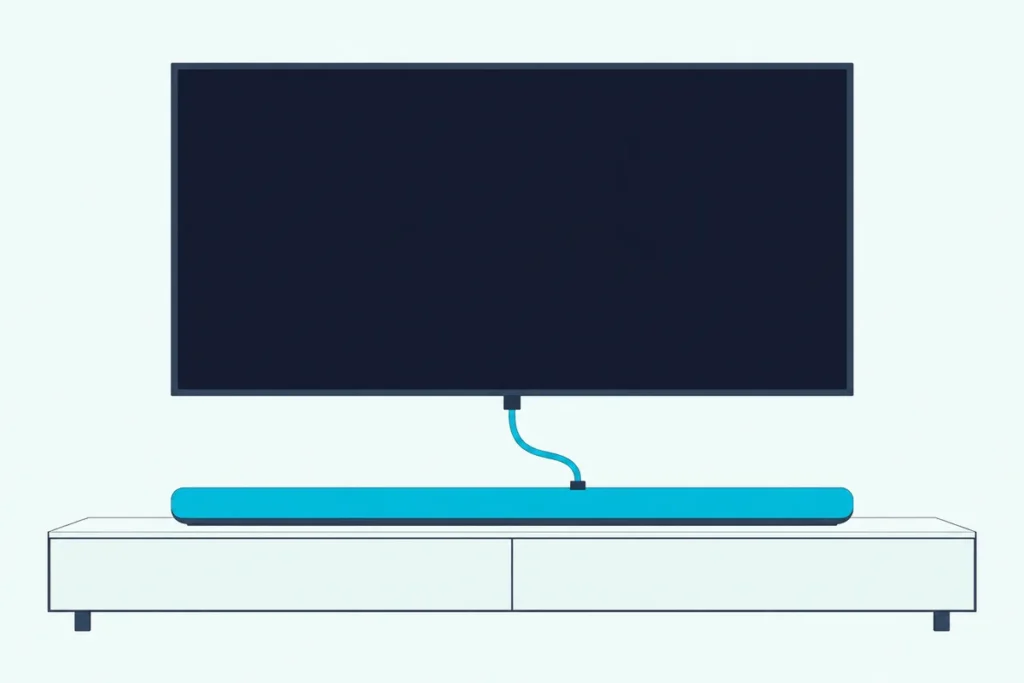
The short answer to which HDMI for soundbar setups need is the TV port marked ARC or eARC, wired to the bar’s port marked for the TV, with an ordinary certified HDMI cable between them.
Plug into any other HDMI port and every app keeps playing through the TV’s own speakers, however firmly the cable sits.
Get the two labels right and one cable carries the TV’s sound to the bar, while HDMI-CEC lets the TV remote run its volume.
The labels come first and the cable second, because no cable, however pricey, can rescue a lead plugged into the wrong socket.
Below, each step uses the exact port names LG, Samsung, Sony, Sonos, JBL, VIZIO, Polk and Bose print, so you can match them to the back of your own TV and bar.
Which HDMI for Soundbar Setups, Port by Port?
That pair of labels decides almost everything, and the table below shows which port and which cable each common setup needs. HDMI Licensing Administrator, the body that licenses HDMI, says in its HDMI 1.4 feature archive that it strongly recommends makers label every Audio Return Channel port “ARC” but doesn’t require them to.
| Your setup | Port on the TV | Port on the soundbar | Cable |
|---|---|---|---|
| TV and bar both have eARC | HDMI eARC (often printed eARC/ARC) | HDMI OUT (TV eARC/ARC) or HDMI TO TV | Ultra High Speed, the HDMI 2.1 cable Dolby asks for |
| One side has only ARC | HDMI ARC | The same TV port on the bar | Any HDMI cable carries ARC, per HDMI LA |
| A player plugged into the bar | The ARC or eARC port, fed by the bar’s output | HDMI IN for the player, the TV port for the TV | One cable per link, rated for the player’s video |
| TV has no ARC at all | No HDMI audio return | HDMI IN for a source, or optical | See the no-ARC section below |
Think of the two ARC-marked ports as the only two-way doors on a street of one-way doors. Every other HDMI socket on the TV only lets sound and picture in.
Where Does the Cable Plug In on the TV?
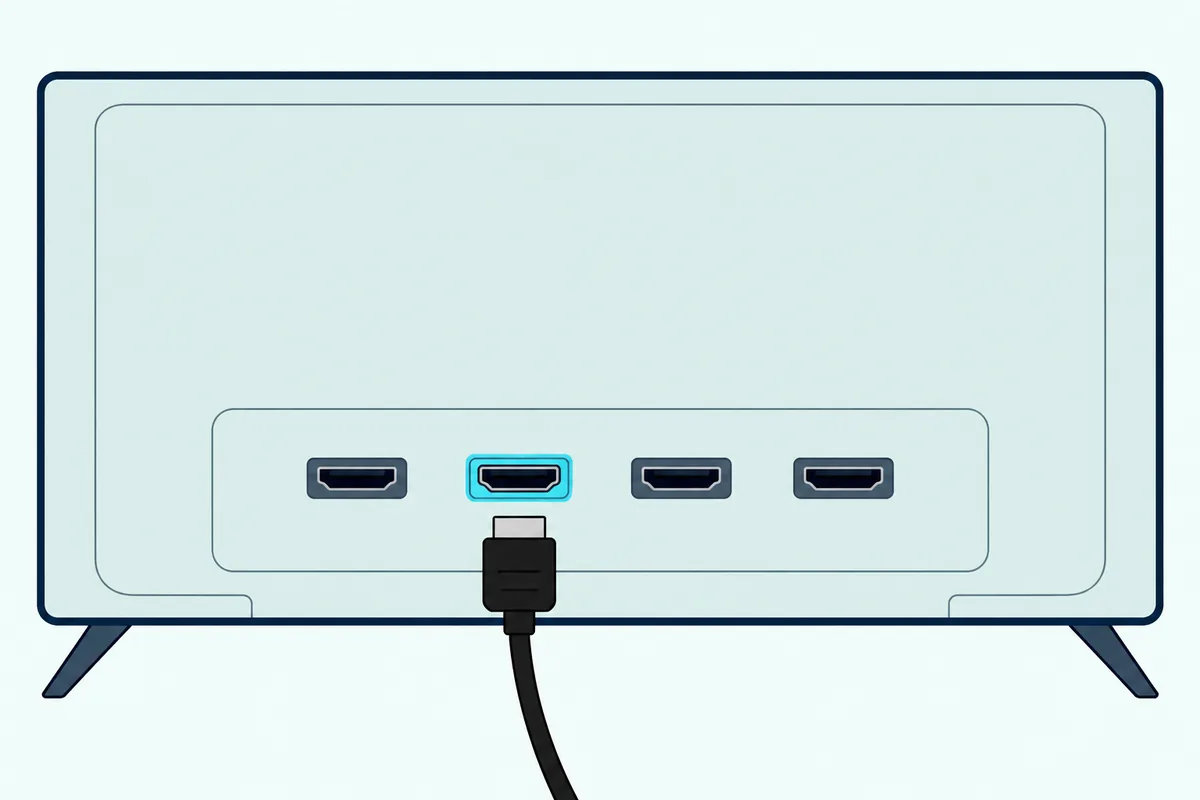
The TV end of that table is the one people get wrong, and the right socket is the single HDMI input printed with ARC or eARC. Polk’s MagniFi Max AX manual puts it bluntly: only one port on your TV is labeled “ARC” or “eARC,” and you must connect to that specific port or you won’t hear TV audio.
Each maker prints the label a little differently. LG’s webOS 25 user guide calls it the HDMI (eARC/ARC) port, Sony’s BRAVIA help guide says to use the HDMI input “bearing the text ARC or eARC/ARC,” Samsung’s 2025 e-Manual lists HDMI (eARC/ARC), and VIZIO’s sound bar manual points to HDMI 1 (ARC) on a VIZIO set.
Bose adds the rule for a TV with both kinds. Its Smart Ultra owner’s guide says to use the port labeled HDMI eARC, not a standard HDMI port, and to fall back to the HDMI ARC port only when no eARC port exists.
Try this before you buy anything: shine a phone light on the TV’s back panel and read the tiny print beside each HDMI socket. If none says ARC, the TV’s manual or spec sheet will settle it, as HDMI LA itself advises checking with the maker.
Get Studio Tips Weekly
Join 5,000+ creators getting acoustic treatment advice every week.
No spam. Unsubscribe anytime.What Do the HDMI Ports on the Back of the Bar Mean?
The bar has its own pair of labels, and the one that goes to the TV is the output, while any port called HDMI IN takes a player, console or streaming box. Sony’s Theatre Bar 6 names its TV socket HDMI OUT (TV (eARC/ARC)) and calls it an HDMI jack “dedicated for connection to a TV,” with three small tactile dots beneath it as a guide.
Samsung’s HW-Q600F prints HDMI TO TV (eARC/ARC) beside a second socket simply marked HDMI, which it says connects to the HDMI output of an external device. JBL’s Bar 500 MK2 uses the same split: HDMI OUT to the HDMI ARC or eARC input on the TV, and HDMI IN to the HDMI output of your digital device.
VIZIO’s SB46514-F6 is the clearest warning label of the lot. Its manual marks the TV socket HDMI Out (ARC) and says not to use HDMI IN for first-time setup.
So the arrow on the bar points the opposite way from the arrow on the TV. VIZIO’s manual says its HDMI cable sends video out and receives audio from the TV, which is why the bar’s OUT socket has to meet the TV’s ARC input and not just any input.
What Are ARC and eARC on a Sound Bar?
Those two labels name the return trip itself. HDMI LA’s feature archive says ARC lets a TV send audio “upstream” to an AV receiver or sound bar over the same HDMI cable, which removes the separate audio lead you’d otherwise need.
LG’s Digital Sound Output table shows what that trip carries on its sets: Dolby Digital, Dolby Digital Plus and Atmos. Only its eARC column adds Dolby TrueHD.
eARC is the enhanced version, and HDMI LA’s eARC page lists uncompressed 5.1 and 7.1, up to 32 channels, Dolby TrueHD, Dolby Atmos, DTS-HD Master Audio and DTS:X among the formats it supports. Sony’s Theatre Bar 6 guide puts the difference in one line: eARC carries object-based audio and multichannel PCM that ARC can’t.
Both ends have to support it, and Dolby’s HDMI 2.1 explainer says an eARC TV paired with an ARC-only bar still plays, though some formats may be cut back by ARC’s bandwidth. The full comparison, including when plain HDMI is the wrong choice, sits in our explainer on how HDMI and HDMI ARC differ on a soundbar.
Can You Use Any HDMI Cable for a Soundbar?
For the ARC link, yes, and HDMI LA says so directly: all HDMI cables will support Audio Return Channel when connected to ARC-enabled devices, so you can use the cable you already have. The cable is a pipe; the return trip is a feature of the two ports at its ends.
Makers still name a preferred grade. Samsung’s HW-Q600F manual recommends a High Speed HDMI Cable with Ethernet, and Sony’s BRAVIA guide recommends authorized Premium High Speed cables bearing the HDMI logo for an ARC hookup.
VIZIO words it differently, asking for “an HDMI cable that is ARC compatible.” Read next to HDMI LA’s rule, that means any working HDMI cable, not a special product sold as an ARC cable.
HDMI LA’s HDMI Cables overview lists the official grades. Here’s what each one is built for.
| Cable name (HDMI LA) | Bandwidth | What HDMI LA says it handles |
|---|---|---|
| Standard HDMI Cable | Not stated | 1080i or 720p video, earlier uses |
| High Speed HDMI Cable | Up to 10.2Gbps | 1080p and beyond, including 4K at 30Hz |
| Premium High Speed HDMI Cable | Up to 18Gbps | 4K at 60Hz with HDR, certified |
| Ultra High Speed HDMI Cable | Up to 48Gbps | HDMI 2.1 setups, 8K at 60Hz and 4K at 120Hz |
| Ultra96 HDMI Cable | Up to 96Gbps | Every HDMI 2.2 application |
Standard, High Speed and Premium High Speed cables also come in “with Ethernet” versions that add the HDMI Ethernet Channel, which works only when both devices support it. That extra channel is the “with Ethernet” Samsung and Sony name in their cable advice.
When Is a High Speed Cable Enough, and When Do You Want Ultra High Speed?
That grade table settles the second half of the question, and a High Speed cable is enough for a plain ARC link, while an Ultra High Speed cable is the safe pick for eARC and for a bar that passes 4K at 120Hz through. Dolby’s article on connecting a soundbar to your TV says HDMI 2.0 should do the trick for ARC while HDMI 2.1 is necessary for eARC setups.
Samsung’s eARC support page says the same in its own terms, asking for an HDMI 2.1-compliant cable, and Sony’s BRAVIA guide asks for an HDMI cable with Ethernet for an eARC audio system. HDMI LA ties the Ultra High Speed cable to the HDMI 2.1 specification, so that’s the grade that matches Dolby’s and Samsung’s wording.
Here’s a real scenario. You stream Netflix on the TV’s own app with an ARC-only bar, so the cable that came in the box carries the sound unless it’s damaged or too short; Sony, Sonos and JBL all supply one with the bars covered here.
The case changes when the cable carries video too, as it does from a bar’s HDMI output. Sony’s BRAVIA guide asks for an Ultra High Speed cable on any input fed 4K at 100 or 120Hz, and JBL asks for an HDMI cable of version 2.0 or later between a player and the TV.
HDMI LA’s own cable pages don’t say which grade eARC needs, so the rule above rests on Dolby’s, Samsung’s and Sony’s manuals. If your bar’s manual names a grade, follow the manual.
If you’re buying one for an eARC hookup, UGREEN’s 6.6 ft Certified Ultra High Speed HDMI cable is the grade Dolby’s HDMI 2.1 advice points to. For a longer shortlist, see Burton Acoustix’s picks for the best HDMI cable for a soundbar.

UGREEN’s 6.6 ft Certified Ultra High Speed HDMI cable
How Do You Spot a Certified Cable on the Shelf?
That card says “certified” on purpose, because HDMI LA warns that resellers use loose marketing terms and that some cables are counterfeits. Its overview says every HDMI cable must carry its official name on the jacket, with the name logo or certification label on the package.
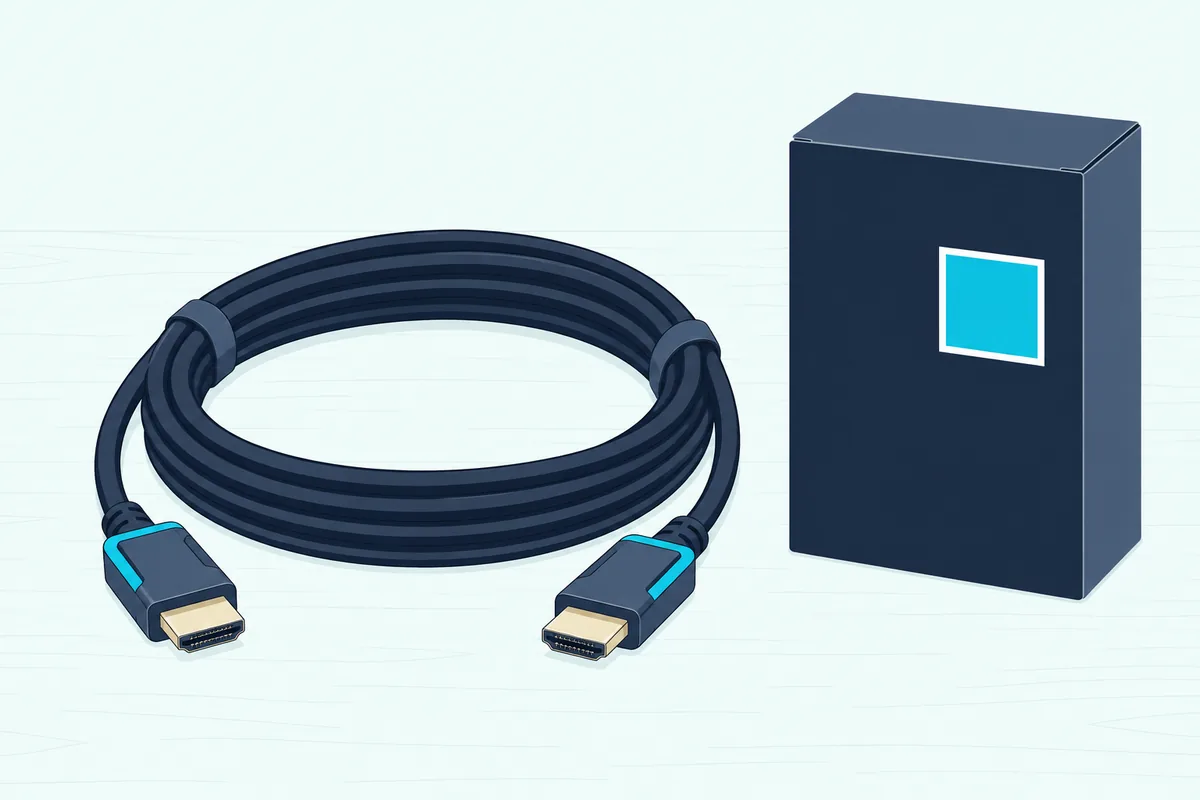
The Ultra High Speed label goes further. HDMI LA says every certified model passes testing at an HDMI Forum Authorized Testing Center, and the label on the box can be scanned with a standard QR code app to confirm the model.
Try the scan in the store or when the box arrives. A label that scans to the brand, model and length printed on the box is the certified cable; a box that only says “8K” or “ARC” without the official name is a guess.
Samsung’s 2025 e-Manual explains why it matters for the picture side. It warns that a non-certified HDMI cable may cause a blank screen or a connection error, and it lists High Speed, Premium High Speed and Ultra High Speed among the recommended types.
Does It Matter If the Port Says HDMI 1 or HDMI 2?
The certified cable only works in the right socket, and the number on that socket matters less than the ARC label beside it. VIZIO’s manual sends the bar to HDMI 1 (ARC) on a VIZIO TV, while the other makers name the port by its label, not its number.
So “HDMI 2” can be the right port on one brand and the wrong one on another. Go by the letters ARC or eARC, which HDMI LA asks every maker to print.
A quick test settles it after you plug in. Play a TV app and listen: if the sound comes from the TV’s speakers, Sony’s Theatre Bar 6 guide says the bar isn’t on the eARC/ARC input, because TV sound can’t reach the bar any other way.
Are Sound Bars HDMI Devices at All?
The bars covered here all are, and each one’s guide makes HDMI ARC or eARC the main route to the TV. Sonos tells you to connect the Arc Ultra to the TV’s HDMI eARC or ARC port with the included cable, VIZIO rates HDMI ARC its best connection type, and JBL calls HDMI eARC the recommended connection for the best Dolby Atmos experience.
Most of these bars also keep a backup. Sony, Samsung, JBL, VIZIO, Polk and Bose all name an optical input in their guides, and Sonos sells an optical adapter separately for the Arc Ultra.
That backup has limits, though. Polk’s manual says an optical connection doesn’t support Dolby Atmos or DTS:X, so HDMI stays the first choice wherever an ARC port exists.
How Do You Switch the HDMI Connection On?
With the cable in the ARC sockets, one setting on the TV sends sound out and another lets the two devices control each other. The control part is HDMI-CEC, and Bose warns that your TV may call CEC by a different name.
LG’s guide sets Sound Out to HDMI(ARC) Device, which also turns on SIMPLINK, LG’s name for HDMI-CEC, and adds an eARC Support switch under the sound settings. Samsung’s eARC page sends you to Settings, Sound, External Speakers to pick HDMI eARC, and to turn on Anynet+ (HDMI-CEC).
Sony’s BRAVIA guide sets eARC mode to Auto and Speakers to Audio system, and its Theatre Bar 6 guide says the bar outputs no TV sound unless the TV’s Control for HDMI function is on. Sony’s bar ships with eARC already enabled, but the TV side still needs its switch.
Menus differ by model, so our TV-by-TV soundbar hookup guide walks through each brand’s screens. The port and cable choices above stay the same whichever menu you end up in.
What If the TV Has No ARC Port?
Those menus only appear when an ARC port exists, and without one the TV can’t send its own sound to the bar over HDMI at all. Sony’s Theatre Bar 6 guide still wires the bar’s HDMI OUT to a TV HDMI input in that case, then adds an optical cable from the TV to the bar’s TV IN (OPTICAL) jack for the TV’s own sound.
Bose and Sonos send you to optical as well, through the optical cable in Bose’s box or Sonos’s separate optical adapter. Bose adds a third option for a TV with no eARC, ARC or optical port: run the bar’s HDMI cable to the cable or satellite box instead.
Dolby describes the HDMI input route for sources, where the streaming box plugs into the bar’s HDMI input and the bar’s HDMI output feeds the TV. Our guide to connecting a soundbar to a TV with HDMI but no ARC compares five routes, from a bar with HDMI inputs to an HDMI audio extractor.
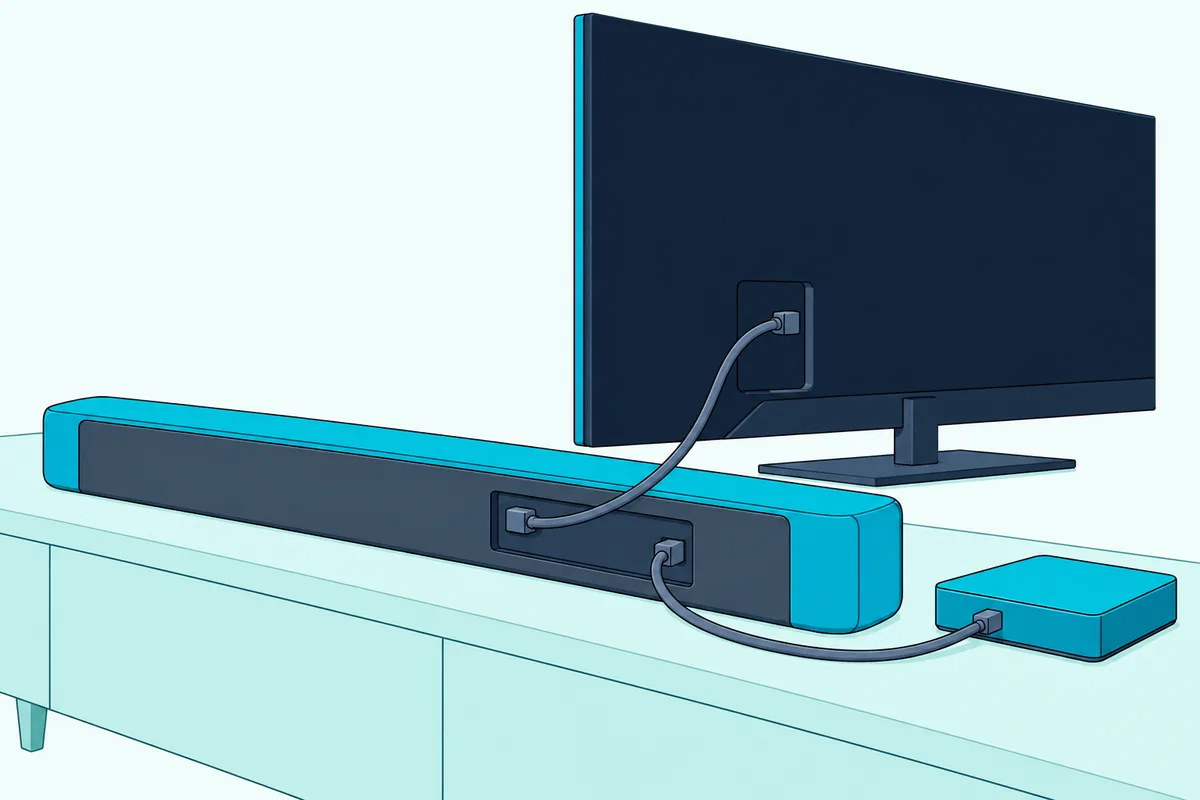
The HDMI input route also keeps the formats ARC can’t carry. JBL’s manual notes that Atmos from a device plugged into the TV can’t pass to the bar over the ARC connectors when eARC is missing, so the player goes into the bar instead.
Frequently Asked Questions
Should I use HDMI ARC or optical for a soundbar?
Use HDMI ARC or eARC wherever the TV has the port. Bose, Sonos and VIZIO all list it first, and Polk’s manual says optical doesn’t carry Dolby Atmos or DTS:X. LG’s sound output table also limits optical to plain Dolby Digital, while its ARC column adds Dolby Digital Plus and Atmos. Keep optical for a TV with no ARC port, the fallback Bose, Sonos and Sony each describe.
Do I need an HDMI 2.1 cable for a soundbar?
Only for eARC, or for 4K at 120Hz passed through the bar. Dolby says HDMI 2.0 does the job for ARC and HDMI 2.1 is necessary for eARC setups, and Samsung’s eARC page asks for an HDMI 2.1-compliant cable. HDMI LA links the Ultra High Speed cable to HDMI 2.1, so that’s the label to look for. For plain ARC, HDMI LA says any HDMI cable works.
Does a soundbar come with an HDMI cable?
Often, but not always. Sony’s Theatre Bar 6 and JBL’s Bar 500 MK2 include one for the TV link, and Sonos says to use the cable included with the Arc Ultra. Samsung’s HW-Q600F manual marks the HDMI cable as not supplied. Check the box contents list in your bar’s manual before ordering, and buy a second cable if a player will plug into the bar’s HDMI input.
Why does sound still come from the TV speakers after connecting HDMI?
Usually the cable sits in the wrong port or CEC is off. Sony says TV sound can’t reach its bar unless the bar is on the TV’s eARC/ARC input and the TV’s Control for HDMI is on. Bose gives the same two checks: an eARC or ARC port, not a standard one, and CEC enabled under whatever name your TV uses. Samsung adds that its bar needs the terminals marked ARC or eARC, or TV sound may not play.