How Do You Connect a Soundbar to a Panasonic TV, Port by Port

How do you connect a soundbar to a Panasonic TV? Run one HDMI cable from the TV’s eARC/ARC port, HDMI 2 on most models, to the bar’s ARC socket, then switch on HDMI-CEC and pick the external speaker.
Panasonic’s manuals and support pages name the usual misses: a bar plugged into a port without ARC, HDMI-CEC left off, or a TV still set to its own speakers.
Get those three right and the TV’s remote runs the bar’s volume, while the bar wakes up and switches off with the TV.
Below are the ports on current Panasonic TVs, the Fire TV and older VIERA menus, and the audio format setting that decides whether the bar gets surround.
After that come the optical, headphone-jack and Bluetooth routes, the bar’s side for Panasonic, Samsung and LG soundbars, and the fixes for silence, lip sync and Dolby Atmos.
How Do You Connect a Soundbar to a Panasonic TV?
That eARC/ARC port is where Panasonic’s own instructions start. Panasonic’s Fire TV support article says to run one HDMI cable from the TV’s HDMI 2 port to the audio system’s HDMI input, then make sure ARC/eARC is on at both ends.
Here’s the full order, from that article and Panasonic’s eHELP for its Fire TV models:
- With the TV and bar off, connect the TV’s HDMI 2 port (HDMI 1 on the W70 series) to the bar’s ARC socket, which Panasonic’s SC-HTB200 labels HDMI (ARC) and Samsung’s HW-Q990D labels HDMI TO TV (eARC/ARC).
- Turn on HDMI-CEC: on a Panasonic Fire TV it’s Settings > Display & Sounds > HDMI-CEC Device Control, and on older Panasonic TVs it’s VIERA Link in the Setup menu.
- Send the sound to the bar: Display & Sounds > Speaker Selection > External Speaker on a Fire TV, or Sound > Speaker Selection > Home Cinema on the older menu (TV Speaker Setting > Off where Home Cinema isn’t offered).
- Turn the bar on first and the TV second, select the bar’s HDMI ARC or TV ARC input, and play something with sound.
That power-up order comes from the eHELP, which asks you to switch the connected equipment on and then the TV each time you add, reconnect or change equipment. Think of it as a handshake: the TV only learns what’s on the end of the cable when both are awake.
If your bar supports eARC, one more switch matters. Panasonic’s eHELP puts it under Display & Sounds > Audio Output > eARC, set to On, and Samsung’s soundbar manual says the TV’s eARC function has to be on before its bar shows “TV eARC.”
Panasonic sells CEC under its own name, VIERA Link, so a bar’s manual may not use Panasonic’s word at all. Every TV brand’s ARC and CEC menu sits side by side on our general hookup guide.
Which HDMI Port on a Panasonic TV Is the ARC Port?
Those steps lean on one port, and Panasonic puts it in the same place on nearly every recent set. On the TVs whose manuals were read for this guide, HDMI 2 carries eARC/ARC, with the Fire TV W70 series as the exception on HDMI 1.
| Panasonic TV (manual read) | Menu system | HDMI port with eARC/ARC | Optical out | 3.5 mm jack |
|---|---|---|---|---|
| TV-65Z95BP OLED (US) | Fire TV | 2, eARC/ARC | DIGITAL AUDIO OUT, PCM / Dolby Audio | Headphones / Subwoofer |
| TV-55W95AP (US) | Fire TV | 2, eARC/ARC | DIGITAL AUDIO OUT, PCM / Dolby Audio | Headphones / Subwoofer |
| W70 series (US) | Fire TV | 1, eARC/ARC | Digital Audio port | Headphone / subwoofer jack |
| TX-55MZ1500B OLED (UK) | Panasonic’s own | 2, eARC/ARC | DIGITAL AUDIO, PCM / Dolby Audio | Headphones / Subwoofer |
| TX-55HZ1500B OLED (UK) | Panasonic’s own | 2, eARC/ARC | DIGITAL AUDIO | Headphones / Subwoofer |
| TX-32FS503B LED (UK) | Panasonic’s own | 2, ARC | DIGITAL AUDIO | Headphones |
The table’s pattern holds on older VIERA sets too. Panasonic’s US VIERA Link article recommends HDMI 2 for a home theater system on models from the CX600 to the GZ2000, and says no optical cable is needed when the system supports HDAVI Control 5, since the audio then travels over ARC.
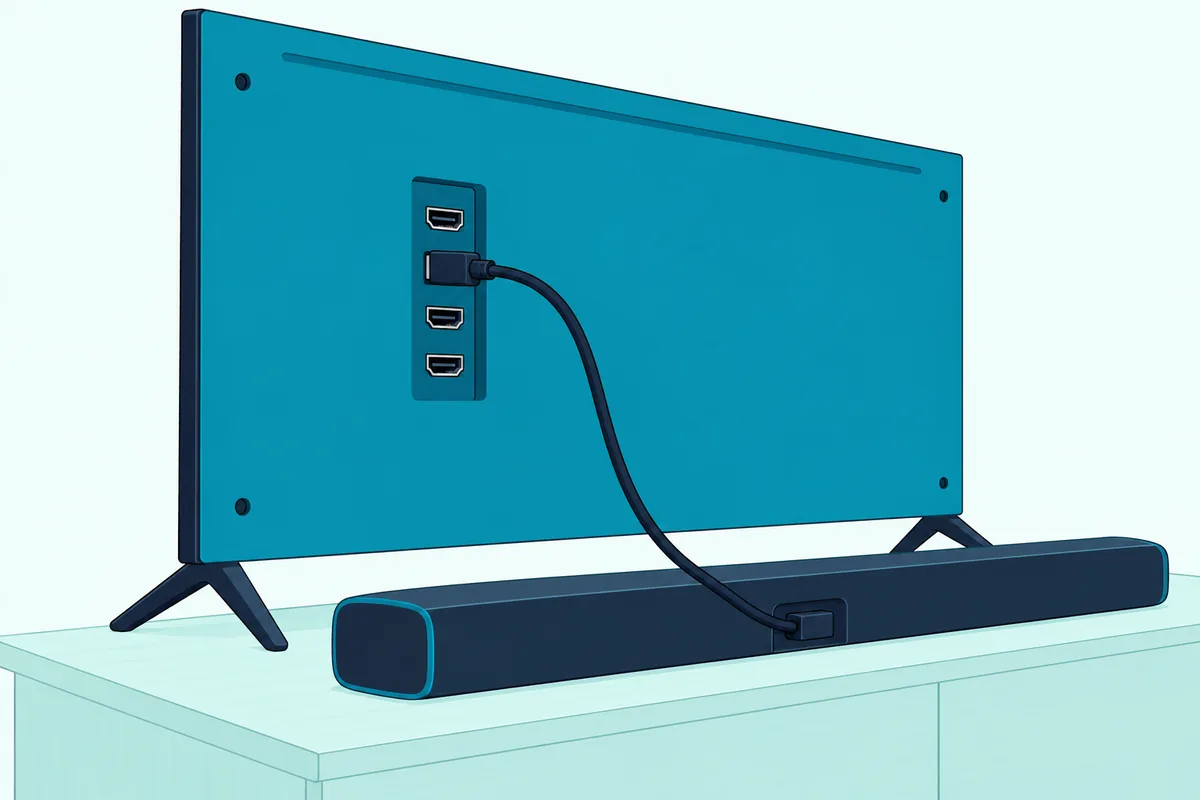
The Z95BP, W95AP and MZ1500 all list HDAVI Control 5, Panasonic’s version number for VIERA Link, and that’s the version that adds Audio Return Channel. If your older TV has no port labeled ARC, Panasonic’s SC-HTB01 troubleshooting page puts it bluntly: the TV’s sound can’t come out of the bar that way, so use the optical route covered further down.
Get Studio Tips Weekly
Join 5,000+ creators getting acoustic treatment advice every week.
No spam. Unsubscribe anytime.Is Your Panasonic a Fire TV or a Home Screen Model?
That port table splits Panasonic’s range into two systems, and the menu paths differ between them. If the Home screen carries Profile, Inputs and Live tabs and a restart shows “Panasonic | fire tv,” you’re on a Fire TV model; if the remote has a MENU button and the manual sends you to Main Menu > Help > eHELP, you’re on Panasonic’s own system.
The product manuals on Panasonic’s US TV site cover Fire TV models in the Z95, Z85, W95 and W70 series. Panasonic’s own system, which its eHELP calls Home Screen and its UK support site calls myHomeScreen, runs the US CX800 and UK FS503B, and the MZ1500 and HZ1500 manuals use the same MENU and eHELP layout.
Both systems have a built-in manual called eHELP, and the menu names in the next two sections come from it. If your Panasonic’s menus match neither, its own eHELP names the CEC switch and the speaker output, the two settings to find first.
Where Are the Soundbar Settings on a Panasonic Fire TV?
Those Fire TV models keep every soundbar switch under one Settings group. Panasonic’s eHELP for the Z95, Z85 and W95 series places HDMI-CEC Device Control, Speaker Selection and Audio Output all under Settings > Display & Sounds.
Here’s what each one does, in Panasonic’s eHELP for its Fire TVs:
| Setting (Display & Sounds) | Set it to | What it does |
|---|---|---|
| HDMI-CEC Device Control | On, following the on-screen steps | Turns on CEC, so the TV and bar can switch each other on and off |
| Speaker Selection | External Speaker | Sends the sound to the external speakers and mutes the TV’s; Panasonic says a theater system or amplifier in standby turns on |
| Audio Output > eARC | On, for an eARC bar | Enables the enhanced return channel when eARC equipment is connected |
| Audio Output > Digital Audio Format | Auto, PCM, Passthrough or Dolby Audio | Picks the digital audio format the TV sends out |
Speaker Selection is the one people miss. With External Speaker chosen, the eHELP says you can adjust or mute the bar’s volume with the TV remote, and when the bar is switched off the TV speakers take over again.
The same Audio Output menu holds a trap. Panasonic notes that when Headphone Jack is set to Connect, audio isn’t sent to an AV receiver connected by HDMI, so leave that switch alone on a cabled setup.
If you also use a Fire TV Stick or an Amazon soundbar, Fire TV soundbar settings walks the Amazon side of the same menus.
Where Is VIERA Link on Other Panasonic TVs?
That Fire TV switch has a longer history on Panasonic’s own menus, where it’s called VIERA Link. On Home Screen and older VIERA models, press MENU, choose Setup, open VIERA Link Settings and set VIERA Link to On, according to Panasonic’s UK eHELP and its US VIERA Link article.
The same VIERA Link Settings menu holds Power on Link and Power off Link. Panasonic says the first switches the TV on when linked equipment starts playing, and the second turns linked equipment off with the TV.
The speaker switch lives in the Sound menu on these TVs. The TX-FS503B eHELP lists Speaker Selection with two choices, TV and Home Cinema, and Home Cinema mutes the TV speakers and wakes a theater system from standby.
That Home Cinema choice is available when theater speakers that support VIERA Link are connected, the eHELP adds. With another brand’s bar, the same Sound menu’s TV Speaker Setting > Off is the switch that silences the TV’s own speakers.
Some US models use a third set of names. Panasonic’s US article for the TC-xxA410 series gives MENU > Setup > HDMI control > CEC function > On.
Panasonic’s VIERA Link article adds the warning that matters for a non-Panasonic bar. VIERA Link is built on the HDMI CEC standard plus Panasonic’s own functions, so Panasonic says its operation with other makers’ CEC equipment can’t be guaranteed.
Should the TV Send PCM, Bitstream or Dolby Audio?
That warning is about control, but the audio format is a separate choice, and it decides whether the bar gets surround or plain stereo. Auto suits most bars on a Panasonic Fire TV, since Panasonic’s eHELP says it sends Dolby Audio as a Dolby bitstream and other sound as PCM.
| Setting on a Fire TV (Digital Audio Format) | What Panasonic says it sends |
|---|---|
| Auto | Dolby Audio as Dolby Audio Bitstream; broadcast AAC transcoded to Dolby Audio Bitstream; the rest as PCM |
| PCM | Everything as PCM, for an audio device that doesn’t support AAC or Dolby Audio |
| Passthrough | Dolby Audio as Dolby Audio Bitstream; the rest as PCM |
| Dolby Audio | Everything transcoded to Dolby Audio |
The older menu calls it SPDIF Selection. The TX-FS503B eHELP offers Auto, PCM or Dolby Audio there for what leaves the DIGITAL AUDIO and ARC ports, with a separate HDMI Audio Format for sound arriving from players.
The bar’s manual tells you which to pick. Panasonic’s SC-HTB200 manual says to set the other equipment’s audio output to bitstream to get multi-channel sound, and Samsung’s HW-Q990D manual recommends Dolby Digital over PCM when a broadcast is in Dolby Digital.
Switch to PCM only for a bar that can’t decode Dolby, or as a test when a bar stays silent. PCM or bitstream on a soundbar explains what each format carries.
Do You Need to Buy a Cable?
Those settings only matter once the right cable is in, and many soundbar boxes don’t include one. Panasonic’s SC-HTB200 lists just an AC power cord and a remote as supplied accessories, and Samsung’s HW-Q990D marks both its cables as not supplied.
For that link, Panasonic’s guidance comes in three parts. Its eHELP asks for a fully wired HDMI-compliant cable, and one supporting eARC or HEC for eARC, while Panasonic’s ARC setup page says to buy version 1.4 or higher with shielding at the connection point.
If you’re buying one, Highwings’ 6.6 ft Certified Ultra High Speed HDMI cable is sold as that certified type. Measure from the TV’s port to the bar’s socket first, so the cable reaches without tugging on either plug.

Highwings’ 6.6 ft Certified Ultra High Speed HDMI cable
For the optical route below, Warrky’s 6 ft braided optical audio cable is sold for soundbars and TVs. Samsung’s manual reminds you to remove any covers first, and this cable’s photo shows clear caps on both plugs.
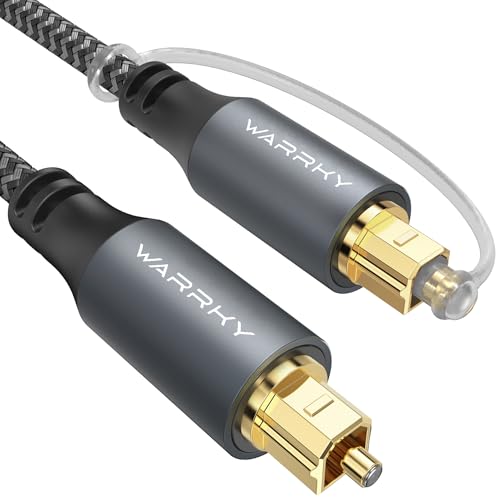
Warrky’s 6 ft braided optical audio cable
What If Your Panasonic TV or Soundbar Has No ARC?
That optical cable is Panasonic’s own answer for a setup without ARC. Panasonic’s US support says external speakers can’t connect to the TV directly, so use ARC with a compatible sound bar, or an optical cable for a system without it.
On a Fire TV, Panasonic’s steps are short: plug the optical cable into the TV’s Digital Audio port and the bar’s optical input, then adjust the TV’s audio output settings so the sound goes out that way. On the bar, pick the optical input, which Samsung calls D.IN and Panasonic’s SC-HTB200 calls OPTICAL.
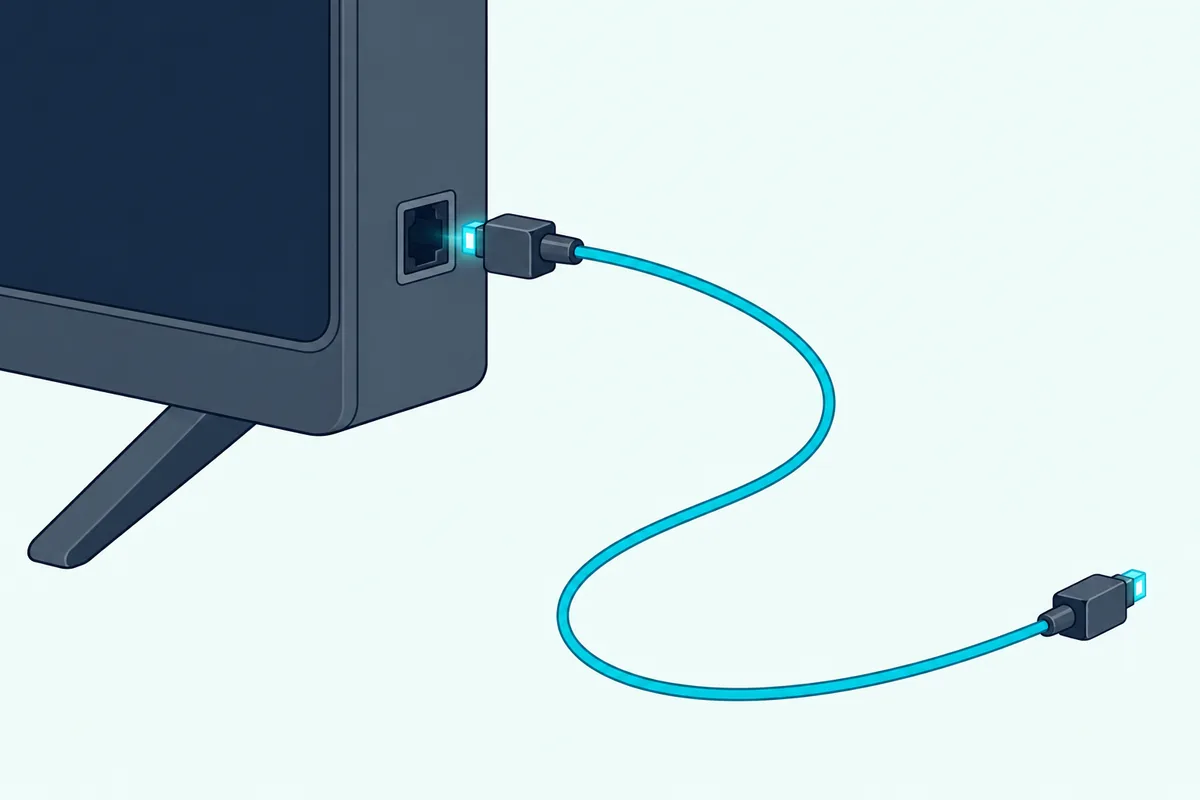
Optical gives up two things the return channel gives you. Panasonic’s VIERA Link article says sound from players passed out through the TV’s DIGITAL AUDIO OUT switches to 2-channel audio, and the SC-HTB200 manual says its power-on and power-off link doesn’t work when optical is the source.
VIERA Link’s controls run over the HDMI cable, so on optical you’ll likely switch the bar on and set its volume with the bar’s own remote.
The 3.5 mm jack is a weaker fallback for a bar with only an AUX cable input. Panasonic documents that jack for headphones and a powered subwoofer, set through Audio Output Mode on a Fire TV or Headphone Terminal Output on the MZ1500, and doesn’t list a soundbar there, so check the bar’s manual before relying on it.
Can a Soundbar Connect to a Panasonic TV by Bluetooth?
That leaves the one wireless route. Yes, current Panasonic TVs pair with Bluetooth audio devices that support A2DP, so a Bluetooth soundbar can play the TV’s sound, though Panasonic warns of some delay between picture and sound.
On a Fire TV model, the pairing steps from the eHELP and the TV-65Z95BP manual run like this:
- Put the soundbar into Bluetooth pairing mode, which on the SC-HTB200 means holding its Bluetooth PAIRING button until the Bluetooth light blinks quickly.
- Hold the bar within 50 cm of the TV while pairing, as Panasonic asks for any Bluetooth device.
- On the TV, open Settings > Controllers & Bluetooth Devices and follow the on-screen steps to add the bar.
- Check Display & Sounds > Audio Output > Audio Output Mode, which can send sound to Bluetooth alone or to the TV speakers and Bluetooth together.
The Z95BP manual says only one A2DP audio device can play at a time. The MZ1500 can run two at once through Setup > Bluetooth Setup > Bluetooth Audio Settings > Dual Audio, though Panasonic says you may not be able to set their volumes separately.
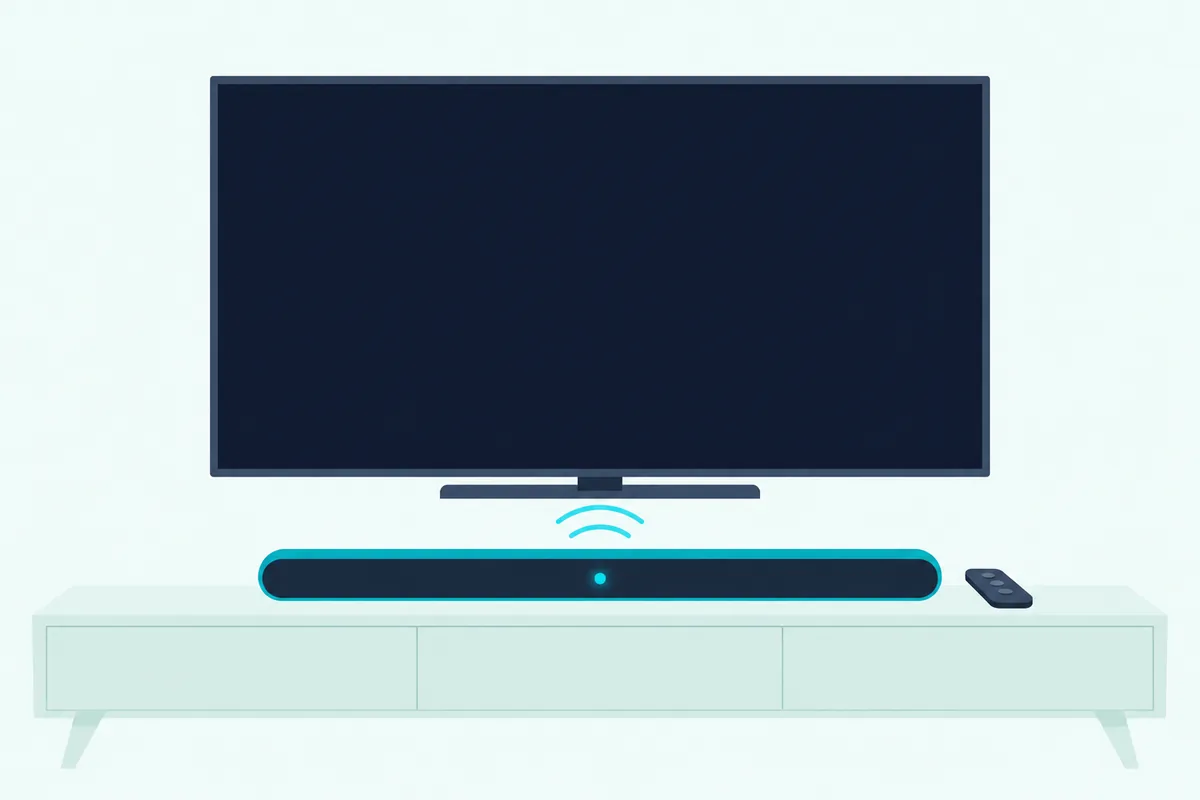
Bluetooth costs you the CEC links from earlier, since the SC-HTB200’s power links don’t work with Bluetooth as the source, and the eHELP adds that settings in the Sound menu may not apply to Bluetooth audio. Panasonic’s SC-HTB200 manual says that if sound lags the picture over Bluetooth, connect by cable instead.
Soundbar Steps for Panasonic, Samsung and LG Bars
Those TV menus are half the job, and the bar’s own setup differs by brand. A Panasonic bar follows VIERA Link most closely, while Samsung and LG bars need one setting of their own to obey a Panasonic remote.
Panasonic soundbars. The SC-HTB200 turns on with the TV, turns off with it, and takes the TV remote’s volume and mute keys when it’s cabled to the TV with CEC switched on. Panasonic’s SC-HTB01 page adds an odd one: on a VIERA TV, a bar switched on by its own button may stay silent, so turn it on through VIERA Link with the TV’s remote instead.
Samsung soundbars. The HW-Q990D shows “TV ARC” or “TV eARC” once the link works, and Samsung’s manual names Panasonic among the TV makers whose IR remotes it can respond to, through the ALL-TV REMOTE mode set by holding the WOOFER button up for 5 seconds. The catch on a Fire TV: Samsung says that mode works with IR remotes only, and Panasonic’s Z95BP manual says a paired remote talks to the TV over Bluetooth, so use CEC for volume there.
LG soundbars. LG’s sound bar guide lists Panasonic among the TV brands whose remotes can change volume and mute, and asks you to set the TV’s audio output to External Speaker. LG adds that this remote function may not work well when the bar and TV are connected by HDMI, where the CEC link from earlier is the route instead.
Samsung soundbar setup on any TV gives that bar’s full menus if yours is a Samsung.
Why Is There No Sound From the Soundbar?
Those brand quirks aside, a silent bar on a Panasonic TV usually traces back to one of the steps above. Panasonic’s own checks start with the port, the speaker setting and the power-up order, then move to the cable and the audio format.
| Check | What to do | Source |
|---|---|---|
| Port | Use the port labeled eARC/ARC, HDMI 2 (HDMI 1 on a W70); on a TV without ARC, switch to optical | Panasonic eHELP, SC-HTB01 page |
| Speaker output | Speaker Selection set to External Speaker or Home Cinema | Panasonic eHELP |
| Headphone Jack | Not set to Connect on an HDMI setup | Panasonic eHELP |
| Power order | Bar on first, then the TV; after any change, turn both off and on again | Panasonic VIERA Link article |
| Cable | Try a different cable | SC-HTB01 page, SC-HTB200 manual |
| Format | Check the TV’s audio output setting suits the bar; PCM is the safe test | SC-HTB200 manual |
The SC-HTB01 can even tell you which side is at fault. Hold the bar’s VOL – button and the remote’s CINEMA button for 4 seconds or more: orange means a signal is arriving, and green means none is, which points to the cable or the TV’s settings.
If the TV’s own speakers are the silent ones, the Fire TV eHELP gives the reverse fix: set Speaker Selection back to TV Speaker. Its TV Self Test, under Settings > Device & Software, also checks the TV’s own picture and sound.
Why Won’t the Panasonic Remote Change the Soundbar’s Volume?
That remote control link runs on the same CEC switch, so a dead volume key usually means CEC has lost track of the bar. Panasonic’s fix is to turn everything on, then cycle the power on the TV while all the equipment stays on, so it can recognize the connected devices again.
Panasonic’s VIERA Link article says the VIERA Link menu items may appear grayed out when no compatible equipment is connected or when the equipment hasn’t started a connection with the TV. In that case, switch the bar off and on while the TV is on.
The SC-HTB200 manual gives three more steps when CEC stops working after a power cut or a changed connection. Turn on every connected device and then the TV, turn the TV’s CEC setting off and on again, and with the TV on, unplug the bar’s power cord and plug it back in.
If none of that works with a non-Panasonic bar, remember Panasonic’s caveat from earlier: it doesn’t guarantee VIERA Link with other makers’ CEC equipment. On a Samsung bar, the IR remote mode from the brand section is the fallback, as long as your Panasonic remote isn’t paired over Bluetooth.
How Do You Fix Lip-Sync Delay on a Panasonic TV?
That same CEC link can also fix timing, at least between Panasonic products. Panasonic lists an automatic lip-sync function from HDAVI Control 3 onward, which it says minimizes the delay between picture and sound with a Panasonic theater system or amplifier.
Panasonic’s older menu also lists a manual control. The TX-FS503B eHELP’s SPDIF Delay, under Sound, adjusts the delay of the sound leaving the DIGITAL AUDIO and HDMI 2 (ARC) ports when it doesn’t match the picture, though the eHELP marks it Ireland only, so your set may not show it.
Panasonic’s Fire TV eHELP lists only Bluetooth Audio Delay, under Display & Sounds, and no delay setting for the cabled outputs was found in it. On those models, try the bar’s own delay or sync setting if its manual lists one.
Bluetooth adds a delay of its own. Panasonic calls it a characteristic of wireless technology rather than a defect, and the SC-HTB200 manual’s fix is to move the bar to a cable.
Does Dolby Atmos Reach the Soundbar Over eARC?
That eARC setting from the Fire TV menu is the one Atmos needs. Panasonic’s eHELP lists Dolby Atmos, Dolby TrueHD and Dolby Digital Plus among the audio formats its inputs accept, and Samsung’s soundbar manual says the ARC/eARC protocols support Dolby Atmos.
What Panasonic doesn’t spell out is which formats leave the TV over eARC. Its eHELP describes eARC only as a function that sends digital sound over the cable, so check the bar’s display or format indicator for Atmos rather than assuming it.
For the best chance, connect the player to the TV, set Audio Output > eARC to On and Digital Audio Format to Auto or Passthrough, and use a cable that supports eARC. Getting Dolby Atmos on a soundbar covers the player and streaming-app settings that also have to line up.
Frequently Asked Questions
Does a Panasonic TV have HDMI ARC?
Yes, on every recent model whose manual was read for this guide. Panasonic’s Fire TVs and Home Screen models such as the MZ1500 and HZ1500 list eARC/ARC on HDMI 2, and the W70 series has it on HDMI 1. Older VIERA sets with HDAVI Control 5 support ARC too. If no port on your TV carries an ARC label, Panasonic’s soundbar support says the TV’s sound can’t reach the bar that way, and an optical cable from the TV’s DIGITAL AUDIO OUT is the way to connect instead.
Does it matter which HDMI port you use for a soundbar?
Yes. On a Panasonic TV, only the eARC/ARC port sends the TV’s sound back out to the bar, and that’s HDMI 2 on most current models and HDMI 1 on the W70 series. Plugging the bar into any other port gives you no TV sound through it, and Panasonic’s eHELP asks for a fully wired, HDMI-compliant cable.
How do I get my TV to recognize my sound bar?
Turn on CEC, called HDMI-CEC Device Control on a Panasonic Fire TV and VIERA Link on older models, and set the speaker output to External Speaker or Home Cinema. Then switch the bar on first and the TV second, which Panasonic asks for each time you add or reconnect equipment. If the TV still doesn’t see the bar, turn the TV off and on while the bar stays on, or turn the TV’s CEC setting off and on again.
Can a Samsung soundbar work with a Panasonic TV?
Yes. Connect the Samsung bar’s HDMI TO TV (eARC/ARC) socket to the Panasonic’s eARC/ARC port, turn on CEC on the TV and set the speaker output to the external speaker; Samsung’s bar then shows TV ARC or TV eARC. Panasonic doesn’t guarantee its VIERA Link with other makers’ equipment, so if the TV remote won’t run the volume, Samsung’s ALL-TV REMOTE mode can respond to an IR Panasonic remote, though not to a Bluetooth-paired Fire TV remote.