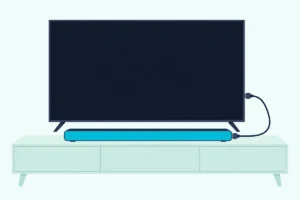
How to Mount a Vizio Sound Bar, Series by Series
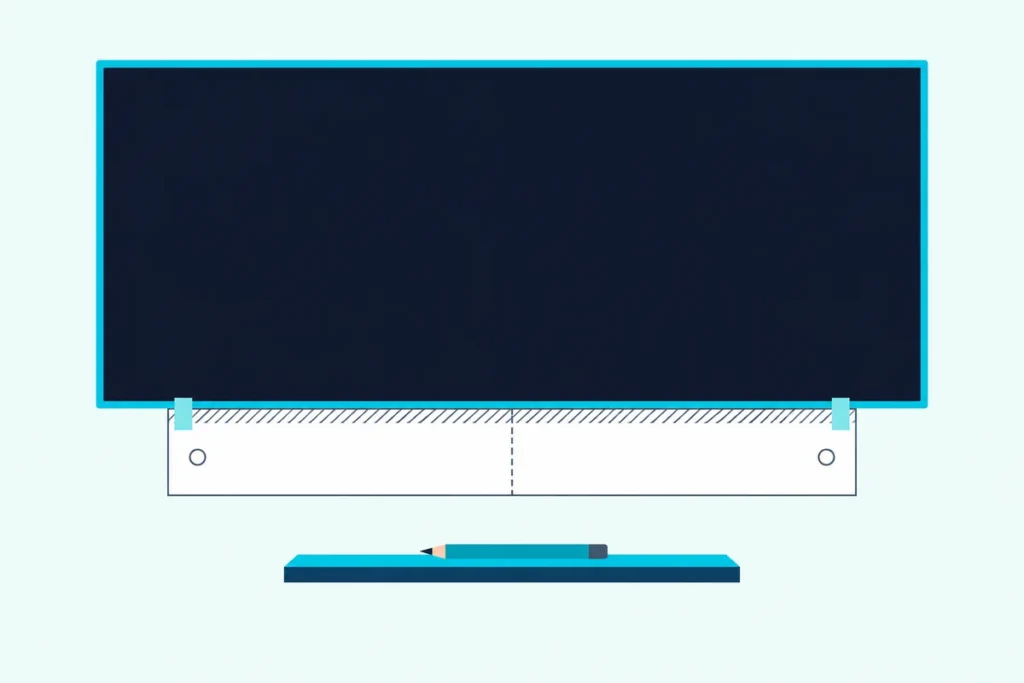
Here’s how to mount a Vizio sound bar by Vizio’s own steps: tape the template from the box under the TV, mark its two holes, drive in screws you buy yourself, then hang the bar on them.
The catch is that Vizio has used four different hanging styles since 2013, so the bracket, the screw size and even whether there’s a bracket at all depend on your model.
Match your bar to its series, buy the screw Vizio’s manual names and plug the cables in first, and the bar goes up once, centered and level.
This guide follows Vizio’s manuals series by series, from the 2013 SB bars to the 2026 SV models, plus QuickFit and Vizio’s TV stands.
The steps come first, then each series’ hardware, the screws to buy, the gap under the screen and where the surround speakers go.
How to Mount a Vizio Sound Bar on the Wall, Step by Step
Those four moves hold for nearly every Vizio bar with a mounting chapter, from the 2014 S3851w-D4 to the 2026 SV210D-0806. Every version uses the paper template under the screen and ends with the bar hanging on hardware you fixed there.
- Hold the included mounting template flat under your TV, centered, and mark the two bracket holes in pencil (several 2013 to 2016 guides mark four).
- Drive your own screws at the marks into wood studs, drywall anchors or concrete anchors, with a bracket under them if your series uses one.
- Fit the bar’s half of the hardware from the box, if your series has one, and connect its cables while the back is easy to reach.
- Hang the bar on that hardware the way its series asks, and check that both ends sit fully home.
Step 4 is where the series split. On the 2024 to 2026 SV bars you “slide the soundbar’s wall mount slots over the installed screws,” as the SV510X-0806 user manual puts it, with no bracket at all.
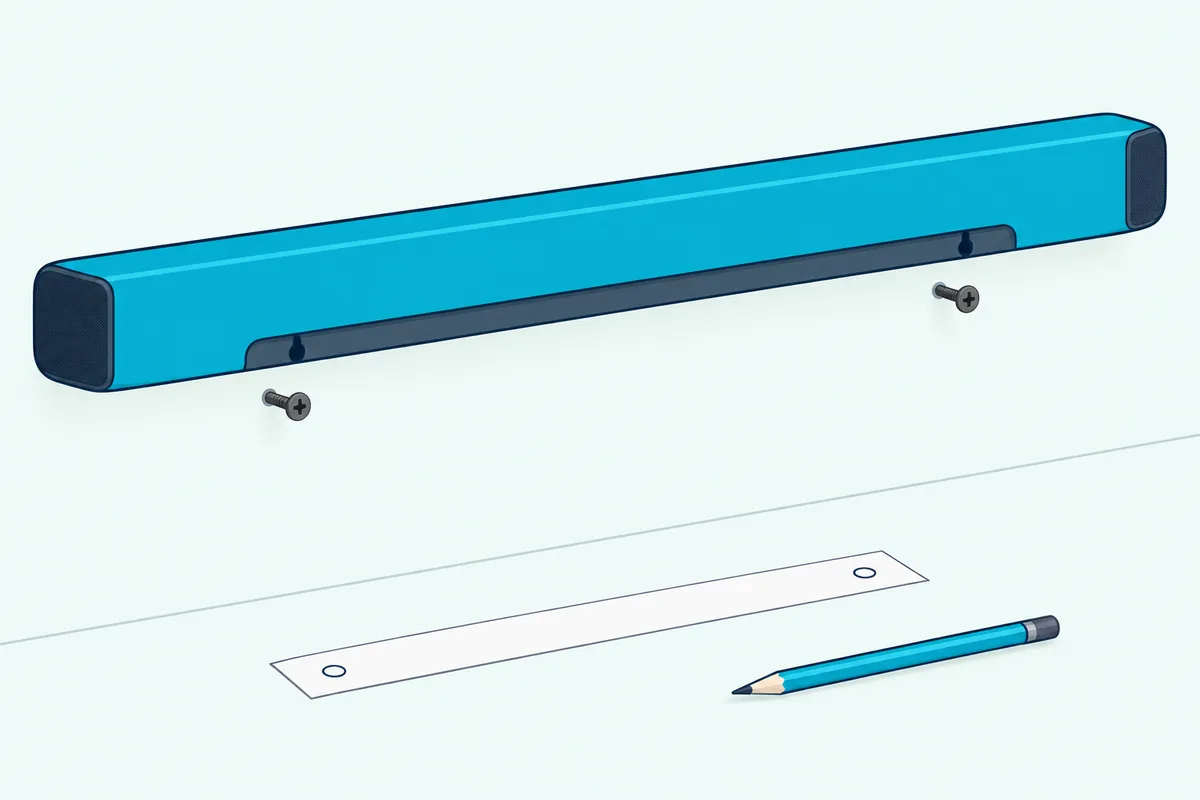
Most manuals since 2016 carry the same warning, too: don’t use any of the screws in the box for the wall, because Vizio says they aren’t meant for mounting. Those small screws join the bar to its bracket or the TV, and the screws that carry the weight are always yours to buy.
Which Mounting Style Does Your Vizio Sound Bar Use?
That step 4 split comes down to four hardware styles, and your model number tells you which one you have. Vizio’s manuals read for this guide fall into these groups by their copyright year.
| Vizio bars | Manuals read | How it hangs | In the box |
|---|---|---|---|
| SB and S bars, 2013 to 2021 | S4251w-B4, S3851w-D4, SB3820-C6, SB3831-C6M, SB2920-D6, SB3830-D0, SB4551-D5, SB3651-E6, SB3251n-E0, SB36512-F6, SB46312-F6, SB46514-F6, SB3621n-G8, SB3651n-H6, SB3620n-H6 | Two screws go into the back of the bar, and their heads hook onto two brackets | Template, two brackets, two M4 screws for the bar (10 mm on older bars, 8 mm on several later ones) |
| V, M and Elevate bars (H6, J6 and J8 models) | V51-H6, M51a-H6, M512a-H6, P514a-H6, V21t-J8, V51x-J6, M51ax-J6, M215a-J6 | The bar sits on two L-shaped brackets and screws to them from below | Template, two L-brackets, the M4 bracket screws |
| Hang-and-slide bars | SB362An-F6, V21d-J8, M213ad-K8 | Brackets go on the wall, and the bar’s slots hang on them and slide down to lock | Template, two brackets |
| SV bars, 2024 to 2026 | SV510X-0806, SV510M-0806, SV210M-0808, SV410XW-0905, SV210D-0806 | Slots on the back slide over two bare screws in the wall | Template and two QuickFit screws, no bar bracket |
Read the third column as the job, because it changes what you do at step 3. The L-bracket bars screw to the bracket after it’s fixed in place, while the back-screw bars get their two screws before they go up.
The hang-and-slide bars carry one detail worth checking twice: an arrow on the bar’s underside that Vizio says should point upward once it’s mounted. The SB2020n, SB2021n and V20x-J8 break the pattern entirely, because their manuals list no mounting hardware in the box and have no mounting chapter.
Get Studio Tips Weekly
Join 5,000+ creators getting acoustic treatment advice every week.
No spam. Unsubscribe anytime.What Screws Hold a Vizio Sound Bar on the Wall?
The table’s last column never mentions the screws that carry the weight, because Vizio never ships them. Most of its manuals from 2018 on print a suggested size, and it depends on the series: 3.5 mm diameter and 1.63 inches (41.5 mm) minimum length for the bracket bars, and 4.5 mm diameter and 25 mm minimum for the 2024 to 2026 SV bars.
Those two sizes do different jobs. A 3.5 mm screw only has to clamp a bracket flat, but the SV bars hang straight on the screw heads, so Vizio asks you to leave 4 to 8 mm between each head and the wall.
Think of that gap as the hook: too little and the slots won’t slide over, too much and the bar tips forward. The template’s own marks set the spacing, so drive each screw in, test the bar’s slots on it, and back it out or snug it until both ends seat.
Vizio leaves the fixing to your wall, naming three options in every chapter: wood studs, drywall anchors for drywall, or concrete anchors for brick and concrete. A stud finder such as the Franklin Sensors ProSensor M150 shows whether either template mark lands on a stud before you drill.
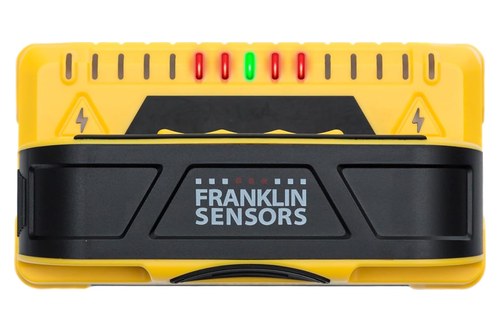
the Franklin Sensors ProSensor M150
Franklin’s instructions add that the sensor may also pick up pipes and wires, which matters here because a TV’s power cable can run right behind the marks. Vizio’s own line is plainer: if you’re unfamiliar with power tools or the wiring in your walls, consult a professional installer.
Several 2018 and 2019 manuals, the SB36512-F6 and SB3621n-G8 among them, print the length as “1.63 mm,” which reads as a slip for the 1.63 inches the later manuals print. Burton Acoustix’s makers’-manual guide to studs, anchors and brackets covers anchor ratings when the marks miss a stud.
How Far Below the TV Should a Vizio Sound Bar Go?
Once the screws are sorted, the template decides the height. Vizio’s templates carry a shaded band along the top marked “Leave this space between the soundbar and your TV,” so the band itself is the gap: its top edge goes at the screen’s bottom edge, and the wall below it takes the marks.
Vizio doesn’t print that gap as a number in the later manuals, so the template is the measurement. The placement pages add two rules: the bar should sit centered below the screen and close to ear level.
The 2018 SB36512-F6, an Atmos bar, is the one Vizio manual here that puts numbers on the gap. Its template chart, printed in the SB36512-F6 user manual, ties the gap to how far the screen’s front stands off the wall.
| Screen front’s distance from the wall | Minimum gap above the bar |
|---|---|
| 3 in (7.62 cm) | 1 in (2.54 cm) |
| 4 in (10.16 cm) | 4 in (10.16 cm) |
| 5 in (12.70 cm) | 6 in (15.24 cm) |
| 6 in (15.24 cm) | 9 in (22.86 cm) |
| 7 in (17.78 cm) | 12 in (30.48 cm) |
| 8 in (20.32 cm) | 15 in (38.10 cm) |
| 9 in (22.86 cm) | 17 in (43.18 cm) |
The pattern is easy to read: the farther the screen’s front stands out, the bigger the gap Vizio asks for above its Atmos bar. A set whose front sits 6 inches out would need 9 inches of clear wall under it, which is worth measuring before you mark anything.
The Elevate P514a-H6 adds a handling rule rather than a gap: don’t grab or touch its rotating side speakers, and don’t pull on the bar once it’s mounted.
Can You Mount a Vizio Soundbar to a Vizio TV With QuickFit?
That gap disappears on the newest pairings, because QuickFit hangs the bar on the set itself. Vizio’s QuickFit page describes it as three steps: twist the included thumbscrews into the bottom of a compatible set, plug in HDMI eARC and power, then snap the bar on.
The 2024 to 2026 SV manuals spell the same steps out. Every QuickFit soundbar box holds two thumbscrews, which are the Vizio soundbar QuickFit screws the searches ask about, and no tools are needed.
- Screw the two thumbscrews from the accessory bag into the bottom of your QuickFit set.
- Turn the bar upside down; the SV510X-0806 manual has the orange tab on the left.
- Connect the bar to the set’s HDMI eARC port and plug in its power.
- Line the bar up with the thumbscrews and push it in until it locks.
To take it off, Vizio says to hold the bar from the front, tilt it down and pull it away. Every SV manual carries one limit: the attached Vizio device must not exceed 25 pounds.
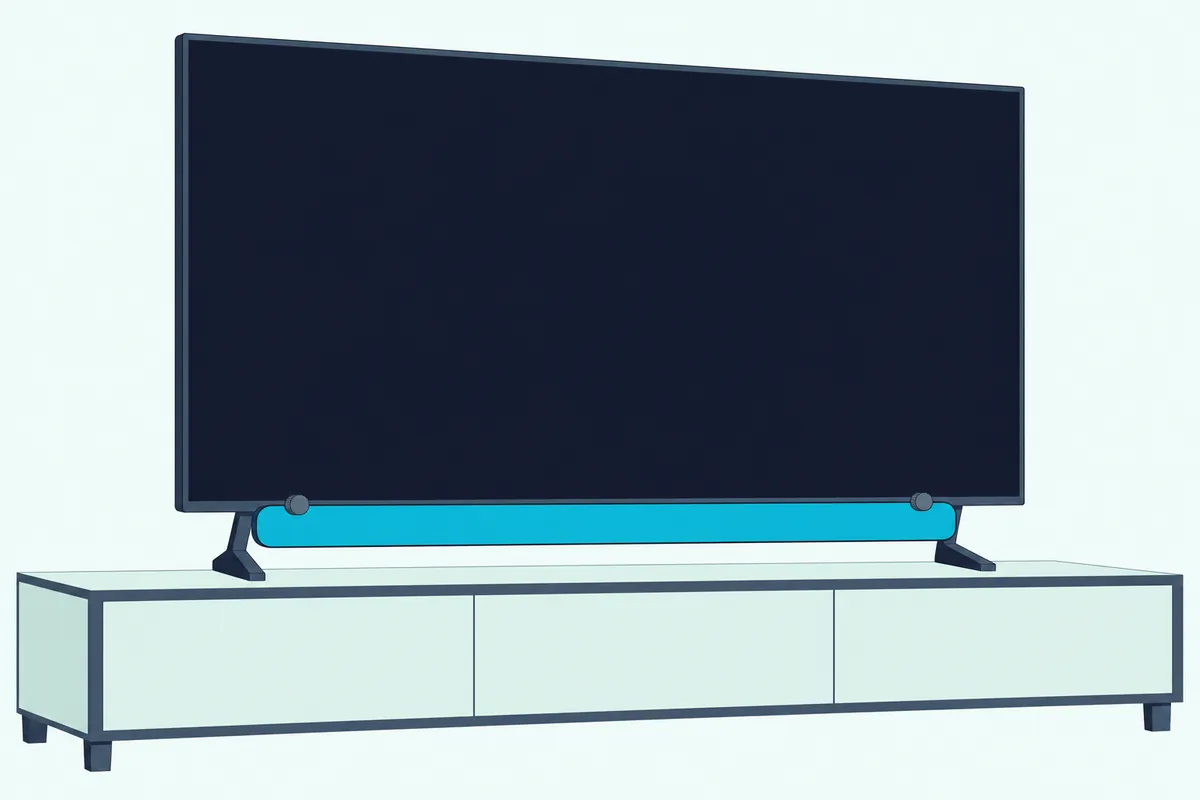
Vizio’s site gives three ways to check a set: a QuickFit badge on the top right corner of its box, a mention in its Quick Setup Guide, and two screw holes on its bottom edge. On Vizio’s product pages read on 24 Oct 2026, the 4K, Quantum 4K, Mini LED Quantum 4K and 65-inch Quantum Pro sets carried a “QuickFit Compatible” line.
A bar without QuickFit still works with a QuickFit set, Vizio’s FAQ adds, since QuickFit is only a mounting feature. For those bars, the mounting chapter above is the route.
Do Older Vizio TVs Have a Way to Hold the Sound Bar?
QuickFit isn’t Vizio’s only way to carry a bar on the set. The Dual-Purpose Stand sheet shows how an M-Series or P-Series Quantum keeps its stand posts when it’s mounted and carries the bar on them.
You unscrew the posts’ silver screws, fix the bar’s own brackets to the posts in the spot the bar’s chart gives, plug in every cable, then screw the bar on from below with its mounting screws. The compatibility chart is strict, so check it first.
| Vizio set | Bars that fit, per Vizio’s chart |
|---|---|
| M65Q7-J01, M70Q7-J03, M75Q7-J03 | V21-H8, V21x-J6, V51-H6, V51x-J6, M215a-J6, M51a-H6, M51ax-J6, M512a-H6 |
| P65Q9-J01, P75Q9-J01 | M215a-J6, M51a-H6, M51ax-J6, M512a-H6, P514a-H6 |
The Elevate P514a-H6 has a second route of its own: its manual slides it onto the metal base of the OLED55-H1 and OLED65-H1, with both tabs latched and a click when it locks. An OLED already on a bracket has to come down onto that base first.
The 2023 Quantum Pro’s dual-height stand works the other way round: its top two screw holes raise the set in “Soundbar Mode” so the bar sits beneath without blocking the screen. That manual also mentions mounting the bar to a set that’s already mounted, but its steps cover only the stand.
Can You Attach a Vizio Sound Bar to Any Other TV?
Those Vizio pairings cover a short list of sets, so for any other mounted TV the answer is a universal bracket on the set’s own mounting holes. Vizio’s current bars are light for one: its product pages list 3.99 lbs for the SV210M-0808, 5.13 lbs for the SV510X-0806 and 7.65 lbs for the SL512X-0806.
The Mounting Dream MD5420 is one such bracket, bolting to the set’s mounting holes with arms that hold the bar below. Its listing photos show the three ways it grips a bar, which line up with Vizio’s: back holes for the older SB bars, keyhole slots for the SV bars, and L-shaped feet for the bottom-mounted V and M bars.
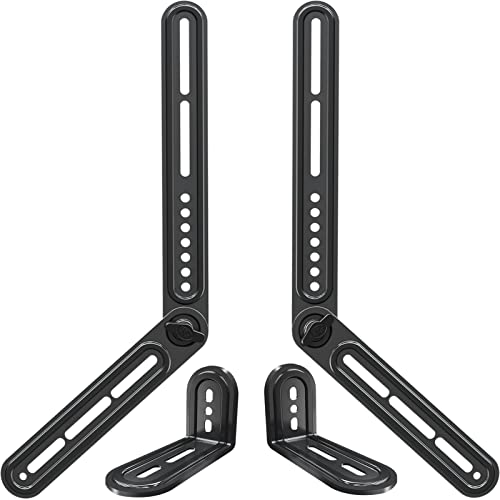
The Mounting Dream MD5420
Weight is the first thing to check on any universal bracket, against your bar’s spec page. If hanging it from the set isn’t for you, the guide to how to mount a soundbar to the TV weighs that route against a separate bracket.
For a wall shelf, a TV-top shelf or another TV-attach design, eight soundbar brackets compared by load limit shows which type suits each setup.
Where Do Vizio’s Surround Speakers and Subwoofer Go?
A bar on the wall often brings speakers that need a home too. Vizio’s surround systems read here, from the 2014 S3851w-D4 to the 2025 SV410XW-0905, include two small brackets for those speakers, with the screw for each speaker’s back in the box.
The surround steps hardly changed in a decade:
- Screw the wall-mount screw from the box into the back of the speaker.
- Fix the bracket to the wall with your own screw; where the manual gives a size, it’s 3.5 mm in diameter and 1.63 inches (41.5 mm) long at minimum.
- Slide the speaker onto the bracket so its screw sits in the bracket’s grooves.
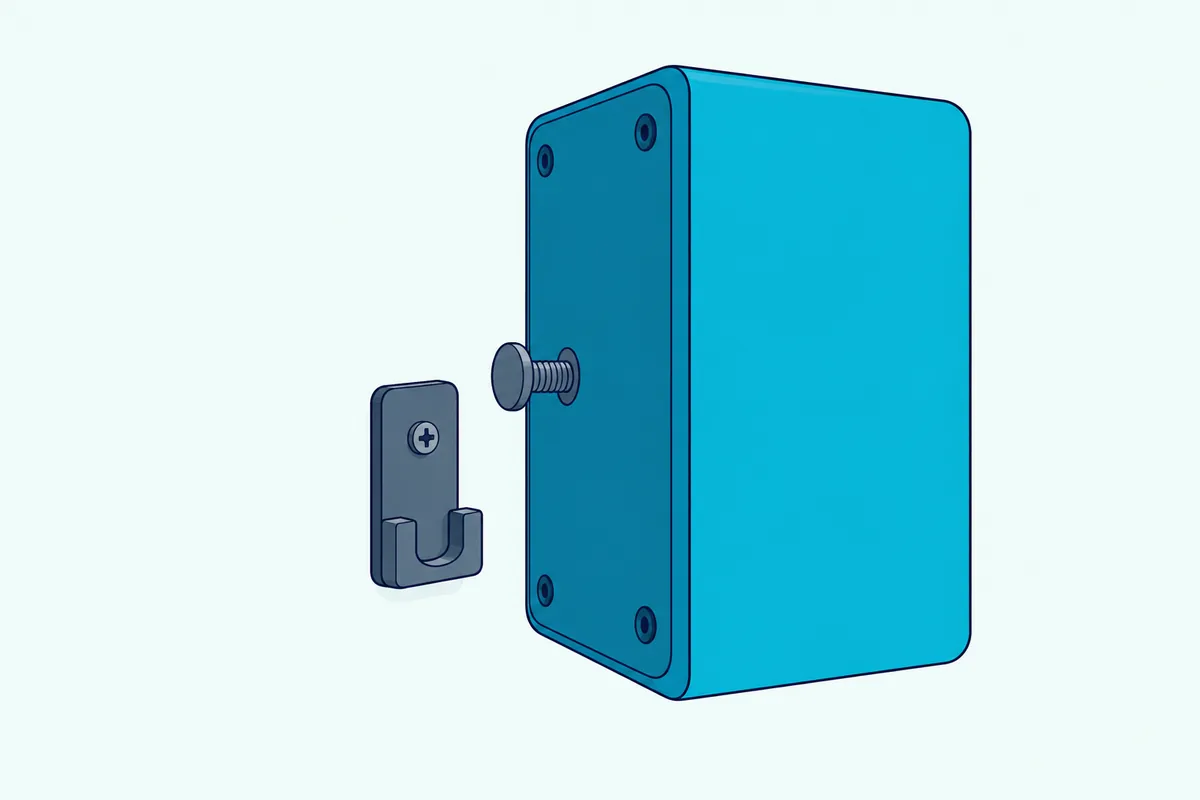
Height matters as much as the bracket. Vizio’s SV410XW-0905 manual says not to put its wireless surrounds on the floor, because their best spot is at or above ear level, in line with each other.
The subwoofer stays on the floor. None of the Vizio manuals read here gives wall-mounting steps for it, and the placement pages add “do not block the subwoofer port”; if it drops out after the move, pairing the Vizio subwoofer to the bar again is the fix.
What If Your Vizio Brackets Are Missing or Never Came?
Those surround brackets and the bar’s own are small, easy-to-lose parts. Parts dealers such as Vizparts sell them by part number: a sound bar bracket set (2S1E-0002797, two brackets and two screws, listed for the M512a-H6) and a single surround bracket (1101-0007481, listed for bars including the SB3651-E6, V51x-J6 and M512a-H6).
Vizparts asks buyers to order by the part number printed on the original part where possible, so check the bracket you still have. The surround bracket comes one to an order, so a pair means two.
The SB2020n, SB2021n and V20x-J8 are a different case, since their manuals list no mounting hardware at all. A universal shelf bracket such as the ECHOGEAR EGAV-SSBWM1 can hold a bar like that, since EchoGear’s manual shows a shelf-style install for bars without threaded inserts.
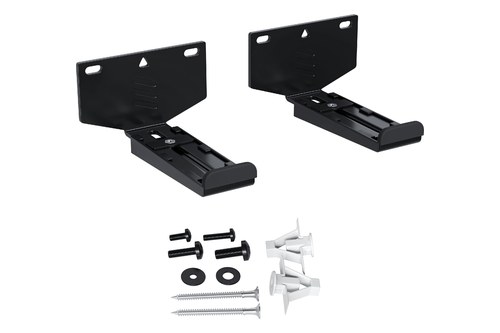
the ECHOGEAR EGAV-SSBWM1
Which Cables Go In Before the Vizio Bar Goes Up?
Parts can wait, but the cables can’t. Vizio’s 2024 to 2026 mounting chapters and its Dual-Purpose Stand sheet have you connect HDMI and power before the bar goes on, and the stand sheet marks it important: before final sound bar mount, connect all cables.
The SV boxes include an HDMI cable, which runs from the bar’s HDMI eARC port to the set’s ARC or eARC port. Once the bar is up, how to connect a Vizio soundbar to your TV covers HDMI, optical and the menu settings, and soundbar Bluetooth pairing for a phone needs no cable at all.
The Bottom Line
Vizio makes most of this simple, since nearly every box holds a template and its brackets or slots. What you add is the right screw for your series, 3.5 mm by 1.63 inches for bracket bars and 4.5 mm by 25 mm for the SV bars, plus the cables before the bar goes up.
The exceptions are worth checking against your model number first: the SB2020n, SB2021n and V20x bars have no mounting kit, and only QuickFit sets, five M-Series and P-Series Quantum sets and the OLED55-H1 and OLED65-H1 carry a Vizio bar themselves.
Frequently Asked Questions
Can the Vizio sound bar be mounted?
Almost always. Every Vizio sound bar manual read for this guide, from 2013 to 2026, has a mounting chapter and a template in the box, and the 2024 to 2026 SV bars can also hang from QuickFit sets. The exceptions are the SB2020n, SB2021n and V20x-J8, whose manuals list no mounting hardware and no mounting chapter; a universal shelf bracket is the usual workaround.
Do Vizio soundbars have mounting holes?
They do, but where depends on the series. The SB and S bars from 2013 to 2021 take two screws in their back, the V, M and Elevate H6 and J models have holes underneath for the L-brackets, and the SV bars have wall mount slots on the back plus two QuickFit holes on the bottom. Vizio’s QuickFit page says those two holes are how you spot a QuickFit soundbar.
Can the Vizio subwoofer go on the wall?
Vizio’s manuals don’t cover it. Their mounting chapters cover the bar and, on the 5.1 systems, the surround speakers, but none read here gives subwoofer mounting steps. The placement pages ask you not to block its port, and the 2016 SB4551-D5 manual notes its slim subwoofer also fits beneath a sofa.
Can you mount a Vizio sound bar above the TV?
Vizio’s manuals don’t describe it. Every mounting chapter read here puts the template under your TV, the placement pages say the bar should sit centered below the screen, and QuickFit hangs it from the set’s bottom edge. None shows it above the screen.
Can you mount a Vizio sound bar without drilling?
Only by hanging it on the set. QuickFit needs nothing but the two thumbscrews from the box, and the Dual-Purpose Stand and Elevate routes use the set’s own stand hardware, though the Dual-Purpose Stand route starts from a screen that’s already mounted. Every Vizio mounting chapter fixes the bar with screws into studs or anchors, and none describes adhesive strips.