Set the TV to bitstream over optical or HDMI ARC, because PCM on those links carries just two channels.
If you’re choosing bitstream vs PCM for a soundbar in your TV’s sound menu, pick the option that sends Dolby and DTS to the bar still encoded, because PCM over optical or plain HDMI ARC carries just two channels.
That’s how a 5.1 movie reaches a surround bar as stereo, its center and rear channels folded into left and right before the bar ever sees them.

Send the original stream instead and the bar decodes the full mix itself, which is what Samsung, LG and Vizio tell their soundbar owners to do.
The catch is the label, since many TVs never say Bitstream and offer Auto, Pass Through, Auto 1 or Dolby Digital instead.
Below are what each setting does, what each cable carries, the menu names Samsung, LG, Sony, Roku, Vizio and Hisense use, and the few cases where PCM is the right pick.
Bitstream vs PCM for a Soundbar: Which Should the TV Send?
That label hunt comes later, because the rule behind it is short. Send bitstream over optical and HDMI ARC, and keep PCM for two jobs: the fallback when a bar can’t decode a format, and an equal choice when both the TV and the bar have eARC and the bar takes multichannel PCM.
Sony’s HT-A7000 help guide prints the clearest chart of why, listing the formats each of its inputs accepts, and Roku and HDMI Licensing Administrator say the same about the cables themselves.
| Connection | PCM it carries | Bitstream formats it carries | Set the TV to |
|---|---|---|---|
| Optical | 2 channels | Dolby Digital and DTS | Bitstream (Auto or Pass Through) |
| HDMI ARC | 2 channels | Adds Dolby Digital Plus, including its Atmos version | Bitstream |
| HDMI eARC | 5.1 and 7.1, uncompressed | Adds Dolby TrueHD, DTS-HD Master Audio, DTS:X and Atmos inside TrueHD | Either, if the bar takes multichannel PCM |
| A player into the bar’s own HDMI input | 5.1 and 7.1, uncompressed | Every format the bar decodes | Bitstream, unless the bar asks for PCM |
Read the PCM column first: on optical and ARC it stops at two channels, so a TV set to PCM has to mix a 5.1 track down before it leaves the set. The same track sent as a bitstream keeps all six of its channels, which 5.1 setups with speakers behind the couch need for their surrounds.
The HDMI rows only apply once ARC or eARC is switched on at both ends, and Burton Acoustix’s walkthrough of how to use HDMI ARC with a soundbar covers that setup device by device.
What Is the Difference Between PCM and Bitstream?
Those two columns come down to one question: which box decodes the soundtrack. Bitstream sends it still encoded, as a Dolby or DTS stream, for the soundbar to decode, while PCM means the TV or player has already decoded it into plain, uncompressed channels.
Dolby’s Dolby Digital Plus brochure describes both routes for that format. A receiver can decode the bitstream itself, or the player can decode it to PCM and send that over HDMI.
One of Sony’s BRAVIA TV help guides words the TV side just as plainly in its Digital Audio Out setting. Auto 1 outputs “compressed audio without change,” and PCM is “always output in PCM.”
Dolby’s and DTS’s surround formats are codecs, which means compression on the way in and a decoder at the other end.
Think of the soundtrack as a sealed parcel. Bitstream hands the parcel to the bar unopened, while PCM unpacks it at the TV and repacks whatever fits the cable, which on optical or ARC is two channels.
If your TV’s menu names a Dolby format rather than Bitstream, our PCM vs Dolby Digital guide covers that branch of the same choice.
Is Linear PCM (LPCM) Different From Bitstream?
That decoded audio often shows up under a longer name. LPCM is linear PCM, the same uncompressed audio, so a console menu offering Linear PCM or Bitstream is asking exactly the PCM-or-bitstream question.
Onkyo’s TX-NR6100 receiver manual spells the format out as “LPCM (Linear PCM).” PlayStation’s PS4 user’s guide sets the console’s Audio Format (Priority) to Linear PCM by default, so a PS4 favors decoded PCM audio unless someone changes it.
That default is why Burton Acoustix’s PS4 soundbar guide walks through the switch to Bitstream (Dolby) for a bar that decodes Dolby itself.
LPCM also explains the channel counts on soundbar spec sheets. Samsung’s HW-Q600F user guide lists “LPCM 8ch” among its supported play formats, and Sony’s HT-A7000 guide accepts LPCM 5.1ch and 7.1ch on its HDMI inputs and over eARC, but only LPCM 2ch over ARC or optical.
Why Does PCM Turn a 5.1 Movie Into Stereo?
Those spec-sheet rows explain the stereo problem. Optical and HDMI ARC carry PCM as two channels only, so a TV set to PCM folds a 5.1 soundtrack into left and right before sending it, while the same soundtrack sent as a Dolby bitstream arrives as 5.1.
Roku’s guide to connecting a surround sound system puts the optical limit at 2 channels of uncompressed stereo PCM or 5.1 channels of compressed Dolby Digital or DTS, and says ARC carries the same formats plus Dolby Digital Plus and Dolby Atmos. Sony’s HT-A7000 guide describes eARC as carrying “multi-channel LPCM content that cannot be transmitted with ARC.”
HDMI Licensing Administrator’s eARC page puts numbers on that bandwidth: uncompressed 5.1 and 7.1 audio at up to 192kHz and 24-bit, plus Dolby TrueHD, DTS-HD Master Audio, DTS:X and Dolby Atmos. So PCM only becomes a surround format when both ends of the cable have eARC, or when a player plugs straight into the bar’s own HDMI input.
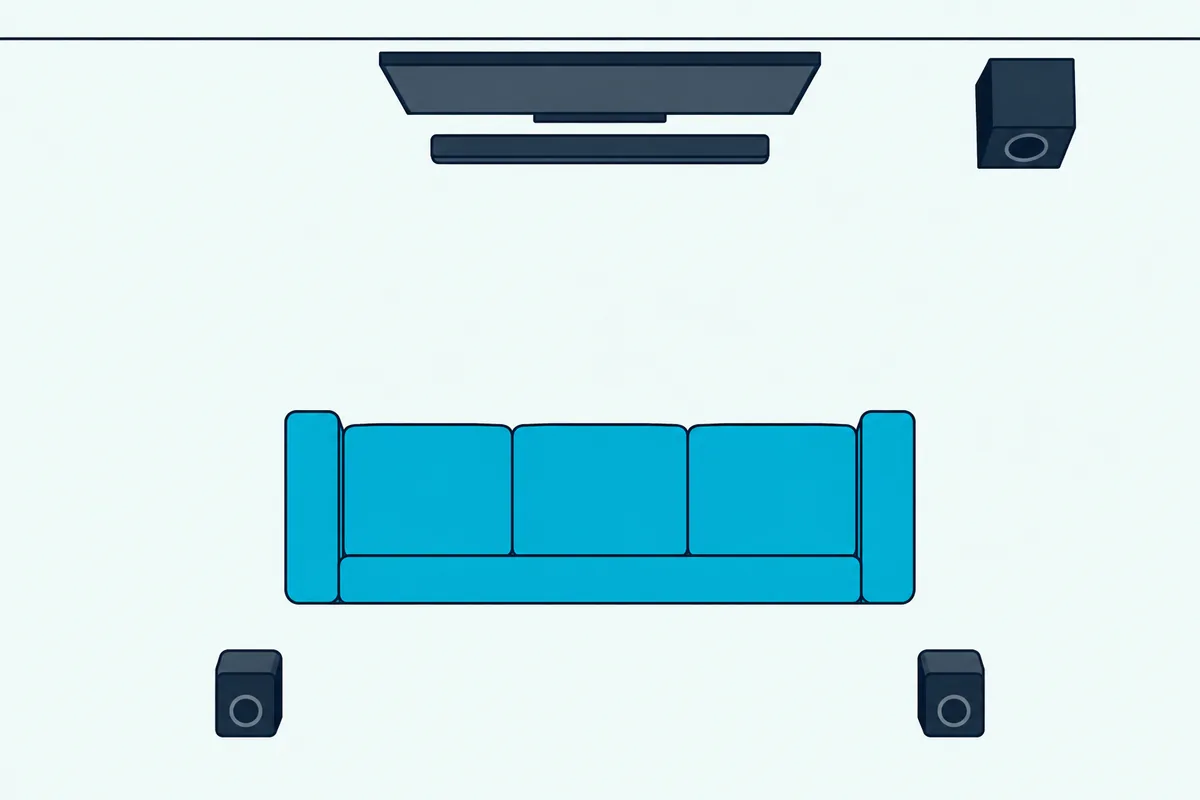
What happens next depends on the bar. In Samsung’s HW-Q600F user guide, a 2.0-channel input plays as 2.1 in Standard mode, where the optional rear speakers stay silent, while a 5.1 input plays as 3.1, or as 5.1 with the rear speaker kit.
Samsung’s Surround Sound and Adaptive Sound modes spread a 2.0 input across 3.1.2 or 5.1.2 channels, but that’s the bar’s own upmix of two channels rather than the film’s surround mix. If those numbers read like code, our explainer of what soundbar channel numbers mean sorts them out.
The port matters as much as the setting, and our HDMI vs HDMI ARC guide covers the difference between a TV’s ordinary HDMI inputs and the ARC one.
What Does Each TV Maker Call Bitstream?
That two-channel ceiling is why the menu choice matters, and few menus use the word bitstream. Samsung, LG, Sony, Roku TV, Vizio and Hisense each name the setting and its options differently, so the table gathers them in each maker’s own words.
| TV maker | Where the setting lives | Options that pass the stream | PCM option |
|---|---|---|---|
| Samsung | Settings > All Settings > Sound > Expert Settings > Digital Output Audio Format | Auto, Pass-through, Dolby Digital, Dolby Digital+ | PCM |
| LG (webOS 25) | Settings > Sound > Advanced Settings > Digital Sound Output | Auto, Pass Through | PCM |
| Sony BRAVIA | Settings > Display & Sound > Audio output > Digital audio out | Auto 1 and Auto 2 in one help guide, Pass through mode in another | PCM |
| Roku TV | Settings > System > Audio > S/PDIF and ARC | Auto detect (the default), Auto passthrough | Not named; Auto passthrough may convert unsupported formats to stereo PCM |
| Vizio | Menu > Audio > Digital Audio Out | Dolby Digital or Bitstream | PCM |
| Hisense (55A6GV) | Settings > Sound > Audio Output Settings > Digital Audio Out | Auto, Pass Through, Dolby Audio – Dolby Digital (optical), Dolby Audio – Dolby Digital Plus (ARC) | PCM |
Should a Samsung TV Use PCM, Auto or Pass-Through?
Auto, by Samsung’s own advice, unless your bar decodes every format your sources send. Samsung’s 2025 QN90F TV e-Manual says Auto changes the output “to the mode supported by the connected soundbar or A/V receiver,” while Pass-through outputs the audio data “with no processing.”
The same e-Manual warns that Pass-through means no sound at all when a Dolby Digital+ source reaches a bar that can’t decode it. Samsung’s HW-Q990F, Q930F and Q800F user guide adds the bar’s side: when a Dolby broadcast meets a TV set to PCM, it recommends Dolby Digital, Dolby Digital+ or Auto “for optimal sound.”
What Do LG’s Auto and Pass Through Settings Send?
LG’s webOS 25 TV user guide answers with a full input-and-output table under Digital Sound Output. With PCM selected every input leaves the TV as PCM, while Auto or Pass Through leaves Dolby Digital unchanged on optical and ARC, and can pass the Plus format and Atmos on ARC but converts them to plain Dolby Digital on optical.
The same table sends DTS-HD Master Audio and DTS:X to optical and ARC as plain DTS, saving the full versions for eARC. LG adds that sound effects may not be output with Pass Through on, and that the setting appears only when the TV’s sound goes to an optical or HDMI ARC device.
What Are Sony’s Auto 1 and Auto 2 Settings?
They split by channel count. In the Sony BRAVIA help guide that lists them, Auto 1 outputs compressed audio without change, Auto 2 does so only for multichannel content, and PCM always outputs PCM.
A second Sony BRAVIA help guide, for sets with eARC, puts Digital audio out under Settings, Display & Sound and Audio output, with a note to choose PCM if the audio system isn’t compatible with Dolby Digital or DTS. It also mutes Dolby Digital Plus over optical, so when ARC and optical are both in use, Sony says to select Dolby Digital in that format’s output setting.
That guide also lists a Pass through mode, which outputs audio signals to the audio system without decoding them.
Which Roku TV Setting Passes Dolby Through?
Either of Roku’s two automatic options does. Roku’s surround sound guide says Auto detect, the default, lets the TV detect the bar’s capabilities over HDMI, and Auto passthrough delivers unmodified Dolby Digital, Dolby Digital Plus or DTS when the bar supports the format.
The guide adds that Auto passthrough lets the bar play without any delay from processing in the TV, and that formats the bar doesn’t support may be converted to stereo PCM. The specific-format options are for a bar whose capabilities the TV doesn’t detect correctly, and setting up a soundbar on a Roku TV has its own guide.
What Do Vizio and Hisense TVs Call It?
Vizio uses the word bitstream. Its 2022 V-Series TV manual puts Digital Audio Out under Menu and Audio for both optical and HDMI ARC devices, and Vizio’s M51ax-J6 sound bar manual tells owners to change the TV’s Digital Audio Setting to Dolby Digital or Bitstream.
The V-Series manual’s one exception is Talk Back, which needs Digital Audio Out set to PCM. Hisense’s 55A6GV manual lists Auto, Pass Through, PCM and two Dolby Audio choices under Digital Audio Out, and for an optical connection it recommends PCM or Dolby Audio – Dolby Digital, the second being the one that carries 5.1.
Should You Pick Auto or Pass-Through?
Those menus share one more split worth settling. Pick Auto first, because it matches the output to what the bar can decode, and save Pass-through for a bar that decodes everything your sources send.
Samsung’s e-Manual shows the risk: Pass-through with a bar that lacks Dolby Digital+ support means silence whenever that format plays, and Samsung recommends Auto when the bar supports only some formats. Roku’s Auto passthrough takes a gentler route, since formats the bar can’t play may be converted to stereo PCM.

LG puts Auto and Pass Through in one row of its output table, with the note that Pass Through may drop the TV’s sound effects. That makes Auto the everyday setting, and Pass-through a deliberate pick for an eARC bar fed by a disc player.
What Happens Inside the Soundbar With Each Setting?
Whichever option the TV uses, the bar’s display, light or app shows what arrived. A bar decodes a bitstream itself and usually names the format, while PCM arrives already decoded, so the Dolby or DTS label stays dark.
Samsung’s HW-Q990F guide says “DOLBY ATMOS” appears on the display when Atmos is active and “DTS:X” when DTS:X is. Vizio’s M51ax-J6 manual uses a light instead, green for Dolby Atmos, white for Dolby Audio and amber for DTS, lit for 5 seconds when the bar detects the signal.
Bose puts the check in an app: the Bose Smart Soundbar 900 owner’s guide says to look at the Bose Music app and, if the audio isn’t streaming in Dolby Atmos, to make sure the TV’s advanced audio settings let Atmos pass through. That pass-through setting is one of the best settings for a Bose Soundbar 900.
Sonos’s list of supported home theater formats points owners to its own article on checking which format the bar is receiving from the TV. If the display or app already reads PCM when you expected Dolby, our why does my soundbar say PCM guide works through that symptom step by step.
Does Bitstream or PCM Sound Better?
Those labels lead to the question most people type. Neither format sounds better by itself, because PCM is uncompressed only after the TV has decoded the same compressed track the bar would have decoded, so what changes is the channel count, the volume and the processing.
Lossless formats make the point. Dolby says TrueHD is 100 percent lossless, bit-for-bit identical to the master recording, so a disc player that decodes it to multichannel PCM over HDMI hands the bar the same audio the bar would have decoded itself.
Samsung still sides with bitstream for broadcasts: its HW-Q990F guide says moving a TV from PCM to one of its Dolby settings or Auto for a Dolby broadcast “will provide better sound quality.” The bar’s own tools can depend on the format too, since Samsung’s HW-Q600F guide describes its DRC setting as dynamic range control for Dolby Digital and DTS tracks.
Volume can fool a quick comparison. Sony’s help guide says its Digital audio out volume setting applies to PCM only and that PCM and compressed audio play at different levels, and LG’s S70TY manual lists switching the TV’s Digital Sound Output from PCM to Auto or Bitstream among its fixes for low volume.
Timing differs as well. Roku says Auto passthrough lets the bar play without processing delay in the TV, and this TV-by-TV list of delay and audio format settings covers sets that still drift out of sync.
When Is PCM the Better Choice?
That doesn’t leave PCM without a job. Choose PCM when the bar can’t decode what the TV sends, when you need sounds the TV makes itself, or on an eARC chain built to carry multichannel PCM.
The no-sound fix appears in Samsung’s, Vizio’s and Sony’s manuals alike. Samsung’s HW-Q990F guide says to change the TV’s audio output to PCM or Dolby Digital when the bar can’t reproduce the input signal, Vizio’s M51ax-J6 manual says to set the source to PCM when its input lights flash and it announces “format not supported,” and Sony says to choose PCM for an audio system that isn’t compatible with Dolby or DTS formats.
TV-made sound is the second case. Vizio’s V-Series manual says Digital Audio Out must be set to PCM to hear Talk Back, and LG warns that Pass Through may drop the TV’s sound effects.
eARC is the third. Sonos lists multichannel PCM among the formats that require an eARC connection, and notes that devices such as Apple TV pass Dolby Atmos to it as multichannel PCM inside the Dolby MAT container.
Dolby’s Dolby Atmos for sound bar applications paper describes that container, Dolby MAT 2.0, carrying Atmos metadata in lossless PCM from sources such as set-top boxes and game consoles. If an Apple TV feeds your bar, the guide to connecting an Apple TV to a soundbar covers its side of the chain.
Why Does DTS Sometimes Need PCM?
DTS is where those fallbacks come up most. Bitstream only works when the bar can decode the format, and DTS support varies between models more than Dolby Digital does.
Sonos supports Dolby Digital on every home theater product but not DTS on products that use the Sonos S1 Controller app, and LG’s Digital Sound Output notes say DTS may not be supported on some models. Roku’s Auto passthrough sends DTS unmodified only when the TV detects that the bar supports it.
On the cable, that LG table from earlier sends DTS-HD Master Audio and DTS:X to optical and ARC as plain DTS, keeping the full versions for eARC. So a bar that shows DTS rather than DTS:X on ARC is getting what the connection allows, while one that goes silent on DTS needs the TV or player set to PCM.
How Should a Blu-ray Player or Console Be Set?
The same choice turns up on players and consoles, often under the word bitstream itself. Set a Blu-ray player to bitstream with its secondary audio mix turned off, and leave a console on its automatic setting unless the bar shows PCM where you expect Dolby.
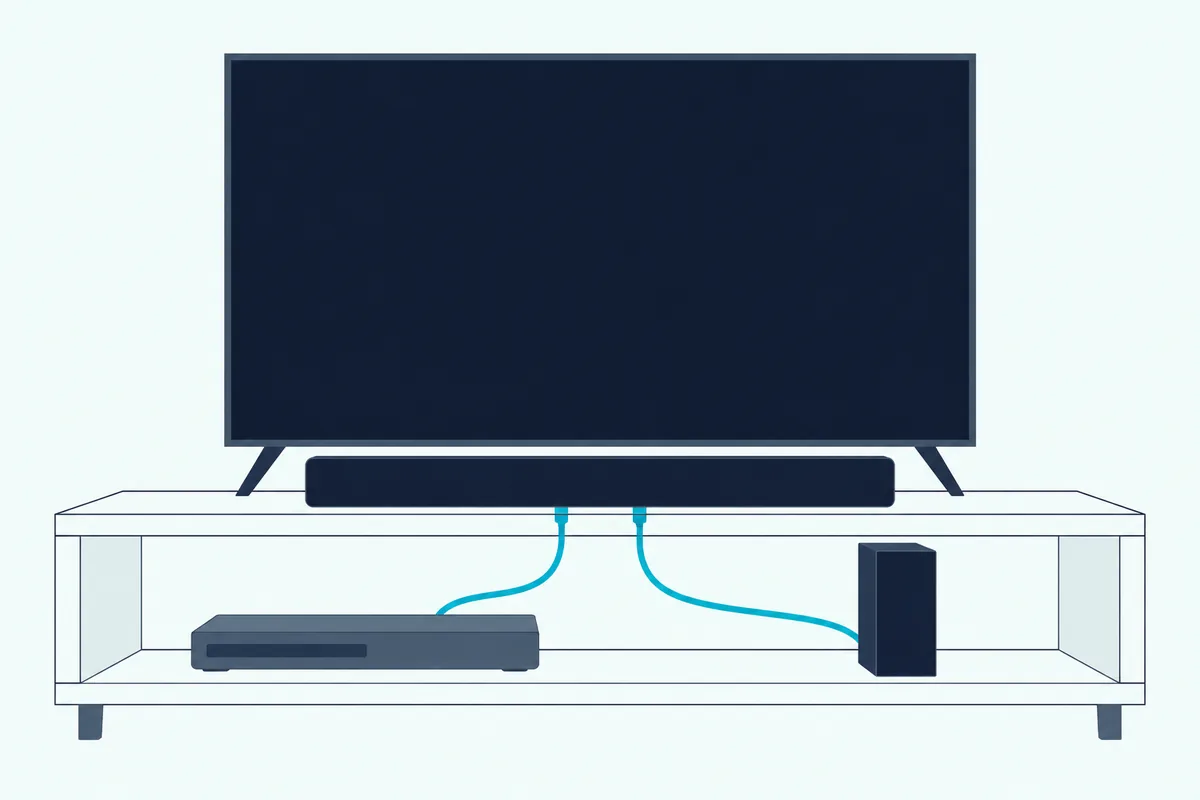
Dolby’s Atmos paper says a player must be set to bitstream out, and that many players default to secondary audio, or “mix” mode, which outputs Dolby Digital or another channel-based signal and must be disabled for Atmos. Samsung’s HW-Q990F guide gives its own player’s path, Home Menu, Sound, Digital Output, then Bitstream (Unprocessed), with “No Encoding” selected for bitstream.
LG’s S70TY manual says the same for a DVD or Blu-ray player: change its Digital Sound Output from PCM to PRIMARY PASS-THROUGH or BITSTREAM, and turn its DRC off.
Consoles ask less of you. PlayStation’s PS4 user’s guide says the system automatically selects the best audio format for connected devices and that changing it usually isn’t necessary, and its PS5 support page notes that apps such as the disc player have their own audio settings that take priority.
A player cabled into the bar’s own HDMI input keeps the TV’s menu out of the path entirely. Samsung’s HW-Q600F guide describes that route as the bar playing the source’s audio through its own speakers and passing the unaltered video signal on to the TV.
How Do You Check What Your Soundbar Is Receiving?
Those labels give you a two-minute test. Play a scene you know carries a 5.1 or Atmos track, read the bar’s display, light or app, then switch the TV’s output setting and play the same scene again.
If the label changes from nothing, or PCM, to a Dolby or DTS format, the TV was decoding before and the bar is decoding now. If it doesn’t change, check that the content and the streaming service actually carry the format, as Bose’s Smart Ultra Soundbar guide suggests, then work through this step-by-step Atmos troubleshooting list in order.
Repeat the test for an external box on its own HDMI input, because the TV’s setting may not apply there. Sony’s help guide says the Digital audio out settings are disabled when audio passed through from an HDMI input goes out over eARC.
If the test points at the cable rather than the setting, our side-by-side of HDMI against optical for soundbar audio shows what each cable carries.
The Bottom Line
Bitstream is the right default for a soundbar on optical or HDMI ARC, because those links carry PCM as two channels but carry Dolby and DTS bitstreams whole, including Dolby Digital Plus and compressed Atmos over ARC. On most TVs that means Auto, Auto passthrough, Auto 1, Pass Through or Bitstream, whatever your maker calls it.
PCM earns its place as the fix for silence, the setting some TV features need, and an equal option on an eARC chain built for multichannel PCM. The descriptions come from the makers’ manuals and spec pages.
Once the format is right, Burton Acoustix’s guide to the rest of a soundbar’s settings covers dialogue, night and sound modes.
Frequently Asked Questions
Is bitstream or PCM better for sound?
Neither is better by itself. PCM is uncompressed only because the TV or player has already decoded the compressed soundtrack, so the difference you hear comes from how many channels survive the cable. On optical and HDMI ARC, PCM carries two channels while bitstream carries Dolby or DTS surround, and ARC adds Dolby Digital Plus and compressed Atmos, which is why Samsung, LG and Vizio steer their soundbar owners toward bitstream. On eARC, multichannel PCM carries 5.1 or 7.1 uncompressed, so a lossless track such as Dolby TrueHD gives the same audio whichever box decodes it.
Should I set my TV to bitstream or PCM?
Set it to the option that passes the original stream: Auto or Pass-through on a Samsung TV, Auto or Pass Through on an LG, Auto 1 on Sony BRAVIA sets that offer it, Auto detect or Auto passthrough on a Roku TV, and Dolby Digital or Bitstream on a Vizio. Switch to PCM only if the bar goes silent or reports an unsupported format, or if you rely on a TV feature such as Vizio’s Talk Back that needs PCM.
What does PCM mean on a TV?
PCM stands for pulse-code modulation, the uncompressed form digital audio takes once it has been decoded. When a TV’s digital audio output is set to PCM, the TV decodes Dolby or DTS itself and sends plain audio channels to the soundbar, which over optical or HDMI ARC means two channels. Sony’s help guide sums the setting up as “always output in PCM,” and LG’s output table shows every input format leaving the TV as PCM.
Can PCM carry 5.1 surround to a soundbar?
Yes, but only over HDMI eARC or from a player plugged into the bar’s own HDMI input. HDMI Licensing Administrator lists uncompressed 5.1 and 7.1 among eARC’s formats, Sony’s HT-A7000 guide accepts LPCM 5.1ch and 7.1ch only on its HDMI inputs and eARC, and Sonos puts multichannel PCM behind an eARC connection. Over optical or plain ARC, PCM stops at two channels, so a 5.1 soundtrack arrives as stereo.
What are the disadvantages of bitstream?
Bitstream only works if the bar can decode the format. A Samsung TV on Pass-through gives no sound when a Dolby Digital+ source reaches a bar that can’t decode it, DTS support varies between bars, and LG notes that Pass Through can drop the TV’s own sound effects. Auto settings avoid most of this by matching the output to what the bar supports, and PCM stays the fallback when a format won’t play.