The Best DJ Mix App for Your Phone, Music Source and Controller
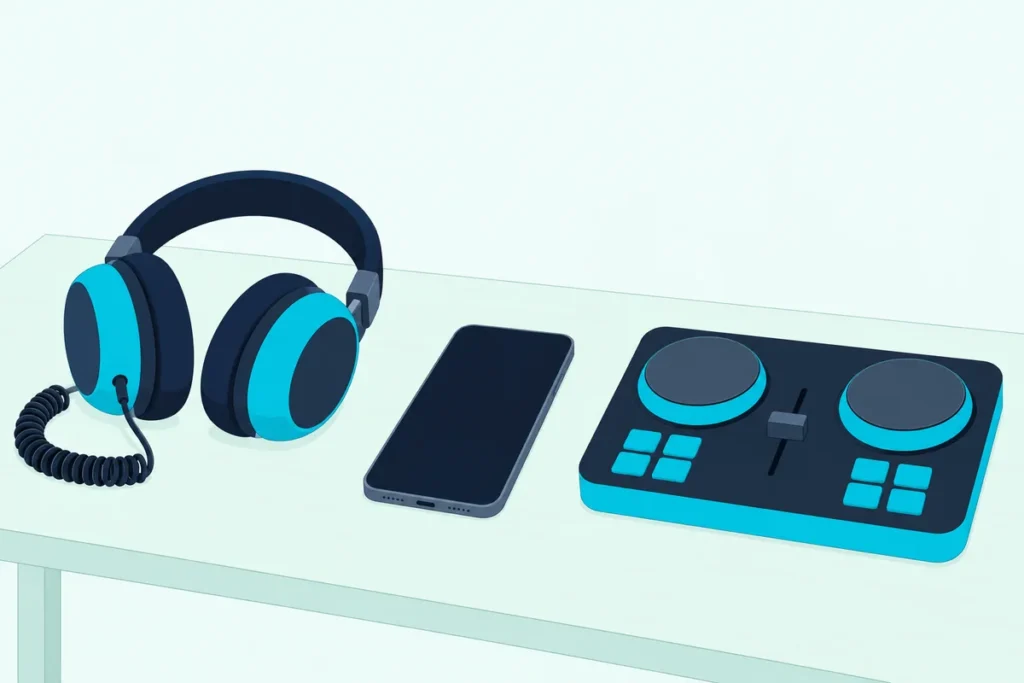
If you want one name, the best DJ mix app for most phones is djay, because its listings name six streaming services on both iPhone and Android, though your music and gear can change that answer.
Pick by the screenshots alone and you can land on a free version that won’t pre-cue in your headphones, won’t run your controller or caps your recordings, since each maker draws that line somewhere else.
Match the app to your phone, your music source and the controller you own, and you’ll know what the free download does before you subscribe.
The table below lines up the apps by system, source and controller, then each maker’s documents fill in the mixing tools and the paid unlocks.
Start with the row that matches the phone in your hand, because Serato’s app, for one, stops at iPhone and iPad.
What Is the Best DJ Mix App for Your Phone?
That phone comes first, then your music, then your gear. The best DJ mix app for your phone is djay if you stream, rekordbox or Serato DJ if you already own hardware they list, and Cross DJ or YouDJ if you mostly mix your own files.
- You stream Spotify or Apple Music: djay names the most services on iPhone, iPad and Android.
- You own a Pioneer DJ or AlphaTheta controller: rekordbox lists the DDJ-FLX4, DDJ-FLX2, DDJ-GRV6 and DDJ-200, and connecting one needs no subscription.
- You own Serato-ready hardware and an iPhone or iPad: Serato DJ counts more than 120 supported devices.
- You have no streaming account: Cross DJ imports your audio files, and YouDJ plays the MP3s on your device.
Want a seamless playlist with no hands-on mixing at all? Offtrack is built for that, and if you’re really asking about a laptop, start with DJ mixer software for a computer instead.
The system names in the table link to the store pages. Check your own phone’s store page before you commit, because these lists change with updates.
| App | Runs on | Music sources named | Controllers named |
|---|---|---|---|
| djay | iPhone and iPad, iOS 15 or later; Android 10 or later | Spotify, Apple Music, TIDAL, SoundCloud, Beatport, Beatsource, your files | iOS: 100+ from six brands. Android: ten models |
| edjing Mix | iPhone and iPad, iOS 18.6 or later; Android | Spotify, SoundCloud, TIDAL, Beatport, your files; Apple Music on iPhone and iPad only | iOS: compatible models from five brands. Android: no models named |
| rekordbox | iPhone and iPad, iOS 17 or later; Android 13 or later | Spotify, Apple Music, SoundCloud, Beatport, TIDAL, your files | DDJ-FLX4, DDJ-FLX2, DDJ-GRV6, DDJ-200; XDJ-AN on iOS |
| Cross DJ | iPhone and iPad, iOS 17.4 or later; Android | iOS: Spotify, Beatport, SoundCloud Go+, your files. Android: SoundCloud, your files | iOS: nine models. Android: eight models |
| Serato DJ | iPhone and iPad, iOS 18.6 or later | Apple Music, Beatport, SoundCloud, Spotify, TIDAL, crates from your laptop | 120+ devices from AlphaTheta, Hercules DJ, Numark, Pioneer DJ, Rane, Roland and more |
| WeDJ | iPhone, iOS 16 or later; Android | iPhone: Beatport, SoundCloud Go+/DJ, your files. Android: your files | DDJ-200, DDJ-WeGO4, DDJ-WeGO3 |
| YouDJ | iPhone and iPad, iOS 14 or later; Android | Its preloaded music, MP3 files on your device | None named |
| Offtrack | iPhone and iPad, iOS 15 or later; Android 8 or later | iOS: Spotify Premium, Apple Music, TIDAL, SoundCloud Free, your files. Android: Spotify Premium, SoundCloud Free | None named |
Read the third column against your subscriptions and the fourth against your gear, and most rows drop out. The sections below take the survivors one maker at a time, starting with the top row.
Why Does djay Top the List?
That top row earns its place on the length of its source list, not on any one service. djay tops the list because its App Store and Google Play listings both name Spotify, Apple Music, TIDAL, SoundCloud, Beatport and Beatsource, and its PRO subscription covers up to five devices across iOS, macOS, Android and Windows.
You pay for those music services separately, from Spotify Premium to the TIDAL DJ Extension, though the Android listing adds a free djay Music library of DJ-ready tracks. On Algoriddim’s Spotify page, the free version gets the mixer, filters and effects, cue points and looping, while PRO unlocks Automix, hardware integration and FX add-ons.
The tools go well past two virtual decks. Neural Mix isolates vocals, drums and instruments in real time, the Looper holds up to 48 loops per track, and the effect count runs from over 40 on iOS to 50+ on Android.
Recording is on the iOS list too, with a catch covered further down: streamed songs can’t be recorded. The controller count needs a second look as well, because the App Store listing says 100+ while Algoriddim’s iOS page still says over 50.
Algoriddim’s DJ Gear page is the list to check for your model. Google Play’s list is shorter and names models: DDJ-FLX2, DJControl Mix Ultra, DJControl Mix and DDJ-200 over Bluetooth, plus DDJ-WeGO4, DDJ-WeGO3, Reloop Mixtour, Beatpad, Beatpad 2 and Mixon4 over USB.
What Stays Free in edjing Mix?
Where djay charges for Automix and hardware integration, MWM draws its line in a different place. edjing’s download page keeps two decks, the crossfader, 3-band EQ, Sync, automatic BPM detection, hot cues, loops and sampler basics free, along with every music source.
The Pro features add the full FX rack, Stemz, which isolates vocals, drums or bass live, and HD recording in .wav. The subscription terms aren’t on that page: edjing’s Pro page sends you to Settings, then Store, inside the app.
The two systems aren’t equal here. Apple Music works only on iPhone and iPad, and the free Android version contains ads.
Controller support splits the same way. edjing’s iOS page lists plug-and-play support for compatible controllers from Pioneer DJ, AlphaTheta, Hercules, Numark and Reloop, while its Spotify page places the v9 redesign with controller support on iPhone and iPad.
Do You Need a Subscription for rekordbox on a Phone?
That free tier with ads has a close parallel at AlphaTheta, which also charges to hide them. You don’t need a subscription for rekordbox on a phone, even with a controller connected, because AlphaTheta’s subscription FAQ says you sign up only to use the paid functions.
Those functions are hiding ads, rotating the screen while tracks play, extra effects, pre-cueing, key control, pad customizing, SLIP and unlimited recording in every format. Without a subscription, recording stops at 30 minutes a week and AAC at 64 kbps.
The same FAQ lays out Lite Mode, the simple view that keeps the crossfader, sampler and Pad FX, with Sync and Smart Fader locked on. Plug in a controller and Lite Mode isn’t available.
Two rules are easy to miss. A subscription bought on Android doesn’t carry over to iOS, and a plan from rekordbox.com doesn’t cover the app’s paid functions.
The controller list stays short and specific. AlphaTheta’s iOS list names the DDJ-200, DDJ-FLX2, DDJ-FLX4, DDJ-GRV6 and the all-in-one XDJ-AN, while its Android list names the first four.
If you also DJ from a laptop, Cloud Library Sync links the two libraries. The FAQ limits Free and Core plans to 20 tracks there.
Is Serato DJ Only for iPhone and iPad?
That short list stays inside one maker’s hardware, and Serato’s reaches much further on fewer systems. Serato DJ is only for iPhone and iPad on its App Store listing, which requires iOS 18.6 or later and names no Android version.
What you get there is the longest hardware list in the table: over 120 natively supported controllers, turntables and mixers, plus Digital Vinyl System setups. Music comes from Apple Music, Beatport, SoundCloud, Spotify and TIDAL, from a free music library, or from your laptop through Serato iOS Transfer, which brings crates, cue points, beatgrids and metadata along.
The listing calls the app free to start, with Serato DJ Suite as the upgrade for Stems FX, the 50+ built-in effects, every waveform view and expanded hardware support. It describes recording straight to the iPhone or iPad, but it doesn’t describe a pre-cue route.
Which Cross DJ Do You Get on Android?
Serato’s single-system listing isn’t the only split between phones, because Mixvibes runs two versions of its app. On Android you get Cross DJ 4, while iPhone, iPad and Mac get Cross DJ 5, according to Mixvibes’ hardware page, and a Cross DJ 5 beta for Android is open to join.
The gap shows in the music. The App Store listing names Spotify, Beatport, SoundCloud Go+, iCloud, Dropbox and Google Drive, while the Google Play listing names SoundCloud and the files you import in MP3, AAC, FLAC, WAV or AIFF.
The hardware splits too. iOS lists the DDJ-FLX2, DDJ-FLX4, DJControl Mix, Mix Ultra, Starlight, Inpulse 200 MK2, 300 MK2 and 500, plus U-Mix Control Pro, while Android lists the DDJ-200, DDJ-400, DDJ-SB, WeGO 2 and Mixvibes’ U-Mix Control models.
Both listings share the two-deck layout, automatic sync, keylock, hot cues, Slip Mode, a sampler, Automix and recording. Android also has two entries: the free Cross DJ with ads and in-app purchases, and Cross DJ Pro, a paid download with the same feature list.
The subscription unlocks everything, on Android and iOS alike. Mixvibes’ help page says one bought on iPhone works on iPad or Mac with the same Apple ID, but not on an Android phone or tablet.
Does WeDJ Still Make Sense Next to rekordbox?
Those controller lists matter most when your model is missing from one, and AlphaTheta’s second app is the clearest case. WeDJ still makes sense if you own a DDJ-WeGO3 or DDJ-WeGO4, because both units are on the lists for WeDJ for iPhone and WeDJ for Android and not on rekordbox’s, though djay’s Android list names them too.
Pioneer DJ’s Android page says the free version plays five songs per session until you buy a license in the app. On iPhone, the store labels it only for iPhone, it streams Beatport and SoundCloud Go+/DJ with a subscription, and recording is disabled while you’re streaming.
The Android app plays WAV, AIFF, MP3 and M4A files stored on your device, with Beat Sync, Automix, hot cues, loops and a sampler. Its listing is also the plainest here about headphones: split cable required, and one comes with the DDJ-200.
Can YouDJ Mix Without Any Subscription?
Licenses and subscriptions have decided every row so far, and YouDJ sets out to skip them. YouDJ can mix without a subscription, since its App Store and Google Play listings call it absolutely free with no ads, and say it comes preloaded with music and plays MP3 files stored on your device.
The tools are 16 sound effects, an 80-sound sampler, vinyl scratching, automatic beat sync, keylock, loops, Automix and hot cues, and the listing itself admits it may not be the most complete DJ app. It also rules out Apple Music, Spotify and YouTube Music, though its claim that no DJ app can integrate them doesn’t match the table above.
Google Play does show an in-app purchases label, and the web version has a PRO tier for extra effects and settings.
Neither store listing names a controller or a pre-cue route, though YouDJ’s own site lists MIDI control and headphones among its tools without saying which versions get them.
Who Is Offtrack For If You Don’t Want to Mix by Hand?
YouDJ treats Automix as one feature among many, and Offtrack builds the whole app around the idea. Offtrack is for anyone who wants a playlist turned into a mix automatically, because its App Store listing says it plays what it calls the best 25-50% of each song, reorders the queue and handles the transitions.
The catalog limits are stated up front: about 80% of songs in popular playlists on Spotify Premium and Apple Music, a full catalog on TIDAL HiFi, and SoundCloud Free without Go+ tracks. Your local library works on iPhone too, while the Google Play listing names only Spotify Premium and SoundCloud Free.
An optional Offtrack Pro subscription sits on top. Neither listing names a controller, so if you want to learn the hands-on side of mixing, the apps above fit better.
Which DJ Apps Fit an iPhone or iPad?
Offtrack’s iPhone and Android lists show how far one app can differ between systems, and the iOS version number is the next thing to check. All of these DJ apps fit an iPhone, and all but WeDJ for iPhone also list iPad, though the minimum runs from iOS 14 for YouDJ up to iOS 18.6 for edjing Mix and Serato DJ.
Here’s a practical test: open Settings, then General, then About, and compare your version with the table. djay and Offtrack ask for iOS 15, WeDJ for iOS 16, rekordbox for iOS 17 and Cross DJ for iOS 17.4.
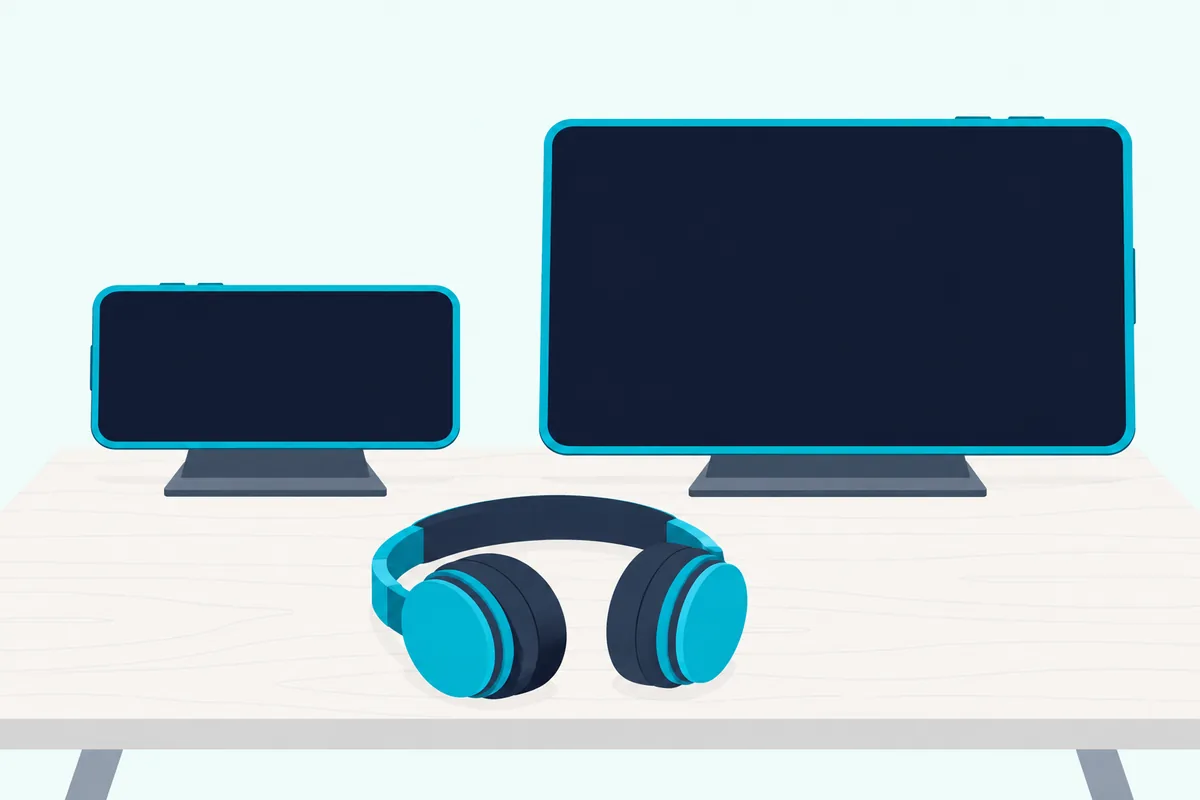
On an iPad, the makers talk mostly about layout. edjing says its landscape view puts both decks, the three-band EQ and the library side by side, Serato’s listing offers horizontal, vertical and extended waveforms, and AlphaTheta says rekordbox has supported iPad since version 4.
If the iPad is the plan, our controllers that suit an iPad cover power and connections.
Which DJ Mixer App Works Best on Android?
Apple’s version numbers are the easy part, because Android adds device limits on top. The best DJ mixer app for Android on paper is djay or rekordbox, since both keep Spotify, Apple Music, SoundCloud, Beatport and TIDAL there, while edjing Mix drops Apple Music, Cross DJ names only SoundCloud and Serato’s listing stops at Apple’s devices.
The minimums run from Android 8 for Offtrack to Android 10 for djay and Android 13 for rekordbox. Meeting them doesn’t settle it, because AlphaTheta’s mobile page says operation isn’t guaranteed on all Android devices even when the requirements are met.
Algoriddim gives the same warning in more detail on Google Play. Not every feature runs on every device, Neural Mix needs an ARM64-based device, and some Android devices don’t support external audio interfaces, including those built into certain DJ controllers.
AlphaTheta adds that AAC, ALAC, AIFF and FLAC tracks may not show up on the import screen on some devices. If a USB controller won’t connect properly because of audio or power supply issues, its FAQ says to try Bluetooth.
So test on your own phone with the free version before you subscribe: load one of your own tracks, connect your controller and play both decks. If one of them fails, you’ve found out before paying.
How Do You Pre-Cue on a Phone?
That test should include your headphones, because hearing the next song privately is something a phone can’t do unaided. You pre-cue on a phone with a stereo/mono DJ split cable, a controller or a supported audio interface, the routes Algoriddim’s iOS manual gives for djay.
With Split Output on, the mix goes to one side of the stereo channel and the cue goes to the other. The cable separates those sides into two mono outputs, one for your speakers and one for your headphones.
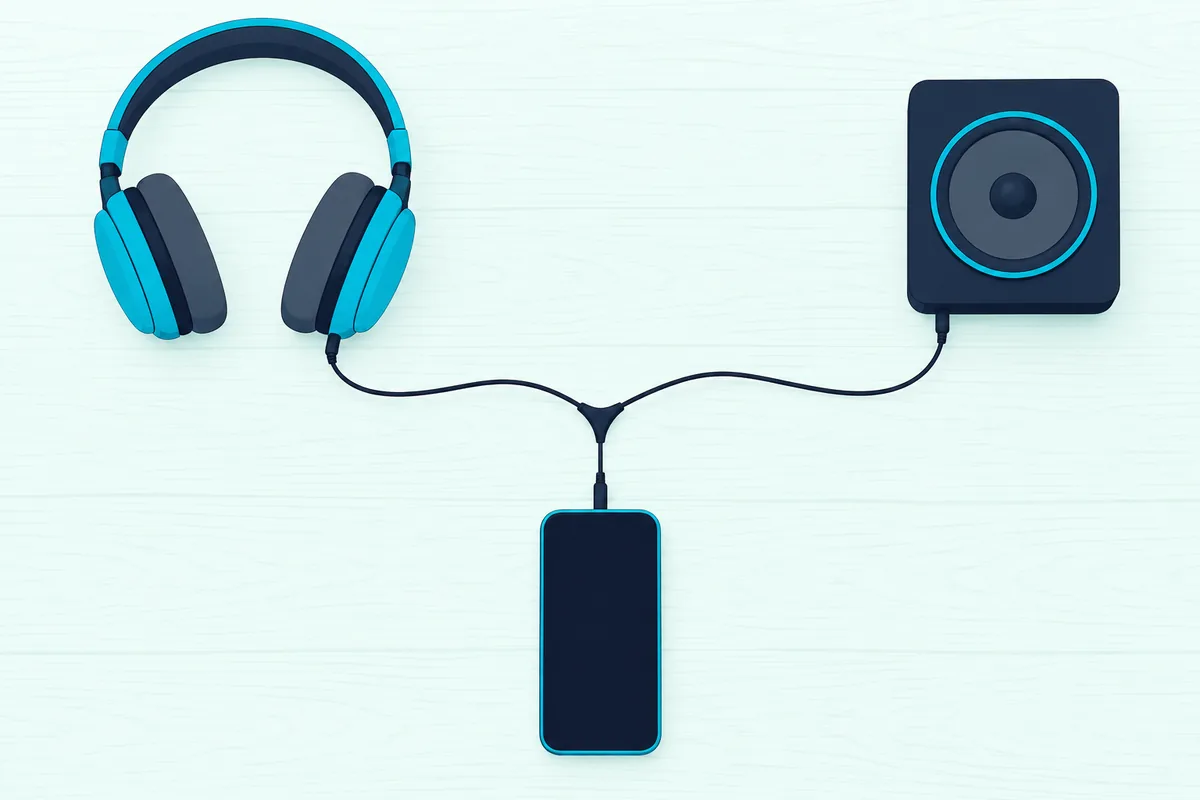
The iOS manual rules out AirPlay and Bluetooth devices for this. The Android manual adds that pre-cueing needs a PRO subscription.
Other makers describe the same need. edjing’s phone guide says private cueing takes compatible audio routing and separate outputs, and that headphones alone don’t provide it, while Cross DJ lists split mono or dual stereo outputs on iOS.
AlphaTheta’s DDJ-FLX4 manual gives rekordbox the same split-cable route over Bluetooth, with the speaker on the left channel, the headphones on the right and Split Output switched on under Audio, then PRE-CUEING. Over USB, the manual sends the cue to the controller’s own headphones output, and AlphaTheta’s FAQ lists pre-cueing among the paid functions without saying which of those routes that covers.
A plain headphone Y-splitter isn’t the same thing, because it sends one stereo signal to both plugs. If your controller didn’t come with a split cable, look for one sold as a DJ split cable: it takes the phone’s stereo output and sends one side to a speaker jack and the other to a headphone jack, the kind AlphaTheta packs with the DDJ-200.
A phone without a headphone jack needs a USB or Lightning to 3.5 mm adapter ahead of that cable, which the DDJ-FLX4 manual draws in its split-cable setup. To check the setup, play a track on each deck and move the crossfader to each side: the mix should reach the speakers while you hear the cue in your headphones.
What Can’t You Do With Spotify or Apple Music Tracks?
Cueing isn’t the only limit that comes with your music source, and the catch from djay’s section shows up here. You can’t record Spotify or Apple Music tracks or split them into stems in djay or edjing Mix, and both makers say so in their own documents.
djay’s listings say there’s no recording for streamed songs and that Neural Mix can’t be used with Apple Music or Spotify. edjing’s guide says the same about recording and Stemz, and its Spotify page limits that integration to personal, non-commercial use, so no gigs.
The pattern repeats elsewhere. WeDJ for iPhone disables recording while you’re streaming, and Cross DJ’s Android listing rules out recording mixes with streamed SoundCloud tracks.
Streaming also needs an internet connection and that service’s own subscription, and edjing says downloads inside another streaming app can’t be imported as audio files. So keep your own files for any set you want to save, and our ways to capture a finished DJ set pick up from there.
How Do You Connect a Controller to a Phone or Tablet?
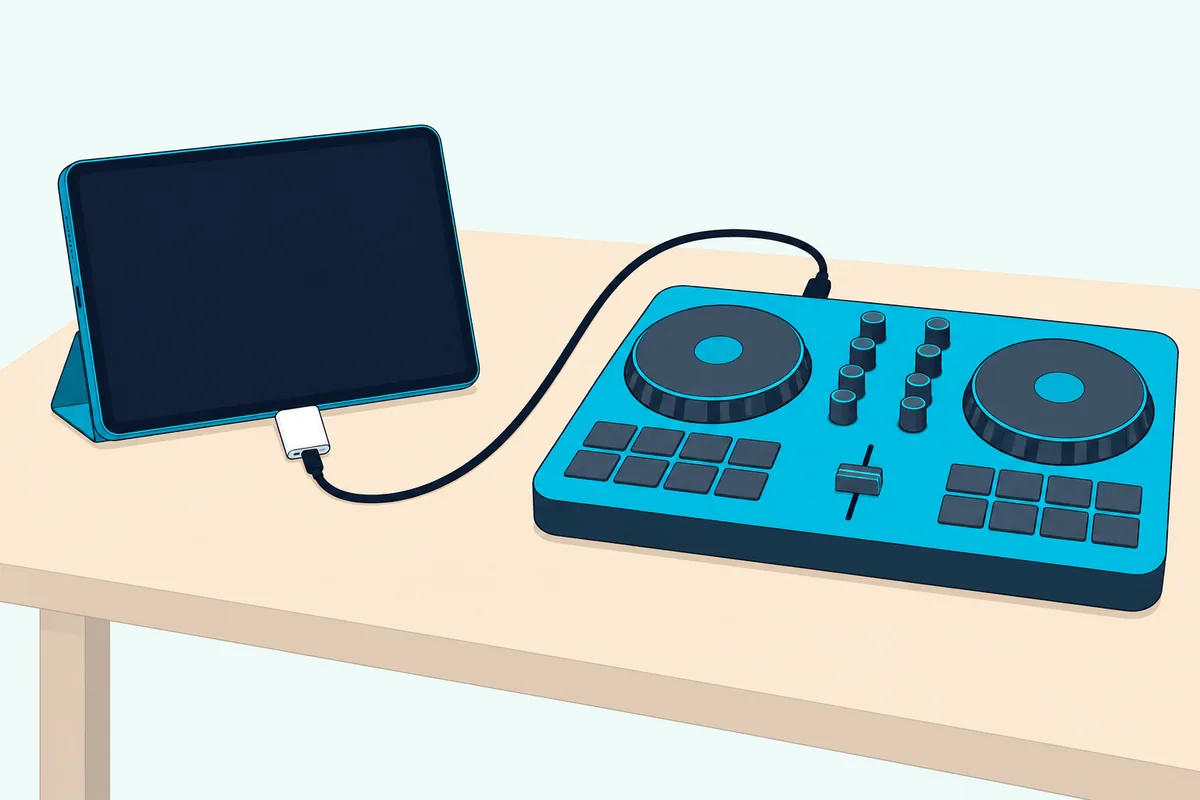
Those limits follow the music, and the next set follows the hardware. You connect a controller to a phone or tablet with a USB adapter or Bluetooth, and Algoriddim’s connection steps want the cables in a set order:
- Attach the adapter: an Apple Lightning to USB 3 Camera Adapter or USB-C Digital AV Multiport Adapter on iOS, or an OTG-compatible USB-C or Micro-USB adapter on Android.
- Connect a power adapter, which some controllers need.
- Plug the controller into the USB adapter and power it on.
- Open djay, which detects the controller.
For a Bluetooth controller such as the DJControl Mix, open djay’s MIDI menu and tap Connect Bluetooth Controller. Hardware integration is a PRO unlock in djay, so this is also the moment to learn whether your controller includes an app unlock, which our walkthrough for plugging a controller into an iPad checks by model.
Power changes by model too, so check yours. AlphaTheta’s FAQ wants a DC 9 V, 3 A supply on the DDJ-FLX4’s power port and DC 5 V at 500 mA or more on the DDJ-FLX2 and DDJ-200.
The same FAQ warns that Bluetooth is more likely to bring audio latency than USB, and that the sound then comes from the phone. On iOS or Android, Algoriddim’s interface article adds that djay needs class-compliant audio interfaces, meaning no extra drivers.
Should You Pick a Desktop Program Instead?
All those adapters and power supplies are where a laptop starts to look simpler. You should pick a desktop program if you build mixes on a timeline, if you want software whose maker lists only computers, or if your audio interface needs its own drivers.
DJ.Studio is the clearest case for the first, because the company describes a timeline-based DAW for DJs on Mac and Windows that orders your tracks by tempo and key, then exports the finished mix as audio or video. Its page names no phone app.
VirtualDJ’s download page offers Windows and Mac builds plus a remote for Android and iOS, and Mixxx’s lists Windows, macOS and Linux. The comparison linked near the top covers both programs’ free tiers, and Burton Acoustix’s guide to DJ software on a Mac lines up what runs on each macOS version and chip.
You don’t have to choose only one, either. djay’s PRO subscription spans phone and computer, and rekordbox’s Cloud Library Sync carries playlists and cue points between them.
Are the Other Mixer Apps in the Stores Any Different?
Search either store for a DJ mixer and you’ll see far more names than the ones above. Those other apps can be quite different, and the place to look is what a listing leaves out.
Take DJ Music mixer – DJ Mix Studio on Google Play. Its listing covers two virtual turntables, hot cues, loops, a five-band equalizer and .mp3 recording, with ads and in-app purchases, and it names no streaming service, no controller and no pre-cue route.
That gives you a quick test for any listing you find. Ask which music services it names, which controllers it names and how it pre-cues, and if a listing can’t answer all three, compare it against a row in the table.
The Bottom Line
That three-question test leads back to the same short list. Start with djay if you stream, rekordbox or Serato DJ if your hardware decides it, Cross DJ or YouDJ if you bring your own files, and Offtrack if you’d rather not mix by hand.
Install the free version first and try it with your own tracks and controller, because pre-cueing, recording and controller support are where the free tiers differ most. The descriptions come from the makers’ app listings, manuals and help pages.
Frequently Asked Questions
Can I use my phone as a DJ mixer?
Yes. edjing’s phone guide says the touchscreen gives you the decks and mixer with no controller required, and AlphaTheta says rekordbox for iOS lets you DJ by rotating the device sideways. You’ll still need a split cable, a controller or an audio interface to pre-cue the next song privately.
Can Spotify do a DJ mix?
Inside a DJ app, yes. djay, edjing Mix, rekordbox, Serato DJ and Offtrack all name Spotify, as does Cross DJ on iOS. edjing says free Spotify accounts aren’t supported, and djay and edjing Mix don’t record those tracks.
Is Serato still free?
Serato DJ on iPhone and iPad is free to start, according to its App Store listing, with Serato DJ Suite as the upgrade for more effects and hardware support. Serato’s laptop versions are a separate question, covered in the desktop comparison linked near the top.
What is the best DJ app for beginners?
That depends on how you like to learn, since the makers build lessons in different ways. rekordbox has Lite Mode, edjing Mix has built-in DJ School lessons, WeDJ for iPhone has Tutorial and Pop-Hint features, and Cross DJ on iOS has video tutorials. Each one is free to download, so try the lessons before you subscribe.
Is there a free DJ mixer app with no ads?
YouDJ’s store listings call it absolutely free with no ads, though Google Play shows an in-app purchases label. edjing Mix and Cross DJ carry ads in their free Android versions, and rekordbox lists hiding ads among its paid functions.
Where should I download a DJ mixer app?
Use the App Store or Google Play listing the maker publishes. edjing says it doesn’t distribute APK files on its site, and that modified versions advertised as Pro APK or unlock all aren’t official releases.