Best DJ Software for Mac: What Runs on Your macOS and Chip
Picking DJ software for Mac starts with a question that has nothing to do with features: will the app run on your Mac’s chip and macOS version today?
Serato says macOS 27 Golden Gate isn’t supported yet, and rekordbox, VirtualDJ and DJUCED list nothing newer than macOS Tahoe 26, so one update can leave your mixing app behind.
Match the app to your Mac first and you can start on a free tier, keep the controller you already own and update macOS when your software is ready, not before.
This guide compares rekordbox, Serato DJ, VirtualDJ, djay Pro, Mixxx and DJUCED on what their makers publish: supported macOS versions, Apple silicon, free plans, streaming and controllers.
The quick picks come first, then the checks that decide which one belongs on your MacBook.
What Is the Best DJ Software for Mac Right Now?
Those six apps split by the gear and habits you bring to the Mac. For most people the best DJ software for Mac is rekordbox or Serato DJ, chosen by the controller you own, with djay Pro the fit for an Apple-first setup and Mixxx the free option with no paid version at all.
The table sums up where each one fits and what its maker lists today:
| App (version) | Best fit on a Mac | macOS versions the maker lists | Free option |
|---|---|---|---|
| rekordbox 7.2.19 | Pioneer DJ and AlphaTheta gear, USB prep for club players | Ventura 13 to Tahoe 26 | Free plan; Performance mode with a Hardware Unlock controller |
| Serato DJ Lite and Pro 5.0.0 | Broad controller support, scratch DJs | Sonoma 14 to Tahoe 26; macOS 27 not yet supported | DJ Lite is free; DJ Pro is a paid upgrade |
| VirtualDJ 2026 | Laptop-only practice, video and karaoke | Monterey 12 to Tahoe 26 | Free at home without a controller |
| djay Pro | Apple Music, iPhone and iPad users | macOS 10.15 or later | Free download; PRO subscription |
| Mixxx 2.5.6 | Free, open-source mixing on Intel or Apple silicon | macOS 11 or later | Free, with no paid version |
| DJUCED 6.8.1 | Hercules controllers, the MacBook Neo | Sonoma 14 to Tahoe 26 | Free with a Hercules controller |
None of these apps was installed or timed by Burton Acoustix: versions, requirements and plan details come from each maker’s own pages as of 26 October 2026, and no prices appear because they change often.
Traktor is the big name missing from the table, so for Traktor Pro 4 or Traktor Play, check Native Instruments’ own system requirements before you buy. AlphaTheta does say its DDJ-FLX2 and DDJ-FLX4 controllers work with Traktor Play, Native Instruments’ streamlined app, at no extra cost.
That controller point runs through every row, because a free tier often depends on the hardware you plug in. If you also mix on Windows or want every plan spelled out, Burton Acoustix’s guide to the best DJ mixer software goes program by program.
Here’s the short version of each pick before the Mac checks. rekordbox is AlphaTheta’s own app, built around its controllers and the club players it exports USB drives for.
Serato DJ’s hardware page lists controllers from most of the big makers, and Serato says its free Lite version works with 50-plus of them. djay Pro is a free download on the Mac App Store, and Algoriddim says one PRO subscription for Mac also covers djay on iPhone, iPad, Windows and Android.
VirtualDJ is the free choice for mixing on the laptop alone, with video and karaoke on every license. Mixxx is free, open-source software published under the GNU General Public License, with separate Intel and ARM downloads for the Mac.
DJUCED is Hercules’ app, free with its controllers, and the one app here whose maker names the MacBook Neo. That last detail matters more than it sounds, as the chip section shows.
Which DJ Apps Support macOS 27 Golden Gate?
That macOS column is the one to read first, because Apple’s newest release is ahead of most DJ apps. On 26 October 2026, Serato’s download page says macOS 27 Golden Gate is not yet supported, and rekordbox, VirtualDJ and DJUCED list macOS Tahoe 26 as their newest version.
djay Pro and Mixxx give only a minimum, macOS 10.15 for djay and macOS 11 for Mixxx, so their pages neither promise nor rule out macOS 27. Ask those makers too before you click Update.
Apple’s compatibility page says macOS 27 installs on Macs with Apple silicon, and its list of current versions puts macOS 27 Golden Gate 27.0.1 at the top, ahead of Tahoe 26.7.1. So a Mac that can take macOS 27 is also a Mac that can get ahead of its DJ software for now.
Try this before any update: open the Apple menu, choose About This Mac and note the macOS name and number. Then compare it with the version list on your DJ app’s download page, and wait if the new version isn’t there.
The squeeze runs the other way on old Macs. Serato’s 5.0.0 release notes say Serato DJ can no longer be installed on macOS 11 Big Sur and earlier, so a Mac still on Big Sur or earlier can’t take the new version.
VirtualDJ keeps a lifeline for those machines: its requirements page says Catalina and Big Sur are supported only up to VirtualDJ 2026 build 9644, while the current Mac build is 9729. Mixxx’s macOS 11 minimum and djay’s macOS 10.15 minimum reach further back than Serato’s or VirtualDJ’s current builds.
rekordbox draws its line at macOS Ventura 13, the oldest version on its download page for ver. 7.2.19. rekordbox marks each one “Updated to the latest version,” so a Mac sitting on an early Sonoma build isn’t covered until it takes Apple’s latest Sonoma update.
Version support is half the job; the other half is the cable and the permission prompt, which our walk-through on how to connect a DJ controller to a MacBook Pro covers step by step. That page also lists which apps support each macOS version, so the two read well side by side.
Do Mac DJ Apps Need Apple Silicon?
Those macOS limits tie straight back to the chip inside your Mac. Not yet for most of them: rekordbox, Serato and DJUCED still list Intel processors next to Apple silicon, Mixxx still offers an Intel download, and VirtualDJ recommends an Apple silicon M1 or better.
The newest features lean harder on Apple silicon. VirtualDJ’s stems 2.0 and fluid grid need macOS 14.4 or newer on an Apple silicon M1 or better with 16 GB of RAM, per VirtualDJ’s requirements page.
rekordbox’s CPU list, which runs from Intel Core i3 to i9 and Core Ultra chips to Apple’s M1 series or later, adds that you’ll need an AVX2-compatible CPU. Serato’s recommended tier asks for an Intel Core i5 or Apple M1/M2 or higher, and its high-performance tier an Intel Core i9 or the same Apple chips.
Apple’s support page gives the quick check: About This Mac shows an item labeled Chip on a Mac with Apple silicon and Processor on an Intel Mac. Apple dates the switch to certain models introduced in late 2020: its list starts with the MacBook Air (M1, 2020), the 13-inch MacBook Pro (M1, 2020) and Mac mini models from 2020 on.
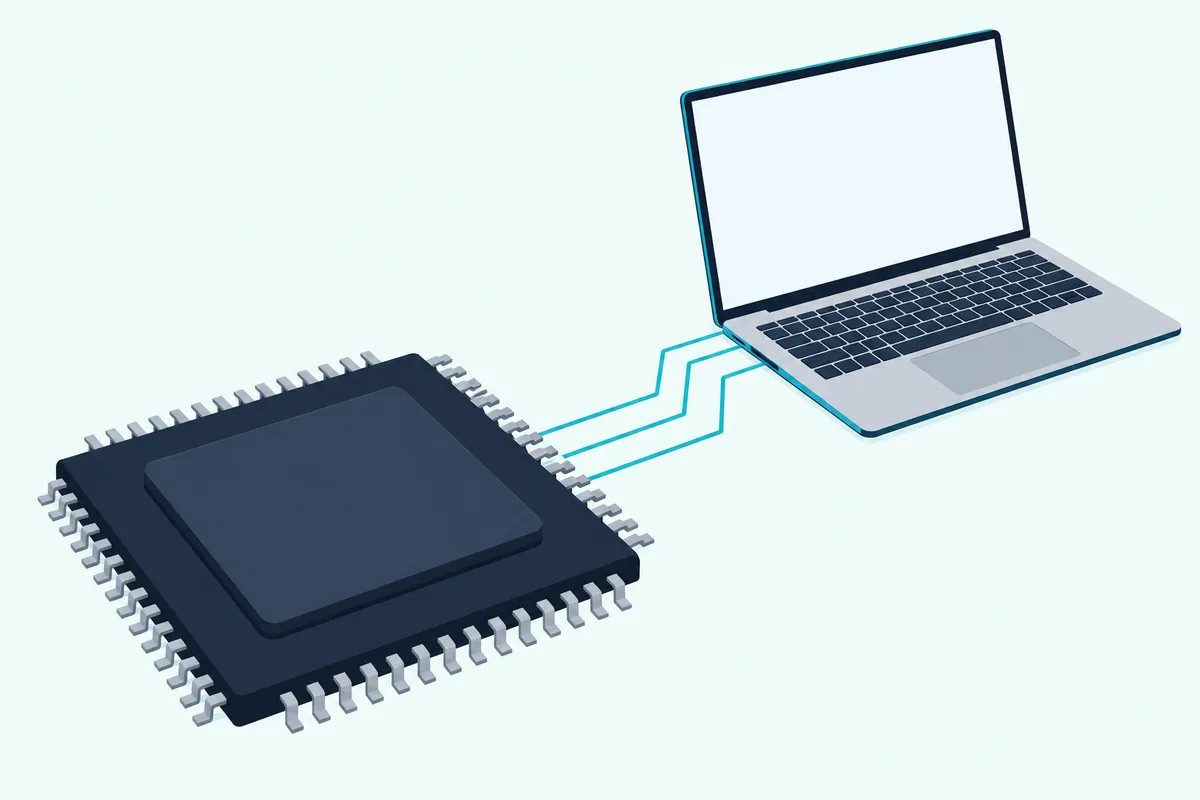
The bigger deadline sits in Apple’s Rosetta notes. Rosetta, which translates Intel-based apps for Apple silicon in the background, is available on any Apple silicon Mac through macOS 27, and from macOS 28 it will cover only certain older games.
That matters for DJ setups because a working rig often leans on more than one program: an old controller driver, a plug-in, a library tool. Apple’s page warns that an Intel-based app, or a component it uses, won’t work with macOS 28, and it reminds you to update Intel-based plug-ins and extensions too.
Try this on every DJ app, driver and plug-in you rely on: select it in Finder, press Command-I and read the Kind line. Application (Intel) means it’s made for Intel Macs and Apple says to update it, while Application (Universal) or Application (Apple silicon) is made to run on Apple silicon.
On macOS 27 there’s a second place to look. System Settings lists your recently used Intel-based apps under General, About and the Details button next to Intel-based Apps.
The MacBook Neo is the odd one out, with an A18 Pro chip rather than an M-series one, though Apple counts it as an Apple silicon Mac that can run macOS 27. DJUCED’s download page names it: Hercules says the MacBook Neo is officially supported when DJUCED is the only real-time app running, stems included.
rekordbox, Serato and VirtualDJ name M1 or later chips without mentioning the A18 Pro. Until they do, ask those makers before a MacBook Neo becomes your gig laptop.
Which DJ Software for Mac Is Free?
Once the app fits the Mac, the next filter is cost, and every one of the six has a free way in. Mixxx is the one with no paid version at all, while Serato DJ Lite, rekordbox’s Free plan, VirtualDJ’s free version, djay’s free download and DJUCED’s standard edition each keep some features back.
The split looks like this, in each maker’s own terms:
| App | What the free version gives you | What the maker keeps for paid plans or hardware |
|---|---|---|
| Serato DJ Lite | Practice Mode with no controller, Stems, streaming, 50-plus supported controllers | Recording, plus DJ Pro features such as Quantize, more cue points, saved loops and CDJ support |
| rekordbox Free plan | EXPORT mode for USB drives and selected PERFORMANCE mode features | Control from DJ equipment unless it’s on the Hardware Unlock list; recording, mix sharing and MIDI Learn |
| VirtualDJ free | The full program for home use, video and karaoke included, with recording | Any USB or MIDI controller (a HOME license covers entry-level ones) and paid work |
| djay | A free download from the Mac App Store | Pre-cueing in headphones and the rest of the PRO subscription |
| Mixxx | Everything, with no paid or pro version | Nothing |
| DJUCED standard | Stems, streaming and recording with a Hercules controller | Use without a Hercules controller and controller remapping, in DJUCED PRO |
Hardware moves those lines more than the plan names suggest. Serato says the Pioneer DJ DDJ-FLX4 unlocks Serato DJ Lite for free when it’s plugged in, with DJ Pro as a paid upgrade for recording and extra cues and loops.
Some controllers go further. Serato’s 5.0.0 notes say the Hercules DJControl T10 unlocks Serato DJ Pro when connected, and all DJ Lite hardware can be upgraded to DJ Pro, per Serato’s hardware page.
rekordbox works the same way through its Hardware Unlock list. rekordbox’s own list marks Performance mode as unlocked for the DDJ-FLX4, DDJ-FLX2, DDJ-400, DDJ-200, DDJ-FLX6 and DDJ-GRV6, among other AlphaTheta controllers, players and mixers.
Without one of those units, the Free plan is for mixing on the computer itself and preparing USB drives. rekordbox’s plans FAQ says you can’t control rekordbox from connected DJ equipment on the Free plan, and that recording, mix sharing, sampler sequence saving and MIDI Learn can’t be used or are limited.
VirtualDJ draws its line at controllers instead of features. Its price page says the program is free if you don’t use it professionally and don’t use a DJ controller or a DJ mixer, and its comparison chart gives the free version recording to audio or video files.
A HOME license is VirtualDJ’s middle step, covering entry-level controllers for home use, and PRO covers any controller plus paid gigs. VirtualDJ’s HOME list includes the DDJ-FLX4, DDJ-400, DDJ-200, the AlphaTheta DDJ-FLX2 and Hercules’ Inpulse 200 MK3, so check it before you assume a starter controller needs PRO.
djay’s free tier hides its biggest limit in the audio settings. Algoriddim’s setup guide says pre-cueing requires a PRO subscription and isn’t available in the free version, which means no private headphone preview of the next track.
DJUCED flips the controller logic around. Its standard edition is free with a Hercules controller and includes stems, streaming and recording, while running it with no Hercules hardware is a DJUCED PRO feature.
Trials soften the jump to paid plans. Serato offers a 14-day free trial of Serato DJ Suite, which includes DJ Pro and every Expansion, and Hercules a 15-day free trial of DJUCED PRO.
VirtualDJ’s trial works by the session instead. Its FAQ says controllers and other advanced features can be tried for 10 minutes at a time, and signing in with a controller connected gives a one-time 30-day trial of all the Pro features.
Mixxx needs no trial, because there’s nothing to buy. Its download page says there’s no official paid or “pro” version, and that the version it offers is the full one.
That controller rule is why the free tier you pick depends on the controller you plan to buy, the same split the quick picks table showed. Next comes the case with no controller at all.
Can You DJ on a Mac Without a Controller?
Those free tiers also answer the laptop-only question. Yes: Serato DJ Lite’s Practice Mode, VirtualDJ’s free version and Mixxx all let you mix with the keyboard and trackpad, and rekordbox’s Free plan gives you its selected PERFORMANCE mode features with no hardware.
Serato is the most direct about it. Its DJ Lite page says you can mix with nothing but your laptop in Practice Mode, with all the key controls on keyboard shortcuts and the mouse.
VirtualDJ’s download page makes the same promise in its own words: you can start mixing right away with just your computer, to practice, learn or prepare sets and playlists. That fits the free license exactly, since the free version is the one without a controller.
The harder part on a MacBook is hearing the next track before the room does. Algoriddim’s audio guide describes pre-cueing as listening to the next track privately in your headphones while the audience hears the main output, and lists three ways to do it.
The first is Split Output with a stereo-to-mono DJ split cable: djay sends the main mix to one side of your MacBook’s headphone jack and the cue to the other. The second is a controller or audio interface with its own cue output, and the third keeps the mix on the Mac’s internal speakers while your headphones carry the cue.
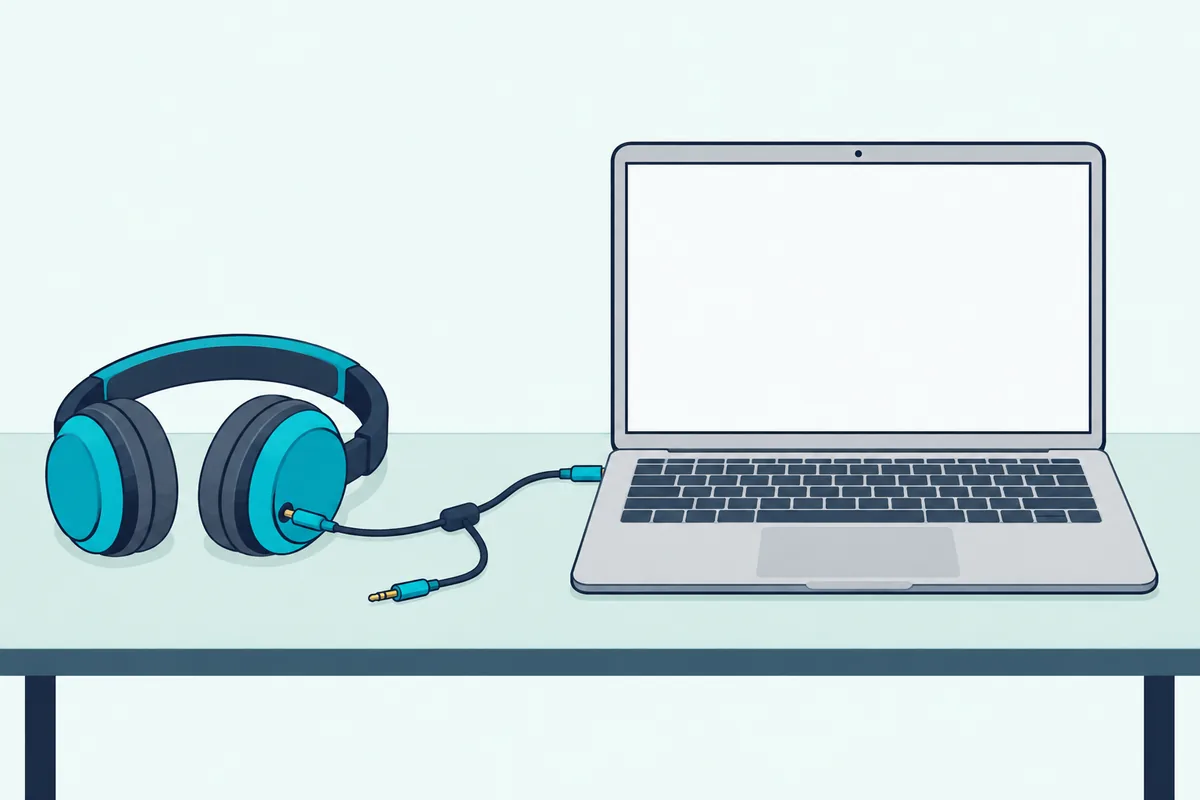
Think of the split cable as two mono channels sharing one plug. It’s a simple way to practice cueing, but the audience hears your mix in mono through one side of the cable, which is fine for a bedroom and thin for a party.
Remember the djay catch from the free table: in djay, pre-cueing needs PRO, so the split-cable trick costs a subscription there.
Mixxx packs a lot into its free app for laptop-only sets. Its features page lists four microphone inputs and four auxiliary inputs, live broadcasting through Shoutcast or Icecast servers and recording, all in the free app.
For the keyboard shortcuts and the trade-offs of skipping hardware, our guide to mixing with only a laptop goes deeper. Our view: once you want jog wheels to scratch or nudge tracks by hand, a controller earns its place.
Which Mac DJ Apps Stream Apple Music and Spotify?
Laptop-only practice is easier with a streaming library, and that’s where the Mac apps differ most. djay, Serato DJ and rekordbox connect to both Apple Music and Spotify, while DJUCED lists Beatport, SoundCloud Go+ and TIDAL instead.
Each maker attaches its own conditions:
| App | Streaming services the maker lists | Limits the maker states |
|---|---|---|
| djay | Spotify (Premium), Apple Music, TIDAL (DJ Extension), SoundCloud (Go+), Beatport, Beatsource | No Neural Mix on Spotify or Apple Music tracks; no mix recording with streamed tracks |
| Serato DJ Lite and Pro | Apple Music, Beatport, SoundCloud, Spotify, Tidal | No recording while you play streamed music |
| rekordbox | Apple Music, Spotify | Apple Music needs rekordbox 7.2.0 or later from April 1, 2027 |
| DJUCED | Beatport, SoundCloud Go+, TIDAL | Streaming is part of the free standard edition |
| Mixxx | None on its features page | Plays and records your own files |
Spotify’s own DJ page names rekordbox, Serato and djay as its partner apps and lists the United States among the countries where the integration works. All three need Spotify Premium, and Spotify notes that rekordbox’s Spotify support with AlphaTheta or Pioneer DJ equipment is for performance mode only.
Apple Music works differently in rekordbox. AlphaTheta says it has changed the way Apple Music tracks play, and from April 1, 2027, rekordbox for Mac needs ver. 7.2.0 or later to keep loading them.
Serato’s 5.0.0 release adds Open Streaming, which lets you log into and use more than one streaming service at the same time. Its DJ Lite page lists Apple Music, Beatport, SoundCloud, Spotify and Tidal for the free version.
djay’s limits are the sharpest. Algoriddim’s Mac manual says Neural Mix, its real-time stem separation, isn’t available for Spotify or Apple Music tracks, and that mix recording is off while you use any streaming service other than its own djay Music.
The services set their own conditions inside djay too. Algoriddim lists Spotify Premium, a TIDAL subscription with the DJ Extension, SoundCloud Go+, a Beatport Advanced or Professional plan and a Beatsource Standard or Pro+ plan.
Apple Music’s own “DJ with Apple Music” page carries playlists from VirtualDJ, AlphaTheta and Algoriddim’s djay, alongside label-curated sets for DJs. It’s a useful place to start building crates if you’ve settled on one of those apps.
That recording limit is worth matching against the free table from earlier. If you want to capture practice mixes, plan on your own music files, because djay and Serato block recording when streamed songs are in the mix.
Which Controllers Work With Each App on a Mac?
Streaming decides the music, and the controller decides which of these apps you’ll actually open. The Pioneer DJ DDJ-FLX4 is the controller named by every maker here except Hercules: rekordbox, Serato, VirtualDJ, Algoriddim and Mixxx all list it, and AlphaTheta says it also runs Traktor Play.
That’s why the DDJ-FLX4 keeps turning up in the free table. It unlocks rekordbox’s Performance mode, unlocks Serato DJ Lite for free and sits on VirtualDJ’s HOME list, and Algoriddim’s gear page says it connects to a PC, Mac, iPhone, iPad or Android device.
Hercules owners have plenty of choice too. DJUCED supports Hercules’ own range, Hercules says the DJControl Inpulse 200 MK2 now works with Serato DJ Lite too, and both VirtualDJ’s HOME list and Mixxx’s built-in mappings include Inpulse models.
djay casts a wide net on paper. Algoriddim says djay Pro supports over 100 DJ controllers out of the box, including Pioneer DJ’s CDJs and the RANE Twelve, and adds MIDI Learn for mapping anything else.
Serato’s hardware page reads like a who’s who of controller makers, with Pioneer DJ, Numark, Denon DJ, Reloop, Rane, Hercules and AlphaTheta among the brands. Mixxx ships built-in mappings for a long list of controllers and a programmable mapping system for customizing your workflow or adding any MIDI or HID device.
The Mac adds one more list to check. Pioneer DJ’s macOS Tahoe 26 page, dated 16 June 2026, marks the DDJ-FLX4, DDJ-FLX2, DDJ-400, DDJ-200 and DDJ-SB3 among the controllers it has verified, and says models missing from the list are no longer supported.
VirtualDJ’s requirements page states the rule that covers every brand. Some older DJ hardware may not work with the latest operating systems, so check each hardware maker’s site for your controllers and sound cards before you upgrade.
Try this before you pay for anything: read the model name on your controller, then search for it on the app’s hardware or unlock list. A match on an unlock list can open features a free tier holds back, as the DDJ-FLX4 does for rekordbox’s Performance mode.
If you’re still choosing hardware, Burton Acoustix’s beginner controller guide pairs each starter model with the free software it comes with. Pick the app first and the controller list gets shorter fast.
How Much Mac Does DJ Software Need?
Controllers are only half the hardware question, because stems and video lean on the Mac itself. 8 GB of RAM covers the basic tiers of rekordbox, Serato, VirtualDJ and DJUCED, but stems lift rekordbox, VirtualDJ and DJUCED to 16 GB, and Serato asks for 16 GB for low-latency scratching, three or more decks, live streaming or Serato Video.
The makers’ requirement pages line up like this:
| App | Chip the maker lists for a Mac | Memory | Free storage |
|---|---|---|---|
| rekordbox 7.2.19 | Apple M1 series or later, or Intel Core i3 to i9 and Core Ultra with AVX2 | 8 GB; 16 GB for STEMS and GROOVE CIRCUIT | 2 GB, plus room for music |
| Serato DJ 5.0.0 | Apple M1/M2 or higher, or Intel Core i5 (i9 for high performance), on a 2017 or later Mac | 8 GB; 16 GB for high performance | 15 GB on an SSD |
| VirtualDJ 2026 | Apple silicon M1 or better recommended | 8 GB; 16 GB for stems 2.0 | No figure given |
| DJUCED 6.8.1 | Apple M1/M2 or higher, Apple A18 Pro or Intel Core i9, on a 2017 or later Mac | 8 GB; 16 GB for STEMS and DJUCED PRO | 16 GB on an SSD |
| Mixxx 2.5.6 | Separate Intel and ARM downloads | No figure given | No figure given |
| djay Pro | macOS 10.15 or later | No figure given | No figure given |
Those RAM figures repeat the 16 GB threshold that VirtualDJ’s stems 2.0 set in the Apple silicon section. Serato’s high-performance tier also wants a 2018 or later Mac and 4 GB of video memory or a 14-core GPU.
DJUCED raises its own bar for stems and DJUCED PRO to a 2019 or later Mac with 16 GB of RAM. If stems don’t run well on your computer, Hercules says you can turn the function off in DJUCED’s settings.
Storage is easy to forget on a MacBook with a small SSD. Serato and DJUCED both ask for free space on an SSD, 15 GB and 16 GB, before your music library even arrives.
Picture a common case: a 13-inch MacBook Air with 8 GB of memory and an M1 chip. Every app here lists that chip or its operating system, but the stems features in rekordbox, VirtualDJ and DJUCED ask for twice that memory, so plan on mixing whole tracks or turning stems off.
rekordbox adds a laptop rule worth keeping for any app. rekordbox’s download page says to use an external AC power source with a laptop for best performance, because power-saving settings can hold back the processor and disk.
It also asks for a USB 2.0 port to connect a controller or a mixer, which on a USB-C MacBook means the right cable or adapter. The MacBook walk-through linked in the macOS section covers which one fits your model.
Which Mac Settings Do DJ Apps Need?
Enough memory gets the app open, and macOS permissions decide whether it can hear your gear and see your music. rekordbox’s June 2026 notice for macOS Tahoe 26 asks you to click Allow when macOS asks about the microphone, the camera, files and folders and devices on local networks, and AlphaTheta says several functions stop working without them.
Skip the microphone prompt and AlphaTheta’s Tahoe notice says DVS, recording with a Pioneer DJ controller or mixer connected, the mixer panel’s microphone function and anything else that needs audio input won’t be available. If you clicked Don’t Allow by mistake, open System Settings, then Privacy & Security, then Microphone, and switch rekordbox on.
Full Disk Access fixes a different set of symptoms. AlphaTheta ties it to tracks that won’t play after an OS update, folders missing from rekordbox’s Explorer tree and USB drives or external SSDs that don’t appear under Device.
The cure is the same path with a different switch: Privacy & Security, Full Disk Access, then enable rekordbox. AlphaTheta’s Mac notice also says to restart your Mac after installing a driver, a step that’s easy to skip when a set is an hour away.
Performance settings matter as much as permissions. VirtualDJ’s Mac guide puts skipping, stuttering and other sound glitches down to performance or setup problems, and its common causes include too little memory, overheating, other apps running in the background and two separate sound cards in use at once.
It recommends a laptop stand so air can reach the whole machine, because most computers slow the processor down once they overheat. That background-apps point is the same one DJUCED makes about the MacBook Neo, where its support depends on DJUCED being the only real-time app running.
Try this the night before a set: quit everything except the DJ app, plug in the charger as rekordbox advises, and run two decks for twenty minutes while you listen for dropouts. If the audio breaks up with nothing else open, the memory and chip table above is the place to look next.
Which App Fits the Way You’ll DJ?
With the Mac and the budget sorted, the last choice is the way you’ll play. Pick by where the mix is going: rekordbox for club gear, Serato for broad controller support, djay for Apple devices, VirtualDJ for video, Mixxx for zero cost and DJUCED for Hercules hardware.
You’ll end up on club players. rekordbox exports track files to USB drives for AlphaTheta and Pioneer DJ players, and its Free plan includes EXPORT mode, so you can prepare USB sticks without a subscription. Its Hardware Unlock list also covers players such as the CDJ-3000 and all-in-one systems such as the XDJ-AZ.
You scratch or want the most controller choices. Serato’s hardware page spans the major controller brands, and Serato says all DJ Lite hardware can be upgraded to DJ Pro when you outgrow the free tier. Its high-performance spec is written for low-latency scratching, so budget for 16 GB of RAM if that’s your style.
You live in Apple’s world. djay’s PRO subscription for Mac also works with djay Pro on iPhone, iPad, Windows and Android, per Algoriddim, so one subscription follows you across platforms, and its Apple Music link reaches over 100 million tracks. Remember the earlier limits, though: no Neural Mix on Apple Music tracks and no recording with streamed songs.
You play weddings or bars with video. VirtualDJ’s chart gives every license, free ones included, video and karaoke playback, but it reserves paid gigs and controllers beyond entry-level models for the PRO license. Its video mixing also wants an M1 processor or an AMD or NVIDIA graphics card and a second screen output.
You want free with no strings. Mixxx has no paid version, records your mixes in the lossless WAV and FLAC formats or as Ogg Vorbis, and adds free timecode vinyl control for turntables or CDJs. Its macOS download comes in separate Intel and ARM builds, so it suits an older Intel MacBook as well as a new one.
You want to edit and remix tracks too. AlphaTheta’s Studio Plan, announced in October 2026, is a separate subscription built around Bitwig Studio Essentials, a DAW that opens tracks from your rekordbox library with their BPM, key and hot cues. It comes with a 30-day free trial, and AlphaTheta points to the Studio Plan page’s FAQ for its computer requirements.
You own a Hercules controller. DJUCED’s standard edition is free with it and includes stems, streaming and recording, plus a DJ Academy of lessons. It’s also the one app here whose maker names the MacBook Neo.
That last point ties back to the chip check. A MacBook Neo owner has exactly one maker statement to lean on today, so it pays to confirm the others before buying the laptop for DJing.
Can You Move Your Library Between Mac DJ Apps?
Picking one app now doesn’t lock your library in, though moves are easier in some directions than others. Partly: Engine DJ Desktop imports rekordbox, Apple Music, Serato and Traktor libraries with their playlists, hot cues and loops, DJUCED imports rekordbox XML files, and Serato DJ Pro 5.0.0 added M3U playlist import.
Engine DJ Desktop works differently from the six above. inMusic describes it as the place to create, manage and prepare a collection for its Engine DJ OS players, with Dropbox sync for music you keep in the cloud.
DJUCED’s paid editions go further than the free one. DJUCED PRO adds rekordbox XML export and Serato crate import, on top of the standard edition’s rekordbox XML import.
Serato’s 5.0.0 notes add iOS Transfer, which moves crates and songs from your laptop to Serato DJ for iOS with their cue points, beatgrids and metadata. That’s handy if a phone or iPad is your backup rig.
Streamed tracks are the exception to keep in mind. djay and Serato both block recording when streamed songs are in the mix, as the streaming section showed, so a library built on streaming is a library you can play but not capture.
What Should You Check Before You Update macOS?
All of this comes back to the warning about macOS 27 in the first section. Check four things, in this order: your Mac’s version and chip, the DJ app’s supported list, your controller maker’s list and any Intel-based apps or drivers you rely on.
- Your Mac: About This Mac shows the macOS name and version, and either a Chip or a Processor line.
- Your DJ app: its download or requirements page has to list the new version; Serato, for one, says macOS 27 isn’t supported yet.
- Your controller: Pioneer DJ’s macOS pages list verified models, and VirtualDJ tells you to check every hardware maker’s site before you upgrade.
- Your older software: Finder’s Kind line flags Intel-only apps, which lose Rosetta after macOS 27.
Pioneer DJ’s Tahoe page also says to use the latest driver, firmware and software. In practice that means updating the DJ app and the controller’s firmware first, then the operating system once the app lists it.
Serato’s 5.0.0 notes show why that order works: they include updated drivers for macOS Tahoe for various Pioneer DJ hardware. If macOS has already moved on and the Mac stops seeing the controller, the MacBook walk-through linked earlier covers the recognition fixes.
The Bottom Line
The best DJ software for Mac is the one your chip, your controller and your macOS version all agree on, and for most people that’s rekordbox or Serato DJ. djay Pro suits an Apple-first setup, VirtualDJ a laptop-only or video one, Mixxx a zero budget and DJUCED a Hercules controller.
Start free: Serato DJ Lite or rekordbox with a DDJ-FLX4, Mixxx with its built-in controller mappings, or DJUCED with a Hercules. Hold macOS 27 until your app’s download page lists it, and on a MacBook Neo, get your maker’s word before a gig.
Frequently Asked Questions
Is rekordbox free on a MacBook?
Yes, in part. rekordbox’s download page lists the Mac version as free to download, and the Free plan includes EXPORT mode and selected PERFORMANCE mode features. On the Free plan you can’t control rekordbox from connected DJ equipment unless the unit is on rekordbox’s Hardware Unlock list, such as the DDJ-FLX4, DDJ-FLX2, DDJ-400 or DDJ-200. Recording, mix sharing and MIDI Learn need a paid plan. Check that your MacBook runs macOS Ventura 13 to Tahoe 26, the versions rekordbox 7.2.19 lists.
Is Serato free for Mac?
Serato DJ Lite is free, with no license or subscription, and it works in Practice Mode with only your laptop or with more than 50 supported controllers. Serato DJ Pro is a paid upgrade, though some hardware unlocks it, such as the Hercules DJControl T10, and Serato offers a 14-day free trial of Serato DJ Suite. On 26 October 2026, Serato’s download page lists macOS Sonoma 14, Sequoia 15 and Tahoe 26 and says macOS 27 Golden Gate is not yet supported.
Is VirtualDJ still free?
VirtualDJ’s price page says the program is free if you don’t use it professionally and don’t use a DJ controller or a DJ mixer. The free version still plays video and karaoke and can record audio or video to files. A HOME license adds entry-level controllers such as the DDJ-FLX4 and the Hercules Inpulse 200 MK3, and a PRO license adds any controller and paid work. On a Mac, VirtualDJ’s requirements page lists macOS Monterey 12 to Tahoe 26.
Does Mac have a DJ app?
The Mac App Store carries djay by Algoriddim as a free download with in-app purchases, and Apple’s listing says it requires macOS 10.15 or later. Apple’s own note on that listing says the app’s interface earned an Apple Design Award. rekordbox, Serato DJ, Mixxx and DJUCED offer Mac downloads on their makers’ own sites, and VirtualDJ’s download page has a Mac build too.
What DJ software works on a MacBook Air?
Every MacBook Air from the M1 model of 2020 onward is a Mac with Apple silicon, per Apple, and the requirement pages for rekordbox, Serato DJ, VirtualDJ and DJUCED all list M1 or later chips. An M1 MacBook Air can also install macOS 27, so check your app’s macOS list before updating. Memory decides the extras: 8 GB covers the basic tiers, while stems in rekordbox, VirtualDJ and DJUCED call for 16 GB.
Can you use DJ software on a MacBook Neo?
Apple lists the MacBook Neo, with its A18 Pro chip, among Macs with Apple silicon and among those that can run macOS 27. DJUCED’s download page names it: Hercules says the MacBook Neo is officially supported when DJUCED is the only real-time app running, and that stems are supported on it. rekordbox, Serato and VirtualDJ name M1 or later chips without mentioning the A18 Pro, so ask those makers before you rely on a MacBook Neo for a gig.