The Best Free DJ Controller Software for Windows and Mac
If you want one name, the best free DJ controller software for most computers is Mixxx, because its makers say there’s no paid version and it runs on Windows, macOS and Linux.
Pick on the word free alone and VirtualDJ or DEX 3 LE may run your controller for only 10 minutes at a time, while rekordbox’s Free plan ignores DJ gear outside its unlock list.
Match the program to the controller you own, though, and a free edition its maker names can give you decks, effects and sometimes recording with no license to buy.
Start with the two tables below, one sorting the programs by system and limits, the other sorting common first controllers by their free software.
After that, each section shows what one free edition includes, what it locks and when paying for a full program makes more sense.
What Is the Best Free DJ Controller Software?
That 10-minute limit is the first thing to rule out, since a program that keeps stopping won’t teach you much. The best free DJ controller software is Mixxx if you want any brand of controller with no paid tier behind it, and it’s the program your controller’s maker names if you’d rather follow that maker’s setup.
The table lists what each maker documents for its free edition: the systems it runs on, what a controller can do and what stays locked. The descriptions come from the makers’ manuals, download pages and spec pages.
| Program | Runs on | Controller in the free edition | What’s locked or limited |
|---|---|---|---|
| Mixxx | Windows, macOS, Linux | Built-in mappings for 140-plus devices; custom mappings for any MIDI or HID device | Nothing paid exists; its features page names no streaming service |
| VirtualDJ | Windows, macOS | 10 minutes at a time, plus one 30-day Pro trial with an account | Home, non-commercial use only; no clean audio output or timecode vinyl |
| rekordbox Free plan | Windows, macOS | Only units on the Hardware Unlock list | No recording, mix sharing or MIDI Learn |
| Serato DJ Lite | Mac, PC | Included with controllers from Numark and Hercules; free with the DDJ-FLX4, per Pioneer DJ | Serato DJ Pro is the paid upgrade |
| DJUCED | Windows, macOS | Hercules controllers | Remapping and other MIDI accessories are PRO features |
| djay | Windows, macOS | Hardware integration sits in the PRO subscription | Automix, FX add-ons and pre-cueing also need PRO |
| Traktor Play | PC, Mac | DDJ-FLX2 and DDJ-FLX4 at no extra cost, per AlphaTheta | Streaming is a preview from Beatport Streaming |
| Cross DJ | macOS; no Windows version named | Models such as the DDJ-FLX4 and Inpulse 200 MK2; PRO’s role not stated | Record & Share, Automix and Sampler are in-app purchases |
| YouDJ | Windows, macOS, Linux, ChromeBook, web | Lists MIDI control, names no models | 2 virtual turntables; a PRO upgrade is offered |
| DEX 3 LE | Windows, macOS | 10-minute intervals | No recording or MIDI Learn |
| UltraMixer | Windows, Mac | MIDI support is a Pro Entertain feature you can try | Offered as a test before you buy |
| Zulu | Windows, Mac | A few default MIDI maps, plus custom ones | Non-commercial use only |
| Transitions DJ | Windows, Mac, Chromebook, web | Some controller items marked Pro in its Mac store history | Pro is an in-app purchase |
| Beatport DJ | Online | Check Beatport’s own help | Describes access to an electronic music catalog |
Read down the controller column and the programs split three ways. Mixxx sets no condition, Serato DJ Lite, DJUCED and rekordbox depend on the hardware you plug in, and VirtualDJ and DEX 3 LE run controllers on a clock.
Think of those as an open door, a guest list and a timed pass. The sections below take them in that order, then move to the smaller programs and to the questions that cut across all of them.
Why Does Mixxx Work With So Many Controllers for Free?
Mixxx is that open door, and the reason sits on its download page. Mixxx works with so many controllers for free because it’s open-source software with built-in mappings and a programmable mapping engine, and its download page says there’s no official paid or “pro” version, so what you download is the full version.
Mixxx’s hardware manual lists more than 140 devices it supports out of the box, including the Pioneer DDJ-FLX4, DDJ-400 and DDJ-200, the Hercules Inpulse 200, 300 and 500 and the Numark Mixtrack Platinum FX. For anything else, its home page says the mapping system can add support for any MIDI or HID device, and the manual points to community mappings on the project’s forum.
What does Mixxx include?
That full version covers four decks, Sync Lock, hotcues, beat looping, Auto DJ, BPM and key detection and up to 64 sampler decks, per the features page. It records to WAV, FLAC or Ogg Vorbis, adds MP3 through the separate LAME library, and broadcasts live through a Shoutcast or Icecast server.
Mixxx also calls itself the only free timecode vinyl control software for Windows, macOS and Linux, so turntables or CDJs with timecode media can drive your music files. Its library reads iTunes, Traktor, Rekordbox and Serato collections, which helps if you’re coming from another program.
The current stable release is 2.5.6, dated March 25, 2026, for Windows 10 build 1809 or later, macOS 11 or later and Ubuntu 22.04 or later. A 2.6 beta sits on the same page, but Mixxx recommends the stable version for live use.
What does Mixxx leave out?
The features page describes music files in FLAC, WAV, AIFF, MP3, M4A/AAC, Ogg Vorbis and Opus, and it names no streaming service. If your songs live on Spotify or TIDAL, that gap matters more than any controller list, and the streaming section further down covers the alternatives.
Mixxx also asks for a little setup. Its manual warns that your controller doesn’t work without the correct mapping, so connect it, start Mixxx, open Preferences and then Controllers, select your device, choose its mapping from the Load Mapping menu, tick Enabled and click Apply.
Can You Use Free VirtualDJ With a Controller?
Mixxx’s open door is the exception, and VirtualDJ shows the timed pass. You can use free VirtualDJ with a controller for only 10 minutes at a time, because VirtualDJ’s FAQ says the free version is for non-commercial home use without professional gear such as USB controllers and DJ mixers.
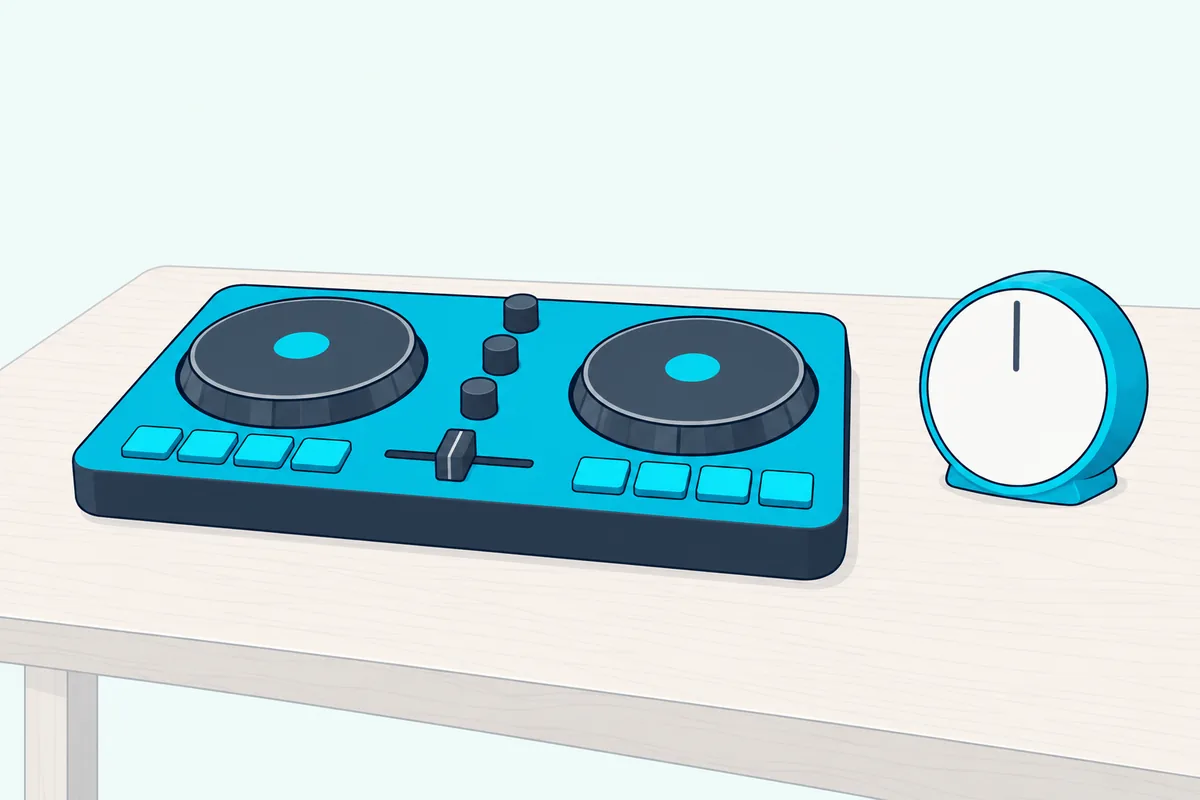
Restart the software and you get another 10 minutes, as many times as you like. If you create an account and log in with a controller connected, the same FAQ grants a one-time 30-day trial of all Pro features, which bypasses the limit.
VirtualDJ LE, which manufacturers include with several USB controllers and mixers, gives a 30-day trial of Pro features too. Ten minutes is enough to see whether your jog wheels and pads respond, though nobody learns a transition in stints that short.
What does VirtualDJ’s free version include?
Take the controller away and the free version is broad. VirtualDJ’s license chart marks the Free column with the full player, 2 to 99 decks, library management, all audio effects, video and karaoke playback, recording audio or video to files and broadcasting to other users.
The chart keeps a few things out of Free: USB and MIDI controllers, external analog mixers and timecode vinyl, clean audio output without VirtualDJ’s audio sample, and its advanced AI features. The download page also describes real-time stem separation, but the chart has no stems row, so check the app if stems decide your choice.
VirtualDJ’s requirements page lists Windows 10 version 1709 or later and Windows 11, and macOS 12 through macOS 26. The download page names build 9729 of VirtualDJ 2026 for both systems.
What does the next license change?
The paid step for a home controller is the Home license, which VirtualDJ says lets you use a supported entry-level controller without any limitations. Its list includes the DDJ-FLX4, DDJ-FLX2, DDJ-REV1 and Hercules Inpulse 200 and 300.
Home still keeps VirtualDJ’s video logo and audio drops, and it isn’t allowed for professional use, in public or paid events. That’s a license question more than a feature question, and the paid-gig section below comes back to it.
Does rekordbox’s Free Plan Work With a Controller?
VirtualDJ’s limit runs on a clock, and rekordbox’s runs on a guest list. rekordbox’s Free plan works with a controller only when that unit is on AlphaTheta’s Hardware Unlock list, because its plans FAQ says you can’t control rekordbox through connected DJ equipment on the Free plan.
The Hardware Unlock page marks PERFORMANCE mode for the DDJ-FLX2, DDJ-FLX4, DDJ-FLX6, DDJ-FLX10, DDJ-GRV6, DDJ-REV5, DDJ-REV7, DDJ-400 and DDJ-200, among others. That page describes PERFORMANCE mode as up to 4 decks and 16 samplers with the effect function.
What does the Free plan do without hardware?
Without a listed unit, you mix with a mouse, keyboard, trackpad or touchscreen, since the plan table marks that control on Free. It also marks STEMS, which splits a song into drums, vocals and instruments, and compatibility with music streaming services.
AlphaTheta sums up the plan as a way to start managing your music and try DJing for free. Its download page lists ver. 7.2.19, dated September 24, 2026, for Windows 11 and Windows 10 and for macOS 13 through macOS 26.
What does the Free plan lock?
The plans FAQ lists recording, sharing mixes, sampler sequence saving and MIDI Learn as features that show on screen but can’t be used, or work only in limited form. Video output shows a caution message, DVS loses its REL and ABS modes, and Cloud Library Sync stops at 10 tracks.
That recording gap catches anyone who expects an unlock controller to fix everything. The plan table puts “Record and share DJ mixes” on Core and up, and recording isn’t a column on the Hardware Unlock table, so count on a paid plan if you want a file of your mix.
Is Serato DJ Lite Free With Your Controller?
That guest-list idea also describes Serato DJ Lite, which controller makers put in the box. Serato DJ Lite is free with the controllers whose makers include it: Numark calls it “software included” on the Mixtrack Platinum FX, Hercules says the Inpulse 300 MK2 includes it, and Pioneer DJ says you can use it for free with the DDJ-FLX4.
Numark describes it as software for Mac and PC with demo music and an on-boarding tutorial for first-time DJs. Hercules adds that its light-up Beatmatch Guide works in both DJUCED and Serato DJ Lite, so the controller can coach you through a manual blend.
Streaming depends on whose page you read. Numark names TIDAL and SoundCloud on the Mixtrack Platinum FX, while Hercules’ Inpulse 200 MK2 page names Apple Music, Beatport, Beatsource, SoundCloud, Spotify and TIDAL, with Apple Music and Spotify in Serato DJ Lite and Pro only and a DJ Extension note on TIDAL.
The paid step is Serato DJ Pro, which Pioneer DJ says you can buy as a license or a subscription. For what Lite leaves out compared with DJ Pro, recording included, Burton Acoustix’s Serato page goes through it controller by controller.
Does DJUCED Need a Hercules Controller to Stay Free?
Hercules’ own program sits next to Serato DJ Lite on those same controller pages. DJUCED doesn’t need a Hercules controller to run, because its download page says it’s free with just your mouse and keyboard, but its home page describes the free edition’s full list as getting familiar with DJUCED “with an Hercules controller.”
That list covers a 4-deck view, MIDI control, 8 hot cues, unlimited FX, real-time stems, the DJ Academy, the Intelligent Music Assistant, streaming from Beatport, SoundCloud GO+ and TIDAL, recording and Beatmatch Guides. DJUCED PRO is the paid step that “gives you full access to all features, even without a controller connected,” and you can start a 15-day free trial from the desktop app.
The supported list on the download page names only Hercules models, from the Inpulse 200 MK3 to the DJControl Mix, so a Pioneer or Numark controller isn’t on it. Remapping Hercules controllers and support for USB and Bluetooth MIDI accessories are listed under PRO.
What computer does DJUCED need?
DJUCED’s requirements are stricter than most of the programs in the table. It lists Windows 11 and macOS 26, 15 and 14, warns that it can’t guarantee official support on Windows 10, and says it can’t run on Windows ARM processors or ChromeOS.
You also log in to an account to download it, and its high-performance spec, required for stems and DJUCED PRO, asks for 16 GB of memory. The download page’s own advice is sensible: try it with your mouse and keyboard to test your computer before you buy a controller.
Is djay Free on Windows and Mac?
DJUCED ties its free edition to one brand, and djay draws its line at hardware in general. djay is free to download on Windows and Mac, but Algoriddim’s Spotify FAQ says the free version gives you the mixer, filters and effects, cue points and looping, while a djay Pro subscription unlocks Automix, hardware integration and FX add-ons.
Hardware integration is the phrase to watch if you own a controller. Pioneer DJ’s DDJ-FLX4 page lists djay among the software you can use for free, then adds that djay Pro is a paid app and requires a subscription, so see what the app offers with your controller connected before you count on it.
Algoriddim’s audio setup guide adds a limit that matters at any level: pre-cueing requires a PRO subscription and isn’t available in the free version. Without it, you can’t preview the next song in your headphones while the crowd hears the current one.
The name adds to the confusion. Algoriddim’s Windows and Mac pages call the desktop app djay Pro and still offer a Free Download, so the name alone doesn’t tell you whether you’re on the subscription.
Those pages describe support for over 100 DJ controllers out of the box, MIDI Learn and Neural Mix source separation, without marking which of them needs PRO. The Windows version requires Windows 11 or Windows 10 version 21H1 or later, and the Mac version requires macOS 10.15 or later.
What Is Traktor Play, and Does It Cost Anything?
That FLX4 page names one more free program. Traktor Play is Native Instruments’ streamlined DJ application, and AlphaTheta’s note of October 20, 2025 says the DDJ-FLX2 and DDJ-FLX4 work with it at no extra cost.
AlphaTheta lists EQs, effects, the Stems feature and a streaming preview among its functions, and Pioneer DJ’s page names it for use on a PC or Mac. For specifications, AlphaTheta sends you to Native Instruments’ website, so look there if you own any other controller.
Which Other Free DJ Programs Can You Download?
AlphaTheta’s note covers just two controllers, and the remaining rows of the table each trade something different for the free label. The other free DJ programs you can download are Cross DJ, YouDJ, PCDJ’s DEX 3 LE, UltraMixer, Zulu and Transitions DJ, and Beatport DJ works online.
What does Cross DJ keep free on a Mac?
Mixvibes lists Cross DJ for iOS, macOS and Android and names no Windows version. Its App Store listing shows it free with in-app purchases on macOS 14.4 or later, with Record & Share, Automix and Sampler sold separately and an optional PRO subscription on top.
The listing names native support for controllers including the DDJ-FLX2, DDJ-FLX4, DJControl Mix, Starlight, Inpulse 200 MK2, 300 MK2 and 500, but it doesn’t say whether a controller needs PRO. Streaming covers Spotify, Beatport and SoundCloud Go+.
What does YouDJ offer on a computer?
YouDJ’s site calls it minimalist DJ software with 2 virtual turntables, 16 effects, a sampler, auto beat synchronization, keylock, loops and hotcues, and it lists MIDI control and headphones among its tools. Its download page offers a free copy for Windows, macOS, ChromeBook and Linux, plus a web version.
The site says you can play from YouTube, local MP3 files, Google Drive, Dropbox and iTunes, and it comes preloaded with demo songs. It names no controller models, so try yours early if a controller is the point.
What does PCDJ’s DEX 3 LE lock?
DEX 3 LE is PCDJ’s free edition for Windows 8.1, 10 and 11 and for macOS 10.15 or higher, with 2 decks, built-in effects, hot cues, loops and automatic mixing. Controllers work the way they do in free VirtualDJ: the LE page says they “only work for 10 minutes,” and PCDJ’s comparison chart marks them “10 Minute Intervals Only.”
The chart also leaves recording and MIDI Learn out of LE. PCDJ gives 80-plus controllers on the chart and over 90 on the LE page, so read the full list if your model is unusual.
Is UltraMixer’s free version a trial?
UltraMixer pitches itself at mobile DJs and dancing schools, and it offers its free version as a way to test the software before you buy, with all available features of the full version across Home, Basic and Pro Entertain. Its pricing page lists MIDI Controller Support under Pro Entertain, so treat the free download as an evaluation rather than a long-term controller setup.
Who can use Zulu’s free version?
NCH’s Zulu page says a free version is available for non-commercial use on Windows and Mac, and it lists MIDI controller compatibility, recording to an audio file and live streaming to YouTube among the program’s features. Its MIDI FAQ says Zulu has a few default maps for selected controllers and lets you create custom ones.
Check how recent it is, too. The version log shows the latest Windows release, 5.04, uploaded in June 2020, and the latest macOS one, 5.02, in November 2019.
What about Transitions DJ and Beatport DJ?
Transitions DJ runs on Windows, Mac, Chromebook and the web, with SoundCloud catalog search, local files, recording to WAV, FLAC or OGG, tempo sync, looping and cue points. Its Mac App Store listing shows it free with a Pro in-app purchase, and its version history marks some controller mappings as Pro, so a controller may need that purchase.
Beatport DJ describes itself as free DJ software for online mixing, preparing your set and exploring an electronic music catalog. Engine DJ Desktop, another name you’ll see on these lists, is its maker’s music management software for preparing tracks for Engine DJ OS hardware.
What Software Works With What DJ Controller?
All those programs describe controller support in their own way, so it helps to start from the hardware instead. The software that works with a DJ controller depends on two lists, the free programs its maker names and each program’s own supported list, and this table puts both side by side for common first controllers.
| Controller | Free or included software its maker names | Paid step its maker names | In Mixxx’s built-in list? |
|---|---|---|---|
| Pioneer DJ DDJ-FLX4 | rekordbox, Serato DJ Lite, Traktor Play, djay | Serato DJ Pro; djay Pro | Yes |
| AlphaTheta DDJ-FLX2 | rekordbox, Serato DJ Lite, Traktor Play, djay | Serato DJ Pro | Not named |
| Hercules Inpulse 200 MK3 | DJUCED, Serato DJ Lite | DJUCED PRO, DJUCED PRO+, Serato DJ Pro | As Inpulse 200 |
| Hercules Inpulse 200 MK2 | DJUCED, Serato DJ Lite | Serato DJ Pro | As Inpulse 200 |
| Hercules Inpulse 300 MK2 | DJUCED, Serato DJ Lite | Serato DJ Pro | As Inpulse 300 |
| Hercules Inpulse 500 | DJUCED, Serato DJ Lite | None named | Yes |
| Hercules DJControl Starlight | Serato DJ Lite; DJUCED lists it too | None named | Yes |
| Hercules DJControl Mix | djay, on a phone or tablet; DJUCED lists it too | None named | Yes |
| Numark Mixtrack Platinum FX | Serato DJ Lite | Serato DJ Pro | Yes |
| Numark Mixtrack Pro FX | Serato DJ Lite | Serato DJ Pro | Yes |
| Numark Party Mix II | Serato DJ Lite | None named | As Party Mix |
| Numark Party Mix Live | Serato DJ Lite | None named | As Party Mix |
| Numark DJ2GO2 Touch | Serato DJ Lite | Serato DJ | Yes |
That last column matters because Mixxx is where an unbundled setup starts. A model missing from it isn’t ruled out, since the manual points to community mappings and the mapping engine can add other MIDI or HID devices, and “as Inpulse 200” means the manual names the model without an MK number, so check the fit on yours.
The middle columns don’t mean every program opens every feature. Hardware Unlock gets the FLX4 and FLX2 into rekordbox’s PERFORMANCE mode alone, and AlphaTheta’s FLX2 page lists those four as compatible while marking only Serato DJ Pro “license needed.”
VirtualDJ isn’t a column because its free version treats every USB controller the same way, 10 minutes at a time. Numark also lists plug-and-play support for djay on the Party Mix II and Party Mix Live, and Hercules says the DJControl Mix is designed for djay on a smartphone or tablet.
Picture a beginner with a DDJ-FLX4 and a Windows laptop. rekordbox’s Free plan with Hardware Unlock, Serato DJ Lite and Mixxx are three routes with no license to buy, and you can try each in an evening.
If you haven’t bought hardware yet, Burton Acoustix’s list of first DJ controllers and what each includes picks up from this table.
Which Free DJ Software Runs on Windows 10 or Windows 11?
A controller row only helps if the program runs on your computer. Mixxx, VirtualDJ, rekordbox, djay, DEX 3 LE and Zulu all list both Windows 10 and Windows 11, with different minimums, while DJUCED lists Windows 11 and warns it can’t guarantee official support on Windows 10.
Mixxx asks for Windows 10 build 1809 or later, VirtualDJ for version 1709 or later and djay for version 21H1 or later. rekordbox wants Windows 10 with the latest service pack, DEX 3 LE also lists Windows 8.1, and NCH says the current Zulu works on any 64-bit Windows from 7 to 11.
To see your own version, open the Start menu, type winver and press Enter. An older Windows 10 install on a laptop or desktop PC can pass Mixxx’s minimum and still miss djay’s, so check the number before you settle on one.
Linux narrows the field. Mixxx offers builds for Ubuntu, Fedora and Arch, and YouDJ lists a Linux copy, while YouDJ and Transitions DJ are the two here naming a Chromebook version.
Which Free DJ Software Works With Spotify?
System support decides whether a program opens, and your music source decides whether it’s any use. djay’s free version works with Spotify if you have a Spotify Premium account, per Algoriddim, and Spotify’s DJ page names rekordbox, Serato DJ Lite and DJ Pro, and djay as its partner apps.
rekordbox’s entry on that page reads DJing with AlphaTheta and Pioneer DJ equipment, in performance mode only, which points back to the Hardware Unlock list on the Free plan. rekordbox’s streaming guide lists Apple Music, Spotify, SoundCloud, Beatport and Tidal, each with its own sign-up.
Cross DJ’s App Store listing adds Spotify from version 5.4, again with Spotify Premium and an internet connection. Spotify’s page also limits the integration to the countries it lists, so check yours.
Outside Spotify, the free editions spread out. DJUCED names Beatport, SoundCloud GO+ and TIDAL, VirtualDJ’s features page names SoundCloud and Deezer, Transitions DJ uses SoundCloud’s catalog and YouDJ can play from YouTube.
Can Free DJ Software Record a Mix?
Streaming and recording often pull against each other, so sort this one out next. Mixxx, VirtualDJ’s free version and DJUCED’s free edition can record a mix without a paid plan, per their makers, while rekordbox’s Free plan and DEX 3 LE can’t.
Mixxx saves to WAV, FLAC or Ogg Vorbis, and its manual says it records the main output by default. VirtualDJ’s chart marks recording audio or video to files on Free but keeps clean audio output for Pro, so listen for its audio sample before you share anything.
Cross DJ sells Record & Share as an in-app purchase, and Transitions DJ and UltraMixer’s Home edition both list recording. Zulu’s page lists recording to an audio file too, without saying how the free version treats it.
Algoriddim’s Mac manual describes recording in AAC or WAV and says you can’t record mixes that include streamed tracks from Spotify, Apple Music, TIDAL, Beatport/Beatsource or SoundCloud. It doesn’t separate free from PRO, so try the record button before a set matters.
Here’s a two-minute test for any of them: record a short blend, stop, and play the file back in a different music player. A file that opens and sounds right tells you more than any feature list.
Can You Play Paid Gigs on Free DJ Software?
A file you can share raises the next question, which is what the license lets you do with your mix. You can’t play paid gigs on VirtualDJ’s free version or Home license, since its price page says you need a Pro license if you earn money using VirtualDJ, and Zulu’s free version is limited to non-commercial use as well.
VirtualDJ’s Home page goes further, saying Home isn’t allowed for professional use, in public or paid events. On that wording, an unpaid set at a public bar falls outside Home as well as a paid wedding.
Mixxx is the easy case on paper: its download page says the source code is published under the GNU General Public License, and its home, features and download pages list no home-only condition. rekordbox’s license, printed on its download page, grants use “only for Your personal purpose,” with no separate line for the Free plan, so read it if you play for money.
For every other program in the table, read the license before you take money for a set. A maker’s product page tells you what the software does, and the license tells you where you can do it.
Is There a Free Full Version of DJ Mixing Software?
Those license lines also answer the searches for a free download of a full version. A free full version exists in one clear case, Mixxx, whose download page says the version you get is the full version, and UltraMixer’s free download carries the full feature list only as a test before you buy.
Most other editions here are limited by time, by hardware or by a list of paid features. So the safe route is the maker’s own page, never a download site offering a “full version” of a paid program.
VirtualDJ is blunt about this: its price page says licenses can be purchased only on virtualdj.com or inside the software, and that any other seller is a scam and will not work.
The makers publish their free editions in plain sight. Mixxx, VirtualDJ, rekordbox, djay, DJUCED, DEX 3 LE, UltraMixer, Zulu, YouDJ and Transitions DJ all offer theirs from the pages linked above, and Numark and Hercules link Serato DJ Lite from their controller pages.
In a store, read the developer’s name. The Serato DJ listing names Serato Limited, while Apple’s Mac search for Serato also shows a similarly named app from another seller.
What Changes on a Mac or a Phone?
Those download pages mostly treat Windows and Mac alike, but the Mac and the phone each bring their own catch. On a Mac, the same free names apply and your macOS version and chip decide what runs, while on a phone you’re choosing among different apps with their own free tiers.
Mixxx has separate Intel and ARM downloads, Cross DJ asks for macOS 14.4 or later and VirtualDJ’s requirements page stops its list at macOS 26. Burton Acoustix’s Mac DJ software guide goes through macOS support, Apple silicon and each app’s free option.
Phones are a separate shortlist. The Serato DJ listing covers iPhone and iPad, free to start, and Hercules’ DJControl Mix Ultra unlocks Neural Mix stems for free in djay, so the best DJ mix app for a phone is its own comparison, with mobile limits that don’t match the desktop ones here.
How Do You Test a Free Program With Your Controller?
Whichever machine you’re on, the fastest proof is an evening with the real hardware. Test a free program with your controller in four steps, using nothing but the maker’s download and the cable you already own.
- Find your row. Look up the controller in the second table, then the program in the first.
- Install from the maker. Use the maker’s own page, and load a mapping in Preferences if you’re on Mixxx.
- Move every control. Try the jog wheels, pads, EQ, crossfader and headphone cue, and watch for a time limit.
- Save a file. Record a short blend and play it back, as in the recording test above.
Ten minutes in VirtualDJ covers steps 3 and 4 if you keep moving, and it’s enough for step 3 in DEX 3 LE. If the headphone cue is silent, check the program’s audio settings first, because Mixxx’s Inpulse 200 page has a whole section on sound card setup for that controller.
Who Should Pay for a Full DJ Program Instead?
That test usually shows whether you’ve hit a wall or just a habit. You should pay for a full DJ program when the free edition blocks something you do every week: paid sets, a controller outside its free list, recording in rekordbox or timecode vinyl.
- Paid or public sets: VirtualDJ asks for its Pro license, which also removes the audio drop.
- A controller that stops: VirtualDJ’s Home or Pro license and PCDJ’s paid editions remove the 10-minute cap.
- Recording or MIDI Learn in rekordbox: the Core plan and up carry both.
- Club gear: rekordbox lists DVS control on Core, and VirtualDJ keeps analog mixers and timecode for Pro.
Mixxx is the free alternative for that last one, since its timecode vinyl control has no paid tier. Try the trials first, too: VirtualDJ’s one-time 30 days, DJUCED PRO’s 15 days and the occasional new-feature trials that rekordbox announces in a pop-up when the app starts.
When you’re ready to compare the paid plans side by side, the best DJ mixer software for paid plans runs through them program by program, and the Mac guide above does the same for macOS.
The Bottom Line
The best free DJ controller software is the one whose free edition still works with the hardware on your desk. Mixxx is the one program here whose makers rule out a paid version in so many words, with a mapping list that spans many brands, so it’s the default when you want one answer.
If you own a DDJ-FLX4 or DDJ-FLX2, start with rekordbox or Serato DJ Lite, on Hercules start with DJUCED or Serato DJ Lite, and on a Numark controller start with Serato DJ Lite. Check recording and the license last, because those two lines decide whether your mixes can leave the room.
Frequently Asked Questions
What is the best free DJ software for beginners?
It depends on whether you’ve bought a controller. With one, start with the program its maker names: Serato DJ Lite on Numark’s Mixtrack models, DJUCED or Serato DJ Lite on Hercules’ Inpulse models, and rekordbox or Serato DJ Lite on the DDJ-FLX4. Hercules says its Beatmatch Guide lights work in both DJUCED and Serato DJ Lite, and DJUCED includes the DJ Academy tutorials. With no controller, VirtualDJ’s free version gives you 2 to 99 decks, effects, video and recording on a laptop, and rekordbox’s Free plan adds stems.
Is there a free DJ mixer for PC?
Yes, if you mean mixing software rather than a hardware mixer. A free DJ mixer for PC is a program with on-screen decks and a crossfader, and Mixxx, VirtualDJ, rekordbox’s Free plan, djay and DEX 3 LE all run on Windows that way. Hardware is optional for most of them: VirtualDJ says you can start mixing with just your computer, and Mixxx speaks to new DJs with just a laptop. Add a physical mixer or controller and, on VirtualDJ and rekordbox, the license or plan you need can change.
What free DJ software works with any controller?
Mixxx comes closest. Its manual lists more than 140 devices supported out of the box, and its mapping engine can add other MIDI or HID devices, with no paid version and no brand condition. The rest work from a list: rekordbox’s Hardware Unlock page, DJUCED’s Hercules models and the controllers whose makers include Serato DJ Lite, and AlphaTheta’s note on Traktor Play covers two controllers. VirtualDJ and DEX 3 LE reach many models but stop after 10 minutes in their free editions.
Which free software works with the Pioneer DDJ-FLX4?
Pioneer DJ names rekordbox, Serato DJ Lite, Traktor Play and djay, with a note that djay Pro is a paid app and requires a subscription. rekordbox’s Hardware Unlock page marks PERFORMANCE mode for the FLX4, so the Free plan can take control from it. Mixxx lists the DDJ-FLX4 among its built-in mappings. VirtualDJ’s free version runs it for 10 minutes at a time, and the unit is on VirtualDJ’s Home license list if you want that limit gone.
Does free DJ software have a time limit?
Two free editions here set one on controllers. VirtualDJ allows 10 minutes at a time and resets when you restart the software, and PCDJ’s chart marks DEX 3 LE “10 Minute Intervals Only.” Mixxx’s download page describes the full version with no paid tier, and rekordbox limits by hardware list rather than by clock. Mixing with a mouse and keyboard isn’t what those two limits cover, so a laptop-only practice session doesn’t run into them.
Can free DJ software separate stems?
Several can, and it’s one of the more generous free features. rekordbox’s plan table marks STEMS on the Free plan, splitting songs into drums, vocals and instruments. DJUCED’s free edition lists real-time stems, AlphaTheta lists a Stems feature in Traktor Play, and Mixvibes lists stem separation for Cross DJ. VirtualDJ’s download page describes real-time separation, though its chart has no stems row, and Mixxx’s features page lists no stems. Stems also ask more of your computer: DJUCED’s high-performance spec for them calls for 16 GB of memory.