MIDI Controller vs Keyboard: Which Should You Buy?
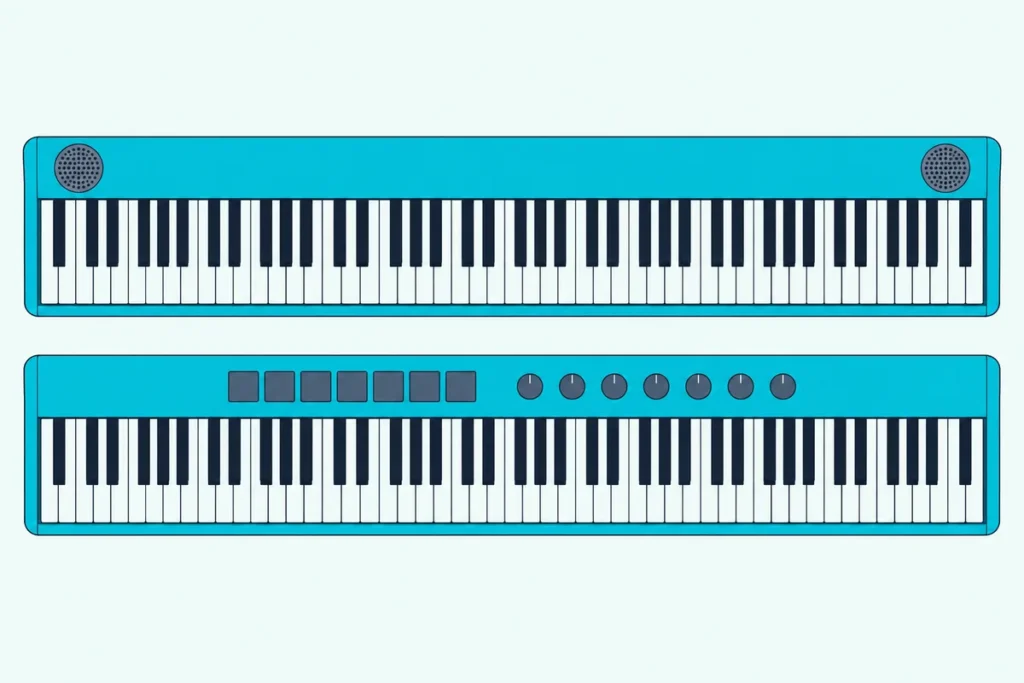
In the MIDI controller vs keyboard choice, the keys can be identical; what differs is the sound, because a keyboard makes its own and a MIDI controller sends instructions for other gear to play.
That catches buyers out, since Roland puts the same 88-key PHA-4 Standard action in its A-88MKII controller and its FP-10 digital piano, and only the piano plays on its own.
Choose by where the sound should come from, and you’ll get either an instrument that plays the moment it’s switched on or a silent controller that plays any software instrument you load.
Below are the differences in keys, controls, ports and power, taken from Yamaha, Roland, Korg, Arturia, Novation and M-Audio spec sheets.
The last section then matches producers, beat makers, piano learners and gigging players to one side, or to a keyboard that does both jobs.
What’s the Difference Between a MIDI Controller and a Keyboard?
That Roland pair shows the whole difference in one place. A keyboard has a sound engine inside, and on portables and home pianos its own amplifiers and speakers, so it plays by itself, while a MIDI controller normally sends only MIDI messages and needs a computer, tablet or sound module to turn them into sound.
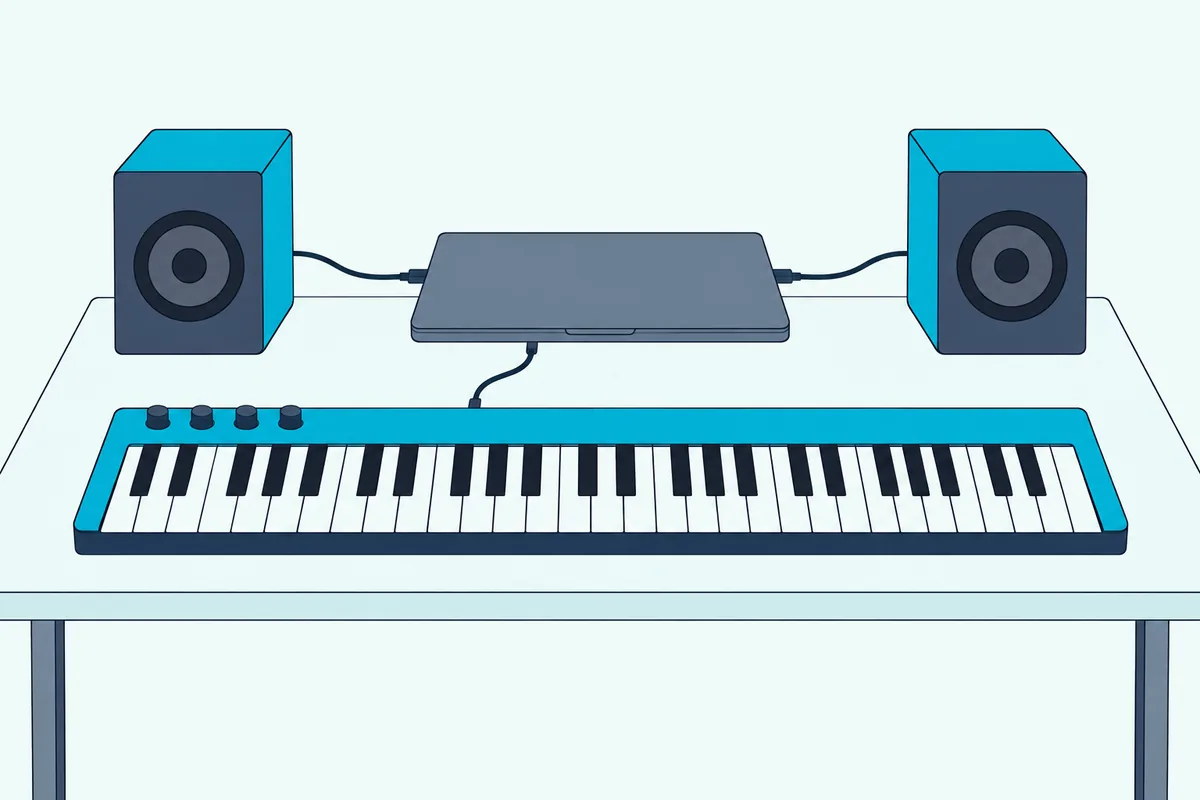
MIDI stands for Musical Instrument Digital Interface, and the MIDI Association says it plainly: MIDI is not audio. Its messages are performance instructions, which key went down and how hard, so what you hear depends on the device that receives them.
A MIDI controller is any device built to send those messages, from keyboards to pad grids. A MIDI keyboard is the piano-shaped kind, and the MIDI Association describes a key press on “a MIDI keyboard instrument or MIDI keyboard controller” sending the same Note On message.
The table sets the two side by side, using current models from each maker’s spec sheet.
| Keyboard with built-in sounds | MIDI controller | |
|---|---|---|
| Makes sound by itself | Yes: Yamaha’s PSR-E383 lists 650 voices and two 12 cm speakers | Not as a rule: it sends MIDI to software or hardware that makes the sound |
| What else you need | Power; the PSR-E383 also runs on six AA batteries | A computer, tablet, phone or sound module |
| Keys | Organ-style on the PSR-E383, hammer action on Roland’s FP-10 | Semi-weighted on M-Audio’s Keystation 61 MK3, hammer action on Roland’s A-88MKII |
| Hands-on controls | Panel buttons for voices, styles and functions | 16 pads, 8 encoders and 9 faders on Novation’s Launchkey 49 MK4 |
| Connections | Headphones and a sustain jack; a computer port on some, such as the PSR-E383 | A computer port, plus a 5-pin MIDI OUT on the Keystation, Launchkey and Arturia’s KeyLab Essential |
| Power | AC adaptor, or batteries on some portables | Bus power from the computer on the Keystation, Launchkey and KeyLab Essential |
| Sounds you can play | The ones built in | Any software instrument you load |
Read those rows as tendencies, not laws. A few keyboards have no MIDI connection at all, and an 88-key controller can outweigh a digital piano, as the next sections show.
The parts list also explains where the money goes. A keyboard’s price covers a sound engine, amplifiers and speakers, while a controller’s covers what it has instead, such as pads, faders, bundled software or the hammer action of an 88-key model, so compare a 61-key controller with a 61-key keyboard, not with a hammer-action piano.
Is a MIDI Keyboard the Same as a Regular Keyboard?
Those rows also answer a question searchers put in many ways. No: a MIDI keyboard is a keyboard-shaped controller, normally with no sound engine of its own, while a regular keyboard, whether an electronic portable, a digital piano or a synth, plays its own sounds and may also send MIDI.
The confusion comes from that last part. Yamaha’s PSR-E383 is a regular portable keyboard with 650 voices, yet its USB TO HOST port carries MIDI and audio to a computer, so it can act as a controller too.
M-Audio describes its Keystation 61 MK3 from the other side, as a controller designed “for sequencing music and playing virtual instruments on your Mac or PC.” Its spec lists no speakers or sound engine; the sounds come from software, such as the AIR Mini Grand piano bundled with it.
A synthesizer counts as a regular keyboard here, since it makes its own sound. Our MIDI keyboard vs synthesizer guide covers that pairing on its own.
Some searchers mean the keyboard they type on, or a keyboard they already own. That question has its own page on using your own keyboard as a MIDI controller, from typing keys in each DAW to pianos over a cable.
Get Studio Tips Weekly
Join 5,000+ creators getting acoustic treatment advice every week.
No spam. Unsubscribe anytime.Are All Keyboards MIDI?
That “may also send MIDI” matters, because not every keyboard does. No: Yamaha’s spec sheet for the 61-key PSR-E283 lists a headphone jack, a sustain pedal input and AUX IN but no USB TO HOST or MIDI port, while the PSR-E383 adds USB TO HOST for MIDI and audio.
So check the connections before you buy a keyboard you want to record from. A keyboard with MIDI output lists it as USB TO HOST, a USB COMPUTER port, MIDI OUT or Bluetooth MIDI, and the MIDI Association notes that a port labeled To Host is usually the one that sends MIDI, audio or both to a computer, smartphone or tablet.
Port types vary too. Yamaha’s P-45 digital piano lists USB TO HOST but no 5-pin MIDI, while Roland’s FP-10 has a computer port and Bluetooth MIDI, though Roland notes the Bluetooth feature may be missing in some countries.
A keyboard with neither can still be recorded as audio from its PHONES/OUTPUT jack, but it has no way to send notes a DAW can edit. Casio owners can check their own model in can I use my Casio keyboard as a MIDI controller, which goes through the brand’s ports.
How Do Keys, Velocity and Aftertouch Compare?
Ports decide whether a keyboard can talk to software, but the keys decide how it feels, and they’re where the two sides overlap most. Both come with light, semi-weighted or hammer-action keys: the PSR-E383 keyboard has organ-style keys, the Keystation 61 MK3 controller has semi-weighted ones, and Roland uses its hammer-action PHA-4 Standard in both the FP-10 piano and the A-88MKII controller.
So weight is a model trait, not a controller-or-keyboard trait. Roland says the FP-10’s keys carry a heavier hammer weight in the low registers and a lighter one in the highs, and our list of fully weighted hammer-action keys covers controllers built the same way.
Velocity works the same way on both sides. Every key press sends a velocity value, “how hard the key was pressed” in the MIDI Association’s words, and both kinds let you change the response: the PSR-E383 offers Soft, Medium, Hard and Off, Yamaha’s P-143 piano Hard, Medium, Soft and Fixed, and Korg’s Keystage controller 21 velocity curves.
That doesn’t hold for every keyboard, though. The PSR-E283’s spec sheet lists no touch response at all, so look for a touch-response line on the spec sheet if you want soft and loud notes.
Aftertouch is where keys really differ. The MIDI Association describes it as pressure most often sent by pressing down on a key after it bottoms out, and says it’s more common for a keyboard to sense one pressure level for the whole keyboard than one per key.
Some controllers go further: Korg’s Keystage sends polyphonic aftertouch, a separate pressure value for each key, and Novation’s Launchkey 49 MK4 puts it on its 16 pads. The PSR-E383 and P-143 spec sheets list touch response but no aftertouch, so if you want pressure control, keyboards that send aftertouch sorts the options by type.
What Can a MIDI Controller Do That a Keyboard Can’t?
Those keys matter less to a producer than what sits around them. A MIDI controller plays any software instrument you load and puts your DAW under your hands: the Launchkey 49 MK4 adds 16 pads, 8 encoders, 9 faders and transport buttons, with scripts for Ableton Live, Logic, Cubase, Reason, FL Studio and Ardour.
The sound library is whatever your computer holds. Arturia ships its KeyLab Essential mk3 with Analog Lab V and more than 2,000 sounds, and M-Audio includes AIR’s Mini Grand piano and MPC Beats with the Keystation.
A keyboard’s voices are the ones built in: 650 on the PSR-E383, 10 on the P-143. Neither spec sheet lists a way to add new voices; the PSR-E383’s expansion is for up to 10 accompaniment styles.
Pads add a second way to play. Novation’s are for playing drums and instruments and launching clips, and Arturia’s switch between notes, clip triggering and finger drumming, which no portable keyboard in this comparison offers.
Some controllers are built around one program. The FLkey for FL Studio is officially supported by Image-Line, Novation says, and the Launchkey for Ableton opens Sequencer, Drum Rack and Clip modes inside Live.
Those controllers also run on one cable. The Launchkey 49 MK4, Keystation 61 MK3 and KeyLab Essential mk3 all draw their power from the computer, where the PSR-E383 needs its adaptor or batteries and the P-143 an AC adaptor.
That cable has one catch: the MIDI Association’s USB guide explains that a USB MIDI device needs a computer, smartphone or tablet in charge of the connection. For hardware alone, the three controllers also carry a 5-pin MIDI OUT, which M-Audio describes as “for connecting to your favorite hardware synth.”
When Is a Keyboard With Built-In Sounds the Better Buy?
All that control assumes a computer is running, and that’s the opening for the other side. A keyboard with built-in sounds is the better buy when you want to play the moment you switch on: for daily practice, for learning piano, for a first instrument at home or for a gig without a laptop.
That instant start matters most for practice. Yamaha’s P-143 has its own CFIIIS piano sound, two speakers and a headphone jack, so a session starts with the power button instead of a boot screen.
Late-night practice is covered too. Roland pitches the FP-10’s headphone output and quiet key action for playing at any hour without disturbing anyone.
A controller can still work for lessons if it stays plugged in and ready, and keeping a MIDI keyboard ready for daily piano practice shows how. For the piano side in more depth, how a MIDI keyboard stacks up against a digital piano has its own comparison.
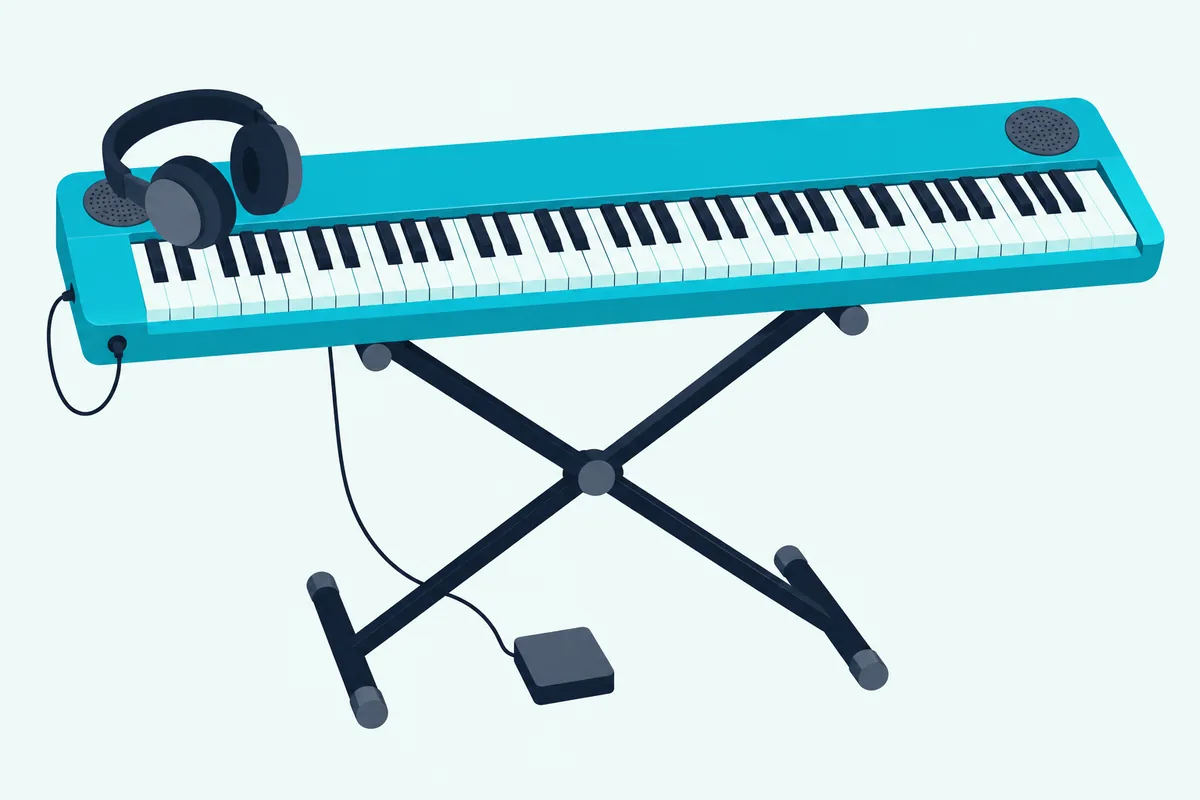
Weight doesn’t automatically favor the controller, either. Roland’s A-88MKII weighs 17.5 kg against 12.6 kg for the FP-10, and the 61-key Keystation (4.1 kg) weighs about the same as the 61-key PSR-E383 (4.4 kg).
Some portables also free you from the wall socket: the PSR-E383 runs on six AA batteries. On stage, a keyboard’s sound engine sits inside the instrument, so a laptop that freezes can’t take the sound down with it.
If you’d rather keep a laptop in the rig, which controllers hold up on stage explains what to check before you buy. A keyboard with sounds can also sit beside that laptop, which is where the next question comes in.
Can One Keyboard Do Both Jobs?
Those strengths aren’t exclusive, because a keyboard with a computer port can drive your software too. Yes: a keyboard with USB TO HOST, a USB COMPUTER port, MIDI OUT or Bluetooth MIDI sends its keys to a DAW, so the PSR-E383, the P-143 and the FP-10 all double as controllers while keeping their own sounds.
The audio can travel the same way. Yamaha lists a 44.1 kHz, 16-bit stereo audio interface on both the PSR-E383 and the P-143, so one cable carries the keys to the DAW and the keyboard’s own sound into a recording.
What you usually give up is the hands-on layer. The P-143’s spec sheet lists no pads, knobs or faders, so mixing and plugin control stay on the mouse.
Expect one setting to matter: a piano playing its own sound and the software’s at the same time sounds doubled. Our page on digital pianos as MIDI controllers covers that setting for Yamaha, Roland and Kawai.
Synths work the same way when they have a MIDI OUT socket or a computer port, and our page on turning a synth into a MIDI controller lists four makers’ settings. A workstation takes the both-jobs idea furthest: Korg’s NAUTILUS is sold as a music workstation, with nine sound engines, sampling and a 16-track MIDI sequencer and audio recorder, so a whole song can be built on the instrument.
The reverse exists in small numbers too. If you want a controller that can make a sound of its own, our page on MIDI controllers that have speakers covers which ones do.
MIDI Controller vs Keyboard: Which One Fits How You Play?
With both jobs on the table, the choice comes down to where you’ll spend most of your playing time. Choose a MIDI controller if you make music in a DAW, a keyboard with built-in sounds if you practice or perform away from a computer, and a keyboard with a computer port if you want a little of both.
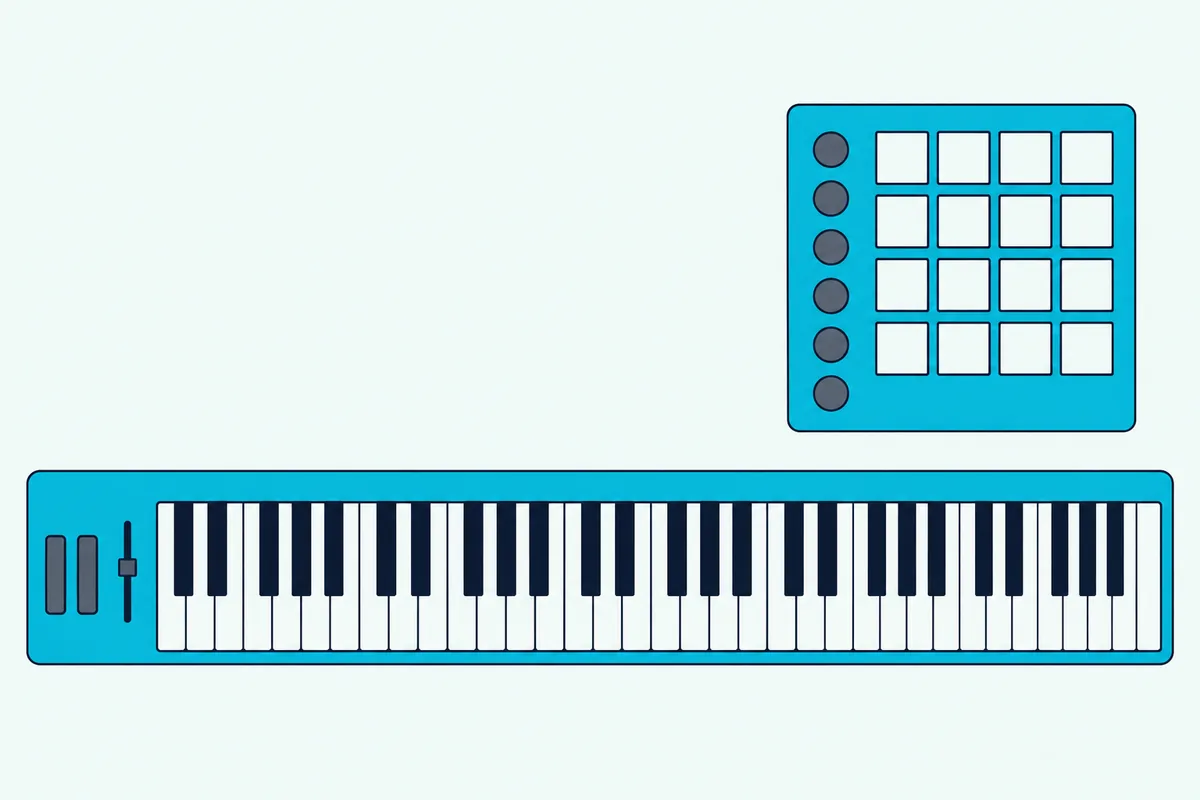
All four picks below had at least 4.0 stars and 50 reviews on Amazon and were in stock on 14 October 2026, and no prices appear because they change.
If you produce on a computer and want full-size keys without the extras, M-Audio’s Keystation 61 MK3 is the plain choice. Our roundup of dedicated MIDI keyboard controllers covers models with more pads and knobs.
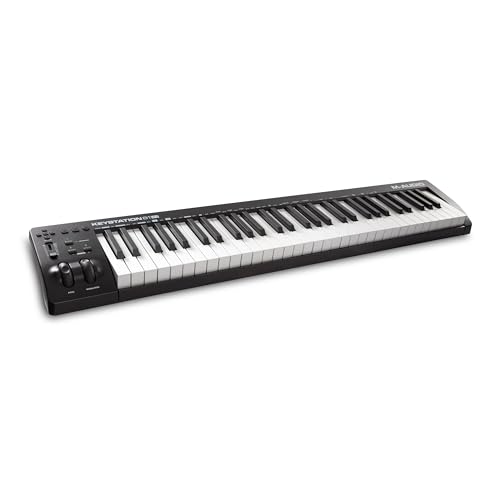
M-Audio’s Keystation 61 MK3
Beat makers can skip keys entirely. Akai’s MPD218 is a pad controller for triggering drums and samples, which shows how wide the word controller really is.
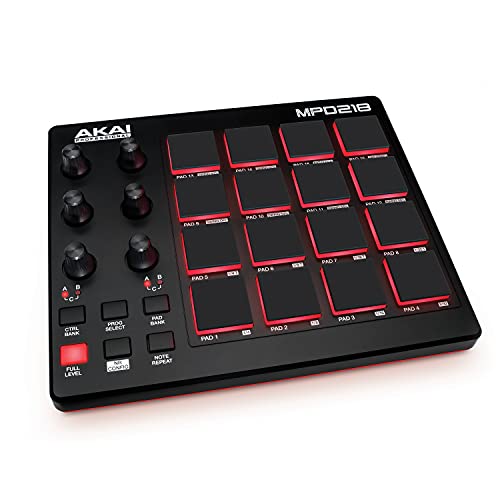
Akai’s MPD218
If you’re learning piano or want to play without a computer, Yamaha’s P71 is an Amazon-exclusive digital piano whose listing pairs fully weighted keys with a USB port for music software.
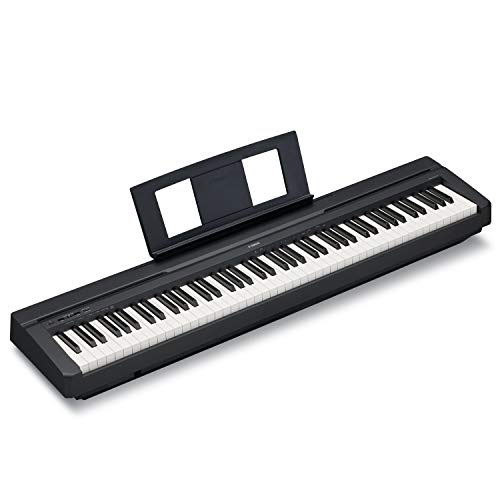
Yamaha’s P71
For a first keyboard that plays out loud and still talks to software, Yamaha’s PSR-E383 covers both sides at once.
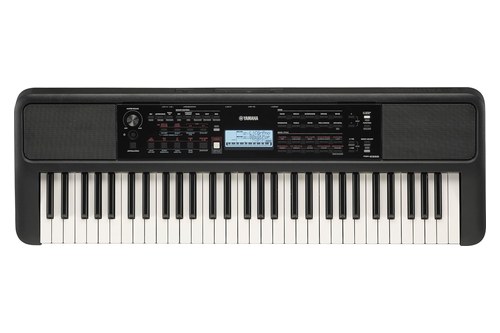
Yamaha’s PSR-E383
Owning both makes sense once you produce at a desk and practice somewhere else, and a keyboard with a computer port can bridge the two in the meantime.
Still unsure a controller adds anything to how you work? Then what your music software already does without a controller is worth testing first, and our MIDI controllers picked for beginners keep the first purchase simple.
The Bottom Line
So the MIDI controller vs keyboard question is really about where the sound lives: a keyboard carries it inside, and a controller borrows it from software or a synth.
Pick the side that matches where you’ll play most, and remember that a keyboard with a computer port covers a bit of both.
Frequently Asked Questions
Is a MIDI controller better than a keyboard?
Neither is better in general; they do different jobs. A MIDI controller is better for producing in a DAW, because it plays any software instrument and often adds pads, knobs and faders for your software. A keyboard with built-in sounds is better for practice and for playing without a computer, because its sound engine is inside, and on portables and home pianos its speakers too.
Can a MIDI controller replace a keyboard?
For music production, yes: connected to a computer with virtual instrument software, a controller can play your whole software library, such as Analog Lab V’s 2,000-plus sounds, against the 650 voices of a PSR-E383. For playing without a computer, only with extra hardware, because a typical controller doesn’t make sound itself; a 5-pin MIDI OUT can drive a hardware synth and turn the pair into a standalone instrument.
Do I need both a MIDI controller and a keyboard?
Only if you both produce on a computer and practice away from it. Otherwise start with the one that matches your main use and add the other later; a keyboard with a computer port can cover both while you decide. Our decision framework for beginners walks through the first choice.
Do I need a MIDI controller if I have a keyboard?
Not if your keyboard has MIDI output, whether USB TO HOST, a USB COMPUTER port, MIDI OUT or Bluetooth MIDI, and you only need to play notes into your software. Add a controller when you want pads, knobs, faders or transport buttons for your DAW, or when your keyboard has no MIDI connection at all, like Yamaha’s PSR-E283.
Is MIDI outdated?
No. The MIDI Association says MIDI 2.0 is an extension of MIDI 1.0 that builds on it rather than replacing it, with higher resolution and per-note control, and its MIDI-CI system protects backward compatibility. Some controllers already support it: Roland’s A-88MKII does from system software version 2.0.
What are the disadvantages of MIDI?
MIDI carries no sound, so every setup needs something to make the sound, from a software instrument to a hardware synth. USB MIDI also needs a computer, phone or tablet to run the connection, and the older 5-pin DIN cable is slower than USB, according to the MIDI Association. Those are trade-offs rather than flaws, and they’re why a keyboard with built-in sounds still makes sense.
Can a keyboard work as a MIDI controller?
Yes, if it has MIDI output: the PSR-E383, the P-143 and the FP-10 all qualify, while the PSR-E283 doesn’t. It plays its own sounds at the same time, though a piano like the P-143 has no pads or faders for your software.