MIDI Keyboard vs Synthesizer: Which One Do You Need?
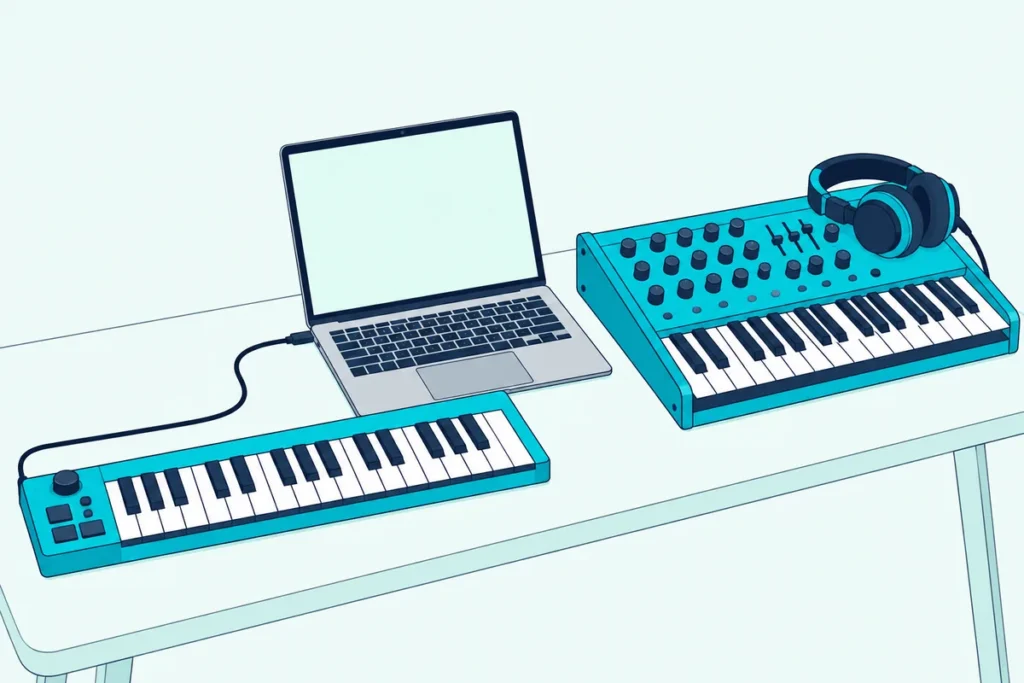
The MIDI keyboard vs synthesizer choice comes down to one fact: a MIDI keyboard makes no sound of its own, and a synthesizer does.
Buy a MIDI keyboard for a bedroom with no computer and you’ll press keys in silence, while a synth bought only to control software leaves you wiring cables you never planned on.
Once you know what each one sends and what each one plays, the choice usually makes itself.
Below, you’ll see the difference in plain terms, where the two overlap, and a short guide to which one to buy first.
Start with what each one actually does.
What Is the Difference Between a MIDI Keyboard and a Synthesizer?
A MIDI keyboard sends instructions, and a synthesizer turns instructions into sound. The MIDI Association puts the first half in three words, “MIDI is not audio”, and Akai says its MPK Mini MK3 will send MIDI messages to software on your computer to generate sound (Akai).
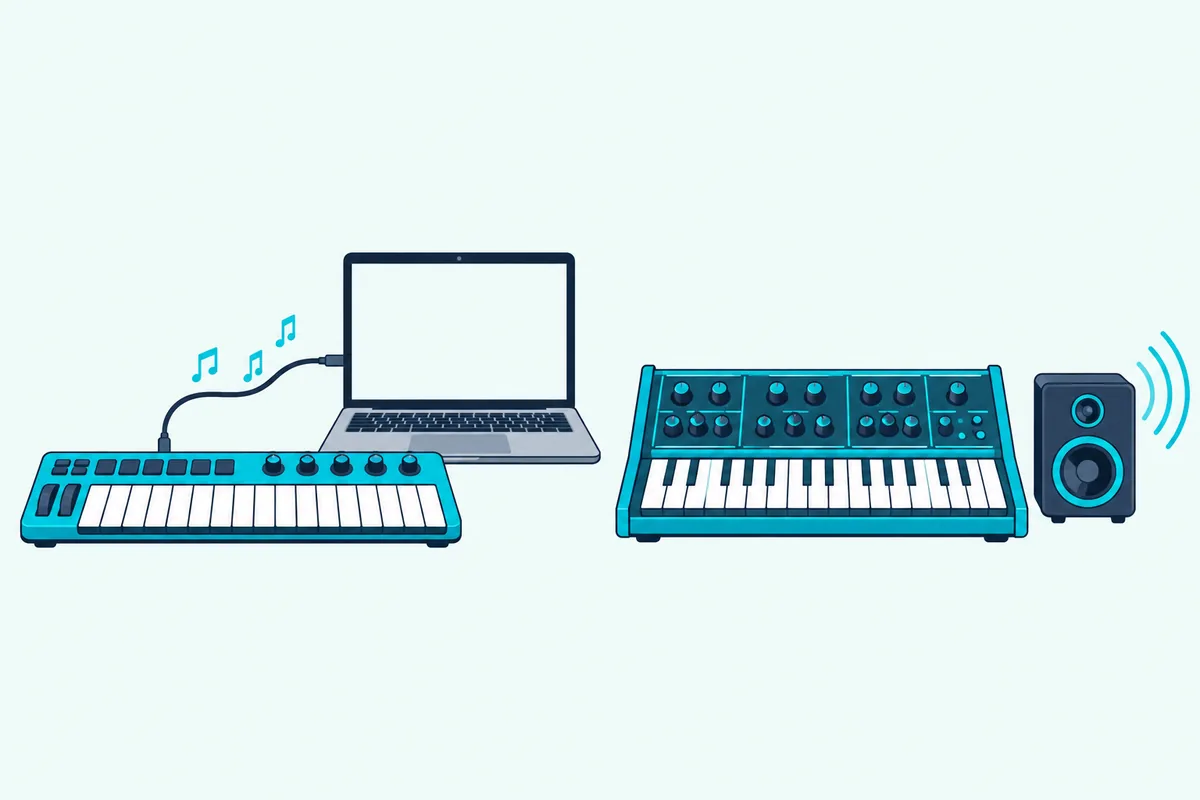
A synthesizer has its own sound-generating circuitry, which Korg’s minilogue manual describes as linked to the instrument’s keyboard (Korg). Press a key on it and you hear a note without a computer, a plug-in or anything else.
The table shows how that plays out:
| MIDI keyboard | Synthesizer | |
|---|---|---|
| Makes its own sound? | No | Yes |
| Sends MIDI? | Yes, that’s its whole job | Most modern ones do, over USB or 5-pin cables |
| Needs a computer or sound module? | Yes, to hear anything | No, it plays through speakers or headphones |
| Where the sound comes from | Whatever software instrument you load | The instrument’s own sound engine |
Our guide to what a MIDI controller actually does goes deeper on the sending side.
Is a MIDI Keyboard a Synthesizer?
No, and the mix-up is common because both have piano-style keys. The keys are the only thing they share: one is a remote control for sound, and the other is the sound source.
The line blurs with hybrids. Akai’s MPK Mini Play mk3 has a built-in speaker and 128 internal sounds, and it plays without a computer (Akai).
Ableton’s MIDI guide treats a controller with a built-in sound generator as a special case, which is the same idea (Ableton).
Get Studio Tips Weekly
Join 5,000+ creators getting acoustic treatment advice every week.
No spam. Unsubscribe anytime.How Does a Synthesizer Make Sound?
That built-in sound comes from a short chain of parts, and Korg’s minilogue manual lays the chain out in a block diagram. It runs two oscillators and a noise generator into a mixer, then a filter, an amplifier with its own envelope, an LFO for movement and a delay effect.
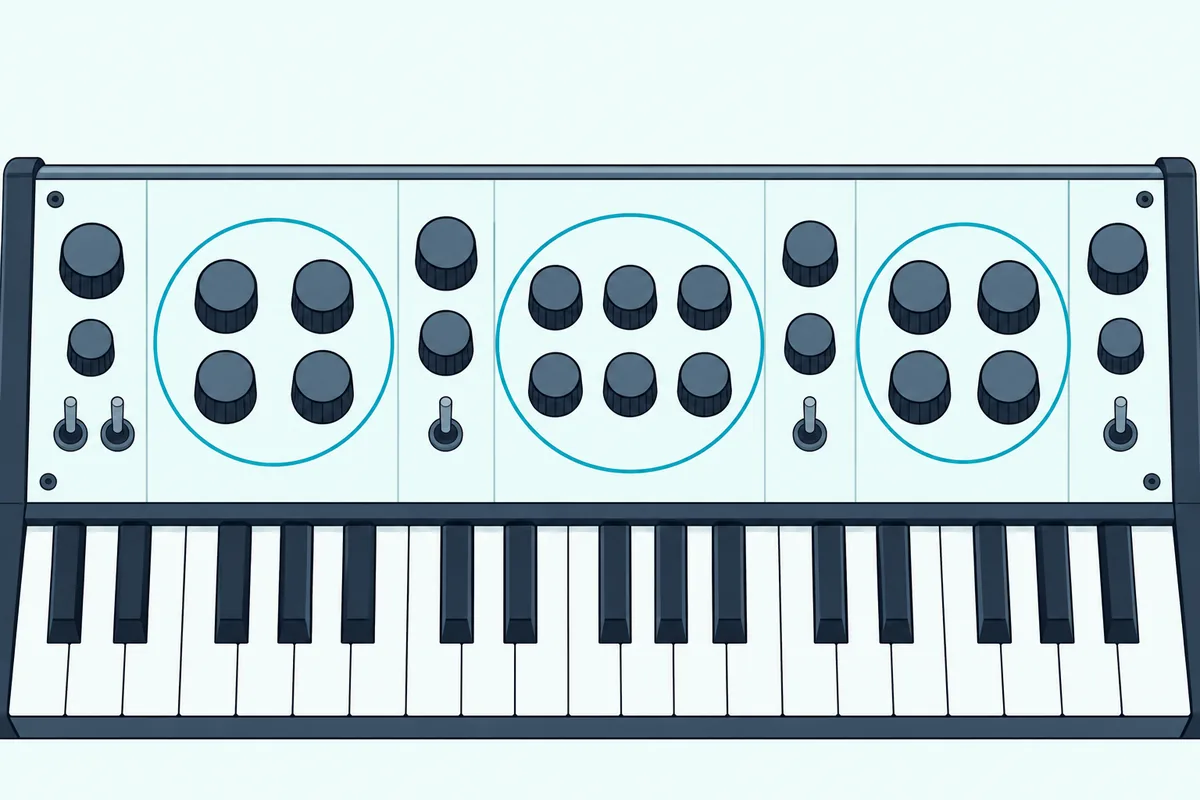
Roughly, the oscillators make the raw tone, the filter shapes how bright it is, and the envelope decides how each note swells and fades. Korg gives the minilogue 41 dedicated panel controls, so each stage has a knob or switch of its own.
A software instrument can model the same chain, but a hardware synth puts every stage under your hands, which is one of the main reasons people buy one.
Can a Synthesizer Work as a MIDI Keyboard?
Yes, most modern synths can, and Korg’s minilogue is a good example. Its manual says the USB B connector exchanges MIDI messages with your computer, and that its MIDI OUT connector can play an external tone generator.
Our step-by-step guide to using a Korg minilogue as a MIDI controller lists the driver and the settings involved.
Beyond the minilogue, our page on can I use a synthesizer as a MIDI controller compares how Korg, Sequential, Yamaha and Roland set up the ports and the Local switch.
There’s one catch. If you use the synth with sequencing software, Korg says to switch its Local setting off, or each note triggers twice because of MIDI echo.
Synths built before MIDI arrived in 1983 don’t have it at all, so check for MIDI ports or USB before you count on one as a controller.
What Do You Need to Hear Each One?
That local setting shows how differently they behave: a synth already has everything it needs, and a MIDI keyboard has nothing until you add it. With a MIDI keyboard, that means a computer or tablet, a software instrument and headphones, and our page on how to run a MIDI keyboard through your computer alone covers the setup and the delay.
A synth needs speakers or headphones. To record it, you also need an audio input: Focusrite’s Scarlett 2i2 guide describes stereo direct monitoring as suited to a stereo synthesizer or keyboard (Focusrite).
How Do You Connect a Synthesizer to a Computer?
With two connections, because one carries the notes and the other carries the sound. On the minilogue, the USB B connector exchanges MIDI messages with your computer, and Korg’s manual says you’ll need to install its USB-MIDI driver first.
The sound leaves through a separate OUTPUT jack, which Korg says feeds powered monitors, a mixer or a recording setup. That’s why recording a hardware synth takes an audio interface with a free input, while its notes can travel over USB alone.
What Are the Trade-Offs Between the Two?
Those two connections show the trade-offs in miniature:
- Range of sounds. A MIDI keyboard opens every software instrument on your computer, while a synth is one instrument, and the minilogue holds 100 factory programs and 100 of your own, per Korg.
- Hands-on control. A synth puts filters and envelopes under knobs, and a MIDI keyboard can too if it has knobs, though they adjust software.
- Setup. A synth plays the moment it has power and headphones, and a MIDI keyboard needs software and audio settings first.
- Recording. MIDI from a keyboard can be edited note by note afterward, while a synth’s sound has to be recorded as audio.
What Should You Look for in a First Synthesizer?
Start with the connections, because they decide whether the synth can also act as a controller. Look for USB or 5-pin MIDI ports, an audio output and a headphone jack, all of which the minilogue has.
Then check polyphony, the number of notes it can play at once: Korg calls the minilogue a 4-voice polyphonic synth. Finally, look at how many of your own sounds it can store, which is the 100 user programs on the minilogue.
MIDI Keyboard vs Synthesizer: Which Should You Buy First?
It depends on where you’ll make the music, so pick the row that sounds like you:
| If you want to | Buy |
|---|---|
| Make music on a computer with software instruments | A MIDI keyboard |
| Learn sound design with knobs under your hands | A synthesizer |
| Play without a computer | A synthesizer, or a keyboard with built-in sounds |
| Control a DAW, drum pads or mixer | A MIDI keyboard or controller |
| Try both on one budget | A hybrid with built-in sounds and USB MIDI |
Most computer-based beginners start with a MIDI keyboard, because many come with software. Akai says the MPK Mini MK3 includes MPC Beats, Hype, Essential Keys, Electric and AIR plugins, redeemed through its software center.
For a straight controller, the Akai MPK Mini MK3 is the reference point. Akai’s FAQ says it needs no driver and powers over USB.
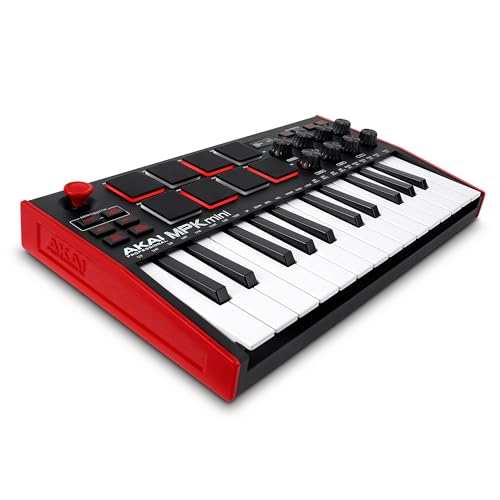
the Akai MPK Mini MK3
If you’d rather test both worlds, the Akai MPK Mini Play mk3 has its own sounds and speaker, per Akai, so it works alone or as a controller. Our list of budget MIDI keyboards worth buying has more choices.
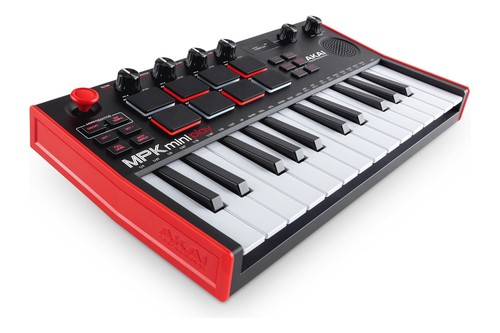
the Akai MPK Mini Play mk3
A Digital Piano Sits Between the Two
Digital pianos are a third category, and they behave like a synthesizer for this purpose: press a key and you hear sound with nothing else attached. A digital piano is built for playing piano, though, while a synthesizer is built for shaping sound.

Many digital pianos also send MIDI, which makes them usable as controllers. Our guide to how a MIDI controller differs from a digital piano covers that trade-off, and the page on keyboards that work without a computer lists options.
Can You Use a MIDI Keyboard and a Synthesizer Together?
Yes, and it’s a classic setup: the keyboard sends notes, and the synth plays them. Korg’s manual says to connect the external device’s MIDI OUT to the minilogue’s MIDI IN with a MIDI cable, which works with any keyboard that has a 5-pin MIDI OUT.
USB-only keyboards are different, because USB devices don’t talk to each other directly. For those, the computer sits in the middle and routes the notes to the synth.
Frequently Asked Questions
Do all synthesizers have MIDI?
Most current ones do, over USB, 5-pin ports or both. Synths built before MIDI arrived in 1983 don’t have it.
Do MIDI keyboards make sound?
Not usually. Akai says the MPK Mini MK3 sends MIDI messages to software on your computer to generate sound, though hybrids such as the MPK Mini Play mk3 have built-in sounds.
Can a synthesizer replace a MIDI keyboard?
Yes, if it has USB or 5-pin MIDI. Korg advises switching the synth’s Local setting off when you use it with sequencing software, so notes don’t double.
Is a MIDI keyboard the same as a digital piano?
No. A digital piano makes its own sound and is built to feel and sound like a piano, while a MIDI keyboard only sends notes to other gear.