Can I Use a Synthesizer as a MIDI Controller? What the Ports Decide
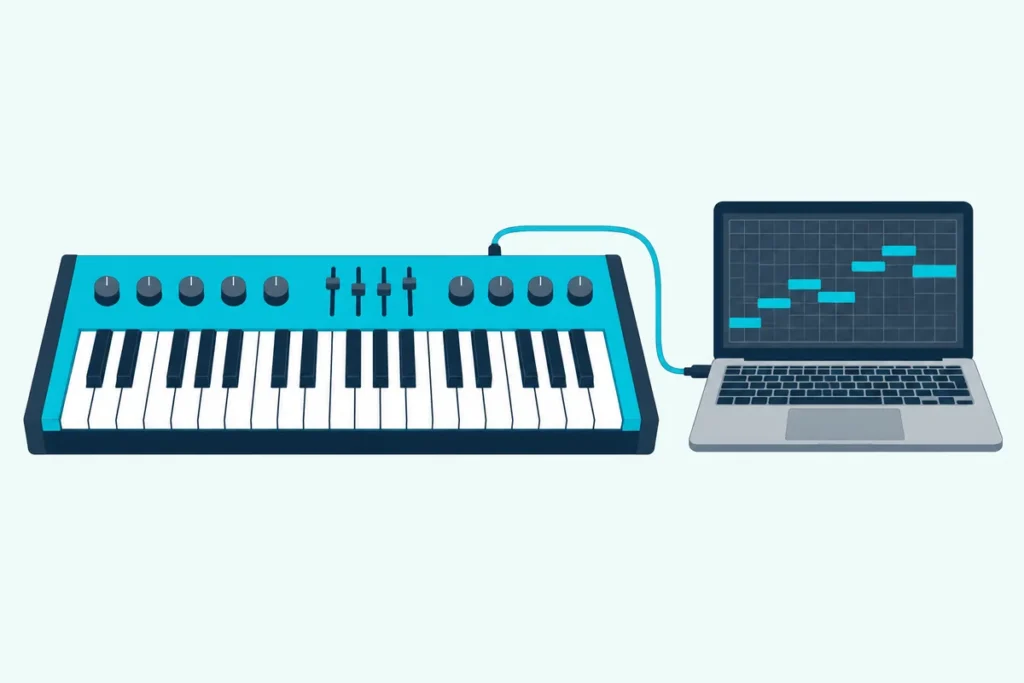
Can I use a synthesizer as a MIDI controller? Yes, if its back panel has a MIDI OUT socket or a USB port, because that port is what sends your playing to a computer or another synth.
Picture a synth wired to a laptop, where every note you play sounds twice, once from the synth and once from the software, a hair apart.
That echo comes from a single setting, and Korg’s, Sequential’s, Yamaha’s and Roland’s manuals each explain it.
You’ll see which ports can send MIDI, how to connect the synth, what its knobs send, how to play a second synth from it, and which synths only listen.
Start with what those four manuals say about their ports.
Can I Use a Synthesizer as a MIDI Controller?
That answer rests on one port, because a synth can only act as a controller if it can send MIDI out. Four makers’ manuals describe it, and each of the four synths has one.
| Synth | Ports that send MIDI | What the maker says |
|---|---|---|
| Korg minilogue | USB B, MIDI OUT | The USB B connector exchanges MIDI messages with your computer, and MIDI OUT connects to an external MIDI device |
| Sequential Prophet-6 | USB, MIDI Out | The USB port is for bidirectional MIDI communication with a computer, and the 5-pin sockets are MIDI In, Out and Thru |
| Yamaha MODX | USB TO HOST, MIDI OUT | MIDI OUT transmits all control, performance and playback data to another MIDI device |
| Roland JUNO-DS | USB COMPUTER, MIDI OUT | You can sync it with a DAW over USB MIDI and record its sound over USB audio |
Those four all say yes, and each manual adds the settings that make it work, which the sections below cover.
If you’re still weighing a synth against a plain controller, this guide to what separates a MIDI keyboard from a synthesizer explains what each one gives you.
Which Synth Ports Send MIDI, and Which Only Listen?
That depends on the label beside the socket, and Yamaha’s manual spells it out. MIDI IN receives control or performance data from another MIDI device, and MIDI OUT transmits control, performance and playback data from the synth to another one.
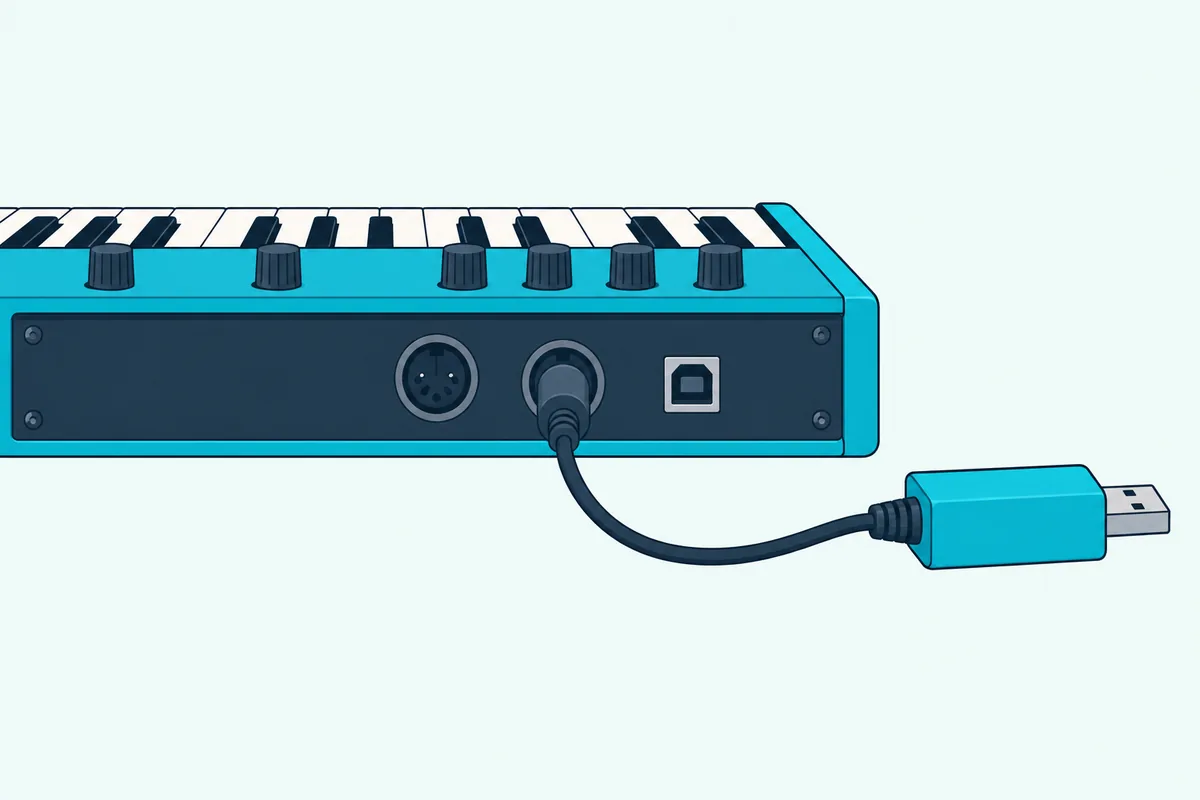
A USB port is simpler, because it works both ways. Sequential calls the Prophet-6’s USB port bidirectional, and Korg says the minilogue’s USB B connector exchanges MIDI messages with your computer.
The catch is a synth that listens and never sends. Korg’s volca keys manual describes a MIDI IN jack for controlling its sound generator and mentions no MIDI OUT or USB connector, and the Transmitted column of its MIDI implementation chart shows a cross, which means No, for notes, velocity, pitch bend and control changes.
Look for that chart at the back of your own manual, since it lists what the synth transmits and what it recognizes. Korg’s chart for the minilogue, for example, has a Transmitted and a Received column for notes, velocity, pitch bend, control changes and program changes.
A synth from the 1970s or early 1980s may have no MIDI socket at all. The MIDI Association dates the first public MIDI demonstration to the January 1983 Winter NAMM show, where a Sequential Prophet-600 and a Roland Jupiter-6 were connected.
Get Studio Tips Weekly
Join 5,000+ creators getting acoustic treatment advice every week.
No spam. Unsubscribe anytime.How Do I Connect a Synthesizer to a Computer as a MIDI Controller?
Once the synth has a port that sends, the connection takes six steps, and the driver step is the one that differs by maker:
- Choose the port. USB runs from the synth’s USB port to the computer, while a 5-pin MIDI OUT needs a USB MIDI interface in between.
- Install the driver if the maker asks for one. Korg’s manual says a USB connection needs the Korg USB-MIDI driver, and Yamaha’s says the MODX needs the Yamaha Steinberg USB Driver.
- Check whether the synth needs one at all. Sequential says the Prophet-6 is class compliant and needs no extra driver on a Mac or Windows PC, while Roland’s JUNO-DS has a USB Driver setting that picks the computer’s generic driver or Roland’s own download.
- Tell the synth which port to use. The Prophet-6 has a MIDI Out setting that picks MIDI or USB, Korg’s MIDI Route picks USB+MIDI or USB alone, and Yamaha says the MODX uses its MIDI sockets or USB, but not both at once.
- Match the MIDI channel, since Korg’s manual says the synth and the device it exchanges data with must share one, then switch the synth on as a MIDI input in your music software.
- Arm a track that holds a software instrument and play a key, and if every note sounds twice, turn Local off as the next section explains.
Our page on the minilogue’s exact menu steps shows where each setting sits on one synth. The computer’s side of the connection works the same as for a digital piano, so the Mac and Windows checks for a USB MIDI device apply here too.
Korg lists a USB B connector on the minilogue, and Amazon Basics’ 6-foot USB 2.0 A-to-B cable has the matching B plug on one end and an A plug for the computer on the other.
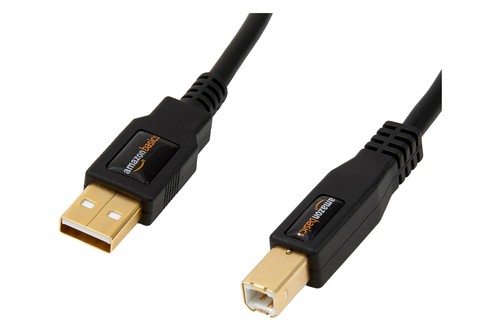
Amazon Basics’ 6-foot USB 2.0 A-to-B cable
A synth with only 5-pin sockets needs a box or cable that turns them into USB, and CME’s C2MIDI Pro cable does that with a USB-C plug on one end and one MIDI in and one MIDI out plug on the other. Apple’s GarageBand guide describes the same hookup for any keyboard: connect its MIDI Out port to a MIDI In port on a MIDI interface, and connect the interface to your computer.
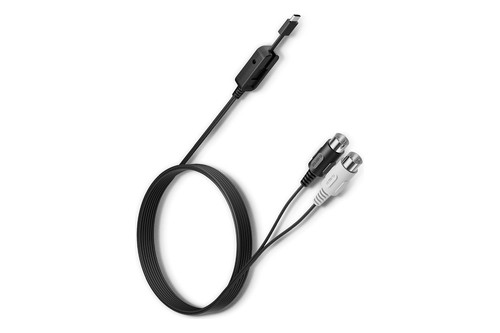
CME’s C2MIDI Pro cable
Why Does Every Note Play Twice, or Not at All?
That doubling is the Local setting at work, and all four makers describe it. With Local on, the keyboard plays the synth’s own sound directly, and then your software sends the same notes back, which Korg calls double triggering caused by MIDI echo.
| Synth | Setting | What turning it off does |
|---|---|---|
| Korg minilogue | Local SW, in Global Edit mode | Disconnects the keyboard from the tone generator, which stops the double triggering |
| Sequential Prophet-6 | Local Control, in the Globals menu | Sends the controls over MIDI without directly affecting the Prophet-6 |
| Yamaha MODX | Local Control, under Utility, Settings, MIDI I/O | Stops the keyboard playing the internal parts, while the MIDI data still goes out |
| Roland JUNO-DS | MIDI Local Switch | Disconnects the sound generator from the keyboard, wheels, buttons, sliders and pedal, so they only control software |
The reverse problem is silence. With Local off, the synth only sounds when your software sends the notes back, and Roland’s troubleshooting list says that if you hear nothing when you play the keyboard, check whether the Local Switch is turned off.
Do a Synth’s Knobs and Sliders Send MIDI Too?
Local isn’t the only switch that matters, because a synth’s knobs and sliders send MIDI only when a setting lets them. Korg’s minilogue has a MIDI Tx CC switch for control changes, and Sequential’s Prophet-6 has a Param Xmit setting with three choices: Off, CC or NRPN.
Sequential gives an example of the payoff. Turn the Prophet-6’s filter cutoff knob and it can change the cutoff of another synthesizer, and NRPN messages cover the full range of each parameter while CCs are limited to a range of 128.
Can a Synthesizer Control Another Synthesizer?
Yes, and that’s the job MIDI OUT was built for, because it needs no computer at all. Yamaha says a standard MIDI cable lets you connect an external MIDI instrument and control it from the MODX.
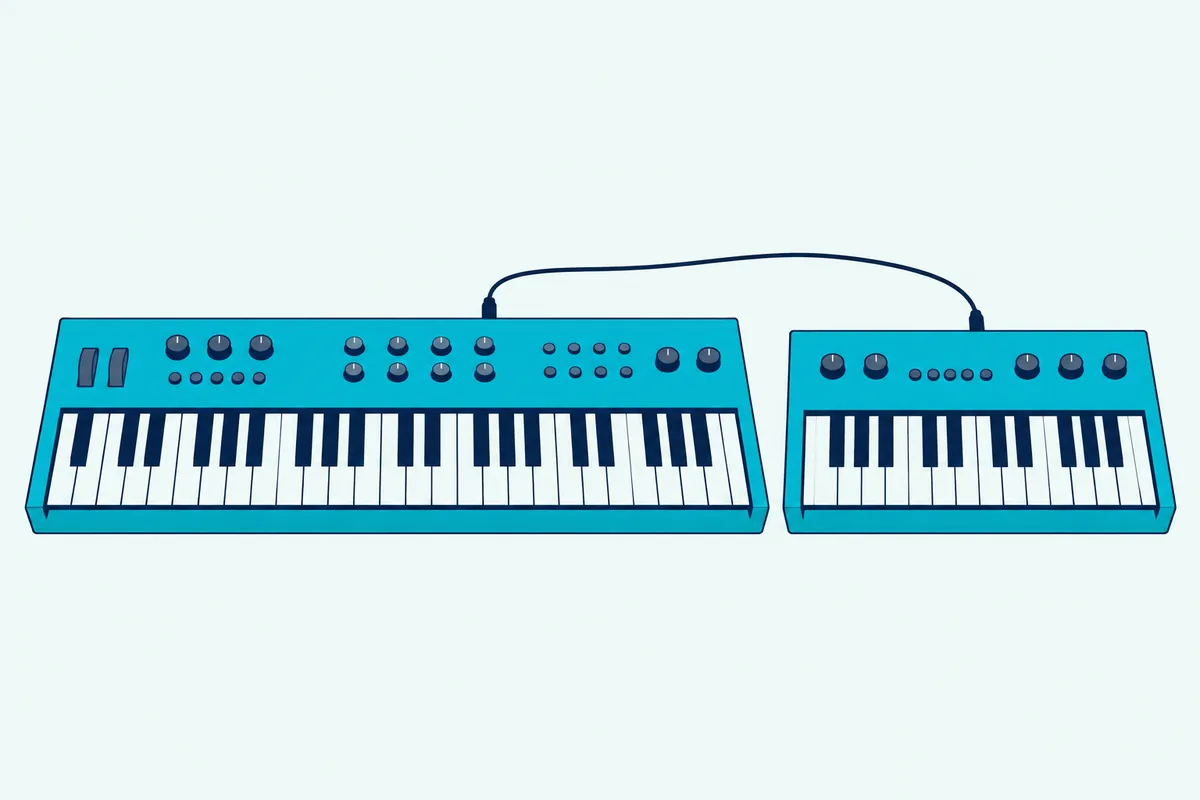
Run the cable from the playing synth’s MIDI OUT to the second synth’s MIDI IN, then set both to the same channel. Yamaha’s manual says to match the MODX’s transmit channel to the external tone generator’s receive channel.
A third or fourth synth can join through the second one’s MIDI THRU socket or a thru box, and our guide to how to control multiple devices with one MIDI keyboard shows where a chain stops being reliable.
To hear only the second synth, Yamaha says to turn the MODX’s master volume down or set Local Control to off. Our guide to playing MIDI gear without a computer covers more of these standalone hookups.
Does the Synth’s Sound Come Through the Computer?
That depends on what the USB cable carries, because some synths send audio over USB and some don’t. Yamaha says both audio and MIDI data can travel through the MODX’s USB cable, and Roland says the JUNO-DS can record its sound into a DAW over USB audio.
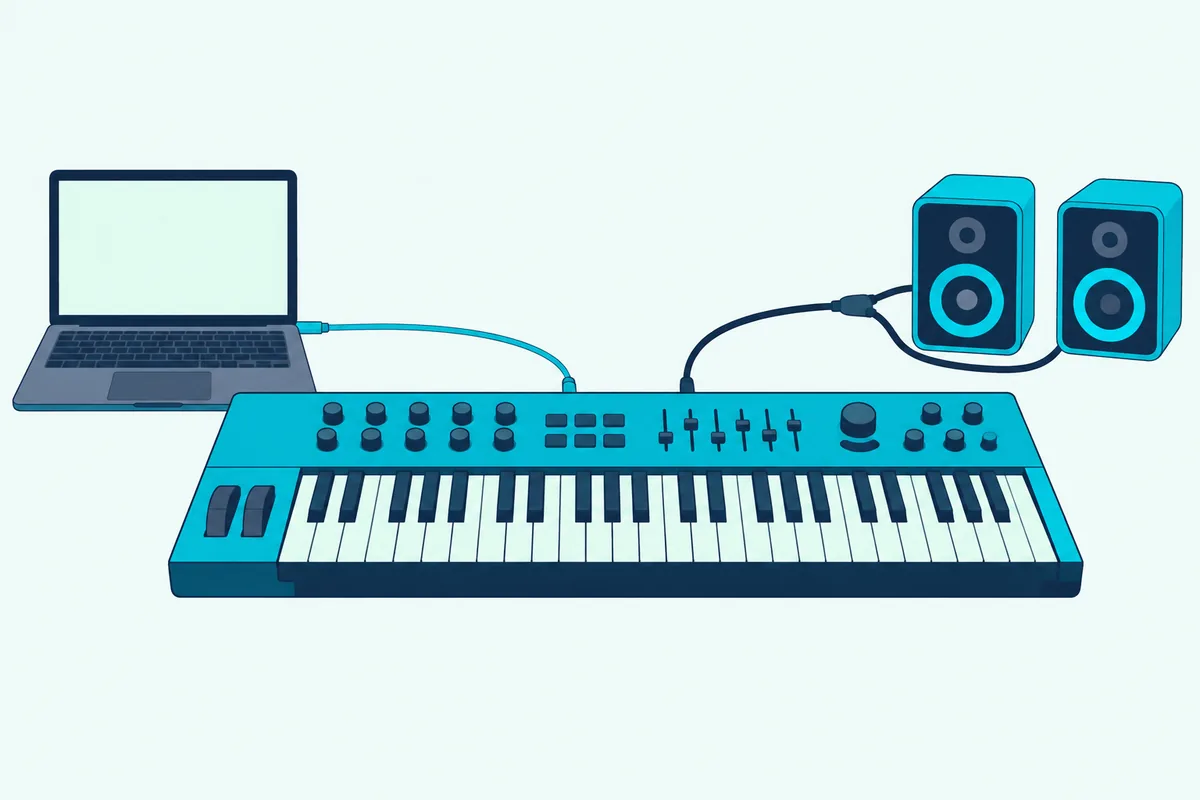
The minilogue is the other case. Its USB B connector exchanges MIDI messages, and its OUTPUT jack sends the sound to powered monitors, a mixer or a recording setup.
For a synth like that, you need an audio interface for a synth that sends no sound over USB if you want its sound in your recording.
The Bottom Line
A synthesizer works as a MIDI controller when it can send MIDI, and a MIDI OUT socket or a USB port is how you tell. Connect it, match the channel, and turn Local off if the notes double.
If the back panel shows only a MIDI IN, as Korg’s volca keys does, the synth listens and a keyboard has to do the playing.
Frequently Asked Questions
Can an analog synth work as a MIDI controller?
Yes, if it has MIDI. Korg calls the minilogue a 4-voice analog synthesizer and Sequential calls the Prophet-6 an analog poly synth, and both send MIDI over USB and 5-pin sockets.
Do all synthesizers have MIDI?
No. The four synths above all send it, but Korg’s volca keys only receives it, and its MIDI implementation chart shows No for transmitting notes, pitch bend and control changes.
Do I need a MIDI interface to use a synth as a controller?
Not if the synth has a USB port, since the Prophet-6’s USB port, for example, carries MIDI both ways. A synth with only 5-pin sockets does need one, because Apple’s GarageBand guide connects such a keyboard’s MIDI Out to an interface that plugs into the computer.
Can I use a synth as a MIDI controller without a computer?
Yes. Run a MIDI cable from its MIDI OUT to another instrument’s MIDI IN, which is how Yamaha’s manual connects the MODX to an external tone generator.
Why won’t my computer see my synth?
Check the cable, then the driver, then the port setting. Korg says to check MIDI Route if the MIDI or USB connection isn’t working, Yamaha says to set MIDI IN/OUT to USB for a computer connection, and Roland says a change to its USB Driver setting takes effect after you turn the power off and on.
Does a synth send velocity and aftertouch?
Check the Transmitted column of its MIDI implementation chart, which has a row for each. Korg lists the minilogue’s keyboard as 37 keys and velocity sensitive.