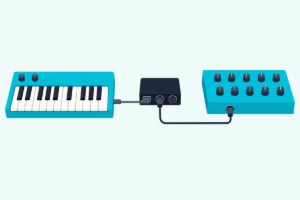
Best MIDI Thru Box: Splitters That Feed Every Synth at Once
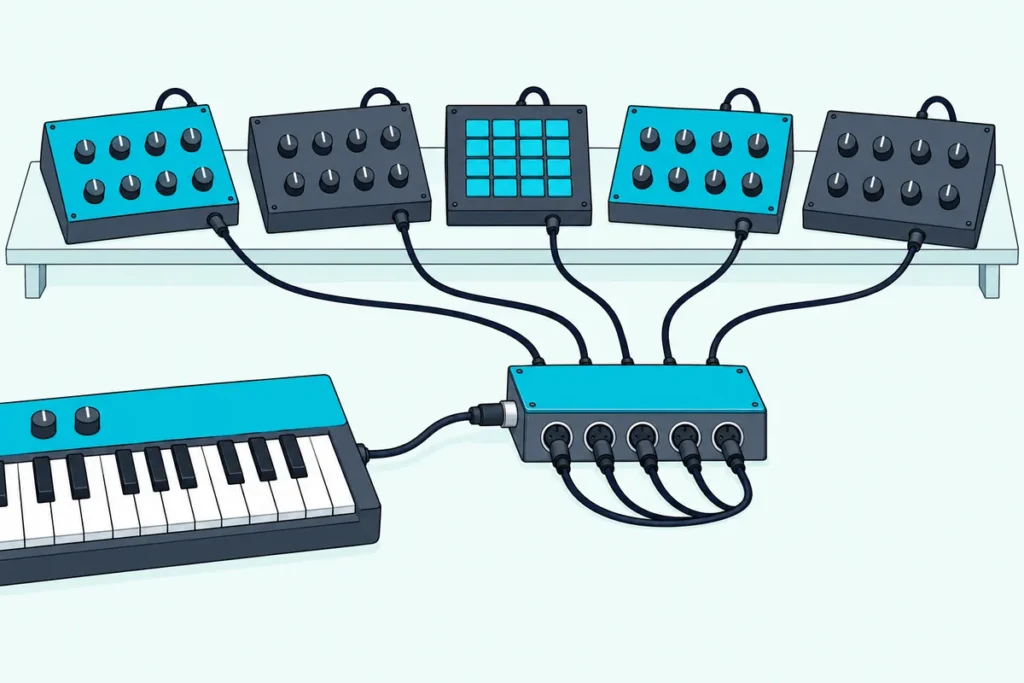
Shopping for a MIDI thru box looks simple until you notice that two boxes doing the same job can need different power: one runs off the MIDI cable itself, the next wants a USB charger.
Chain your synths THRU to IN instead, and Kenton warns that every link adds some latency, degrades the signal and leaves each device relying on the ones before it.
A thru box fixes that by handing every device its own copy of the keyboard’s signal at the same moment.
This guide compares thru boxes by what their makers document: outputs, power, and whether they add Bluetooth or merging.
The picks come first, then how a thru box works, how to power and wire one, and the mistakes that make a working box look dead.
What Is the Best MIDI Thru Box?
That depends on how many devices you’re feeding and what you can plug the box into, but one box covers the most rigs. The best MIDI thru box for most setups is the CME MIDI Thru5 WC, which CME’s manual describes as one 5-pin MIDI IN copied to five MIDI THRU sockets, powered from any standard 5-volt USB source and passing every MIDI message, clock, SysEx and MPE included (CME).
The other picks solve narrower problems:
| Pick | 5-pin sockets | Bluetooth MIDI | Computer link | Best for |
|---|---|---|---|---|
| CME MIDI Thru5 WC | 1 IN, 5 THRU | With CME’s optional WIDI Core module | None: its USB-C socket is for power | Most rigs |
| CME WIDI Thru6 BT | 1 IN, 5 THRU | Built in | Over Bluetooth MIDI | A wireless keyboard or tablet as the source |
| CME U6MIDI Pro | 3 IN, 3 OUT | None | USB MIDI interface | Merging, or a computer in the rig |
Every pick met Burton Acoustix’s rating, review and stock checks on 27 October 2026, and no prices appear because they change often. Nothing here was played or measured: the descriptions come from the makers’ manuals, product pages and listings.
| Product | Link |
|---|---|
Best Overall 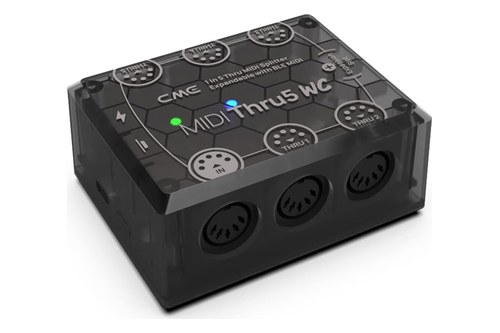 | See ratings |
Best With Bluetooth 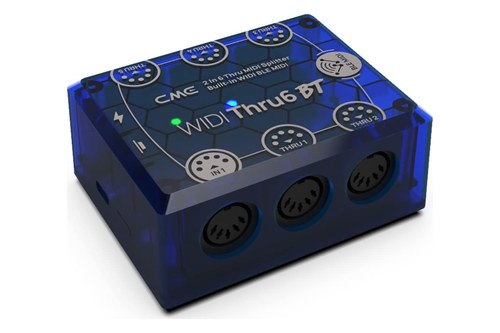 | See ratings |
Best for Merging and Computers 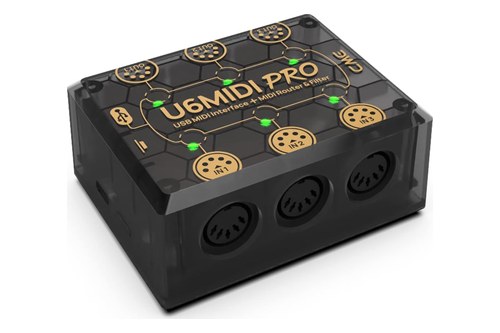 | See ratings |
Which MIDI Thru Box Should You Buy?
Those picks split by what the box has to do besides copy one signal. Buy the Thru5 WC for a plain five-way split, the Thru6 BT when the source is wireless, and the U6MIDI Pro when you also need to merge or connect a computer.
CME MIDI Thru5 WC
For most rigs, the CME MIDI Thru5 WC is the pick.
the CME MIDI Thru5 WC
CME’s manual says it forwards everything arriving at its MIDI IN to all five THRU sockets, for any gear with standard MIDI sockets, from synths and electronic drums to audio interfaces and digital mixers. It has no power switch, and its USB-C socket carries power only, so a computer won’t see it as a MIDI interface.
Five outputs not enough? CME says two units chain THRU to IN, each with its own power, which a powered USB hub for MIDI gear can supply.
A slot inside takes CME’s WIDI Core module, sold separately, for 16 channels of Bluetooth MIDI in both directions. With it fitted, CME says, the Thru5 WC works the same as its WIDI Thru6 BT.
CME WIDI Thru6 BT
When the source is a wireless controller, an iPad or a laptop, the CME WIDI Thru6 BT takes the signal without a cable.
the CME WIDI Thru6 BT
CME’s listing calls it a 2-in-6-out MIDI thru, and the text printed on its panel reads “2 In 6 Thru MIDI Splitter, Built-in WIDI BLE MIDI” above a 5-pin IN and five THRU jacks. Since CME says a Thru5 WC with the module behaves the same way, the Bluetooth figures in the Thru5 WC manual apply: Bluetooth 5, as low as 3 milliseconds between two units, and up to 20 meters without obstruction.
The listing also explains its status light and button: slow blue means waiting, steady blue means connected, and a 3-second press drops every link and switches it to peripheral mode. For wireless keyboards to pair with it, Burton Acoustix’s Bluetooth MIDI picks cover the boards themselves.
CME U6MIDI Pro
If the box also has to merge two keyboards or talk to a computer, the CME U6MIDI Pro covers it.
the CME U6MIDI Pro
CME’s manual calls it a USB MIDI interface that also works without a computer as “a MIDI merger, MIDI thru/splitter, and MIDI router” on a USB charger or power bank, keeping the routing you set in its UxMIDI Tools software (CME). Send one input to several outputs and it copies the messages; send several inputs to one output and it merges them.
A quick press of its button sends All Notes Off on all 16 channels of each output, a quick fix for a stuck note. It isn’t a USB host, though, so a keyboard with only USB can’t plug into it.
What Does a MIDI Thru Box Actually Do?
Every pick does the same core job, and the MIDI 1.0 specification explains why it takes a box. A MIDI thru box takes one MIDI input and sends identical copies of it out of several sockets at once, which Kenton describes as splitting a single MIDI source “into a number of identical copies” (Kenton).
The specification sets the rules behind it: a THRU socket “provides a direct copy of data coming in MIDI In,” and “one output shall drive one and only one input” (MIDI Association). That second rule is why a cable that wires one MIDI OUT to two MIDI INs isn’t a fix, and Kenton’s THRU-5 gives each of its five sockets “its own driver.”
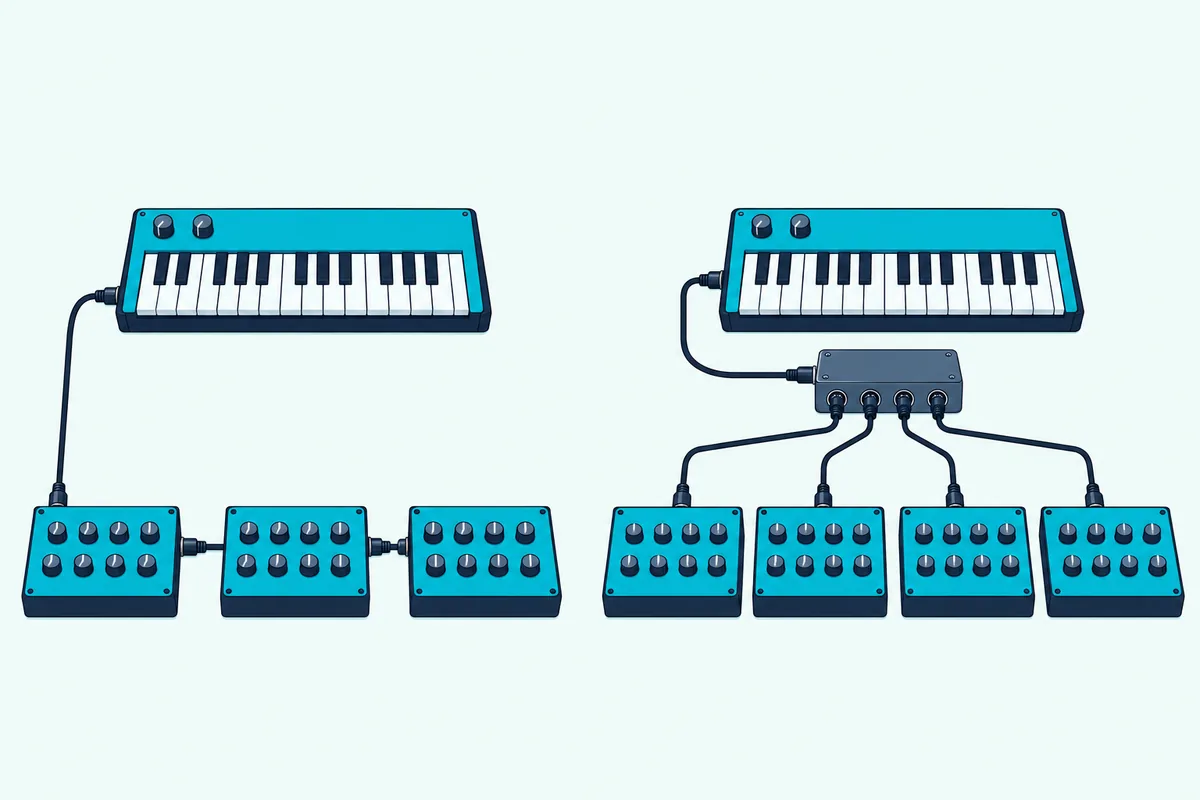
The specification’s circuit, drawn in its own schematics, puts an opto-isolator inside every MIDI receiver: a light and a sensor sealed in one package that keep the two devices’ grounds apart. Its response time skews the signal slightly, and the spec warns that those timing errors “tend to add up” along a chain of THRU-to-IN links, so “there is a limit to the number of devices which can be chained.”
A box sidesteps the stacking, since every device sits one hop from the source. Kenton’s THRU-5 adds Schmitt triggers to restore a degraded input, and MIDI Solutions says its thru boxes read the data in and re-clock it at the correct rate.
When Do You Need a Thru Box Instead of a Daisy Chain?
That limit on chains is the practical line between the two. You need a thru box once a chain grows past two or three devices, when a device in the middle has no THRU socket (the spec makes THRU optional), or when you’d rather no synth depend on the ones before it.
Kenton says daisy chaining “works fine for a small setup of two or three devices,” and the spec suggests faster opto-isolators for chains of more than three instruments. Kenton’s list of what a thru box removes is specific: latency and jitter, dropped or stuck notes, choppy filter sweeps and reliance on your other devices.
Picture a keyboard driving multiple instruments: a drum machine, two desktop synths and a sound module. The keyboard’s MIDI OUT runs to a five-way box, four THRU sockets each run to one MIDI IN, and one is left spare.
The box only copies the signal, so which synth plays which part still comes down to MIDI channels. Our guide to how to control several synths from one MIDI keyboard covers that setup and the other wirings around the box.
How Is a MIDI Thru Box Powered?
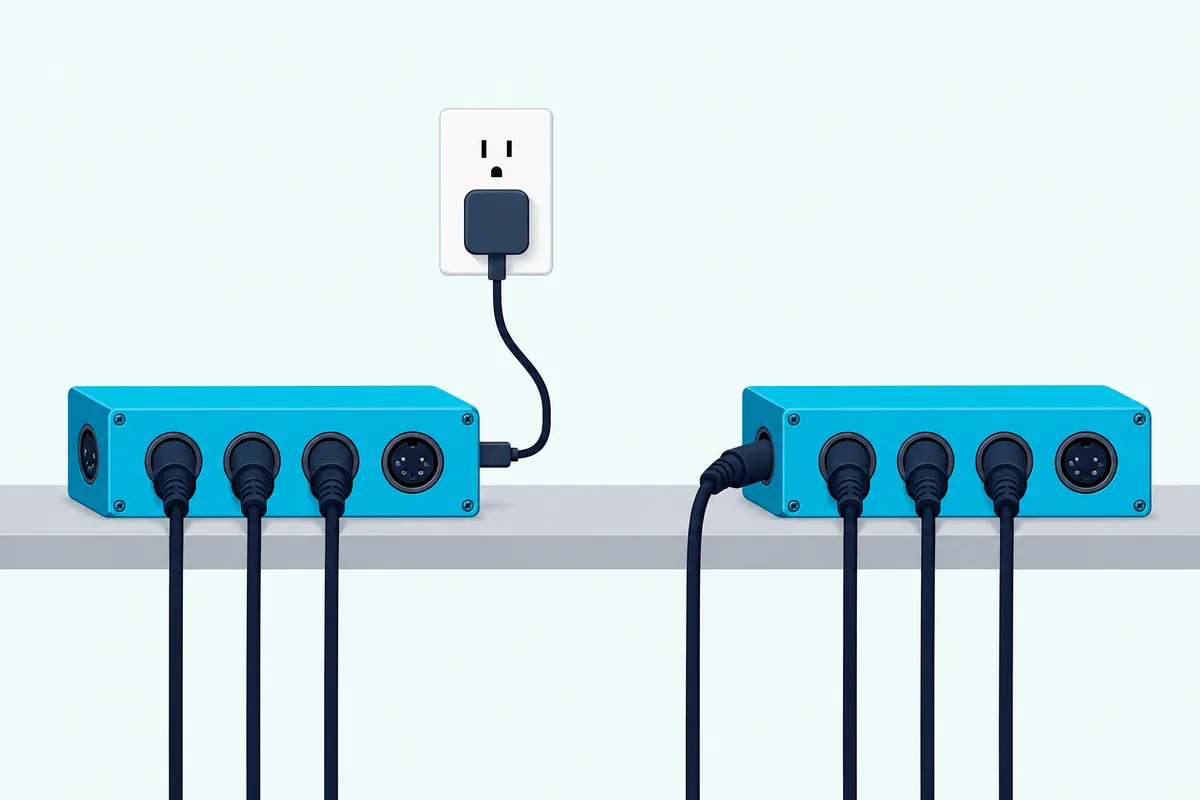
Choosing between a chain and a box is the easy part, because power is where the boxes differ most. A thru box takes its power from the MIDI signal itself, from a 5-volt USB supply or from a wall adapter, depending on the model.
MIDI Solutions’ boxes draw power from the MIDI OUT or THRU connected to their input, so with most MIDI gear they need no batteries or adapter (MIDI Solutions). Its MultiVoltage models work from ports that supply 3 volts or more, where its original models needed 4 volts.
That difference matters because the MIDI Association updated the 5-pin electrical spec in 2014 to include 3.3-volt signaling. MIDI Solutions says a source built to the lower voltage won’t power its original products.
Try this before you buy a MIDI-powered box: measure the voltage at your source’s MIDI output between the center pin, which is ground, and the pin next to it counterclockwise. For sources that fall short, MIDI Solutions sells a Power Adapter that runs on a 9-volt wall adapter, bought separately.
CME’s Thru5 WC goes the other way: a high-speed optocoupler isolates its MIDI input to keep ground-loop interference out, so it can’t be powered over 5-pin MIDI and always needs USB.
Kenton’s THRU-5 uses a 9-volt wall adapter with a 2.1-millimeter center-positive plug, included in the box. For a power bank, CME recommends one with a low-power charging mode, the kind meant for earbuds or fitness trackers.
Is a MIDI Splitter the Same as a Merge Box?
Power aside, the other spec that trips buyers is direction. No: a MIDI splitter is another name for a thru box, one input copied to many outputs, while a merge box combines several sources into one stream.
MIDI Solutions puts it plainly: mergers let several MIDI OUTs or THRUs connect to a single MIDI IN, such as several keyboards playing a sound module that has one input. Kenton says its merge boxes carry MIDI clock, MIDI timecode and SysEx into the combined stream.
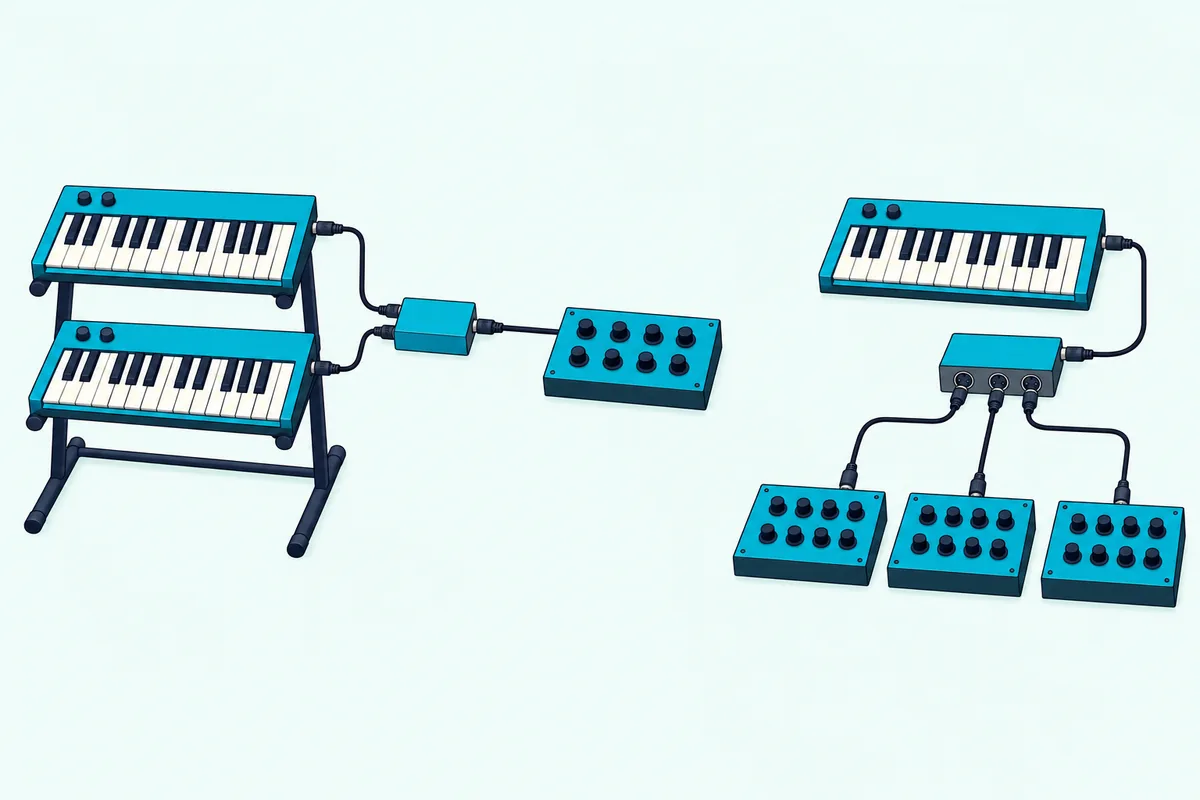
That’s why the U6MIDI Pro sits among the picks: it merges and splits in the same box. The Thru5 WC only splits, so two wired keyboards feeding one synth need a merger as well.
Whichever you use, never run a THRU socket back into the device that feeds the box. Kenton’s manual warns that the loop can cause note hangs and other unwanted effects.
How Do You Connect a MIDI Thru Box?
With the direction settled, wiring takes a few minutes. Power the box first, then run the source’s MIDI OUT to the box’s MIDI IN and one cable from each THRU socket to one device’s MIDI IN.
- Power it. Plug in the USB supply or adapter and check the power light; a MIDI Solutions box lights only once its source powers it.
- Feed it. Run the MIDI OUT of the keyboard, sequencer or computer interface to the box’s MIDI IN; CME says another device’s MIDI THRU can feed it too.
- Fan it out. Run each THRU socket to one device’s MIDI IN, and keep every cable within the spec’s maximum of 50 feet (15 meters).
- Set channels. Give each device its own receive channel, unless you want them all playing the same part.
Then play a few notes: Kenton’s light flickers while MIDI arrives, and a MIDI Solutions light flashes as data passes.
Why Is One Device on the Thru Box Silent?
If a device stays quiet after those steps, work back through them in order. A device on a thru box goes silent when the box has no power, a cable sits in the wrong socket, or the device listens on a different channel from the one the keyboard sends.
| What you see | Likely cause | What to try |
|---|---|---|
| No light on the box | No USB power or a dead cable | Try another charger or port; CME suggests checking the cable and the power bank’s charge |
| A MultiVoltage light flashing on and off | The source supplies too little power | Feed fewer MIDI Solutions boxes from it, or add MIDI Solutions’ Power Adapter |
| Notes hang | A THRU socket looped back to the source’s MIDI IN | Remove the loop; the U6MIDI Pro’s button sends All Notes Off |
| Every synth plays every part | Devices sharing a channel, or set to Omni | Give each device its own receive channel and turn Omni off |
That flashing light is MIDI Solutions’ own diagnostic: it warns when the voltage drops below what the box needs for the standard 5-milliamp drive current.
Which Thru Boxes Didn’t Make the List?
That diagnostic comes from MIDI Solutions, whose boxes missed the cut this time. Its MIDI-powered Quadra Thru, a 1-in, 4-out box, had no Amazon offer to point to on 27 October 2026, and its 8-output T8, a 19-inch rack unit, and its 2-output Thru had too few Amazon reviews.
Kenton’s THRU-5 and DigitalLife’s Quad-I/O merge-and-thru box also had too few Amazon reviews. The MIDI Solutions boxes deserve a second look if you want nothing to plug in.
The Bottom Line
So buy the CME MIDI Thru5 WC for a plain five-way split, the WIDI Thru6 BT when the source is wireless, and the U6MIDI Pro when the box must also merge or serve a computer’s music software. Whichever you choose, check how it’s powered before you wire the rig.
Frequently Asked Questions
What is the difference between MIDI THRU and MIDI OUT?
MIDI THRU repeats what arrives at a device’s MIDI IN, which the MIDI 1.0 specification defines as “a direct copy of data coming in MIDI In.” MIDI OUT carries what the device sends itself, such as notes from its own keys.
Can you split a MIDI signal with a Y-cable?
Not within the spec. The MIDI 1.0 specification says one output “shall drive one and only one input,” and a Y-cable from one MIDI OUT to two MIDI INs asks one output to drive two. A thru box gives each THRU socket its own driver, which is how Kenton describes the THRU-5’s five outputs.
Does a MIDI thru box add latency?
CME rates the Thru5 WC’s wired path as “close to zero latency and zero jitter,” and Kenton says a thru box removes the latency and jitter that a long daisy chain builds up. For scale, 5-pin MIDI runs at 31.25 kilobaud under the MIDI 1.0 specification, or 320 microseconds per byte, so sending a three-byte note message takes just under a millisecond on any cable.
Can you chain one thru box into another?
Yes. CME says two Thru5 WCs chain by running a THRU socket of the first to the MIDI IN of the next, each with its own USB power, which a hub can supply. MIDI Solutions says one MIDI source can power up to 10 of its MultiVoltage boxes, and its Power Adapter’s single THRU can power up to 20.
Do you need a thru box for MIDI clock?
A thru box helps when several drum machines or sequencers follow one clock, because each gets the clock straight from the source instead of through the devices before it. Kenton says the THRU-5 passes every MIDI message, clock, SysEx and MIDI timecode included, and CME lists clock among the messages the Thru5 WC forwards.