Best Beginner DJ Controllers in 2026: 8 Picks and What Each Includes
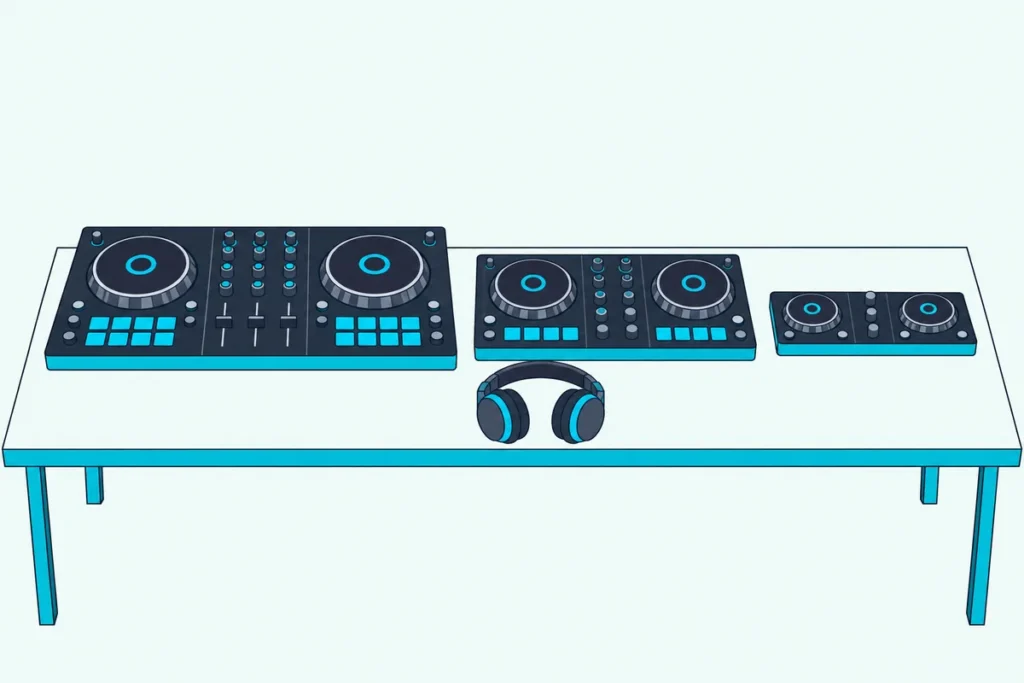
Choosing the best beginner DJ controller comes down to what comes with the hardware: free software, a sound card for headphone cueing, and a way to run it from a laptop, a phone or nothing at all.
Miss one and your first controller can ask for a paid upgrade on day one, need an adapter cable before it reaches your speakers, or depend on a computer you don’t own.
Get them right and the best DJ controller for beginners is simply the one that fits where and how you’ll practice.
Below are eight two-deck picks from Pioneer DJ, AlphaTheta, Hercules and Numark, with each one’s software, outputs and power taken from its maker’s pages on 14 October 2026.
Start with the quick answer and the table, then jump to the pick that matches your setup.
Which Is the Best Beginner DJ Controller for Most People?
That short list points to one controller for most new DJs. The best beginner DJ controller for most people is the Pioneer DJ DDJ-FLX4, because it works free with four programs (rekordbox, Serato DJ Lite, djay and Traktor Play), runs on power from your computer over one USB-C cable and plugs into powered speakers with a single RCA cable (Pioneer DJ).
If you’d rather DJ from a phone, start with the AlphaTheta DDJ-FLX2 instead. If you want lights on the controller that show which way to move the tempo fader and jog wheel, start with a Hercules Inpulse.
The table sums up all eight, and every one of them has a separate headphone output, so you can hear the next track before your audience does.
| Pick | Best for | Free software it works with | Speaker / headphone outputs | Power and devices |
|---|---|---|---|---|
| Pioneer DJ DDJ-FLX4 | Most beginners | rekordbox, Serato DJ Lite, djay, Traktor Play | RCA / 3.5 mm | USB-C power from a computer; phones over USB-C or Bluetooth with a power adapter |
| AlphaTheta DDJ-FLX2 | Phones and small desks | rekordbox, Serato DJ Lite, djay, Traktor Play | 3.5 mm / 3.5 mm | USB-C power from a computer, phone or tablet; Bluetooth MIDI |
| Hercules DJControl Inpulse 300 MK2 | Learning to beatmatch | DJUCED, Serato DJ Lite | 2 x RCA / 3.5 mm | USB to a PC or Mac |
| Hercules DJControl Inpulse 500 | Room to grow | DJUCED, Serato DJ Lite | 2 x 1/4-inch and 2 x RCA / 3.5 mm and 1/4-inch | USB to a computer |
| Pioneer DJ DDJ-REV1 | Scratching | Serato DJ Lite | RCA / 3.5 mm | USB to a PC or Mac |
| Numark Party Mix III | House parties | Serato DJ Lite, djay, djay Pro | Speaker and headphone outputs | USB-C power; Bluetooth MIDI to phones and tablets |
| Numark MixTrack Go | Traveling light | Serato DJ Lite, djay, djay Pro | Main and headphone outputs, breakout cables included | USB-C power; Bluetooth MIDI |
| Numark Mixstream Pro Go | No laptop at all | Engine DJ, built in | XLR and RCA / 1/4-inch and 1/8-inch | Built-in battery, speakers and Wi-Fi |
The software column is the one that shapes what you learn, which is why it gets its own section after the picks. The power column decides whether a phone is enough, and that has a section too.
| Product | Link |
|---|---|
Best Overall 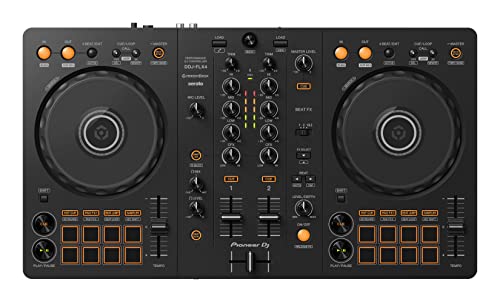 | See ratings |
Best for Phones and Small Desks 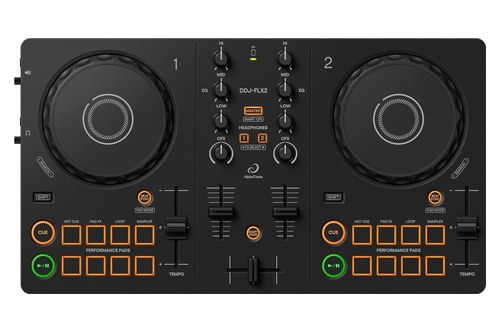 | See ratings |
Best for Learning to Beatmatch 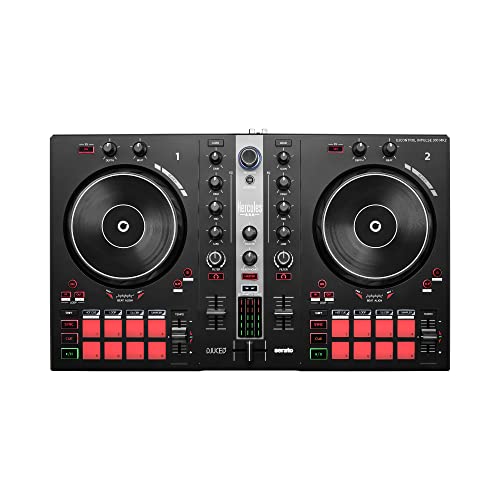 | See ratings |
Best to Grow Into 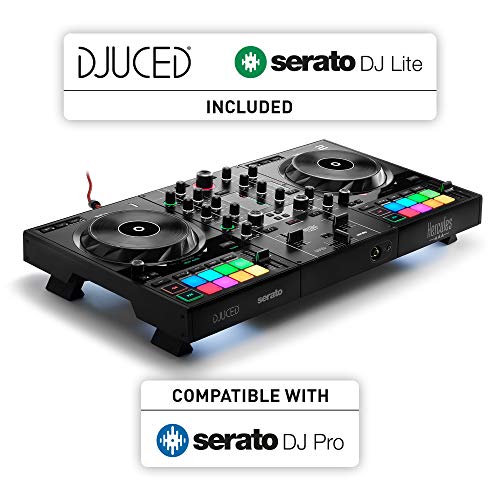 | See ratings |
Best for Scratching 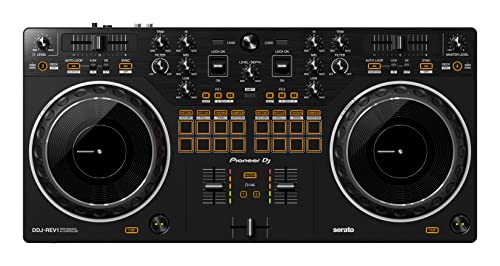 | See ratings |
Best for House Parties 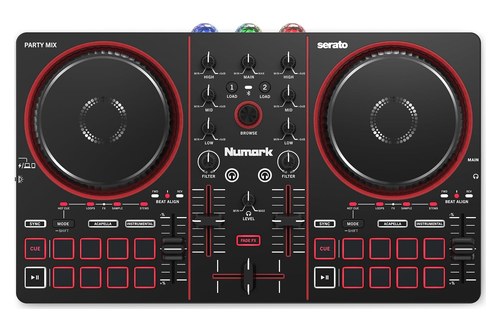 | See ratings |
Best for Traveling Light 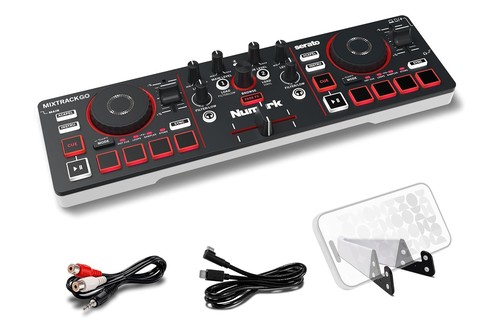 | See ratings |
Best Without a Laptop 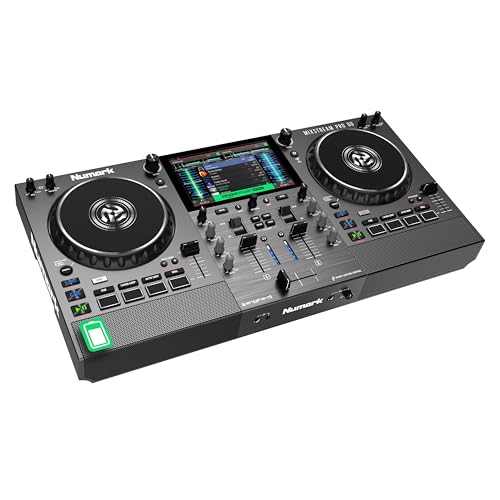 | See ratings |
What Are the Best DJ Controllers for Beginners in 2026?
Those eight rows expand into the picks below, from the safest all-rounder to the most specialized. The best DJ controllers for beginners in 2026 are the Pioneer DJ DDJ-FLX4, the AlphaTheta DDJ-FLX2, Hercules’ DJControl Inpulse 300 MK2 and Inpulse 500, the Pioneer DJ DDJ-REV1, Numark’s Party Mix III and MixTrack Go, and, for DJing without a laptop, the Numark Mixstream Pro Go.
Each pick was in stock on Amazon on 14 October 2026 with at least 4.0 stars from 50 or more reviews. Every spec below comes from the makers’ own pages and listings, not from hands-on use.
1. Pioneer DJ DDJ-FLX4: Best Overall
Pioneer DJ’s DDJ-FLX4 gives you four free programs to choose from. Connected to a PC or Mac, it works with rekordbox, djay, Serato DJ Lite and Traktor Play at no cost, and Serato DJ Pro is a paid upgrade if you outgrow Lite.
Pioneer DJ’s DDJ-FLX4
Pioneer says its layout is inherited from the company’s professional gear, and that the FLX4 takes on the layout of the DDJ-400, which Pioneer calls a standard for entry-level controllers. Each deck has eight pads for hot cues, Pad FX, Beat Jump and the sampler, and Serato’s quick-start guide for the FLX4 lists High, Mid and Low EQ on each channel.
Two helpers make the first weeks easier: Smart Fader adjusts volume, bass and tempo as you move a fader, and Smart CFX applies a combination of effects from one knob. A button switches Smart Fader off once your ears can do that work.
Your computer’s USB connection powers it and carries the sound, and the RCA master output goes straight to powered speakers. A microphone in the 1/4-inch input is mixed into the USB audio, which helps if you livestream, as long as no Bluetooth device is connected.
With rekordbox on a phone or tablet it also works over USB-C or Bluetooth, but then it needs its own power from a USB power adapter or a 9 V mobile battery (Pioneer notes that most mobile batteries are 3 V). It weighs 2.1 kg and has two channels, so when you’re ready for more decks, a 4-channel unit is the next step.
2. AlphaTheta DDJ-FLX2: Best for Phones and Small Desks
AlphaTheta’s DDJ-FLX2 is the company’s lightest and most compact DJ controller, at 1.2 kg and 383 mm wide. It runs the same four programs as the FLX4, rekordbox, djay, Serato DJ Lite and Traktor Play, with Serato DJ Pro as a paid license.
AlphaTheta’s DDJ-FLX2
Power comes over USB-C from a computer, phone or tablet, so there’s no power supply to carry, though AlphaTheta notes that some Android devices are the exception. Over Bluetooth MIDI it works with a phone or tablet while a USB-C power adapter or mobile battery powers it.
On an iPhone or iPad running rekordbox for iOS, the mix can play through the device’s own speaker, the quickest way to try DJing with no other gear. Pioneer DJ’s beginner page leads with it, as the controller to learn on starting right from your smartphone.
The trade-offs show up in the specifications: both outputs are 3.5 mm mini jacks, so speakers with RCA inputs need an adapter cable, and no microphone input is listed. The only cable in the box is USB-C to USB-C.
Streaming works through those apps with Apple Music, Beatport Streaming, SoundCloud Go+, Spotify and Tidal, depending on the app and your country.
3. Hercules DJControl Inpulse 300 MK2: Best for Learning to Beatmatch
Hercules’ DJControl Inpulse 300 MK2 is the pick if you want the controller itself to teach you to beatmatch by hand. Its Beatmatch Guide lights arrows beside each tempo fader to show which way to move it, and under each jog wheel to show which way to turn it (Hercules).
Hercules’ DJControl Inpulse 300 MK2
The guide works in both programs in the box, DJUCED and Serato DJ Lite, and you can switch it off once you’ve mastered the moves. That’s the point of it: you still move the fader and the jog yourself, and the lights only tell you which way.
Each deck has eight pads with eight modes, each channel has gain, three-band EQ and a filter, and the master runs through two RCA sockets with a 3.5 mm headphone jack. In DJUCED, the Intelligent Music Assistant suggests which track to play next, and Hercules’ DJ Academy tutorials cover the basics.
Hercules lists Beatport ADVANCED, SoundCloud GO+ and TIDAL for streaming, and Serato DJ Pro is a paid upgrade. The newer Inpulse 200 MK3 keeps the light guides in a 0.9 kg body and adds Instrumental and Acapella stems buttons, but it has four pads per deck and Hercules lists its high EQ on the same knob as gain.
4. Hercules DJControl Inpulse 500: Best to Grow Into
Hercules’ DJControl Inpulse 500 is the pick if you expect to play for people within your first year. Hercules calls it an all-in-one controller for performing in public, and its connectors back that up.
Hercules’ DJControl Inpulse 500
A balanced 1/4-inch microphone input with its own high and low EQ, and an aux input on RCA and 3.5 mm with its own filter, both mix without the software, so a phone could keep music going if your laptop froze. The master comes out on both 1/4-inch jacks and RCA, and there are 3.5 mm and 1/4-inch headphone jacks.
It also has the full learning kit: 16 RGB pads with eight modes, 14 cm jog wheels, three-band EQ and gain per channel, Beatmatch guides and the same track suggestions in DJUCED. Retractable feet lift it off the table, which Hercules says keeps it safe from spilled drinks.
It ships with Serato DJ Lite and DJUCED, and Hercules’ page lists TIDAL and SoundCloud GO+ streaming in Serato DJ Lite and Beatport and Beatsource in DJUCED. The trade-offs are size and weight, 54.2 cm wide and 3.2 kg.
5. Pioneer DJ DDJ-REV1: Best for Scratching
Pioneer DJ’s DDJ-REV1 is laid out like a battle setup: Pioneer says it emulates a DJM-S mixer between two PLX turntables, with the tempo sliders running sideways above the decks and the pads in the mixer section. Its jog wheels are 154 mm across, the same size as on the higher-end DDJ-SR2 and bigger than the 132 mm wheels Pioneer lists for the DDJ-400.
Pioneer DJ’s DDJ-REV1
Scratch helpers are built in: Lever FX fire Serato effects in short bursts or lock them on, and Tracking Scratch silently takes the track back to the cue point each time you move the jog forward. The Scratch Bank mode loads scratch samples from four banks you set up in Serato.
It’s made for the free Serato DJ Lite and can play tracks on four decks there, with Serato DJ Pro as a paid upgrade after a free trial. Pioneer lists an unbalanced 1/4-inch microphone input, RCA master outputs, a 3.5 mm headphone jack and a USB port for a PC or Mac, and the microphone is mixed into what Serato receives, so you can stream your voice.
At 526 mm wide it needs more desk than the FLX4, and it isn’t on rekordbox’s Hardware Unlock list, so Serato is its home (djay and VirtualDJ’s HOME license list it too). For more battle-style options, our guide to DJ controllers for scratching goes deeper.
6. Numark Party Mix III: Best for House Parties
Numark’s Party Mix III, launched on 7 July 2026, keeps the series’ beat-synced LED light show and adds tools the older model lacked. Numark lists eight pads per deck (cues, loops, sampler, stems and FX), Instrumental and Acapella stems buttons, crossfader-triggered Fade FX and Beat Align indicators to help you learn beatmatching by hand (Numark).
Numark’s Party Mix III
It has capacitive touch jog wheels, a three-band EQ, filters and main gain, plus a built-in soundcard with speaker and headphone outputs. Power comes over USB-C from a computer, tablet, phone, power bank or USB charger.
Bluetooth MIDI lets you DJ wirelessly from a compatible phone or tablet, and Serato DJ Lite, djay for iOS and Android and djay Pro for Mac and PC come free. Serato DJ Pro and VirtualDJ work with it if you buy a license.
The Party Mix II is still on sale, but Numark lists four pads per deck, a two-band EQ and 1/8-inch outputs for it, and says Android isn’t supported. For a first party controller, the III is the one to get.
7. Numark MixTrack Go: Best for Traveling Light
Numark’s MixTrack Go, launched alongside the Party Mix III, is what Numark calls the most compact form factor in its lineup. It runs on USB-C power from a computer, tablet, phone, power bank or charger, and Bluetooth MIDI lets you play from a phone or tablet without a cable.
Numark’s MixTrack Go
You still get capacitive touch jog wheels, Stems control with Instrumental and Acapella buttons, Fade FX and pad modes for cues, loops, the sampler and stems. Numark’s notes list channel, filter and main gain knobs, and a built-in audio interface with main and headphone outputs, with breakout cables in the box.
The software matches the Party Mix III: Serato DJ Lite, djay and djay Pro free, with Serato DJ Pro and VirtualDJ as paid licenses. It’s the controller to throw in a backpack next to a laptop, or to pair with a phone when a laptop is too much.
Burton Acoustix’s portable DJ controller guide sets the MixTrack Go beside six other small controllers, from the 0.34 kg DJ2GO2 Touch to the 1.2 kg DDJ-FLX2.
Numark’s older DJ2GO2 Touch is still sold as a wired option, with eight pads, a built-in sound card, 1/8-inch outputs and a 1/8-inch-to-RCA cable in the box. Its page lists no Bluetooth, and it works with iOS only through Apple’s Camera Connection Kit.
8. Numark Mixstream Pro Go: Best Without a Laptop
Numark’s Mixstream Pro Go doesn’t need a computer at all: it has a built-in battery, its own speakers, Wi-Fi for streaming and the Engine DJ operating system on board. Numark calls it the world’s first 100% wireless standalone DJ controller.
Numark’s Mixstream Pro Go
Over Wi-Fi it streams from Amazon Music Unlimited, TIDAL, Beatport, Beatsource, SoundCloud Go+ and Dropbox, and it also plays from two USB ports and an SD card slot. A 7-inch touchscreen handles browsing, and its 6-inch capacitive platters have a Smart Scratch feature that keeps the music on beat after a scratch.
The outputs are a step up from the rest of this list: XLR and RCA mains, 1/4-inch and 1/8-inch headphone jacks and a 1/4-inch microphone input. In Computer Mode it can also control VirtualDJ with a paid license.
It’s the biggest unit here at 566 mm wide, and the trade for leaving the laptop at home is a bigger box to carry. The section on going laptop-free below compares it with Denon DJ’s SC LIVE 2.
Get Studio Tips Weekly
Join 5,000+ creators getting acoustic treatment advice every week.
No spam. Unsubscribe anytime.What Should a First DJ Controller Have?
Those eight picks share a short list of basics, and it’s worth checking any other controller against it before you buy. A first DJ controller should have two decks with touch-sensitive jog wheels, a sound card with its own headphone output, a three-band EQ on each channel, performance pads and free software that recognizes it as soon as you plug it in.
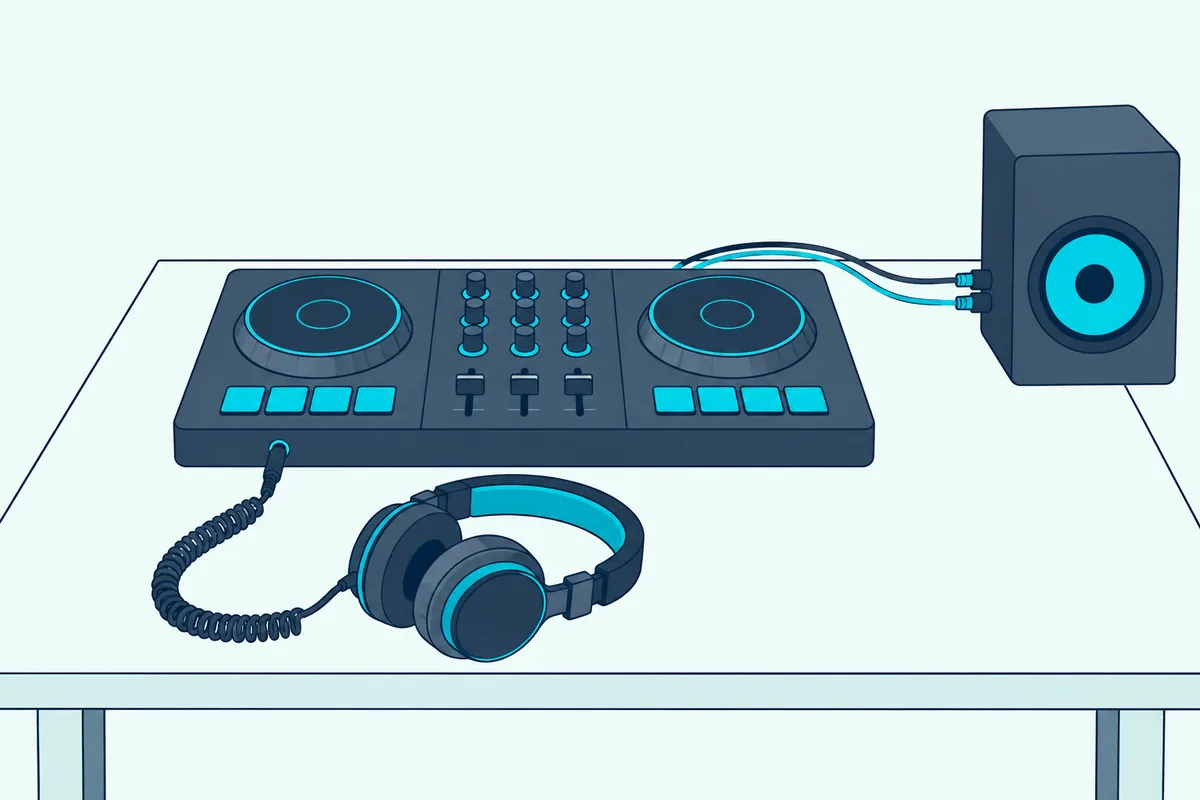
The headphone output is the one to protect. Pioneer DJ’s guide to beginner DJ equipment explains that DJ headphones let you hear the next track you want to cue without playing it through the speakers, and Hercules describes the same job for the Starlight’s sound card: pre-listening in the headphones, then playing the mix on speakers.
Here’s a quick test for any controller you’re considering: find the headphone jack in the maker’s photos or spec list, then the master output for your speakers. Every pick above has both, and the table at the top lists them.
EQ is the next thing to compare. AlphaTheta describes EQ as adjusting the volume of the low, mid and high ranges, so you can balance two tracks or bring out or hold back particular sounds.
The FLX4, FLX2, both Inpulse picks, the Party Mix III and the Mixstream Pro Go all list three bands. Numark gives the older Party Mix II a two-band EQ, and Hercules pairs the Inpulse 200 MK3’s high band with its gain knob.
Pads and jog wheels come next. Eight pads per deck, on the FLX4, both Inpulse picks and the Party Mix III, leave room for hot cues, loops and samples, while four, as on the Party Mix II and Inpulse 200 MK3, are enough to start.
Jog size matters most if you plan to scratch. That’s why the REV1’s 154 mm wheels earned it its own spot, while the 14 cm wheels on the Inpulse 500 and the 6-inch platters on the Mixstream Pro Go suit both mixing and scratching.
Which Free DJ Software Comes With Each Controller?
That free software from the checklist is what you’ll actually learn on, so it’s worth knowing what each program gives you for nothing. Every pick here works with at least one free program out of the box: rekordbox, Serato DJ Lite, djay, DJUCED or Traktor Play, or Engine DJ built into the Mixstream Pro Go.
| Program | Picks in this guide that include it free | What costs extra |
|---|---|---|
| rekordbox | DDJ-FLX4, DDJ-FLX2 (Performance mode on the Free plan) | Some Performance mode features, such as video and full Cloud Library Sync, are limited on the Free plan |
| Serato DJ Lite | All seven laptop and phone controllers | Serato DJ Pro, which adds recording and more features |
| djay | DDJ-FLX4, DDJ-FLX2; Numark lists djay and djay Pro free with the Party Mix III and MixTrack Go | djay Pro is a subscription, and Algoriddim says its full controller list needs a PRO subscription |
| DJUCED | Inpulse 300 MK2, Inpulse 500 | Hercules offers DJUCED PRO and PRO+ as upgrades (Inpulse 500 listing) |
| Traktor Play | DDJ-FLX4, DDJ-FLX2 | AlphaTheta says there’s no extra cost with these two |
| VirtualDJ | None free once a controller is connected | A HOME license for listed entry-level controllers, or PRO for paid gigs |
rekordbox is Pioneer DJ’s own software, and its CDJ players work with it too, which matters because Pioneer DJ calls CDJ setups the club standard. If clubs are the goal, the DDJ-FLX4 or DDJ-FLX2 gets you into rekordbox from day one, since both are on its Hardware Unlock list.
That unlock has limits. rekordbox’s own FAQ says the Free plan with a Hardware Unlock device gives you the basic functions, and that not all Performance mode features are available.
Serato DJ Lite covers more brands, with more than 50 supported controllers, and Serato says all DJ Lite hardware can be upgraded to DJ Pro. It also has a Practice Mode that runs with no controller at all (Serato).
The limits arrive later: Serato says DJ Lite can’t record a set and doesn’t support CDJs or club mixers. That’s when its paid Pro version, with a 14-day trial, comes into play.
Traktor fans can start on the same two Pioneer-made controllers, since AlphaTheta says both run Traktor Play at no extra cost. Our Traktor controller guide covers Native Instruments’ own hardware.
VirtualDJ is free only when no controller or mixer is connected (VirtualDJ). With one of these plugged in you need its HOME license, which works with listed entry-level controllers, including every laptop pick here except the Inpulse 500, and keeps VirtualDJ’s branding.
Our pick of the best DJ controller for VirtualDJ covers which models it maps. Whichever program you choose, your playlists and cue points are built inside it, so the software you choose on day one is worth a few minutes of thought.
Can You Stream Music on a Beginner DJ Controller?
Most of that software streams, which solves the first problem every new DJ has: no music library. Yes, every pick here can mix tracks from streaming services through its software or, on the Mixstream Pro Go, over its own Wi-Fi, though each service needs its own subscription and the list varies by app and country.
| Software | Streaming services the makers name |
|---|---|
| rekordbox (DDJ-FLX4, DDJ-FLX2) | Apple Music, Beatport Streaming, SoundCloud Go+, Tidal, Spotify |
| Serato DJ Lite | TIDAL and SoundCloud on Numark’s pages; Hercules also lists Apple Music and Spotify in Serato |
| Hercules’ pages for the Inpulse picks | Beatport ADVANCED, SoundCloud GO+ and TIDAL (300 MK2); TIDAL and SoundCloud GO+ in Serato DJ Lite, Beatport and Beatsource in DJUCED (500) |
| Engine DJ (Mixstream Pro Go) | Amazon Music Unlimited, TIDAL, Beatport, Beatsource, SoundCloud Go+, Dropbox |
Those lists come from each controller’s own page, so check the app’s current list in your country before you subscribe. Streaming means you can practice with the songs you already know, which makes it easier to hear when a blend is working.
The catch is recording. Serato says DJ Lite can’t record a set at all, and that even Serato DJ Pro won’t record while you’re playing tracks from a streaming service.
Pioneer says the FLX4 can record to rekordbox over its USB connection, though rekordbox’s plan table lists recording for the Core plan and above. Keep a few purchased files on hand for the practice mixes you want to listen back to.
When those practice mixes turn into a full set, our guide on how to create a DJ mix covers the track order, the recording level and each upload site’s rules.
Do You Need a Laptop, or Will a Phone Do?
Streaming also turns a phone into a real DJ machine, but only some of these controllers are documented to work with one. You don’t need a laptop for the DDJ-FLX4, DDJ-FLX2, Party Mix III or MixTrack Go, which work with phone and tablet apps, while the Inpulse 300 MK2 and DDJ-REV1 pages describe a PC or Mac setup.
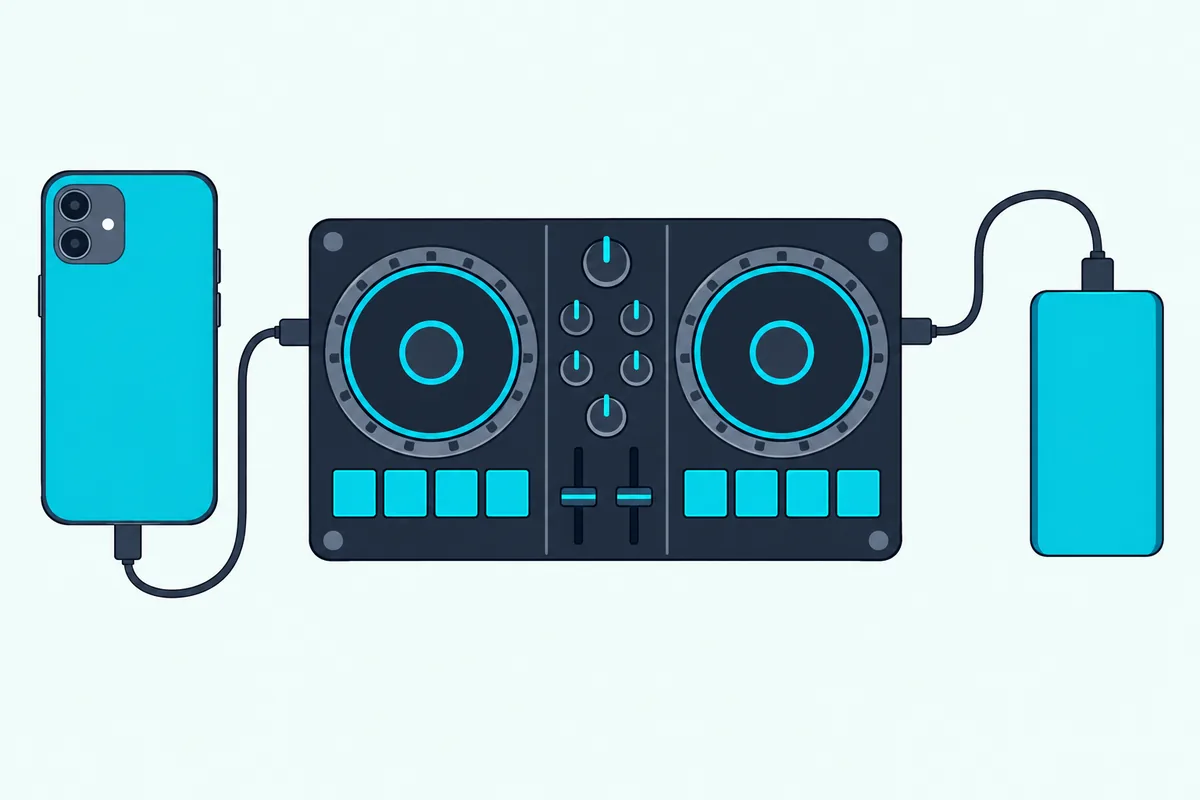
The FLX4 works with rekordbox for iOS and Android over USB-C or Bluetooth, but on a phone it needs its own power from a USB power adapter or a 9 V mobile battery. On an iPhone or iPad over USB-C it can also play the mix through the device itself, which Pioneer says isn’t available on Android.
The FLX2 is simpler: a USB-C phone or tablet powers it (AlphaTheta excepts some Android devices), and over Bluetooth MIDI it only needs a USB-C adapter or mobile battery for power. The Party Mix III and MixTrack Go do the same with djay on iOS or Android, drawing USB-C power from a phone or a power bank.
Older designs are pickier. Numark lists the Party Mix II for iOS through a camera connection kit and says Android isn’t supported.
A phone setup is a good way to find out whether you enjoy DJing before you buy more gear. The same controller then moves to a laptop later, with rekordbox, Serato DJ Lite or djay on the bigger screen.
Younger children can start smaller still: VTech’s KidiStar DJ Mixer toy plays a phone’s music over Bluetooth, and Burton Acoustix’s VTech DJ mixer pairing guide shows how to set it up.
What If You Don’t Want a Laptop or a Phone?
A phone still runs the software, so the last option drops the computer and the phone together. Then you want a standalone controller, one that plays music from USB drives, SD cards or Wi-Fi streaming by itself, such as the Numark Mixstream Pro Go or Denon DJ’s SC LIVE 2.
Pioneer DJ’s beginner guide draws the line clearly. DJ controllers control software and don’t play music from USB drives, CDs or SD cards, while all-in-one systems can work on their own, so you can load a USB drive and leave the laptop at home.
The Mixstream Pro Go is the smaller of those two, with a battery and speakers built in. Denon DJ’s SC LIVE 2 is larger and runs from a power supply, but it has built-in speakers too, Bluetooth audio in and out and a Serato DJ Pro license for its Computer Mode.
Both are bigger than the laptop controllers above, so they make most sense when the laptop really is the problem. Our roundup of standalone systems that skip the laptop compares more of them.
Which Controller Fits Your First Year of DJing?
Those answers about software, phones and standalone units narrow the field quickly, so here’s how they combine. Match the controller to where you’ll practice: a laptop and a desk point to the DDJ-FLX4, a phone points to the DDJ-FLX2 or Party Mix III, and scratch practice points to the DDJ-REV1.
| Your situation | Start with | Why |
|---|---|---|
| A laptop, a desk and no firm plans | DDJ-FLX4 | Four free programs and an RCA output |
| Only a phone or tablet | DDJ-FLX2 | Runs on a USB-C phone’s power and can play through an iPhone’s speaker |
| You want to learn beatmatching by hand | Inpulse 300 MK2 | Tempo and beat-align light guides |
| You’ll play a party in your first year | Inpulse 500 or Party Mix III | Mic and aux inputs, or a built-in light show |
| Scratching | DDJ-REV1 | Battle layout and 154 mm jog wheels |
| A small bag and lots of travel | MixTrack Go | Numark’s most compact controller, powered over USB-C |
| No laptop at all | Mixstream Pro Go | Battery, speakers and Wi-Fi streaming |
Every row is a two-deck controller, and two decks are plenty for learning beatmatching, EQ blends and cueing. You can add decks and features later, once you know which ones you miss.
When that day comes, our guide to how many channels a DJ controller needs walks through the count that decides between two and four.
If the lowest outlay decides it, our budget roundup puts the DDJ-FLX2 and Starlight side by side with other low-cost models. That headphone check from earlier holds for every row here, so the choice comes down to software and setup.
What Else Do You Need Besides the Controller?
Whichever row you land on, the controller is only one part of a working setup. Besides the controller you need headphones for cueing, powered speakers or a stereo that matches the controller’s output, the right cable between them, and a computer or phone that runs your chosen app.
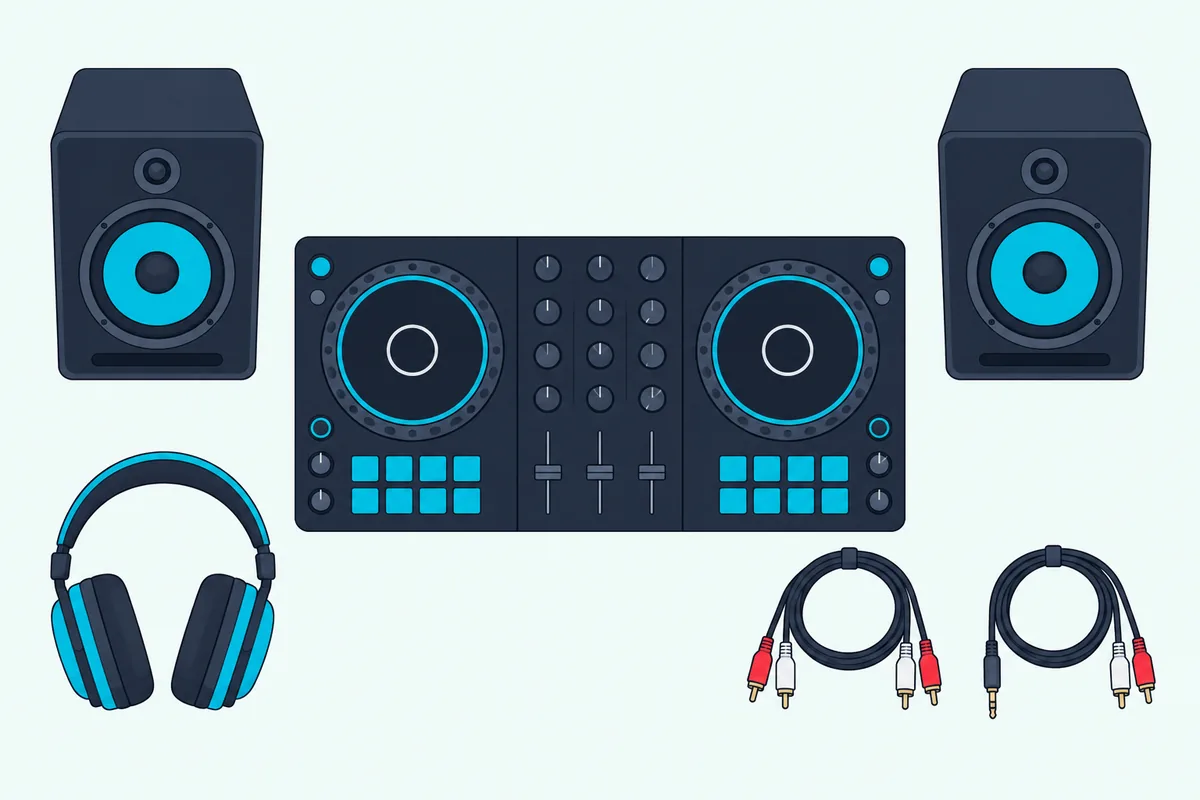
Any headphones will do to begin with, and Pioneer DJ’s guide admits many new DJs start with a pair they already own. DJ models add sound insulation and swiveling ear cups for one-ear listening, and every pick here has a wired headphone jack.
Check the controller’s output before you buy speakers. The FLX4, REV1 and Inpulse 300 MK2 use RCA, the FLX2 a 3.5 mm mini jack, the Inpulse 500 adds 1/4-inch jacks and the Mixstream Pro Go adds XLR, and Burton Acoustix’s speaker picks match speakers to those outputs.
Some boxes include the cable and some don’t. Numark packs a 1/8-inch-to-RCA cable with the DJ2GO2 Touch and breakout cables with the MixTrack Go, while AlphaTheta lists only a USB-C cable with the FLX2.
You don’t need a separate DJ mixer with any of these, because each has its mixer built in. A mixer matters only if you add turntables or CDJs later, and our pick of the best DJ mixer for beginners covers that step.
How Were These Picks Chosen?
That mixer step is a long way off, and the picks above were chosen for the first one. Each is a two-deck controller on the market in October 2026 and documented on its maker’s own pages, and each was in stock on Amazon with at least 4.0 stars from 50 or more reviews when checked on 14 October 2026.
No controller here was used hands-on for this guide: the software lists, connections and sizes come from Pioneer DJ, AlphaTheta, Hercules, Numark, Denon DJ, Serato, Algoriddim, rekordbox and VirtualDJ. Prices aren’t listed because they change too often to stay accurate.
A few familiar names are missing on purpose. Numark’s Mixtrack Platinum FX and Hercules’ DJControl Starlight had no listed availability on Amazon that day, and the Party Mix II and DJ2GO2 Touch appear above only as older alternatives to their newer Numark siblings.
The Bottom Line
Those rules leave a short list, and for most new DJs the answer is the Pioneer DJ DDJ-FLX4. Get the DDJ-FLX2 if you’ll mix from a phone, the Inpulse 300 MK2 to learn beatmatching with light guides, the Inpulse 500 to grow into gigs, the DDJ-REV1 to scratch, the Party Mix III for parties, the MixTrack Go for travel and the Mixstream Pro Go to leave the laptop at home.
Whatever you buy, plug in headphones on day one and practice cueing the next track in them. That’s the skill every controller on this list is built to teach.
Frequently Asked Questions
Is 27 too late to start DJing?
No. Nothing about these controllers assumes experience: Numark says Serato DJ Lite comes with demo music and an onboarding tutorial for first-time DJs, Hercules builds its DJ Academy into DJUCED, and Pioneer’s Smart Fader smooths transitions while you learn. What takes time is practice, so a controller you’ll use every week matters far more than your age.
What is the best starting console for a DJ?
For most beginners, a two-channel DJ controller such as the Pioneer DJ DDJ-FLX4 is the best starting console. Pioneer DJ’s beginner guide calls controllers in many ways perfect for people just starting out, and notes that their two deck sections and built-in mixer make them look a lot like a club CDJ setup. All-in-one systems such as the Mixstream Pro Go work without a computer, and turntables or CDJs with a separate mixer can come later.
What’s better, a CDJ or an XDJ?
For a first setup, neither: Pioneer DJ says its CDJ players are popular among the pros, and XDJs are close relatives. Its beginner guide calls a CDJ setup, at least two players and a mixer, the club standard you’ll see in most booths, and says XDJs also come as single units that are very similar to CDJs with slightly different feature sets. A rekordbox controller such as the DDJ-FLX4 or DDJ-FLX2 lets you practice in the software those players also work with.
Do I need headphones to DJ?
Yes, if you want to cue and beatmatch by ear. Pioneer DJ’s beginner guide says DJ headphones let you listen to the next track without playing it through the speakers, and every pick in this guide has a headphone output for exactly that. A pair you already own is fine to start, and a DJ pair with swiveling ear cups can come later.
Should I learn on Serato or rekordbox?
Either works, and the DDJ-FLX4 and DDJ-FLX2 run both for free, so you can try each before you commit. Choose rekordbox if you’re aiming at Pioneer DJ gear, since it’s Pioneer’s own software and its CDJ players work with it; choose Serato DJ Lite if you want the wider choice of controllers, with more than 50 supported. Serato says DJ Lite can’t record a set or run CDJs and club mixers, so plan on Serato DJ Pro if you go that way.