Best DJ Mixer for Beginners: 4 Picks, and Who Actually Needs One
The best DJ mixer for beginners is the Pioneer DJ DJM-250MK2 — but only if you already own turntables or CDJs. If you don’t, a mixer is the wrong purchase entirely, and no amount of budget fixes that.
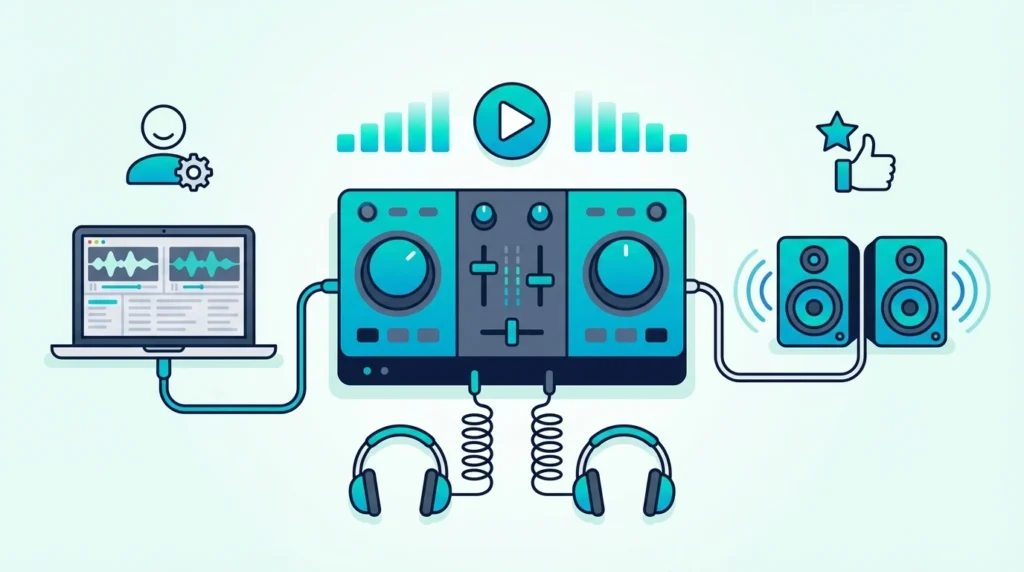
This is the most common gear mistake in DJing, and it is an expensive one. A standalone mixer has no decks, no software and no sound of its own. It blends audio that arrives from somewhere else, so it is useless on its own.
The confusion is not the buyer’s fault. Amazon and Google blend “DJ mixer” and “DJ controller” results into one list, so a beginner searching for their first setup gets both, with nothing explaining that they are for different people.
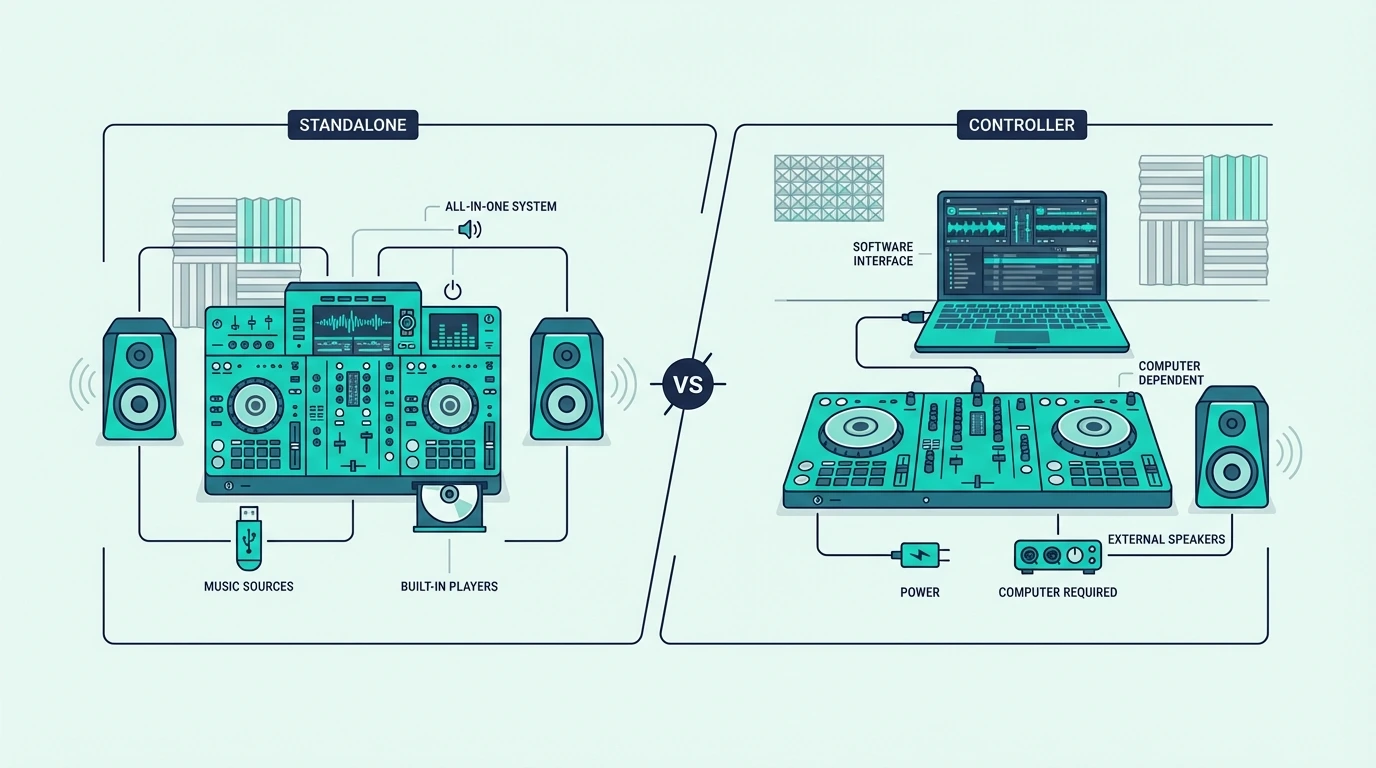
A mixer is dedicated hardware that blends signals from external sources. A controller is a USB device that drives software on your laptop, with a mixer section built in. One needs turntables; the other needs a laptop.
Below are four standalone mixers ranked for beginners who have decks, one controller for those who don’t, and the setup steps that stop a new mixer humming through your speakers on day one.
A standalone DJ mixer blends audio from turntables or CDJs without any laptop or software. The Pioneer DJ DJM-250MK2 is the best beginner standalone mixer because it delivers Pioneer club-grade sound quality with built-in DVS support at the lowest DJM price point. If you do not own turntables or CDJs, you need a DJ controller instead — not a mixer.
Who actually needs a standalone DJ mixer?
Vinyl DJs and Turntablists
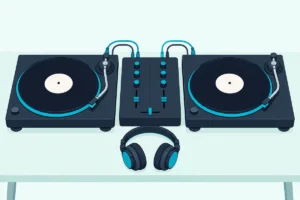
If you own turntables (Technics 1200s, Audio-Technica AT-LP120, Reloop RP-7000) or plan to buy them, a standalone mixer is the only way to blend their output. Turntables produce analog audio through phono cables — a standalone mixer accepts those signals, applies EQ and effects, and sends the combined output to your speakers.
No controller can replace this workflow. Controllers talk to software. Turntables produce real audio. The mixer sits between the turntables and your speakers as the analog blending engine.
CDJ Users
DJs who use CDJs (AlphaTheta’s CDJ-3000X, Pioneer DJ’s CDJ-3000 and CDJ-2000NXS2, or XDJ series) also need a standalone mixer. Club installations run CDJs into a mixer — learning on the same hardware at home means zero adjustment when you step into the booth.
The Rekordbox ecosystem connects the home mixer to the club via USB export. Prepare your tracks at home, export to USB, and load them onto club CDJs.
Who Should Get a Controller Instead
If you do not own turntables or CDJs and want to start DJing with just a laptop, you need a DJ controller — not a standalone mixer. Controllers include virtual decks, a mixer section, and a sound card in one USB device.
The rest of this article is for DJs who need actual standalone mixing hardware.
| Product | Link |
|---|---|
Best Overall 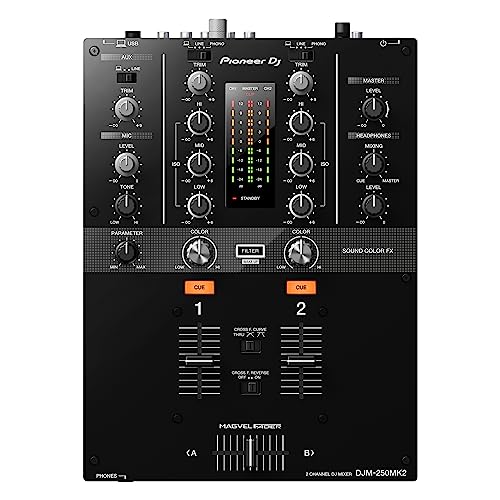 | See ratings |
Best Budget 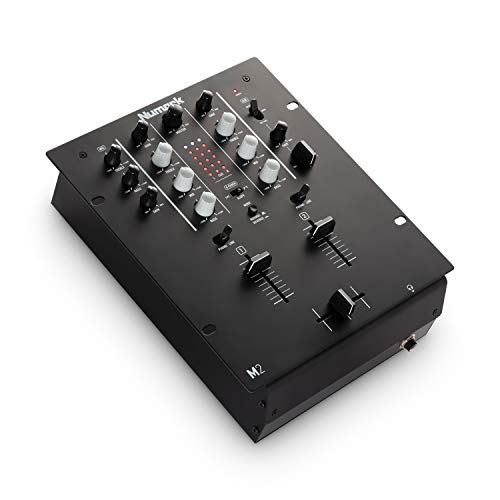 | See ratings |
Best for Scratching 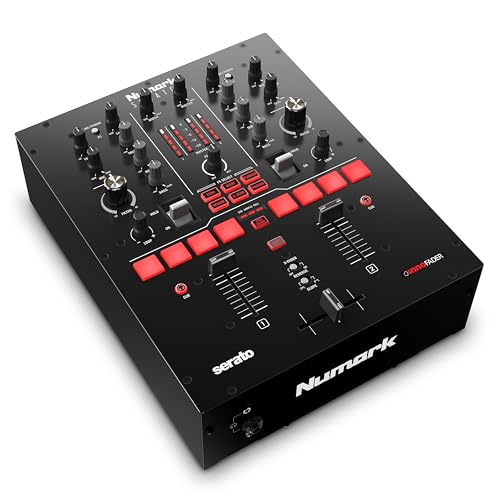 | See ratings |
Best Controller Alt 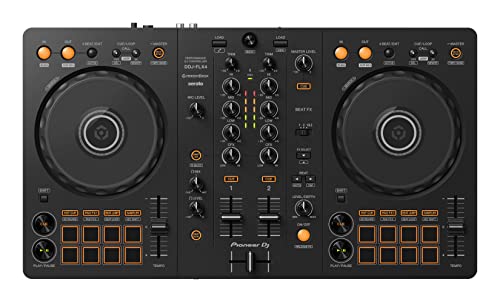 | See ratings |
The best DJ mixer for beginners: our top 4 picks
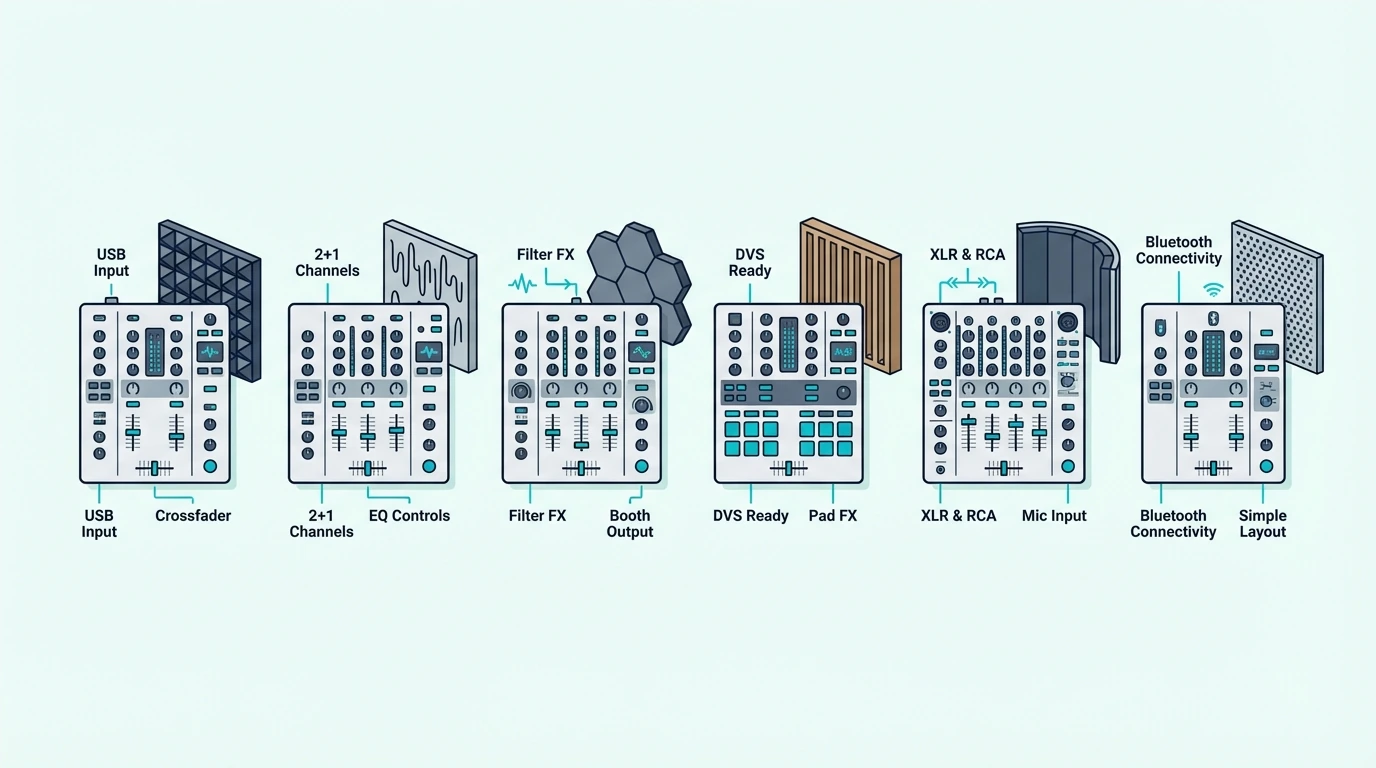
1. Pioneer DJ DJM-250MK2 — Best Overall
The Pioneer DJ DJM-250MK2 is the entry point into Pioneer’s legendary DJM mixer line. The Magvel crossfader delivers the same smooth, precise action found on the DJM-900NXS2 that sits in nearly every professional club booth. That feel transfers directly — practice at home, perform at the venue, same muscle memory.
Pioneer DJ DJM-250MK2
Built-in DVS (Digital Vinyl System) support means you can control Rekordbox or Serato with timecoded vinyl, bridging the gap between analog turntablism and digital music libraries. The USB sound card handles the DVS routing without any external hardware.
Each of its two channels has separate phono and line inputs with a selector switch, so a turntable and a CDJ can stay connected to the same channel. The 3-band EQ and dedicated filter knob cover every mixing technique a beginner needs to learn.
2. Numark M2 — Best Budget
The Numark M2 is the simplest standalone DJ mixer here that accepts turntables on phono inputs — the essential requirement for vinyl DJing. Numark pitches it as a two-channel scratch mixer for any setting from weddings to clubs and practice setups.
Numark M2
The replaceable crossfader is a feature that budget mixers rarely include. When the crossfader wears out (and it will, especially for scratch DJs), you swap it for a new one instead of replacing the entire mixer. That repairability makes the M2 a long-term investment rather than a disposable purchase.
No built-in effects means fewer controls to learn: audio goes in, gets EQ’d and blended, and comes out. Some DJs prefer this simplicity because it forces you to develop mixing technique without relying on effects as a crutch.
3. Numark Scratch — Best for Scratching
The Numark Scratch is the only mixer on this list that includes a professional-grade Innofader crossfader and a full Serato DJ Pro license out of the box. The Innofader delivers the tightest cut action available — tournament scratch DJs use this exact fader mechanism in competition.
Numark Scratch
Serato DJ Pro inclusion (normally a paid subscription) saves you the ongoing software cost. Eight performance pads built into the mixer let you trigger hot cues, loops, and samples without touching the laptop — a feature usually found only on controllers.
The tradeoff is Serato exclusivity — Rekordbox DVS users need to look at Pioneer’s DJM line instead. For Serato-focused scratch DJs, the Numark Scratch delivers more value per dollar than any other mixer at this price.
4. Pioneer DJ DJM-S7 — Best Premium
The Pioneer DJ DJM-S7 is the mixer that professional scratch DJs and battle champions use. The Magvel Fader Pro crossfader is the tightest, most responsive fader Pioneer has ever built — a direct upgrade over the standard Magvel in the DJM-250MK2.
It carries all 22 Beat FX from the DJM-S11, chosen with six FX Select buttons and played with large effect levers, and its OLED display shows each effect’s name and beat value. Bluetooth audio input lets you stream from your phone as a backup source — useful for filling dead air during setup.
This is not a beginner-budget mixer. It earns a spot on this list because serious turntablists who plan to compete or perform professionally should know what the end-game hardware looks like before investing in stepping stones they will replace within a year.
When you’re ready to look past starter gear, our guide to the best DJ mixer for each setup adds four-channel Pioneer DJ club mixers and the Rane Seventy battle mixer.
Get Studio Tips Weekly
Join 5,000+ creators getting acoustic treatment advice every week.
No spam. Unsubscribe anytime.What if you are not sure you need a mixer?
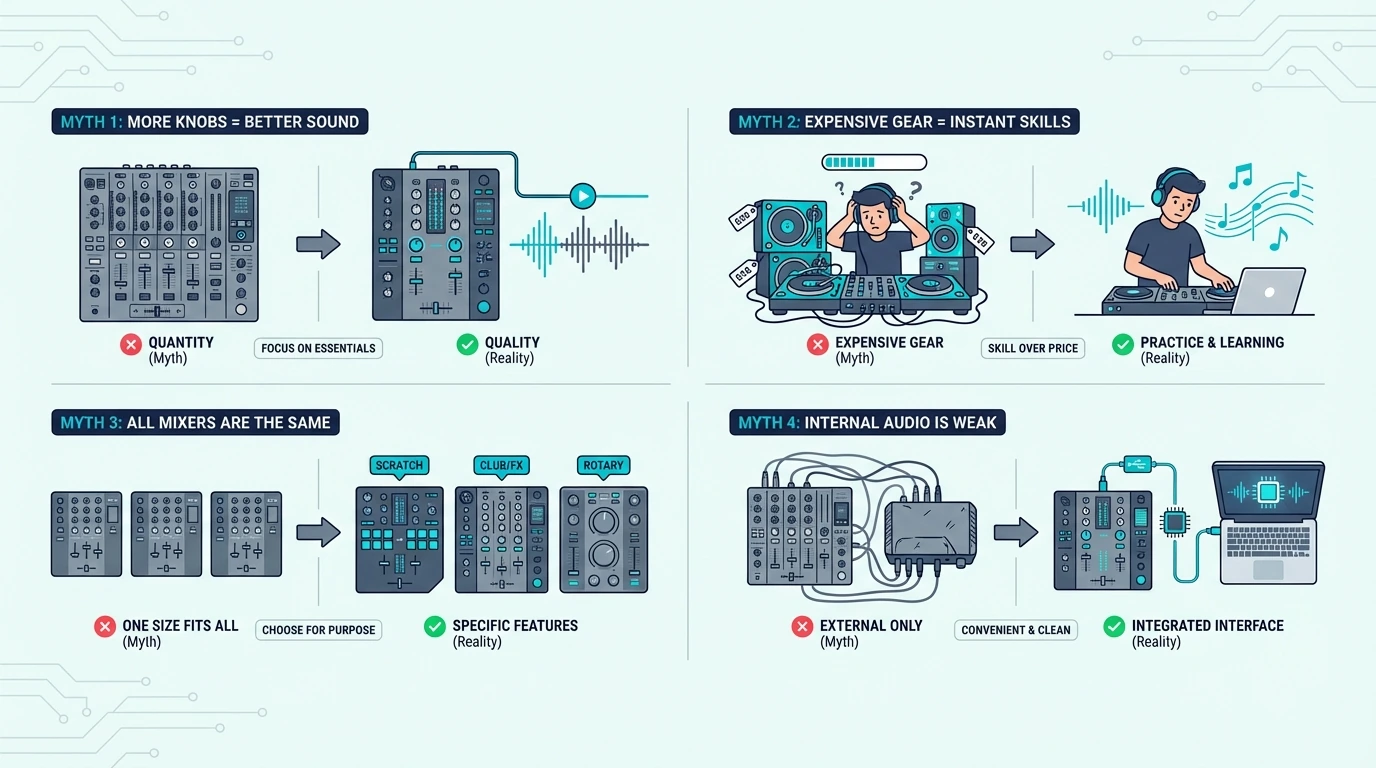
The Controller Alternative
If you read this far and realized you do not own turntables or CDJs, the Pioneer DJ DDJ-FLX4 is the controller that most closely mimics the mixer workflow. Its built-in mixer section uses the same 3-band EQ layout as Pioneer’s DJM line, and Rekordbox compatibility means your library preparation transfers to club CDJ setups.
Pioneer DJ DDJ-FLX4
A controller costs less than a mixer-plus-turntables setup. One device, one USB cable, one software window — and you are mixing.
Still torn? Burton Acoustix’s controller-or-mixer guide sorts the choice by the gear you already own, from a laptop alone to a pair of turntables.
When to Upgrade From Controller to Mixer
Most DJs start on controllers and move to standalone mixers once they develop a preference for vinyl or CDJ workflows. The upgrade path typically happens after one to two years, when you have enough skill and gig income to justify the additional hardware investment.
The mixing techniques you learn on a controller — EQ blending, crossfader cuts, phrase matching — transfer directly to a standalone mixer. The hardware changes, but the ear training stays.
How to set up a standalone DJ mixer
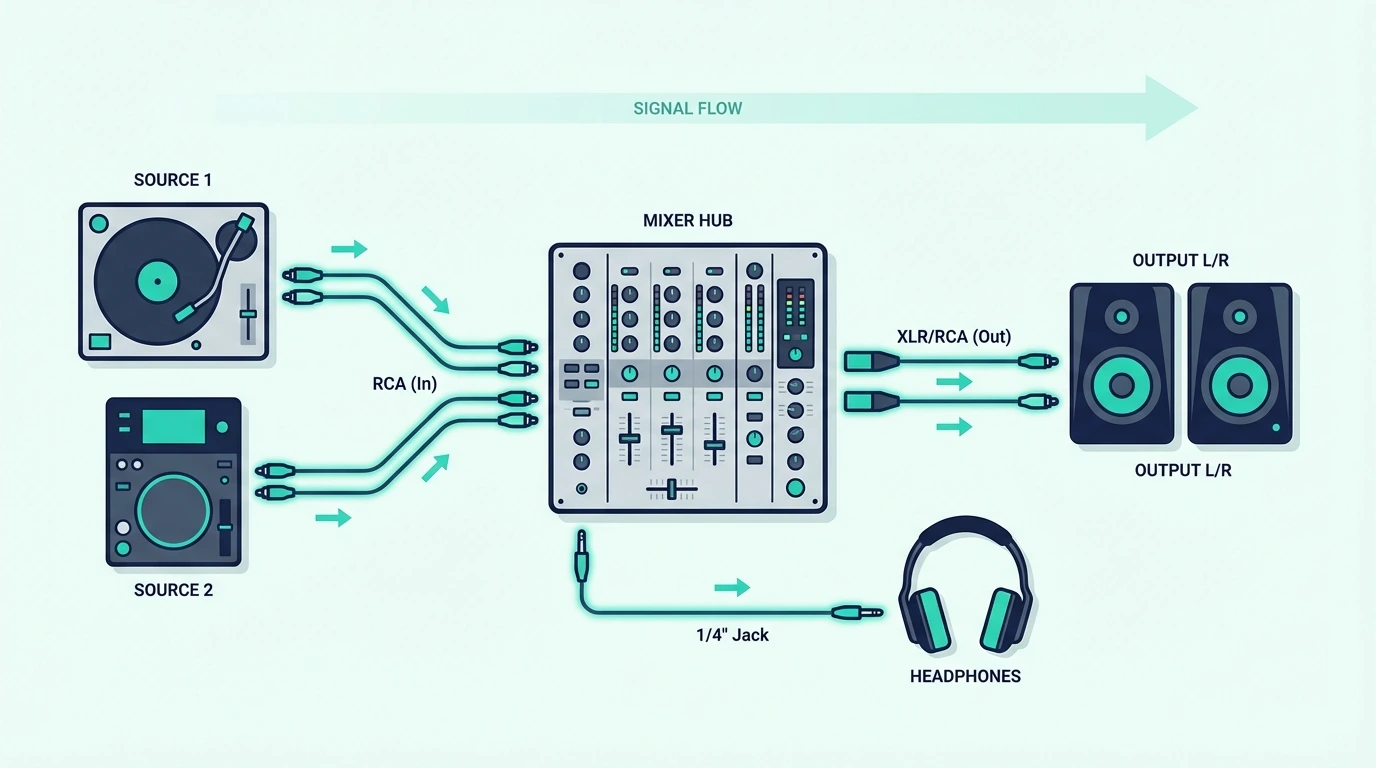
Connect Your Audio Sources
Plug turntable phono cables into the mixer’s phono inputs (Channel 1 and Channel 2). If using CDJs, plug RCA cables into the line inputs. Set each channel’s input selector to match (phono for turntables, line for CDJs).
Ground your turntables by connecting the ground wire from each turntable to the mixer’s grounding post. Skipping this step causes a loud 60Hz hum through your speakers.
Connect Speakers and Headphones
Run RCA cables from the mixer’s master output to your powered speakers. Plug headphones into the mixer’s headphone jack — usually 1/4-inch on the front panel.
The mixer’s master volume controls speaker level. The headphone volume and cue buttons control what you hear in your headphones independently from the speakers.
Set Gain Levels
Play a track on each channel and adjust the channel gain (trim) knob until the level meter peaks in the yellow zone — never in the red. Red means clipping, which adds distortion that no amount of EQ can fix.
Controllers carry the same knob under names such as TRIM, GAIN and Level, and Burton Acoustix’s guide to the trim knob compares the names five makers give it and how to set it.
Proper gain staging is the single most important technical skill for mixer DJs. Every transition, EQ cut, and effect sounds cleaner when your levels are calibrated correctly.
The Bottom Line
The Pioneer DJ DJM-250MK2 is the best standalone DJ mixer for beginners because it delivers Pioneer club-grade sound quality with DVS support at the entry-level DJM price. For the tightest budget, the Numark M2 gets you mixing vinyl with phono inputs and a replaceable crossfader.
A standalone mixer is an investment in hardware that never becomes obsolete — turntables and mixers from the 1990s still work in clubs today. That longevity is something no software-dependent controller can promise.
Frequently Asked Questions
What is a good DJ mixer to start with?
The Pioneer DJ DJM-250MK2 is the best beginner standalone mixer because it delivers the same Magvel crossfader and sound quality found in Pioneer’s professional DJM line. For budget-conscious beginners, the Numark M2 offers essential mixing features with phono inputs at the lowest price.
Do I need turntables to use a DJ mixer?
Yes — a standalone mixer requires external audio sources (turntables, CDJs, or media players) connected to its inputs. The mixer blends those signals but does not play music on its own. If you want to mix without turntables, a DJ controller is the right choice.
What is the difference between a DJ mixer and a DJ controller?
A DJ mixer is a standalone device that blends analog audio from turntables or CDJs — no laptop needed. A DJ controller is a USB device that controls DJ software on your laptop, with a built-in mixer section. Controllers include virtual decks; standalone mixers need external audio sources.
Is a standalone mixer better than a controller?
Neither is better — they serve different setups. A standalone mixer is better for vinyl DJs and CDJ users who want laptop-free reliability. A controller is better for beginners who want the lowest-cost, most portable path to mixing with a laptop and digital music files.
How much does a beginner DJ mixer cost?
Entry-level standalone mixers start around one hundred and twenty and go up to four hundred for club-grade quality. Professional battle mixers cost over a thousand. Budget controllers with built-in mixer sections start under a hundred.