HomePod vs Soundbar: Which Is Actually Better for TV Audio? [2026]
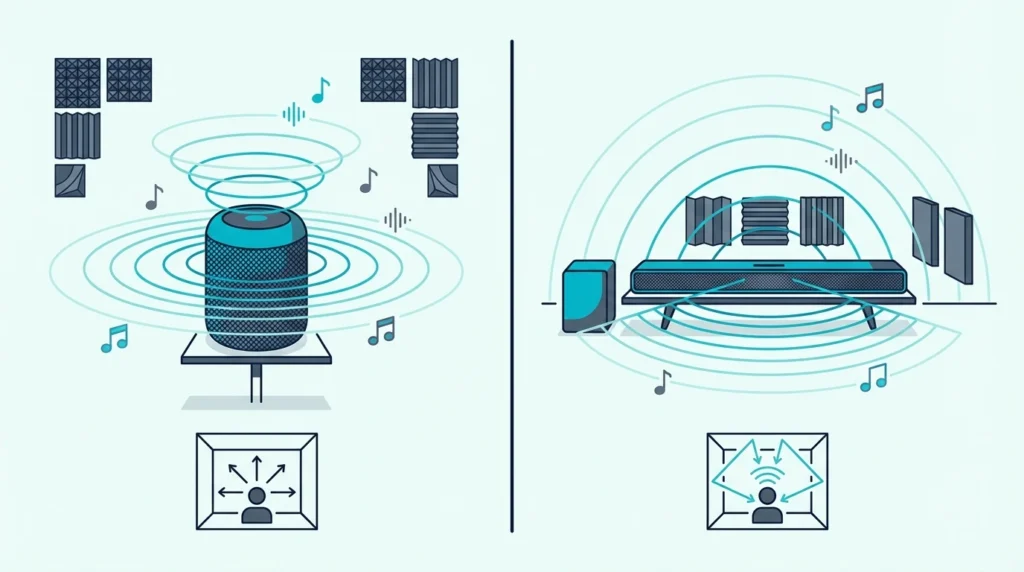
The homepod vs soundbar comparison trips people up because HomePod sounds great — but not for the job most buyers actually need it for.
It has no HDMI port, no optical input, and no standard Bluetooth. The only way to use it as a TV speaker is through an Apple TV 4K streaming audio wirelessly via AirPlay.
The result is a relatively expensive TV audio setup where dialogue still disappears behind explosions, mumbled lines stay mumbled, and you’re constantly reaching for the volume remote during quiet conversations. A soundbar plugs directly into your TV’s HDMI ARC port, has drivers tuned for speech intelligibility, and works with any TV brand — solving the exact problem HomePod can’t.
Below, we break down how each handles TV audio, which scenarios favor each device, and why most people need one or the other — not both.
A soundbar is the better choice for TV audio — it connects directly via HDMI ARC or optical, has dialogue-optimized drivers, and works with any TV brand. A HomePod excels at room-filling music and Siri integration but requires an Apple TV 4K to function as a TV speaker, lacks HDMI or optical inputs, and does not prioritize dialogue clarity the way soundbars do.
A stereo HomePod pair still cannot match a mid-range soundbar for movie dialogue and surround effects. Choose HomePod for music and smart home control; choose a soundbar for TV and movie audio.
How Does Each Device Handle TV Audio?
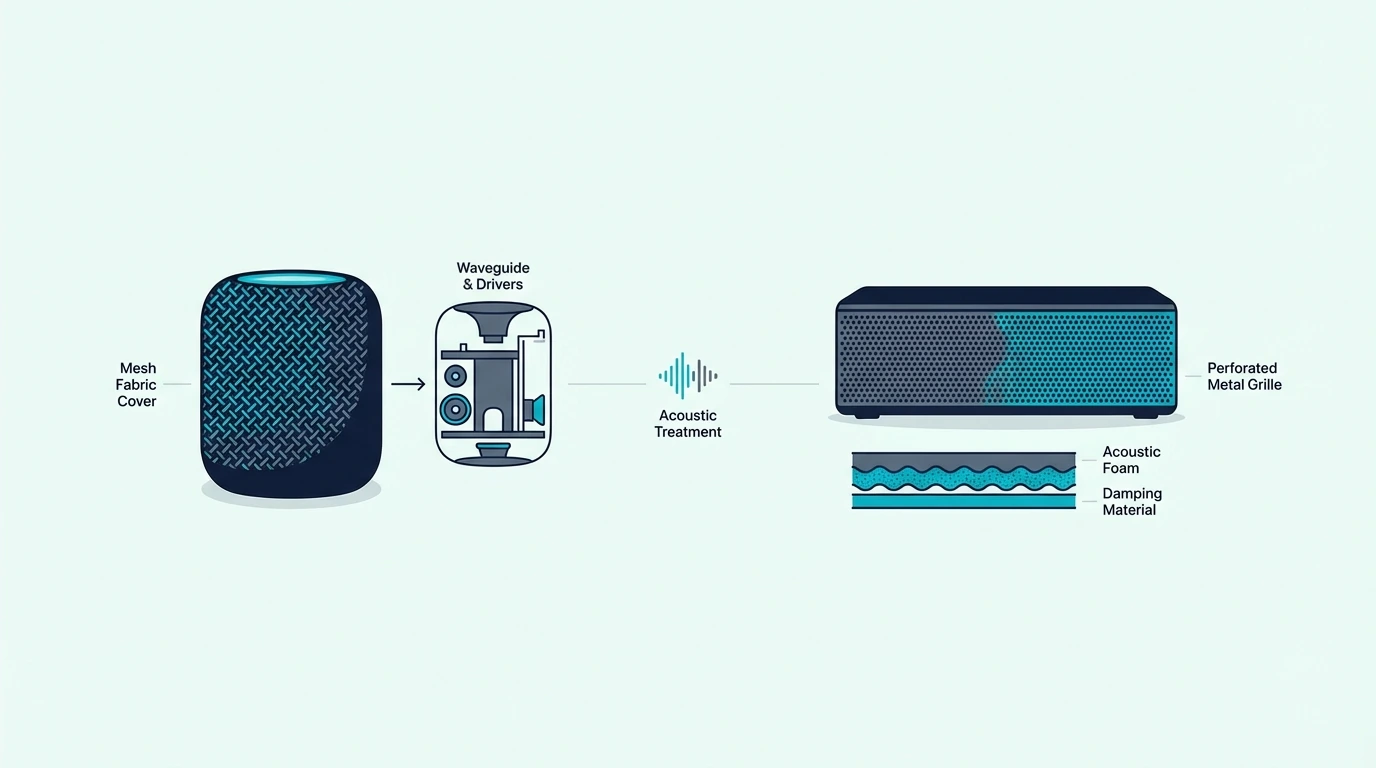
Soundbars are engineered for TV audio from the ground up, while HomePod is engineered for omnidirectional music playback and smart home control. That fundamental design difference shows up in every aspect of the viewing experience.
Soundbar: Purpose-Built for TV Content
A soundbar uses horizontally arranged drivers positioned to project sound directly at the viewer. Most include a dedicated center channel or dialogue mode that isolates voice frequencies from background noise.
Watch a Marvel movie on a soundbar and you hear every quip during a fight scene. Watch the same scene through a HomePod and the dialogue blends into the 360-degree sound field.
Soundbars connect directly to your TV through HDMI ARC, optical, or Bluetooth — no intermediary device needed, and HDMI ARC enables CEC so your TV remote controls soundbar volume automatically. Our soundbar to TV connection guide explains the main wired paths, and our HDMI ARC setup guide covers why the ARC port specifically matters for TV audio.
For large-room movie use, a current example is JBL Bar 700MK2-7.1 Channel soundbar System with Detachable Speakers a…, which is a strong fit for Atmos movies and TV with stronger bass.
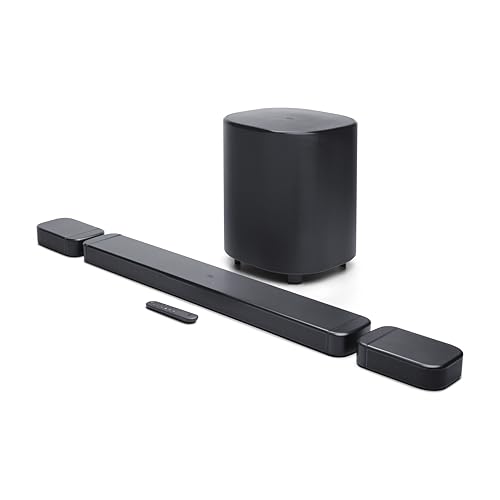
JBL Bar 700MK2-7.1 Channel soundbar System with Detachable Speakers a…
HomePod: Smart Speaker First, TV Speaker Second
Apple HomePod uses a high-excursion woofer and a ring of tweeters arranged in a circle to project sound in all directions. Play a song and it genuinely fills the room — Apple’s computational audio analyzes room acoustics and adjusts in real time.
For Apple Music and Spotify, it sounds excellent. The problem is that omnidirectional sound design works against TV audio, where you need dialogue projected at your listening position.
The problem for TV use is connectivity — HomePod has no HDMI, no optical, and no standard Bluetooth audio input, only receiving audio through AirPlay 2 from Apple devices.
A better TV-audio alternative is Amazon Fire TV Soundbar Plus (newest model) with built-in subwoofer, which is a stronger fit when the goal is clear TV dialogue and simpler daily use. HomePod still means two devices, two power cables, and a wireless audio chain where any Wi-Fi hiccup can cause dropouts.
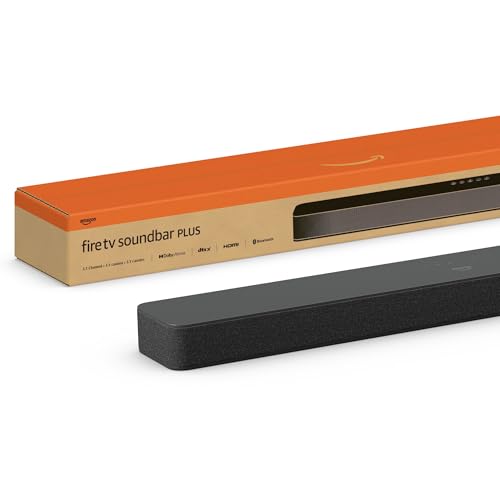
Amazon Fire TV Soundbar Plus (newest model) with built-in subwoofer
That is premium-speaker money for a TV audio setup that still lacks dialogue processing and surround separation. Apple TV does apply lip-sync correction to compensate for the wireless latency, but you are still paying for a workaround that an entry-level soundbar handles natively through a single HDMI cable.
The lip-sync correction works well in practice, but it adds another layer of complexity that shouldn’t exist for basic TV audio.
HomePod Mini: Even Less Suitable for TV
HomePod Mini is even less suited for TV. Its single driver sounds thin and bass-light — fine for kitchen background music and Siri commands, but noticeably hollow for movies.
A stereo HomePod Mini pair plus Apple TV 4K still ends up costing more than many mid-range 3.1 soundbars with Dolby Atmos, a wireless subwoofer, a dedicated center channel for dialogue, and a direct HDMI connection to any TV. The value gap is enormous.
When Does Each Device Make Sense?
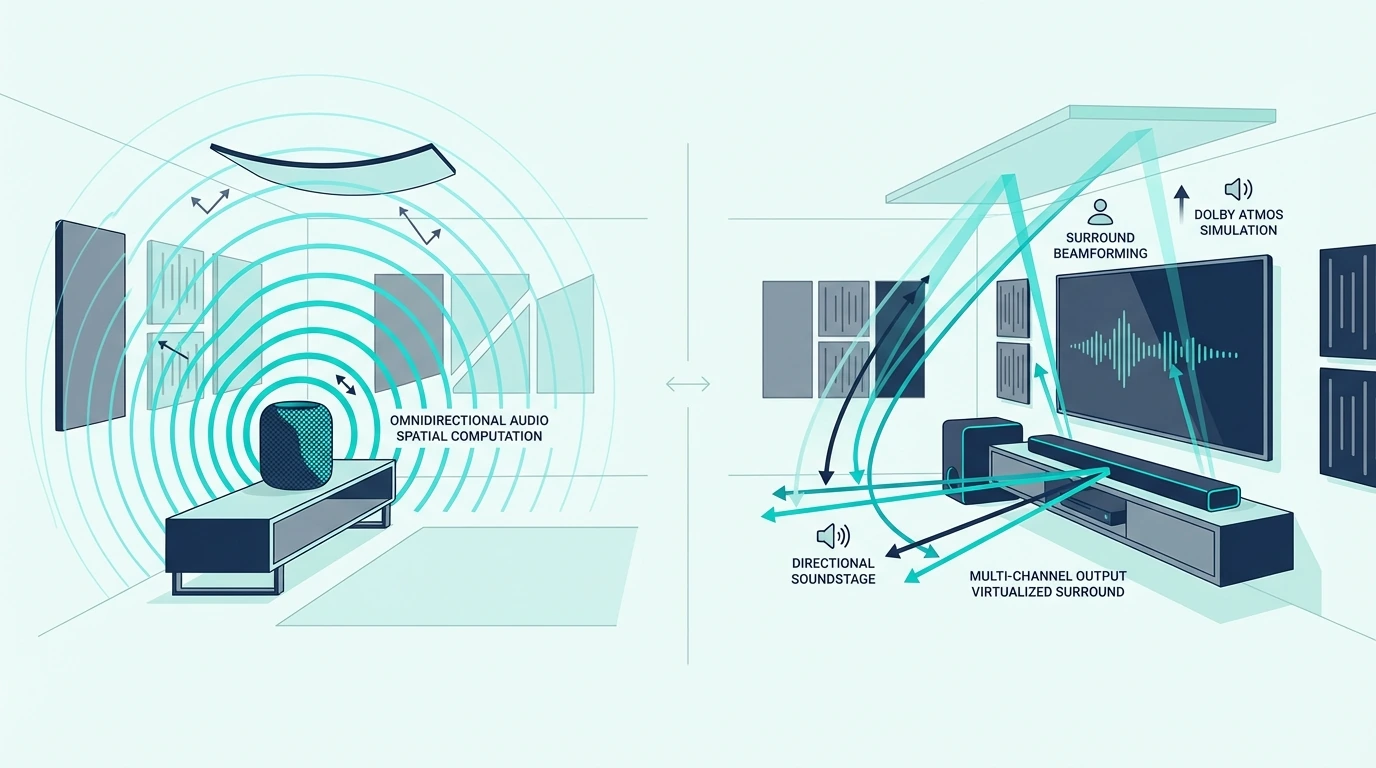
The right choice depends on your primary use case — music and smart home versus TV and movie audio — and which ecosystem you’re already invested in. Neither device truly replaces the other because they solve fundamentally different audio problems.
Choose a Soundbar for TV and Movie Audio
If your main goal is hearing dialogue clearly during movies and shows, a soundbar is the only sensible choice. It connects to any TV brand (Samsung, LG, Sony, TCL — doesn’t matter), works with your existing TV remote via CEC, and is specifically engineered to make speech cut through background noise.
That direct wired signal path also removes the extra wireless hop and ecosystem dependency that make HomePod TV setups feel more fragile than they should.
It also means anyone in the house can turn on the TV and get sound immediately instead of troubleshooting AirPlay handoffs.
For large-room movie use, a current example is JBL Bar 300MK2-5.0 Channel All-in-one soundbar with Dolby Atmos, which is a strong fit for Atmos streaming and immersive TV audio.
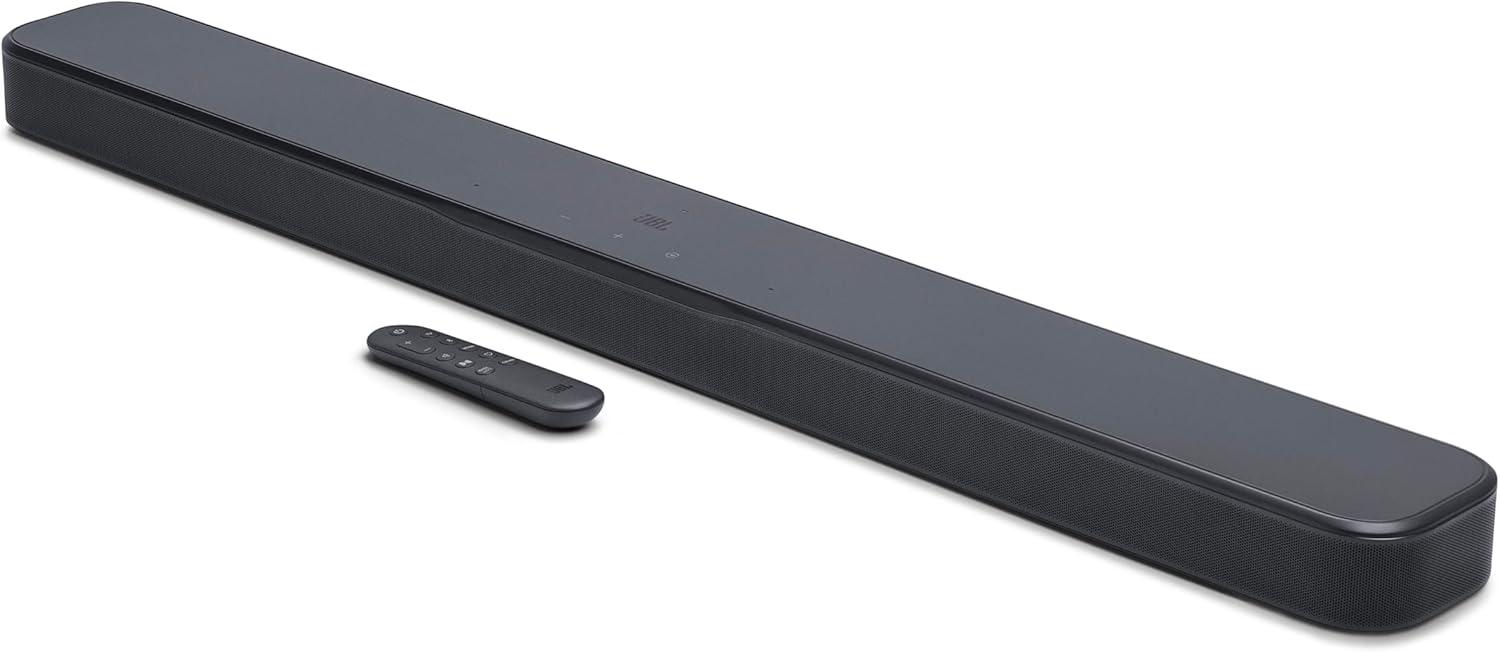
JBL Bar 300MK2-5.0 Channel All-in-one soundbar with Dolby Atmos
For understanding how soundbars work and what to look for, start with our fundamentals guide. Our choose a soundbar guide covers the full value proposition across different budgets, and our soundbar vs speakers comparison covers the broader speaker landscape beyond HomePod specifically.
Choose HomePod for Music and Smart Home
If music and smart home are your priorities and TV audio is secondary, HomePod is genuinely excellent. The 360-degree sound fills a room in a way no soundbar can — play a song from the kitchen and it sounds great from every angle.
Siri integration, Apple Music lossless streaming, and computational room analysis make it one of the best smart speakers available.
HomePod also doubles as a Thread border router and HomeKit hub — capabilities no soundbar offers. If you’re deep in the Apple ecosystem with an Apple TV 4K already, a stereo HomePod pair for casual TV watching is a usable bonus.
Just know you’re trading dialogue clarity and surround separation for ecosystem convenience. For most viewers, that trade-off isn’t worth it.
Skip HomePod If You Own an Android Phone
HomePod has no standard Bluetooth audio input and doesn’t work with Android devices at all. If anyone in your household uses an Android phone, they can’t stream music to the HomePod — period.
A soundbar with Bluetooth accepts audio from any phone regardless of platform, making soundbars far more versatile in mixed-device households. Our soundbar Bluetooth guide covers how wireless connectivity works with soundbars.
For comparing soundbar options across different price points, our soundbar vs home theater guide discusses when a full system makes more sense, and our best Dolby Atmos soundbar guide shows the surround-focused options that neither HomePod option can match.
Get Studio Tips Weekly
Join 5,000+ creators getting acoustic treatment advice every week.
No spam. Unsubscribe anytime.The Bottom Line
A soundbar is better for TV audio in almost every measurable way — it connects via HDMI ARC, has dialogue-optimized drivers, and works with any TV brand without extra Apple hardware. HomePod excels at music and smart home control but makes a poor TV speaker due to AirPlay-only connectivity, no dialogue processing, and the requirement of an Apple TV 4K just to receive TV audio.
Our soundbar vs receiver guide covers the next step up from soundbars if you want even better TV audio quality, and our soundbar setup guide walks through the complete installation and configuration process for connecting a soundbar to your TV.
Frequently Asked Questions
Why has HomePod been discontinued?
Apple discontinued the original full-size HomePod in March 2021 due to slow sales, then brought it back as a second-generation model in January 2023 at the same $299 price with updated internals and a temperature/humidity sensor.
The HomePod Mini ($99) remained available throughout. Both are currently sold, so “discontinued” only applied to the first-gen model.
Is HomePod better than Bose?
Depends on the job. For music in an Apple ecosystem, HomePod matches or beats Bose smart speakers like the Home Speaker 500 with Siri and HomeKit hub benefits added.
For TV audio, any Bose soundbar (Smart Soundbar 600, Soundbar 900) dramatically outperforms HomePod — HDMI ARC, dedicated dialogue modes, and drivers engineered for speech.
Can you use a HomePod as a soundbar?
Only with an Apple TV 4K acting as the bridge — the Apple TV streams audio to HomePod via AirPlay 2 wirelessly, but HomePod has no HDMI, no optical, and no Bluetooth input so it physically cannot connect directly to a TV. The experience works for casual watching but dialogue sounds noticeably less clear than a dedicated soundbar because HomePod’s 360-degree drivers scatter speech around the room.