Soundbar vs Bookshelf Speakers: Which Setup Actually Sounds Better?
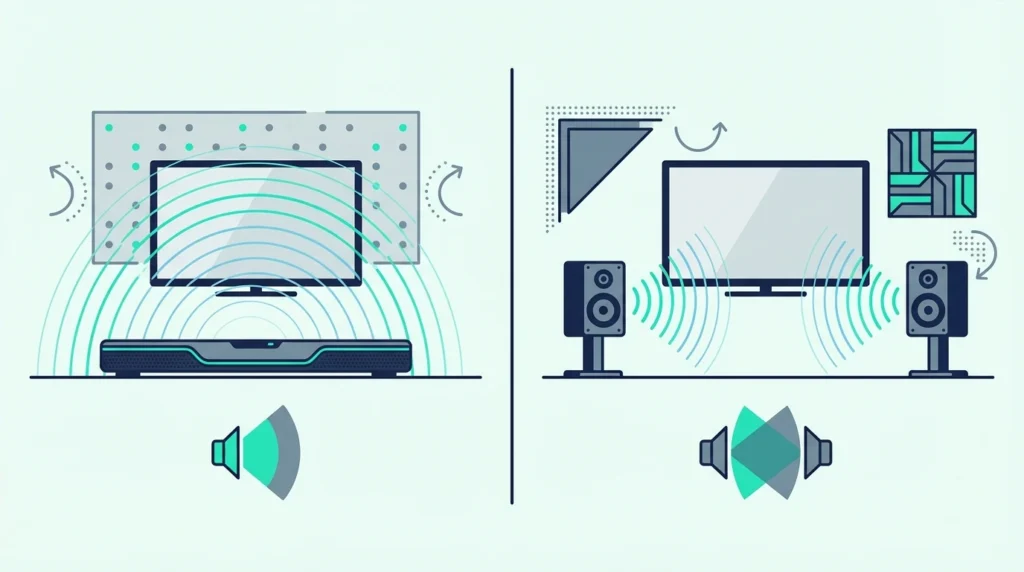
The soundbar vs bookshelf speakers debate sounds like a simple quality comparison, but the wrong pick can cost months of annoyance.
You’ll either overspend on complexity you never use, or underspend on audio that disappoints every time you sit down to listen. Neither mistake is obvious until you’ve already committed.
The real problem is that these two products solve different problems entirely. A soundbar connects with one HDMI cable and plays TV audio in five minutes.
Bookshelf speakers need an amplifier, speaker wire, stands, and careful positioning before they produce any sound at all — and the total cost runs $300–600 for a setup that still lacks HDMI ARC, CEC remote control, and dialogue processing.
Once you understand which use case each serves, the right choice becomes straightforward.
Below, we compare sound quality, setup reality, and total cost so you can pick the approach that fits your room and priorities.
A soundbar is the better choice for TV and movie audio — it connects via HDMI ARC with CEC remote control, includes built-in amplification and often a wireless subwoofer, and requires zero additional equipment.
Bookshelf speakers produce better stereo imaging and music quality due to physical channel separation, but they require a separate amplifier ($100-200+), speaker wire runs, and careful placement.
For pure TV watching, a soundbar at any budget outperforms a bookshelf setup in convenience and dialogue clarity.
For dedicated music listening where sound quality beats convenience, bookshelf speakers deliver a wider soundstage and more detailed reproduction.
How Sound Quality Actually Compares
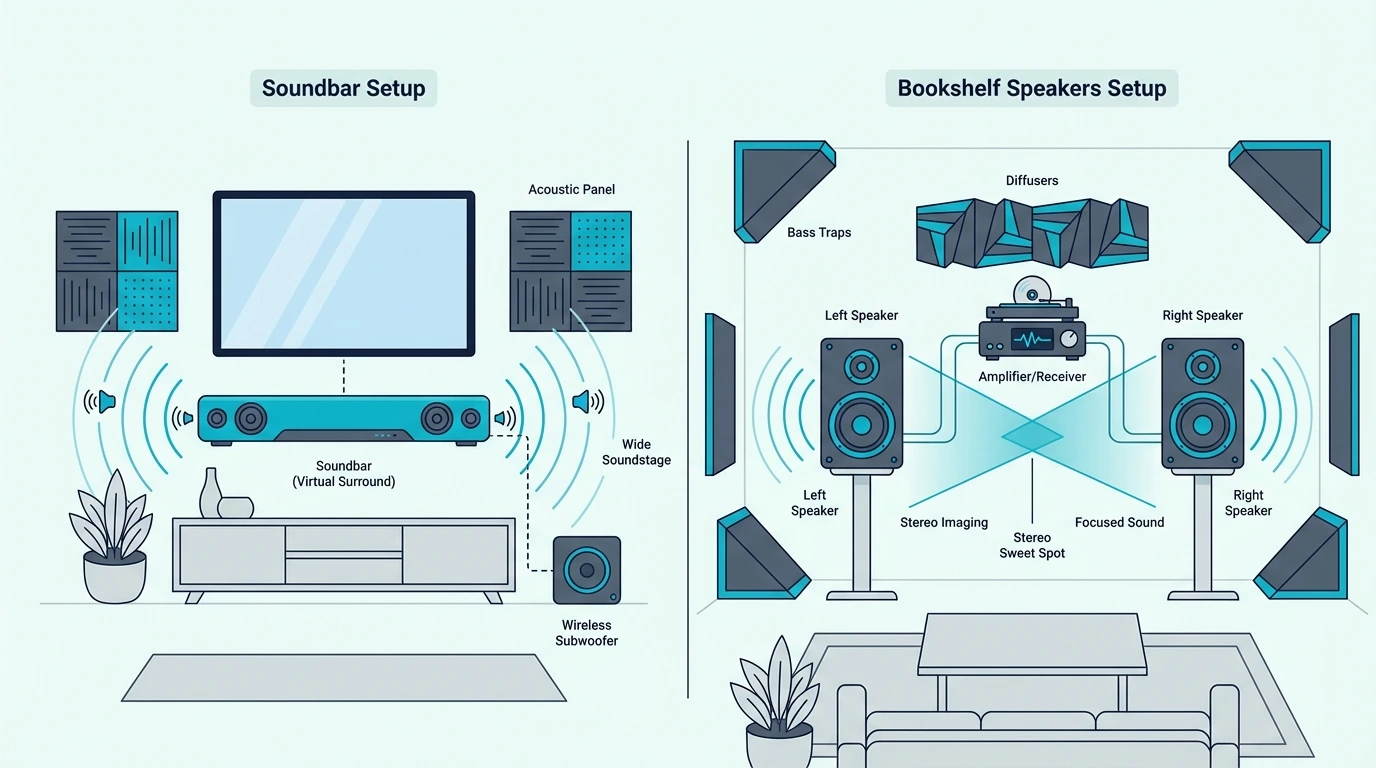
The sound quality difference comes down to physics. Two separate speaker enclosures placed feet apart will always image more naturally than drivers packed into a single 30–40 inch bar.
The question is whether that difference matters for what you actually listen to. For TV dialogue and movie soundtracks, the gap is smaller than most people expect — but for music, it’s significant.
Bookshelf Speakers: Physical Separation Creates Real Stereo
Bookshelf speakers produce a wider, more natural stereo soundstage because left and right channels are physically separated by 4 to 8 feet.
Play a Miles Davis record on separated bookshelves and you can point to where the trumpet sits. You can hear where the piano is and where the bass walks across the left side of the stage.
That spatial precision is real, not processed. No amount of DSP can replicate what physical distance between two speaker enclosures creates naturally.
Each speaker has its own dedicated woofer and tweeter housed in a tuned enclosure with more internal volume than a soundbar’s narrow cabinet allows.
The result is cleaner midrange, better transient attack on drums and guitar, and more natural highs at any volume level.
For pure music listening, a $200 to $300 pair of bookshelf speakers with a $100 to $150 amplifier outperforms most soundbars under $500 in stereo imaging and tonal accuracy.
Active models like the Edifier R1280DBs include a built-in amplifier, Bluetooth, and an optical input.
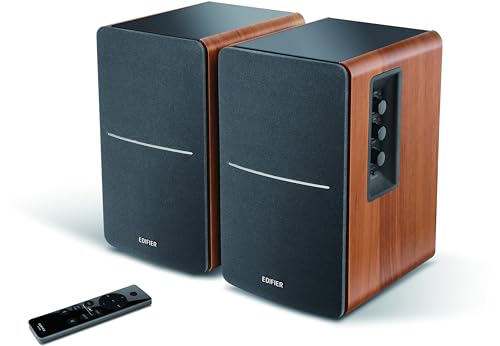
Edifier R1280DBs
That’s the closest a bookshelf setup gets to soundbar convenience, connecting directly to your TV without a separate receiver.
Our soundbar vs speakers guide covers the broader comparison between soundbars and traditional speaker setups.
Soundbar: DSP Simulates What Physical Separation Creates Naturally
A soundbar uses DSP to simulate stereo separation from a single enclosure — angling drivers outward and applying timing delays to widen the perceived image. Modern soundbars do this surprisingly well for TV content.
But watch the same movie on both setups and you’ll hear the difference: the soundbar’s soundstage stops at the edges of the bar, while bookshelves spread effects across the room.
Where soundbars win is dialogue clarity. Most include a dedicated center channel or virtual center processing tuned for speech intelligibility.
Bookshelf speakers produce a phantom center image between the two units. That works for music vocals but can make TV dialogue sound diffuse if you’re sitting off-center.
A soundbar like the Polk Audio Signa S4 has a dedicated center channel driver and Dolby Atmos height processing in a single unit — capabilities that would require a 3.1.2 channel bookshelf/receiver setup costing significantly more.
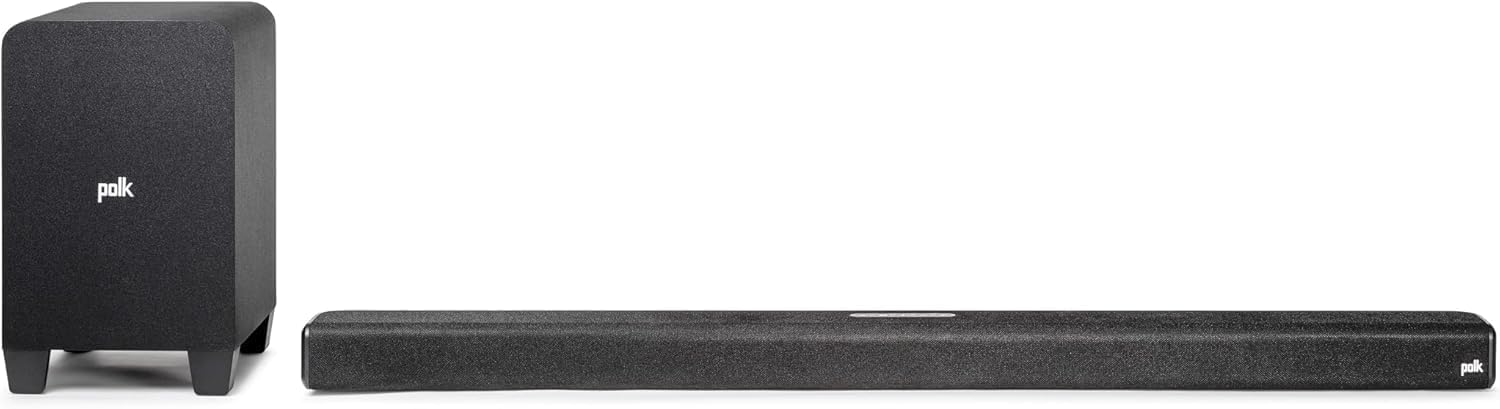
Polk Audio Signa S4
Our soundbar vs surround sound guide explains how multi-channel soundbars compare to full speaker systems, and our soundbar vs home theater comparison covers the broader system-level differences.
Setup, Cost, and Practical Considerations
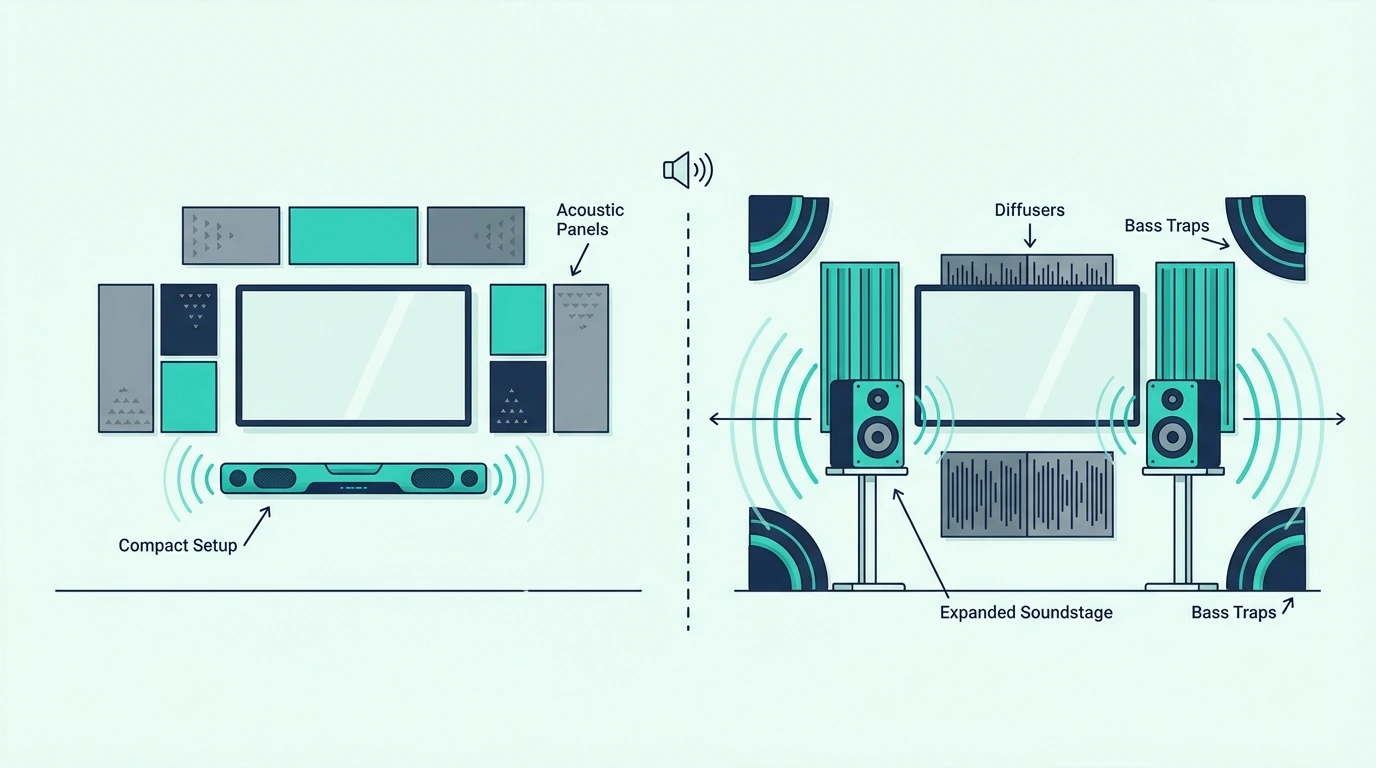
Sound quality is only one factor. Total cost, setup complexity, and room impact differ dramatically between these two approaches.
What looks like a simple audio choice actually involves trade-offs in convenience, aesthetics, and long-term flexibility.
Soundbar: Plug In and Play
Connect one HDMI cable to your TV’s ARC port and enable CEC.
TV audio plays through the soundbar. Your existing TV remote controls it.
The entire setup takes under five minutes.
No tools or wire routing. No extra equipment.
This simplicity is why soundbars dominate the TV audio upgrade market.
A current value example is Polk Audio Signa S4 3.1.2ch Soundbar with Wireless Subwoofer and Dolb…, which is a stronger fit for more immersive movie playback.
Our soundbar setup guide covers the complete process, and our soundbar to TV connection guide explains all available connection methods.
Bookshelf Speakers: More Components, More Complexity
A bookshelf setup requires speakers at $150 to $300 for a quality pair. You also need a stereo amplifier or receiver at $100 to $300.
You need speaker wire at $10 to $20, and possibly stands at $30 to $80. A passive pair like the Polk Audio T15 costs $125 — but produces zero sound without an amplifier.
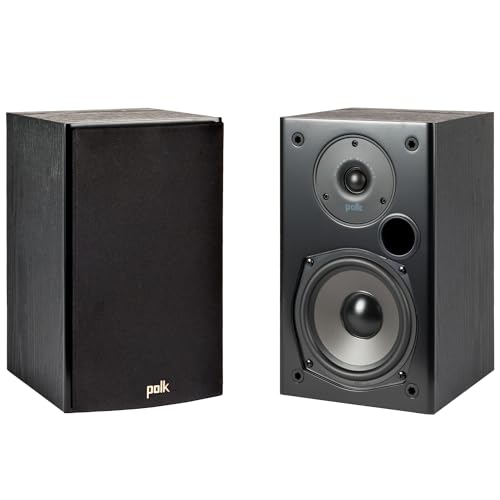
Polk Audio T15
Position speakers on stands or shelves at ear height, run wire from the amplifier (6–15 feet per run), and connect the amp to your TV via optical or HDMI.
The amplifier adds another remote, occupies shelf space, and draws extra power. Speaker wire needs routing along baseboards or behind furniture.
If there’s no adjacent surface for speakers at ear height, add stands at $30 to $80 per pair.
The visual footprint of two speakers on stands plus an amplifier on a shelf is much larger than a single soundbar below your TV.
Total cost for a bookshelf setup runs $300 to $600 for a quality system once you add speakers, amplifier, wire, and stands.
A soundbar runs $120 to $300 and includes everything you need in a single purchase.
For understanding how soundbars work and what they include, start with our fundamentals guide.
Which Is Better for Your Desk or PC?
For desktop and PC use, bookshelf speakers often make more sense. Listening distance is short (2–3 feet), and speakers sit naturally on either side of the monitor creating real stereo separation even just a foot apart.
Powered models eliminate the need for a separate amp entirely. A soundbar works on a desk too, but at arm’s length the stereo imaging advantage of separated speakers is most pronounced.
Our is a soundbar worth it guide covers value considerations across different use cases, and our soundbar vs receiver comparison explains when a receiver-based system (which bookshelf speakers require) makes more sense than a self-contained soundbar.
Get Studio Tips Weekly
Join 5,000+ creators getting acoustic treatment advice every week.
No spam. Unsubscribe anytime.The Bottom Line
A soundbar is better for TV and movie audio. You get direct HDMI ARC, a self-contained unit, and better dialogue clarity than a stereo bookshelf setup.
Our best soundbar guide ranks the top current picks at every budget.
Bookshelf speakers are better for dedicated music listening where stereo imaging and tonal accuracy matter more than convenience.
For desktop audio specifically, our best soundbar for PC guide covers bars that double as computer speakers.
Most people watching TV should get a soundbar, and most people building a music listening setup should get bookshelf speakers. The overlap where both work equally well is surprisingly narrow.
For evaluating specific soundbar options, our HDMI vs optical guide covers the connection types you’ll encounter, and our Bluetooth vs optical guide explains wireless connectivity for music streaming to your soundbar.
Frequently Asked Questions
Why do audiophiles prefer bookshelf speakers?
Physical separation between left and right channels creates a natural stereo soundstage no single enclosure can replicate.
No amount of DSP changes that. Each speaker also has a larger cabinet and a dedicated crossover network.
That produces cleaner bass extension and more accurate midrange than drivers packed into a narrow soundbar housing.
For critical music listening, this difference is immediately audible. The soundstage width and instrument placement precision of separated speakers is something even premium soundbars cannot match.
What are the disadvantages of a soundbar?
Stereo imaging is narrower because all drivers share one enclosure. DSP widening helps but cannot exceed the bar’s physical width.
Soundbars also cannot be upgraded piecemeal. Drivers, amplification, and processing are sealed into one unit.
If you outgrow a soundbar, you replace the whole thing.
With bookshelf speakers, you can upgrade the amp, swap speakers, or add a subwoofer independently.
Can you use bookshelf speakers with a soundbar?
Not well, and it’s generally not recommended. Running both simultaneously creates timing conflicts between two completely different audio sources processing the same signal.
Some AV receivers technically allow a soundbar as a center channel with bookshelves as left/right, but it requires specific compatibility and produces inconsistent tonal matching. Pick one approach and fully commit to it for the best results.