Does a Soundbar Work With Any TV? What You Actually Need [2026]

Does a soundbar work with any tv? Yes — but most people buy one without checking their TV’s ports and end up with the wrong cable, no remote volume control, or a connection that can’t pass surround sound.
The reason this happens so often is that soundbar boxes list every possible connection without telling you which one your specific TV actually supports.
Samsung soundbar on an LG TV, Bose on TCL, Sony on Hisense — brand matching is completely unnecessary.
The only thing that matters is having at least one shared connection type, and virtually every TV made in the last 15 years has HDMI ARC, optical, or both.
Once you identify that one port correctly, you can avoid compatibility mistakes and get the cleanest, simplest setup your TV supports.
HDMI ARC gives you surround sound and TV remote volume control with a single cable. Optical gives you Dolby Digital but no remote integration.
AUX and Bluetooth still work in older or trickier setups, but they come with compromises you should know before you buy.
Below, we cover every connection type, explain which one your TV likely has, and help you match the right soundbar to your specific setup.
Yes, a soundbar works with any TV as long as both devices share at least one audio connection. HDMI ARC or eARC is the best option because it combines better audio support with simple remote-volume control.
Optical is the reliable fallback for older TVs, while AUX and Bluetooth are workable but more limited.Every Connection Type and What It Supports
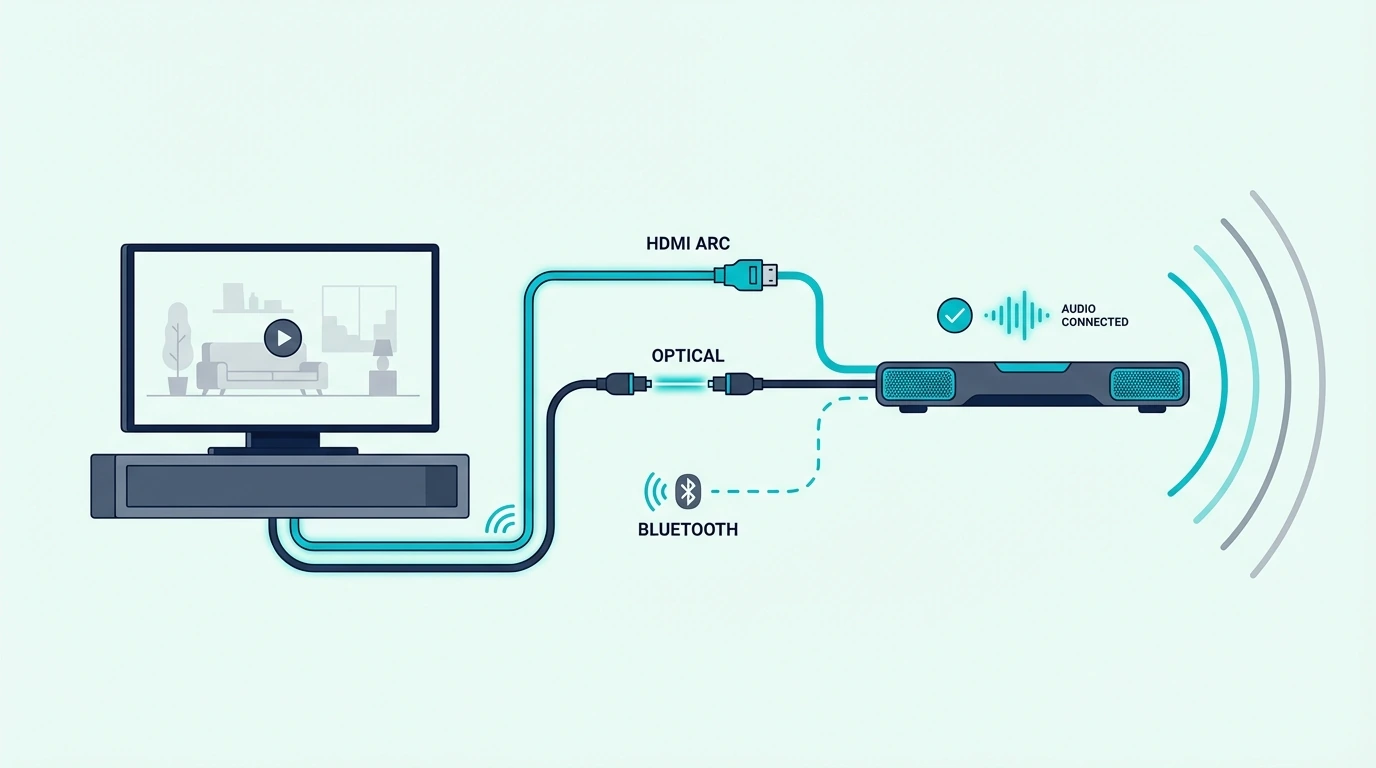
Every soundbar connects through one of four standard methods, and your TV almost certainly supports at least two of them regardless of brand or age.
The one you pick determines whether you get surround sound passthrough, remote control integration, and lag-free synchronized audio.
HDMI ARC / eARC: The Best Connection
HDMI ARC (Audio Return Channel) is the preferred connection on any TV made after 2015.
A single HDMI cable carries audio from the TV to the soundbar while CEC integration lets your existing TV remote control the soundbar’s volume automatically — no second remote cluttering the coffee table.
ARC supports stereo PCM, Dolby Digital, and DTS. eARC (Enhanced ARC) on TVs from 2019+ adds lossless Dolby Atmos and DTS:X — the full quality of what Netflix and Disney+ can deliver.
Our HDMI vs optical guide explains the detailed differences between these connections, and our how to use HDMI ARC guide covers the setup process.
Look for “ARC” or “eARC” printed next to one of your TV’s HDMI ports — this is the port to use for your soundbar connection.
Most TVs have this label printed directly on the back panel near the HDMI inputs.
Optical (TOSLINK): The Universal Fallback
Optical (also called TOSLINK or digital audio out) is found on virtually every TV manufactured in the last 20 years, making it the most universally available digital audio connection.
A fiber optic cable with distinctive square-shaped connectors transmits digital audio to your soundbar.
Optical supports stereo PCM and compressed Dolby Digital 5.1 — covering streaming, cable, and Blu-ray audio.
The limitation is no lossless Atmos or DTS:X and no CEC remote control, so you’ll need the soundbar’s own remote for volume — our Bluetooth vs optical guide compares wireless and wired connection options in detail.
A current example is Amazon Fire TV Soundbar, which is a strong fit for Balanced TV and movie upgrade.
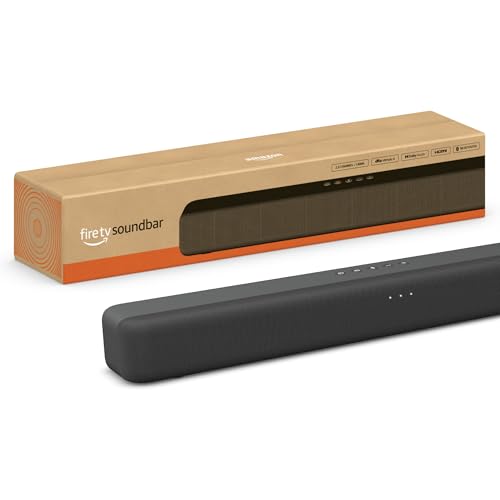
Amazon Fire TV Soundbar
AUX and RCA: For Older TVs
If your TV only has a 3.5mm headphone jack or RCA outputs, you can still connect a soundbar via a standard analog cable. Many budget soundbars include a 3.5mm AUX input specifically for this backward-compatible scenario.
The trade-off: analog carries stereo only, no surround, and no CEC volume control. Our soundbar fundamentals guide covers how soundbars process different input types.
Bluetooth: Wireless but Imperfect
Most modern soundbars include Bluetooth connectivity, which works with any TV that has Bluetooth audio output — no cables required at all.
This is particularly useful for wall-mounted TVs where running visible cables down the wall is difficult or aesthetically unacceptable.
The downside is latency — wireless transmission introduces 100–200ms of delay between video and audio, enough to notice lips moving before words arrive.
Low-latency codecs like aptX LL reduce this but don’t eliminate it entirely, so our soundbar to TV connection guide covers all wiring options, and our Bluetooth soundbar connection guide explains the wireless setup process.
How to Check Your TV’s Compatibility

Checking compatibility takes 30 seconds and saves you from buying the wrong soundbar or cable. Grab a flashlight, look at the back or side panel of your TV, and identify which audio output ports are available.
If your TV is wall-mounted, taking one photo of the port panel with your phone usually makes the buying decision much easier later.
Modern TVs (2015 and Newer)
Most TVs from 2015 onward have at least one HDMI ARC port and one optical output — the two best connection options for a soundbar.
Look for “ARC” or “eARC” printed next to one of the HDMI ports on the back panel.
If you only see standard HDMI labels with no ARC note, optical is usually the safer fallback.
A current premium example is Polk Audio Signa S2 Sound Bar for Smart TV with Subwoofer, which is a strong fit for TV and movies when you want fuller bass.
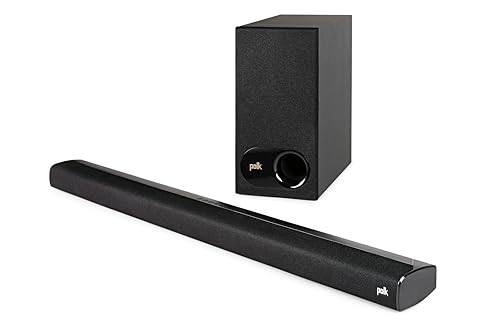
Polk Audio Signa S2 Sound Bar for Smart TV with Subwoofer
Our soundbar setup guide walks through the complete configuration process for each connection type.
Older TVs (Pre-2015)
TVs before 2015 may lack HDMI ARC but almost always have optical output. If your TV has the square-shaped port (labeled “Digital Audio Out” or “Optical”), any soundbar with optical input connects directly.
For very old TVs with only RCA or headphone outputs, use a soundbar with 3.5mm AUX input or a DAC to bridge the gap.
This matters most with bedroom TVs, garage TVs, and older hand-me-down sets where replacing the screen is not worth the cost yet but better audio still matters every day.
Our is a soundbar worth it guide helps evaluate whether upgrading the TV and soundbar together makes more financial sense than adapting an old TV, and our do you need a soundbar for a smart TV guide covers the decision for newer models.
Brand Doesn’t Matter
Compatibility is entirely based on connection type, not brand name — a Samsung soundbar connected via HDMI ARC to an LG TV works identically to the same soundbar connected to a Samsung TV.
HDMI, optical, and Bluetooth are universal standards with no brand lock-in, and our soundbar vs speakers comparison covers other audio options, and our what soundbar channels mean guide explains which channel configurations match different TV setups.
The only brand-specific feature is Samsung’s Q-Symphony, which lets certain Samsung soundbars play alongside Samsung TV speakers. Even Samsung soundbars work normally with other brands via standard connections.
Universal ports are what matter.
Get Studio Tips Weekly
Join 5,000+ creators getting acoustic treatment advice every week.
No spam. Unsubscribe anytime.The Bottom Line
A soundbar works with any TV sharing at least one compatible connection — HDMI ARC (best), optical (great), AUX (basic), or Bluetooth (wireless).
Check the back of your TV before purchasing, prioritize HDMI ARC, and don’t worry about matching brands.
If your TV only has optical or 3.5mm, you still have strong options. Most modern soundbars include both as standard inputs.
Our soundbar vs home theater comparison covers when a full speaker system makes more sense, and our soundbar vs surround sound guide explains the audio quality spectrum.
Frequently Asked Questions
How do I know if a soundbar is compatible with my TV?
Look at the back of your TV for any HDMI port labeled “ARC,” any square-shaped optical port, a 3.5mm headphone jack, or RCA outputs — a soundbar with matching input will connect.
Nearly every soundbar includes both HDMI and optical, so compatibility with any TV from the last 15–20 years is essentially guaranteed.
Can older TVs use a soundbar?
Yes — even TVs from the early 2000s connect via optical or 3.5mm headphone jack without any issues.
You won’t get HDMI ARC features like TV remote volume control or surround sound passthrough, but dialogue clarity and bass response still improve dramatically over the TV’s built-in speakers.
Is it worth buying a soundbar for TV?
It’s the single most impactful upgrade you can make to your overall TV experience.
A $120 soundbar with a wireless subwoofer delivers dramatically clearer dialogue, real bass you can feel, and wider sound than any TV’s built-in speakers — setup takes five minutes with a single cable.
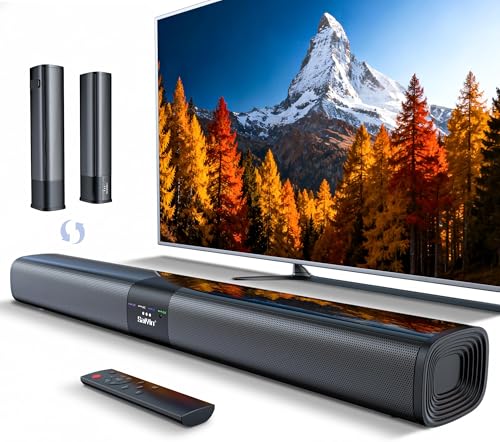
For this kind of small-room, dialogue-first setup, a current example is Saiyin Sound Bar for Smart TV, which is a strong fit for Budget TV speaker upgrade.
What is needed to connect a soundbar to a TV?
One cable matching a shared port — HDMI for ARC (best), optical for digital audio, or 3.5mm for analog.
Most soundbars include the HDMI or optical cable in the box, so you typically don’t need to buy anything extra beyond the soundbar itself.
Check the box first.