Alternative MIDI Controllers: What to Play Instead of Keys
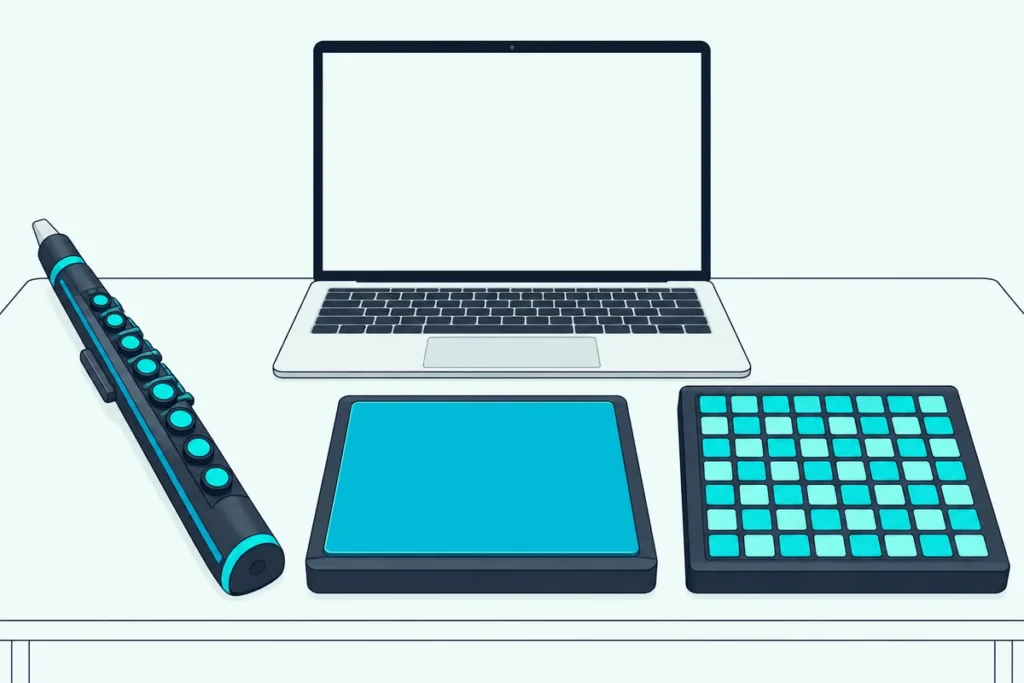
You’ve got a laptop full of instruments, but your hands would rather tap, blow or drum than press piano keys, which is where alternative MIDI controllers come in.
Most roundups just hand you another keyboard with a different number of keys, and that’s a variation on the same idea, not an alternative.
This guide covers the real alternatives, from wind controllers and drum pads to pad grids and guitar pickups, plus the free options you may already own.
You’ll also see what each one sends over USB, whether it makes sound on its own, and which one to buy first.
Start with what counts as an alternative, because the label covers more ground than it sounds like.
What Counts as an Alternative MIDI Controller?
Anything that sends MIDI without a row of piano keys counts, and that covers far more than one kind of product. MIDI.org’s article on alternative controllers sorts the older ones into hand-held controllers, which go back to Palmtree Instruments’ Airdrums in 1986, and struck controllers such as drum and percussion pads (MIDI.org).
Two hand-held examples from 1986 show how different these ideas were from keys. Palmtree’s Airdrums used two tubes with sensors that detect motion in six directions, and Max Mathews’s Radio Baton was a pair of mallets with radio transmitters held above a table with five antennas.
The same article points out that drum controllers are still MIDI controllers, so you can trigger any MIDI sound generator you choose. That’s the idea behind every device on this page: the hardware is only the playing surface.
Most of them need software or a sound module to be heard, though a few carry their own sounds. A table further down shows which ones do.
Which Alternative MIDI Controller Suits How You Play?
That depends on what your hands already do, so start from the instrument you play rather than the gadget. The table matches each playing style with the kind of controller to try.
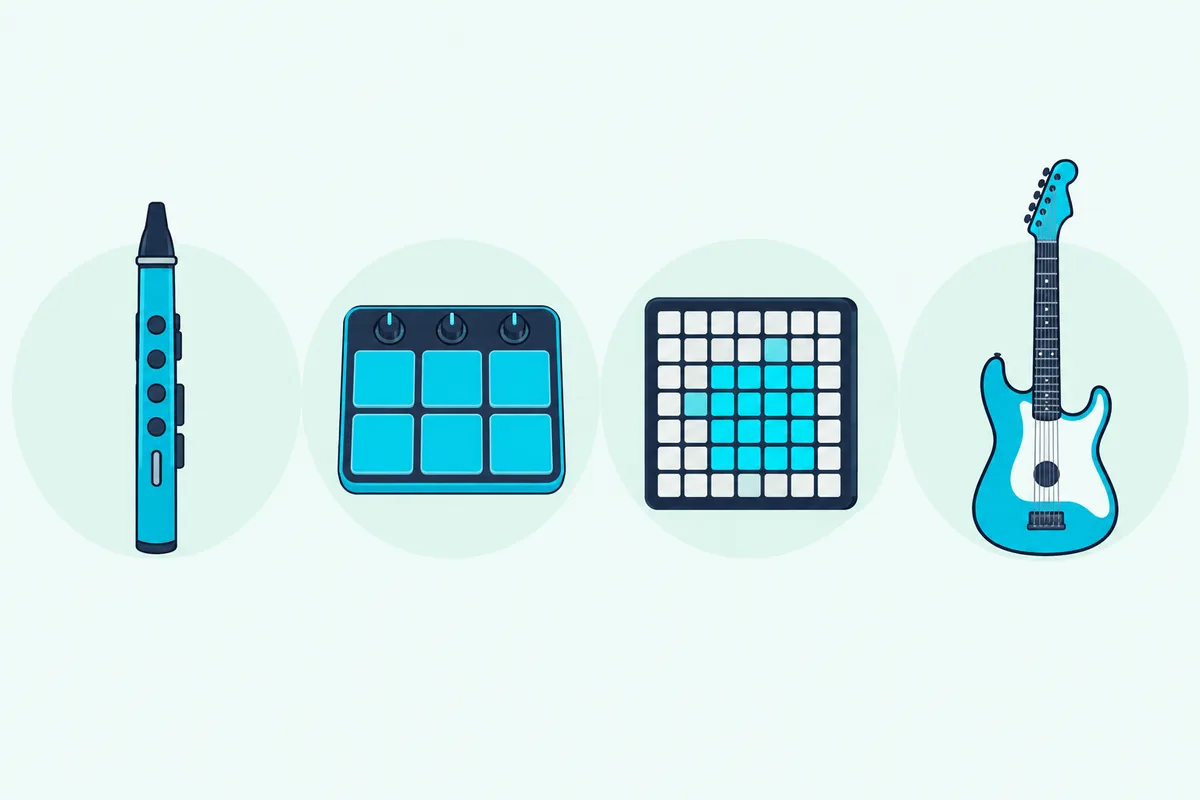
| If you… | Try this | Where to read more |
|---|---|---|
| Play a woodwind or brass instrument | A wind controller such as the Akai EWI Solo | Below |
| Play drums or percussion | A sampling or percussion pad | Below |
| Launch clips and tap out beats | A pad grid such as the Novation Launchpad X | Drum pad MIDI controllers |
| Want faders and knobs for your DAW | A control surface | DAW controllers |
| Play guitar | A MIDI guitar pickup | Below |
| Need your hands free | A foot controller | MIDI foot controllers |
| Want to spend nothing | Your computer’s typing keyboard or a phone | Computer keyboard as a controller and phone as a controller |
The rows marked “Below” get their own sections, and the others link to pages that already cover them in depth.
Get Studio Tips Weekly
Join 5,000+ creators getting acoustic treatment advice every week.
No spam. Unsubscribe anytime.Is a Wind Controller a Good Alternative to a Keyboard?
Yes for woodwind and brass players, because breath adds a control a key can’t. The Akai EWI Solo is a wind-instrument-type MIDI controller with a breath sensor, a bite sensor for vibrato and fingering modes for flute, oboe, saxophone and EVI, the electronic valve instrument, according to Akai.
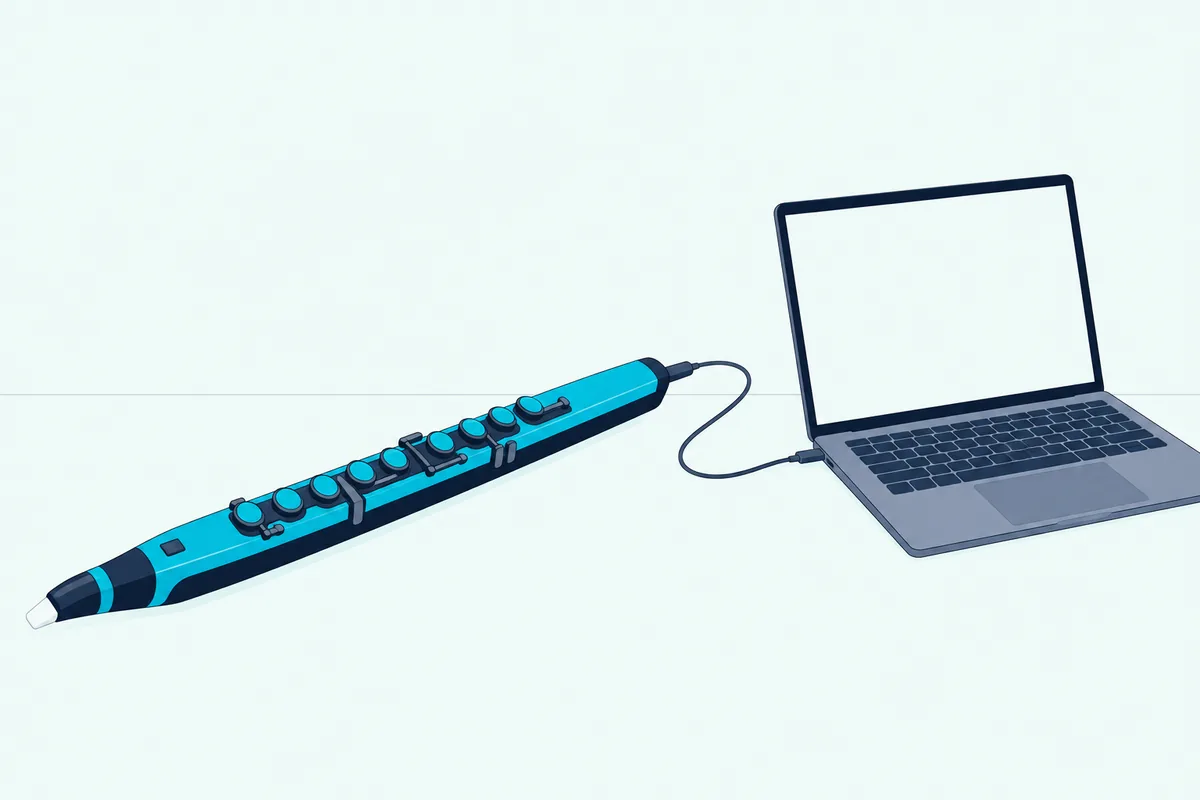
The Akai EWI Solo measures 30.12 by 3.00 by 3.24 inches and weighs 1.79 pounds, and Akai rates its rechargeable lithium-ion battery at 12 or more hours of play.
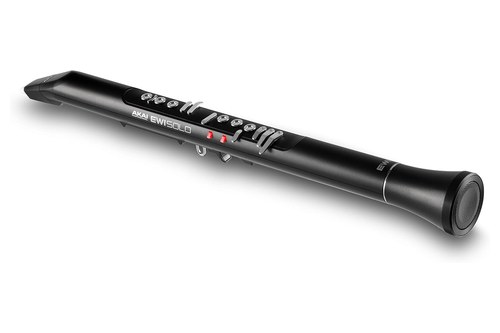
The Akai EWI Solo
It carries 200 onboard sounds and a built-in speaker, so it works without a computer, and over USB it sends MIDI on 16 channels. It also has a 1/4-inch line output, a headphone output and an auxiliary input.
Akai’s user guide lets you choose what the breath sensor sends: a breath controller message on CC 2, volume, expression, aftertouch, channel pressure or a custom controller number.
Two habits from the guide matter. Touch the grounding plate and octave rollers while you play, because those sensors use your body as the ground, and don’t bite the mouthpiece too hard, since that can damage the vibrato sensor.
Can a Drum or Sampling Pad Replace a Keyboard?
For beats, samples and percussion, yes, because the pads send notes that respond to how hard you hit them. Alesis describes the eight pads on its SamplePad Pro as fully responsive and velocity sensitive, and Roland calls the nine pads on its SPD-SX PRO ultra-responsive (Alesis, Roland).
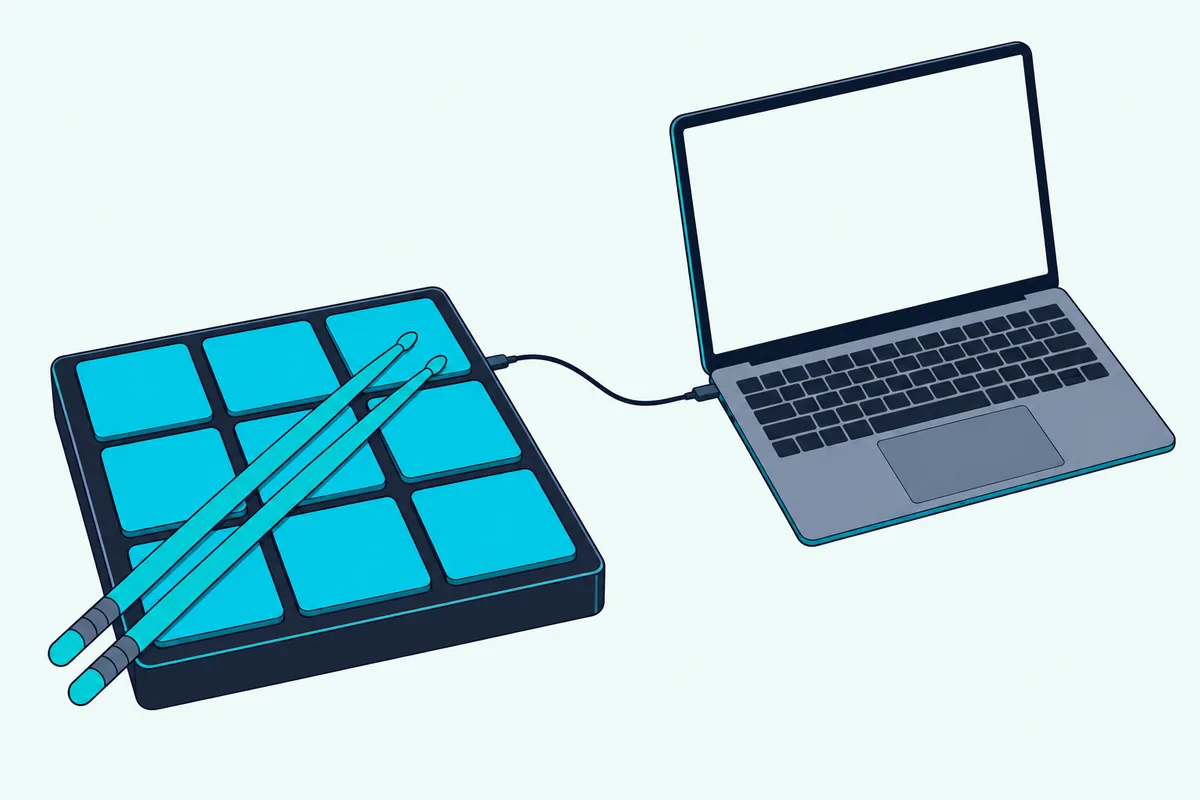
The Roland SPD-SX PRO has a 4.3-inch color screen, 32 GB of memory and 1,550 onboard samples, and Roland says its USB connection sends MIDI and eight discrete audio channels to a computer for recording.
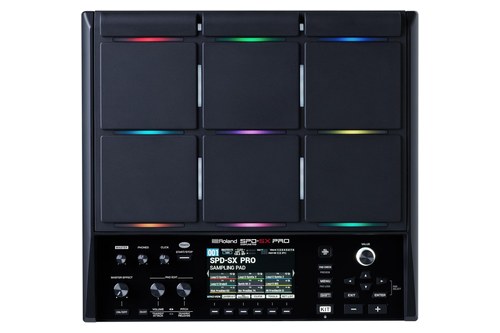
The Roland SPD-SX PRO
It also takes extra triggers. Roland lists up to 19 playing surfaces once you add external triggers and footswitches to the nine pads.
The Alesis SamplePad Pro is the smaller route, with eight pads, more than 200 built-in sounds, an SD card slot for your own sounds and inputs for two more pads plus kick and hi-hat pedals.
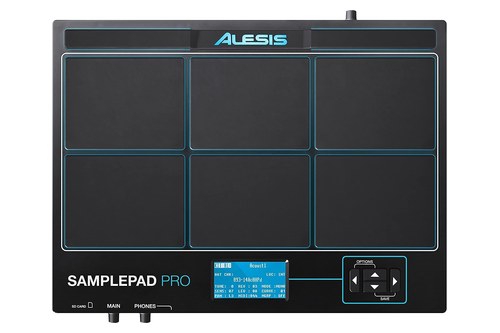
The Alesis SamplePad Pro
It has a USB port and 5-pin MIDI in and out, and Alesis says it fits into an existing acoustic or electronic kit.
Check the software side before you buy it. Alesis’ requirements list names Windows 7 and 8 and OS X 10.7 to 10.9, which is old, so confirm it works with your computer first.
Is a Pad Grid a Good Alternative to a Keyboard?
Yes for loops, clips and beats, because a grid of pads puts notes, scales and clips under your fingers at once. The Novation Launchpad X has 64 velocity-sensitive RGB pads with polyphonic aftertouch, according to Novation, and it runs on USB bus power.
The Novation Launchpad X measures 241 by 241 by 17.5 millimeters, which is about 9.5 by 9.5 by 0.7 inches, and Novation says there are no drivers to install.
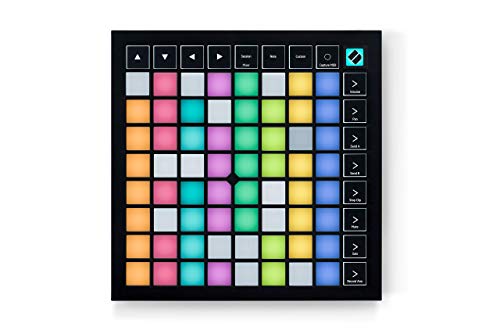
The Novation Launchpad X
Its Note and Scale modes keep melodies in key, and four custom modes let you map it to control almost anything MIDI through Novation Components. Novation adds that the Launchpad also works as a standard MIDI controller, so it isn’t tied to Ableton Live.
Its software bundle includes instruments from XLN Audio and AAS and finger drumming lessons from Melodics.
Can a Guitar Work as a MIDI Controller?
Yes, with a pickup that turns your strings into MIDI, and Fishman’s TriplePlay is one example. Fishman describes the TriplePlay Express as a MIDI guitar controller that lets you control any virtual instrument with your guitar (Fishman).
Fishman also lists a wireless TriplePlay for recording and transcribing, and an FC-1 controller with programmable switches for external sound modules and keyboards. We’re not linking one here because the current Amazon listings don’t have enough buyer reviews to recommend with confidence.
What About Expressive and Gesture Controllers?
Some controllers go beyond pads and keys by sensing pressure and movement, and the MIDI Association’s MPE specification exists for them. It’s written for controllers that let a performer vary the pitch and timbre of individual notes while playing polyphonically (MIDI Association).
In many of these controllers, the association says, pitch comes from lateral motion on a continuous surface and timbre from pressure or from moving fingers toward and away from the player. MPE gives each note its own MIDI channel, which avoids Mono Mode and its limit of 16 notes.
Gesture controllers are older than most people expect. MIDI.org’s article describes Don Buchla’s Lightning, introduced in 1991, which reads two wireless infrared wands through a tracking head, though most of its examples are decades old.
Can You Use Something You Already Own?
Yes, and it costs nothing to try before you buy hardware. Many DAWs let your computer’s typing keyboard play notes, and apps can turn a phone into pads or faders.
Both are limited next to real hardware, so treat them as a way to find out what you’d actually use. If pads turn out to be the thing, a grid is the natural next step.
What Does Each Alternative Controller Send?
Notes and controller messages, like a keyboard, but with different expression on top. The table shows what each type adds, using the makers’ own descriptions.
| Type | What it sends | Source |
|---|---|---|
| Wind controller | Notes, plus breath as CC 2, volume, expression, aftertouch, channel pressure or a custom CC | Akai’s EWI Solo user guide |
| Drum or sampling pad | Notes that follow how hard you hit, over USB and 5-pin MIDI on some models | Roland and Alesis |
| Pad grid | Notes with velocity and polyphonic aftertouch, plus custom-mapped controls | Novation |
| Expressive (MPE) surface | Per-note pitch and timbre, each note on its own channel | MIDI Association |
To your DAW they’re all the same kind of device, a MIDI input, and the next section covers how each one gets there.
How Do You Connect and Set Up Each Kind?
Plug it in by USB and switch it on as a MIDI input in your software, with a few differences between the four. Akai’s guide for the EWI Solo says to connect the included USB cable, and to keep the instrument powered off if you want it to act only as a MIDI controller.
Powered on, it sends MIDI to the computer while also playing its own sounds through the speaker, line out and headphones. The Launchpad X needs no drivers, Novation says, and Ableton Live 10 or later gives it built-in integration, though it also works as a standard MIDI controller in other software.
Roland says the SPD-SX PRO’s USB connection sends MIDI and eight audio channels to your DAW, and that its app on Roland Cloud edits kits over the same cable. Alesis lists a USB port, MIDI in and out, and a software utility for the SamplePad Pro.
Then open your DAW’s MIDI settings. In Ableton Live, the MIDI controllers FAQ says to activate Track and Remote for the input port connected to a controller that has no control surface of its own.
Do Alternative MIDI Controllers Make Sound on Their Own?
Some do, and the table shows which. The makers’ pages list the built-in sounds for the first three, and the Launchpad X lists none.
| Controller | Built-in sounds | Needs software to be heard? |
|---|---|---|
| Akai EWI Solo | 200 onboard sounds and a built-in speaker | Only for software instruments |
| Roland SPD-SX PRO | 1,550 onboard samples | Only for software instruments |
| Alesis SamplePad Pro | More than 200 sounds | Only for software instruments |
| Novation Launchpad X | None listed | Yes, and Ableton Live Lite is included |
Built-in sounds are handy for practicing without a computer, but the MIDI over USB is what lets you play software instruments. Akai’s guide notes one catch: when the EWI Solo is connected to a computer and powered off, it sends MIDI messages but no audio.
What Are the Limits of Alternative MIDI Controllers?
They fit fewer situations than a keyboard, so each one works best when your software and your playing style meet it halfway. The limits below come from the makers’ own pages and from MIDI.org.
Sound is the first limit. The Launchpad X lists no built-in sounds, so it needs software to be heard, while the other three carry their own.
Software support is the second. The MIDI Association says MPE covers controllers and the synthesizers and DAWs that receive them, so an expressive surface only pays off in software that supports it.
Technique is the third. Akai’s guide includes fingering charts for EWI, saxophone and flute styles, and it asks you to keep the mouthpiece clean and not to bite too hard.
Availability is the last. MIDI.org’s article notes that plenty of drum and percussion controllers have come and gone since MIDI arrived in 1983, and it says the original Handsonic had been discontinued by late 2015, so check the maker’s page before you commit.
What Should You Check Before You Buy an Alternative MIDI Controller?
Check how it connects, how it’s powered and what software it expects, because those three decide whether it works the day it arrives. All four controllers here send MIDI over USB, and the SamplePad Pro adds 5-pin MIDI in and out for hardware rigs.
Power differs more. Novation lists the Launchpad X as USB bus powered, Akai’s EWI Solo runs on a rechargeable battery that charges over USB, and Alesis includes a power adapter in the SamplePad Pro’s box.
Software expectations matter too. Novation says Ableton Live has to be version 10 or later for the Launchpad’s integration, while Alesis’ requirements still name Windows 7 and 8 and OS X 10.7 to 10.9.
Finally, ask what the controller needs from you. Akai’s guide asks you to keep the EWI Solo’s mouthpiece clean, to use its cover when you carry it and to drain moisture through the drain valve.
Which Alternative MIDI Controller Should You Buy First?
Buy the one that matches an instrument you already play, because that’s where you’ll hear the payoff fastest. A woodwind or brass player should start with the EWI Solo, since its fingering modes copy familiar instruments.
A drummer should look at the SamplePad Pro for a small setup or the SPD-SX PRO for stage use, since both add inputs for extra pads and pedals. A producer who works in clips and loops should start with the Launchpad X, which includes Ableton Live Lite.
Drummers who already own an electronic kit can skip the pad, since electronic drums as a MIDI controller covers USB, Local Mode and note numbers.
If you’ve never played an instrument, the Launchpad X comes with the most software of the four, including those drumming lessons. If none of these describes you, try the free options first.
And if you want to play chords and melodies with both hands, none of these replaces keys, so a mini keyboard is still the simpler buy.
The Bottom Line
The best alternative MIDI controller is the one that matches how you already play: a wind controller for breath, a pad for drumming, a grid for clips and beats. Each sends standard MIDI, so they all work as inputs in your DAW.
Check what you need from the sound side, because only some carry their own sounds. Then start with a free option if you’re unsure.
Frequently Asked Questions
What is an alternative MIDI controller?
Any controller that sends MIDI without piano keys, such as a wind controller, a drum pad, a pad grid or a guitar pickup. MIDI.org’s article on alternative controllers groups older examples into hand-held and struck controllers.
What is the best alternative to a MIDI keyboard?
It depends on what you play. A pad grid such as the Launchpad X suits clip launching and beats, a wind controller suits woodwind players, and a drum pad suits drummers.
Can I use a MIDI pad instead of a keyboard?
Yes for beats and clips, and the Launchpad X’s Note and Scale modes can also play melodies in key. For two-handed chords a keyboard is still easier.
Do alternative MIDI controllers work with any DAW?
They send standard MIDI, so they appear as MIDI inputs in most DAWs. Novation says the Launchpad X works as a standard MIDI controller, and Akai’s EWI Solo sends MIDI over USB on 16 channels.
Can a wind controller make sound without a computer?
Yes. Akai says the EWI Solo has 200 onboard sounds, a built-in speaker and a battery rated for 12 or more hours.
Is there a free alternative to a MIDI keyboard?
Yes, your computer’s typing keyboard or a phone. Many DAWs let a typing keyboard play notes, and apps can turn a phone into pads or faders.
Do alternative MIDI controllers need drivers?
Check each maker’s page, because it varies. Novation says the Launchpad X needs no drivers, and Akai’s EWI Solo connects by USB cable to send MIDI to your computer.
Can I use two alternative controllers at once?
Usually yes. Ableton’s manual says Live can use any number of MIDI ports for track input and output, so a pad grid and a wind controller can both play at the same time (Ableton manual).
Are alternative MIDI controllers harder to learn than keyboards?
They ask for a different technique. Akai’s guide for the EWI Solo says its fingering options can feel familiar to saxophonists and flutists, and it includes fingering charts for EWI, saxophone and flute styles.
Which alternative MIDI controller is best for beginners?
The Launchpad X has the fullest starter kit, with Ableton Live Lite, instruments from XLN Audio and AAS and finger drumming lessons from Melodics. If you already play a wind instrument or drums, the EWI Solo or a pad will feel more natural.